
Section 01
Category 1: The Hero Product
Fisheye Ad Engine, the two-step product workflow
Six product ads. Six camera setups. One repeatable workflow.
This is the vault that turns prompting into client work. Every prompt here builds a finished advertising key visual: a chunky 3D character, a fisheye lens bending the whole world, a product thrust so close to the lens it almost touches it, and a clean corner reserved for a headline. This is the exact look brands are buying right now, and it is the highest-converting thumbnail language on YouTube.
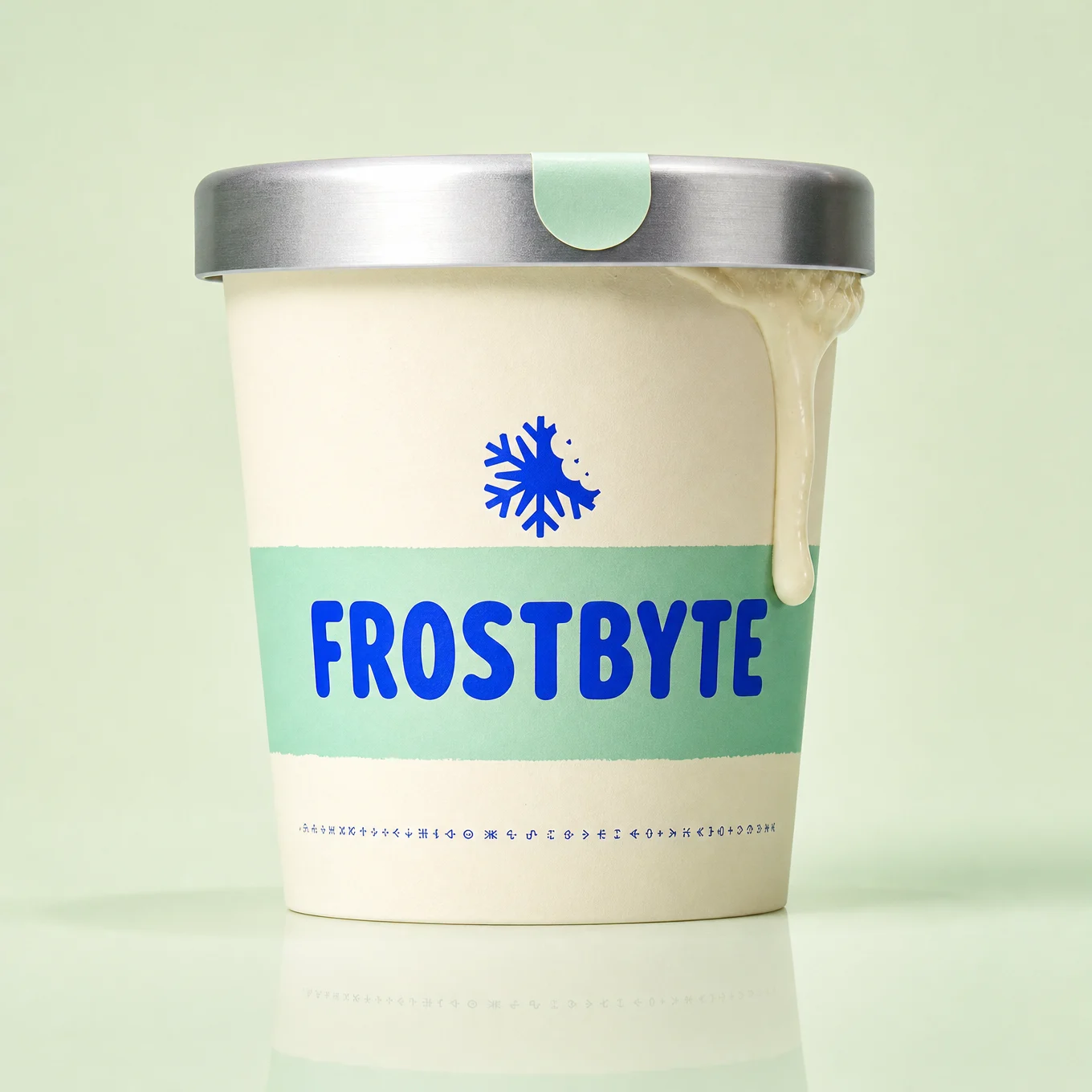
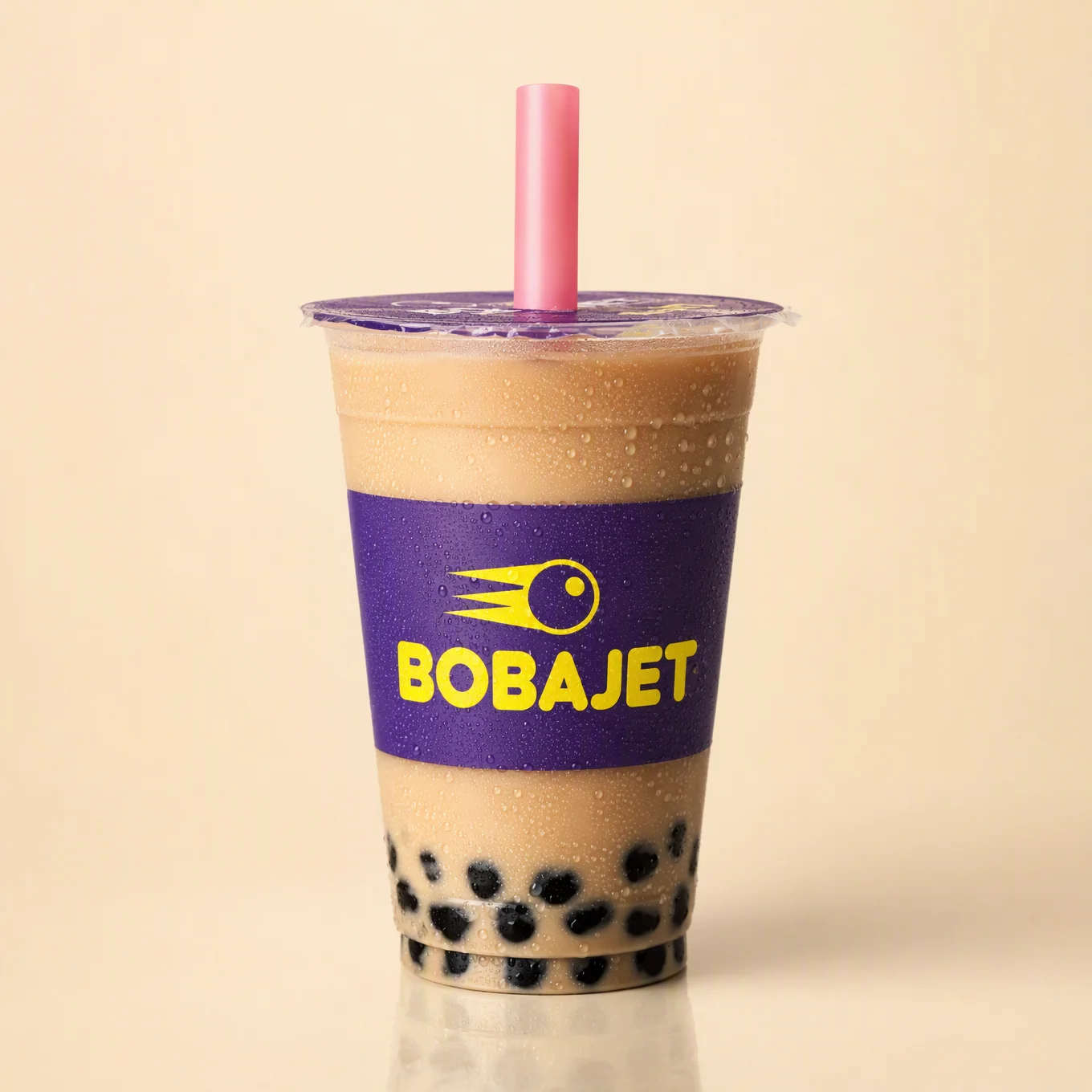
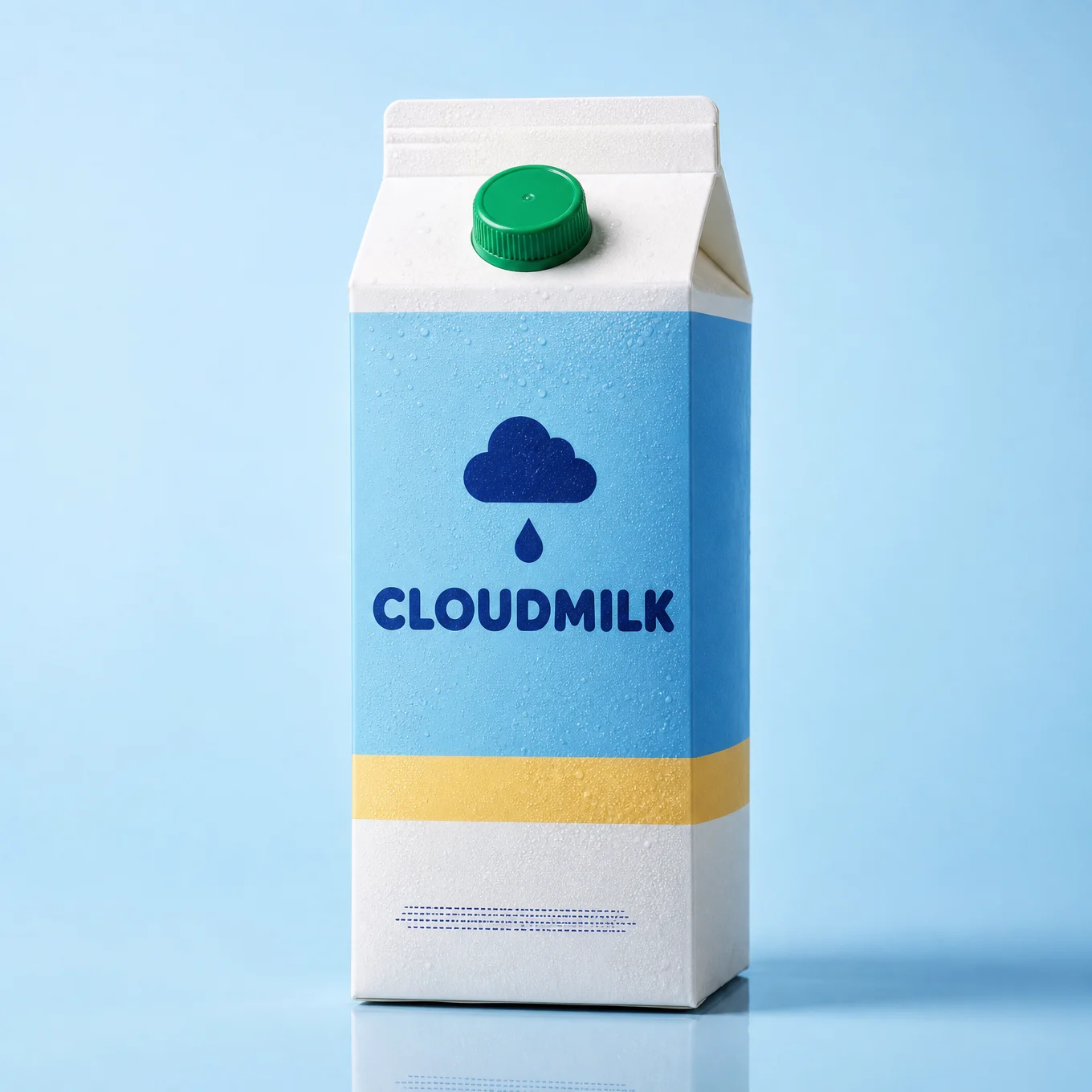
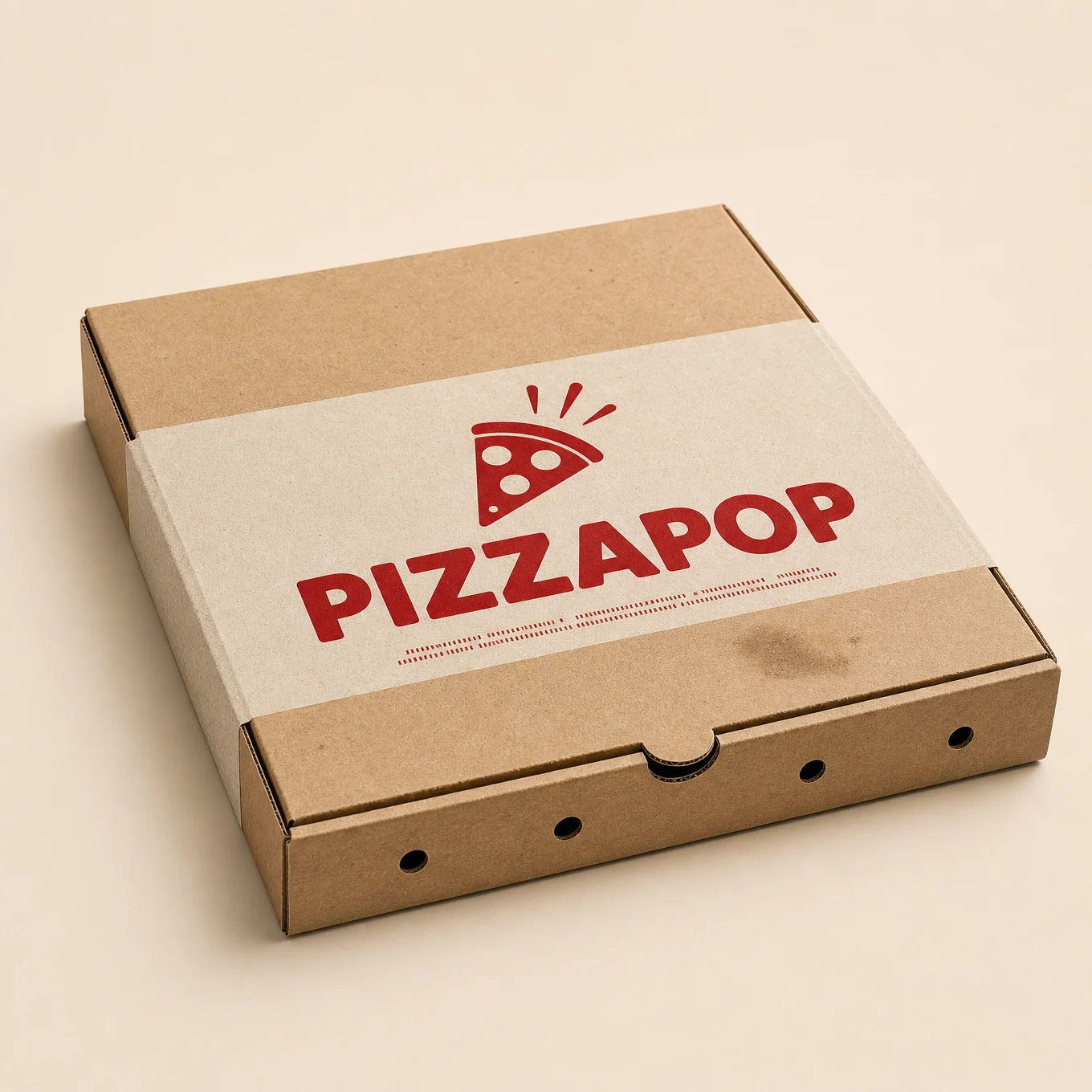
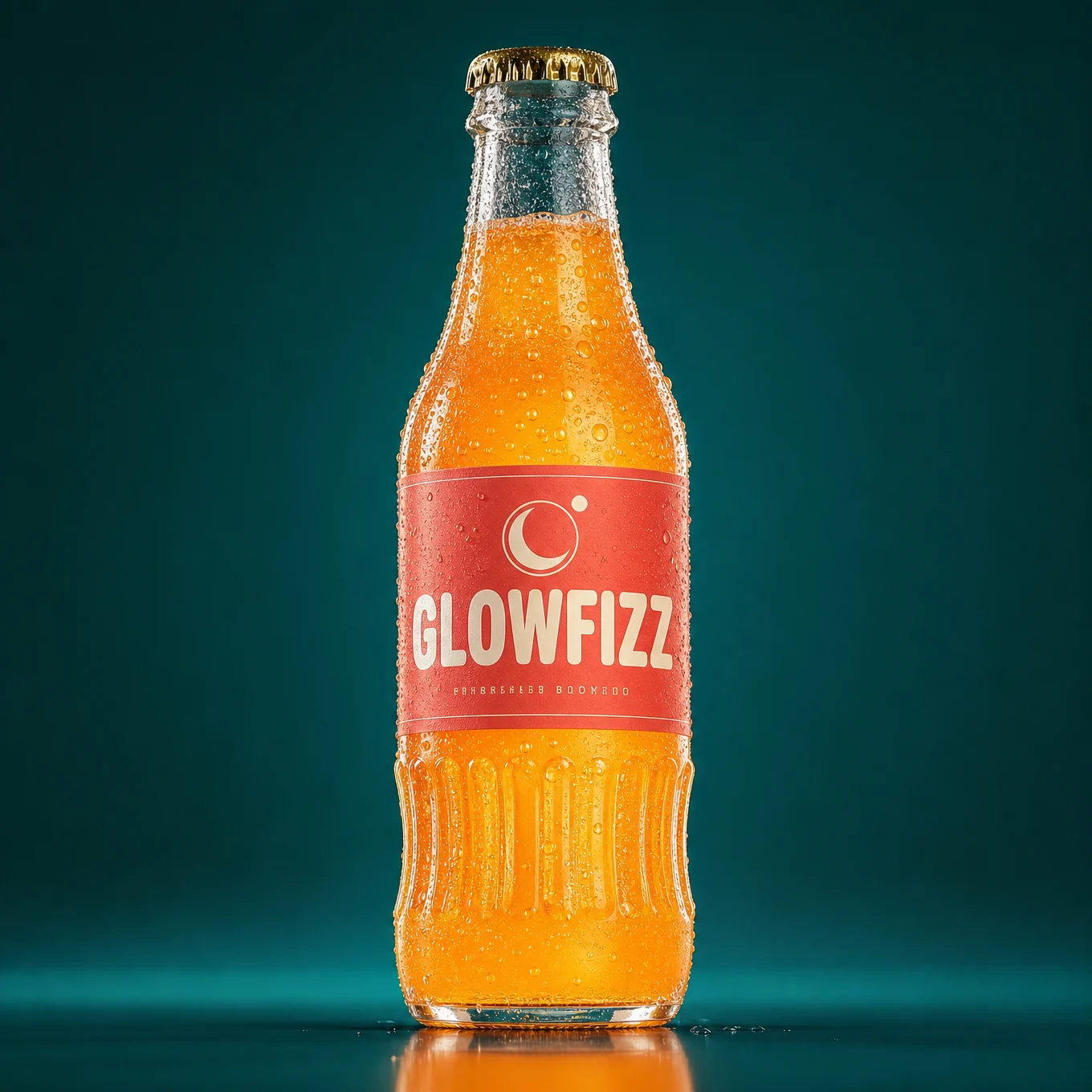
The important part is the workflow. Every image in this category is a two-step build: first the product, then the scene. You will see the product image above each prompt. Feed that image in as your reference, run the scene prompt, and the product arrives inside the artwork with its shape, colours, and label intact.
And here is why that matters for you. Step one does not have to be a generated product. If you have a real product, your own brand, a client’s drink, a shop’s packaging, you photograph it and use that photo as the reference instead. The scene prompt converts your real product into the 3D style and builds the ad around it. That is a complete commercial service, and it runs on this one page.
How The Two-Step Workflow Works
Step 1: get a clean product image. Either a straight photograph of the real product on a plain background, or a generated packshot if the product is fictional. Requirements are the same either way: single product, plain background, even lighting, label facing camera, sharp focus.
Step 2: run the scene prompt with that image as Image 1. The prompt opens with a STYLE CONVERSION instruction that tells GPT Image 2 to rebuild the product in the scene’s cartoon 3D style while keeping every identifying feature: shape, colours, logo, lettering, label layout.
Why not just describe the product inside the scene prompt? Because descriptions drift. Write "a mint and cream ice cream cup with a snowflake logo" into six different prompts and you get six different products. Reference the same image into six scenes and you get one product, six ads. That consistency is exactly what a brand is paying for, and it is what separates a campaign from a pile of nice pictures.
Expect the conversion to be a blend. The product usually lands somewhere between photoreal and full cartoon, and that is fine, often better. It keeps the product looking like a real thing inside a stylized world, which is what makes the ad readable as an ad.
The Nine-Block Scene Prompt
Every scene prompt on this page uses the same nine blocks in the same order. Learn them once and you can build this style around any product on earth.
1. STYLE CONVERSION. Names the reference image, states it is a real photograph, and instructs the rebuild in the scene’s style with an explicit checklist of what must survive: shape, colours, lettering, logo, label facing camera.
2. The scene declaration. "A dynamic 3D advertising key visual, extreme fisheye wide-angle distortion filling the entire frame edge to edge, forced perspective," plus the camera position. This single sentence carries the vault’s whole visual identity.
3. The action. What the character does, and critically, how the product gets to the lens.
4. FORCED PERSPECTIVE. The size relationship stated as a ratio, plus what the fisheye does to the background.
5. ACTION DEBRIS. The frozen motion: splashes, grit, papers, droplets.
6. CHARACTER. Proportions, brand-matched wardrobe, expression, eyeline.
7. STYLE. Render quality, lighting, gloss, colour temperature.
8. Headline corner. The reserved empty space for text.
9. Format and DO NOT.
The Two Rules That Make Or Break Every Shot
Before the prompts, understand these two, because they explain nearly every line you are about to read.
Rule 1: forced perspective is a stated ratio, not an adjective. "The product is large in the foreground" does nothing. Every prompt here says something like "five times larger in frame than her head." Models normalise perspective toward realism by default, so the exaggeration has to be a number, and it has to compare the product to a body part in the same frame. If your product renders too small, that ratio line is the only thing you change.
Rule 2: fisheye distortion, never a fisheye frame. In testing, the first render came back with a black circular border around the image, GPT Image 2 rendering a literal fisheye photograph complete with its porthole edge. The reference ads have the warp without the circle. So every prompt now says "filling the entire frame edge to edge" and every DO NOT bans "black circular fisheye border, dark vignette corners, porthole frame." You want the lens behaviour, not the lens hardware.
Prompt 1: FROSTBYTE Ice Cream
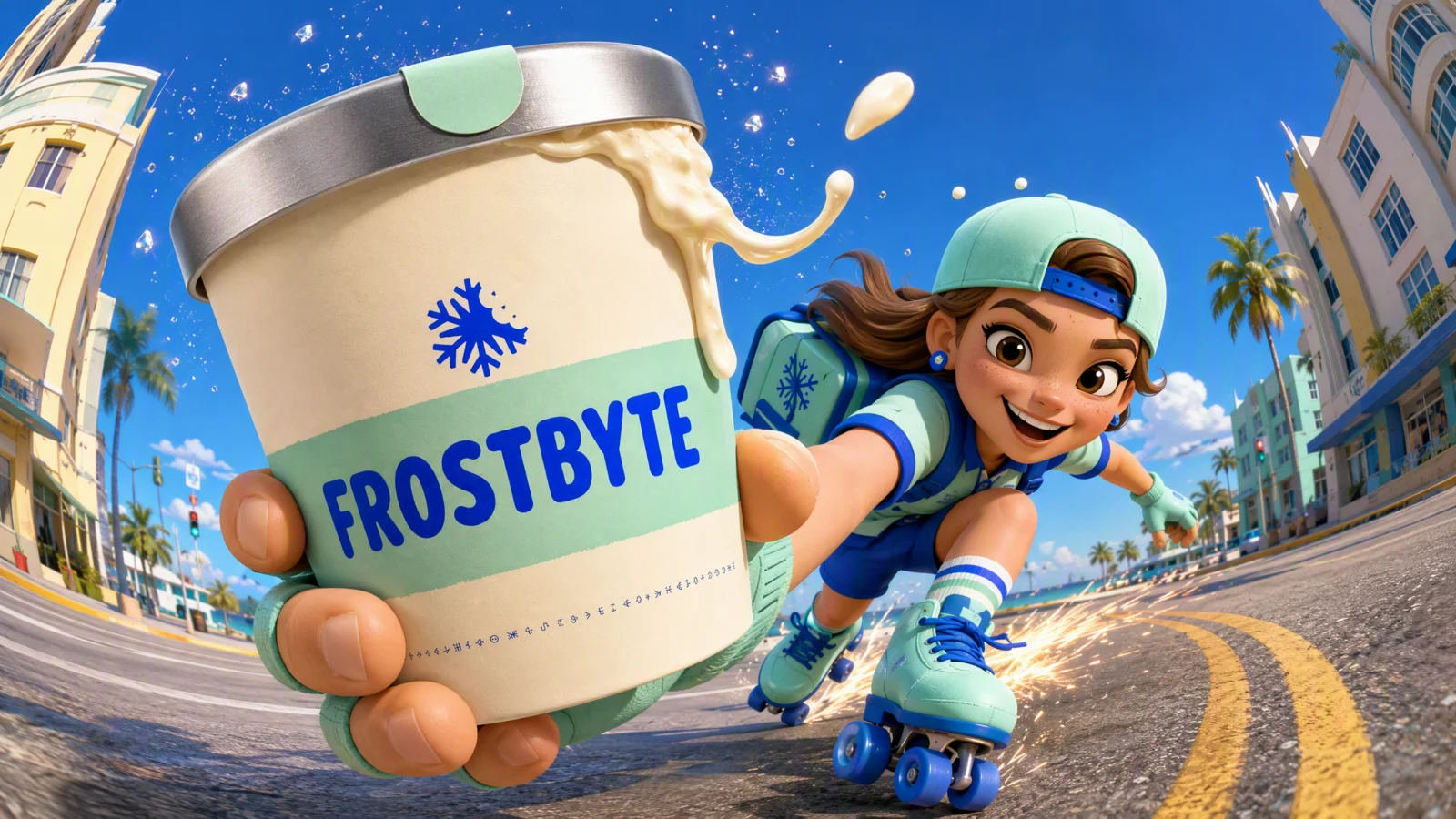
The arm thrust
The foundational setup and the simplest to control: an outstretched arm drives the product at the lens while the character stays low in a speed crouch behind it. One arm, one product, one clean size gap. If you learn only one shot from this page, learn this one, it works for a drink, a phone, a shoe, a box, anything a hand can hold.
The technique to study: the drip. "The thick vanilla drip WHIPPING off the cup’s side in an arc." The product is not just being carried, it is losing material to the motion, which proves the speed and makes the ice cream look cold and real. Every food or drink product should be shedding something in these shots: drips, steam, crumbs, condensation.
Block notes for this one:
The uniform matches the brand. "Mint and electric blue uniform matching the brand." This is a small line doing large commercial work: when the character wears the product’s colours, the whole frame reads as one campaign instead of a character holding a random object. Always dress your character in the packaging.
The eyeline. "Eyes on the viewer." In advertising, direct address sells. Combined with the fisheye and the product at the lens, the viewer is being handed something by someone looking right at them. Every prompt in this category locks the eyeline deliberately.
Sparks behind, product in front. The debris is split across depth: drip and droplets at the lens, sparks far behind at the skates. Foreground debris sells the product, background debris sells the speed.
Swap ideas: a cold brew coffee cup with the same skate setup. A phone handed forward with a screen glow instead of a drip. A bakery box with flour puffing off it.
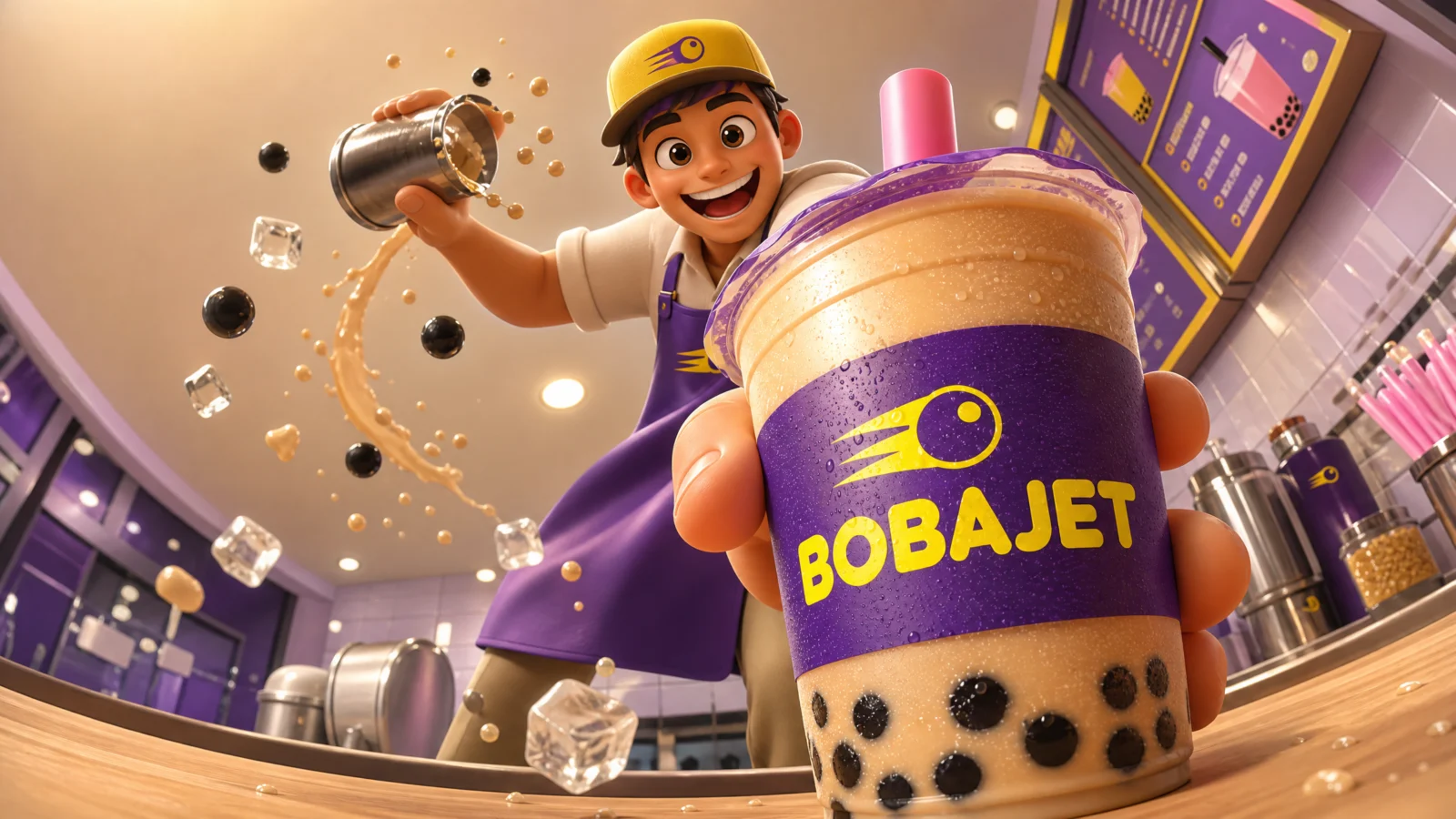
Prompt 2: BOBAJET Bubble Tea
The low counter angle
Setup two: the camera goes down onto the counter and looks steeply up, and the product comes down at it. This is the shot for anything served, handed over, or set down: drinks, plates, keys, packages. The upward angle makes the character tower and the product dominate, and it is the most flattering angle in the whole vault for a hospitality business.
The technique to study: the two-handed action. The main hand slams the cup toward the lens, and the second hand is still shaking a shaker above. One character, two simultaneous actions, which makes the scene read as a moment inside real work rather than a pose. Whenever your character has a free hand, give it a job that belongs to the trade.
Block notes for this one:
"Base-first" is the key word. Products arriving at the lens need an orientation instruction, or the model presents them flatly like a catalogue shot. Base-first, corner-first, sole-first, these words are what create the sense of something coming toward you rather than being displayed.
"Eyes down at the viewer." The eyeline follows the camera position. Low camera means the character looks down into the lens. If you move the camera and forget to move the eyeline, the character stares past the viewer and the direct-address effect dies.
The headline corner moved. Upper left this time, because the barista occupies the upper right. The clean corner always goes where the composition is emptiest, which is a decision you make per shot, not a fixed rule.
Swap ideas: a hawker stall handing down a bowl of noodles. A bartender setting a glass at the lens. A pharmacist passing a box across the counter.
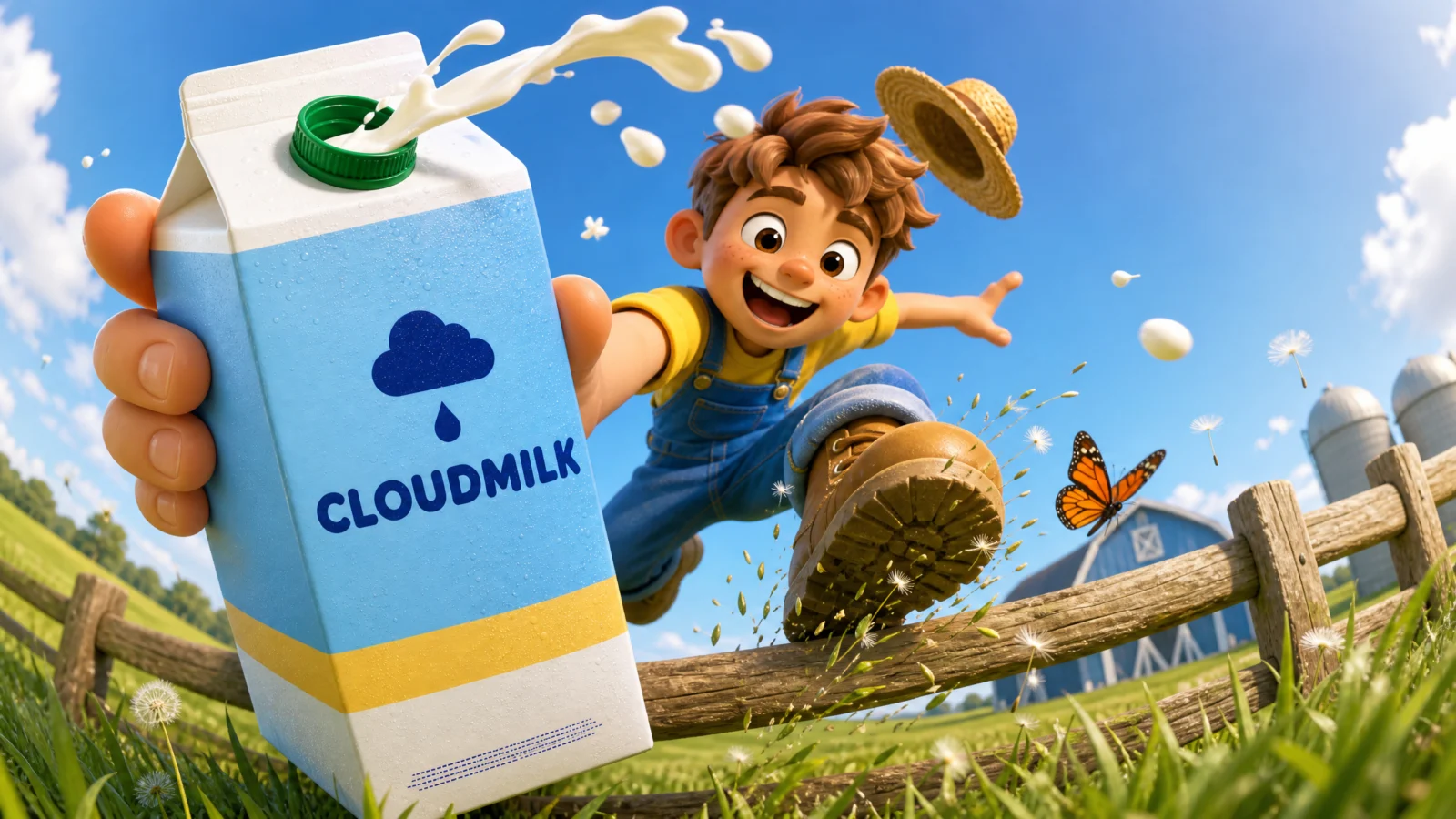
Prompt 3: CLOUDMILK Carton
The vault over the fence
Setup three: the character is airborne, mid-vault over an obstacle, with the product swung into the lower foreground. Airborne shots carry the most energy in the vault because the whole body is committed, nothing is planted, and the fisheye warps the horizon into a curve behind them.
The technique to study: the product doing something impossible and delicious. "An arc of white milk LOOPING from the carton’s open cap." Real milk would not loop; ad milk does. Once the world is stylized, the product’s material can perform: milk loops, coffee spirals, cheese stretches. That performing material is what makes food advertising memorable, and it belongs in the debris block.
Block notes for this one:
The flying hat. "Straw hat flying off behind." One loose object leaving the character is worth three lines of speed description. Hats, scarves, bag straps, untucked shirts, give every action character something that cannot keep up with them.
The butterfly. "One startled butterfly mid-flap." A tiny living reaction to the character’s arrival. It costs nothing and it makes the world feel like it noticed. In busy ad frames, one small witness adds charm that pure debris cannot.
"Cows in frame" is banned. Because the model will absolutely add cows to a dairy farm, and they will crowd the composition and pull focus from the product. Ban the obvious background clutter your setting invites, farms get cows, cities get crowds, kitchens get chefs.
Swap ideas: a juice bottle vaulted over a park bench. A cereal box swung over a skateboard rail. A water bottle mid-hurdle on a trail run.
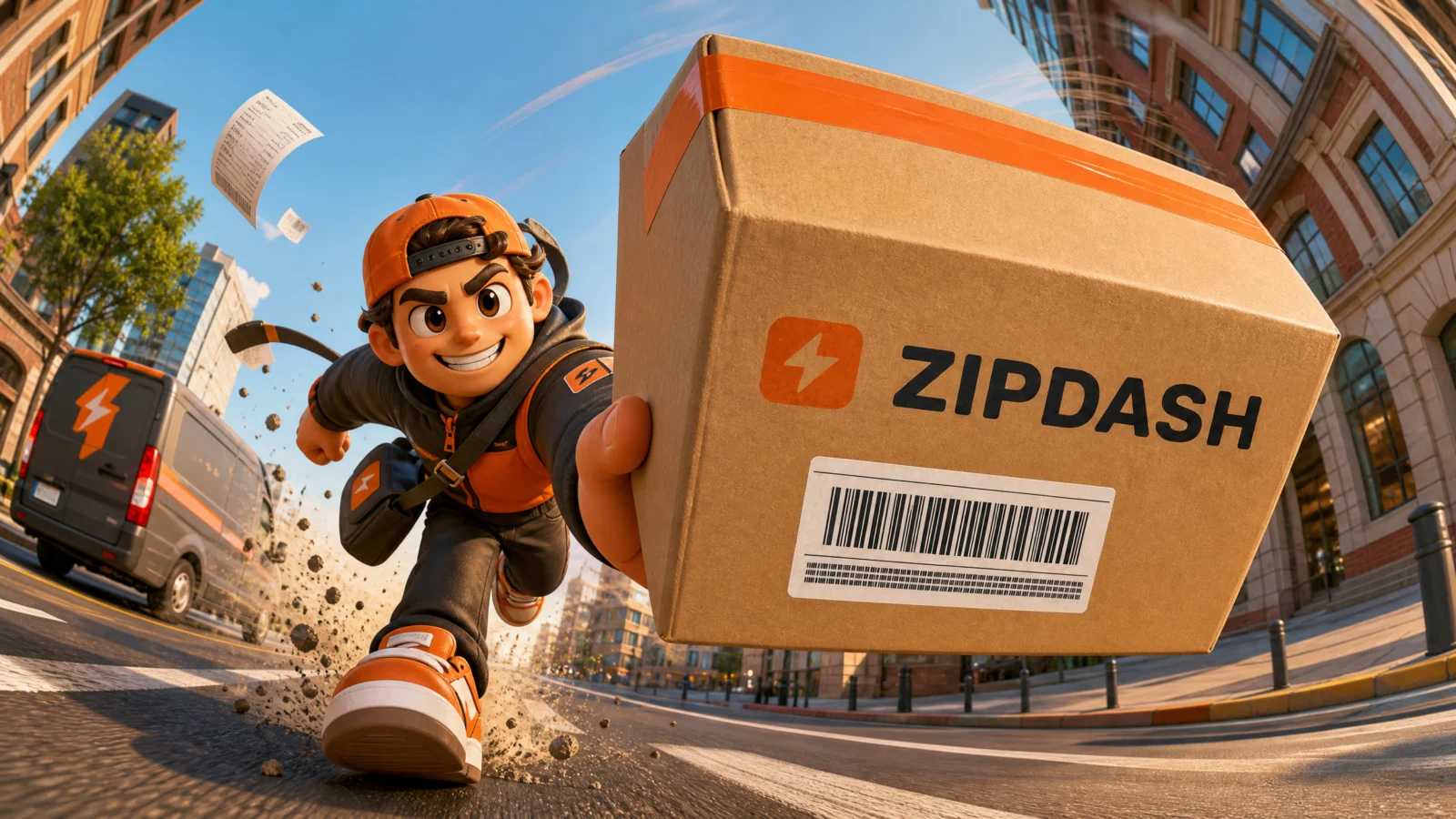
Prompt 4: ZIPDASH Parcel
The courier sprint
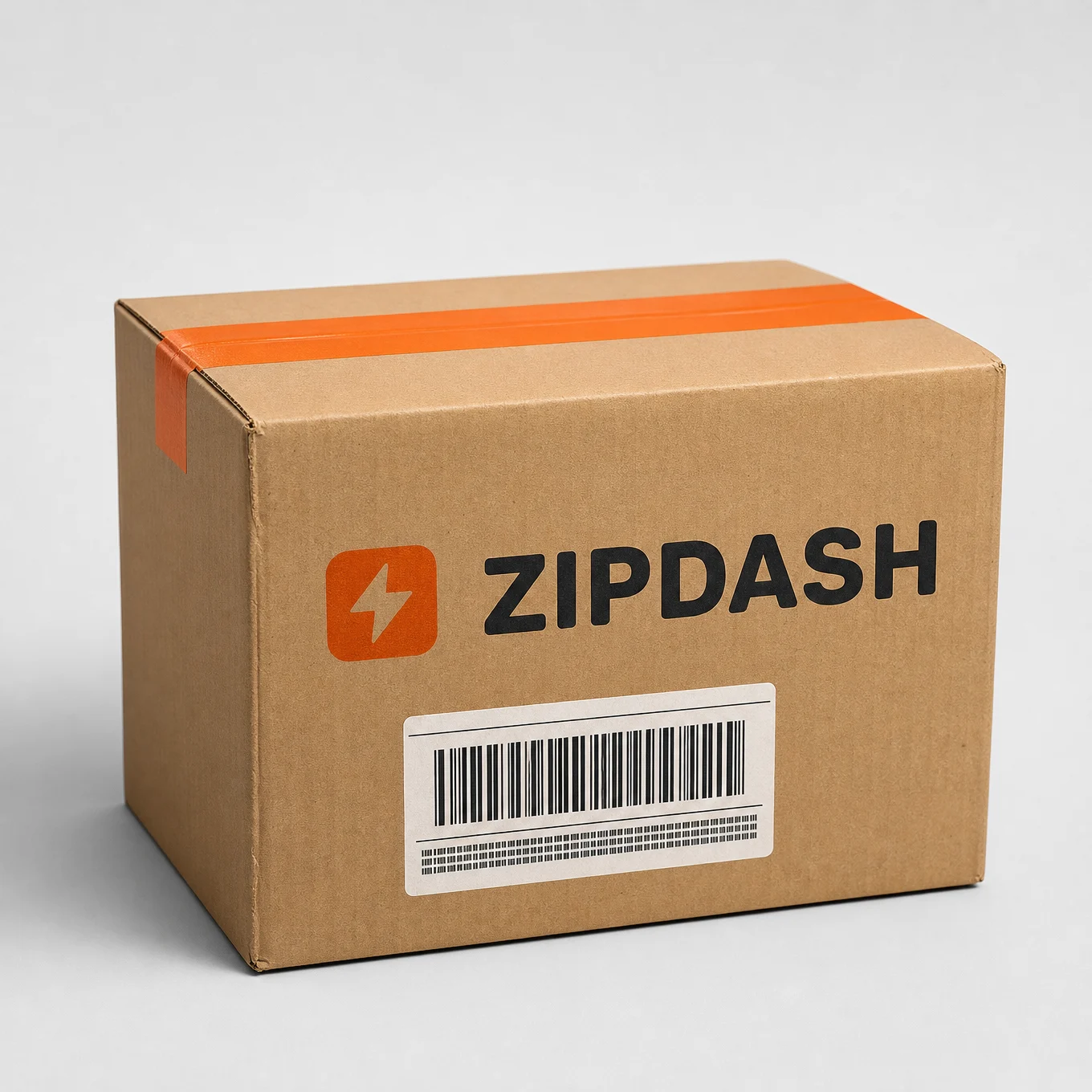
Setup four: a straight-at-camera sprint with the product carried forward corner-first. This is the delivery and logistics shot, the single most commercially requested version of this style, and it is the one most likely to earn a member actual client money.
The technique to study: speed built entirely from ground and air. "Dust and grit kicked from his rear boot," "three loose paper receipts spinning mid-air," "faint speed streaks in the air behind the parcel." Note what is not there: motion blur, which is banned. Blur softens the product and kills a commercial image. In this style, speed is drawn with thrown debris and stretched poses, never smear, exactly the same discipline the print vault used.
Block notes for this one:
"Road markings stretching toward the lens." Ground lines are the strongest fisheye tell available. Any scene with painted lines, tiles, planks, or lane markings, name them and say they stretch or curve toward the camera. The distortion becomes undeniable instead of subtle.
"Extra characters in focus" rather than "extra characters." A busy street needs background people, or it looks abandoned. The ban is on additional characters competing for attention, so the phrasing allows soft background life while protecting the hero. Precision in the DO NOT list buys you a fuller world.
"Real courier company marks" is banned explicitly. Delivery scenes are where models most want to reproduce real logistics branding, because that is what their training data contains. Whenever your scene sits in a heavily branded industry, ban that industry’s real marks by name.
Swap ideas: a food delivery bag sprinted at the lens. A moving crate carried up stairs. A grocery tote in a rain dash.

Prompt 5: VOLTPEAK Energy Can
The sole and the product, two heroes at the lens
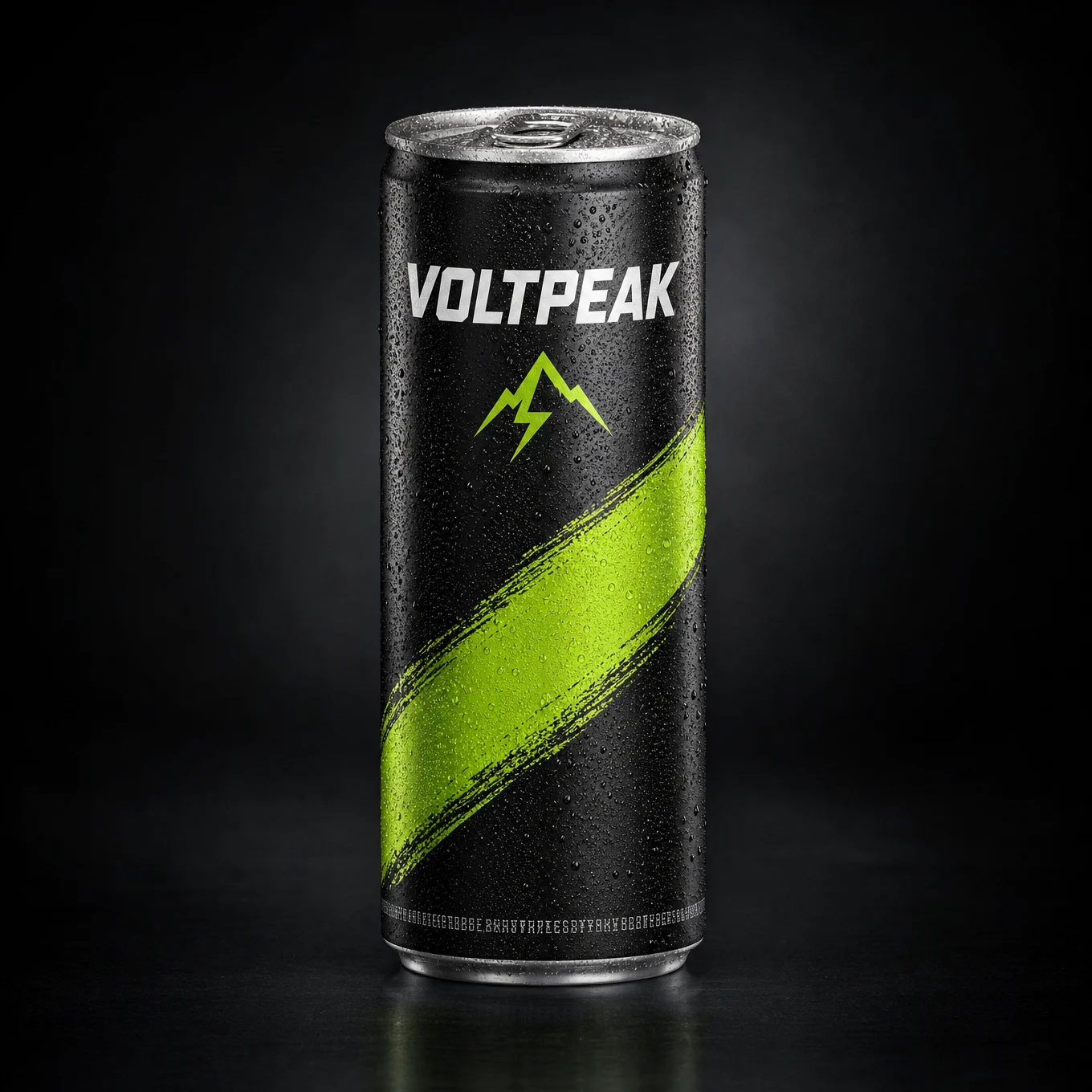
Setup five, and the most advanced composition in the category: two foreground heroes. The sprinter’s shoe sole slams into the left of frame while the can is held out at the right, both huge, with the crouched body small between and behind them. That giant sole is the signature move of this entire style, the single element you see most often in the ads this vault is built on.
The technique to study: dividing the lens between two objects. The prompt gives each a stated size and a stated side of frame ("the sole four times larger in frame than his head," can at the right). Without both instructions, one element wins and the other shrinks to normal scale. If you want two hero objects, assign each a size ratio and a frame position, always.
Block notes for this one:
"Camera flat on the running track surface." Ground-level camera is what makes a sole readable. The lower the lens, the more the foot dominates. For any sports or footwear brief, put the camera on the floor first and build the shot from there.
"Treads and grit clearly visible." A sole is only impressive if you can read its texture. Whenever a surface is your hero (sole, tyre, glove palm, racket strings), name its detail explicitly or the model renders a smooth blob.
The dark palette. This is the only prompt in the set built on dark tones, and it is deliberate: energy drinks live in a black-and-neon world. Note the style block adapts the whole lighting recipe to match, floodlight key, cool fill, hard metallic highlights. Your lighting should follow your product’s category, not a fixed formula.
Swap ideas: a basketball shoe with a sports drink. A hiking boot with a trail bar. A cycling shoe with a gel packet, camera on the tarmac.
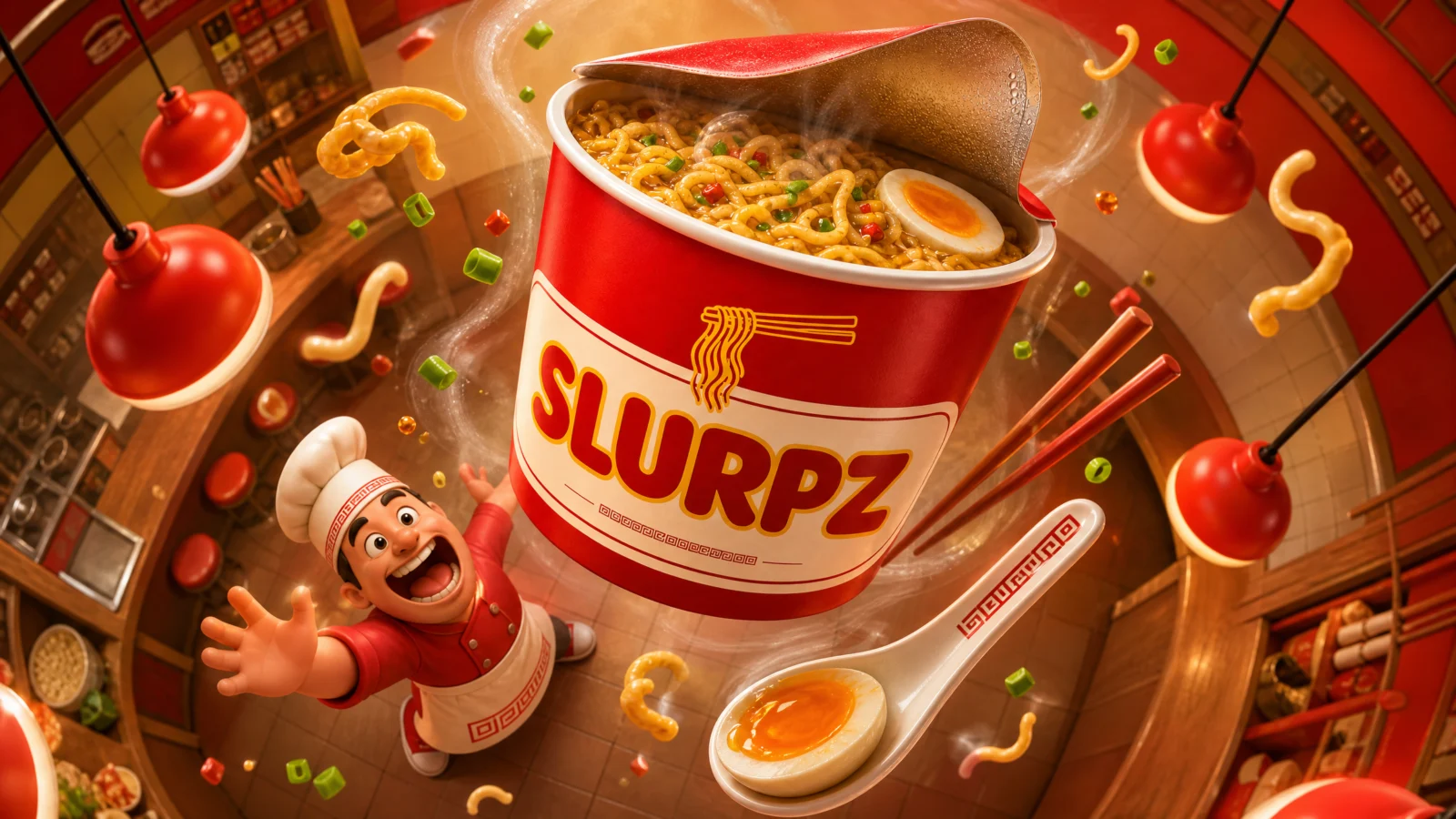
Prompt 6: SLURPZ Noodle Cup
The overhead vortex
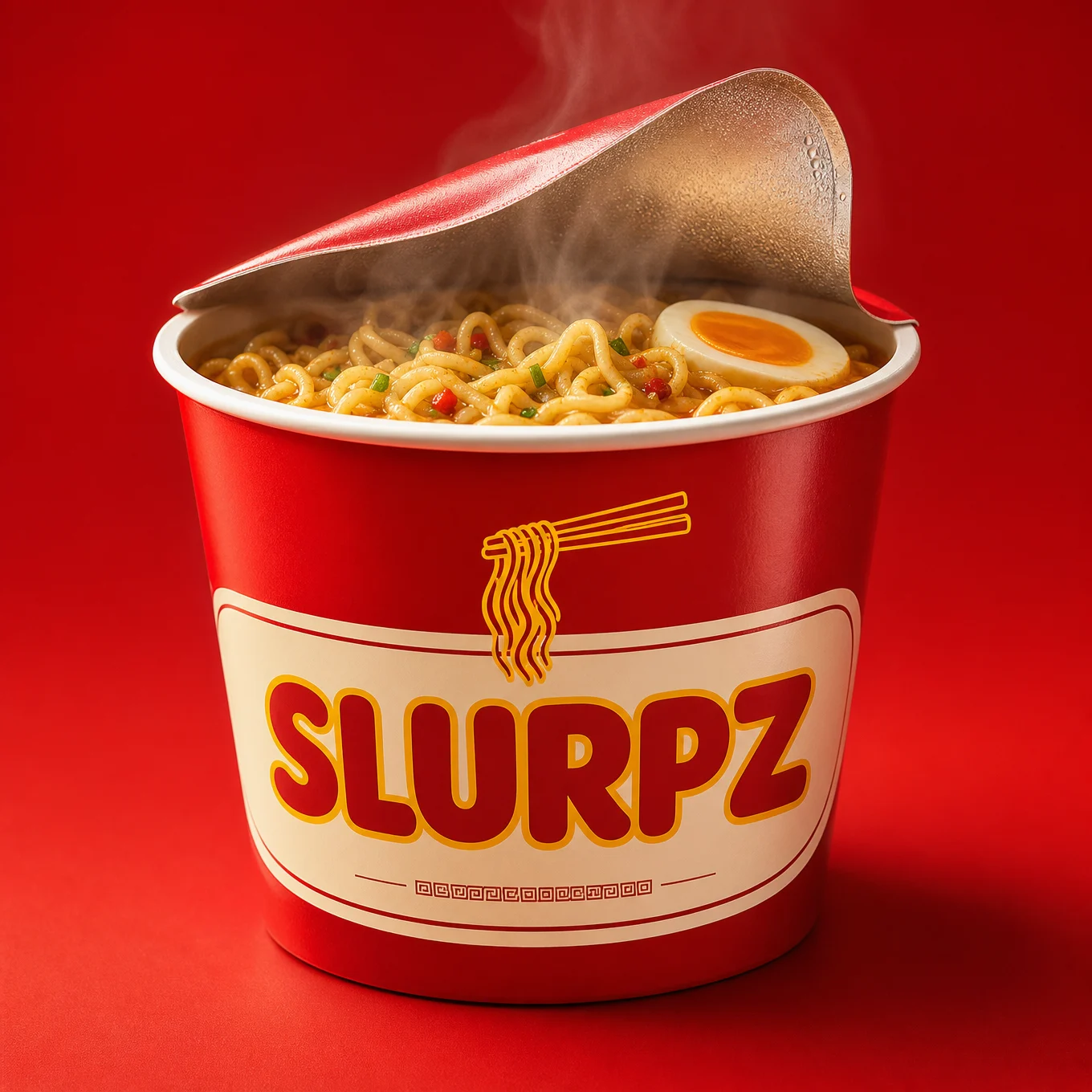
Setup six: camera directly overhead looking down, the product floating up toward the lens, and a spiral of the world’s objects orbiting between the product and the character far below. It is the most complex shot in the category, and it is the one that stops a scroll dead, because the brain takes a second to understand what it is looking at.
The technique to study: the vortex. The debris block stops being scattered particles and becomes an orbit: chopsticks, spoon, spring onion, egg half, noodle curls, steam, all spiralling around the product. This turns the product into a gravitational centre and tells the viewer instantly what world it belongs to. Every ingredient and tool in the orbit is a menu item you did not have to write.
Block notes for this one:
"Funnels down and away from the cup." Overhead fisheye needs its direction described or the model renders a flat top-down diagram. Naming the funnel shape is what turns a bird’s-eye view into a tunnel.
"Eyes up at the viewer." Third eyeline variant on this page: eyes on the viewer (level), eyes down (low camera), eyes up (overhead camera). Whenever you change camera height, rewrite the eyeline to match. It is the most commonly forgotten line in this whole style.
The headline corner is lower right. Because the composition’s emptiest area moved again. Three prompts, three different corners, that is the habit to build: place the text space last, after you know where your character and product sit.
Swap ideas: a pizza box overhead with orbiting toppings. A coffee cup with orbiting beans, spoons, and sugar cubes. A toolbox overhead with orbiting tools for a hardware brand.
The Method In One Box
- Two steps, always. Product image first (photo or packshot), scene prompt second, with STYLE CONVERSION naming everything that must survive.
- Ratios, not adjectives. State the product’s size against a body part in the same frame.
- Distortion, not a porthole. Fisheye warp filling the frame edge to edge, black circular border banned every time.
- Orient the product toward the lens. Base-first, corner-first, label-up. Arriving beats displayed.
- Dress the character in the packaging. Brand colours on the uniform make it a campaign.
- Set the eyeline to the camera height. Level, down, or up, and never forget to change it when the camera moves.
- Debris across depth, never blur. Product shedding material at the lens, ground and air debris behind.
- Reserve the headline corner last, wherever the composition is emptiest.
Common Issues And Fixes
The product renders too small. The ratio failed. Increase it and anchor to the head: "six times larger in frame than her head, dominating the foreground." If it still normalises, add "the product is the closest object to the camera by far."
A black circle or dark vignette appears. The porthole problem. Confirm the three bans are present and add "full-bleed rectangular image, no lens hardware visible."
The label changes wording or the logo warps. The conversion drifted. Re-state the exact brand text in quotes inside the conversion block and add "the brand name must read exactly as in Image 1, letter for letter."
The product looks pasted in as a photo. The conversion did not happen. Strengthen the instruction: "fully rebuild the product in the same chunky 3D cartoon style as the character, not a photograph inserted into the render."
The background stays straight, no fisheye. Name the lens and the lines: "extreme ultra-wide action camera lens look, all straight lines in the scene bending outward toward the frame corners."
The character looks realistic instead of chunky 3D. The proportions line got outweighed by the photo reference. Reinforce: "exaggerated toy proportions, oversized hands and feet, simplified stylized features, never realistic human anatomy."
The headline corner fills with clutter. Say what is not there: "the upper right corner contains only clean sky, empty of objects, debris, and characters."
Next Step
Category 2: The Working Hero. The camera turns on professions: the engineer leaping the scaffold, the illustrator’s giant stylus, the mechanic’s wrench at the lens, job-poster format, built to sell a service instead of a product.
Section 02
Category 2: The Working Hero

Fisheye Ad Engine, the profession poster
Six professions. Six tools at the lens. One prompt each.
Category 1 sold products. Category 2 sells people: the engineer striding off the site, the illustrator driving a stylus at the viewer, the mechanic under a car, the stylist reaching past the lens with scissors. These are job posters, recruitment ads, and service key visuals, and they are the most requested version of this style after product ads, because every business that sells work rather than packaging needs exactly this image.
Structural change from Category 1: these are single prompts. No reference image, no two-step conversion. That is not a shortcut, it is a consequence of what changed: when your hero object is a branded package it must stay consistent, so it needs a reference. When your hero object is a wrench, a tray, or a pair of scissors, the model can generate it perfectly well inside the scene. Reference images cost you time and control, so use them only where consistency actually matters. The two-step workflow returns in Category 3 with the delivery brands.
What This Category Teaches
Three skills that carry into every profession you will ever be asked to shoot:
The tool is the product. In a job poster the hero object at the lens is whatever the trade is defined by: a set square, a stylus, a wrench, a tray, scissors, a lens. Choosing the right one is the whole brief. The rule: pick the object that is unmistakable at a glance and unique to that job. A mechanic’s wrench reads instantly; a mechanic’s rag does not. A stylist’s scissors read instantly; a stylist’s chair does not. If a viewer needs a second to name the profession, the wrong object is at the lens.
Camera position is the profession’s viewpoint. Look at the six setups: ground level for the engineer (we look up at someone who builds), flat on the tablet for the illustrator (we are inside the artwork), under the car for the mechanic (we are the machine being fixed), counter height for the baker, seated eye level for the stylist (we are in the chair), chest height for the photographer. Each camera puts the viewer in the place that job serves from. That choice does more storytelling than any pose. Before writing a profession prompt, ask: where does this job’s work actually happen from, and put the lens there.
Wardrobe is the job title. Every character here is dressed so specifically that the profession is readable even with the tool removed: high-vis vest and hard hat, denim jacket and headphones, navy coveralls with a grease smear, flour-dusted apron, stylist cape and mustard shirt, olive utility jacket with pockets. In Category 1 the wardrobe matched the brand’s colours; here it names the trade. Same line, different job.
The Prompt Structure
Same nine-block skeleton as Category 1 minus the conversion step, so eight blocks:
1. Scene declaration with the fisheye statement and the camera position. 2. The action, including how the tool reaches the lens. 3. FORCED PERSPECTIVE with the stated size ratio and the background warp. 4. ACTION DEBRIS. 5. CHARACTER with trade wardrobe and eyeline. 6. STYLE with lighting matched to the workplace. 7. Headline corner reserved for the job title. 8. Format and DO NOT.
The two hard rules from Category 1 still govern everything: state the size as a ratio against the character’s head, and fisheye distortion filling the frame, never a black porthole border.

Prompt 1: The Civil Engineer
The tool-leading stride
The cleanest profession shot in the set and the best one to learn from. A confident stride straight at the camera, tools thrust forward corner-first, site chaos curving around the edges. Everything is legible in a quarter second: hard hat, vest, set square, cranes.
The technique to study: the second-hand load. His leading hand carries the tools, and blueprint rolls are tucked under the other arm. In a job poster, a character carrying two different things reads as busy and capable, one hand for the hero tool, the other holding the evidence of the work. Give every working character a second thing to carry.
Block notes:
"Escaping the roll." The two blueprint sheets spinning free are debris that comes from the character’s own cargo, not from the environment. Self-generated debris is always better: it proves the character is moving fast enough to lose things, and it keeps the mess relevant to the job.
"Tools sharp and clearly readable as engineering instruments." The quality line is doing double duty here, it is also a legibility instruction. Whenever your hero object could be mistaken for something generic, state its identity in the format line as well as the action.
"Text or numbers anywhere in the scene" is banned. Construction sites in training data are covered in signage, and the model will happily add gibberish numbers to every crane and sign. Ban text and numbers together for any industrial setting.
Swap ideas: an architect with a rolled model and scale ruler. A surveyor with a tripod leg at the lens. An electrician with a coil of cable and a multimeter.
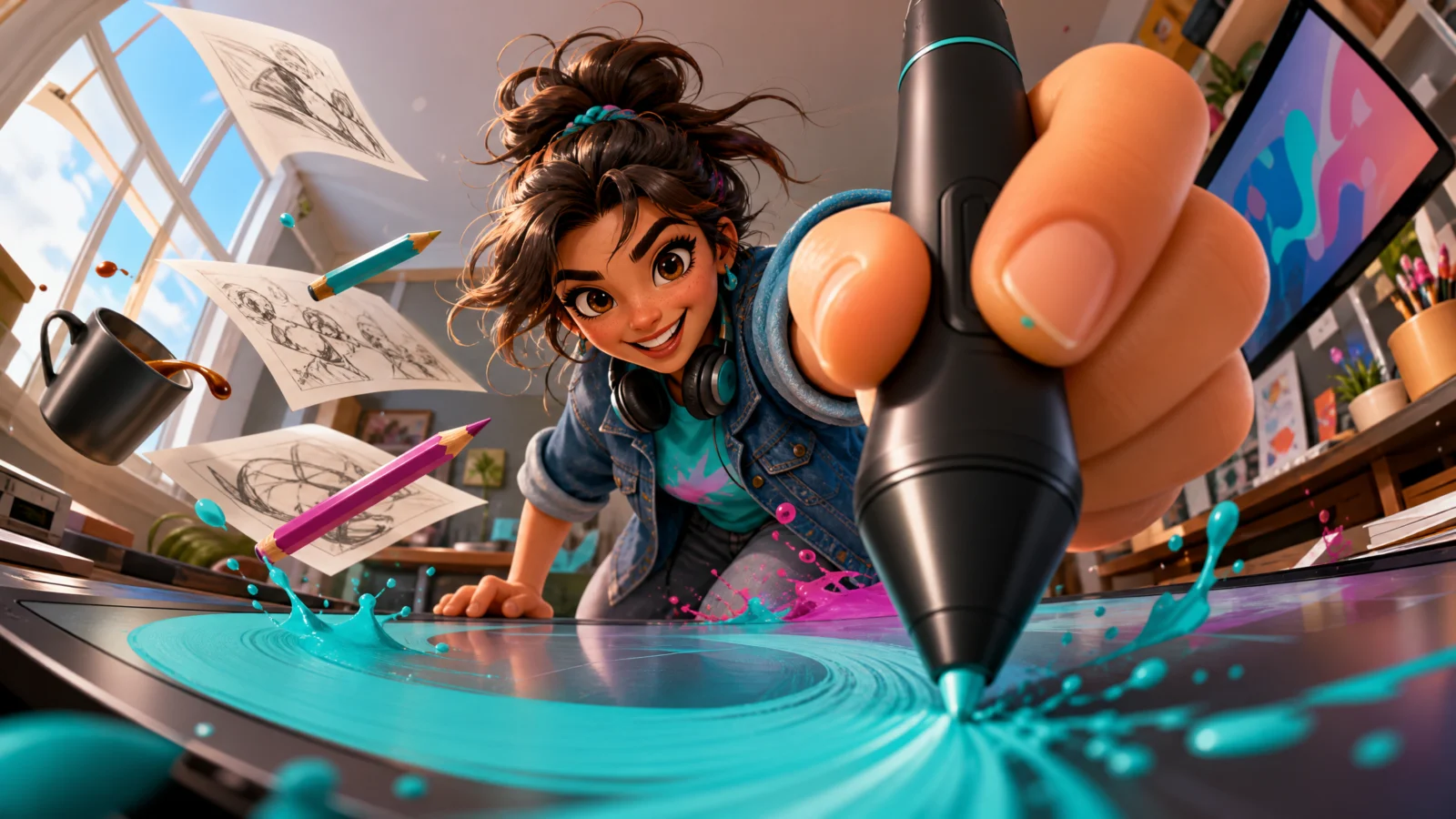
Prompt 2: The Illustrator
The stylus at the lens
The camera lies flat on the tablet surface and looks back along it, so the viewer is inside the artwork looking out at the artist. The stylus arrives point-first, and a turquoise brush stroke sweeps out of the tip toward the viewer.
The technique to study: the tool’s output is part of the composition. The stylus is not just held, it is making something visible in the frame, a glowing stroke sweeping across the tablet toward the lens. Whenever a trade produces a visible result (a stroke, a weld spark, a cut line, a stitch), let that output travel through the frame. It converts a portrait of a worker into an image of work happening.
Block notes:
"The tablet surface stretching and widening toward the lens." A surface the camera sits on becomes the strongest perspective line in the frame. Any shot where the lens rests on a plane (desk, counter, floor, court) should name that plane stretching toward the camera.
Paint droplets in two brand colours. Turquoise and magenta, the same two colours as the character’s tee and the style block’s accents. Debris that shares the palette makes a busy frame feel designed rather than random. Pick two accent colours per image and spend them on wardrobe, output, and debris.
"Readable artwork or text on the tablet screen" is banned. Any screen in frame is a text risk, and a screen showing detailed artwork also competes with the hero. Keep screens abstract.
Swap ideas: a tattoo artist with the machine at the lens and a line being drawn. A calligrapher with a brush and wet ink stroke. A nail technician with a brush tip and a colour arc.
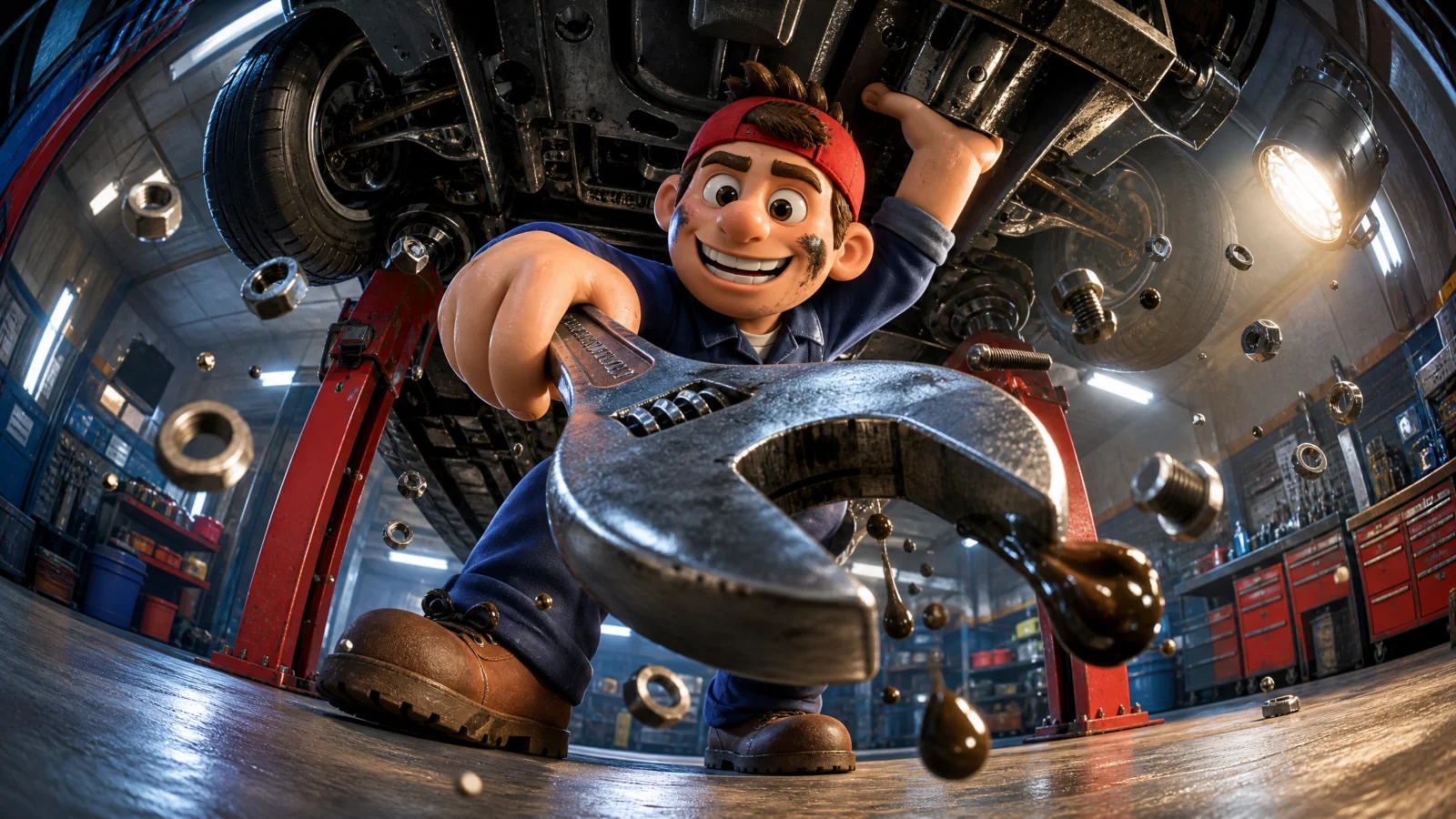
Prompt 3: The Mechanic
The worm’s eye wrench
The boldest camera in the category: flat on the workshop floor under a raised car, looking straight up, with the wrench swinging down at the lens jaws-first. The viewer is the machine being fixed.
The technique to study: using the environment as a ceiling. The car’s underside, the lift arms, and the workshop lights curve overhead and frame the whole shot. When the camera is under something, the thing above becomes your composition’s roof, and it does the framing work that a background usually does. Low-and-under shots are dramatic precisely because the world closes over the viewer.
Block notes:
Debris falling toward the lens. "Three fat oil droplets falling toward the camera." When the camera is underneath, gravity works at the viewer, and using that is what makes an under-shot feel physical rather than just unusual. Match your debris direction to your camera position: overhead cameras get things rising, ground cameras get things kicked up, under-cameras get things falling.
The grease smear. One imperfection on the face does more for believability than any amount of detail. Every working character should carry one mark of the job: grease, flour, sawdust, paint, chalk.
Dark palette, hard key. Workshops are dark, so the lighting recipe changes to a single dramatic work lamp with deep shadows. Same principle as the energy can in Category 1: the workplace sets the lighting, not a house formula.
Swap ideas: a plumber under a sink with a pipe wrench. An aircraft engineer under a wing with a torque tool. A cyclist mechanic under a bike frame with a hex key.
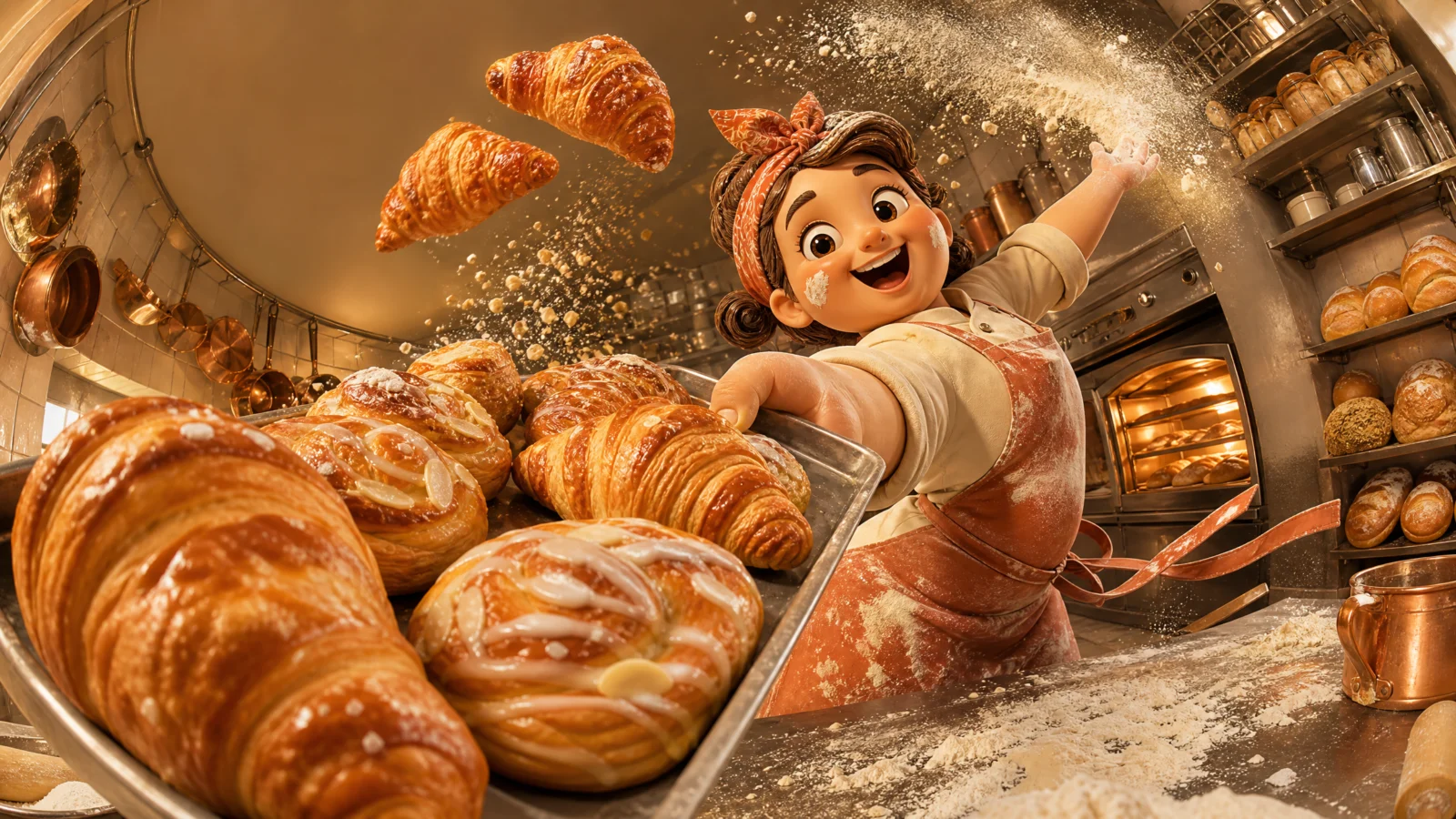
Prompt 4: The Pastry Chef
The diagonal tray swing
The only dutch-angle shot in the category: the whole frame tilts, and a loaded tray sweeps diagonally past the lens from lower left to upper right, with flour exploding through the middle.
The technique to study: the sweeping pass. Instead of a tool held toward the camera, the object travels across the frame past the lens, near end huge, far end small, with the character behind it. This is the shot for anything carried, served, or swung, and combined with the dutch angle it produces the most kinetic frame in the category. Note the tilt is stated in the camera line, not implied by the action, tilt has to be an instruction.
Block notes:
"Sliding across it." The pastries are not glued down, they are moving on the tray. Cargo that reacts to its carrier’s motion is a small physics detail that makes a swing look like a swing. Loaded trays, boxes, crates: always say the load shifts.
Flour as a frame-filling element. "A wide cloud of flour BURSTING through the frame." Most debris in this vault is small particles; here one debris element becomes a large soft mass crossing the whole composition. Occasionally letting debris get big adds depth, it passes in front of and behind the character, which sells the 3D space.
"Twisting body." One word that turns a pose into a motion. Any swing, throw, or turn should describe the torso, not just the arms.
Swap ideas: a barista swinging a tray of cups. A waiter passing plates at the lens. A florist sweeping an armful of stems across the frame.
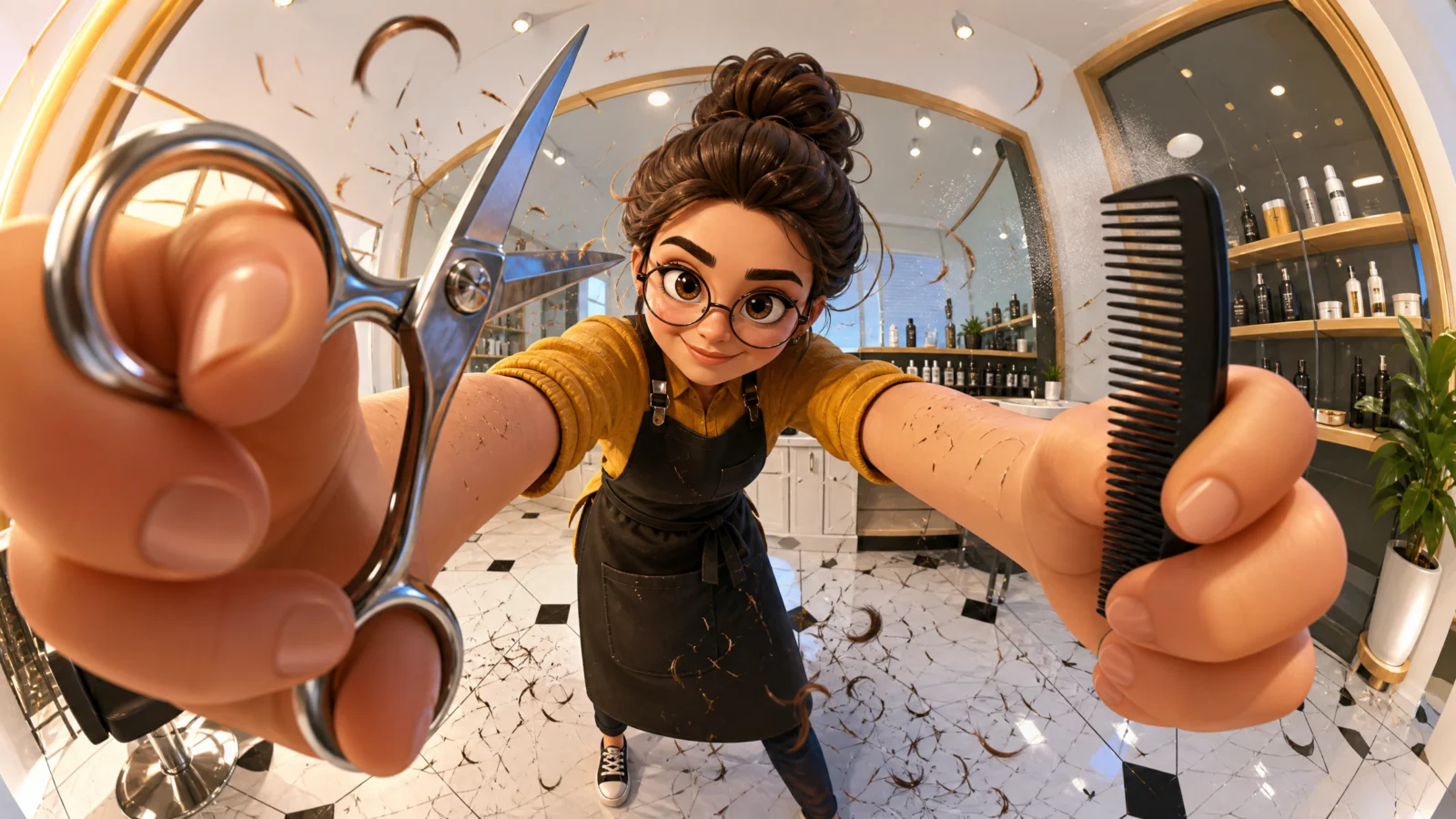
Prompt 5: The Hair Stylist
The reach past the lens
The most intimate camera in the vault: seated eye level, positioned so the viewer is in the chair. The stylist leans in and reaches past the lens with scissors and comb, one at each frame edge, her face between them.
The technique to study: POV placement without POV hands. The viewer is clearly the customer, but we never see their hands, hair, or cape, because showing them would fix the viewer’s identity and break the ad’s inclusiveness. The camera occupies the seat, and everything else is left empty for the viewer to fill. That is a deliberate commercial decision: service ads should let the viewer be the customer, not watch one.
Block notes:
"A client visible in the chair" is banned. The single most important line in this prompt. If the model adds a customer, the viewer stops being the customer and becomes a spectator, and the whole reason for the camera position collapses.
Three times, not five. The smallest size ratio in the category, deliberately. This shot needs her face clearly readable between the tools, so the foreground objects are big but not overwhelming. The ratio is a dial, not a constant: crank it for impact, ease it when the character’s expression is carrying the message.
Two hands at the lens is the high-risk build. Hands and blades together are the hardest thing on this page to render. If they mangle, cut the comb and give the second hand a simple open palm, one tool plus one clean gesture beats two broken hands.
Swap ideas: a dentist reaching in with a mirror tool. An optician holding up trial lenses. A makeup artist with a brush at the lens.
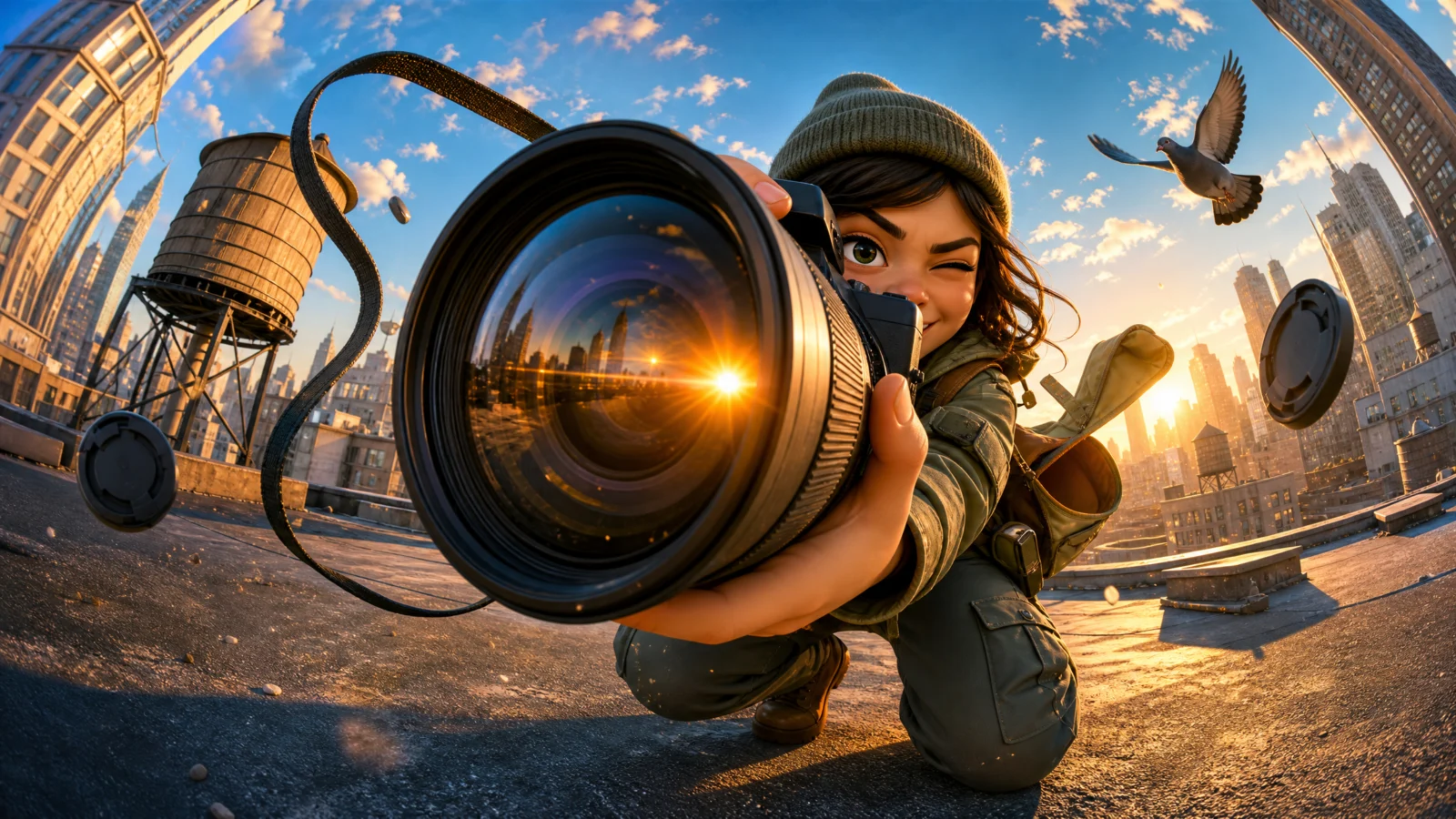
Prompt 6: The Photographer
The lens at the lens
The wittiest shot in the category and the strongest thumbnail: a photographer swings her camera up at the viewer, so a huge telephoto barrel arrives at the frame’s centre with a sunburst flaring across its glass. Camera pointed at camera.
The technique to study: the reflected light event. "A warm sunburst reflection flaring across its front glass" is the shot’s payoff, and it is the one place in this vault where a flare is welcome. In Category 1, flares were banned for breaking the style; here the flare is on the product surface, doing a job: proving the glass is glass. Effects are not good or bad in themselves; they either serve the hero object or they do not.
Block notes:
One eye shut, one eye on the viewer. The eyeline rule adapted for a character whose face is half behind equipment. She is composing a shot and looking at you at the same time, which is impossible and perfect. When equipment covers part of a face, direct what the visible part is doing.
"A pigeon launching off the rooftop edge behind." Same job as the butterfly in Category 1: one small living reaction in the background. It also implies she just arrived in a rush, story from a bird.
"Readable text on the lens ring or camera body" is banned. Camera equipment in training data is covered in focal lengths and brand marks. Any prop with printing on it in real life needs its text banned explicitly.
Swap ideas: a videographer with a gimbal rig at the lens. A drone pilot with the drone hovering at the lens. A telescope operator with the eyepiece at the lens under stars.
The Method In One Box
Everything from Category 1 holds. This category adds four:
- Reference images only where consistency matters. Branded packages need the two-step build; generic tools do not.
- Choose the tool that names the job instantly, and put it at the lens.
- Put the camera where the job serves from. Under the car, in the salon chair, on the tablet, on the site ground.
- Dress the trade, mark the worker. Full uniform plus one mark of the job: grease, flour, chalk, paint.
Common Issues And Fixes
The profession is not readable at a glance. Wrong hero object, or the tool renders vague. Add a shape anchor to the tool description ("a large L-shaped yellow set square"), and confirm the wardrobe carries the trade on its own.
Hands mangle around the tool. The number one failure in this category. Simplify: one tool, one hand, one clear grip. Remove the second tool before trying anything else.
The camera ignores the unusual angle (renders the mechanic from the side instead of underneath). Anchor the camera physically in the scene: "camera resting on the floor between the front wheels, looking directly up at the undercarriage."
Gibberish text appears on signs, screens, or equipment. Industrial and tech settings are text magnets. Ban text and numbers together, and ban screens showing readable content.
The tool renders large but the character shrinks to nothing. The ratio overshot. Drop it a step (five times becomes three times) and add "the character’s face and expression remain clearly readable."
The scene looks like a portrait, not an ad. Debris and output are missing. Add self-generated debris (things the character is losing) and the trade’s visible output (stroke, spark, flour, spray).
Next Step
Category 3: The Delivery Run. Commerce in motion, couriers, riders, and market vendors, and the two-step product workflow returns: fictional delivery brands built as packshots first, then referenced into the fisheye action scene.
Section 03
Category 3: The Delivery Run
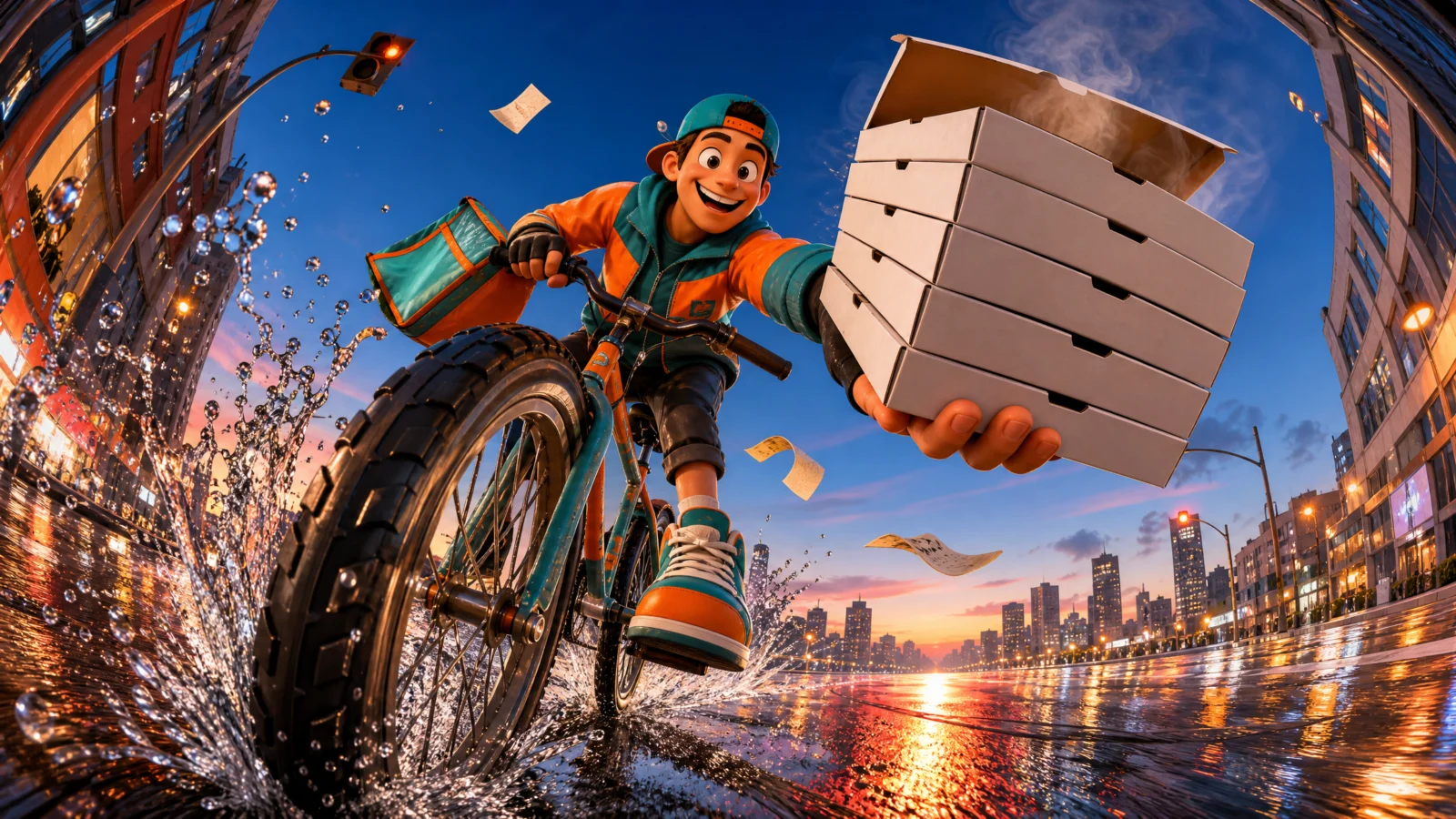
Fisheye Ad Engine, commerce in motion
Six brands, six vehicles, six cameras nobody expects.
Delivery is the single most requested subject in this style, and for good reason: every courier, food platform, grocery service, and logistics company on earth needs a key visual of something moving fast toward a customer. Category 3 builds six of them, a scooter launching off a kerb, a market runner sprinting past the lens, a doorstep handover shot from inside the house, a coffee tray lifted out of a van, an envelope held up to a top-down city, and a cargo sack heaved down into the load.
The two-step workflow returns here. These are branded products again, so every prompt is a pair: a photoreal packshot first, then the scene prompt that converts it. Category 2’s professions needed no reference because a wrench is a wrench; a branded delivery bag has to be the same bag in every ad. Same rule as always, reference where consistency matters.
And the same swap applies: replace the packshot with a photo of a real client’s bag, crate, or box, and these six prompts become six finished campaign visuals for that business.
What This Category Teaches
Cameras in impossible positions. Look at where the lens sits in these six: flat on a wet road at kerb height, at knee level beside a market street, inside a doorway looking out, deep inside a van’s cargo bay, four storeys above a crossroads, and lying among the goods in a trolley. Not one is at standing eye level. That is the category’s core lesson: the camera position is the idea. A delivery rider photographed normally is stock; the same rider shot from the road surface as they launch off a kerb is a campaign. When a brief feels ordinary, move the lens somewhere a person could not comfortably stand.
Speed needs a surface. Every fast shot here has a ground doing work: wet road with light streaks, market dust, tarmac grit, city pavement funnelling away. Motion is invisible without something for it to happen against, and the fisheye makes that surface stretch toward the lens. Whenever a subject moves fast, name what they move across and say it bends or stretches toward the camera.
Emptiness as an invitation. Two prompts in this category (the doorstep and, from Category 2, the salon chair) put the viewer in a role by leaving their side of the frame empty. It is worth naming as a technique: the strongest way to include a customer in an ad is to leave the space where they would stand vacant. The DO NOT list has to protect that emptiness, or the model will helpfully fill it.
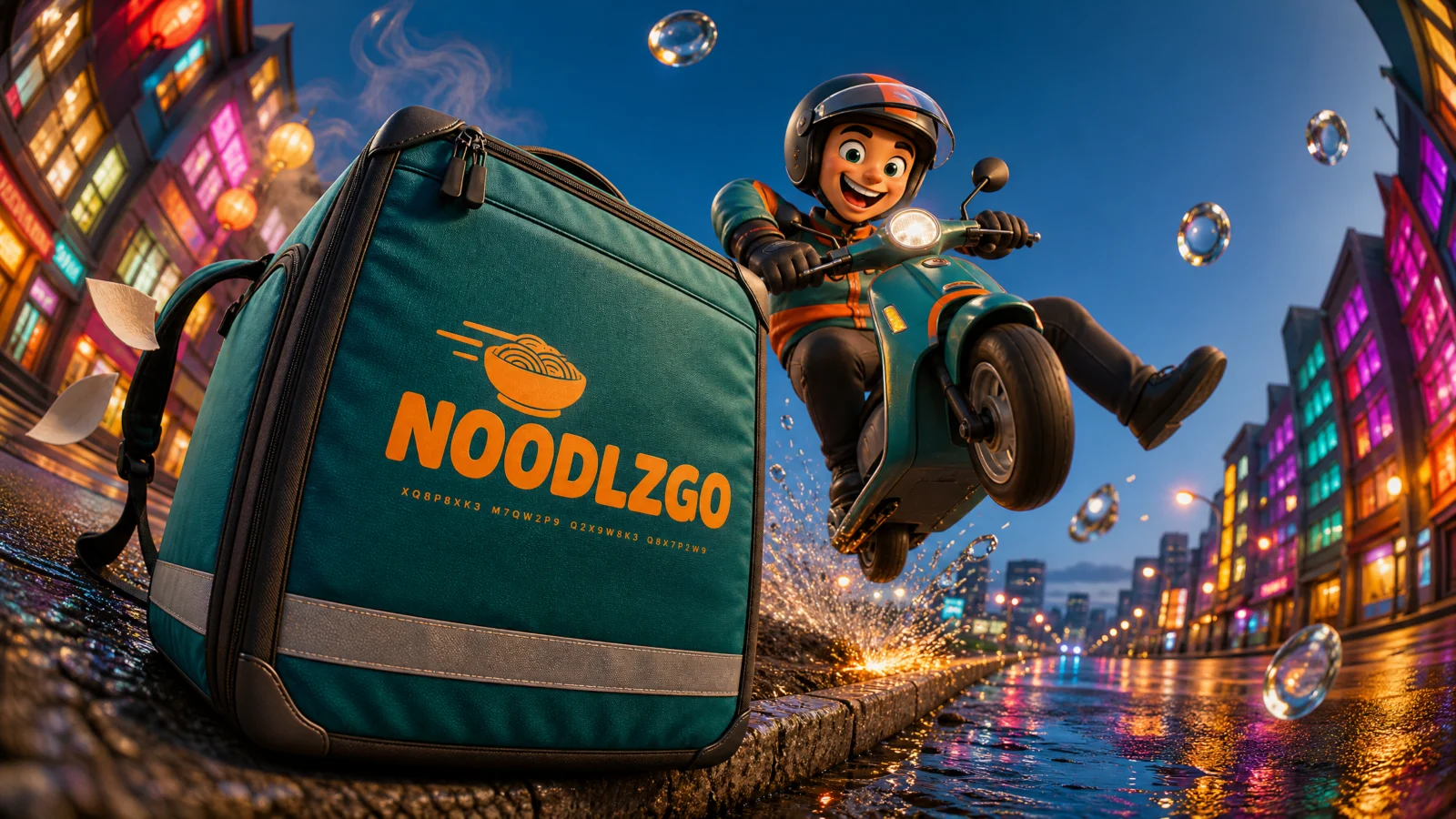
Prompt 1: NOODLZGO Delivery Bag
The kerb launch
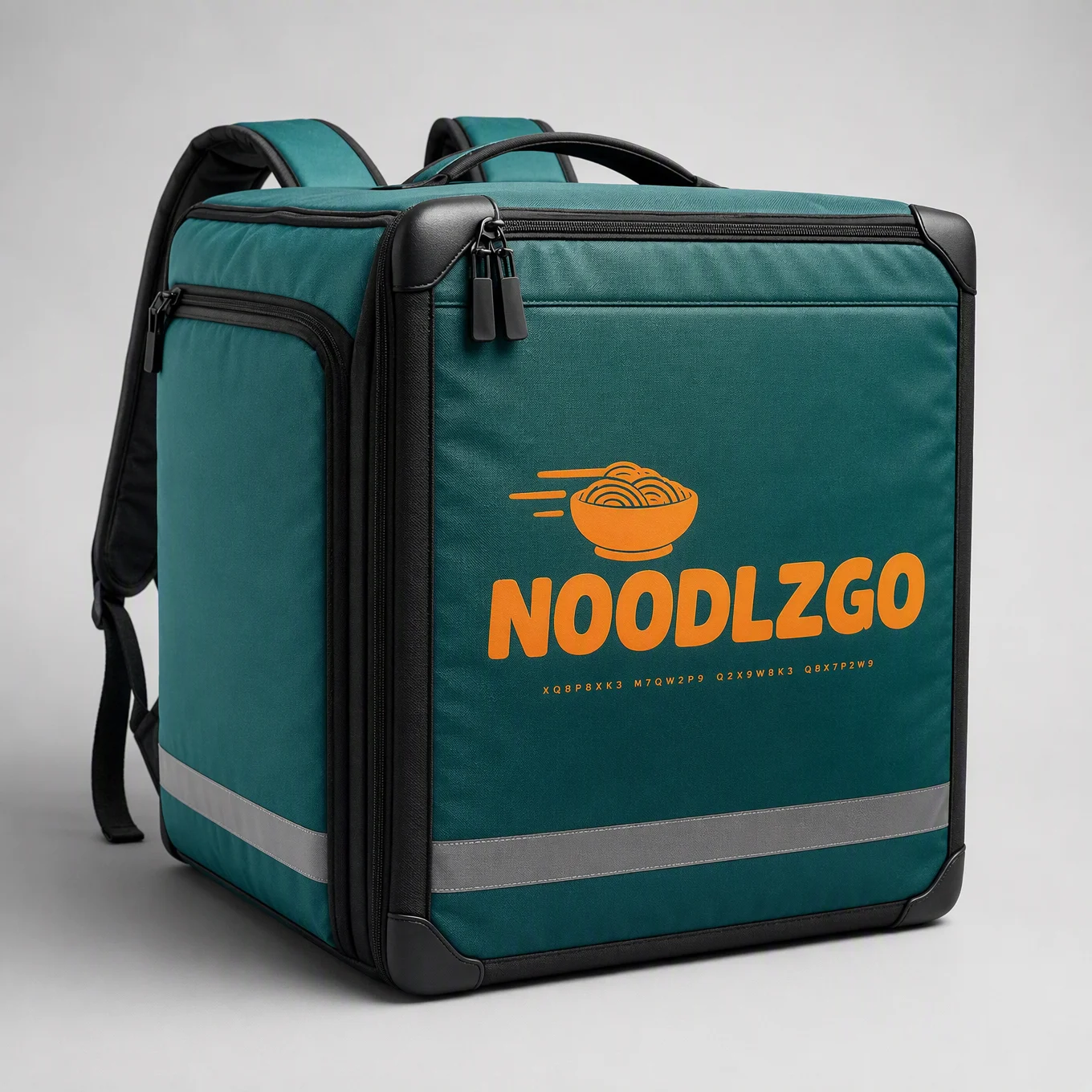
The first version of this shot failed, and the failure is the most useful thing on this page. It was built as a follow camera behind the rider, with the bag filling the foreground and the back of a helmet beyond it. Technically correct, completely flat. No face, no eye contact, no drama. Every working shot in this vault has a character looking straight down the lens over the hero object, and the moment that eyeline is gone, the product stops being handed to the viewer and just sits there being large.
The rebuild fixes it three ways: the camera drops to road level so the airborne scooter towers over the lens, the bag swings off the shoulder into the frame so it is an action element instead of a passive block, and the visor flips up to restore the grin and the eye contact. The DO NOT now bans both "rider seen from behind" and "helmet visor covering the face" so it cannot slide back.
The rule to keep: in this style, the character’s eyes on the viewer are not decoration, they are the mechanism. If your shot feels ordinary, check the eyeline before you change anything else.
Block notes:
Wet road, always. "The wet road stretching and bending toward the lens with light streaks running along it." Wet ground at night doubles every light source into a streak and gives the fisheye something to bend. For any night city scene in this style, wet the road, it is the cheapest production value available.
Two debris sources. Water from the kerb (the vehicle’s action) and napkins from the bag (the cargo’s reaction). Splitting debris between vehicle and payload makes the whole rig feel physically connected.
"Steam escaping the bag’s zip corner." One line telling the viewer the food inside is hot. In delivery advertising, that is the entire product promise, and it costs seven words.
Swap ideas: a bicycle courier launching off a ramp. A cargo trike cornering at a market gate. A drone lifting off a rooftop with the bag beneath it.
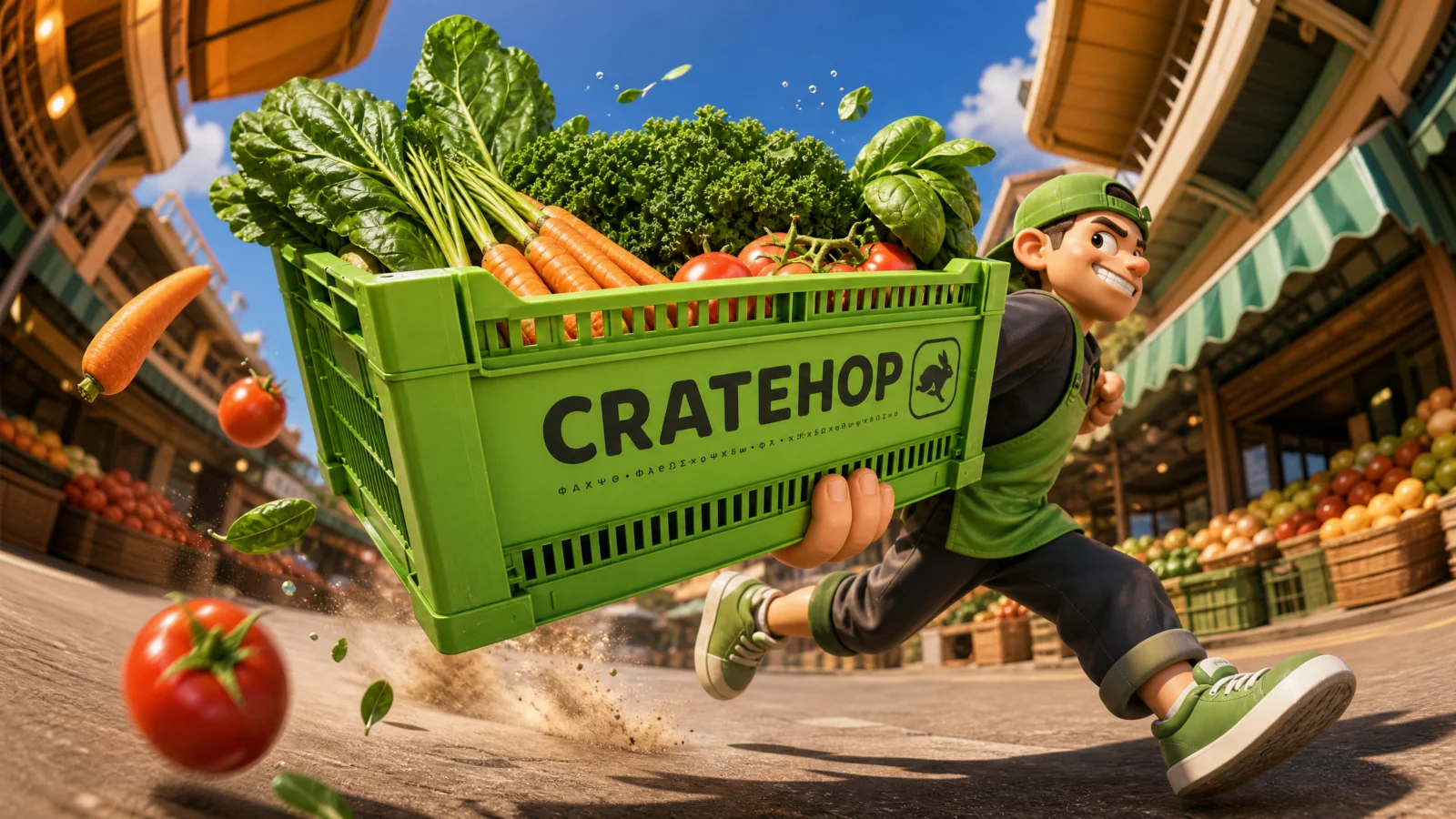
Prompt 2: CRATEHOP Produce Crate
The side-on speed pass
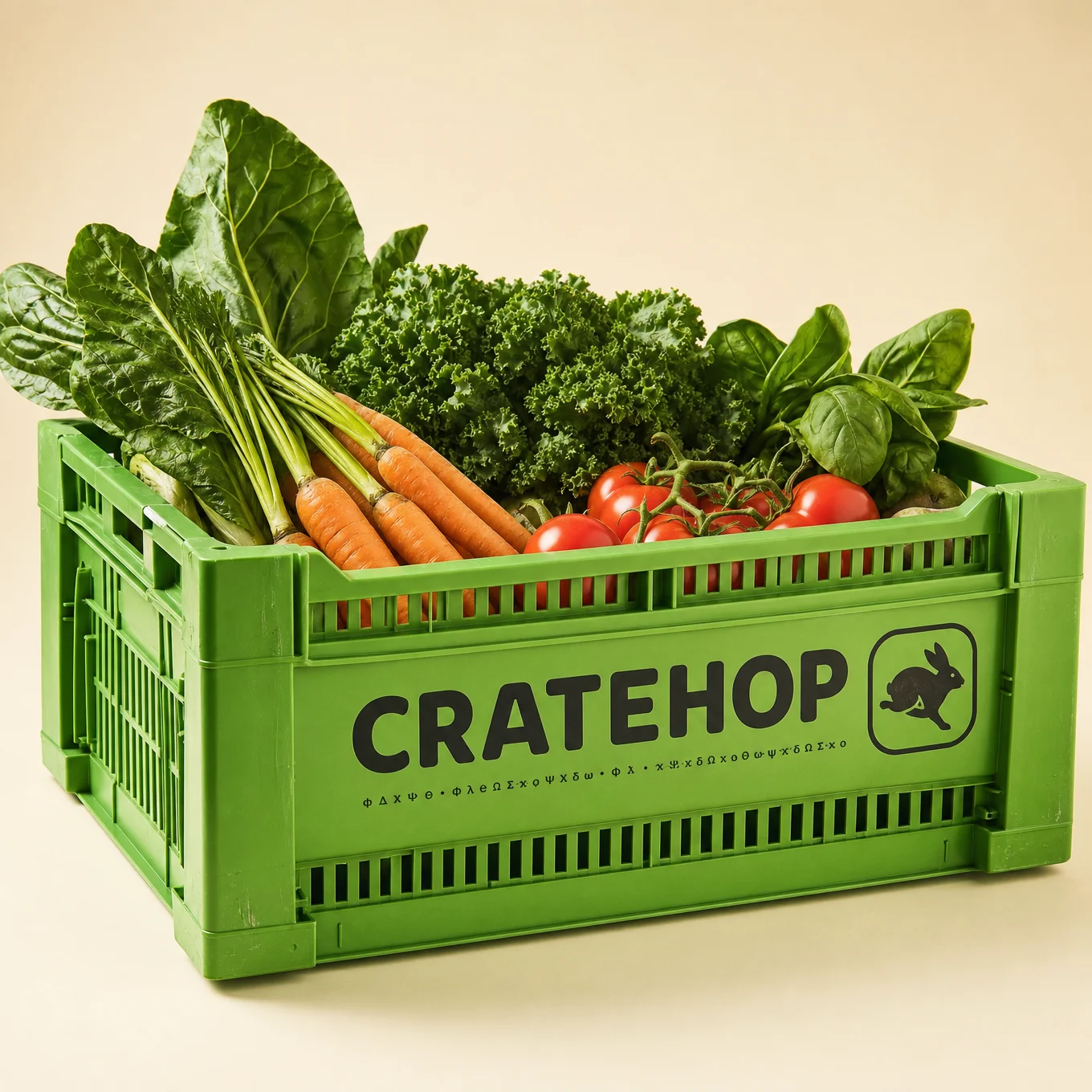
The only side-on shot in the vault: the camera sits at knee height beside the street and the runner crosses the frame left to right, the crate swinging out toward the lens as they pass.
The technique to study: the pass instead of the approach. Nearly every shot in this vault has the subject coming at the lens; this one has them going by it. The difference is emotional, an approach says "for you," a pass says "on the way to someone." That is exactly right for a grocery service: the value is speed, not delivery to the camera. Match the direction to the message.
Block notes:
"Eyes cutting sideways to the viewer." The eyeline solution for a profile shot. The body runs past, the eyes flick to camera. It preserves the direct address without breaking the pass, and it adds a spark of personality (they noticed you and kept going). Any side-on shot needs this line or it becomes a surveillance photo.
The product loses its cargo. Two tomatoes and a carrot launched loose from the crate. For any open container, let the contents escape, it proves the speed, shows the goods clearly, and gives the frame mid-air colour exactly where you want the eye.
"The street stretching away in both directions." Side-on fisheye bends the world at both frame edges, which is a different warp signature from the approach shots. Naming both directions is what triggers it.
Swap ideas: a florist running with an armful of stems. A laundry runner passing with a stacked basket. A fishmonger crossing frame with a crate of ice and catch.
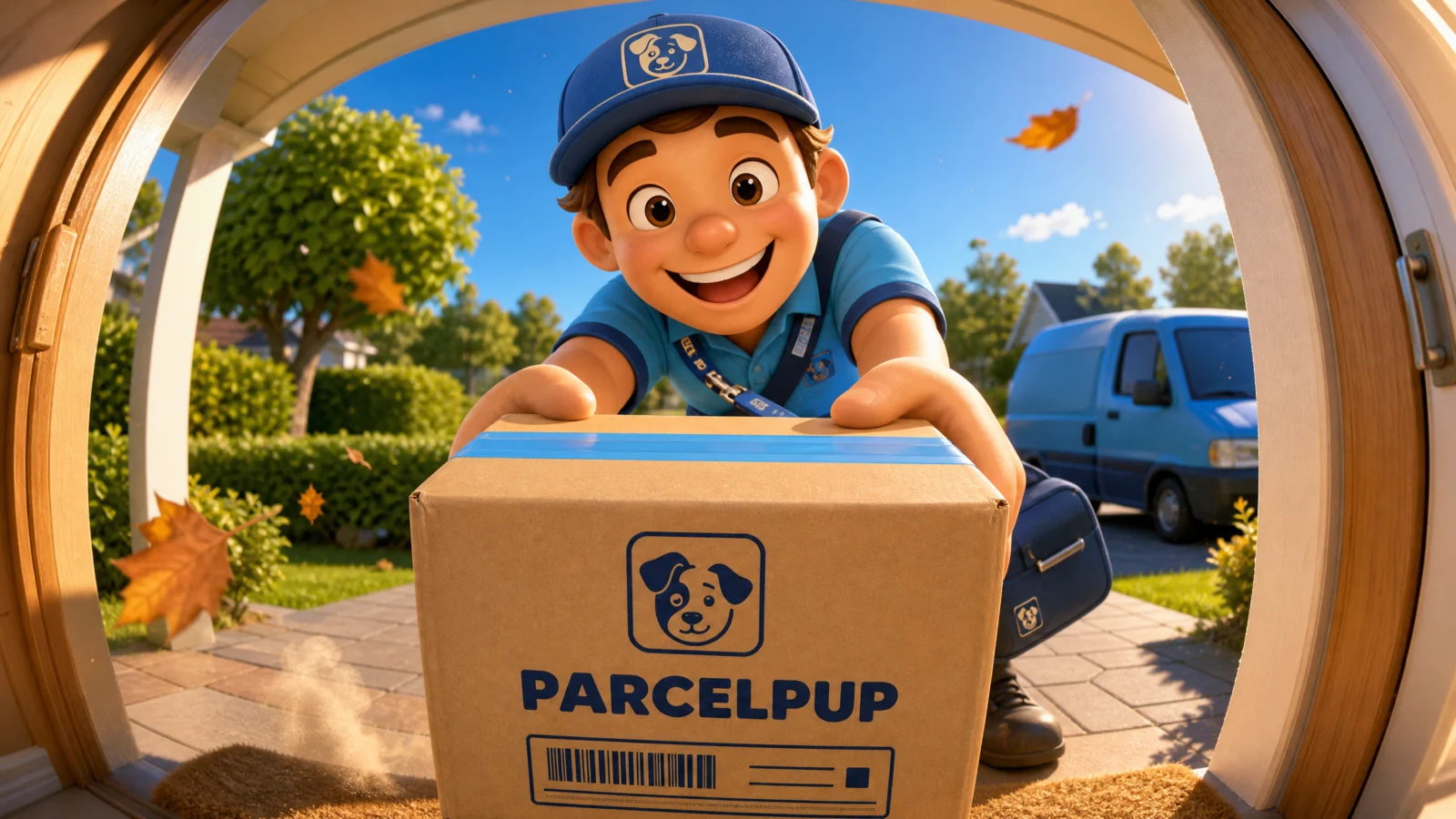
Prompt 3: PARCELPUP Box
The doorstep handover from inside
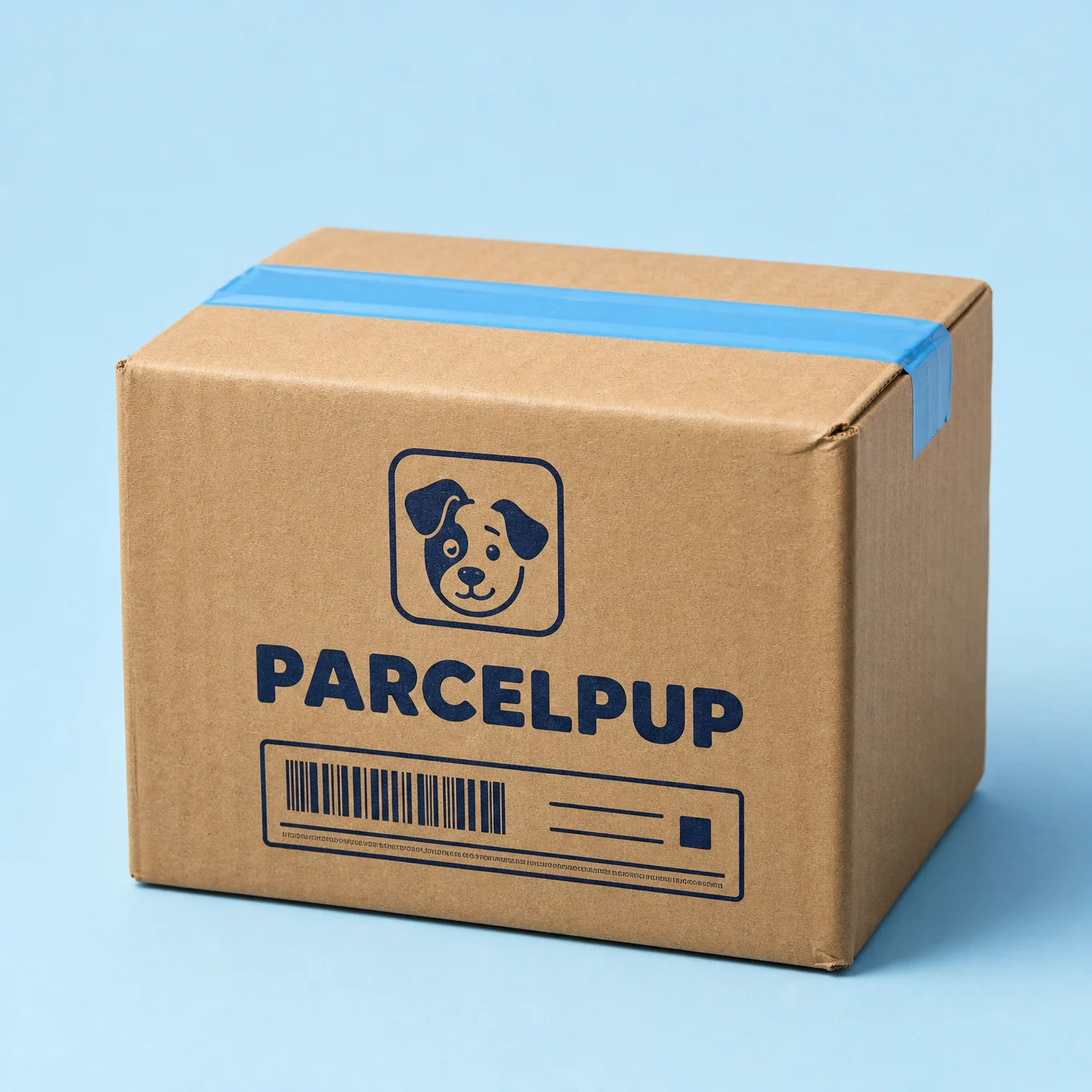
The camera stands just inside an open front door, looking out at the porch as the courier pushes the parcel in. The viewer is the person answering the door, and their side of the frame is deliberately empty.
The technique to study: the calm shot. This is the only prompt in the category without speed, and it is the one most likely to close a sale. Delivery advertising needs two frames: the rush (we are fast) and the arrival (we are here, and it went well). The debris drops to gentle drifting leaves and dust motes, the lighting turns warm and domestic, and the character’s expression carries the whole message. Every campaign needs one still frame among the fast ones.
Block notes:
"The resident’s hands or body visible" is banned. The line that protects the whole concept. If the model adds the customer, the viewer becomes a bystander watching someone else’s delivery.
Light spilling from the camera’s side. "Warm interior light spilling from the camera’s side" and "dust motes glowing in the warm doorway light spilling out past the camera." The viewer’s position is proven by light coming from where they stand. That is how you make an invisible viewer feel physically present, give their position a light source.
The van in the background. Small, soft, curving at the frame edge, and it does a job: it says this is a service, not a neighbour. One background prop can carry the business context so the foreground can stay warm.
Swap ideas: a grocery handover at a flat door with bags. A florist delivering a bouquet at the lens. A repair technician arriving with a toolcase, same warm doorway framing.
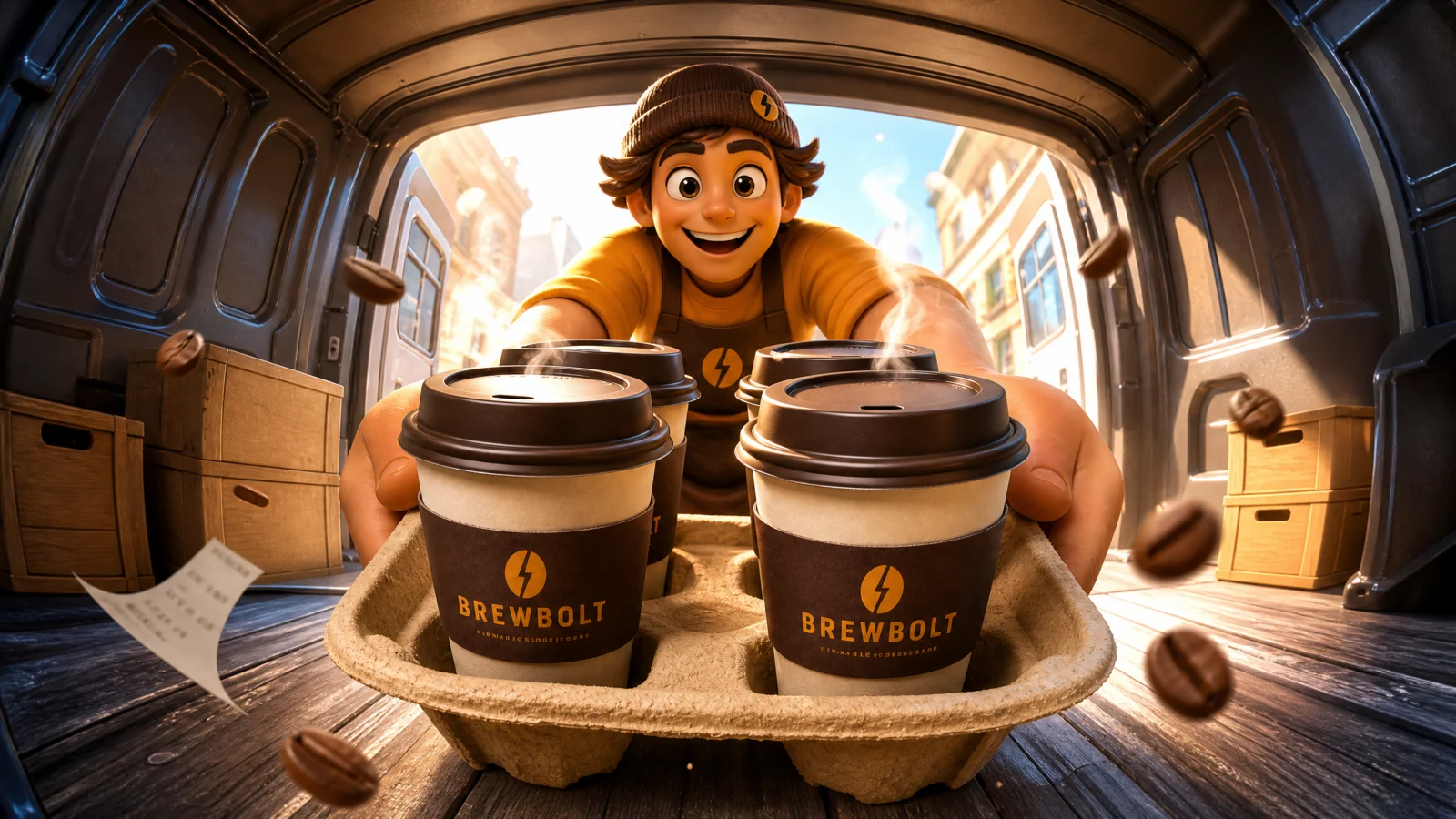
Prompt 4: BREWBOLT Coffee Carrier
The shot from inside the van
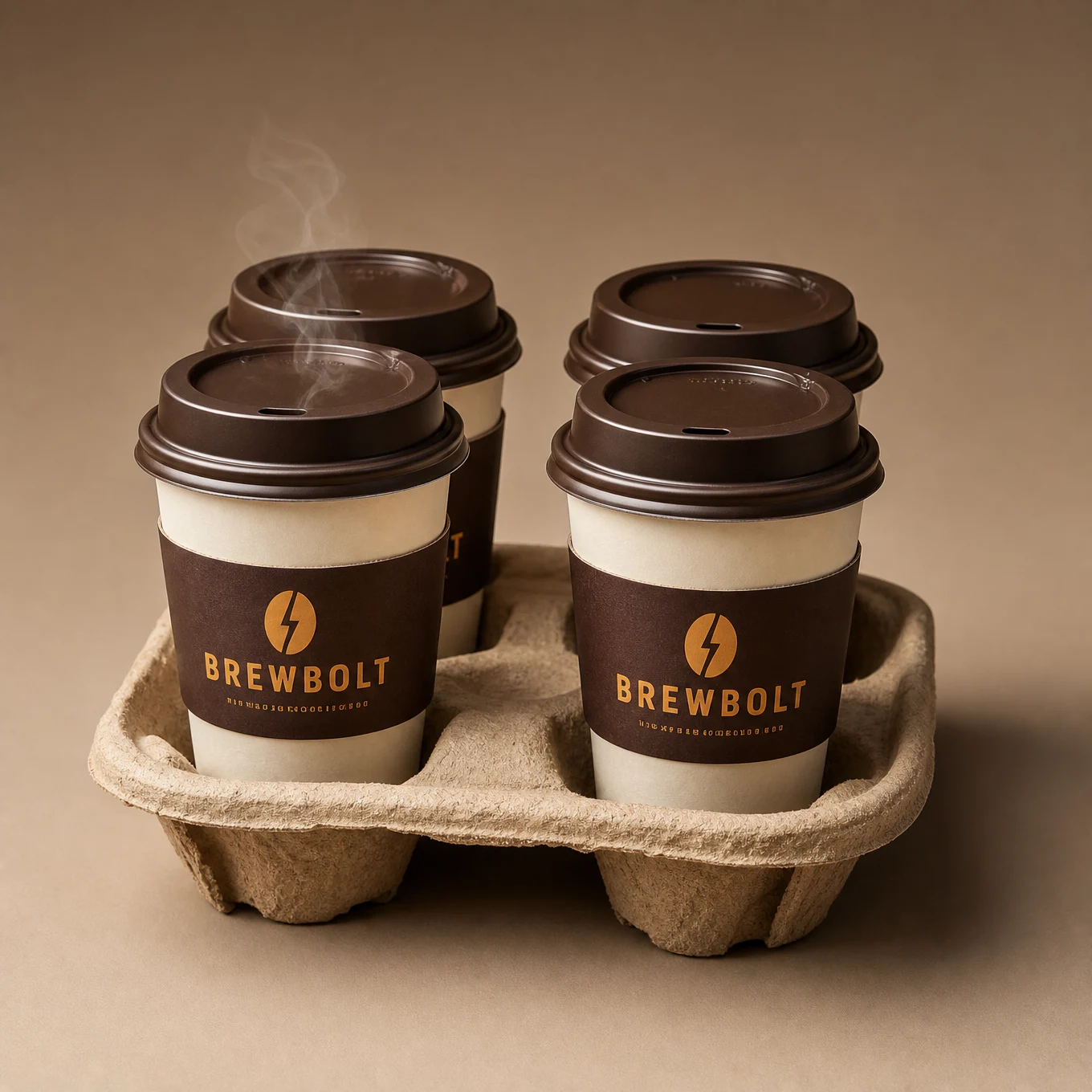
The camera sits deep inside a delivery van’s cargo bay, in shadow, looking out through the open rear doors at bright daylight, while the runner reaches in and lifts the tray out toward the lens.
The technique to study: shooting from dark into light. The van interior is dim, the doorway blasts daylight, and the character is framed inside that bright opening. This contrast structure does three things at once: it frames the character without any compositional effort, it makes the product’s steam and highlights read hard against the dark foreground, and it creates depth instantly. Any doorway, tunnel, window, or arch can do this. Put the camera in the dark and the subject in the light.
Block notes:
Backlight makes steam. Steam, dust, and spray are almost invisible in flat light and spectacular against a bright background. Because the daylight is behind the character, the two curls of steam from the lid vents glow. Put your key light behind whatever you want to see floating in the air.
"Ribbed interior walls." A texture detail that makes the fisheye legible: ribs are repeating parallel lines, and parallel lines are what visibly bend under distortion. Corrugation, tiles, planks, railings, if your setting has repeating lines, name them.
A dark foreground frame. The van interior surrounds the bright opening on all sides, which is a natural vignette made of set, not of lens. That is the honest way to get a framed composition in a vault where the black porthole is banned.
Swap ideas: a florist’s van with buckets of stems. A bakery van at dawn with trays. A tool van with the technician reaching in for a case.
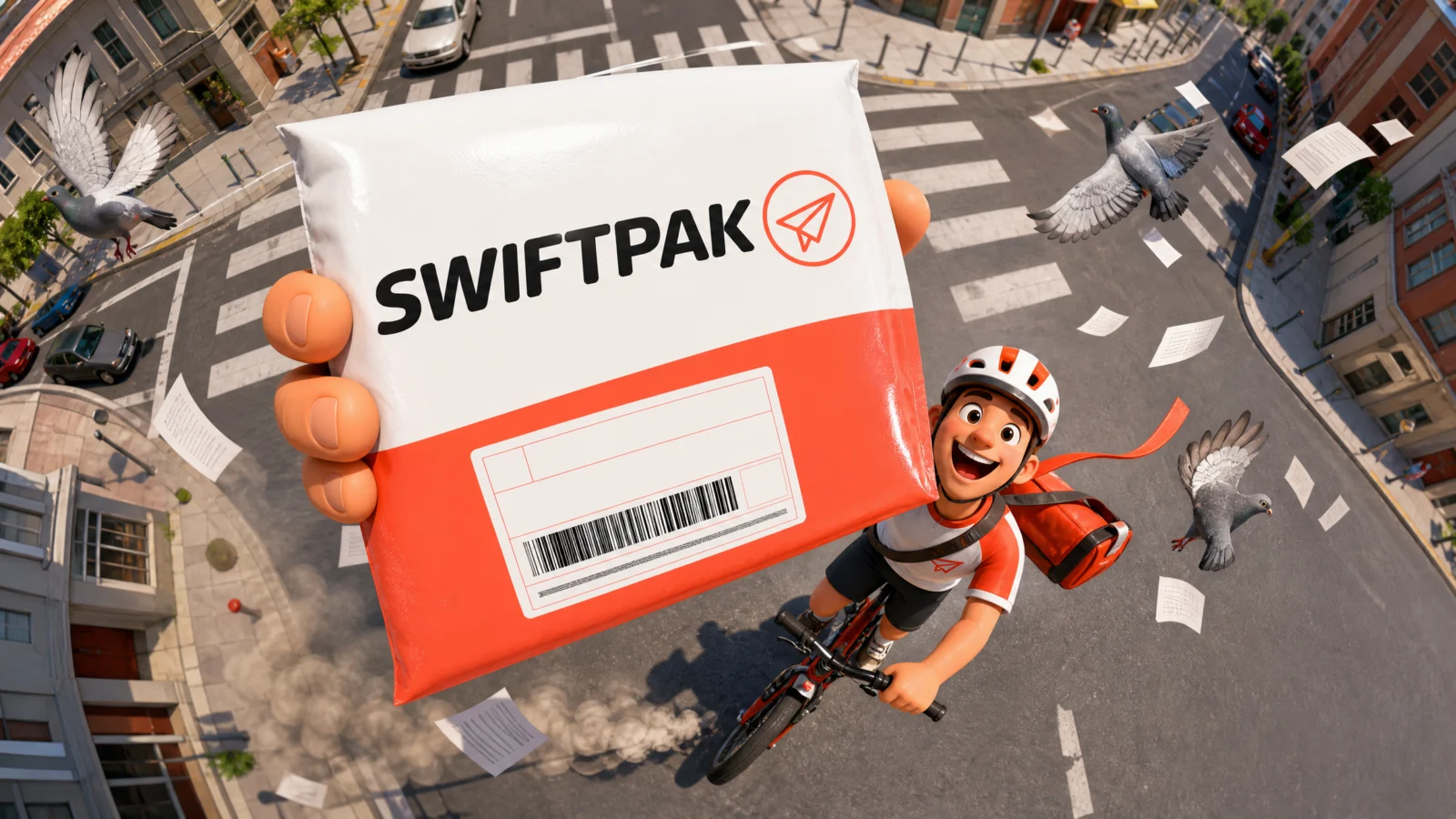
Prompt 5: SWIFTPAK Envelope
The top-down street
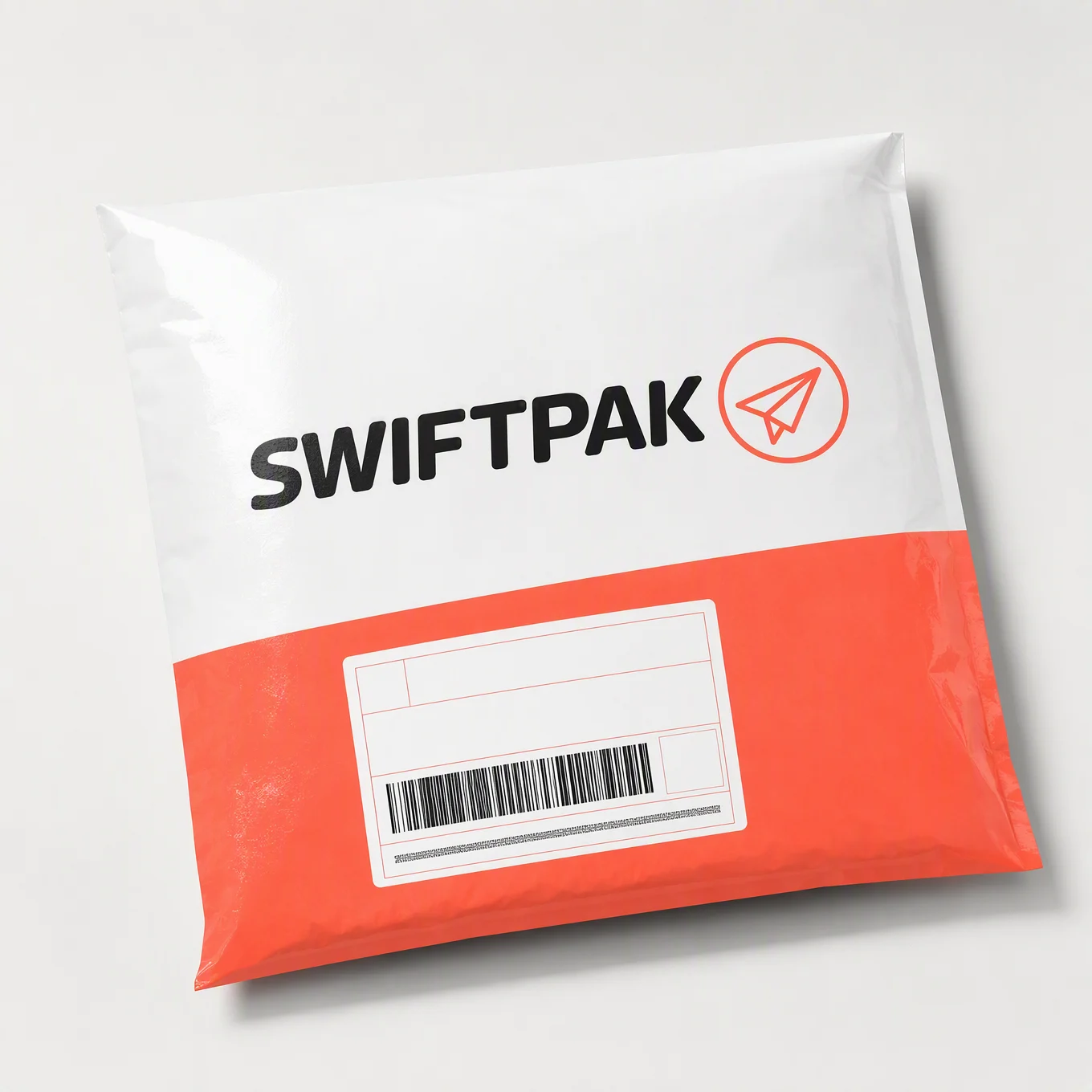
Camera four storeys above a crossroads, looking straight down, and the cyclist below holds the envelope straight up at the lens. The city funnels away around it.
The technique to study: the reach up. The overhead shot in Category 1 had the product floating; here a character physically presents it upward, which is stronger, because now there is a person deliberately handing something to the viewer from far below. The gesture also creates the size gap by itself: the arm is extended toward the lens, so the envelope is metres closer to the camera than the face.
Block notes:
"Short hard shadows on the street below." Overhead sun proves overhead camera. Shadow length is how a viewer reads sun height, and matching your shadows to your camera angle is what makes an unusual view feel real rather than composited.
Debris spiralling up, pigeons scattering out. Two debris directions serving two purposes: upward motion connects the ground to the lens, outward motion emphasises the funnel shape. In overhead shots, always give debris a vertical component or the frame reads flat.
Zebra stripes named. The strongest repeating-line pattern in any city, and directly under the subject. Overhead fisheye needs a patterned ground; name the pattern.
Swap ideas: a rooftop technician holding a part up to a drone. A lifeguard on sand holding a rescue tube up. A farmer in a field holding produce up to a survey drone.
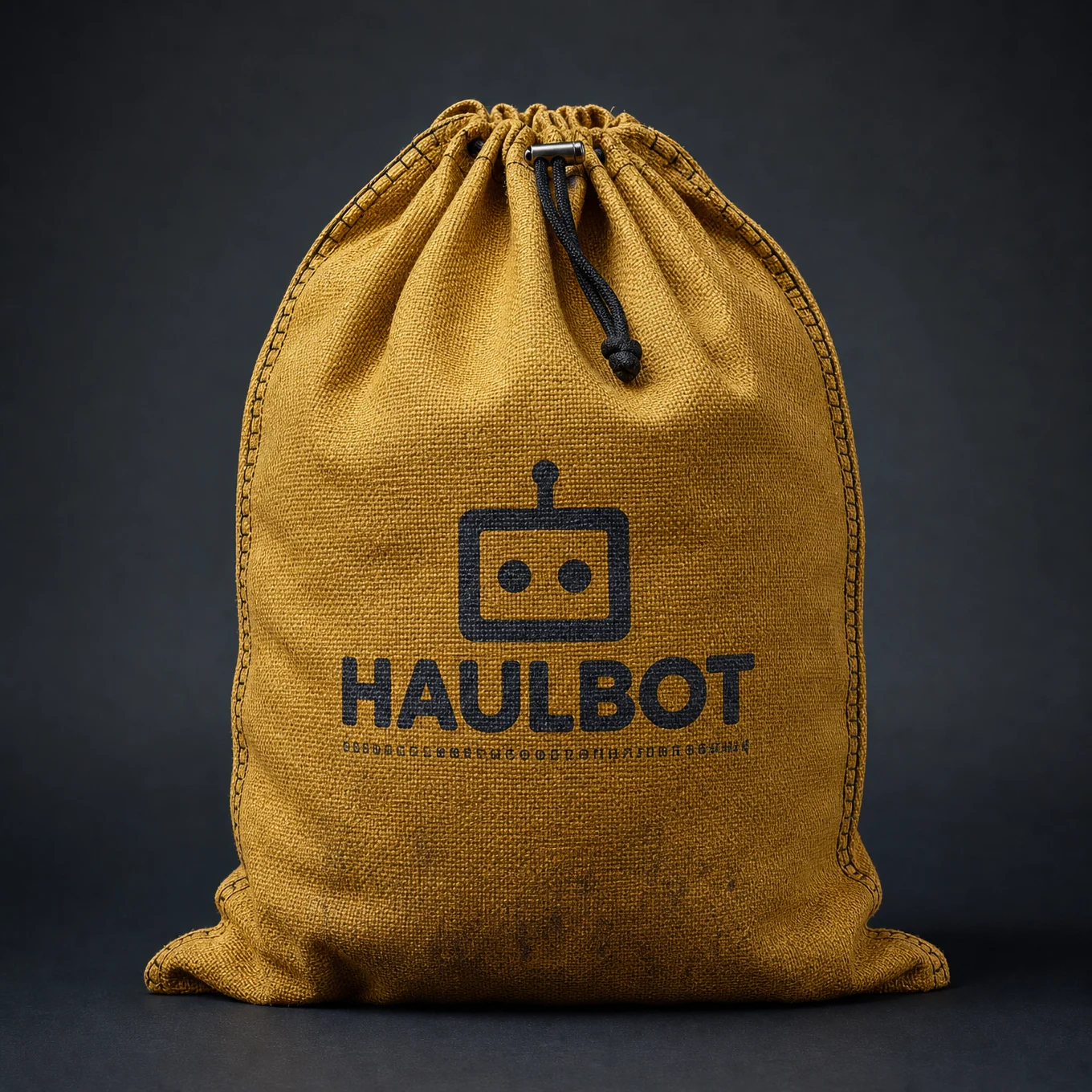
Prompt 6: HAULBOT Cargo Sack
The view from inside the cargo
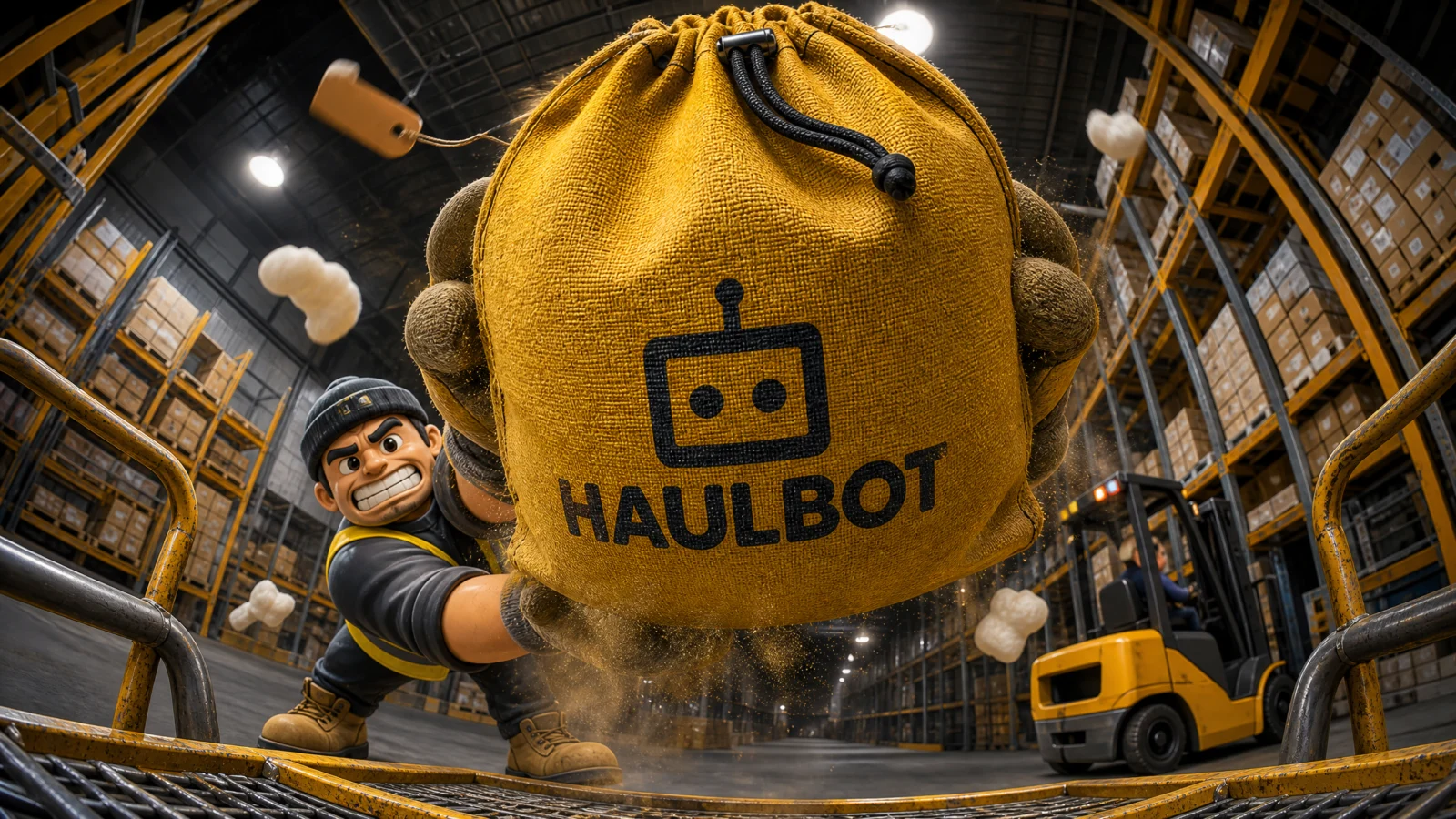
The strangest camera in the vault: lying among the goods inside a loading trolley, looking up and out, as the loader heaves a sack down at the lens.
The technique to study: the object’s point of view. The viewer is not a person here, they are the cargo. It sounds like a gimmick and it produces the most physical shot in the category, because everything happens to the camera: the sack comes down at it, dust puffs out at it, the warehouse towers over it. When a brief is about handling, storage, or logistics, put the lens where the goods are and let the work happen onto the viewer.
Block notes:
"Teeth gritted in a strained grin." The only effortful expression in the category. Everyone else beams; this one strains, because the product is heavy and the ad’s message is capability. Match the expression to the physical demand of the action, otherwise a loader heaving a heavy sack while smiling serenely reads as a lie.
Dust from the product itself. "A burst of fine dust puffing out from the sack’s canvas." A textured material releasing its own dust on impact proves weight and material in one detail. Fabric puffs, cardboard flexes, glass rings, let the material behave.
"Racking aisles stretching away into the depth." Warehouses are made of receding parallel lines, the best fisheye subject there is. This is the deepest-feeling frame in the category for that reason alone.
Swap ideas: the camera inside a moving box as furniture is loaded. Inside a fridge as stock is placed. Inside a suitcase as items are packed for a travel brand.
The Method In One Box
Everything from Categories 1 and 2 holds. This category adds four:
- The eyeline is the mechanism. If a shot feels ordinary, restore the face and the direct address before changing anything else.
- Move the camera somewhere a person could not stand: road level, inside a van, above a crossroads, among the cargo. The position is the idea.
- Speed needs a surface, named and bending toward the lens. Wet it if you can.
- Every campaign needs one calm frame. The arrival shot sells as hard as the rush shot.
Common Issues And Fixes
The shot feels flat or generic. Check the eyeline first (face visible, eyes on viewer), then check the camera height. Those two fix ninety percent of dull frames in this style.
The product fills so much frame the character disappears. Ratio overshot. Drop it a step and add "the character’s face and expression remain clearly readable above the product."
The model adds a customer in the empty viewer position. Ban them specifically by role: "the resident’s hands or body visible," "a client visible in the chair." Generic "extra characters" is not enough, name the role the model wants to add.
Label text drifts on textured products (canvas, pulp, fabric). Textured surfaces are the hardest for printed text. Re-state the brand name in quotes inside the conversion block and add "the printed brand name stays flat, crisp, and unwarped on the fabric surface."
The unusual camera reverts to a normal angle. Anchor the lens physically in the scene: "camera resting among the goods inside the trolley," "camera four storeys above the crossroads, looking directly down."
Background signage renders gibberish text. Delivery scenes are full of signs, plates, and labels in training data. Ban them by type: "readable shop signage or number plates," "readable racking labels."
Next Step
Category 4: The POV Exchange. First-person hands enter the frame, receiving, opening, unwrapping, and the viewer stops watching the ad and starts holding the product.
Section 04
Category 4: The POV Exchange
Fisheye Ad Engine, first person
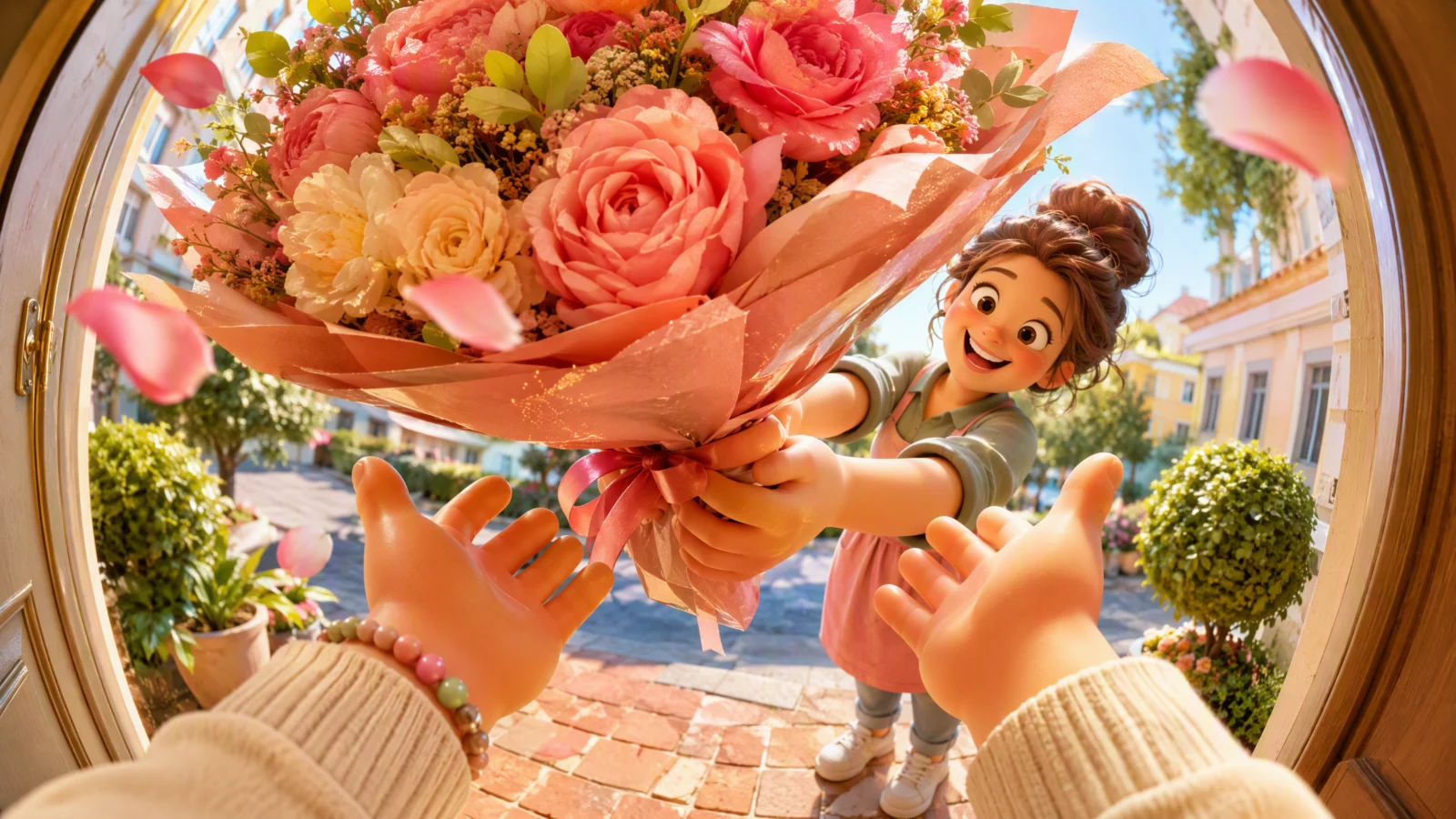
The camera becomes the customer.
In every shot on this page, the viewer’s own hands enter the frame from the bottom edge: lifting a pizza lid, clinking a bottle, catching a set of keys, tearing open a box, reaching for a trophy, offering a treat to a leaping dog. The world curves around those hands, and someone on the far side of the frame reacts to what the viewer is doing.
This is the highest-converting format in social advertising right now, and the reason is simple. Every other ad shows a person enjoying a product. A POV ad puts it in your hands. The viewer stops evaluating and starts experiencing, and that shift happens in the first tenth of a second.
Structure: four of the six are two-step builds with a branded product, two are single prompts. The rule from Category 2 still governs, reference where consistency matters, generate where it does not.
What This Category Teaches
Hands are characters, and they need direction. In this style, hands entering frame are not props. They have wardrobe (a sleeve, a bracelet, a watch), they have posture (spread wide, gripping, pulling taut), and they have intention. Every prompt here names what is at the wrist, and that single detail is what makes a hand read as belonging to a person rather than floating in space. If your POV hands feel disembodied, add a sleeve.
The reactor is the other half of the shot. POV alone is a photograph of hands. What makes it an ad is someone across the frame reacting to what the viewer is doing: the friend gaping at the pizza, the friends thrusting bottles in to meet yours, the salesperson beaming as they drop the keys, the official presenting the trophy. That reaction is the emotional payload, and it is aimed at the viewer, not at the product. Give every POV shot someone whose face tells you how this moment feels.
Hand count is a hard limit. Every prompt in this category caps the hands explicitly ("more than two hands entering the frame" in the DO NOT). This is the number one failure mode of POV prompting: models add a third hand, a fourth finger, a phantom arm. Cap the count, name the wrist, keep the pose simple.
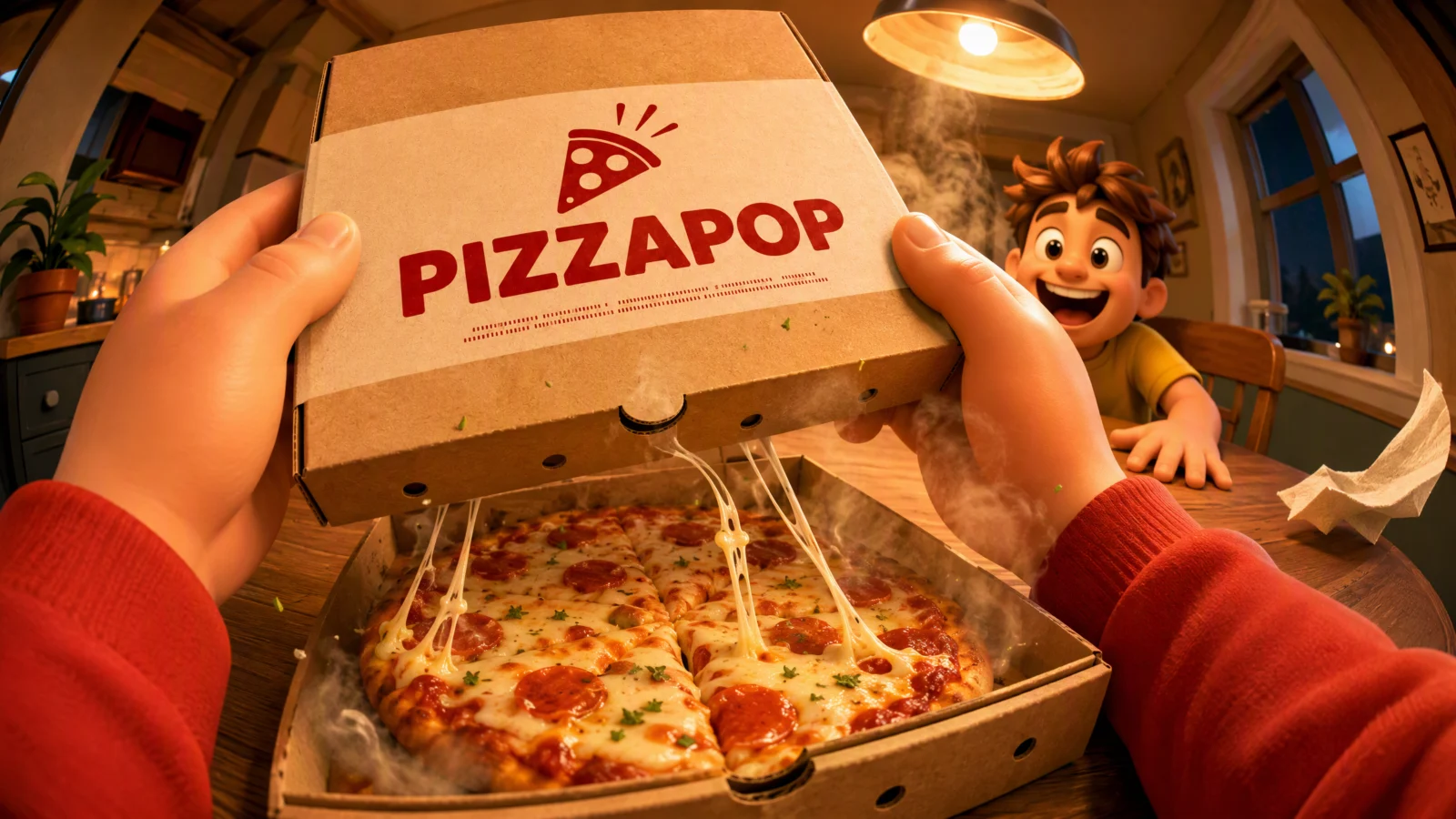
Prompt 1: PIZZAPOP Box
The lid lift
The foundational POV shot: two hands lift a pizza box lid toward the camera, steam rolls out, and a friend across the table loses their mind. If you only build one image from this page, build this one, the structure works for any container that opens.
The technique to study: the reveal moment. The prompt does not show a pizza; it shows a pizza being revealed, lid mid-lift, steam still rising, cheese still stretching. Products at rest are catalogue photography. Products in the instant of being uncovered are advertising. Whenever your product has a lid, wrapper, box, or bag, shoot the moment it opens, never the moment after.
Block notes:
The lid does double duty. It is the thing being lifted and the brand panel facing the lens. In POV shots the branding has to arrive naturally, and a lifted lid points the logo straight at the camera as a consequence of the action. Look for the surface your product’s action already turns toward the viewer.
"Eyes on the pizza then flicking to the viewer." A two-stage eyeline written into a still image. It tells the model where the attention sits while keeping the connection to the camera, and it reads as a moment rather than a pose.
Steam rolling toward the camera. POV debris should travel at the lens, not across it. Steam at the viewer, cheese stretching at the viewer. That direction is what puts the viewer inside the frame rather than beside it.
Swap ideas: a takeaway bag opened at the lens. A gift box lid lifted with a friend watching. A cooler lid opened with cold vapour rolling out.
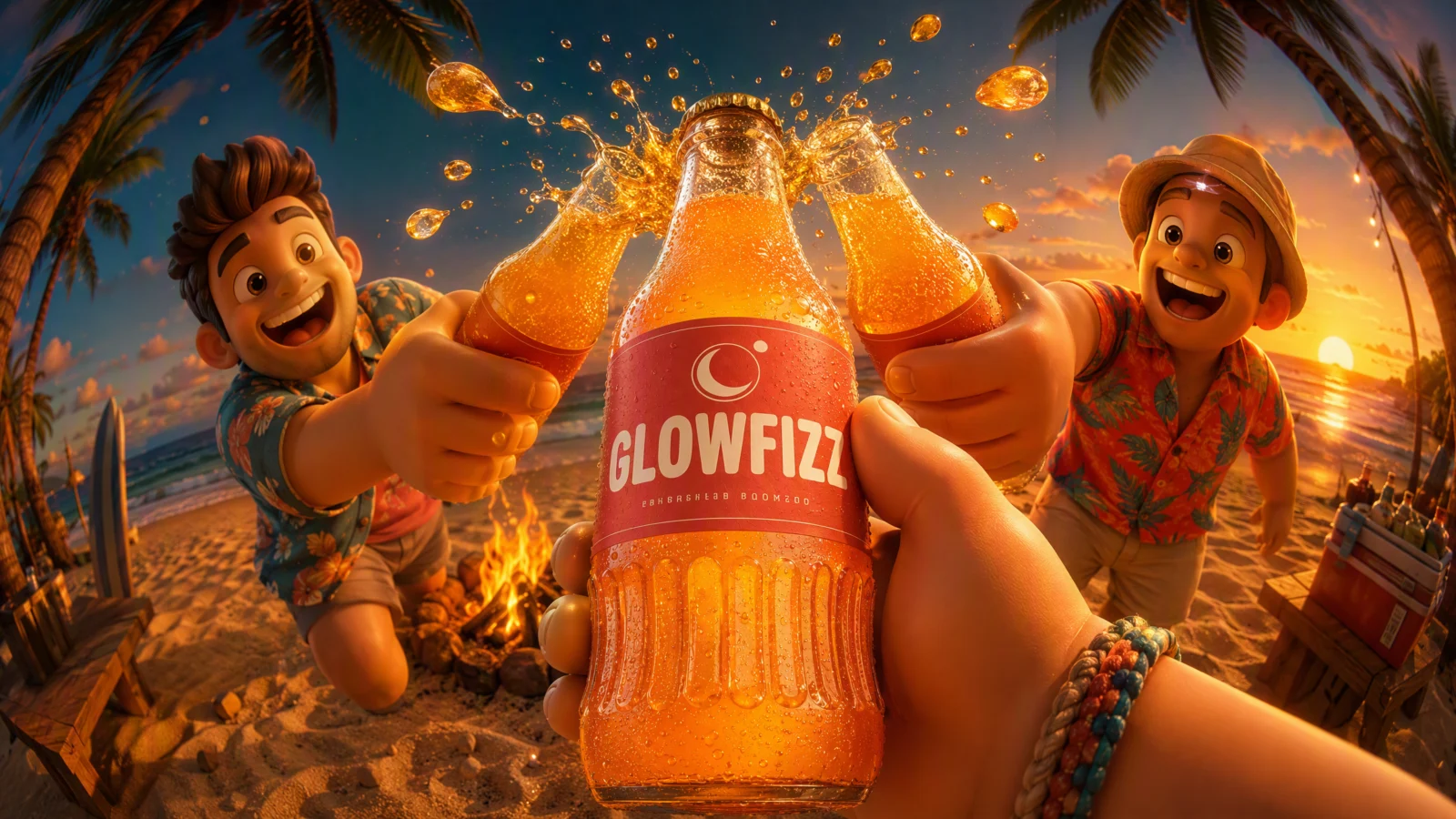
Prompt 2: GLOWFIZZ Bottle
The toast at the lens
One hand pushes a bottle forward into a toast, two friends thrust theirs in to meet it, and the three clink just past the lens with soda bursting sideways at sunset.
The technique to study: the collision point. Every element in the frame converges on one spot just in front of the camera: three bottles, the spray, the eyeline of both friends. Convergence is the strongest compositional tool available in POV work, because the meeting point sits where the viewer is, which is what makes it feel like participation. Ask what your shot’s convergence point is, and put it at the lens.
Block notes:
"Warm rim light through the bottles glowing the soda." Backlighting a translucent product is the oldest trick in beverage advertising and it still wins. Sun behind the friends means light passes through the glass toward the camera, so the soda glows from inside. Any translucent product (drinks, glass, jelly, honey, ice) should be lit from behind.
One hand, not two. Holding a bottle needs one hand, so the prompt uses one and says so in the DO NOT. Never add a second hand to a POV shot unless the action requires it, every extra hand is a new chance for the model to fail.
Three bottles, one label facing camera. Only the viewer’s bottle is described as label-first. The friends’ bottles are there for the clink, not for branding. Repeating the label three times would clutter the frame and multiply the text risk.
Swap ideas: coffee cups clinked at a café table. Ice cream cones tapped together. Helmets bumped before a ride.
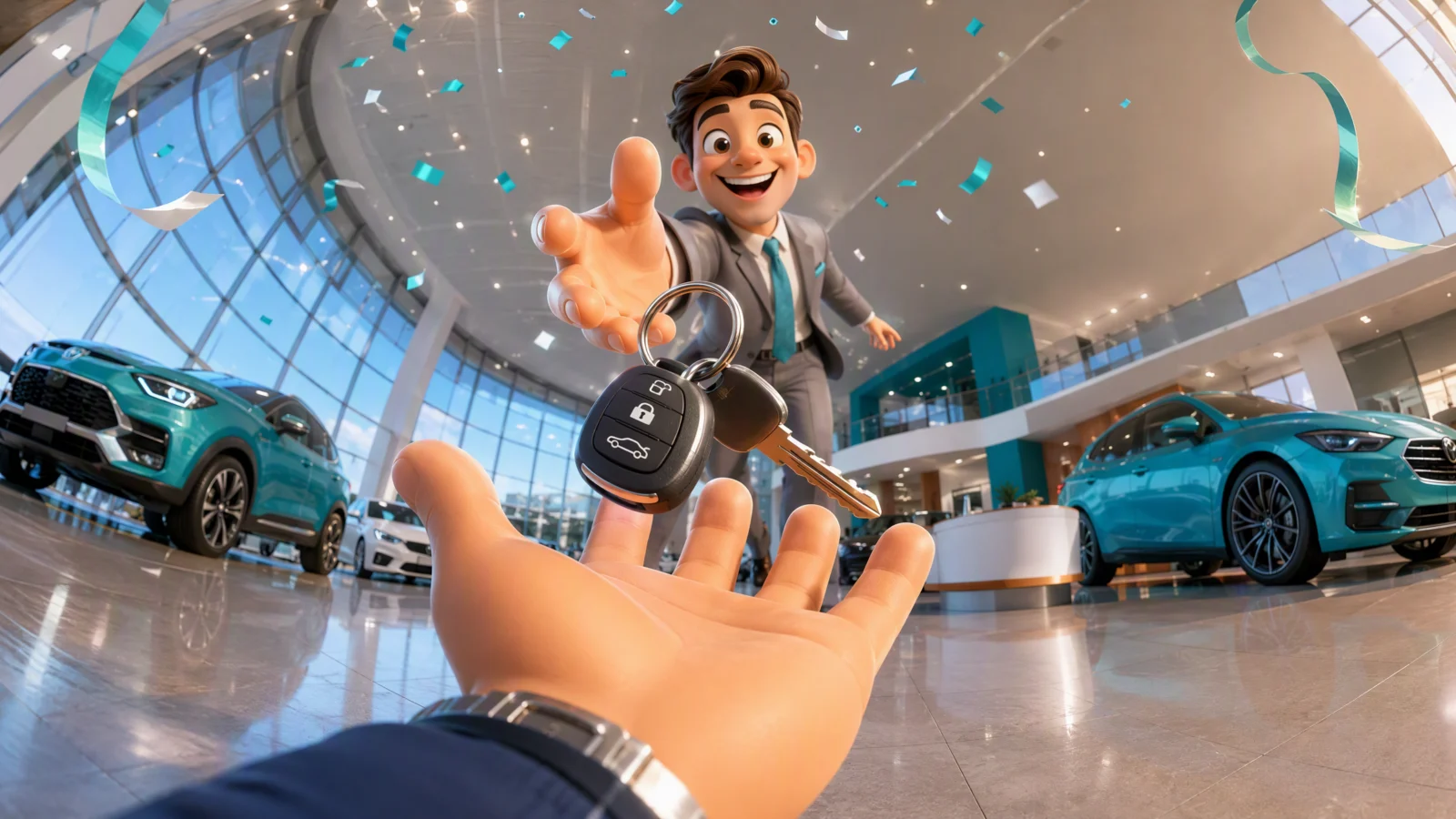
Prompt 3: The Key Handover
Single prompt, no product reference
An open palm fills the lower frame, and a salesperson drops a set of car keys into it, caught mid-fall. The whole showroom curves around the moment.
The technique to study: the frozen gap. The keys are "caught mid-fall a hand’s width above the fingers." Not landed, not held, falling. That gap is the entire tension of the image: the viewer’s brain finishes the motion, which makes the frame feel alive without any speed at all. This is the quietest shot in the vault and one of the strongest, and it works purely on an unfinished action. Freeze one beat before completion, always.
Block notes:
The open palm is the easiest hand to render. Fingers spread, no grip, no object contact. When you build your own POV shots, remember that difficulty ranks roughly: open palm (easy), single grip on a large object (fine), pinch or fine grip (hard), two hands manipulating something (hardest). Design the action around what renders.
"The polished floor stretching and reflecting toward the lens." A reflective floor doubles every light and every car, which fills a showroom without adding clutter. Reflective ground is the interior equivalent of the wet road from Category 3.
Confetti and a balloon ribbon, nothing more. A celebration implied by two small props at the frame edges rather than a party filling the shot. Suggest the occasion, do not stage it.
Swap ideas: house keys dropped into a palm at a doorway. A ring box opened at the lens. A graduation scroll passed into the hands.
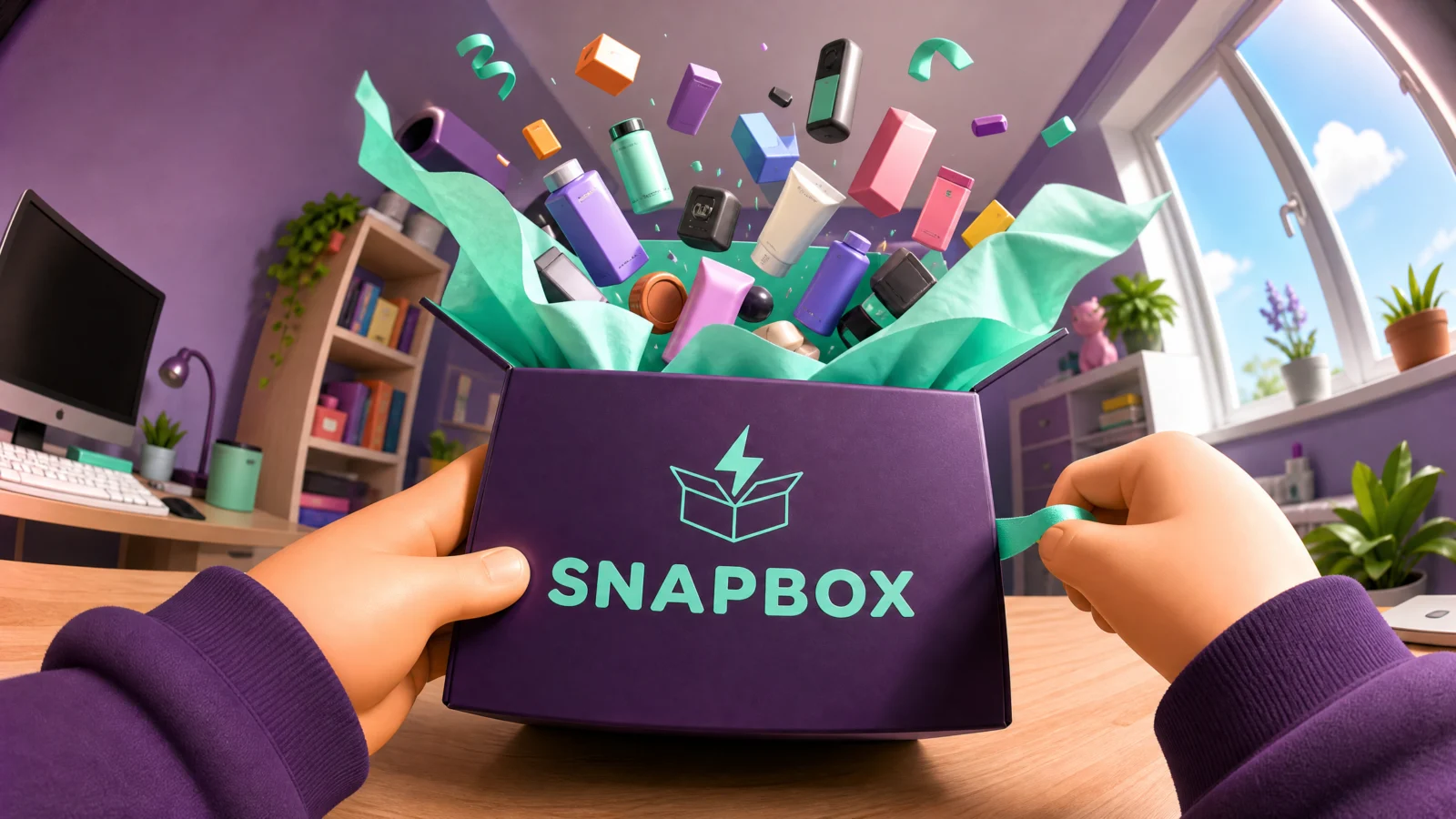
Prompt 4: SNAPBOX Parcel
The unboxing reveal
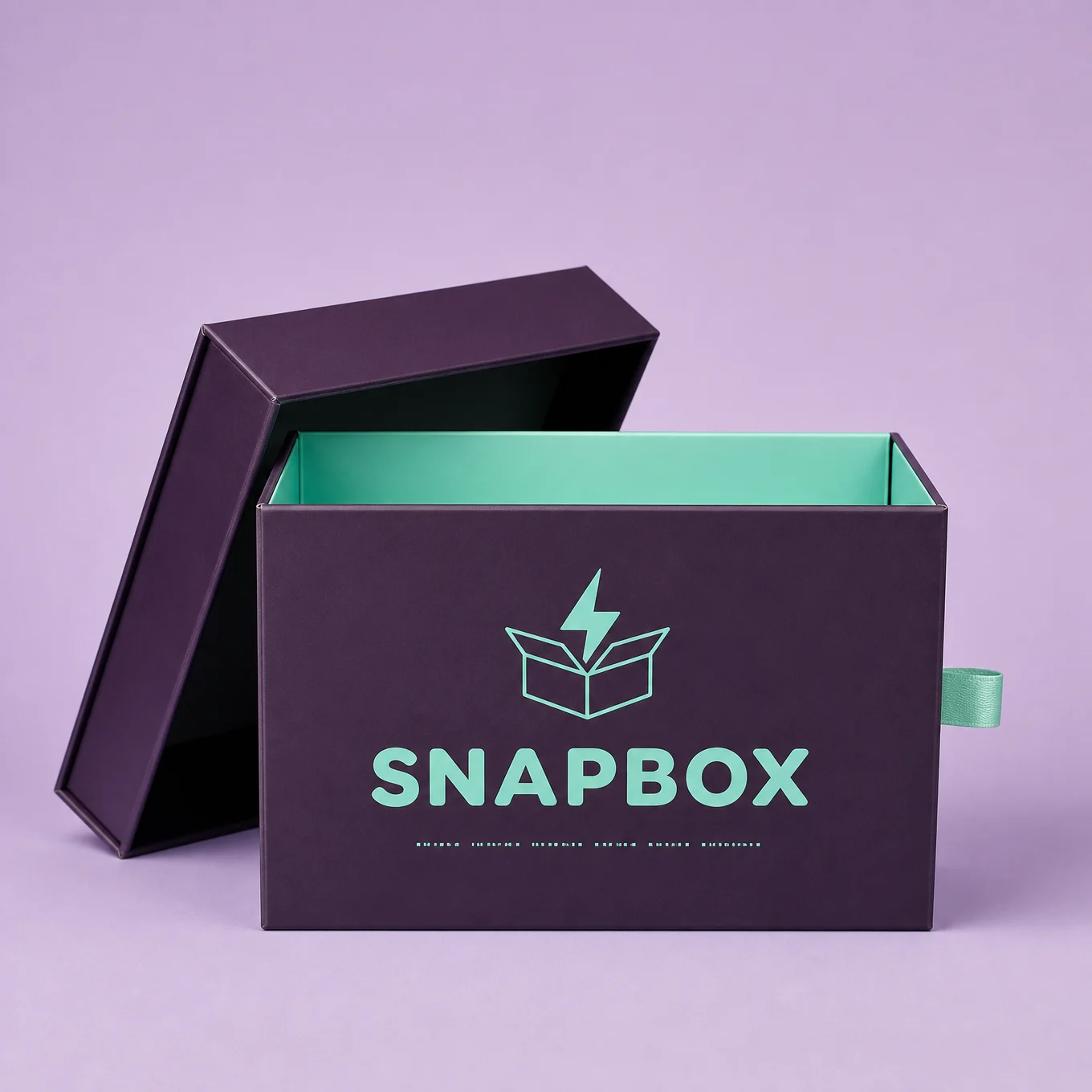
Two hands pull a ribbon tab, the lid bursts open, and a fountain of products erupts out of the box toward the viewer. The only shot in the category with no second character, and it does not need one.
The technique to study: the product fountain. Instead of showing what is inside the box, the prompt launches the contents upward in a spiral toward the lens. This solves a real advertising problem: subscription boxes and multi-item products are boring flat-lay subjects, but as an eruption they become an event. When a product is a collection, do not arrange it, launch it.
Block notes:
"The ribbon tab snapping taut in the hand." The debris list includes the hand’s own action. Tension in the pulled ribbon proves the hands are doing something rather than resting on the box. Give POV hands a visible force to apply: pulling, pressing, gripping, tearing.
"Readable labels on the erupting products" is banned. A fountain of small products is a fountain of small label surfaces, every one a chance for gibberish text. When you scatter unnamed products through a frame, ban their labels.
No second character, by design. Unboxing is a private moment, and adding a witness would break it. The reactor rule has an exception: when the emotion is personal rather than shared, the viewer is the only person in the room.
Swap ideas: a toolkit case opened with tools erupting. A makeup box with products fountaining. A lunchbox opened with contents launching, for a school or catering brand.

Prompt 5: The Trophy Reach
Single prompt, no product reference
Two hands reach up into a golden trophy being handed down toward the lens, confetti storming, a stadium curving away behind.
The technique to study: POV as aspiration. Every other shot in this category hands the viewer a product; this one hands them an achievement. The format is identical, the emotional register is completely different, and that is the range of POV: it can sell a pizza or a life moment with the same camera. For any brand selling accomplishment (fitness, education, finance, sport), this is the shot.
Block notes:
Sweatbands at the wrists. The wardrobe detail does the storytelling: the viewer is an athlete, not a spectator who wandered onto the podium. One wrist detail can establish the viewer’s entire identity, choose it deliberately in every POV shot.
"Camera flashes sparkling in the crowd." Small bright points scattered through a dark background give a crowd depth and life without rendering thousands of faces. Any large audience in this style should be suggested with light, not detail.
"Real team marks or competition logos" banned specifically. Stadium scenes pull heavily branded imagery from training data. As in Category 3, ban the specific industry’s marks by name, not just "real brands."
Swap ideas: a certificate handed toward the lens at a graduation. A medal lowered onto the viewer. A set of keys to a first shop, handed over a counter.

Prompt 6: PAWCRUNCH Treat Pack
The dog at the lens
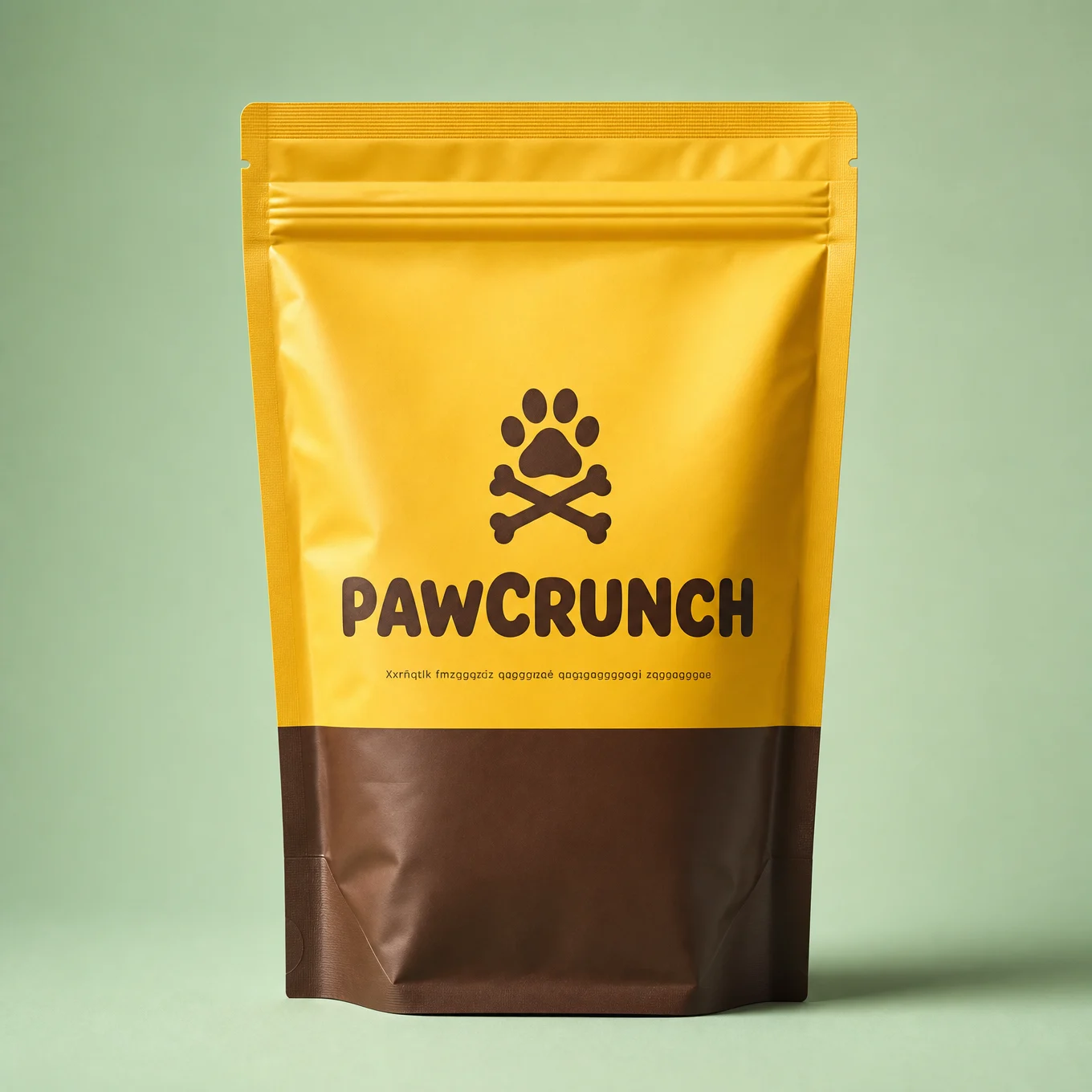
One hand holds the treat pouch at the right of frame while a dog launches itself at the camera from the left, muzzle arriving closest and biggest, mid-leap.
The technique to study: the two-hero foreground, POV edition. Category 1 balanced a shoe sole against a can; this one balances a product against a face, and it is the harder version because the face carries the emotion. The ratio line handles it by comparing the muzzle to the dog’s own body rather than to the product, which keeps both foreground elements large without either one collapsing.
Block notes:
"Crouched low on a sunny park lawn." The camera height is at the dog’s level, which is what makes a leaping dog feel enormous instead of cute-at-a-distance. Match your camera height to your subject’s height, whether that subject is a dog, a child, or a machine.
"Eyes locked on the viewer" on an animal. The eyeline rule applies to non-human characters too, and it is the difference between a stock dog photo and an ad. Note this is the opposite discipline from the Vol.17 print vault, where creature eyes were banned to preserve mystery. The rule follows the goal: mystery hides eyes, advertising demands them.
One tennis ball at the frame edge. The world’s smallest piece of storytelling: they were already playing. One prop, one implied backstory, zero cost.
Swap ideas: a cat leaping for a treat at the lens. A horse reaching in for a feed bucket. A child running at the camera for a snack pack, same crouch height.
The Method In One Box
Everything from Categories 1 to 3 holds. This category adds five:
- Give POV hands a wrist. Sleeve, watch, bracelet, sweatband. It makes them belong to a person, and it tells the viewer who they are.
- Cap the hand count in the DO NOT and design the action for the easiest hand that will carry it: open palm beats grip beats pinch beats two-handed manipulation.
- Every POV shot needs a reactor whose face tells the viewer how this moment feels, unless the emotion is private.
- Freeze one beat before completion. Keys mid-fall, lid mid-lift, dog mid-leap. The viewer’s brain finishes it.
- Point the debris at the lens. Steam, spray, and contents travelling toward the camera put the viewer inside the frame.
Common Issues And Fixes
Extra or deformed fingers. The category’s main failure. Simplify the pose first (open palm, single grip), reduce to one hand if the action allows, and keep "deformed or extra fingers" plus the hand cap in every DO NOT.
A third hand appears. The cap was not explicit enough. State it positively as well: "exactly two hands visible in the entire image, both belonging to the viewer."
The hands look like floating props. Missing wrist detail. Add the sleeve and a wrist item, and state the arms enter from the bottom edge of frame.
The product ends up behind the hands. Order the foreground explicitly: "the product is the closest object to the camera, the hands slightly behind and below it."
The reactor stares at the product instead of the viewer. Split the eyeline: "eyes on the product then flicking to the viewer," or simply "eyes locked on the viewer."
Gibberish text on scattered small items. Any frame with multiple unnamed products needs "readable labels on the erupting products" or similar in the DO NOT.
The animal’s face distorts at the lens. Same anatomy risk as any close subject. Drop the ratio one step and add "the face stays clearly readable and correctly proportioned."
Next Step
Category 5: The Vortex. The camera goes to the centre of a swirling tunnel of a character’s whole world, gadgets, tools, ingredients, and products orbiting the lens, the most stopping-power composition in the vault.
Section 05
Category 5: The Vortex
Fisheye Ad Engine, the swirl composition
The most stopping-power composition in the vault.
A gamer dives down a tunnel of screens. An athlete’s entire gym blasts outward past the lens. A chef’s ingredients funnel inward into a bowl. Tools orbit a carpenter like a carousel. A column of school supplies spirals out of an open book. A hiker’s gear lies in a spiral around a summit.
The vortex works because the eye cannot parse it instantly. Every other composition in this vault reads in a tenth of a second, which is exactly what you want for a product ad. This one takes a full second, and that second is the scroll stopping. Use it when the goal is attention rather than instant comprehension: launches, campaigns, thumbnails, hero banners.
Structure: two of the six are two-step builds with a branded product, four are single prompts. Most vortex shots sell a world rather than a package, and a world does not need a reference image.
What This Category Teaches
A vortex is a direction, not a decoration. This is the whole discipline of this page. Six spirals look identical unless each one spins differently, so the six shots here run six geometries: down a tunnel toward the viewer, outward past the camera, inward toward a centre, horizontally around a body, rising vertically, and flat around a figure seen from above. Before you write a single object into a swirl, decide which way it travels and what it travels around. Random circling objects read as clutter; objects on a named path read as design.
Size is the depth cue. In every vortex here, the objects are described as largest nearest the lens and smallest furthest away, or the reverse if the spiral recedes. That gradient is what turns a flat ring of stuff into a three-dimensional tunnel. Without it, the vortex flattens into wallpaper.
Name the objects, and name few. Each vortex lists specific, recognisable items: game controllers, weight plates, basil leaves, a spirit level, a globe, trekking poles. Recognisable silhouettes are what tell the viewer whose world this is. But four to seven is the ceiling, past that the model starts blending items into unreadable shapes. Pick the objects with the most distinctive outlines.
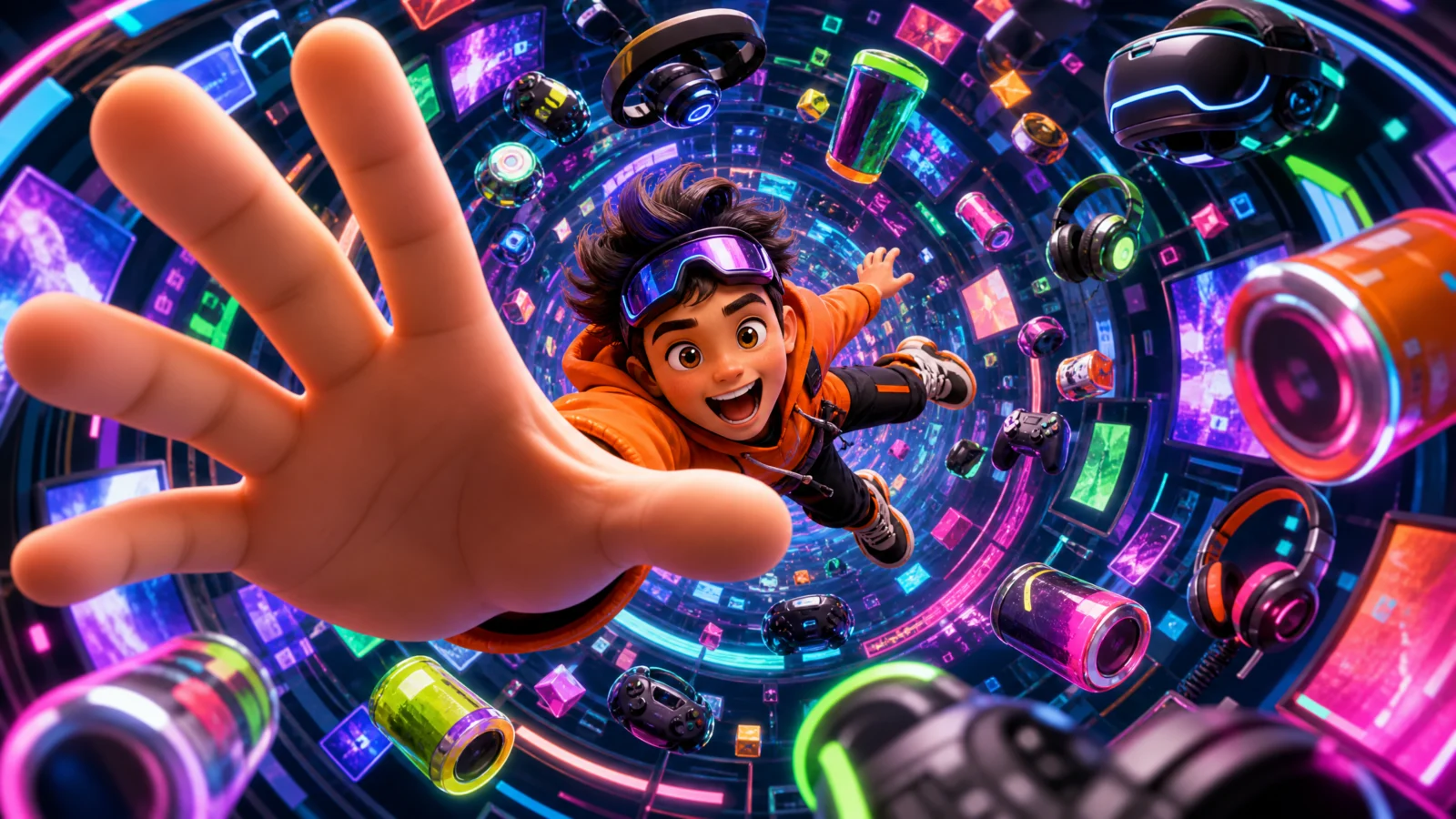
Prompt 1: The Tunnel Dive
Single prompt
The purest vortex: a circular tunnel of screens and neon, a kid diving headfirst down it toward the camera, one hand reaching out to nearly touch the lens, and the tech of their world spiralling between them and the viewer.
The technique to study: the spiral that widens toward the camera. "Orbiting in a clear spiral that widens toward the camera, largest and blurriest nearest the lens, smallest and sharpest deep in the tunnel." Two gradients running at once, size and focus, and together they build a tunnel out of nothing but object placement. Note the focus direction: sharp far, soft near. That is the opposite of normal photography, and it is right here, because the near objects are rushing past and the subject is deep in frame.
Block notes:
"Strong colour bleed onto the character." The neon tunnel throws magenta and cyan onto the kid’s skin and hoodie. Coloured environmental light landing on the subject is what fuses a character into a stylized environment, without it, they look composited on top of a background.
"Hair blown back by the dive." The body sells the direction of travel. Hair, clothing, and loose straps must all trail behind the direction of motion. Get this wrong and a dive looks like floating.
"Readable text on screens or panels" banned. Tech vortexes are made of screens, and every screen is a gibberish-text risk. Keep displays abstract, glowing panels, shapes, colour fields.
Swap ideas: a diver descending a tunnel of coral and fish. A skater dropping into a tunnel of graffiti and boards. A trader diving through a tunnel of glowing charts, abstract shapes only.
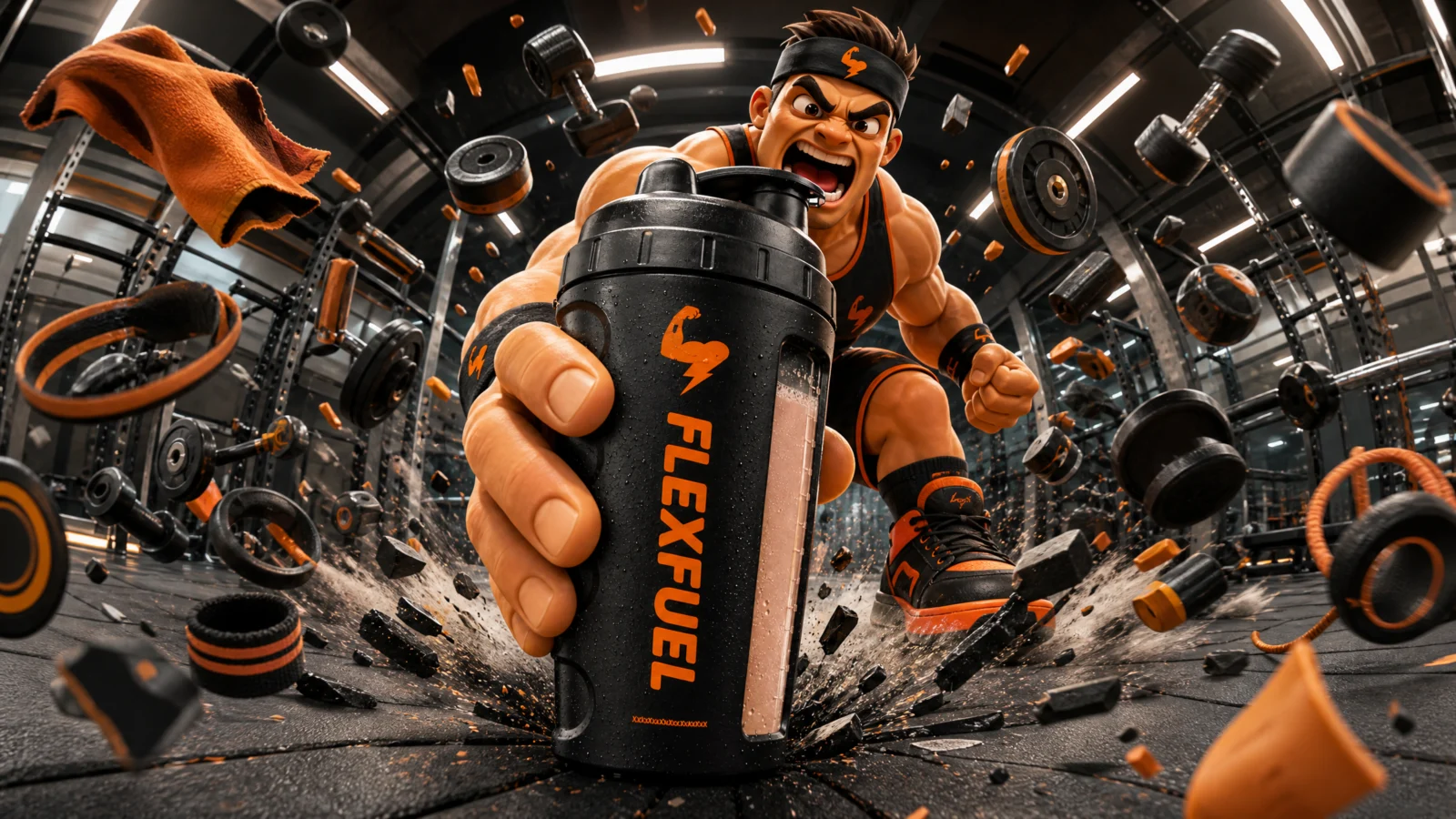
Prompt 2: FLEXFUEL Shaker
The outward blast, two-step
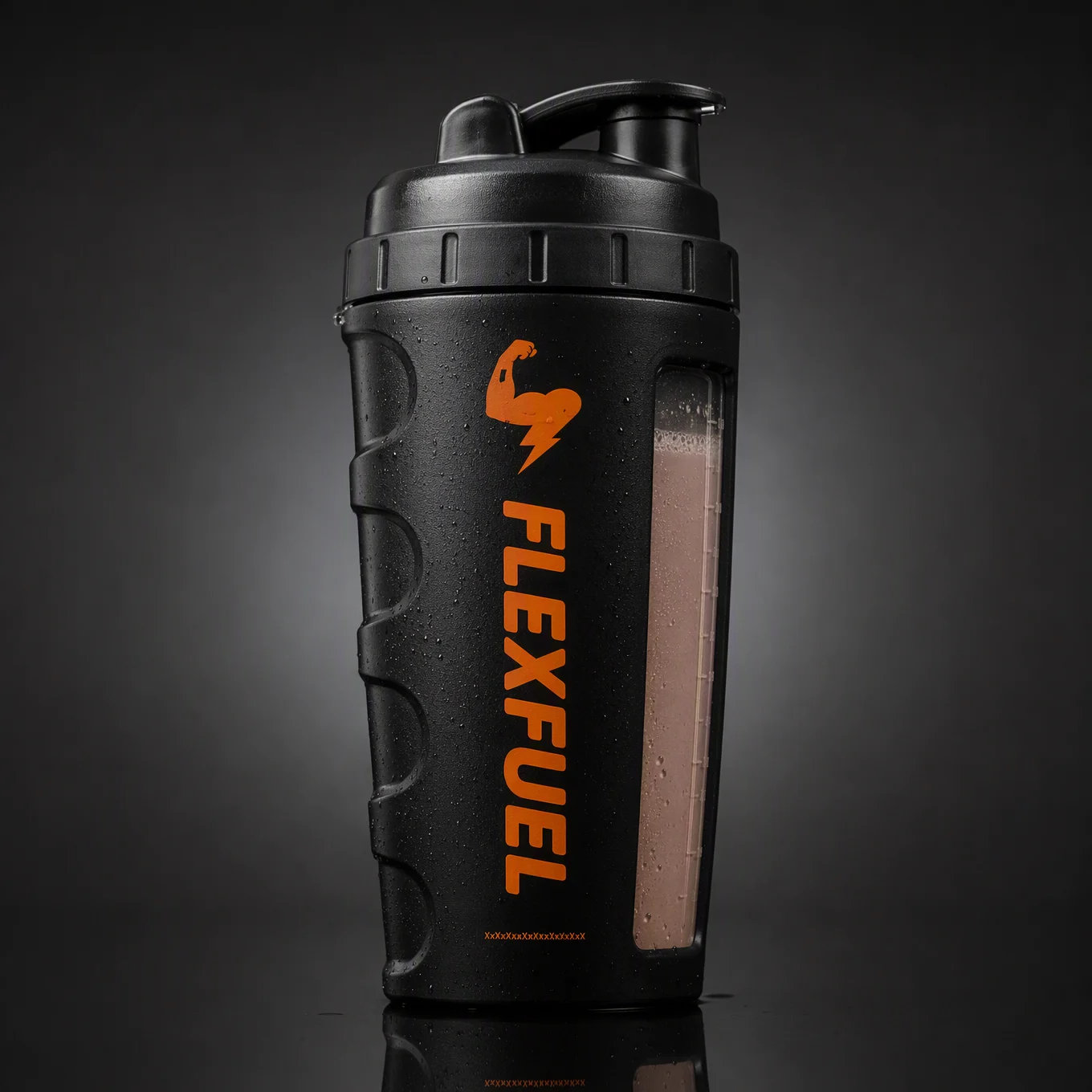
An athlete slams the shaker down at the lens and the impact blasts their entire gym outward past the camera: dumbbells, plates, a rope uncoiling, all rushing at the frame edges and cropping off.
The technique to study: cropped objects as the outward cue. "The nearest ones cropped by the frame corners." Objects that leave the frame are what tell the eye the vortex is coming at the viewer, not just sitting around the subject. For any outward blast, some of the debris must be too close and too big to fit, and you have to say so, or the model will politely keep everything inside the frame.
Block notes:
The vortex has a cause. The slam is the impact, the blast is the consequence. Every vortex in this category is either caused by the character or moving toward them, never floating for no reason. Give the swirl an origin point and the frame becomes a physics event instead of a graphic.
"A skipping rope uncoiling." One object in the ring that changes shape as it travels. In a ring of rigid items (dumbbells, plates), a single flexible element adds motion the others cannot show. Always include one rope, ribbon, cloth, or cable in a blast.
"Readable weight numbers" banned. Gym plates are covered in numbers in every training image ever taken. Same rule as always: ban the specific text your setting invites.
Swap ideas: a football boot stamped down with kit blasting outward. A cash register hit with retail goods blasting out. A drum hit with a music world blasting outward.
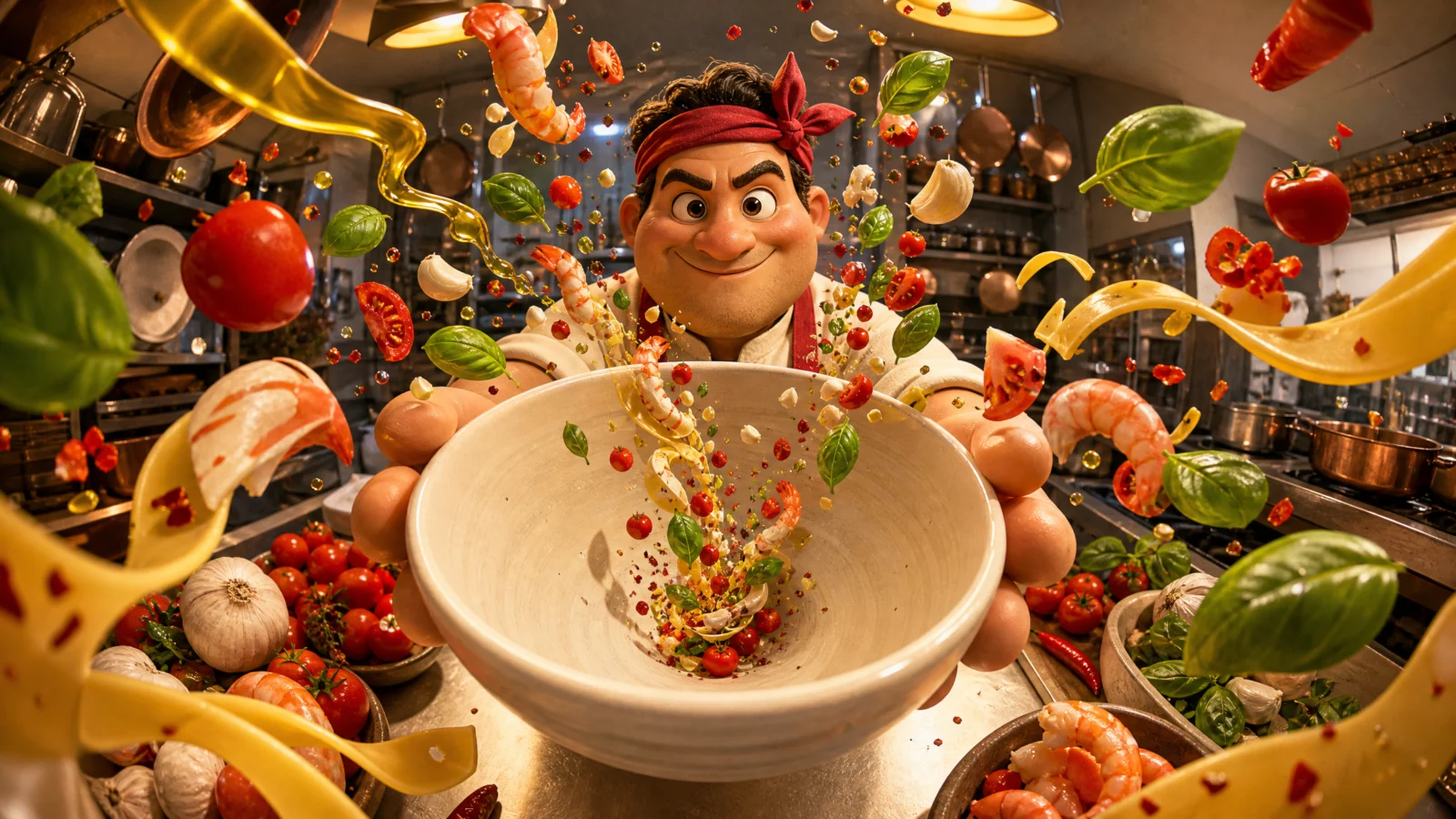
Prompt 3: The Inward Funnel
Single prompt
A chef holds an empty bowl up at the lens, and every ingredient in the kitchen rushes inward past the camera and funnels down into it.
The technique to study: reversing the flow. This is the hardest vortex direction to get, because models default to outward explosions. The fix is stating the destination in the geometry ("converging inward from every frame edge toward the bowl’s mouth"), showing the arrival ("the tightest ones already curving into the bowl"), and, if it still fails, adding the absolute rule from the fixes below. Inward funnels are worth the trouble: outward says power, inward says abundance, and abundance sells food, ingredients, and value.
Block notes:
The empty bowl. Counter-intuitive and correct: the bowl is empty, because the ad is about what is arriving, not what is finished. An empty vessel with everything rushing toward it is anticipation; a full bowl is a menu photo. Advertising lives in the moment before.
"A stream of olive oil" and "a ribbon of pasta." Two continuous elements among the discrete ones. A stream and a ribbon can follow the spiral path visibly, which draws the geometry for the viewer. In any funnel, include one element that traces the path rather than sitting on it.
"Its inside open to the viewer." The bowl’s mouth must face the lens or the funnel has no visible destination. Whenever a vortex converges into a container, state the container’s opening faces the camera.
Swap ideas: a barista’s cup with coffee-world ingredients funnelling in. A gardener’s trowel with seeds and soil converging. A piggy bank with coins and bills funnelling toward the slot, for a finance brand.
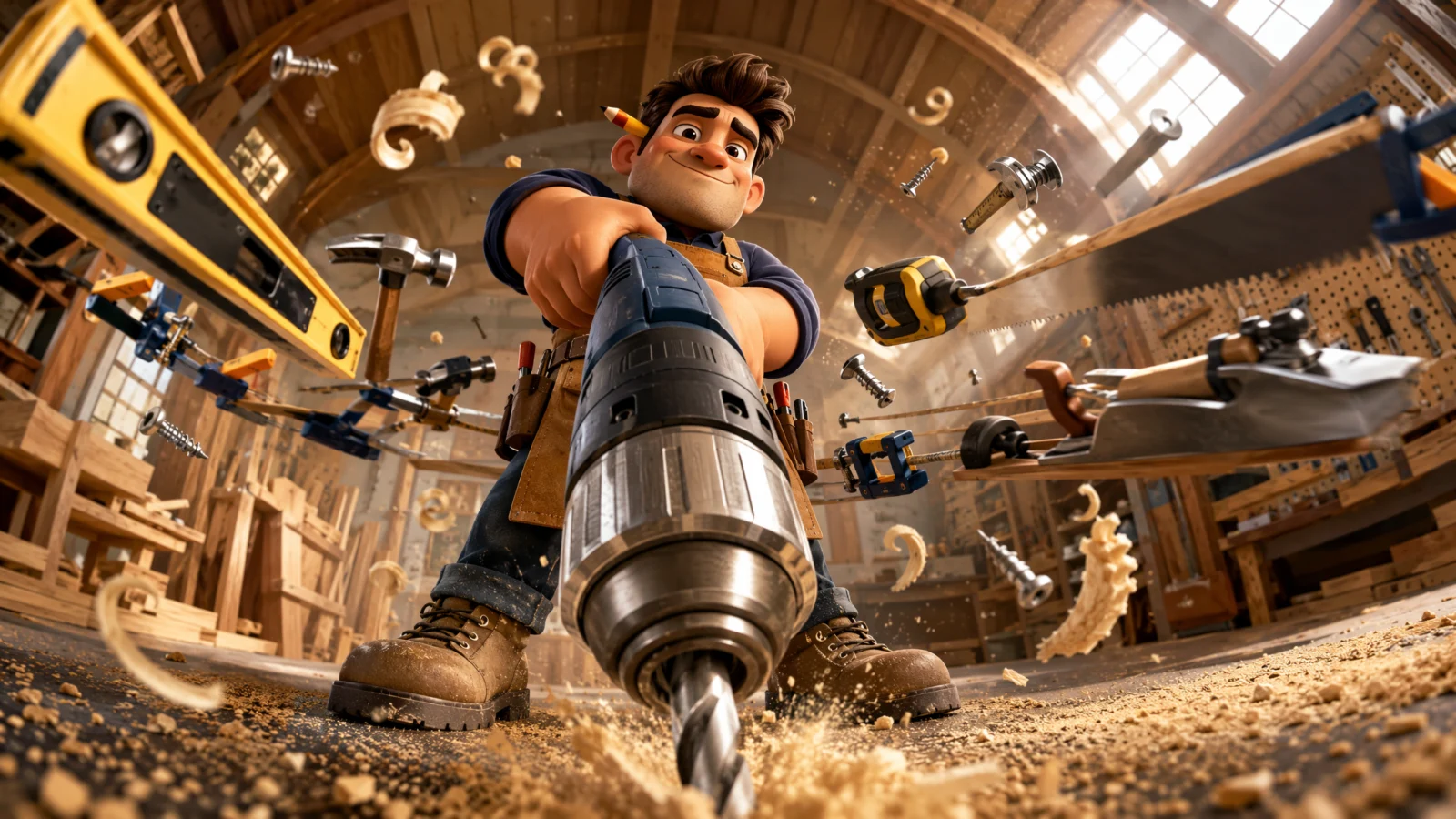
Prompt 4: The Horizontal Ring
Single prompt
Tools orbit a carpenter horizontally at waist height like a carousel, the near side of the ring sweeping past the camera huge, the far side small behind them, and a power drill thrust down at the lens.
The technique to study: the ring that passes on both sides. "The near side of the ring rushing past the camera huge and cropped by the frame edges, the far side small behind the carpenter." This is the only vortex here that is explicitly three-dimensional around the subject, and that near-and-far split is what proves it. A ring described without a near and far side renders as a flat halo every time.
Block notes:
"A tape measure trailing its tape." The flexible element again, and here it does extra work: an extended tape traces the ring’s curve, showing the orbit path the way the oil stream traced the funnel. Every vortex benefits from one object that draws the shape.
Two systems in one frame. The ring is the vortex, the sawdust is the action debris, and they are written as separate blocks. Keeping them separate stops the model blending both into general clutter: the vortex is composition, the debris is physics.
"Dusty light shafts." Workshops with high windows give you visible beams, and beams intersecting an orbiting ring is what makes the ring feel like it occupies real air. Any interior vortex should have visible light shafts to pass through.
Swap ideas: a hairdresser with a ring of styling tools. A mechanic with a ring of parts. A musician with a ring of instruments and cables.

Prompt 5: The Rising Column
Single prompt
A student sits cross-legged with an open book, and a column of school objects spirals upward out of the pages toward the ceiling, past the lens, with one hand reaching up at the camera.
The technique to study: the vertical vortex. Camera low, looking steeply up, spiral rising and widening as it climbs. This is the "possibility" shot, everything in this style that rises reads as opportunity, growth, or imagination, which makes it the natural composition for education, careers, savings, and any brand selling a future. Direction carries meaning: outward is power, inward is abundance, upward is aspiration, downward is arrival.
Block notes:
"Glowing formulas as simple abstract shapes." The one place this vault lets an abstract element into a vortex, and it is immediately constrained to shapes so it cannot become gibberish equations. When a concept needs representing (knowledge, data, sound, energy), specify it as abstract shapes or glow, never as symbols or writing.
"Two paper sheets peeling away from the column." Elements leaving the spiral prove the spiral has force. A perfectly contained vortex looks arranged; a leaking one looks alive.
"A soft glow rising from the book." The vortex’s origin gets its own light source, which makes the book the visual cause of everything above it. Light your vortex’s source point, it turns a spiral into an emission.
Swap ideas: a chef’s pot with a rising column of ingredients and steam. A gardener’s soil with plants and tools rising. A phone in a palm with a rising column of app icons as abstract shapes.
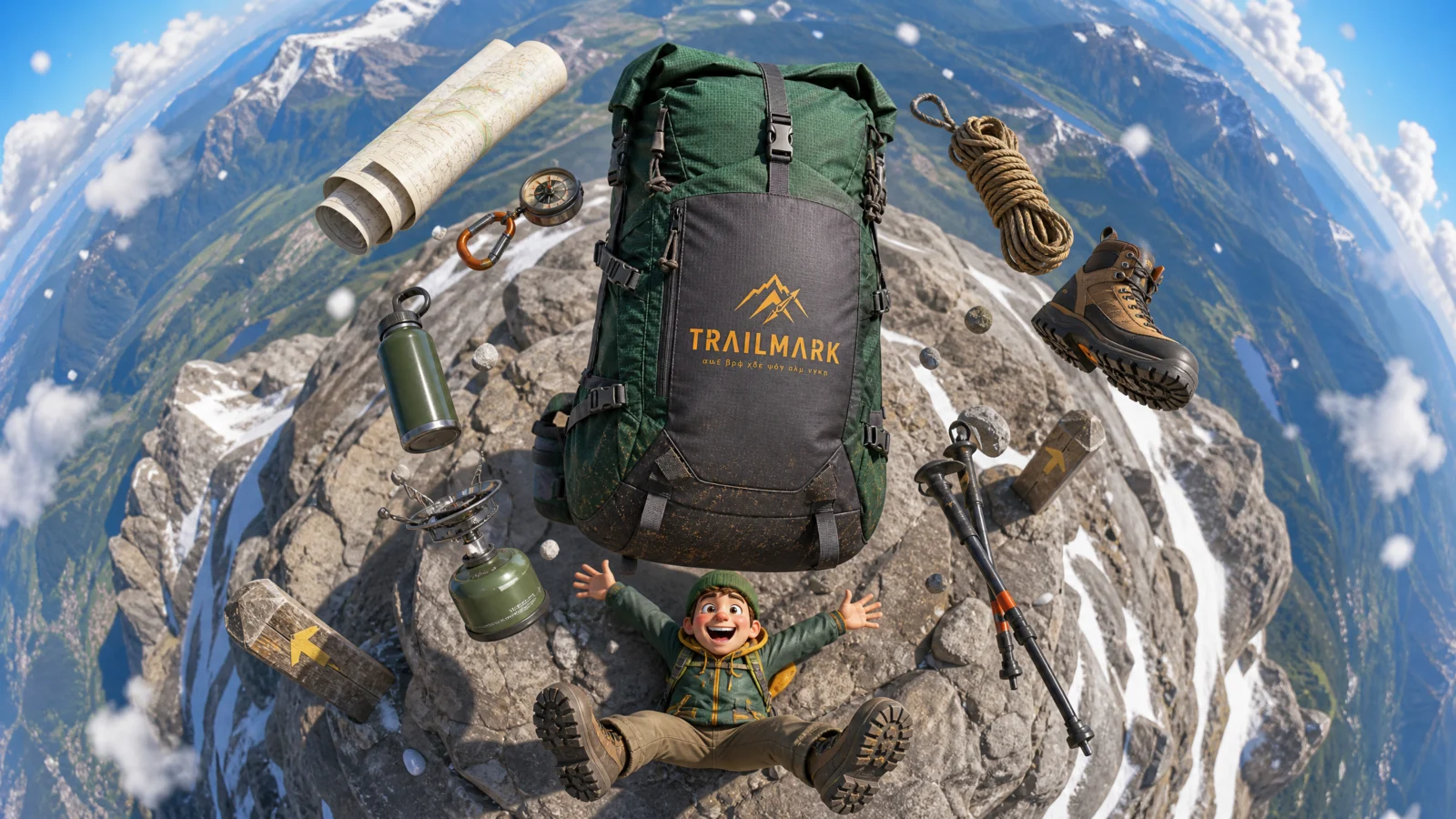
Prompt 6: TRAILMARK Backpack
The flat spiral from above, two-step
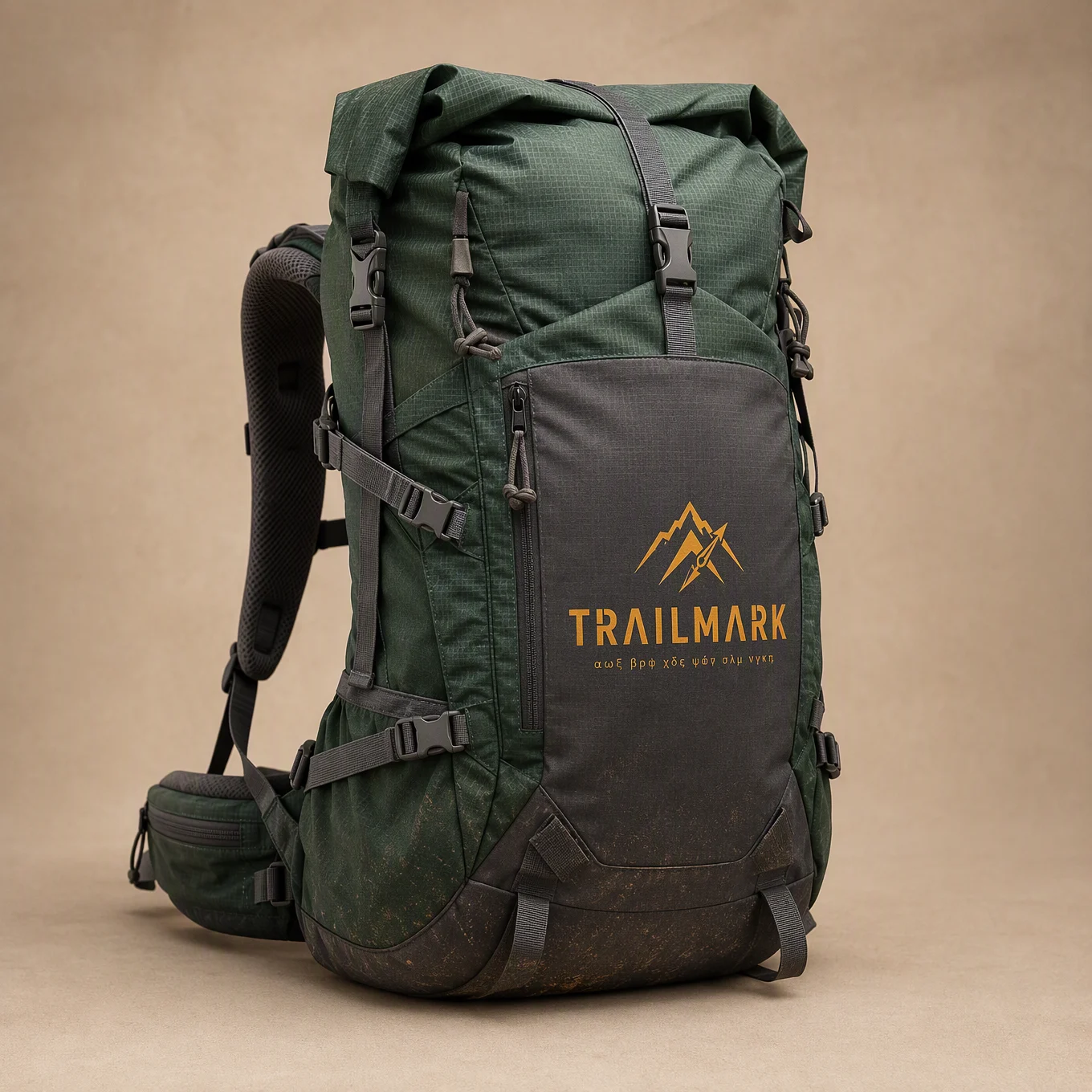
Camera straight down on a mountain summit: a hiker lies flat in exhausted triumph, their gear laid in a spiral around them, and the backpack floats up huge at the centre of frame.
The technique to study: the spiral that leaves the ground. "The outer items resting on the rock and the inner ones lifting into the air as the spiral rises toward the lens." A flat-lay is static; this one transitions from a lay to a lift as it approaches the camera. That single transition is what makes an overhead composition three-dimensional, and it is the answer to the flat-lay’s biggest weakness in this style.
Block notes:
"Exhausted triumph." The only tired character in the vault, and it is the correct emotion for outdoor gear. Hiking brands do not sell effortlessness, they sell the reward after the effort. Match the expression to the product’s real promise, not to a default advertising smile.
"A coiled rope." The path-tracing element again, third time on this page. Rope, tape, oil, pasta ribbon: every good vortex includes one continuous object that draws its shape.
"The whole mountain funnels down and away from the pack." The environment participates in the vortex geometry, not just the objects. In overhead shots, the terrain itself becomes part of the swirl, which is what stops the shot reading as a product laid on a floor.
Swap ideas: a cyclist flat on tarmac with kit spiralling. A camper by a tent with camp gear in a spiral. A musician on a stage floor with instruments spiralling around them.
The Method In One Box
Everything from Categories 1 to 4 holds. This category adds five:
- Decide the direction first. Down a tunnel, outward, inward, horizontal, rising, or flat-from-above. The direction is the idea, and it carries the meaning.
- Grade the size along the spiral, largest near the lens, smallest far, and crop the closest ones at the frame edges.
- Include one continuous element (rope, tape, ribbon, stream) that traces the spiral’s path.
- Give the vortex a cause and a source point, and light that source.
- Name four to seven recognisable objects, no more. Distinctive silhouettes beat long lists.
Common Issues And Fixes
The vortex renders as random clutter, not a spiral. Name the geometry harder: "a clear single spiral path, objects evenly spaced along it, largest nearest the camera, following one continuous curve."
The objects converge outward when you asked for inward. The model’s default. Add the absolute: "every object is travelling toward the bowl, none away from it."
The ring renders as a flat halo behind the character. The near-and-far split is missing. Add "the ring passes in front of the subject on the near side and behind them on the far side."
The tunnel flattens into a background. Anchor its shape: "a long cylindrical tunnel receding into the distance, its circular walls visible on all four sides of the frame."
Objects render as unrecognisable blobs. Too many items. Cut the list to four and keep the most distinctive silhouettes.
The vortex overwhelms the character or product. State the hierarchy: "the product is the closest and sharpest object in the frame, the vortex objects sit behind and around it."
Gibberish text on screens, papers, maps, or tools. Every vortex is a text-surface generator. Ban text by the specific objects your swirl contains.
Next Step
Category 6: The Tiny Operator. The final flip: a small character and an enormous machine. Little heroes at giant consoles, oversized contraptions, and controls bigger than the person working them, the category where scale reverses and the product becomes the world.
Section 06
Category 6: The Tiny Operator
Fisheye Ad Engine, scale reversal
The final flip.
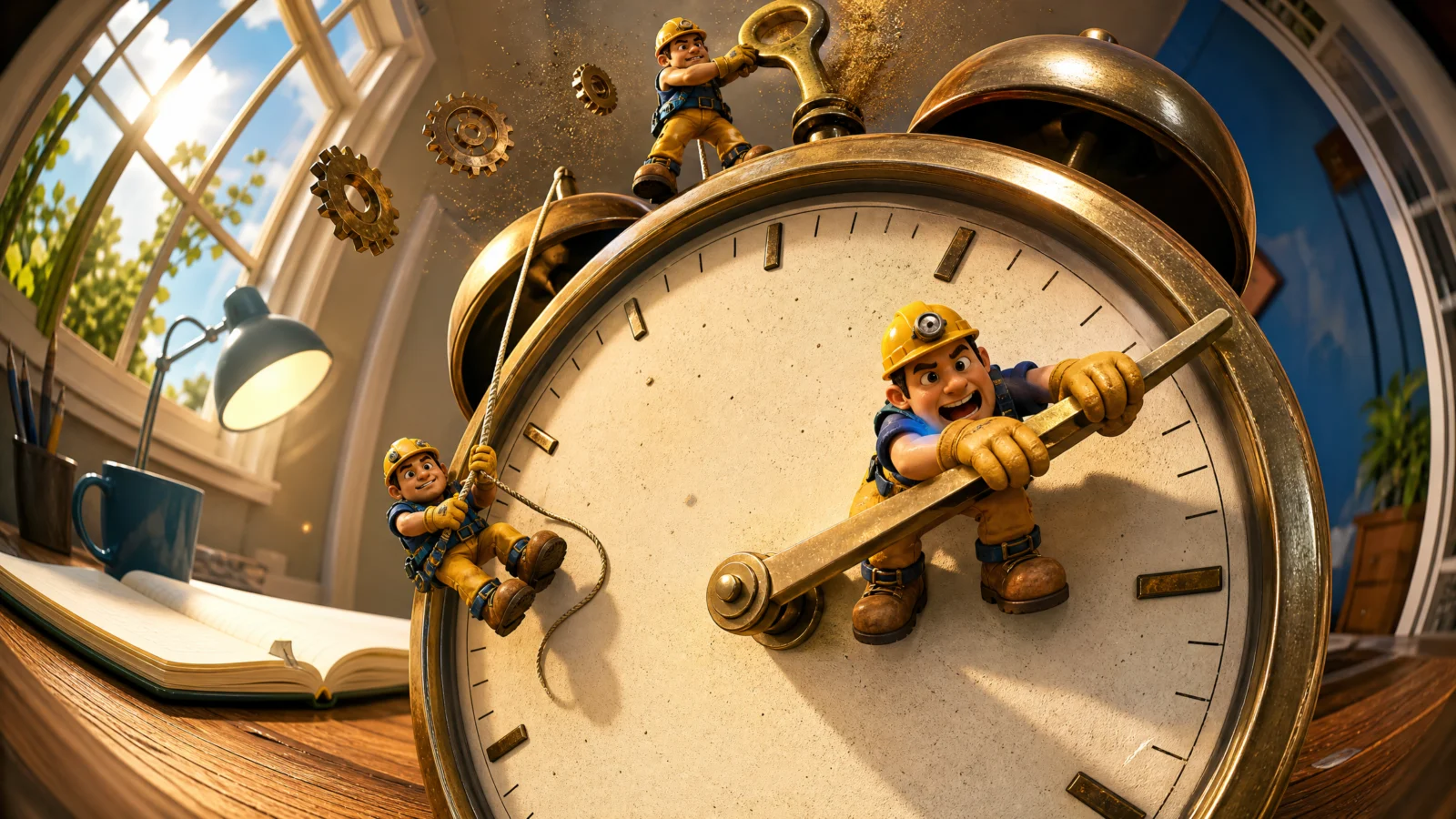
Five categories made objects huge by putting them close to the lens. This one makes them huge because they are: a tiny operator heaving a lever longer than they are, a climber scaling a cereal box, an engineer walking inside a machine’s guts, a pilot lost in an oversized cockpit, a beekeeper the height of a jar lid, a print operator catching a sheet bigger than the bay it came from.
Forced perspective still runs, but now it stacks on top of real scale difference, and that stacking is why this category hits hardest. It is also the most commercially versatile: any brand whose product is bigger than a person (machinery, vehicles, factories, infrastructure) or wants to feel bigger than it is (a cereal box, a jar of honey) lives here.
Structure: two two-step builds with branded products, four single prompts.
What This Category Teaches
The SCALE ANCHOR block. New to this vault and the engine of the whole category. Every prompt carries a line comparing the character to a sub-part of the big thing: one dial wider than the operator is tall, one gear tooth taller than the engineer, the climber no taller than a printed letter, the beekeeper no taller than the jar lid is deep. Comparing to a sub-part multiplies the implied size, because the viewer’s brain does the rest of the arithmetic. Comparing to the whole ("the machine is much bigger than him") does nothing at all.
Two scale systems, one frame. Forced perspective (near object big because it is close) plus real scale (the machine is genuinely enormous) must not fight each other. The way to keep them honest: the near-lens object must belong to the big system. A lever, a gear, a control stick, a box face. When the foreground object and the background world are part of the same machine, the two scale systems reinforce each other instead of competing.
Small characters need protection. A tiny figure in a huge frame is the easiest thing for a model to turn into a blob. Every prompt here carries "crisp and clearly readable" in its quality line and keeps the character’s face and expression named. The tiny operator is still the emotional subject, and if you cannot read their face, the ad has no one in it.
Prompt 1: The Giant Console
Single prompt
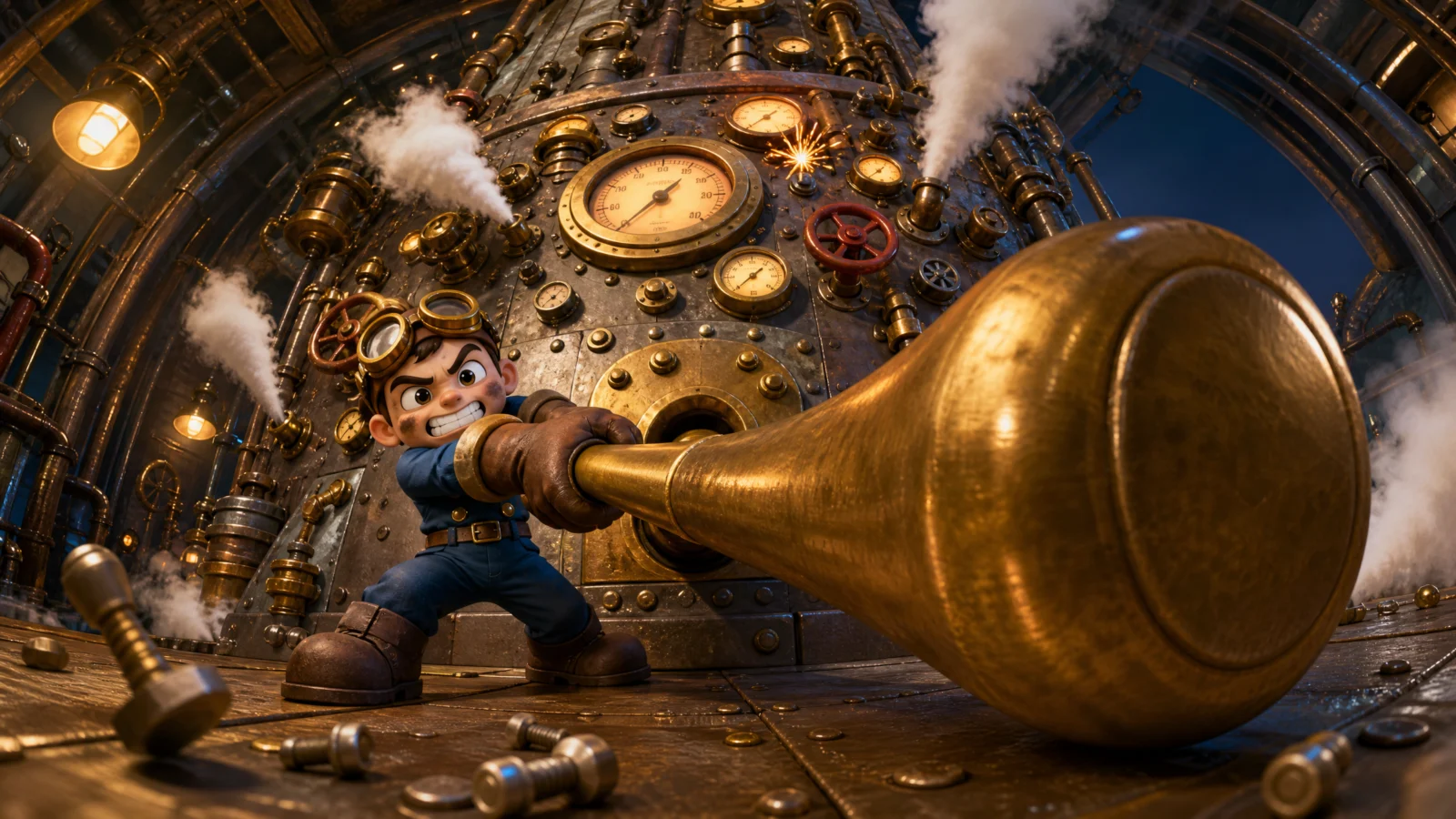
A tiny engineer heaves an enormous brass lever with their whole body while a vast machine face rises out of the frame behind them. The purest scale-reversal shot in the vault.
The technique to study: effort as scale proof. "Heaves with both arms and their whole body weight," "feet braced and body arched with effort." A character straining against an object tells you its weight, and weight tells you size. A tiny figure standing next to a big machine reads as a composite; a tiny figure fighting a big machine reads as real. Whenever you build scale reversal, give the small character a physical struggle.
Block notes:
"The console face rising out of the top of the frame." The frame-overflow rule from Vol.17’s colossus work, applied to machines. If the whole console fits inside the composition, it becomes a prop on a table. Let it leave the frame.
Steam from valves around the lever. The machine reacts to the action at the point of the action. Debris that appears where the character is working proves cause and effect; debris scattered generally proves nothing.
"Readable numbers or text on dials and gauges" banned. Industrial consoles are the single heaviest text-generating subject in this whole vault. Every gauge is a gibberish risk.
Swap ideas: a ship’s engine telegraph. A brewery valve wheel. A datacentre breaker panel with a lever.
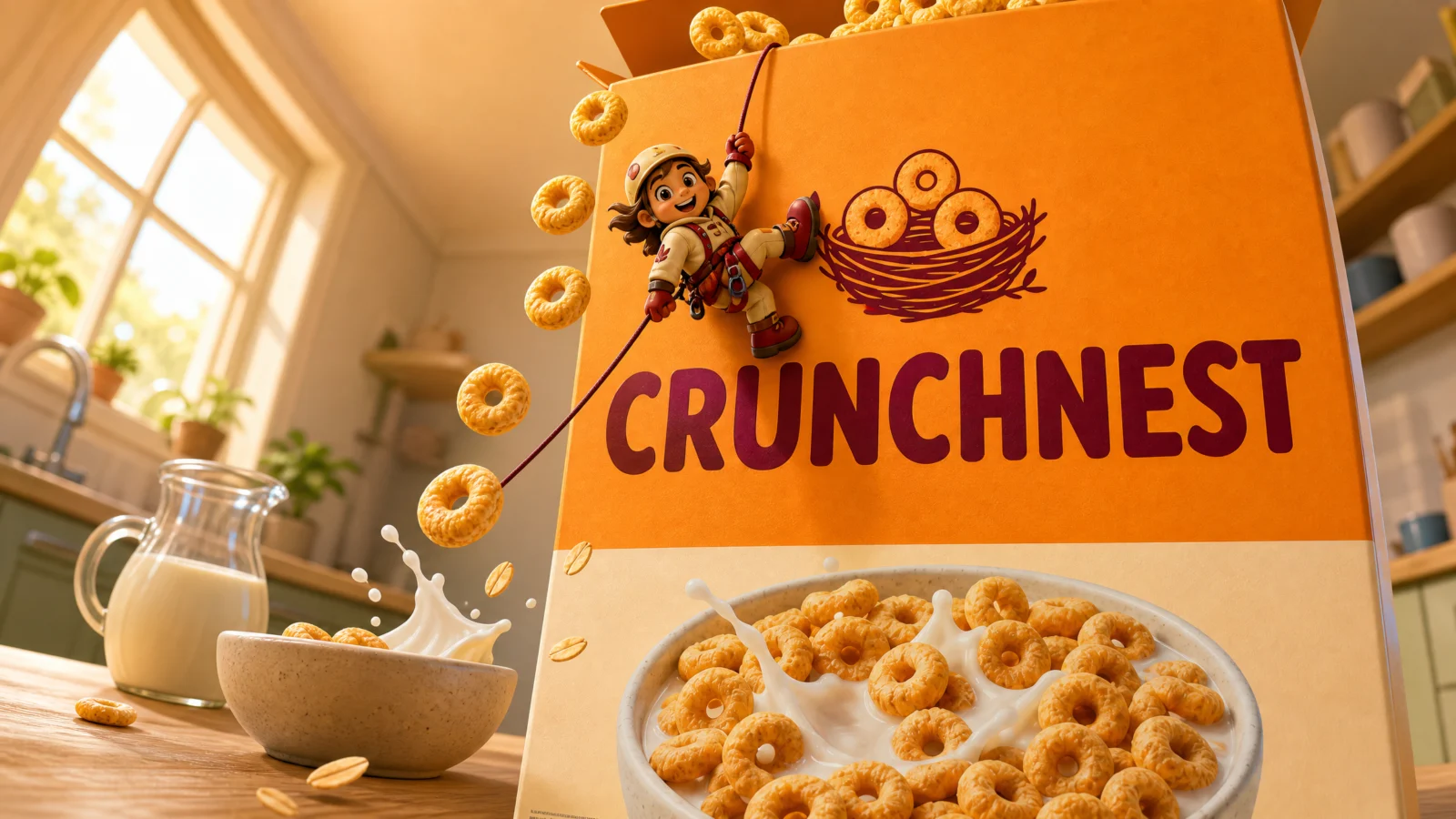
Prompt 2: CRUNCHNEST Cereal Box
The tiny worker on the product, two-step
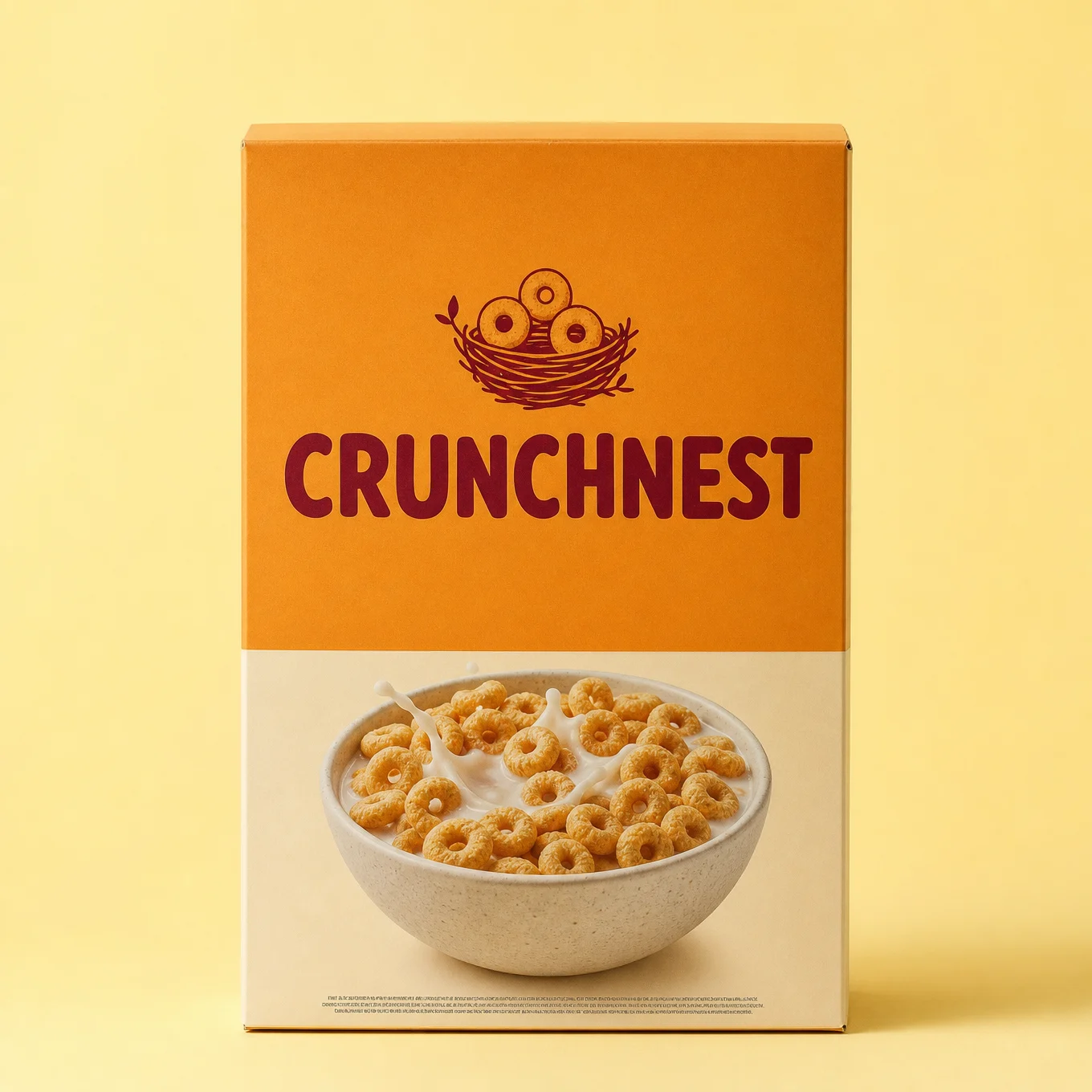
The commercial heart of this category: an ordinary cereal box becomes a cliff face, and a tiny climber scales its front panel while cereal cascades past. Everyday product, epic scale, and the branding is unavoidable because the climber is standing on it.
The technique to study: turning packaging into terrain. The box’s printed logo becomes a foothold, the brand lettering becomes a size ruler, the open top becomes a summit. When the product is small, do not shrink the world, shrink the person. This one shot format works for any packaged good on earth and it is the highest-value idea on this page for anyone selling a physical product.
Block notes:
"One boot braced on the printed logo." Physical contact between the tiny character and a named brand element. The logo is not decoration in this shot, it is load-bearing. Whenever you shrink a character onto a product, have them touch the branding.
"No taller than one printed letter of the brand name." The SCALE ANCHOR uses the label itself as the ruler, which makes the branding do double duty: it sells the product and it measures the character.
The cascade comes from the product. Cereal loops falling past the climber are debris and appetite appeal. In food scale-reversal shots, always let the food itself be the falling hazard.
Swap ideas: a climber on a coffee bag with beans cascading. A window cleaner abseiling down a shampoo bottle. A miner in an open chocolate bar.
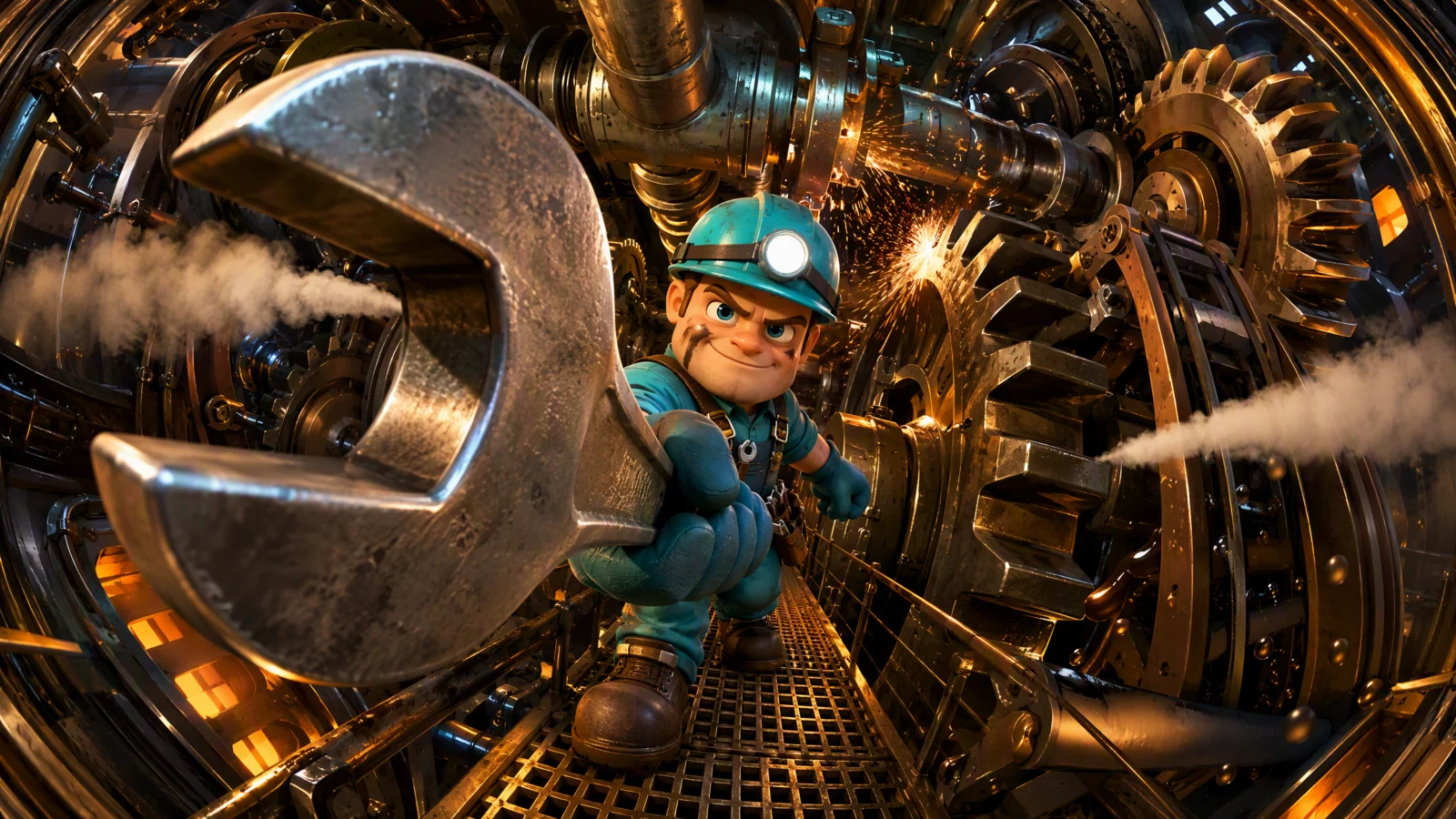
Prompt 3: The Machine Interior
Single prompt
A tiny engineer walks a maintenance catwalk deep inside a working machine while colossal gears and pistons churn around them, spanner swung up at the lens.
The technique to study: enclosure as scale. The machine is not seen from outside; the camera is in it. When a character is surrounded on all sides by working parts larger than they are, scale becomes inescapable, there is no exterior view to give the viewer a comfortable reference. This is the strongest scale format available, and it is why Category 3’s inside-the-van and inside-the-cargo shots worked too. Put the camera inside the big thing.
Block notes:
"The engineer’s headlamp" as a light source. The tiny character carries their own light in a dark interior, which does two jobs: it makes them findable in a busy frame, and it proves the space is bigger than the light can fill. Give small characters in large dark spaces a personal light.
"CHURN in motion." The machine is running while the engineer works in it. A static machine is a sculpture; a moving one is a danger, and danger adds stakes to what would otherwise be a tour.
"The grated walkway stretching away behind them." Grating is a repeating pattern, and repeating patterns under fisheye bend visibly. Third time this vault has reached for that trick (road markings, ribbed van walls, warehouse racking), it works every time.
Swap ideas: inside a wind turbine nacelle. Inside a ship’s engine room. Inside a coffee roaster with beans churning.
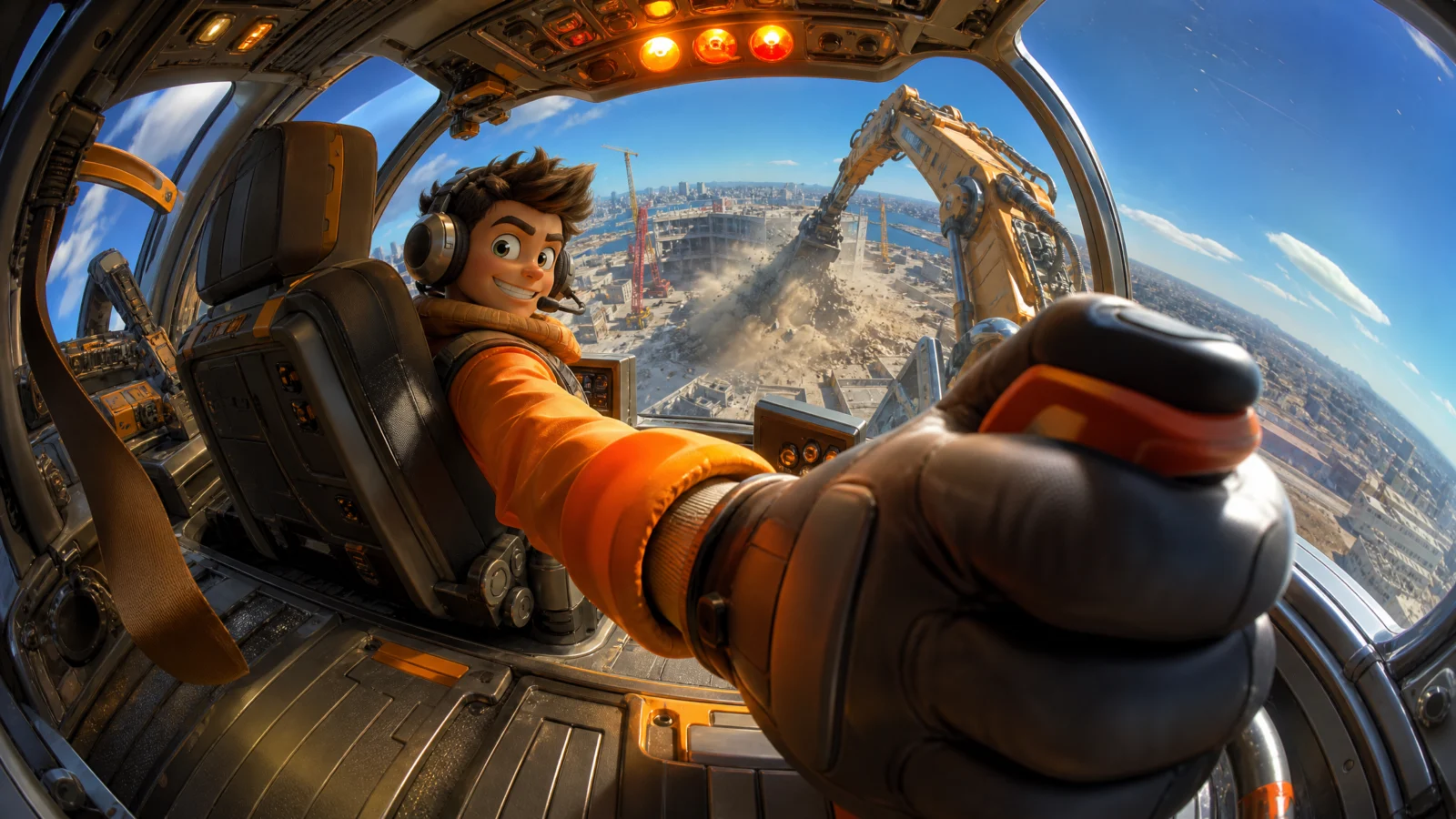
Prompt 4: The Cockpit View
Single prompt
A pilot dwarfed in an oversized mech cockpit, their own gloved hand huge at the lens on the control stick, a construction site far below through the windshield.
This one failed twice before it worked, and the failure is the most valuable lesson on this page. The original prompt asked for a giant control stick at the lens, the pilot "small and complete beyond it," and the pilot’s hands on the controls. Those three cannot all be true at once: a hand gripping something that close to the camera must belong to someone right at the camera. GPT2 resolved the contradiction the only way it could, by inventing a huge disembodied glove in the foreground and giving the actual pilot a second, smaller stick further back. Two renders, same failure, because the prompt was geometrically impossible.
The fix introduces a new block: ANATOMY LOCK. It states that the giant hand is the pilot’s own, that the arm is one continuous limb from shoulder to glove, and that no other hands exist in the frame. One stick, not two. The ratio also dropped from four to three, because a giant hand plus a visible connecting arm needs room to read.
The rule to keep, and it applies far beyond this shot: when a body part is your near-lens hero object, you must show what it connects to. Any prompt that makes a hand huge at the lens while placing its owner deep in the frame is asking for a floating glove. State the connection explicitly, and ban the disembodied version.
Block notes:
The DO NOT bans four versions of one failure. Disembodied glove, second hand, second stick, floating glove. When a failure has already happened twice, do not ban it once, ban every shape it took.
The scale moved off the hand and onto the seat. "The seat is wide enough to hold three of them, the headrest rises far above their head." With the hand now anatomically tied to the pilot, the tiny-operator feeling has to come from furniture. That is the better solution anyway: scale should live in the environment, not in a trick of the lens.
"Head turned back over the shoulder." The eyeline solution for an over-the-shoulder camera. Body forward, face back. Same problem the profile shot in Category 3 solved with a sideways glance.
Fallback if it still breaks: remove the hand from the lens entirely. Make the near-lens hero object the seat’s headrest edge or an overhead switch bank, and let the pilot grip the stick at normal size in the midground. Less punch, guaranteed clean.
Swap ideas: a crane operator’s cab. A harvester cab over a vast field. A submarine helm with a viewport.

Prompt 5: BLOOMJAR Honey
The tiny beekeeper, two-step

A honey jar the size of a building, glowing from within with late sun behind it, and a tiny beekeeper standing at its base looking up in wonder as a honey drip wider than their shoulders runs down the glass.
The technique to study: wonder instead of effort. Every other tiny-operator shot has the character working or straining; this one has them stopped, looking up. Awe is the other emotion scale reversal can produce, and it suits premium and artisan products where effort would feel wrong. The rule: struggle sells capability, awe sells quality. Choose per brand.
Block notes:
Backlight through the product. "Late afternoon sunlight from behind the jar making the honey glow from within." Third time this vault has backlit a translucent product (the soda, the beverage packshot, now the honey) and it is the single most reliable food-advertising lighting there is. Anything you can see through gets lit from behind.
"Realistic or menacing bees" banned. Bees are a scale-appropriate prop here, but the model’s default bee is a photoreal insect, which is unsettling next to a chunky cartoon figure. When your scene needs an animal that people find unnerving, ban realism explicitly.
"The veil hat pushed back off the face." Protective gear normally hides faces, and this vault needs faces. Any shot with a helmet, mask, visor, or veil must state that it is open, pushed back, or lifted. Same fix as Category 3’s visor.
Swap ideas: a tiny farmer beside an olive oil bottle. A tiny chocolatier at the base of a chocolate bar. A tiny brewer beside a beer bottle, backlit the same way.
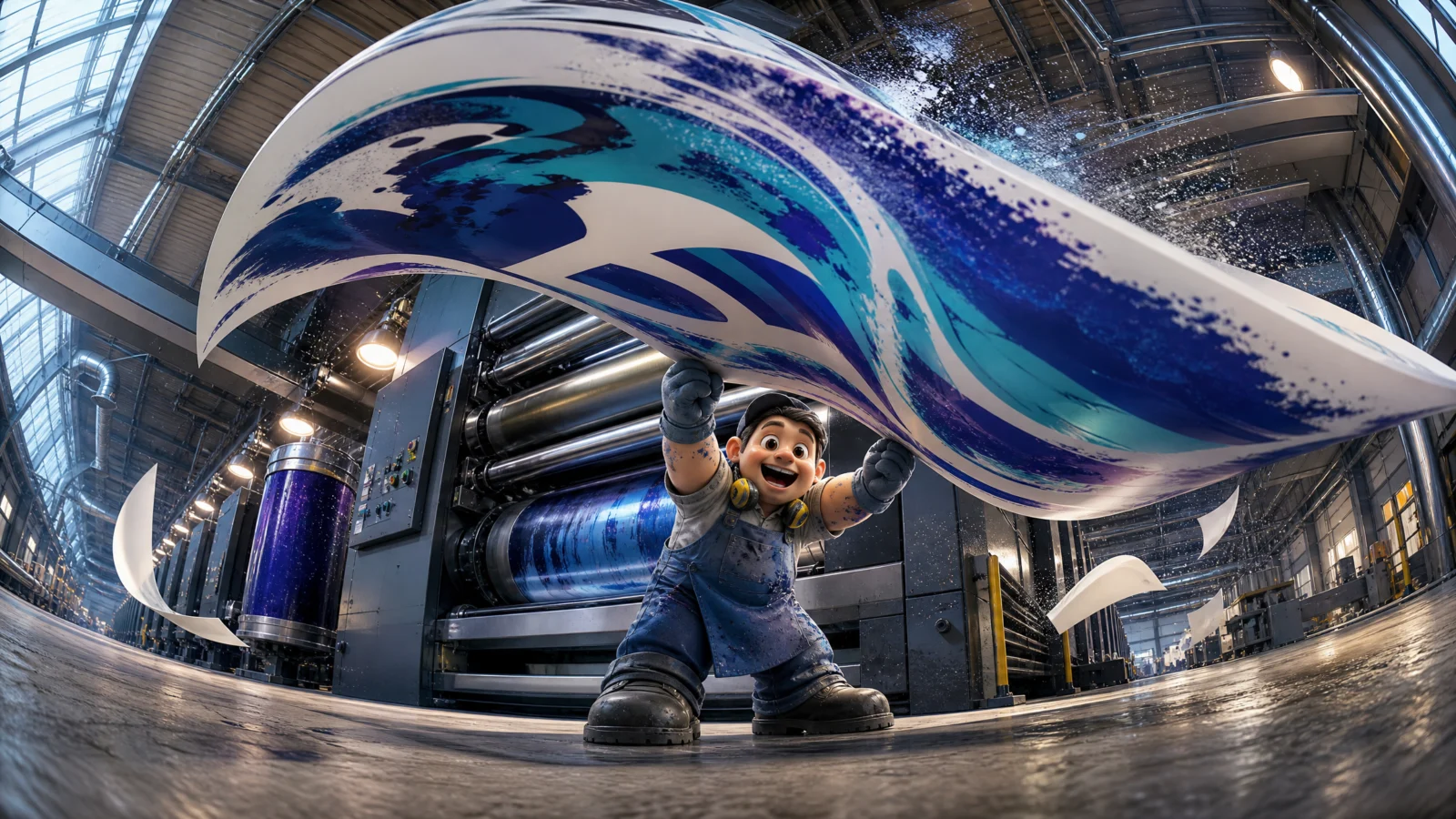
Prompt 6: The Operator Dwarfed By Output
Single prompt
A print operator catches the leading edge of an enormous sheet billowing out of a colossal press. The scale comes not from the machine but from what the machine makes.
The technique to study: scale by output. The press is huge, but the shot’s hero is the sheet: one product, wider than the bay it emerged from, billowing over the operator. For any manufacturer, this is the shot that says capacity better than a factory exterior ever could. When a business’s value is volume or capability, show one unit of output at overwhelming scale.
Block notes:
The soft-body hero. A billowing sheet is the hardest physics on this page: it has to curl, ripple, and lift rather than sit flat. Soft objects are riskier than rigid ones in every model, but they also read as alive, which is why the effort is worth it for a finale shot.
"Ink-stained forearms" and "ear defenders around the neck." Two details establishing a full working life. Ear defenders around the neck rather than on the ears is a specific choice: they are worn when the machine is loud and dropped when the operator is proud of what came out.
"Readable printed content or text on the paper sheet" banned. The single largest blank text surface in the entire vault, pointed directly at the camera. It would generate gibberish every time without this line.
Swap ideas: a textile mill with fabric billowing. A bakery with a giant sheet of dough. A glassworks with a sheet of molten glass drawn upward.
The Method In One Box
Everything from Categories 1 to 5 holds. This category adds five:
- Use a SCALE ANCHOR comparing the character to a sub-part of the big thing: one dial, one gear tooth, one printed letter, one lid depth. Never to the whole.
- Make the near-lens object belong to the big system, so forced perspective and real scale reinforce rather than fight.
- Show what a body part connects to. Any hand huge at the lens needs an ANATOMY LOCK naming its owner and its continuous arm, plus bans on the disembodied version.
- Give the tiny character effort or awe, a struggle for capability brands, wonder for premium ones, and protect their face in the quality line.
- Scale can come from output, not just from machinery. One unit of product at overwhelming size sells capacity.
Common Issues And Fixes
The machine renders too small or model-like. The SCALE ANCHOR compared to the whole instead of a sub-part. Rewrite it against the smallest named detail and add a frame-overflow line ("its top rising out of the frame").
A disembodied hand or glove appears in the foreground. The Prompt 4 failure. Add the ANATOMY LOCK block, drop the ratio one step, and ban every variant: floating glove, second hand, second control.
The tiny character renders as an unreadable blob. Bump their size one notch in the SCALE ANCHOR ("no taller than two printed letters") and keep "crisp and clearly readable" in the quality line.
The character’s face is hidden by protective gear. State the gear is open: visor flipped up, veil pushed back, goggles on the forehead, ear defenders around the neck.
Gibberish text on gauges, displays, or printed surfaces. This category’s settings are the worst offenders in the vault. Ban text by the specific surface: dials, instruments, warning labels, printed sheets.
Soft objects (sheets, fabric) render stiff and flat. Name the behaviour: "the sheet curls and ripples as it billows, its edge wavy and lifted."
The Vault, Complete
Six categories, thirty-six ads, one engine.
The Hero Product taught the two-step workflow and the size ratio. The Working Hero put the camera where each job serves from. The Delivery Run moved the lens somewhere no person could stand. The POV Exchange put the product in the viewer’s hands. The Vortex made the world spin around the lens. The Tiny Operator flipped the scale entirely.
Every technique stacks, and every one of them works on your product the moment you swap the packshot for a photograph of something real. That is the whole point of this vault: it is not a set of pictures, it is a service you can sell.
Next Step
Start at Category 1 and build in order, the workflow compounds page by page. Then take one real product, yours or a client’s, photograph it on a plain background, and run it through all six categories. Six finished ads, one afternoon. Post your best one in the community.