
Section 01
The Exploded View Code
Shortcut Codes, Decoded
A whole diagram, done for free. Then done like a magazine cover.
This is the page this vault opened on, and it is the page we came back to rebuild once every other category taught us something the first version was missing. /explodeview gives you a full separated diagram in four words, that part was never broken. What this page teaches now is the second half of the job: taking a result that is already excellent and giving it the finish of a real published plate, without touching a single thing that already worked.
What The Code Actually Is
Quick recap for anyone landing here first. /explodeview is not a hidden ChatGPT feature. "Exploded view" is a real, century-old engineering term, and the model has an enormous, accurate training history pairing that phrase with separated, labeled diagrams. Say the phrase, get the genre, for free, in any interface, ChatGPT, GPT Image 2 on OpenArt, or the API.
Why We Came Back: From Correcting To Polishing
Every other category in this vault opened with something broken. The X-ray code needed a light-geometry fix. The annotation code was living a double life we had mislabeled. The blister pack code produced a floating disembodied glove. Fixing those was the whole lesson.
This category never had that problem. Run the bare code on any of these six subjects and you get an accurate, well-composed, correctly labeled diagram on the first try. So the first version of this page did what felt natural, it applied a correction-style STYLE LOCK anyway, fixed colors that were not broken, added a title format that was not missing. The result was fine. It just was not better.
The real lesson only showed up once we built the Study Guide code at the end of this vault and had to ask a harder question: what do you do when the default is already right? The answer there was structural, connect the data to one continuous path. Here, on a subject the model already handles perfectly, the answer is different again: the job shifts from correction to cinematography. Keep every piece of content exactly as it rendered. Add only what a photographer, not an editor, would add: light, atmosphere, and a visual signature that ties the whole set together.
That is what this rebuilt page teaches, and it is worth knowing as its own skill, separate from every fix-it technique earlier in this vault: sometimes your job is not to change the content, it is to light it properly and brand it as a series.
The New Control Layer: Cinematic Polish
Six blocks, and every one of them is additive, none of them touch the diagram’s actual content.
STYLE names the register in one line, museum specimen plate, premium product catalog, medical editorial. This sets the mood before anything else loads.
HERO COMPOSITION does the most important and most easily missed job on this page: it tells the model to keep the existing content exactly as it rendered, and only then briefly redescribes it. The phrase "keep the original formula and table exactly as strong as they already are" is doing real work, it is a protective instruction, not a decorative one. Skip this line and a full rewrite risks quietly changing something that was already correct.
LIGHTING is the single highest-leverage new block on this page. A raking key light, a cool rim light, a warm backlight, this is the one addition that turns a flat, evenly lit diagram into something that looks shot for a keynote stage or a gallery wall. Nearly all of the visual lift on this page comes from this one block.
BACKGROUND upgrades a flat neutral studio sweep into a graded, atmospheric field that matches the subject’s mood, cool violet-blue behind a storm, warm amber behind an engine, soft cream behind a coconut. The background is never a random color choice, it is drawn from the same subject and should feel like it belongs to the diagram, not painted behind it.
SERIES IDENTITY is genuinely new to this vault, and it is the block that turns six separate images into one recognizable collection. A shared thin hairline rule under every headline, and a small tracked "PLATE N°" tag in the same corner every time, identical formatting across all six. Alone, each diagram looks good. Side by side on a course page, this shared signature is what makes them look like they came from the same numbered reference series, which is exactly the effect real museum or engineering plate collections have.
COLOR PALETTE and TYPOGRAPHY stay disciplined and repeated: true photoreal subject colors, one accent light color per plate, one shared type treatment across the whole set.
DO NOT carries a category of instruction this vault has not needed before, protecting what already works, rather than banning what tends to break. "Do not lose the layer separation," "do not alter the numbering," "do not crowd the existing labels." These are guardrails against a good result quietly degrading during a rewrite, not fixes for a broken default.
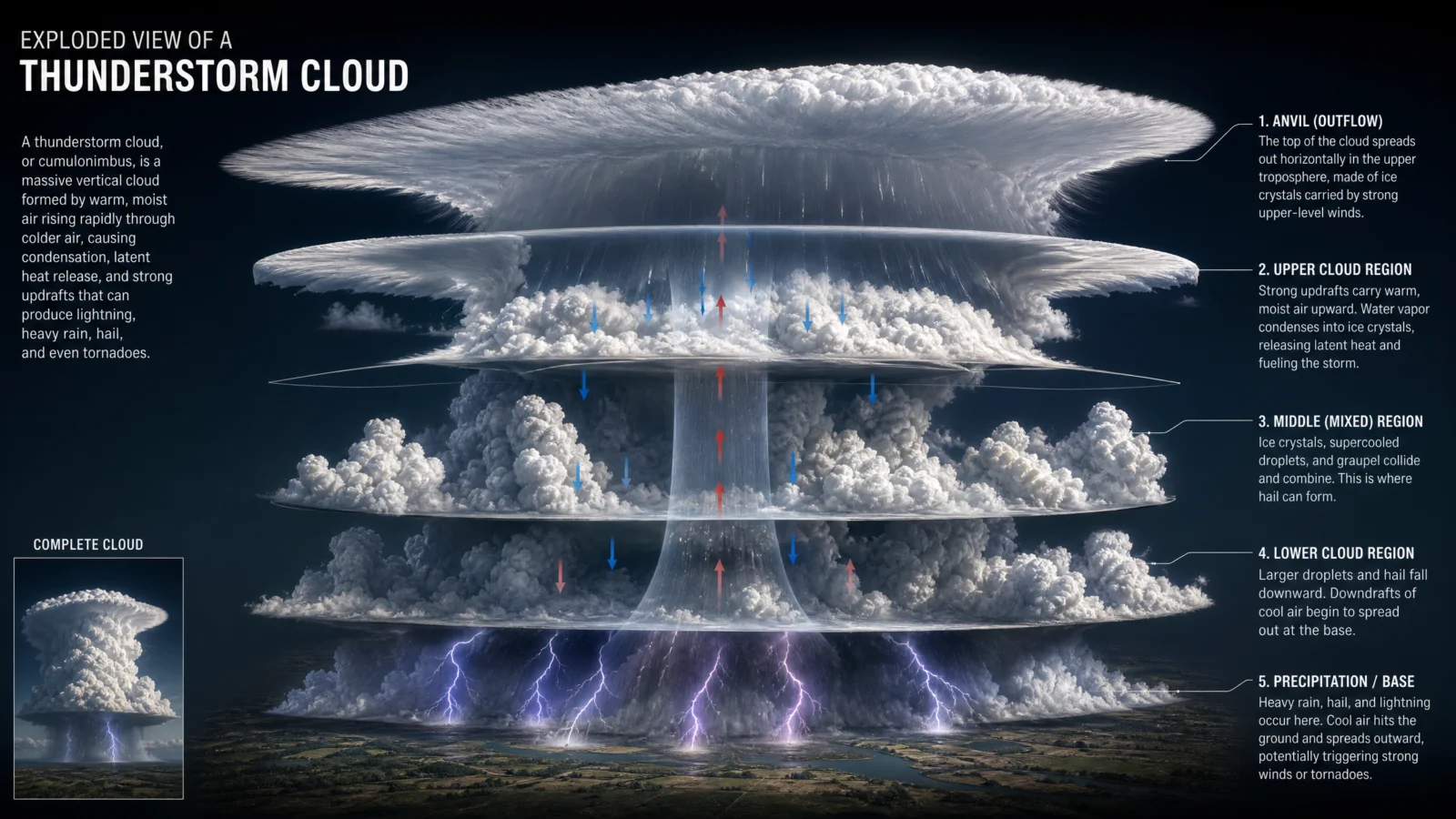
Prompt 1: The Thunderstorm Cloud
Default
Controlled

What to notice: the DO NOT list here is almost entirely protective, not corrective. Every line is guarding an element the default already got right, the arrow system, the layer gaps, the label positions. That is the tell for when a subject needs polishing rather than fixing, if your DO NOT list is full of "do not lose" instead of "do not do this wrong thing," you are in this mode, not the correction mode from earlier categories.
Swap ideas: the same rim-light-plus-warm-spark treatment applied to a tornado’s funnel layers. A volcanic eruption cross-section, cool ash-cloud rim light against a hot magma core.
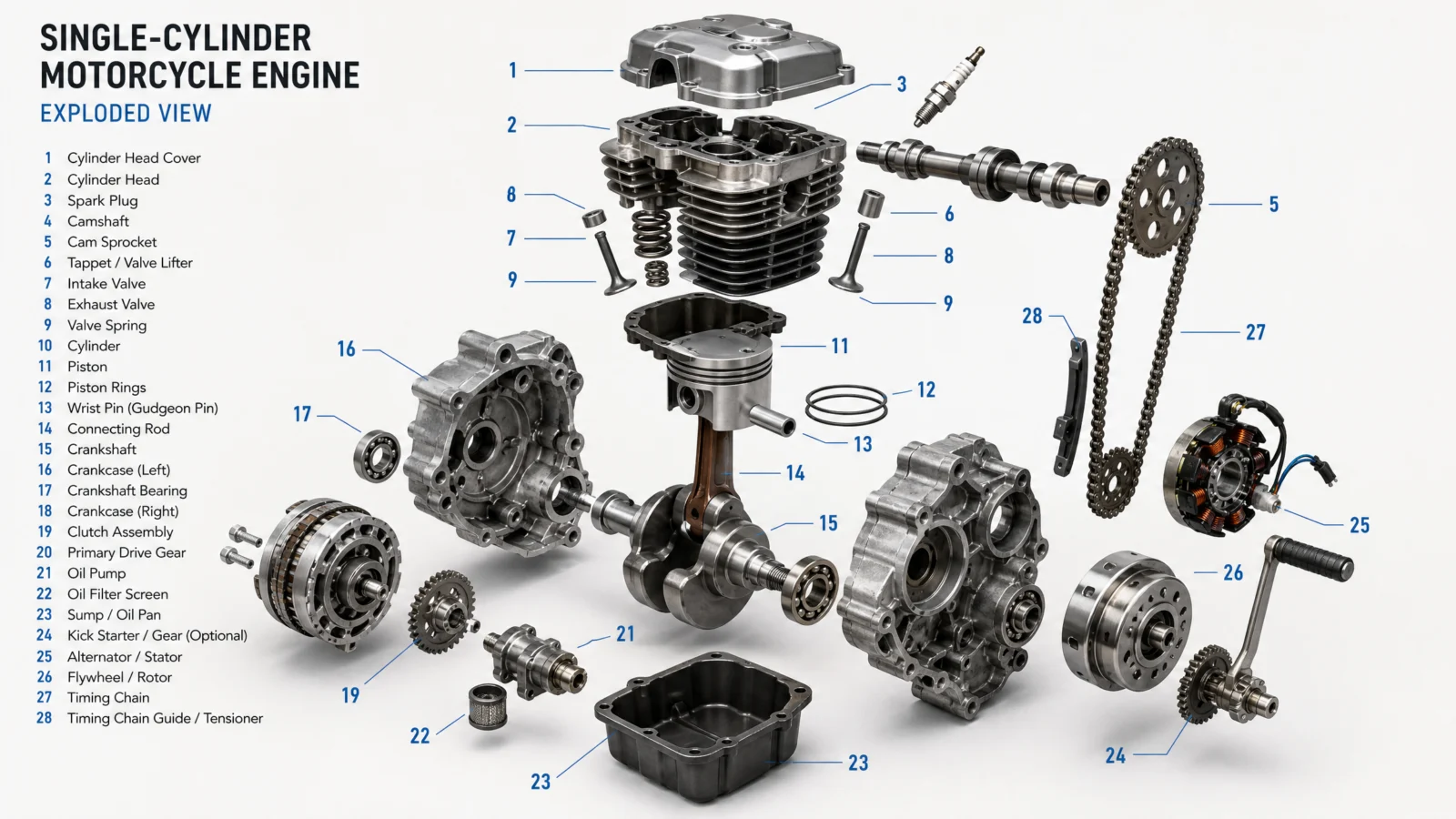
Prompt 2: The Motorcycle Engine
Default
Controlled
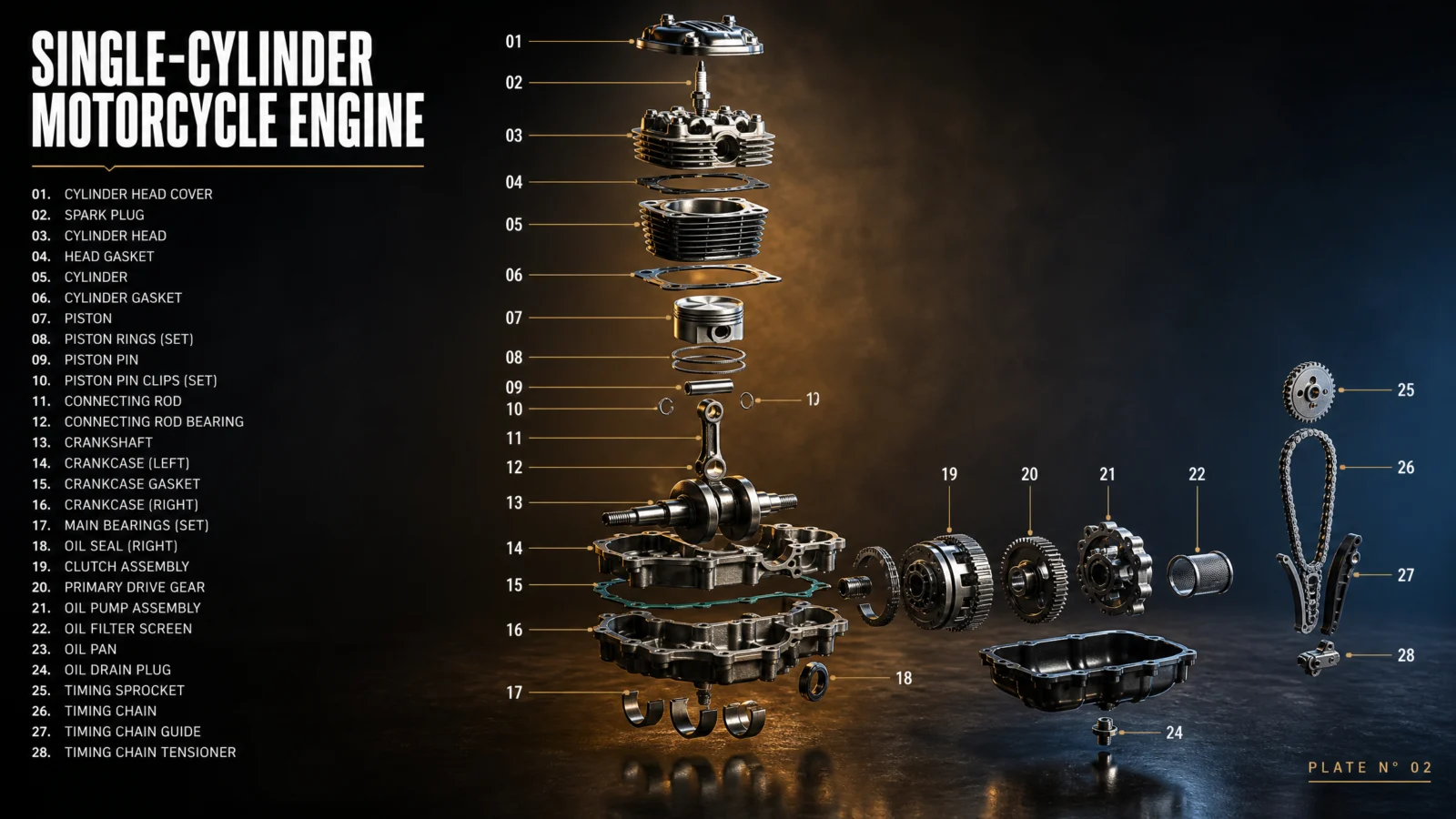
What to notice: "do not lose any part from the original 28-piece breakdown" is a specific number, not a vague instruction. The bare default already produced a correct, fully numbered 28-part explosion, and naming the exact count is what keeps a rewrite from quietly simplifying it down to something easier to render. When your content has a countable, verifiable detail, count it in the protective instruction.
Swap ideas: the same raking-light treatment on a bicycle drivetrain, a mechanical watch movement, or a camera lens assembly.
Prompt 3: The Human Heart
Default
Controlled
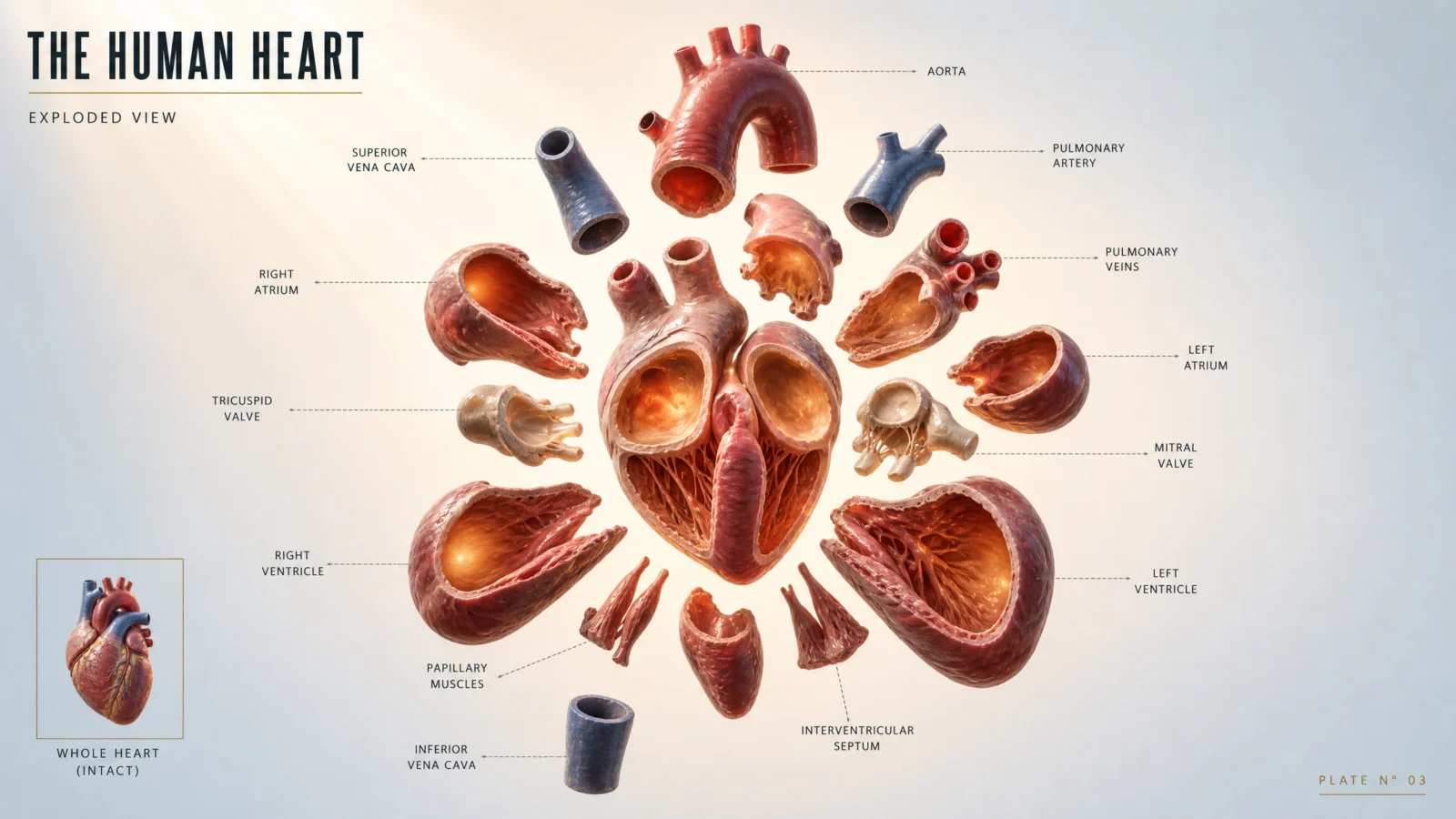
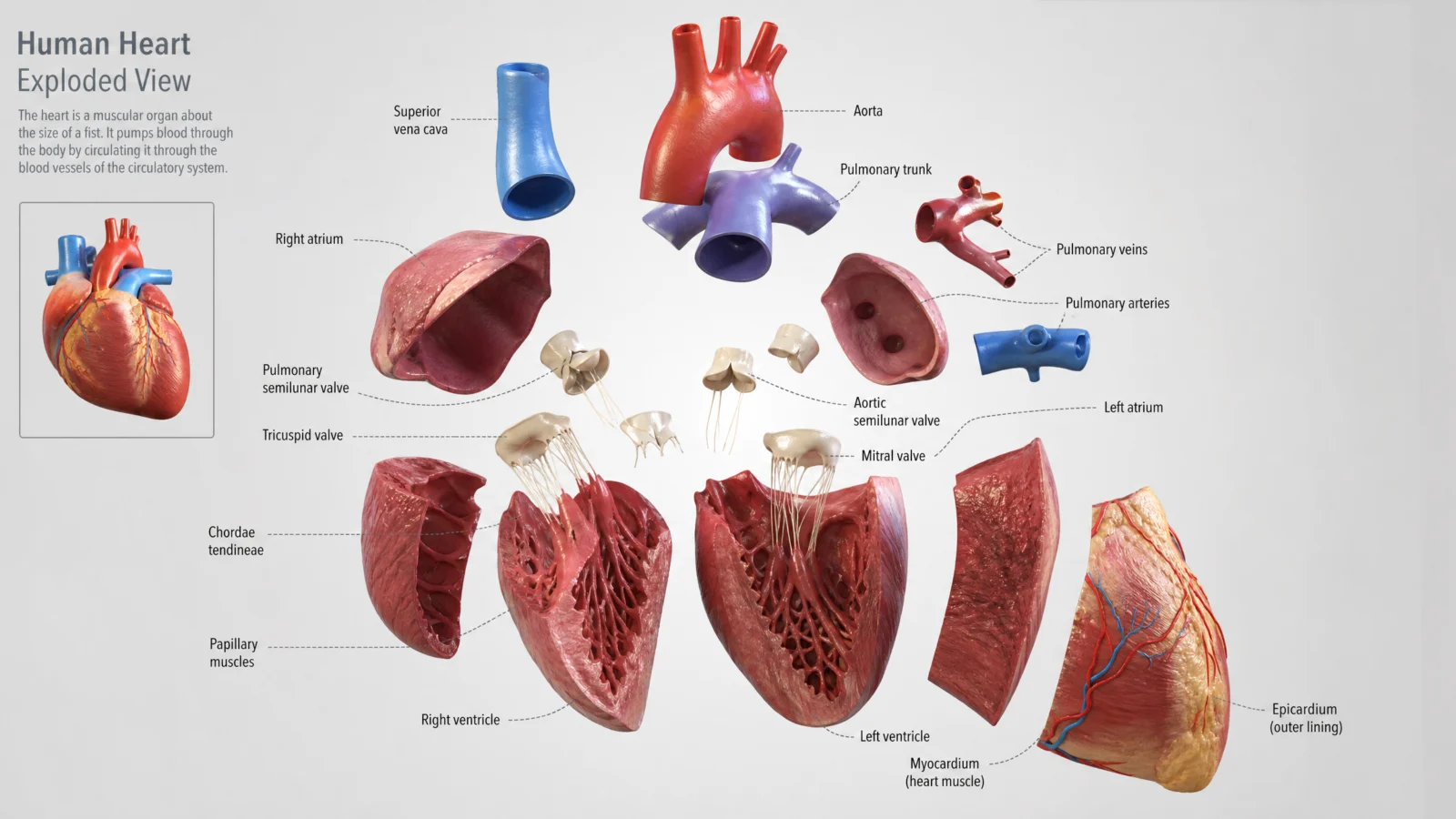
What to notice: the DO NOT list mixes a protective instruction with a tone instruction, and both matter equally here. "Lose the radial symmetry" protects content, "introduce blood or gore" protects register. Anatomical subjects need both kinds of guardrail at once, the polish pass genuinely could push warmth and drama into territory the bare version never risked, so the tone boundary has to travel with the lighting upgrade, not be assumed to hold on its own.
Swap ideas: the same warm-inner-glow treatment on an exploded lung structure, a kidney, or a plant’s root and vascular system for a botany-safe version of the same technique.
Prompt 4: Pour-Over Coffee
Default
Controlled
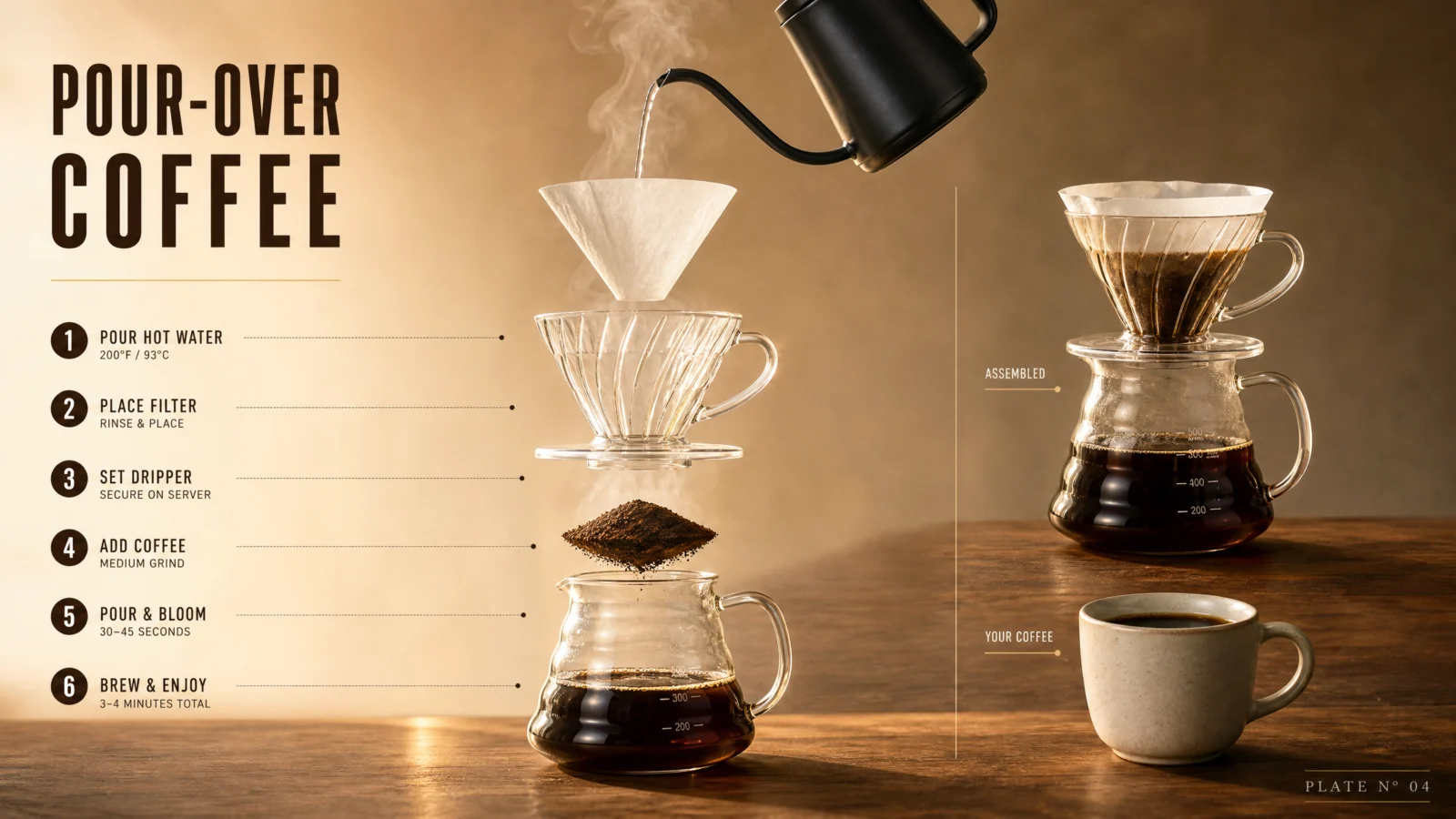
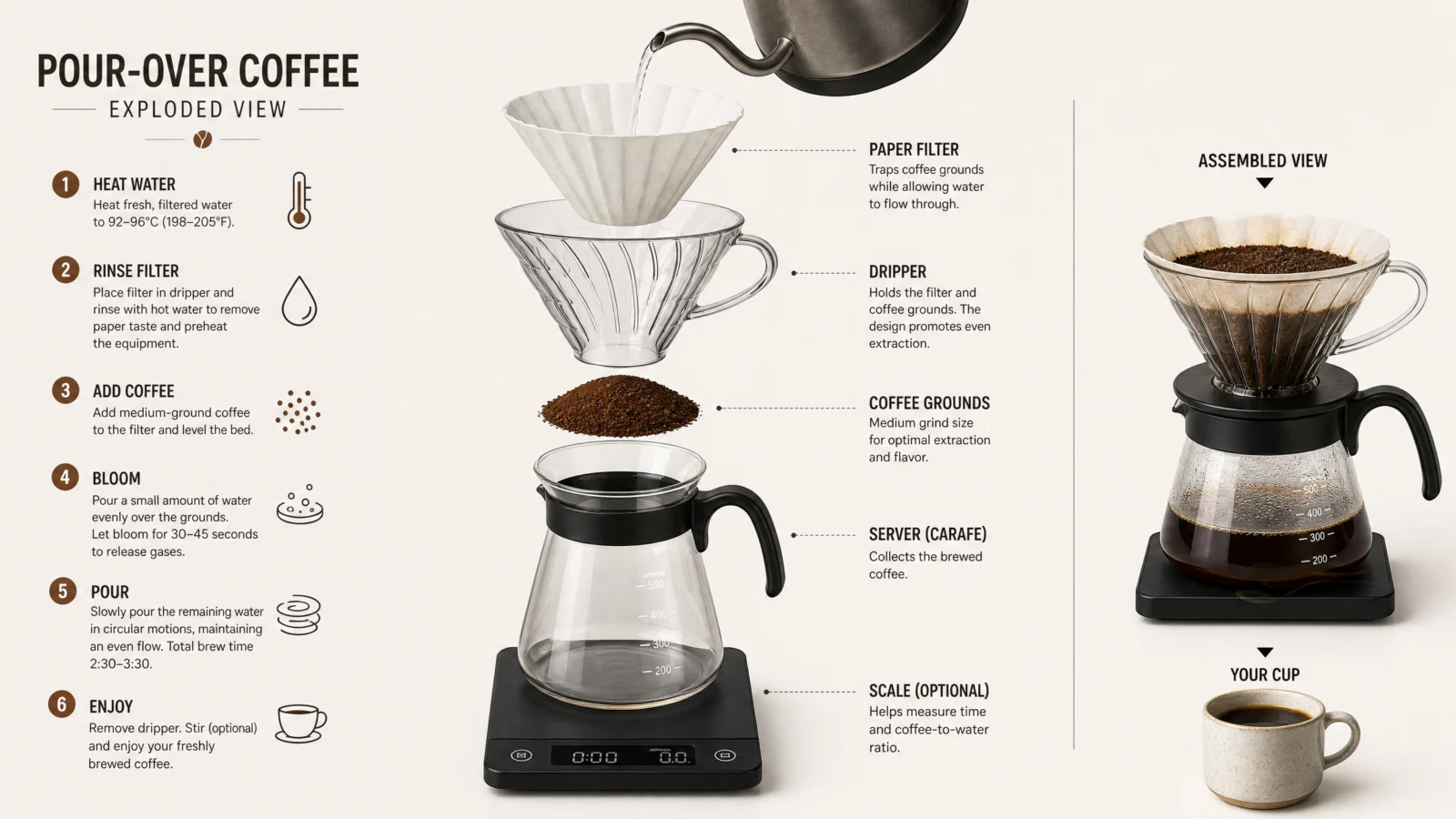
What to notice: this is the only prompt on the page where the lighting choice creates a genuinely new risk of its own, "over-brighten the steam so it obscures the equipment behind it." Backlight is what makes steam glow beautifully, and it is also exactly what can wash it out into an opaque white cloud that hides the dripper underneath. Whenever a lighting upgrade targets something translucent, atmospheric, or reflective, add a boundary on how far that effect is allowed to go.
Swap ideas: the same warm side-light-plus-backlit-steam treatment on a tea ceremony setup, a cocktail being built, or a bread-baking process with visible flour dust in the light.
Prompt 5: The Aerial Firework
The one that got flagged, and how we fixed it
This is the most important story on this page, more valuable than the prompt itself. Worth reading in full before you build anything near a subject that borders a regulated real-world category.
Default
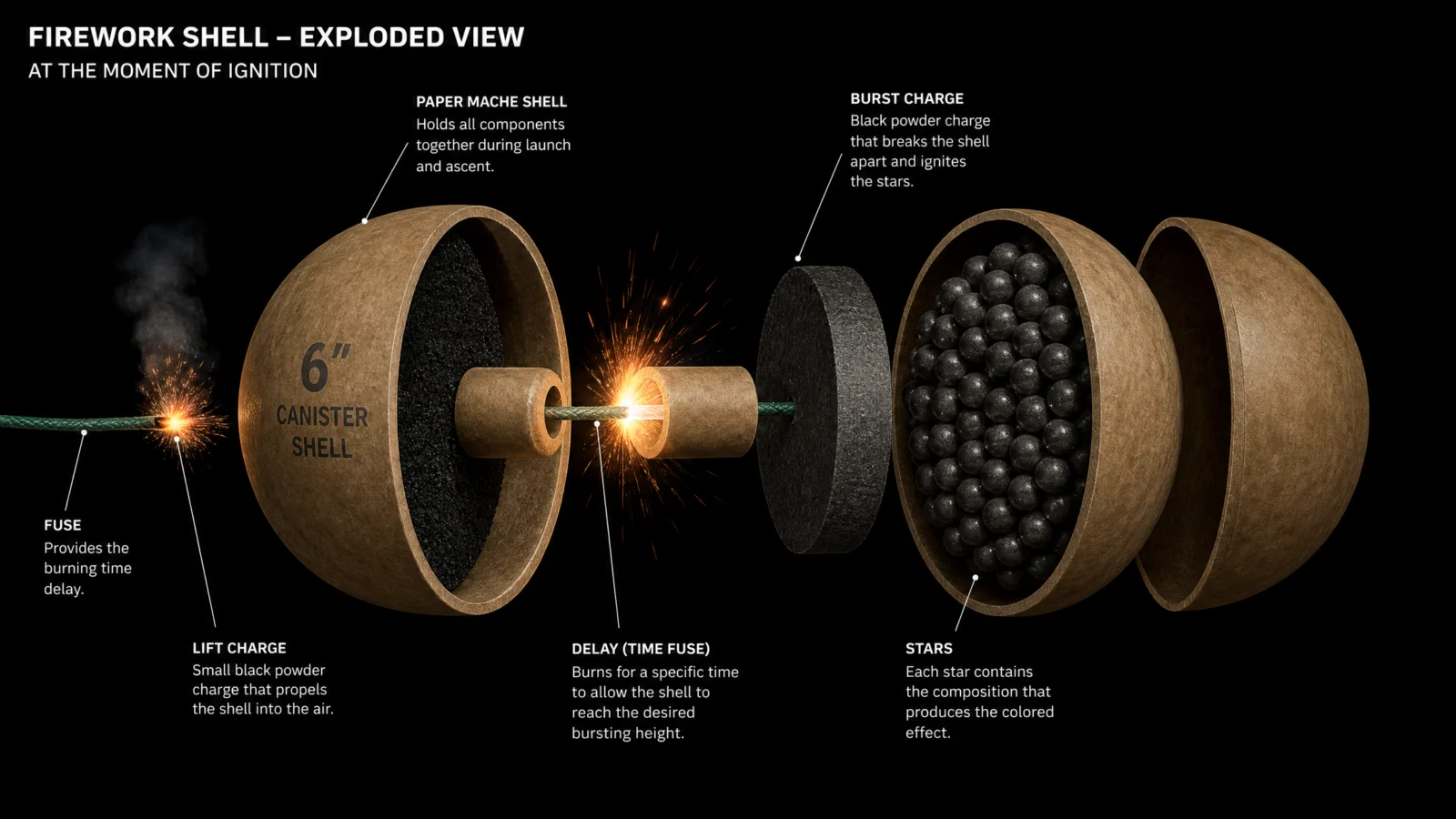
The bare default rendered cleanly, no issue at all, the reference plate above came from exactly this prompt. The problem showed up only when we wrote the polish pass.
The first controlled attempt failed with a safety system rejection, not a bad render, an outright block, safety_violations=[illicit]. Nothing about the image itself was the issue. The subject was benign the whole time. The problem was vocabulary: burst charge, lift charge, black powder, canister shell, real pyrotechnic engineering terms that, stacked together across multiple blocks and reinforced by the cinematic lighting instructions, read to the safety classifier as literal explosive-device construction detail rather than a consumer product diagram.
The fix was not changing the subject, it was de-technicalizing the language. Every term got swapped for its consumer-facing, celebratory equivalent, "burst core" instead of "burst charge," "propulsion core" instead of "lift charge," "black powder" removed entirely, "canister shell" softened to just "shell." The visual concept, the cutaway sphere, the sparking fuse, the packed color pellets, never changed at all.
Controlled, fixed version
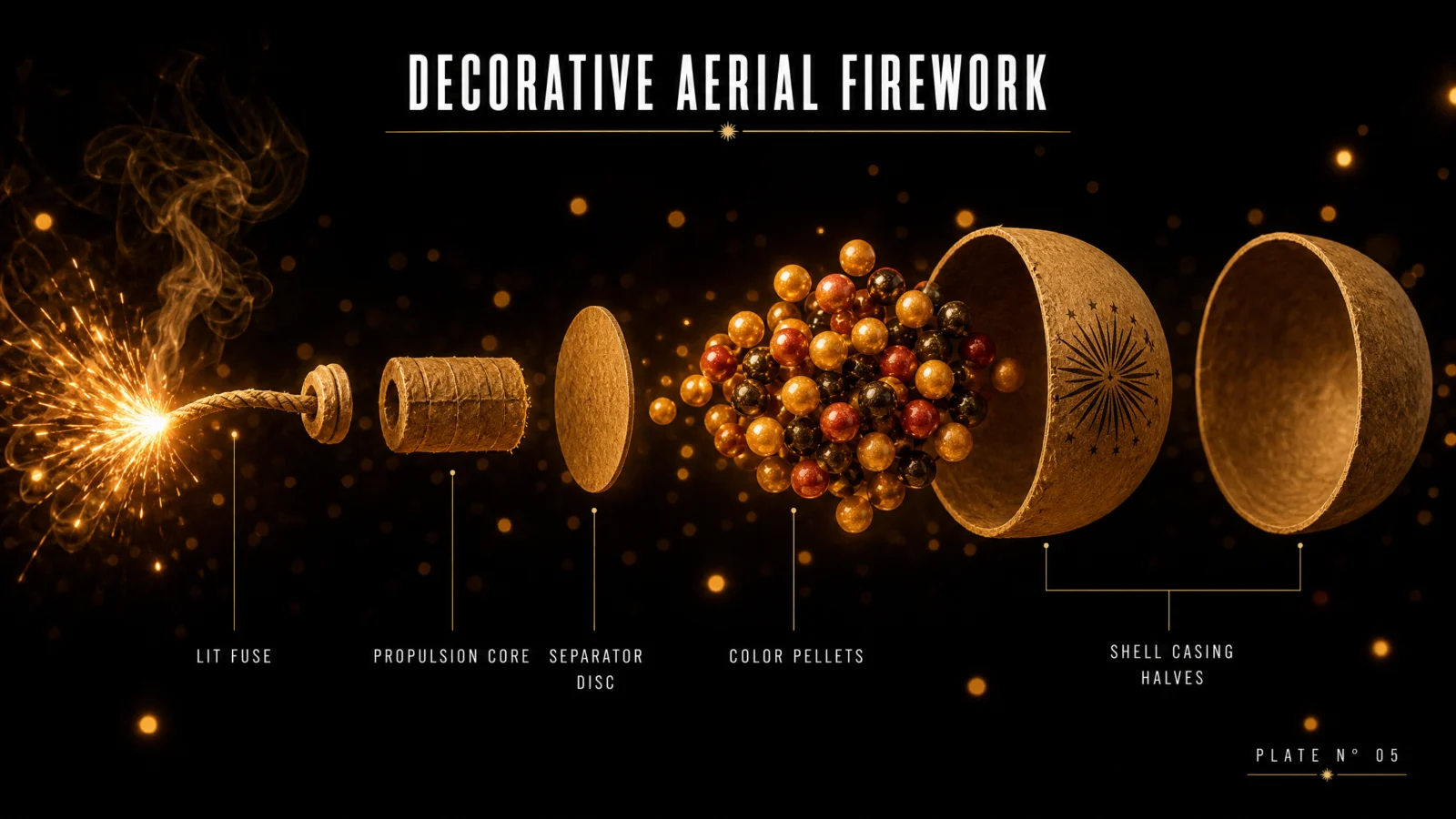
The rule to carry into every future prompt, in this vault or anywhere: if a benign, clearly legitimate subject gets flagged, do not assume the concept is the problem. Check the vocabulary first. Real-world technical terms that overlap with regulated categories, explosives, weapons, controlled substances, medical dosing, carry classifier weight independent of what the image actually shows. Swapping jargon for plain, celebratory, consumer-facing language usually solves it in one pass, and the image itself rarely needs to change at all.
Swap ideas, and note that these carry the same vocabulary caution: a party popper or confetti cannon cutaway, or, if you want to sidestep the risk category entirely, a sparkler’s structure instead, same warm ember light, zero explosive-adjacent terminology anywhere near it.
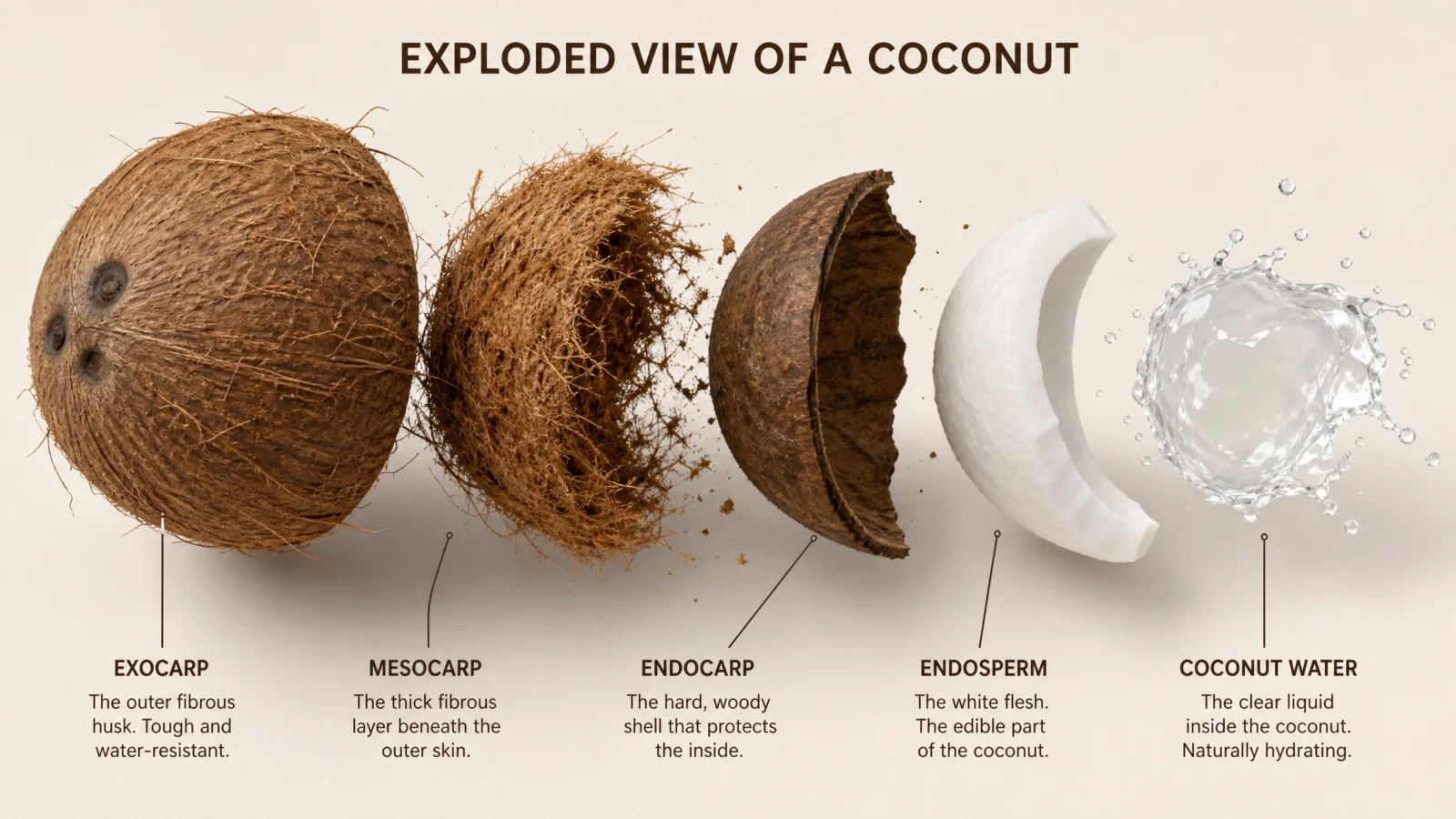
Prompt 6: The Coconut
Default
Controlled

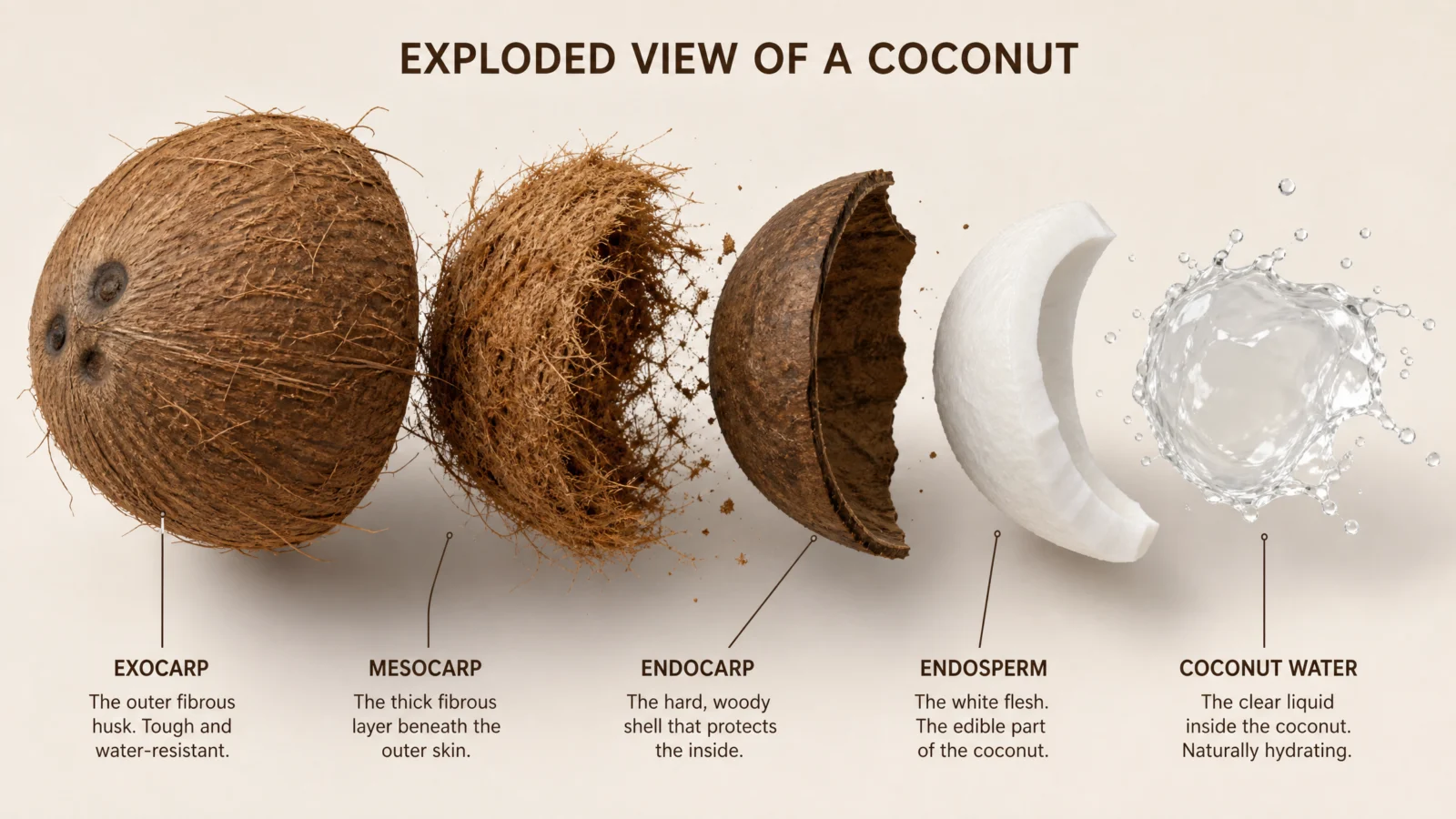
What to notice: "let the leaf shadow motifs become sharp or distracting" is a boundary on a detail the prompt itself just introduced, the out-of-focus leaf shadows. This is worth flagging as its own small technique, whenever you add a new atmospheric detail in the same breath you write it, immediately state how far it is allowed to go. A leaf shadow meant to whisper mood in the background can just as easily render as a sharp, competing shape if you do not cap it in the same instruction that created it.
Swap ideas: the same golden-hour splash treatment on a cracked egg, a peeled mango, or a cacao pod opening to reveal its beans.
The Method In One Box
- Run the bare code first, always. If it is already accurate and well composed, your job has changed, correction is off the table and polish is the only work left.
- Protect what already works before adding anything new. State explicitly what must survive the rewrite, by name, and by count where a count exists.
- Lighting is the single highest-leverage addition when content is already correct. One dramatic key light, one rim or backlight, does more than any color or layout change.
- Give the whole set a shared visual signature so six separate images read as one numbered series, a repeated hairline rule and plate tag costs one sentence and changes how the whole category feels on the shelf.
- If a benign subject gets flagged, check vocabulary before concept. Real-world technical jargon overlapping a regulated category is usually the trigger, not the image itself.
Common Issues And Fixes
The polished version quietly loses content the default had. HERO COMPOSITION was not explicit enough about preservation. Name every element that must survive, and if there is a countable detail, state the exact count.
A new atmospheric or lighting detail becomes distracting instead of subtle. Cap it in the same sentence that introduces it, "soft, deeply out-of-focus," "not sharp," rather than trusting the model to guess the right intensity.
A translucent or reflective element (steam, glass, water) gets blown out by the new lighting. Add a boundary on how far the effect can go directly in the DO NOT list.
The series does not feel connected once all six are placed side by side. Confirm the exact same hairline rule treatment and plate tag format appear in every single prompt, identical wording, not just a similar idea.
A benign subject gets rejected by the safety system. Do not assume the concept is the problem. Identify any real-world technical or regulated-adjacent vocabulary in the prompt and replace it with plain, consumer-facing language before changing anything else.
Next Step
Category 2, The X-Ray Code, is getting the same treatment next. Same principle applies before we touch a single prompt: test the bare default fresh, and ask honestly whether the job ahead is fixing something broken or polishing something that already works.
Section 02
The X-Ray Code
Shortcut Codes, Decoded
Seeing through something without taking it apart.
Category 1 pulled things into pieces. This code leaves the object whole and makes it glow from within, skin stays skin, shell stays shell, and the inside becomes visible through it. Same core idea as the exploded view, a completely different reveal mechanic.
This is the page that taught us the most about our own process out of anything in this vault. We built it twice. The first version was technically correct and creatively empty. The second version, the one below, only exists because we went and found six real published X-ray infographics and were honest about how much better they were. Read the next section before the prompts, it explains exactly what changed and why, and it is the single most useful lesson on this page.
What The Code Actually Is
Same foundation as every code in this vault. /xray is not a hidden command, it is a real, universally understood term the model has strong training on. Say it, get the genre, for free, anywhere.
What the bare code does not give you is a publishable design. And this time, fixing that took two attempts, not one.
The Real Lesson: We Built This Page Twice
The first attempt applied the wrong lesson from Category 1. In Category 1, the bare defaults were already excellent, so the right move was a light polish pass, better lighting, a shared series tag, minimal interference. We assumed the same was true here and did the same thing: took genuinely strong bare-code X-rays and mostly just re-lit them. The result looked almost identical to the input. No title worth reading, no labels that taught anything, no legend explaining what the colors meant. Technically fine. Nothing anyone would want to publish.
The second attempt still fell short, for a more specific reason. We added a title, labels, and a legend, and the content became genuinely stronger. But three of the six subjects, the durian, the apartment building, and the suitcase, still read as flatter and less interesting than they should have. It took looking at real published X-ray infographics side by side with our own to see exactly why: on all three, we had defaulted to the obvious technical way to split two colors (structure versus function, material type versus material type), when a more human, more emotional split told a much better story.
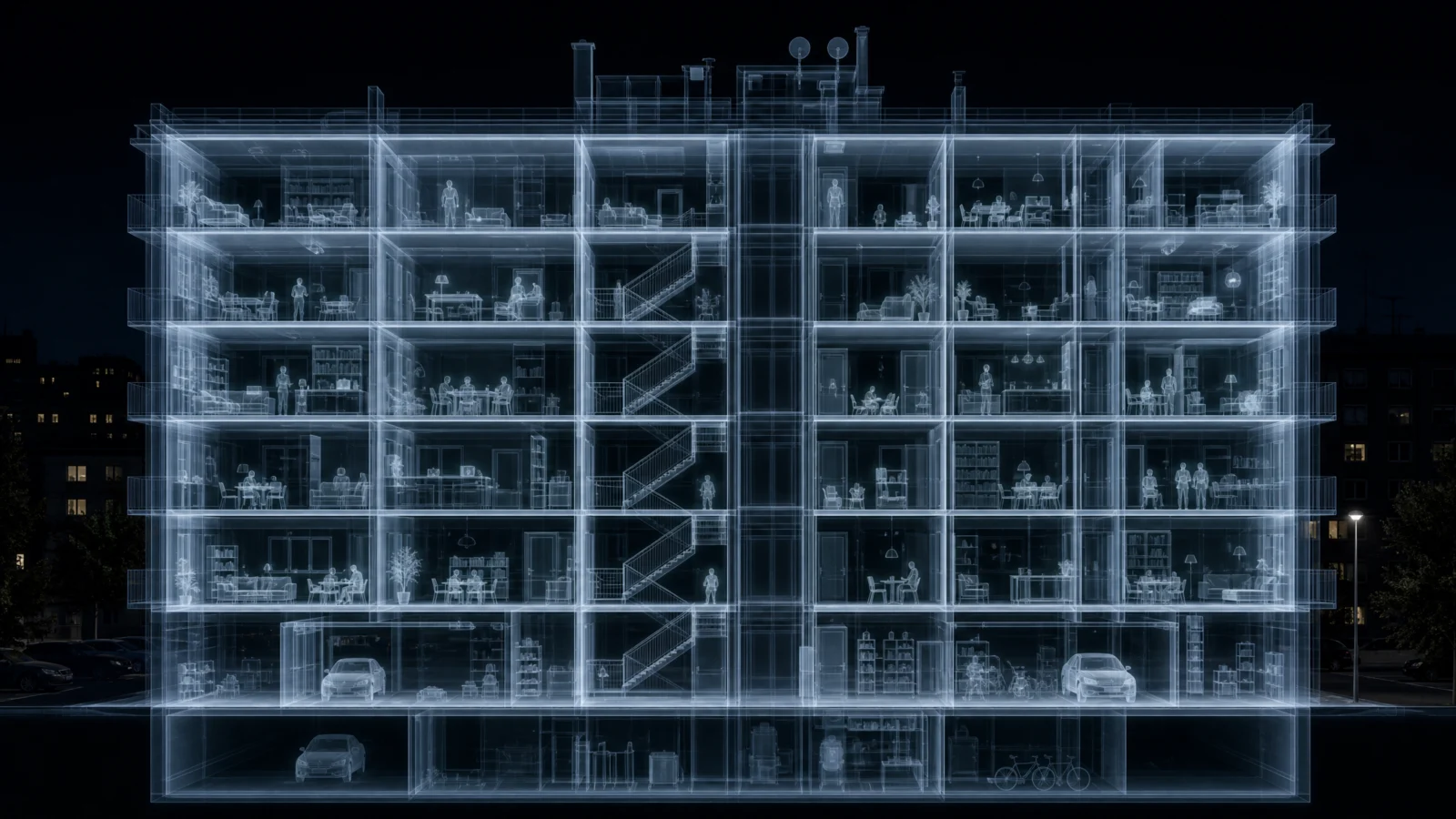
The building is the clearest example. Our version colored rooms by structural role, living space versus circulation core. The stronger version colors rooms by whether someone is home and awake in them right now, warm amber for a kitchen mid-dinner or a home office at midnight, cool blue for an empty gym or a quiet bathroom. Same building, same window grid, completely different feeling, because the coding system changed from architecture to storytelling.
The rule this whole page exists to teach: when a subject has two natural categories to color-code, do not stop at the first split you think of. Ask whether a more human, more narrative split exists underneath it. "Structural versus functional" is correct. "Lived-in versus quiet" is a story. Choose the story every time it is available.
The Full Method, Two Layers Stacked
Every prompt on this page now runs two blocks together, and both are required, neither one alone is enough.
SCAN REGISTER decides the physics of the light. Is this a cold clinical film, a warm bio-scan, a cool architectural blueprint, a dual-tone material scan? State it once, up front, in plain language describing a real imaging convention. This is the block that answers "what kind of light is this."
STYLE LOCK decides everything a real published infographic needs on top of that light: a title, labeled callouts that actually teach something rather than just naming a part, and a legend explaining what each color means. This is the block that answers "what does the viewer learn from looking at this."
Skip SCAN REGISTER and your image has no consistent physics. Skip the teaching content inside STYLE LOCK and your image has no reason to exist beyond looking neat. You need both, every time.
Prompt 1: The Durian
Default
Controlled
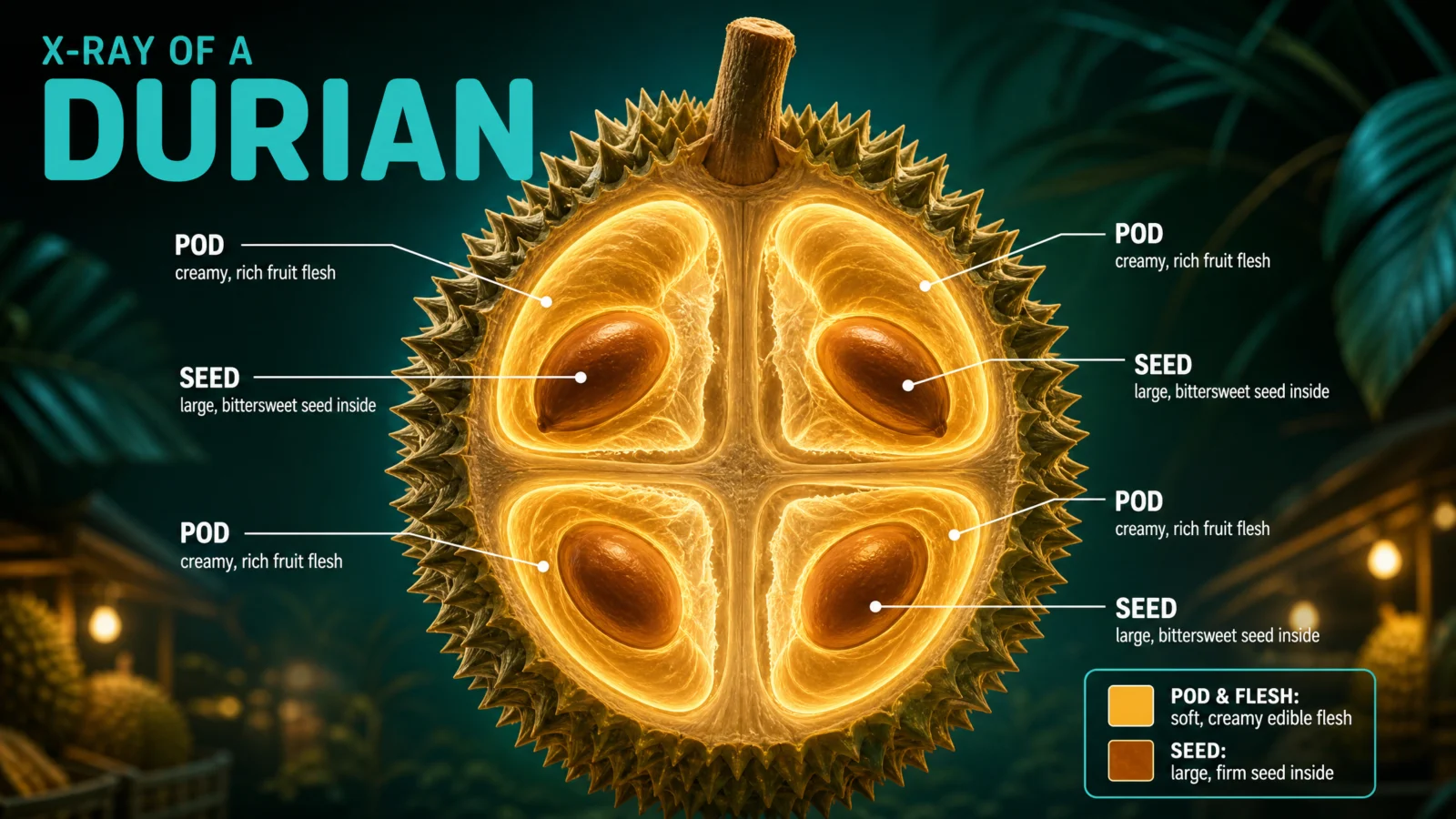
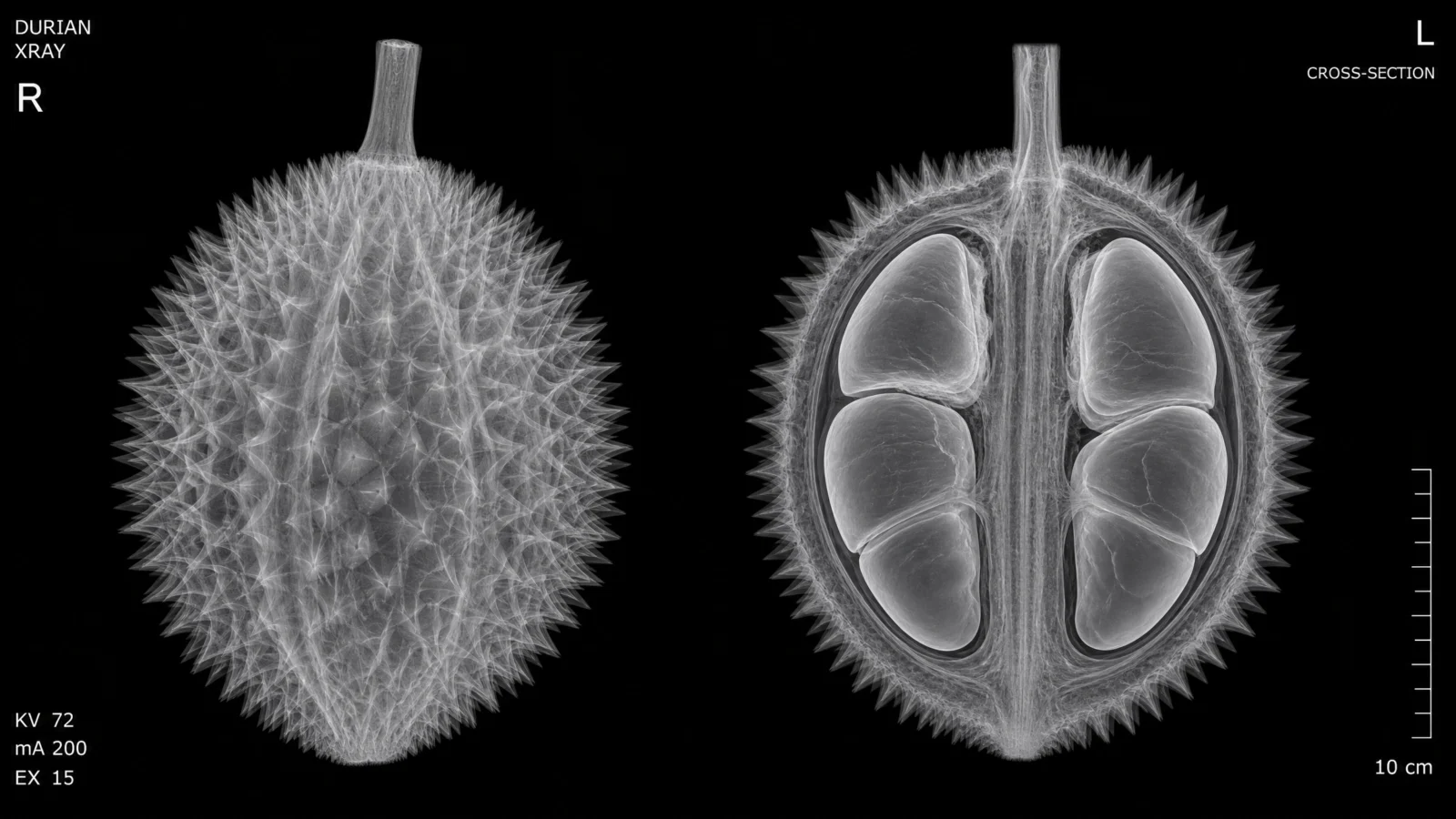
What this fix teaches: our first pass kept a clinical two-panel split-view layout out of pure habit, whole fruit on one side, cross-section on the other, because that is the layout the bare code happened to generate. The stronger version asks a simpler question first: does this subject actually need two views, or is one dramatic hero shot more compelling? A durian’s cross-section alone tells the whole story. Do not preserve a layout just because the default produced it. Ask if it is earning its place.
Prompt 2: The Apartment Building
Default
Controlled
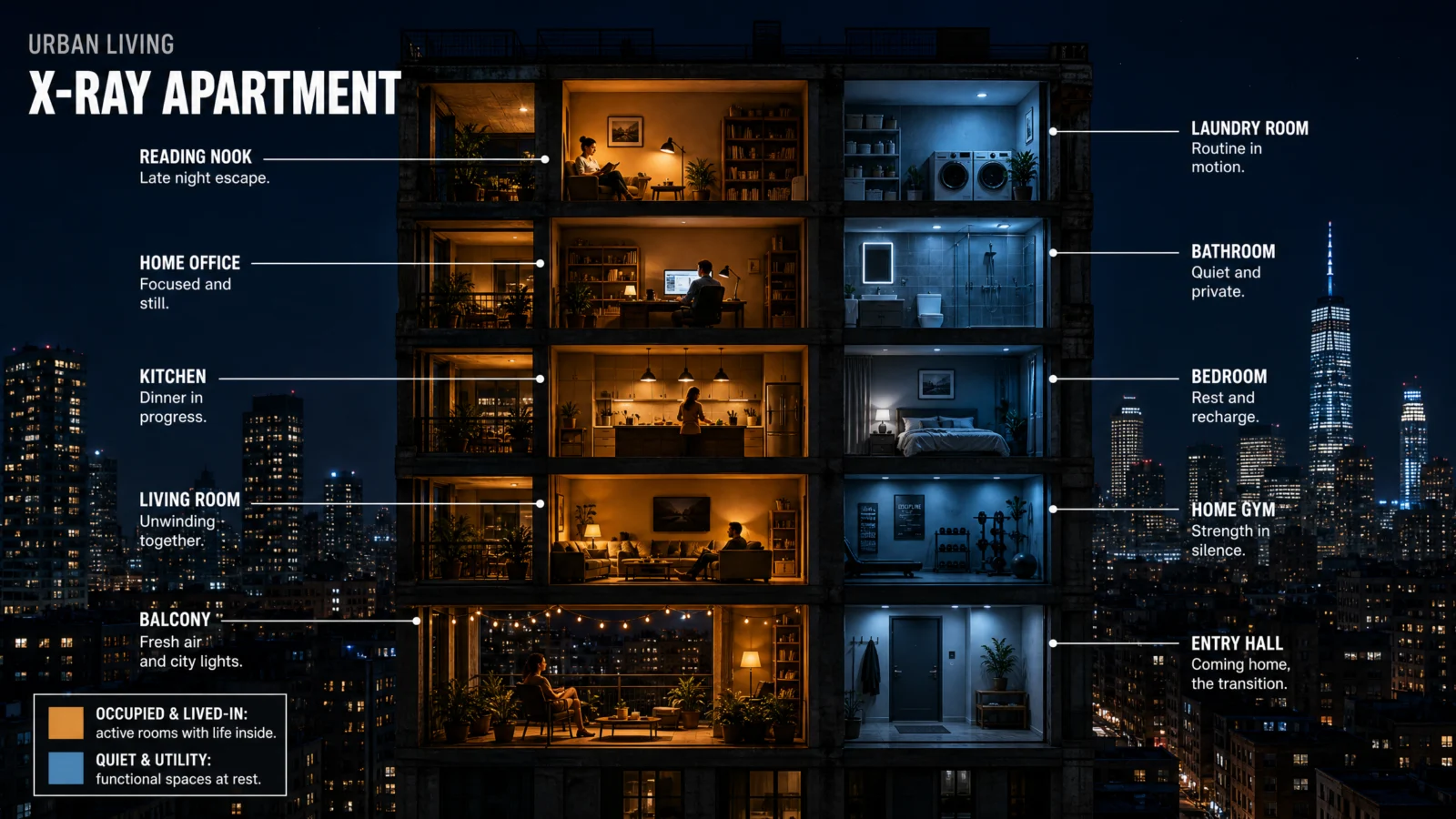
What this fix teaches: this is the clearest case of the whole page. Our first version coded rooms by architectural role, living space versus circulation core, which is accurate and completely uninteresting. The published reference codes the exact same building by emotional state, lived-in versus quiet, and every single room gets a caption that reads like a tiny story rather than a label. "Late night escape." "Dinner in progress." "Routine in motion." The same two colors, applied to a narrative split instead of a structural one, turn a diagram into something a stranger would stop scrolling to read.
Prompt 3: The Peacock In Flight
Default
Controlled
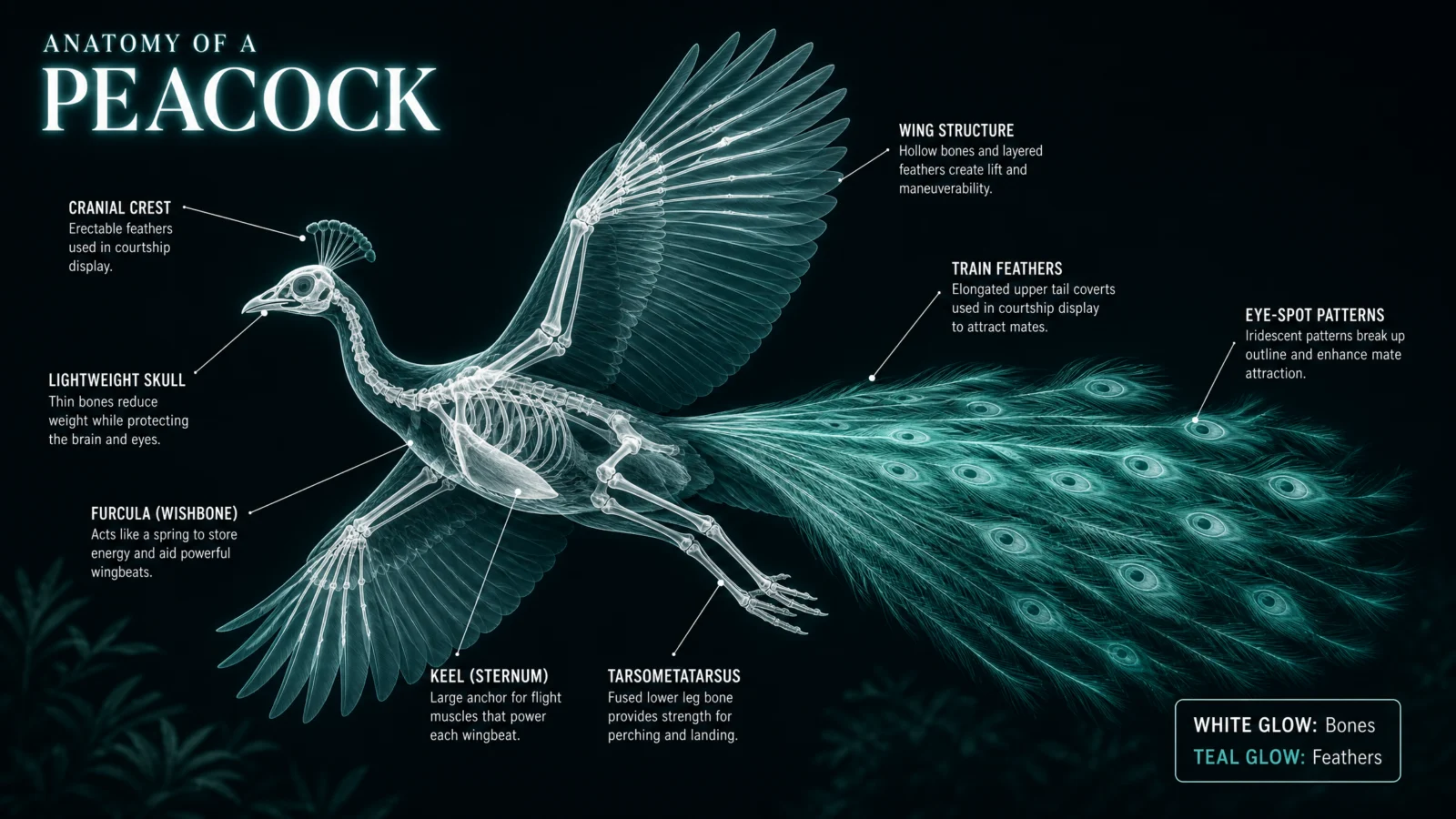
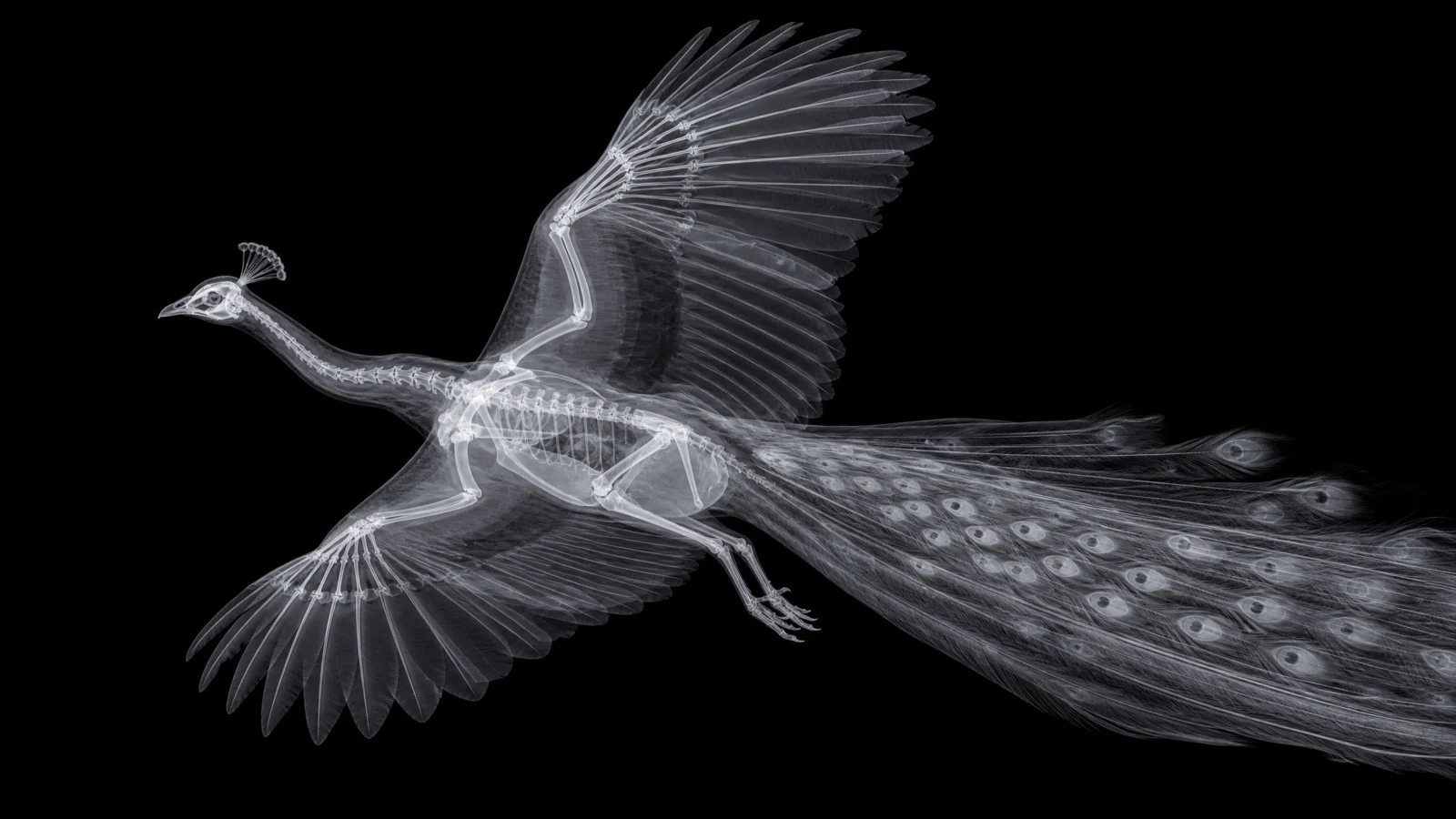
What this one already did right: unlike the three fixed above, this prompt’s two-color split, bone versus feather, was never the problem. It is a genuinely natural, physically obvious division, and forcing a more "narrative" split onto it would have been change for its own sake rather than genuine improvement. Not every subject needs the emotional-split treatment. When the obvious split is also the correct one, keep it, and spend your creative effort on the teaching copy and composition instead.
Prompt 4: The Human Hand
Default
Controlled
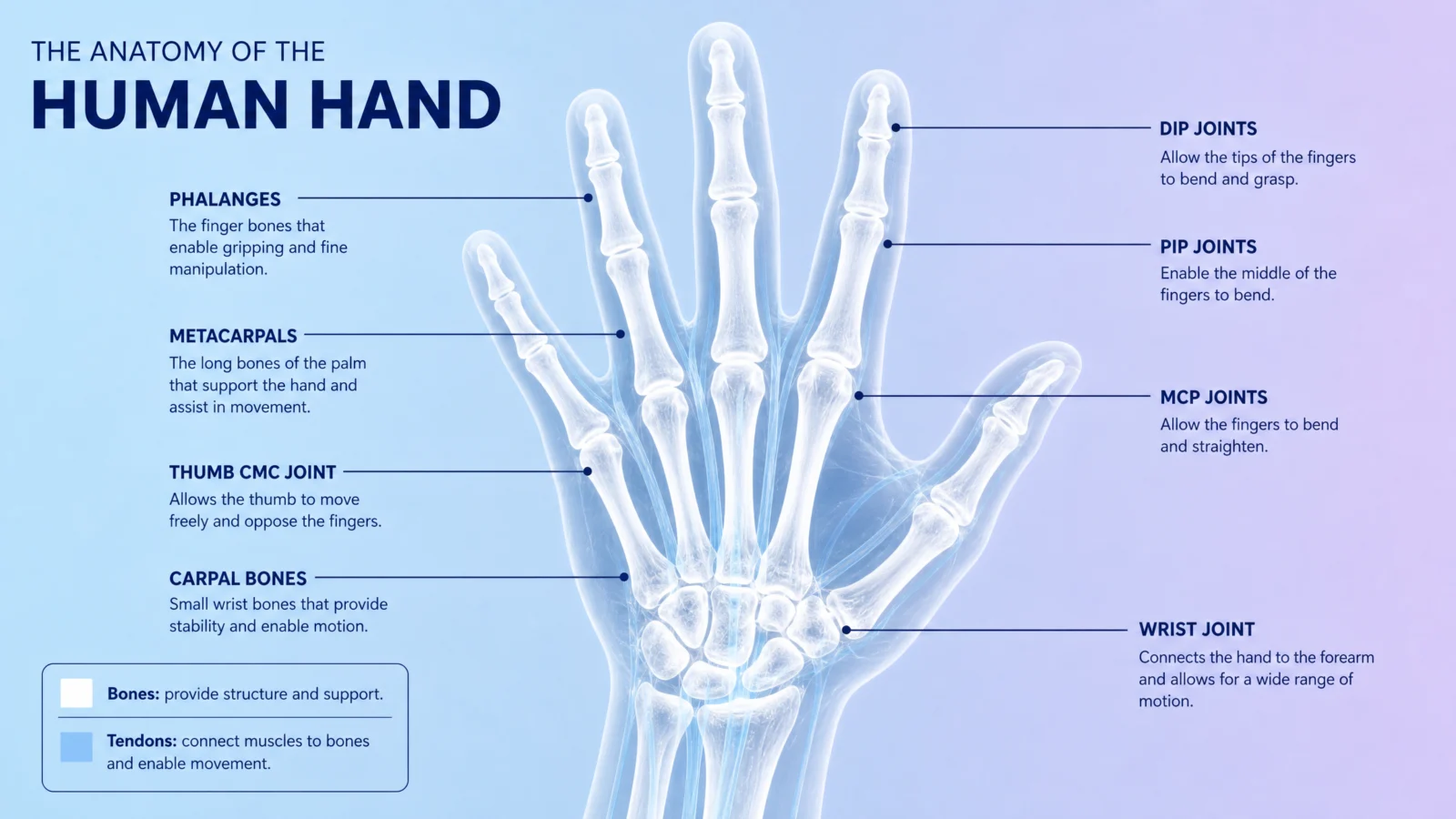
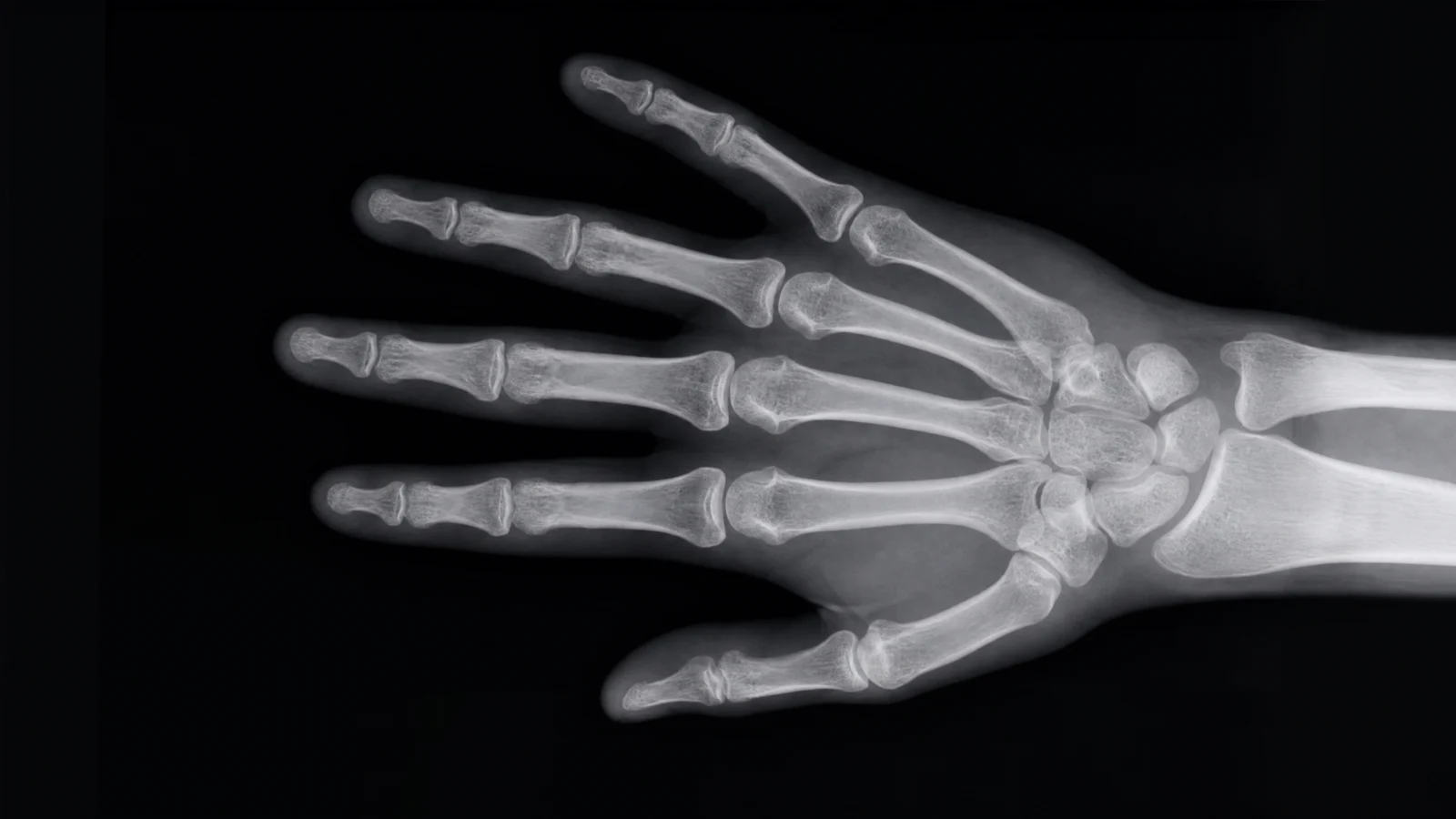
What to notice: the researched wellness-brand palette from Category 1’s heart prompt gets reused here, blush-lilac-sky-blue family, deep slate or navy text. Once you have researched a real color language for a field, medical, financial, culinary, carry it across every subject in that field rather than inventing a new one each time. Consistency across a mini-series inside a category is worth more than novelty for its own sake.
Prompt 5: The Running Sneaker
Default
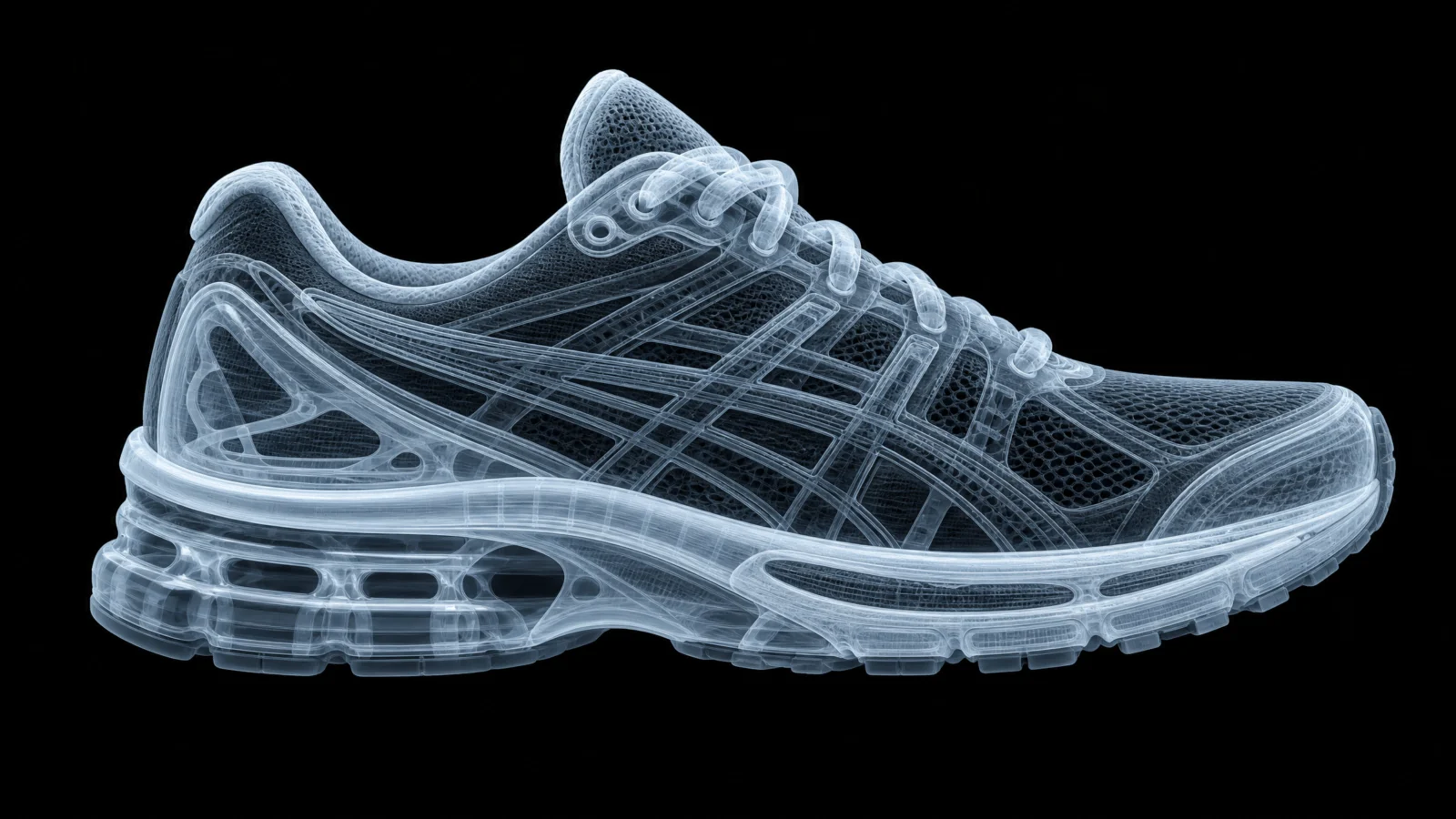
Controlled
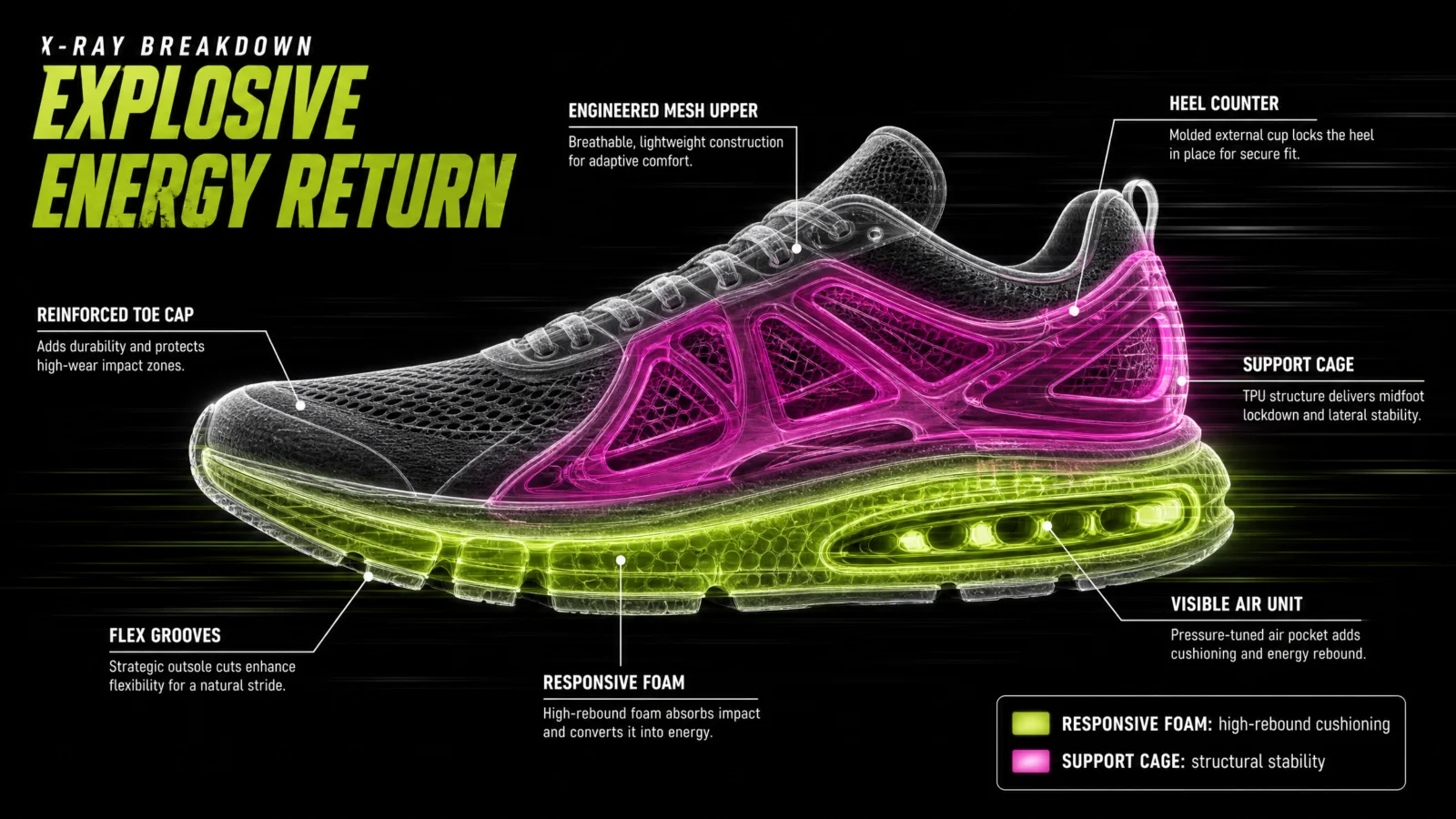
What to notice: the magenta-and-lime pairing is deliberately loud, a sharper contrast than any other prompt on this page. Sportswear branding runs hotter and more saturated than medical or architectural work, and the palette should match the category’s real visual world. Research the field’s actual color language before locking a palette, this vault’s standing rule from Category 1, applies here at full strength: an athletic brand and a hospital do not share a color vocabulary, and neither should your two subjects.
Prompt 6: The Packed Suitcase
Default
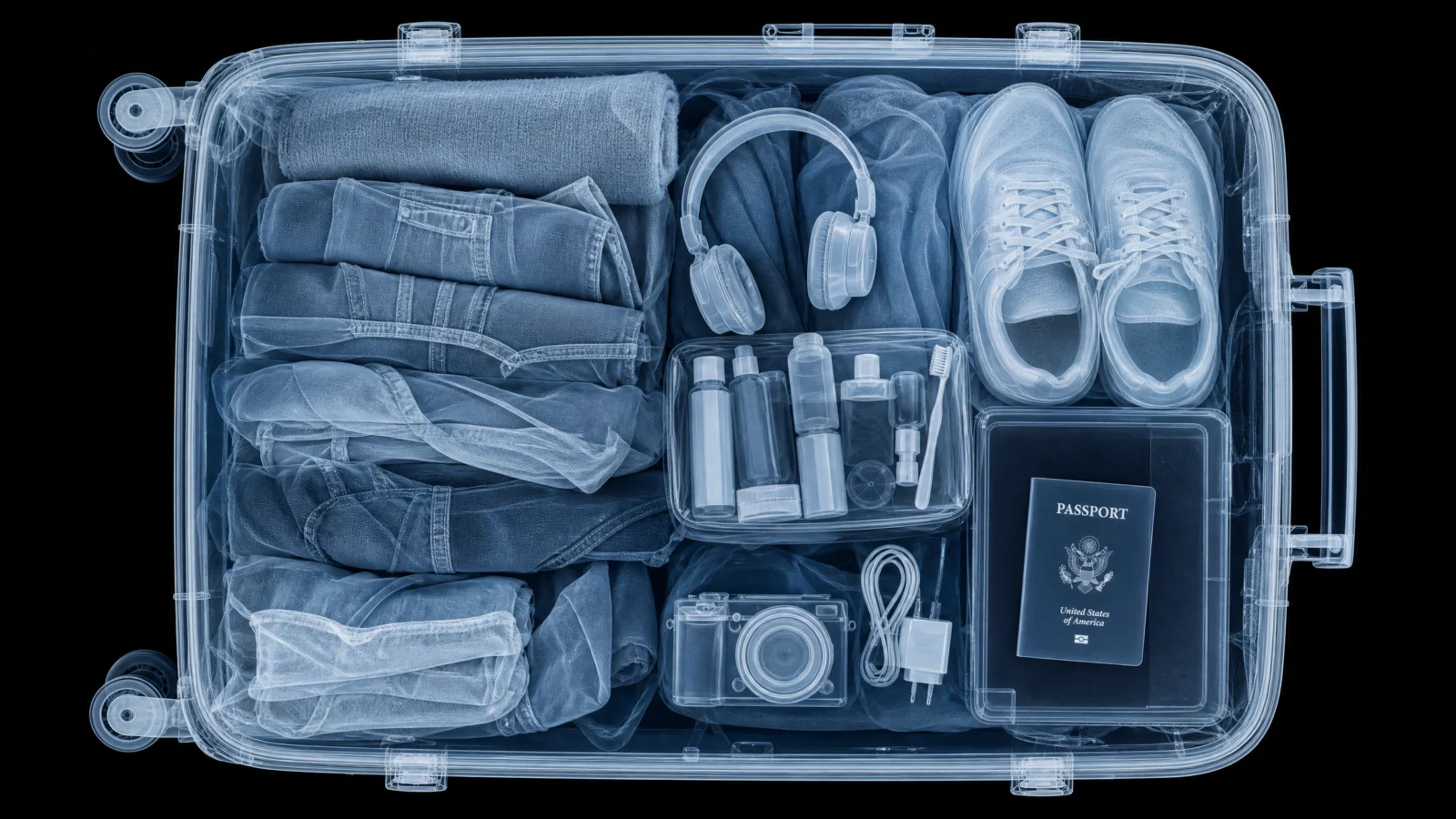
Controlled
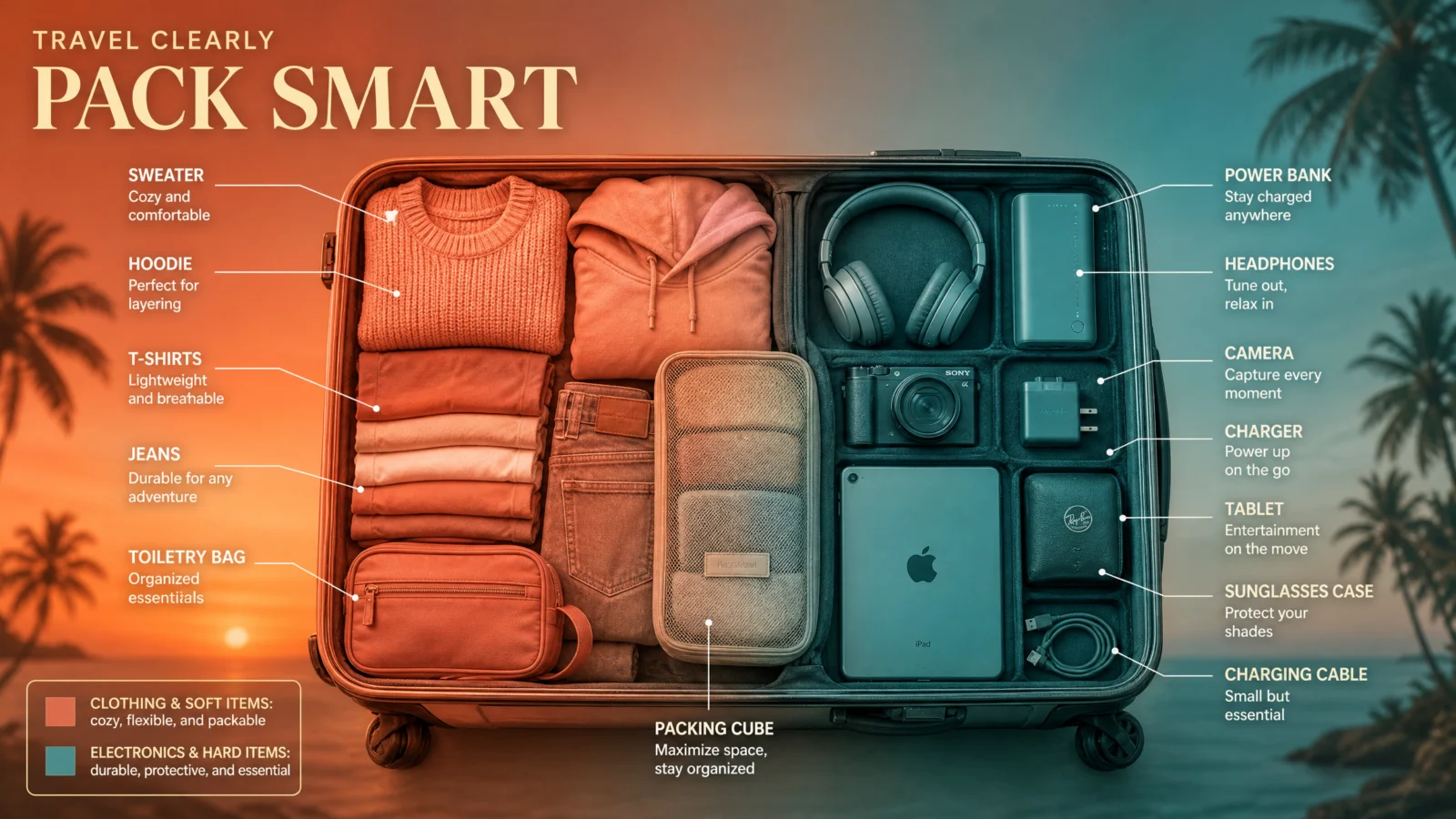
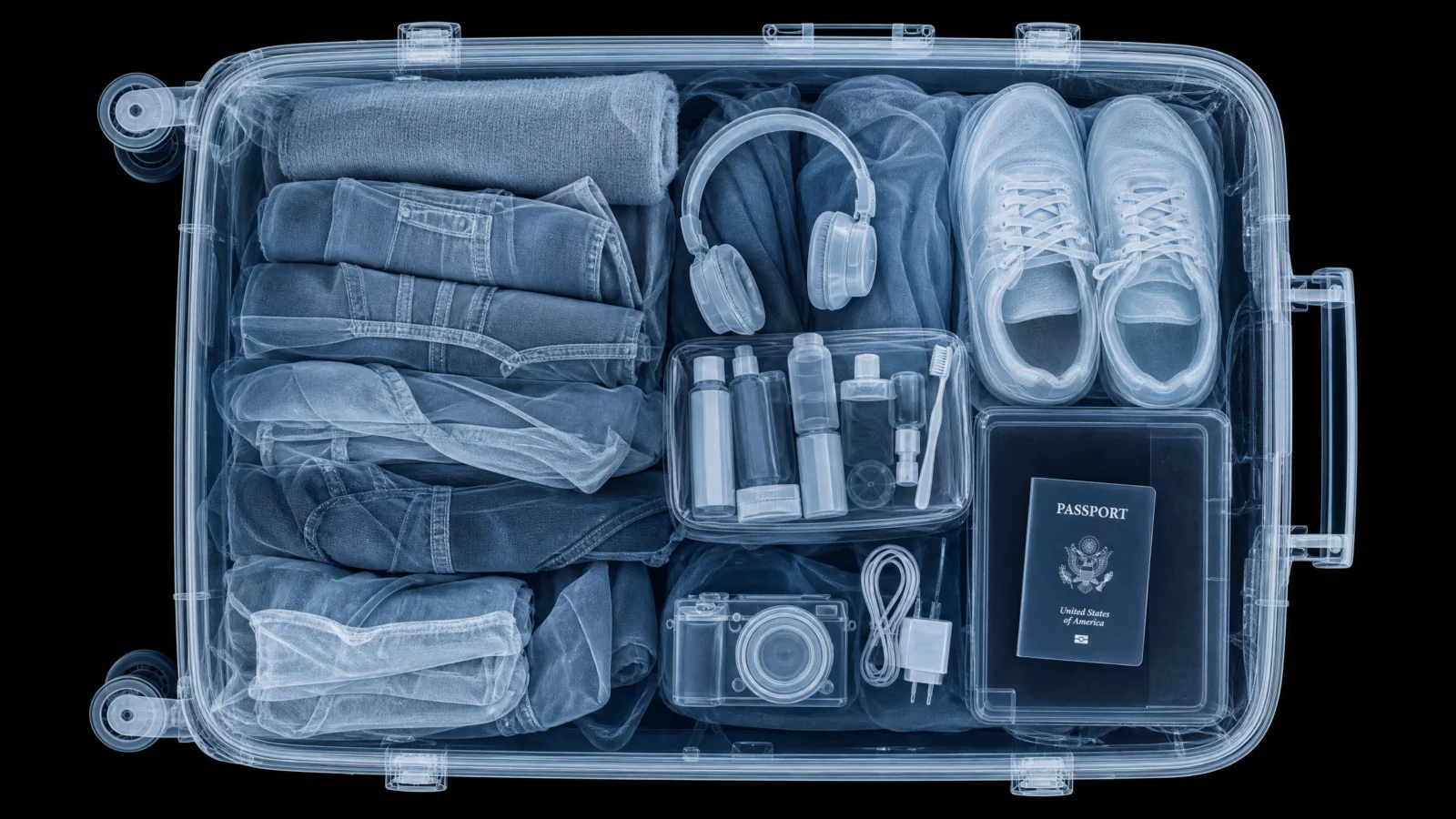
What this fix teaches: the detail our first version missed entirely was that the suitcase’s shell itself carries the gradient, matched to a background that continues the same coral-to-teal sweep. Our version had glowing objects floating on a flat black void, technically informative, visually inert. The published reference reads as one continuous graded photograph, sunset behind the case, sunset inside the case, one unbroken mood from edge to edge. The container is not neutral packaging for your color-coded content. Let the coding system bleed into everything, the shell, the background, the whole frame, so nothing in the image sits outside the story you are telling.
The Method In One Box
- Layer SCAN REGISTER and STYLE LOCK together. One decides the light, one decides what the viewer learns. Neither works alone.
- When a subject has an obvious technical color split, look for a more human one underneath it. Structural versus functional is correct. Lived-in versus quiet is a story. Choose the story when one is available.
- Do not preserve a default’s layout just because it produced it. Ask honestly whether a two-panel split, a specific framing, or a particular composition is earning its place, or whether one better shot replaces it.
- Not every subject needs the narrative-split treatment. When the obvious color division is also the genuinely correct one, keep it and spend your creative effort on the teaching copy instead.
- Let the coding system bleed into the whole frame, shell, background, everything, rather than sitting isolated on a neutral void.
Common Issues And Fixes
The controlled version looks almost identical to the bare default. SCAN REGISTER and STYLE LOCK were probably present but thin. Check specifically that the LABEL STYLE lines contain real teaching content, a fact or a feeling, not just a part name, and that a LEGEND is actually explaining what the colors mean.
Two color-coded categories feel technically correct but boring. This is the Category 2 signature failure. Stop and ask: is there a more emotional, human, or narrative way to split these same two groups? Try it before accepting the obvious answer.
Color-coded content looks pasted onto a neutral background. Extend the palette into the container and the background itself, so the whole frame carries one continuous mood rather than isolating the "interesting" part on a void.
A subject’s two-color split feels forced or invented. Some subjects, bone and feather, muscle and bone, genuinely have one correct, natural division. Do not manufacture a narrative split where a physical one already tells the story well.
Label copy reads like a parts list instead of teaching something. Rewrite each line as a fact or a feeling a reader did not already know, not a restatement of the label above it.
Next Step
Category 3, The Annotation Code, is due for the same honest audit next: bare code first, real published references checked before we assume our first instinct was the strongest one.
Section 03
The Annotation Code
Shortcut Codes, Decoded
The photo stays real. Everything else becomes a documented investigation.
Categories 1 and 2 changed the subject itself, pulling it apart or making it glow. This code does neither. The photo stays completely untouched and photoreal, and technical annotation gets layered on top: leader lines, callouts, measurements, like a museum specimen card, a patent filing, or a field naturalist’s notebook.
This page went through the biggest single creative jump in the whole vault. What started as "add pen lines to a nice photo" ended as something closer to a tiny documented scene, a desk, evidence, tools mid-use, the annotation proving real work is happening rather than just decorating what is already there. Read the next section before the prompts, it is the actual lesson.
What The Code Actually Is
Same foundation as every code here. "Technical annotation overlay" and "museum specimen style" are real, well-established visual phrases, and the model reliably produces that genre the moment you say them. What the bare code hands you is competent but flat, and getting past flat took three real attempts on this category, more than any other page in this vault.
The Real Lesson: Three Attempts, One Real Breakthrough
Attempt one corrected nothing and added little. We took genuinely good bare-code annotation shots and mostly just cleaned them up, tighter pen lines, a slightly better palette. The content underneath never changed. Forgettable.
Attempt two added real infrastructure, and still fell short. We introduced a proper title, real teaching-content labels, a specimen data block, a legend. Genuinely better, but something was still off. Every image was still fundamentally a photograph with writing on it. The annotation decorated the subject from outside instead of being part of anything happening.
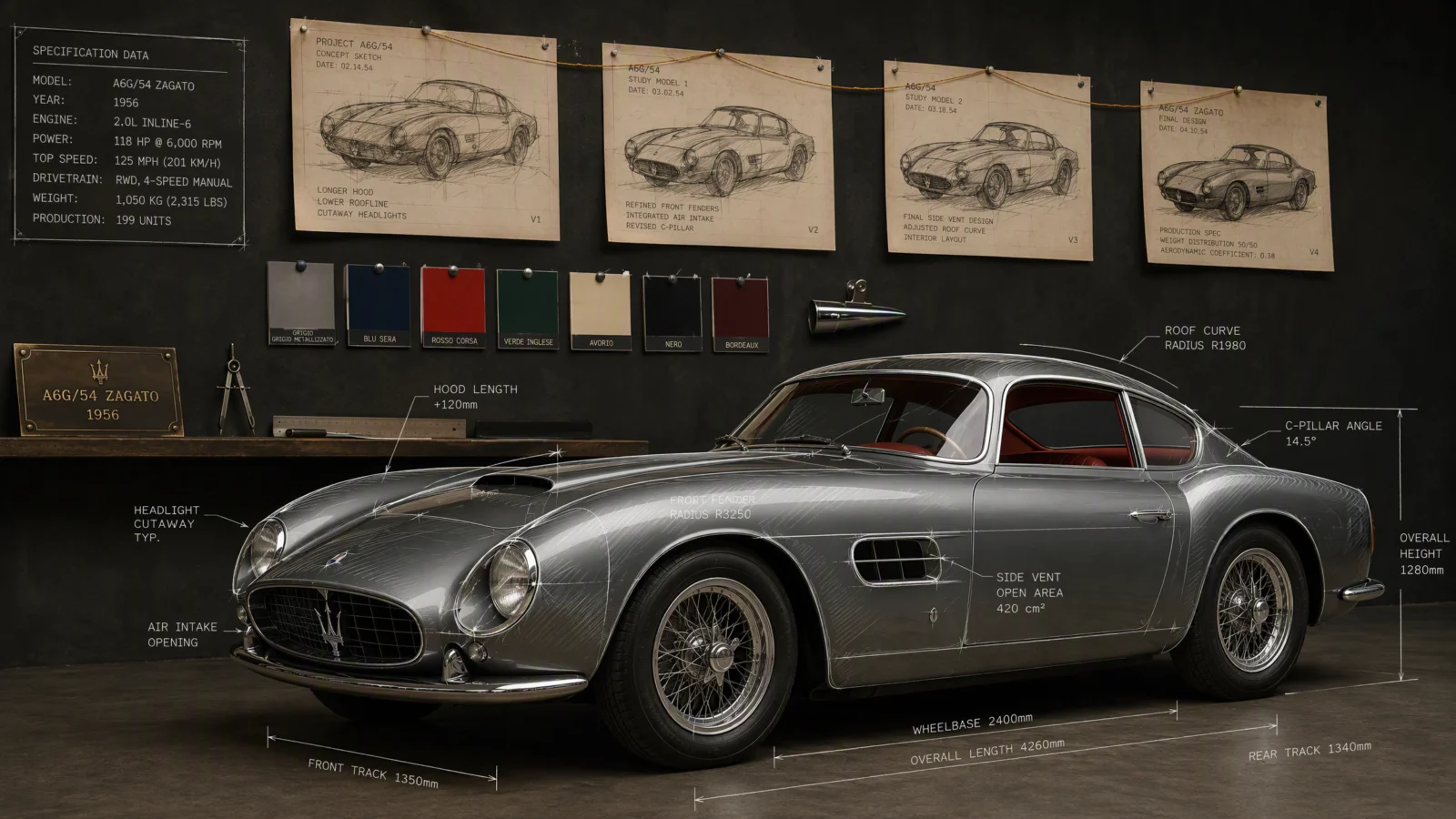
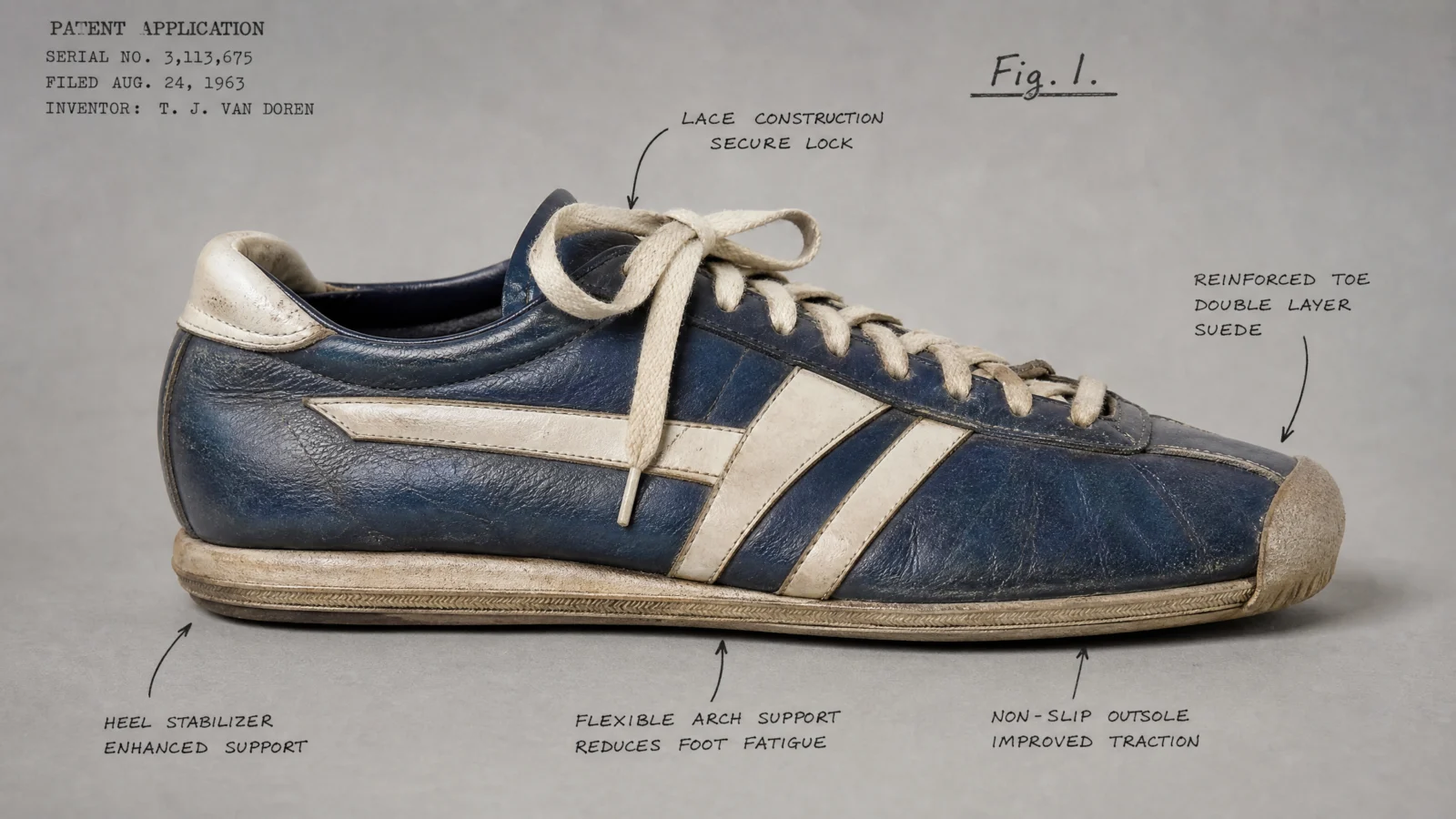
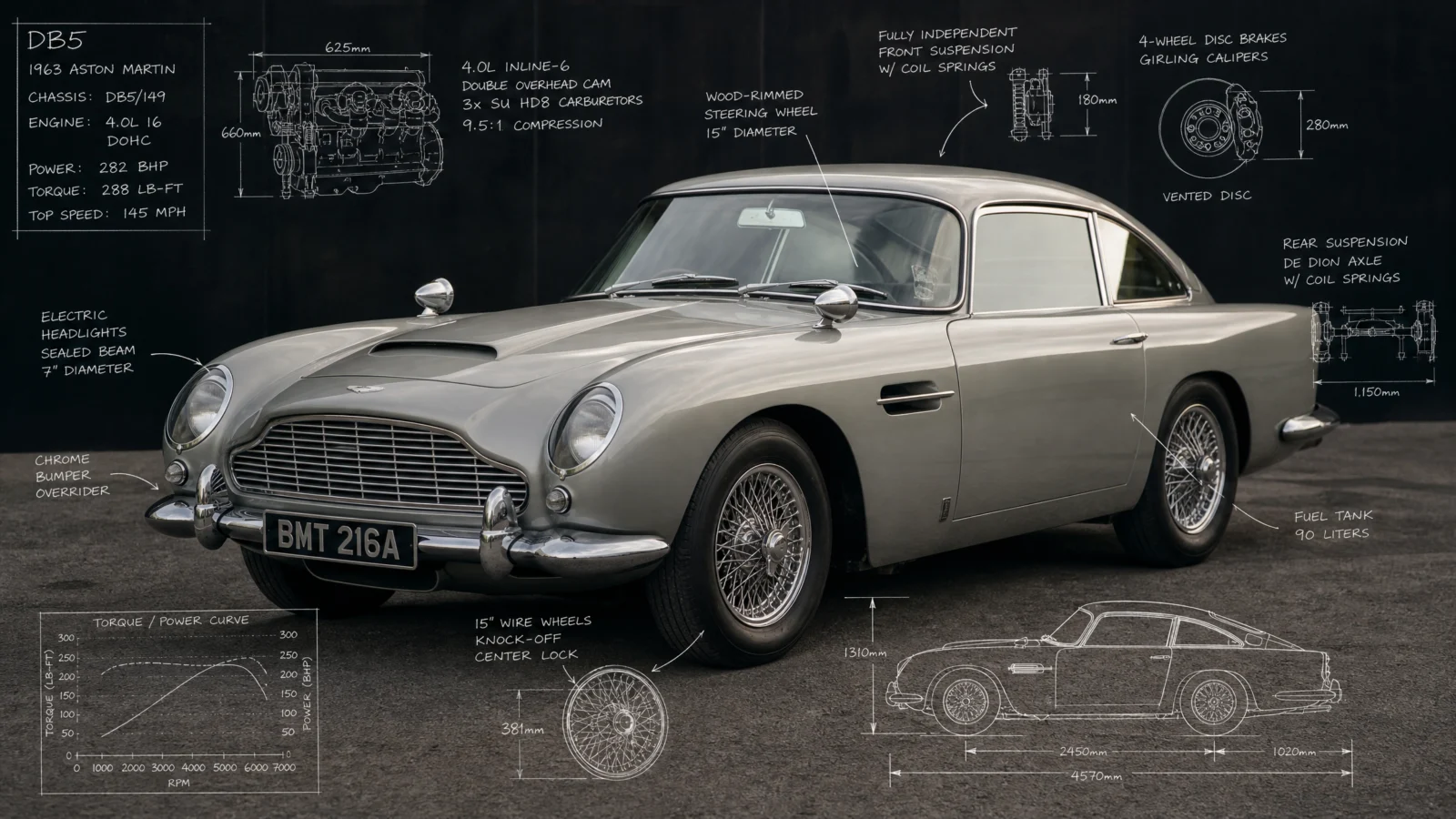
Attempt three is the one that worked, and it is the biggest idea on this page: stop treating the subject as a photo to annotate, and start treating it as one item inside a documented scene. The plate of noodles is not just a plate anymore, it sits on a hawker researcher’s desk, surrounded by the actual tools and evidence of an active investigation: a magnifying glass mid-inspection, a dip pen with one line of ink still wet, torn map fragments pinned nearby, the edges of earlier specimen cards peeking out from underneath. The sneaker sits on a patent examiner’s blotter next to an open ledger showing a rival design. The car sits in front of a studio wall covered in its own pinned design history, sketches connected by string in evolutionary order.
This is the same breakthrough Category 6 had with its winding pathway, except here the connecting thread is not a literal line, it is implied process. Every object in the scene is evidence that documentation is actively happening, not evidence that someone photographed a thing and drew on it afterward.
The rule to carry forward, in this vault and anywhere: when annotation or overlay work feels flat, the fix is rarely more decoration on the subject. It is usually building a world around the subject where the annotation makes narrative sense, tools resting mid-use, related evidence nearby, one detail still in motion.
The Second Lesson: CONTRAST LOCK
Two prompts on this page, the cat and the coffee cup, hit a real, common failure worth understanding on its own: annotation ink floating directly on a photograph has no guaranteed legibility, because its contrast depends entirely on whatever happens to be behind it at that exact spot. Pale ink over a light cat, dark ink lost in a shadowed background, it is a coin flip every time.
The fix, now a standing rule for this whole category: every label sits inside its own small solid card, cream parchment with a fine border for warm naturalist work, clean white with a thin border for cool technical work. The card guarantees contrast no matter what is happening in the photo beneath it, and it is also more authentic, real specimen tags and patent labels are almost never bare ink floating on an image, they are physical cards pinned or attached to the specimen.
Whenever annotation legibility is inconsistent, do not adjust the ink color and hope. Give every label its own guaranteed-contrast card instead.
Prompt 1: Char Kway Teow
"The Hawker Specimen Desk"
Default

Controlled
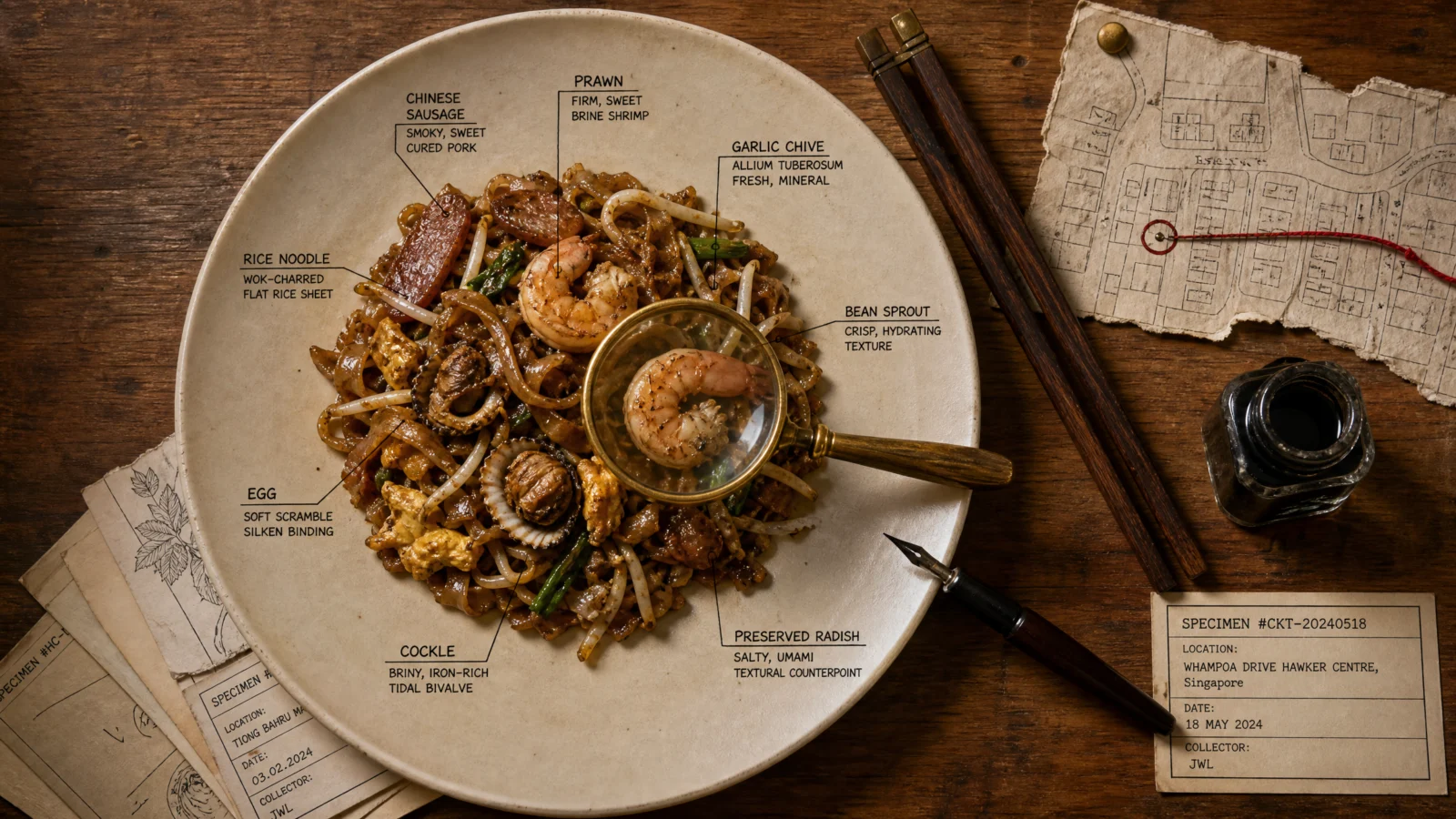
What to notice: the "no hand" rule combined with a wet ink line and a resting pen is doing real work here. It gets the feeling of "someone was just here, mid-task" without the anatomy risk of a rendered hand, which is one of the hardest things to get right in this style of image. A tool caught mid-use tells the same story a hand would, at a fraction of the risk. And the peeking earlier specimen cards under the desk imply an entire collection exists beyond this one frame, without needing to show it.
Swap ideas: the same desk treatment for a bowl of laksa, with a spice jar collection standing in for the map fragment. A dessert specimen with a small tasting spoon and a sugar-crystal sample pinned as its own material swatch.
Prompt 2: Vintage Sneaker
"The Patent Examiner’s Desk"
Default
Controlled

What to notice: the fresh wax seal reading "APPROVED" is a single detail carrying the entire narrative arc of the scene, this is the moment the patent got granted. One stamped word does more storytelling work than a paragraph of caption ever could. Look for the one physical object in your scene that can compress an entire story into itself.
Swap ideas: a vintage camera on the same examiner’s desk, the rival sketch showing an earlier competing lens design. A wristwatch with a jeweler’s loupe and a small mechanism cross-section pinned beside it.
Prompt 3: Vintage Car
"The Design Studio Wall"
Default
Controlled
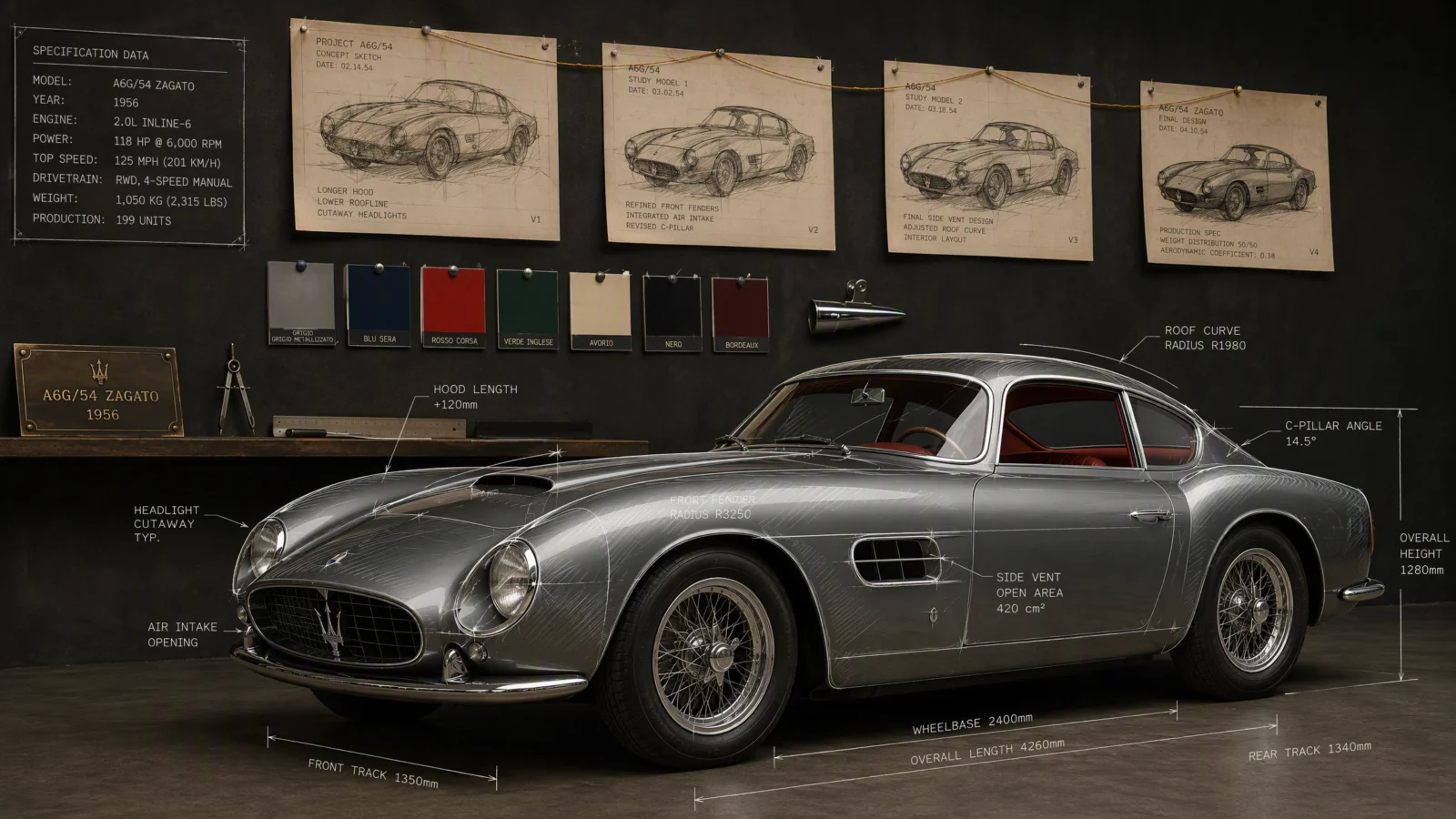
What to notice: the string connecting the pinned sketches "in order from rough concept to final form" is a direct borrow from the detective-board device you will see again in Category 6, and it proves the same trick works across totally different moods, a design studio and a mystery investigation wall are structurally the same idea: physical evidence, connected in sequence, telling a story of how something arrived at its current state.
Swap ideas: a guitar in front of a luthier’s wall showing earlier body-shape templates. A pair of running shoes in front of a shoe designer’s wall with sole-tread iteration samples pinned in sequence.
Prompt 4: Cat Mid-Yawn
"The Naturalist’s Field Table," full infographic register
Default
Controlled

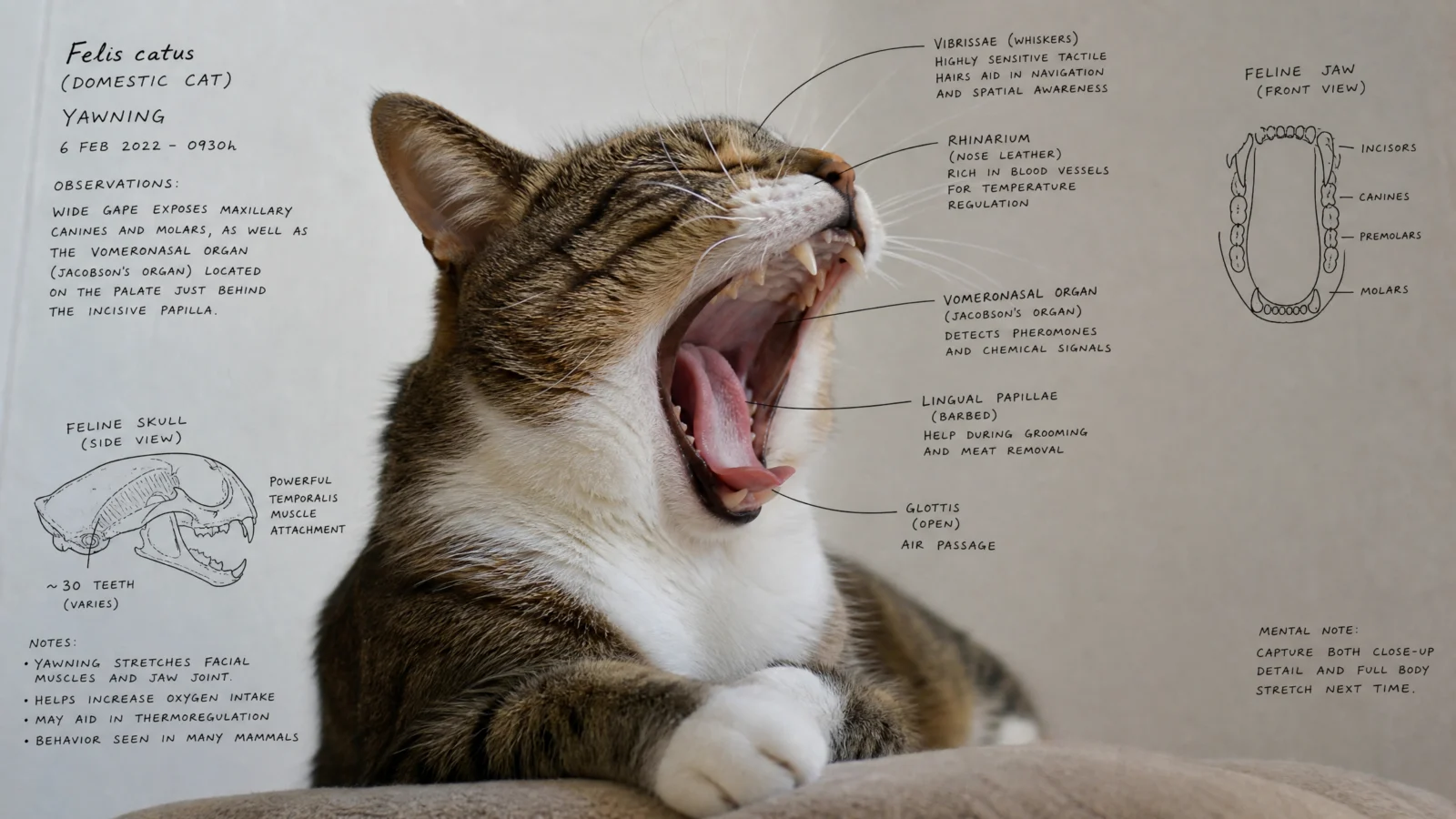
What this fix teaches: the very first version of this prompt kept the annotation deliberately sparse, five or six marks total, to match a bare-code default that happened to be sparse. That was the right call at the time. It was wrong once this became a full controlled infographic sitting alongside five other richly detailed prompts, sparseness that made sense as a light touch reads as unfinished next to a set of dense, complete plates. Match your subject’s detail level to the register of the set it belongs to, not just to what the input happened to look like. The CONTRAST LOCK card system is what makes going from six marks to ten actually work without turning to visual noise, every card guarantees its own legibility no matter how busy the fur or shadow behind it gets.
Swap ideas: a dog mid-stretch with the same card system covering paw pads, tail wag mechanics, and ear alertness. A parrot mid-call with cards covering beak structure, feather color function, and vocal anatomy.
Prompt 5: Travel Flat Lay
"The Explorer’s Manifest Desk"
Default
Controlled
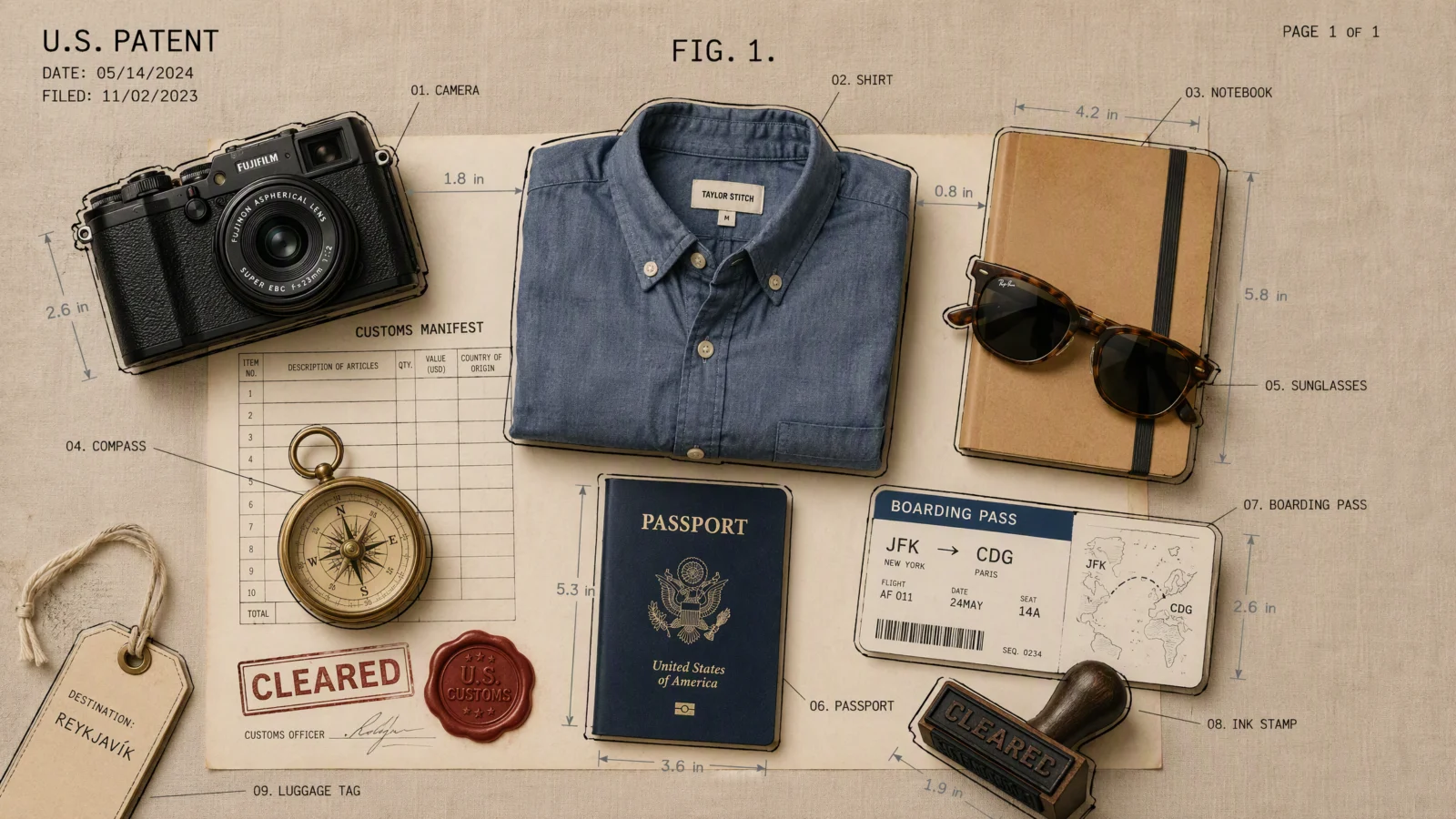
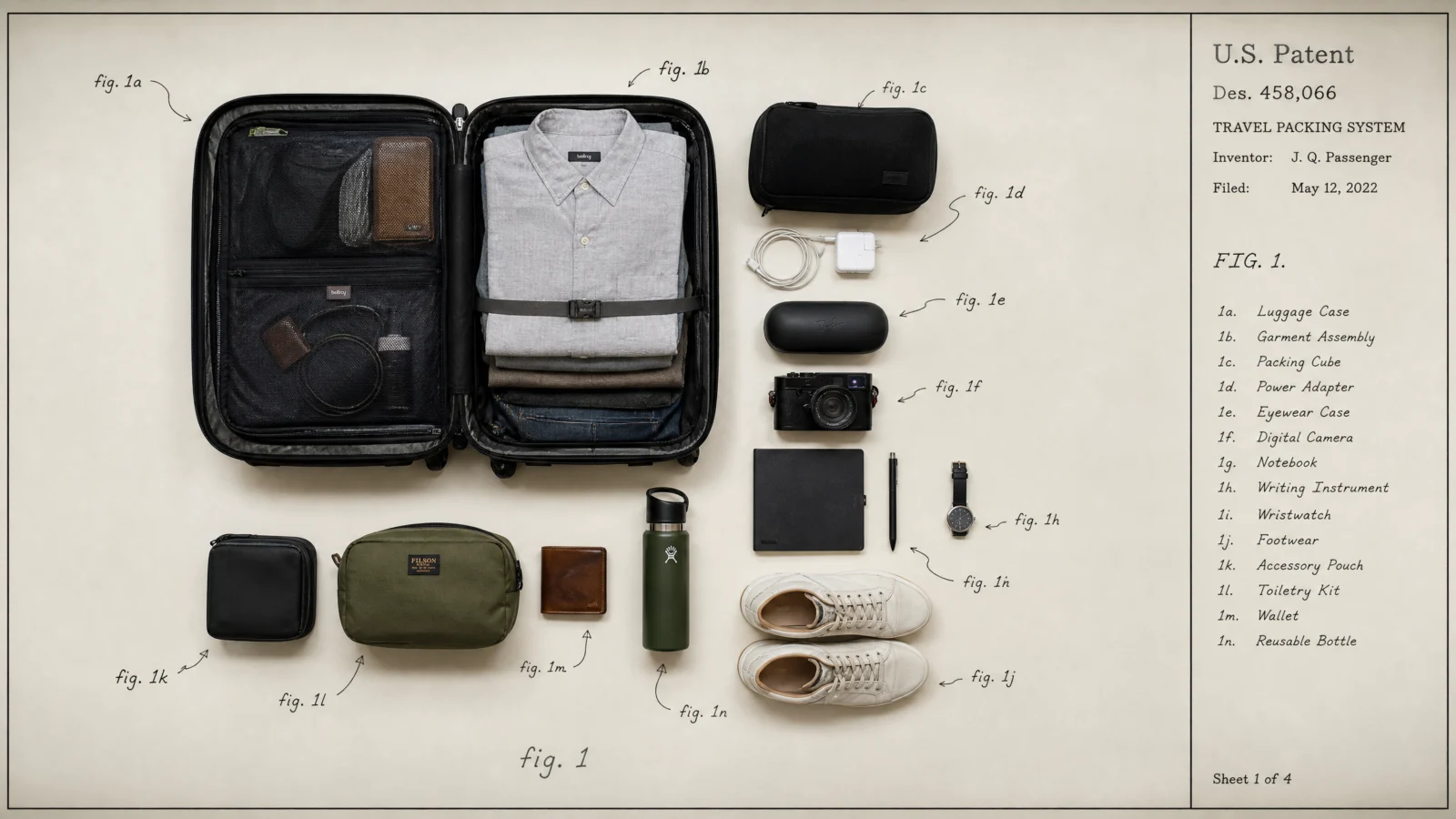
What to notice: this is the only prompt on the page that keeps its original two-layer annotation system (black outline plus slate-grey measurement) from Category 3’s earlier build, and it did not need the desk treatment to justify it, the manifest sheet itself became the desk. Sometimes the "world around the subject" is not new objects added beside it, it is a surface the subject was already resting on, deepened into something the eye can read a story off.
Swap ideas: a chef’s knife roll laid open atop a kitchen inspection sheet with a health-grade stamp. A photographer’s gear bag laid open atop a rental agreement with a deposit-return stamp.
Prompt 6: Steaming Coffee Cup
"The Physicist’s Morning Desk," contrast fixed
Default
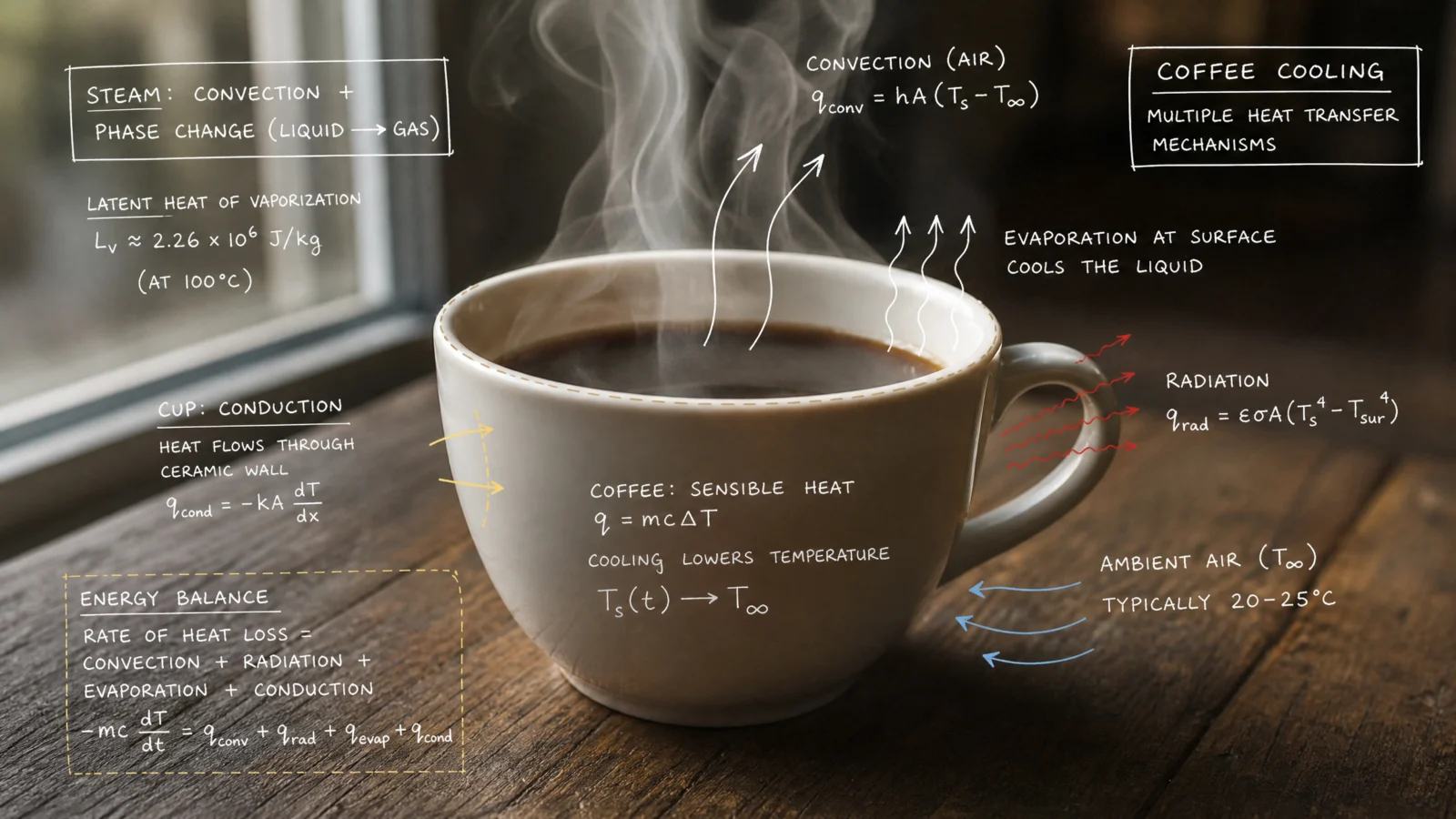
Controlled
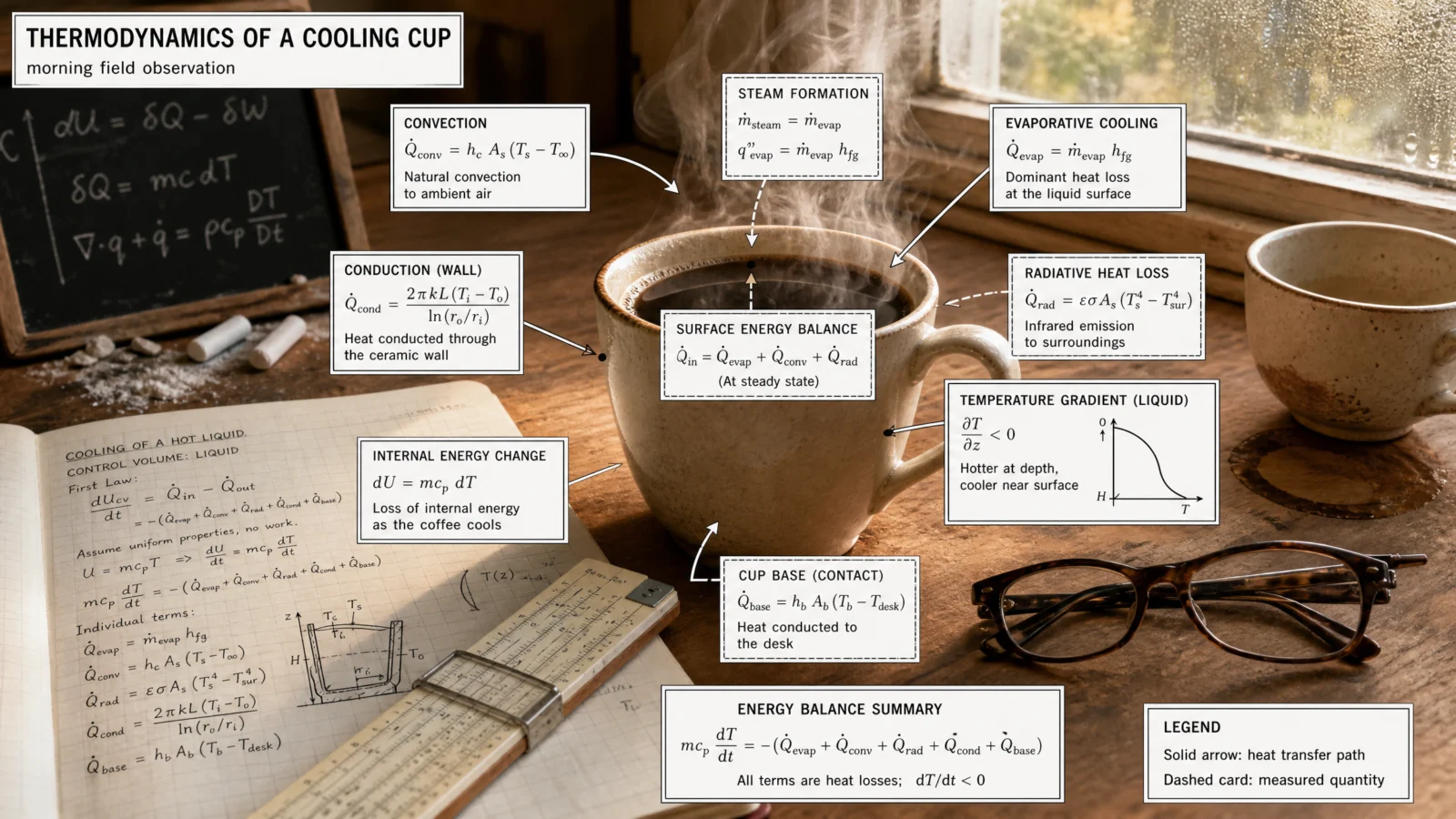
What this fix teaches: the original version tried to hold white ink against a warm wood desk background, which is a nearly guaranteed legibility failure, light text on a mid-toned photo has no reliable contrast anywhere in the frame. Swapping to CONTRAST LOCK solved the actual problem, and it happened to solve it in the same move that made the cat prompt stronger too. When two unrelated prompts fail the same way, the fix is very likely the same fix. Look for that pattern before treating each failure as a one-off.
Swap ideas: a lit candle with heat-plume and wax-flow physics cards on the same desk. A glass of iced water with condensation and phase-change physics cards, same desk, same card system, opposite temperature story.
The Method In One Box
- Build a world, not a decoration. When annotation feels flat, stop adding lines to the subject and start adding evidence around it, tools mid-use, related objects, one detail still in motion.
- Imply process without rendering a hand. Wet ink, a resting tool, a fresh stamp impression, all tell "someone was just here" without the anatomy risk.
- Find the one object that compresses the whole story. A wax seal reading "APPROVED," a string connecting sketches in sequence, one detail can carry more narrative than a paragraph of caption.
- Use CONTRAST LOCK whenever annotation sits on unpredictable photo tones. Give every label its own solid card rather than hoping the ink survives whatever is behind it.
- Match detail level to the set, not just to the input. A subject that started sparse may need to scale up once it sits inside a set of otherwise dense, complete plates.
- When two prompts fail the same way, look for one shared fix. Do not treat every problem as unique before checking for a pattern.
Common Issues And Fixes
The image still reads as "photo with pen marks" rather than a documented scene. Add a SPECIMEN DESK COMPOSITION block naming at least three to four pieces of surrounding evidence, tools, related objects, and one thing caught mid-motion.
A rendered hand appears despite the ban. Reinforce the ban and give the implied action an object instead, a pen resting with wet ink still visible, a stamp with a fresh impression already made.
Labels are illegible in some areas of the frame. Add a CONTRAST LOCK block, giving every label its own solid card matched to the register, parchment for warm work, white for cool technical work.
Secondary text on background objects (ledgers, journals, manifests) renders as gibberish. State explicitly that it should read as abstract marks, not fully legible dense text, in the DO NOT list.
A once-sparse subject now feels thin next to a set of dense plates. Rebalance its label count and CONTRAST LOCK cards to match the register of the rest of the set, sparseness is a valid choice, but only when it is intentional across the whole collection, not accidental.
The added scene detail outcompetes the main subject. Every prompt on this page carries a DO NOT for exactly this, if it still happens, reduce the desk composition’s object count before touching anything else.
Next Step
Category 4, The Blister Pack Code, is next in line for the same honest check: bare code first, real references compared before assuming the first draft got it right.
Section 04
The Movie Poster Code
Shortcut Codes, Decoded
Any subject, one sheet, full theatrical grammar.
This code takes an idea and dresses it in the full apparatus of a real movie poster, title lockup, tagline, critic pull-quote, billing block, rating box, release date. It is one of the most viral tricks in the current AI image trend cycle, and it is also a genuinely useful production skill, key art for a client’s launch, an event, or a personal brand runs on exactly this same formula.
One rule holds across every prompt on this page, without exception: every film title, studio name, and cast name is invented. No real actors, no real productions, no real studio logos, ever. This code sits closer to real-person likeness risk than anything else in this vault, since posters conventionally put faces front and centre, so every character on every poster here is a generic, original face, never built to resemble anyone real.
What The Code Actually Is
Same foundation as every code before it. "Movie poster" is one of the most thoroughly documented visual genres a model can be trained on, decades of one-sheets, teaser posters, and key art. Say the phrase, get the genre, for free, in any interface.
The Real Lesson: This Code Started Strong, So The Job Was Different
Worth saying plainly, because it changes what this page teaches. The bare code on this category was the best-performing default of anything built so far in this vault. Title lockups, taglines, review blurbs, billing blocks, rating boxes, release windows, all correct, all in the right place, on the first attempt, six times in a row.
So the job here was never "fix something broken." It was not even "build a world around it" the way Category 3 needed. It was simpler and harder at the same time: the content was already competent, competent was not enough, and the fix was pushing every single poster toward a specific, real, named convention that professional key art actually uses.
Look at the six defaults honestly and the pattern is obvious. Every one of them is a calm, evenly composed image with a title on it. None of them is a poster you would stop scrolling for. Real theatrical marketing never settles for calm. It reaches for a trick, the freeze-frame mid-explosion, the single hero caught mid-leap, an establishing shot so vast the character nearly disappears, a face literally split down the middle. When a subject is already well executed and still feels flat, the fix is rarely more polish. It is naming a specific, recognizable convention from the real genre and building the whole composition around it.
Six Real Poster Conventions, Not Six Random Ideas
Every prompt on this page is anchored to an actual device professional movie marketing uses. Learn these six and you have a genuine toolkit, not just six one-off tricks.
The freeze-frame explosion. Action mid-detonation, debris suspended, the hero caught in motion rather than posed. Sells kinetic energy instantly.
The single-hero pose. One character, arms wide, mid-leap, everyone else reduced to blurred background support. This is how every major animated tentpole poster is built, never an evenly weighted lineup.
Impossible architecture. One physically wrong detail in an otherwise realistic setting, a building that bends, a shadow that falls at the wrong angle. The wrongness is what unsettles, not the darkness.
The split-face confrontation. Two characters’ faces merged into one frame down a hard vertical divide, each lit in a different temperature, both staring at the viewer rather than at each other.
The scale-reveal establishing shot. The subject rendered genuinely tiny against something vast, one shaft of light picking them out. Sells scope by making the hero small, not large.
The visual-pun key art. No literal photograph of the subject at all, an object stands in for the whole story and tells the joke or the theme through its own construction.
Prompt 1: Chef Action Thriller
The freeze-frame explosion
Default
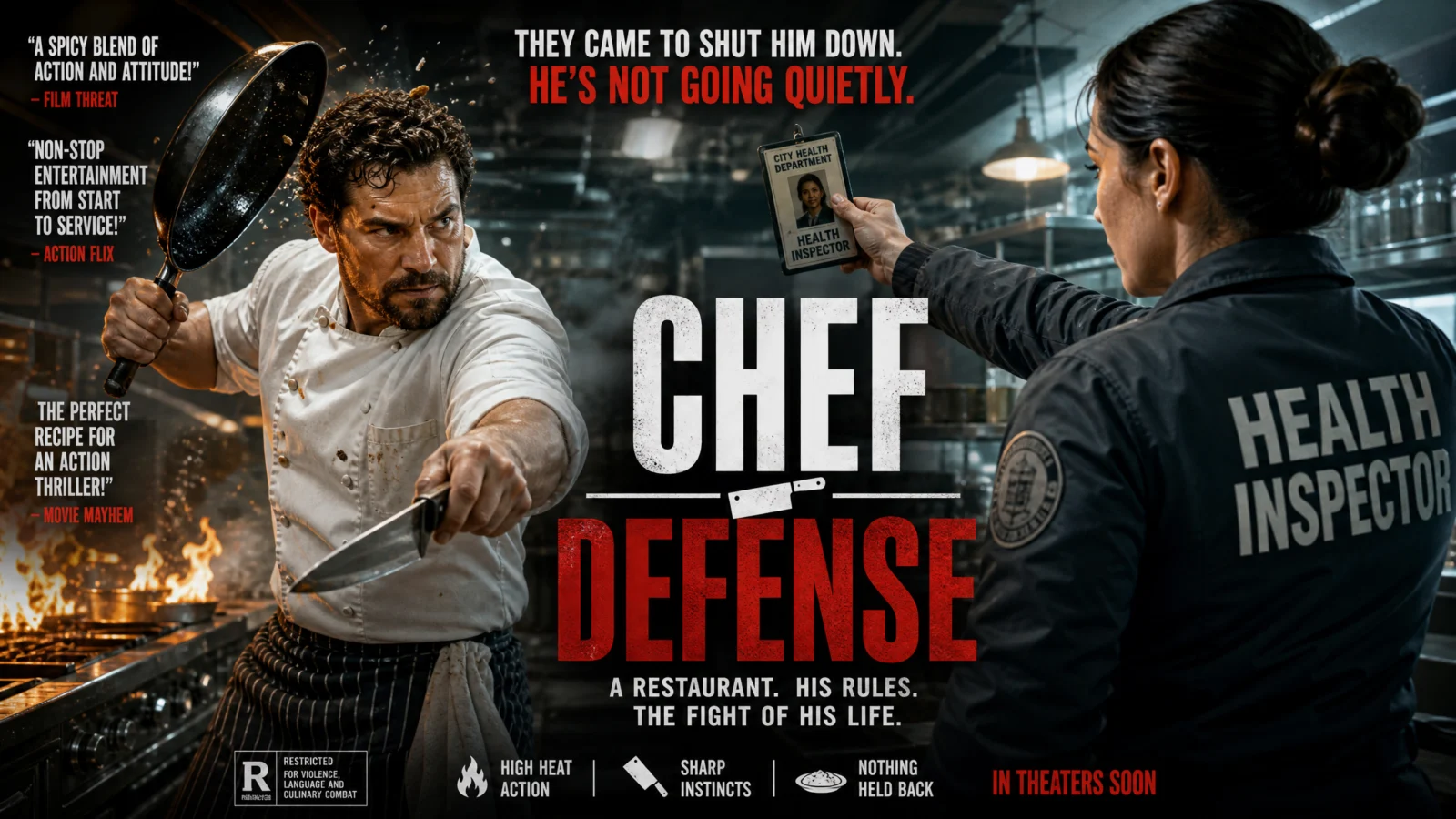
Controlled
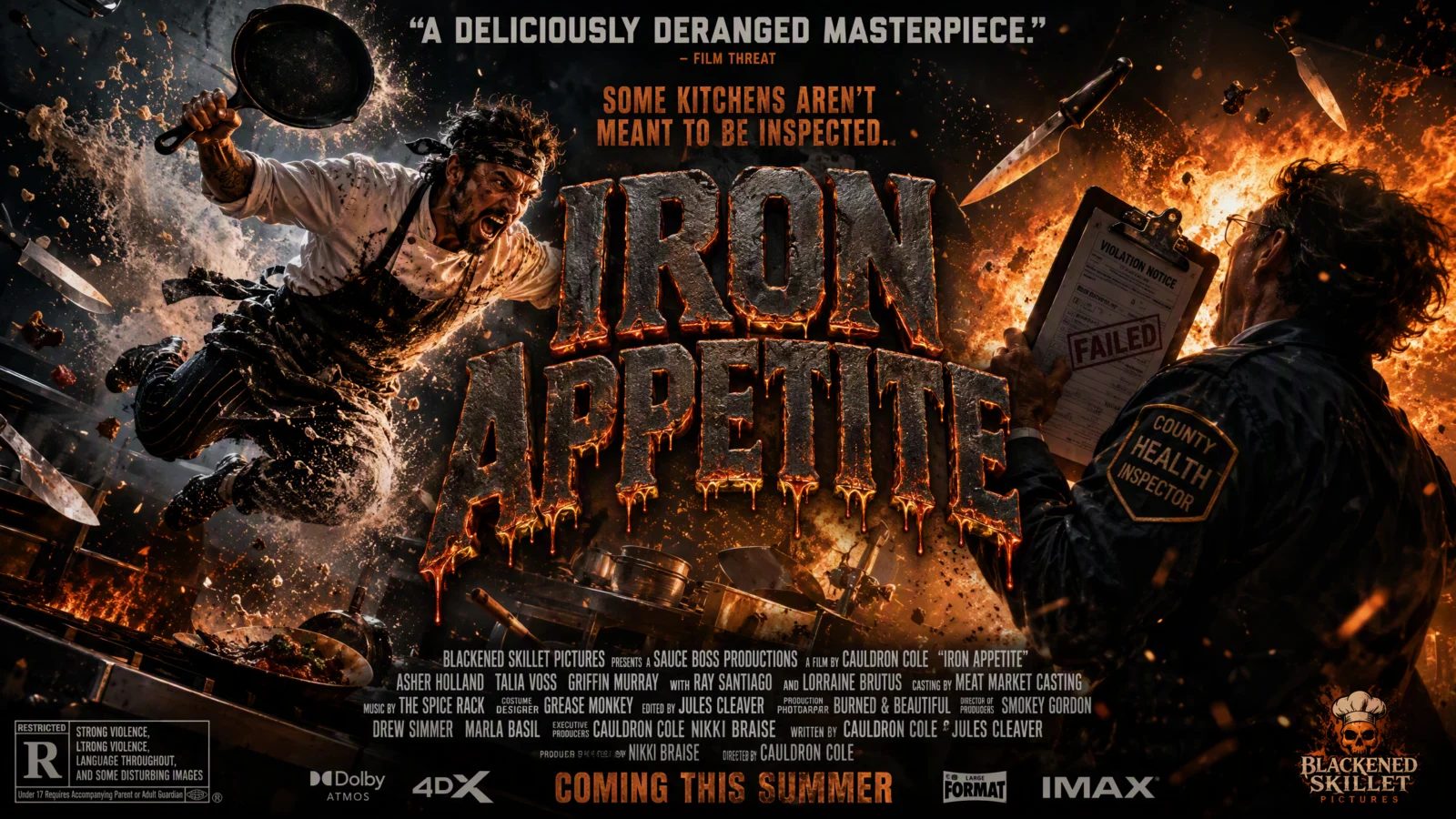
What to notice: the default already had two figures facing off with genuine energy, so the fix here is not the subject, it is the frozen instant. The bare version showed two people about to do something. The controlled version shows the explosion already happening, debris suspended mid-air, both figures caught inside the event rather than standing in front of it. Whenever your composition feels like a moment before the action, ask whether it should be the action itself, caught frozen at its peak.
Swap ideas: a baker mid-collision with a wedding cake cart, flour and roses exploding outward. A barista mid-leap over a counter, espresso and steam erupting around them.
Prompt 2: Robot Learning To Bake
The single-hero pose
Default
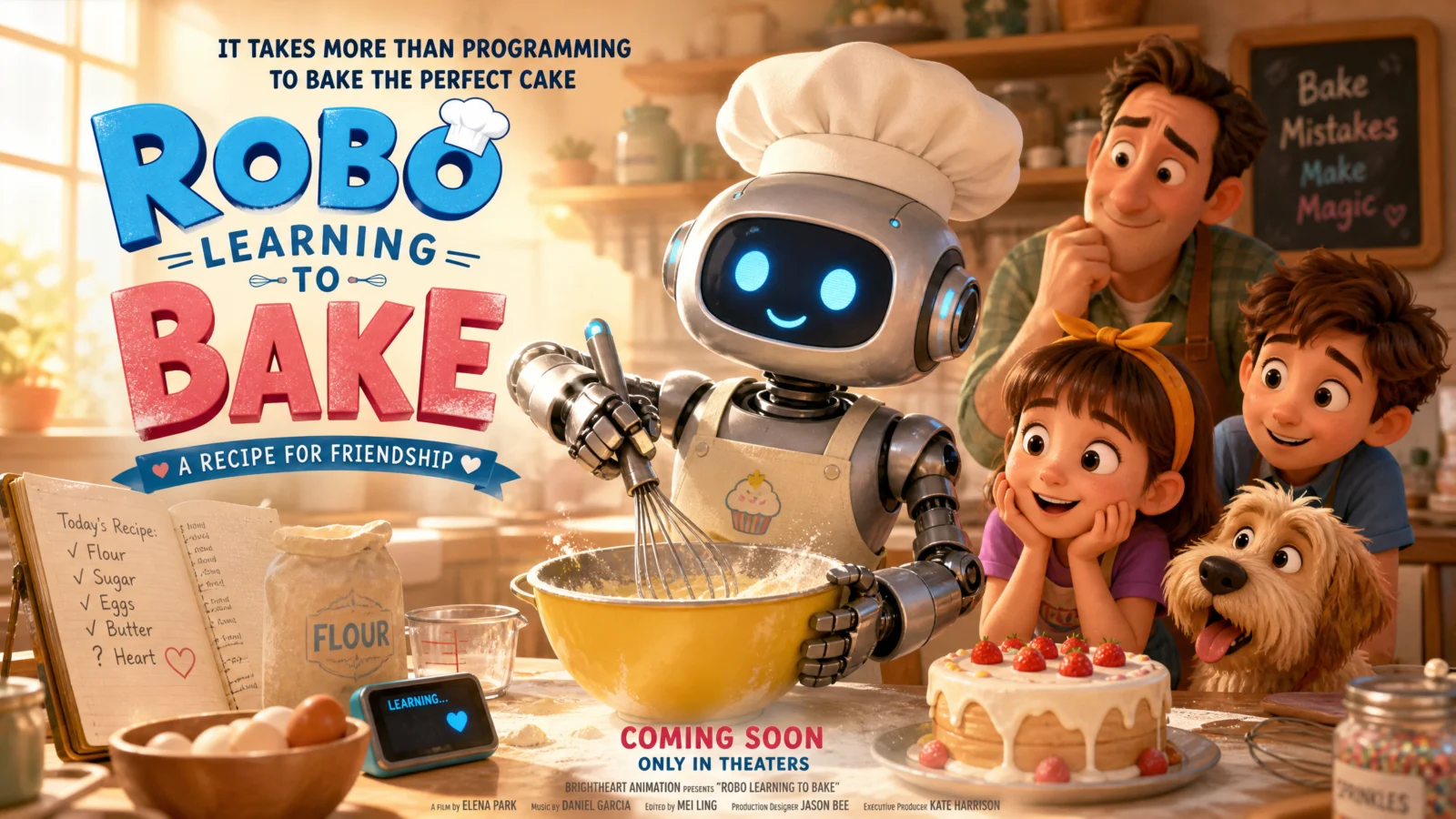
Controlled
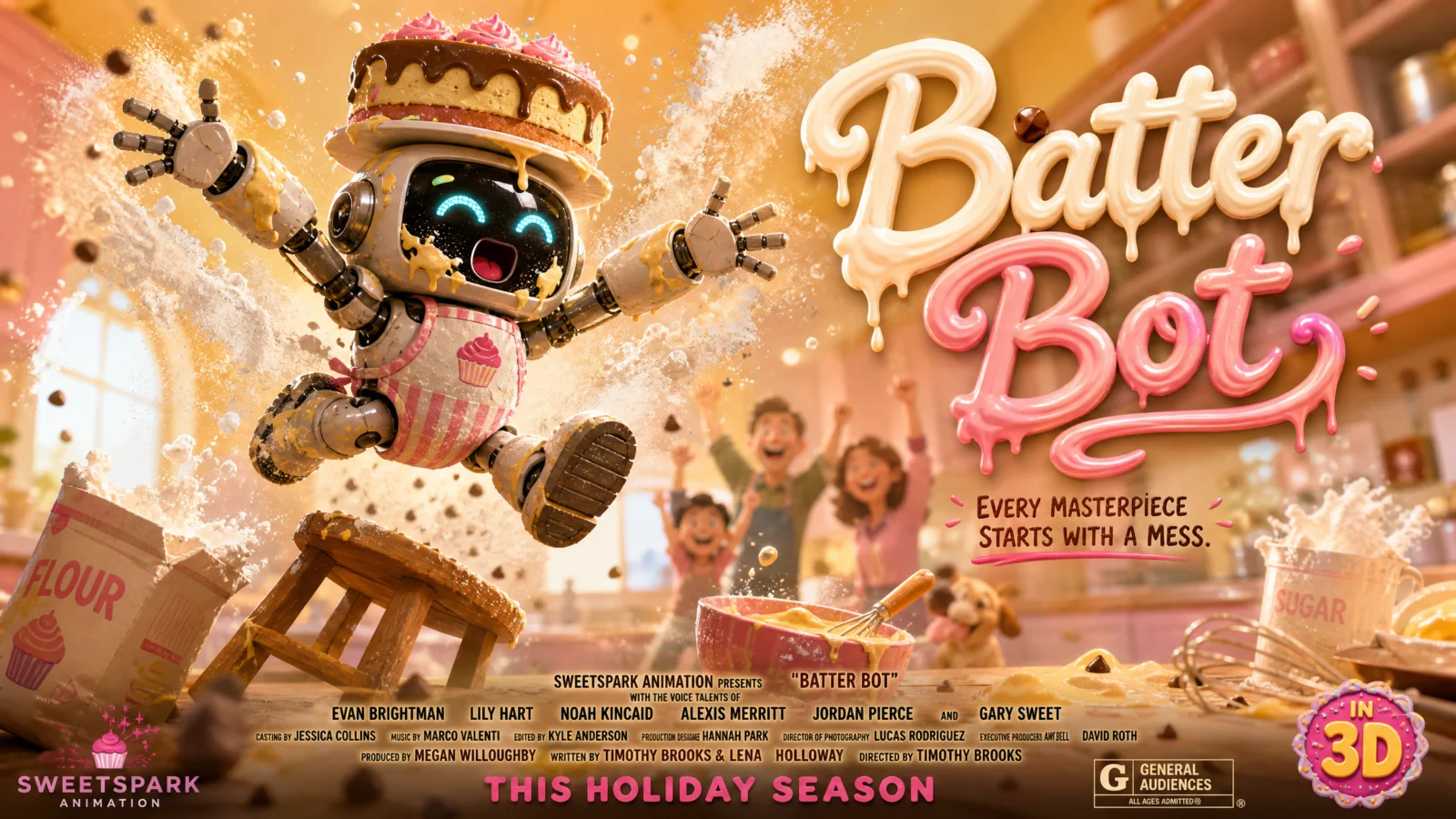
What to notice: the default made the honest mistake almost everyone makes with an ensemble cast, it lined everyone up evenly, robot and family all roughly the same size, all facing the camera. Real animated posters almost never do this. They pick one hero, blow them up to dominate the frame, and blur everyone else into supporting cheer squad. A group of equally-sized characters reads as a cast list. One dominant hero with a blurred crowd behind them reads as a movie.
Swap ideas: a puppy learning to skateboard, the puppy mid-air over a ramp, the family blurred and cheering behind. A dragon learning to fly, the dragon mid-flap at the top of the frame, villagers tiny and blurred far below.
Prompt 3: Haunted Apartment
Impossible architecture
Default
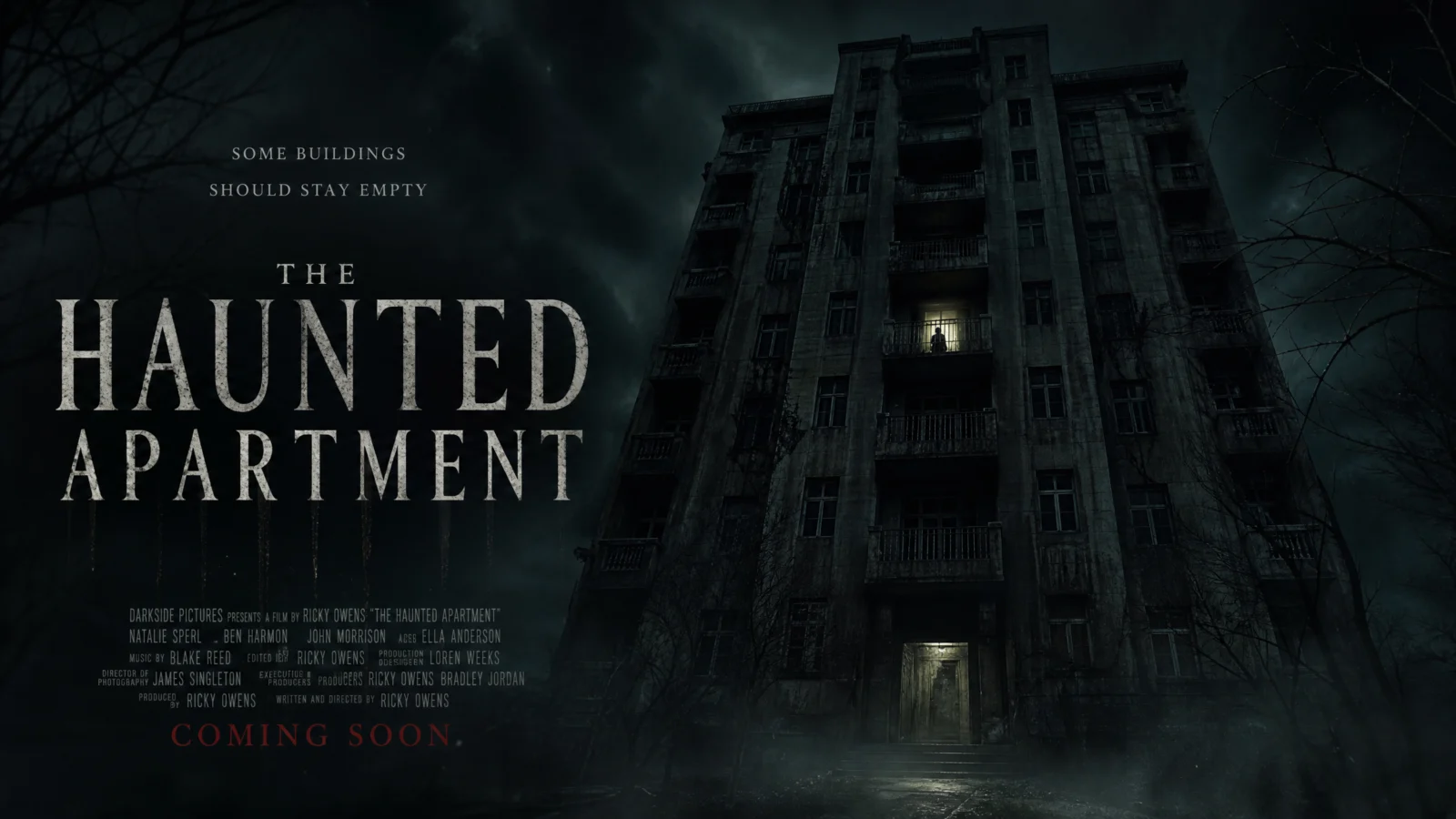
Controlled
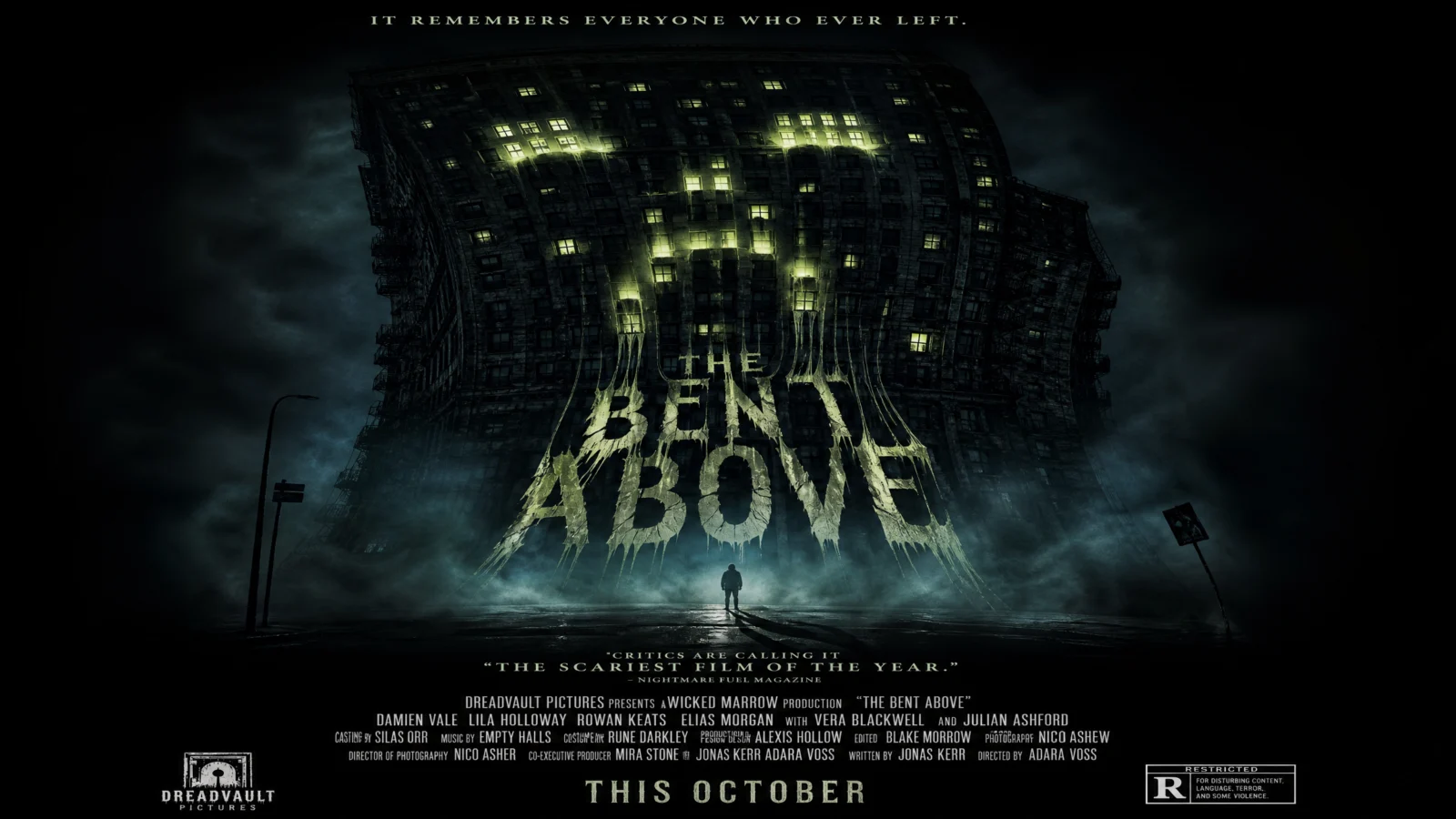
What to notice: the default nailed atmosphere, dark, moody, well-lit, and did nothing else. It was a real building photographed at night with a title added. The fix adds exactly one thing, the building bending at the top like it is looking down, and one wrong-angled shadow. Horror rarely needs more darkness. It needs one detail that is subtly, physically wrong, something the eye registers as incorrect before the brain can explain why. One impossible detail unsettles far more than an entirely dark, entirely correct scene.
Swap ideas: a hospital hallway that stretches longer every time you look away, doors slightly ajar at impossible angles. A school building whose windows are all lit except for one classroom that stays dark no matter the time of day.
Prompt 4: Rival Lighthouse Keepers
The split-face confrontation
Default
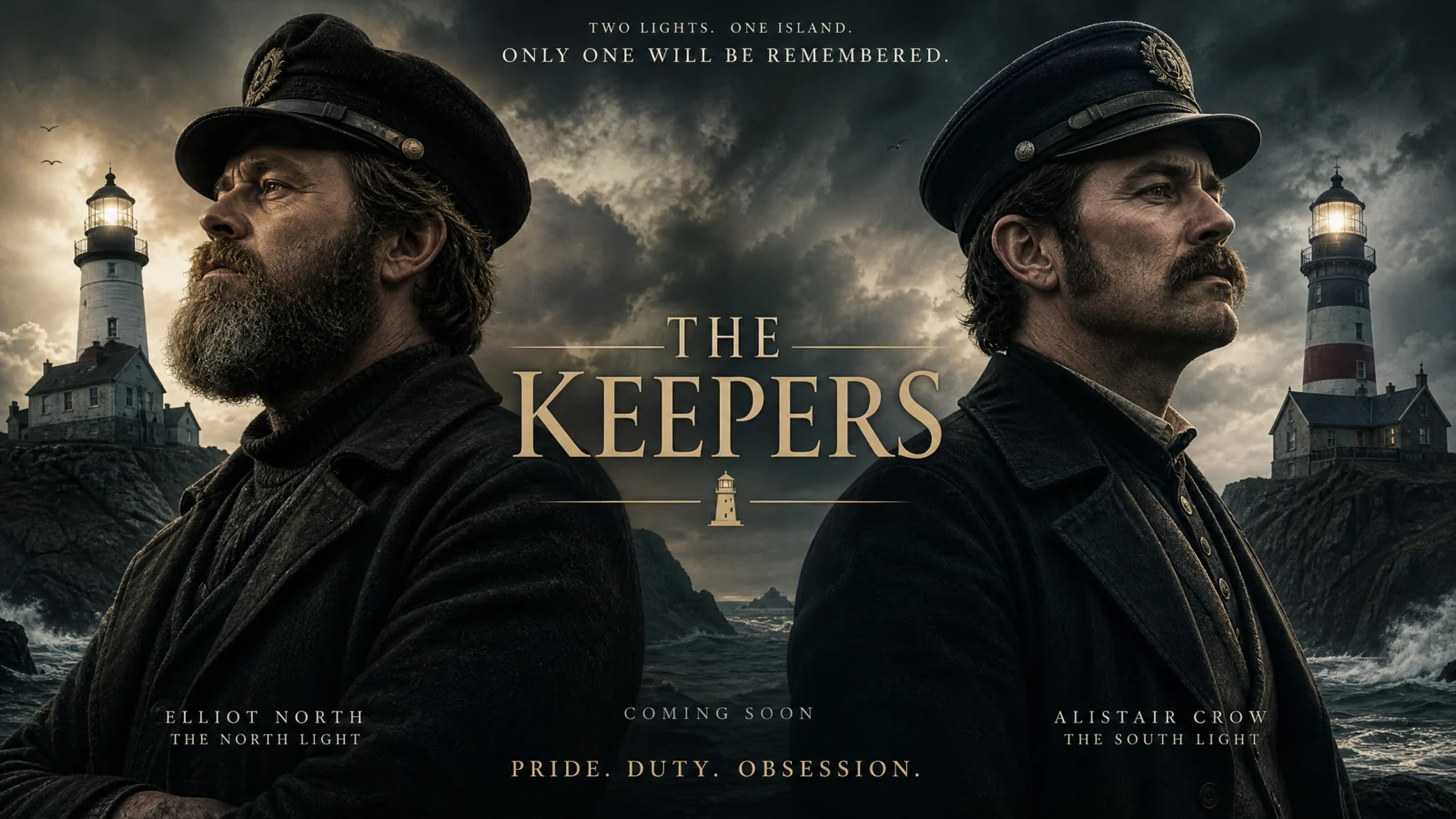
Controlled
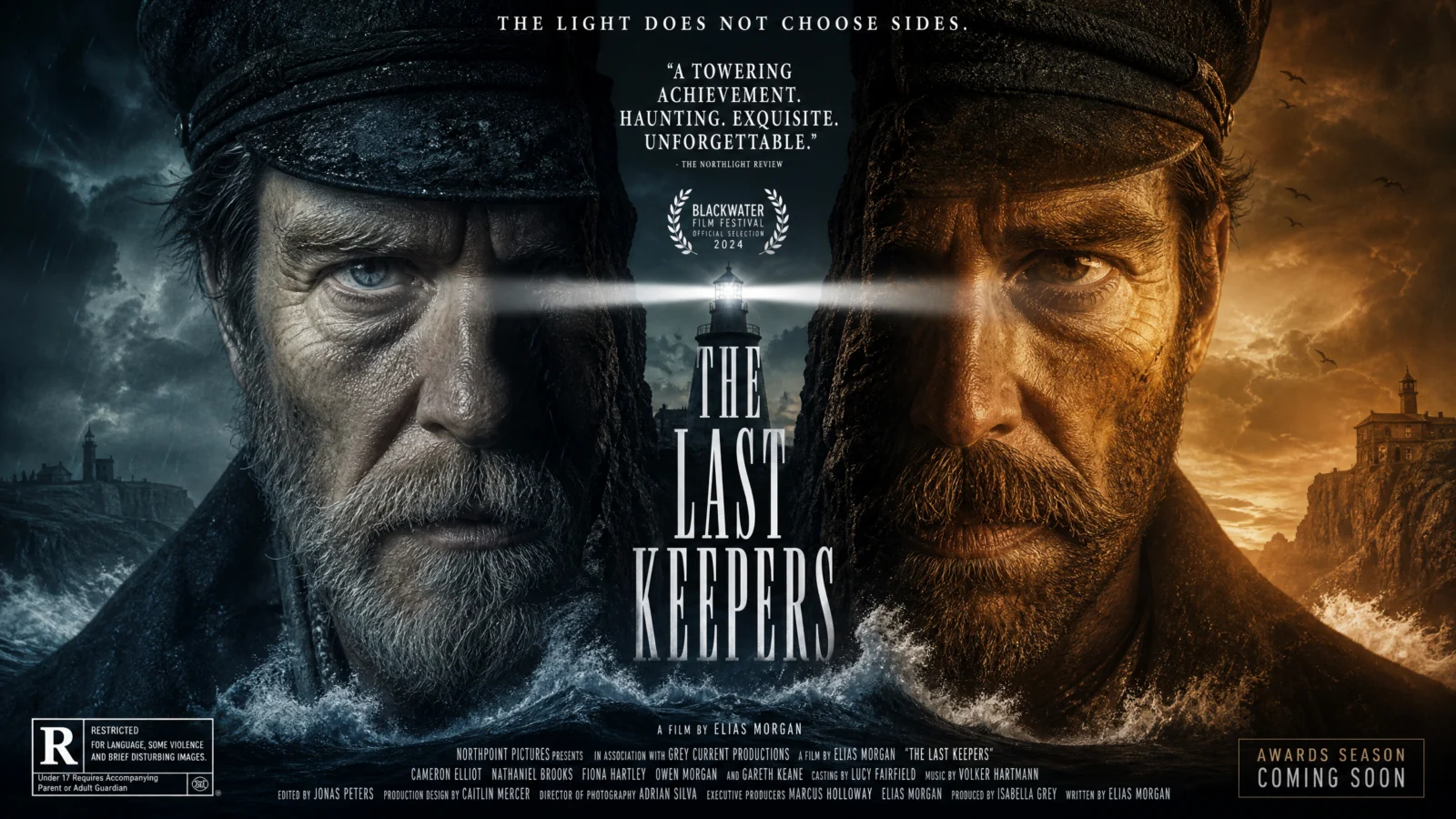
What to notice: this was the strongest default of all six, and it is worth understanding why the fix is smaller here than anywhere else on the page. It already had the two-figure profile confrontation, storm mood, and restrained prestige typography correct. The controlled version pushes one specific device further, the hard temperature split down a literal vertical line, which is a genuine awards-season poster convention. When a default is already close, the right move is not to rebuild it, it is to identify the one professional device that would sharpen what is already working and apply that single change with precision.
Swap ideas: two chess grandmasters, the board itself forming the vertical split between them. Two estranged sisters at a funeral, the coffin forming the divide.
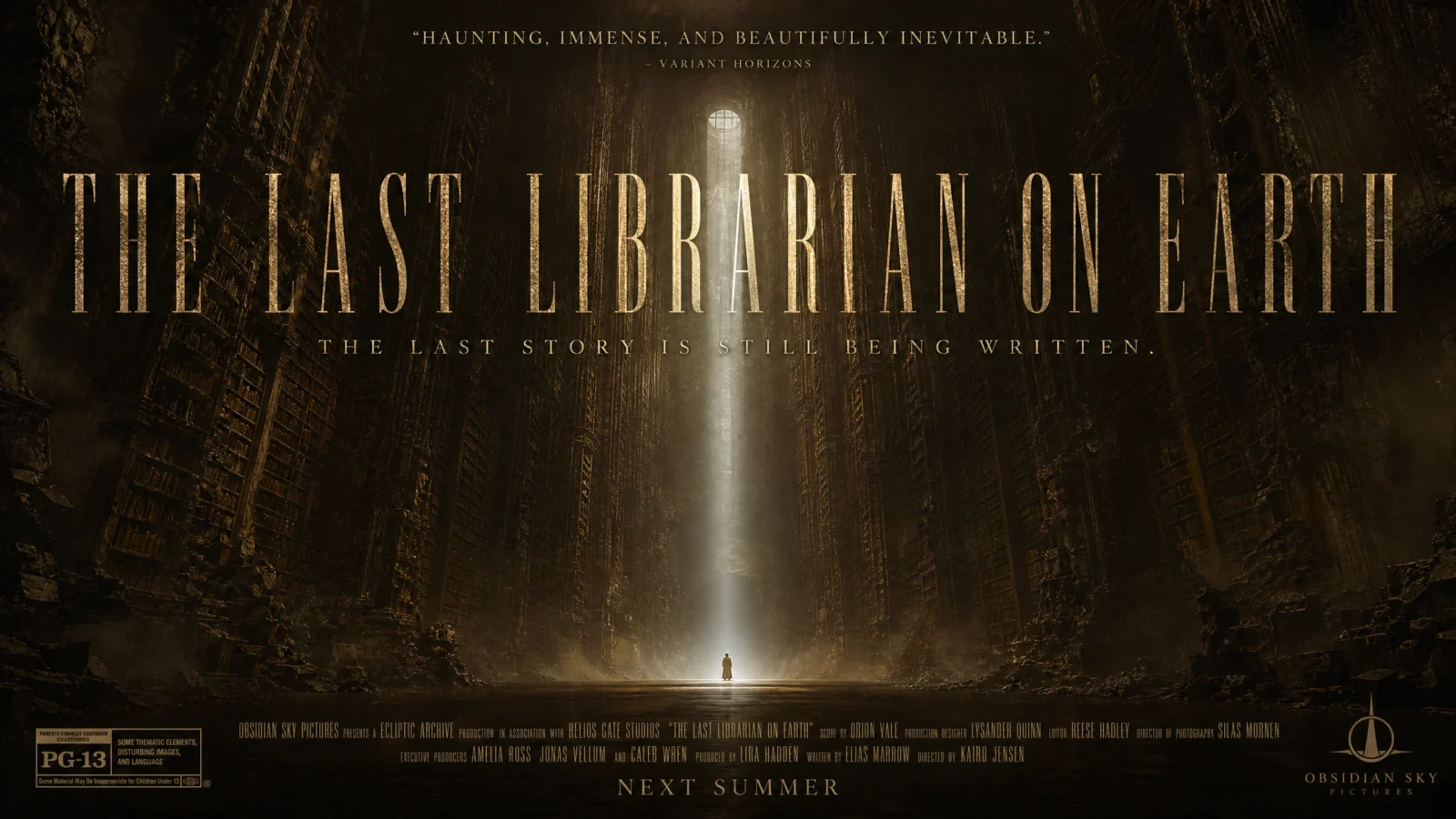
Prompt 5: The Last Librarian On Earth
The scale-reveal establishing shot
Default
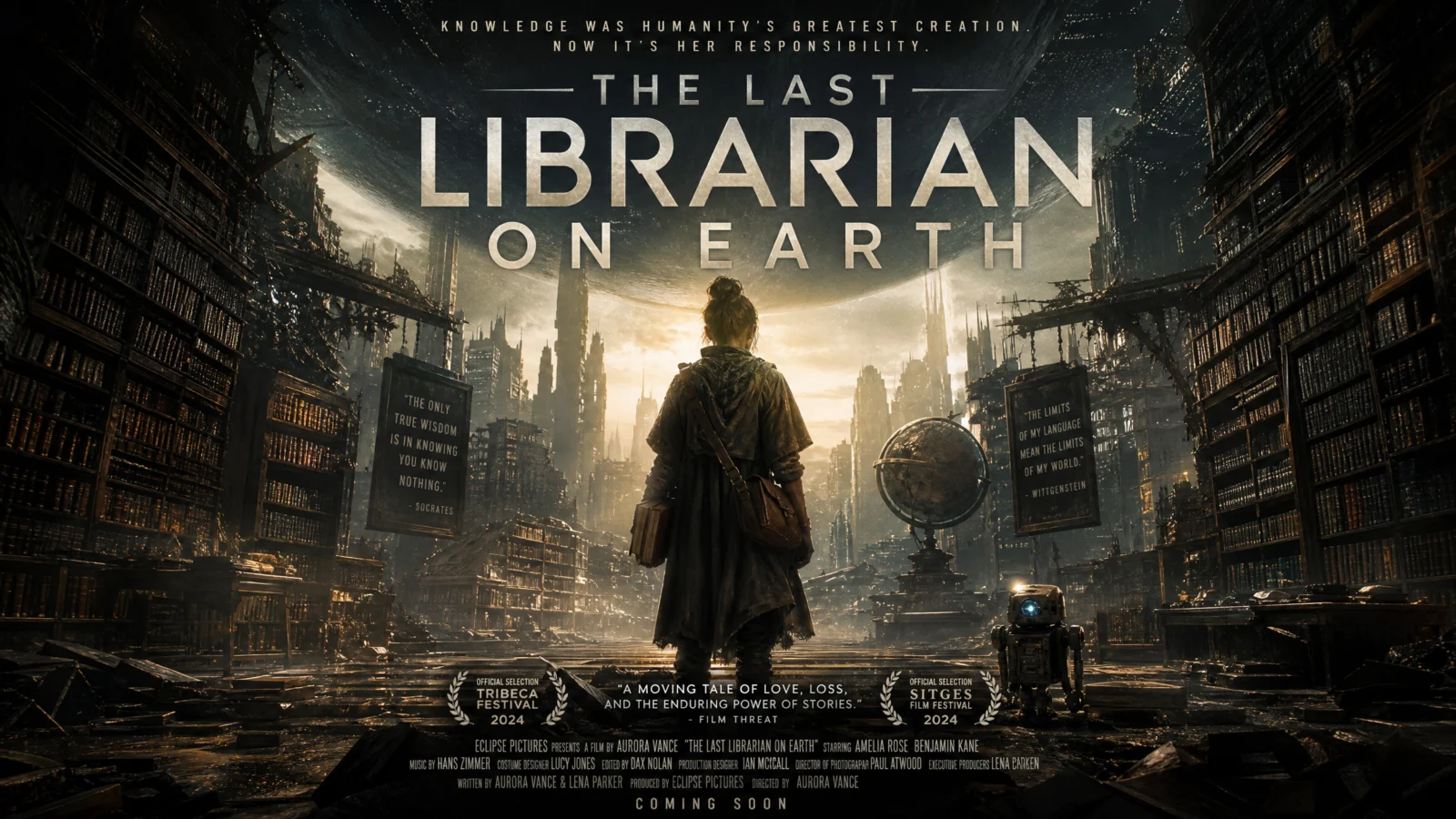
Controlled
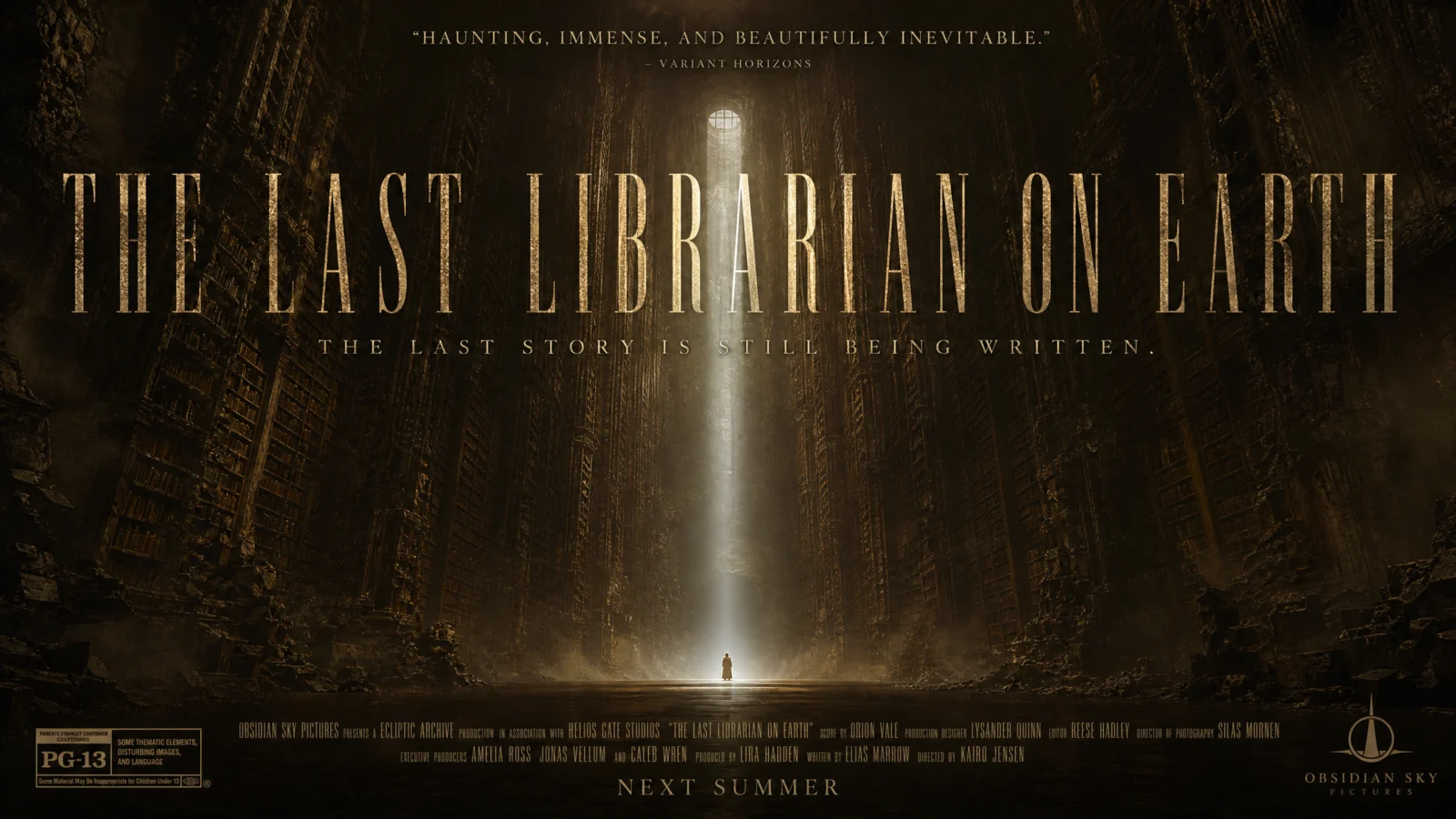
What to notice: this is the clearest missed opportunity of all six defaults, the concept, endless shelves, one tiny person, was inherently the strongest idea in the whole set, and the bare version wasted it by keeping the librarian recognizably large in frame, more portrait than epic. The fix does one thing: make the hero genuinely, uncomfortably small, and let the environment do all the emotional work. This is a technique worth generalizing, when a subject’s whole premise is about scale, aloneness, or vastness, resist the instinct to keep the character legible and detailed. The scale only reads as real when the character is willing to nearly disappear.
Swap ideas: the last gardener on a dead planet, tiny against an endless field of dead crops stretching to the horizon. The last lighthouse keeper, tiny against a cliff face so vast the top vanishes into cloud.
Prompt 6: Wedding Planner Rom-Com
The visual-pun key art
Default
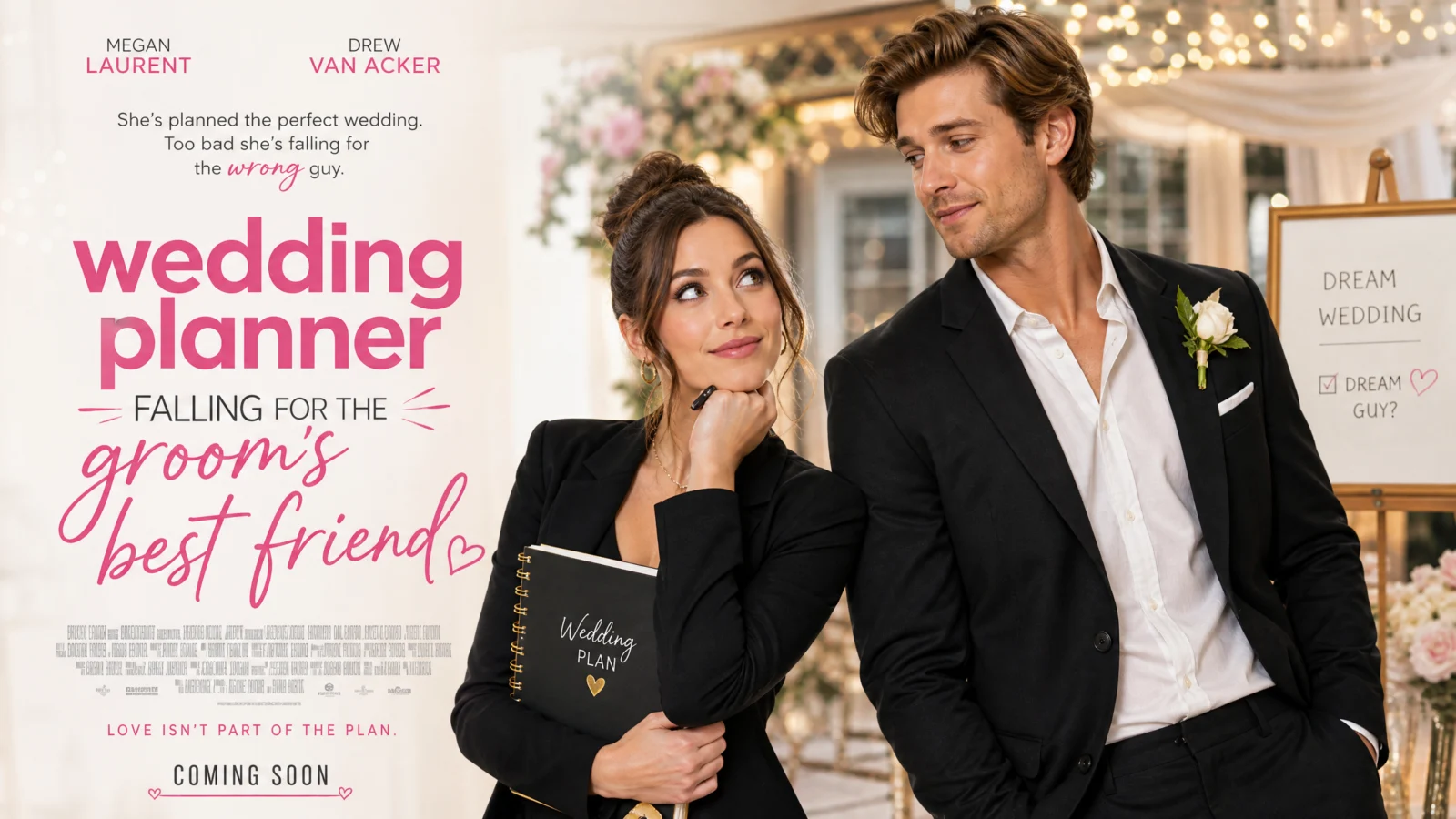
Controlled
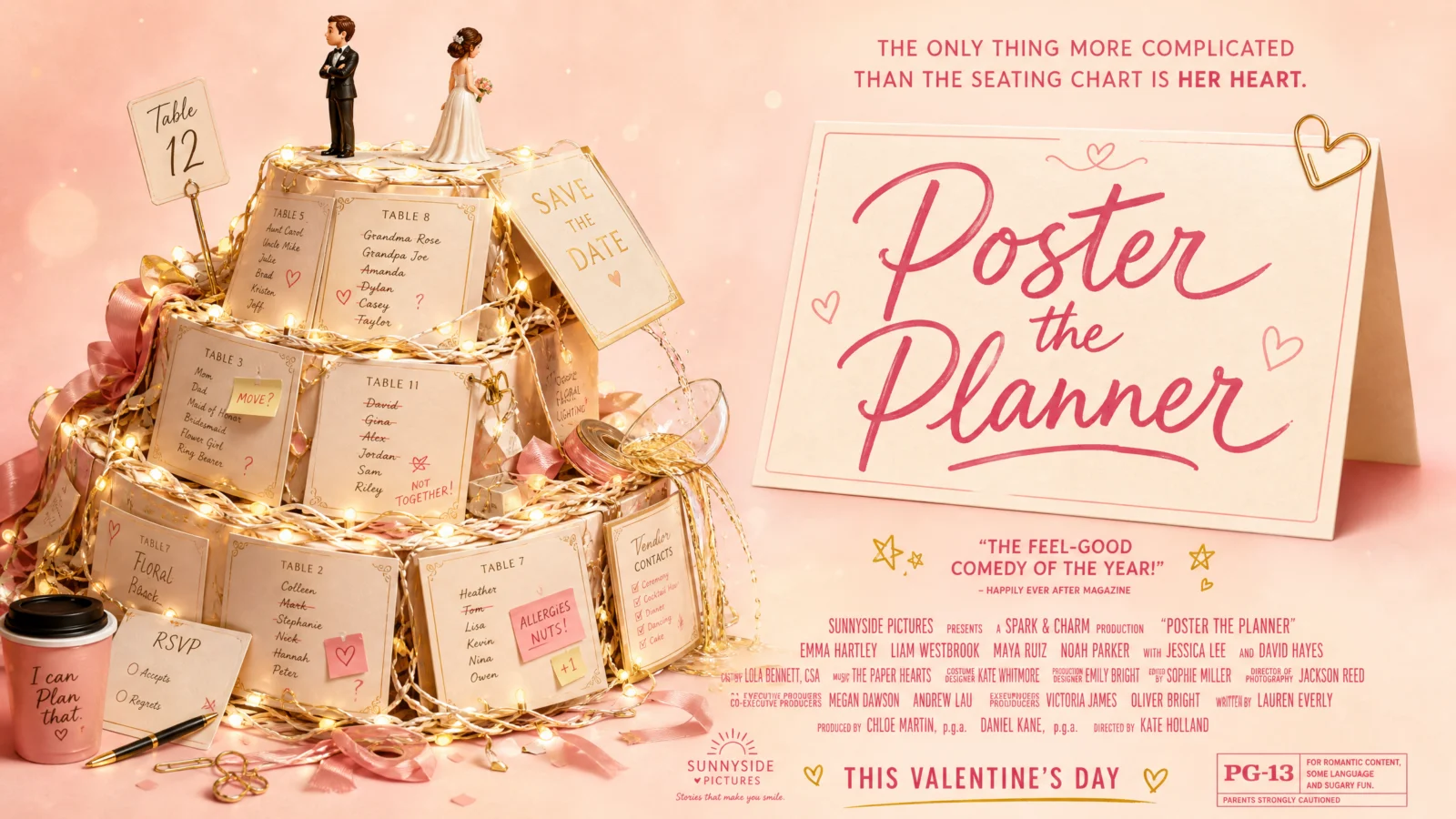
What to notice: this was the weakest default of the six, generic stock-photo energy, two people posed with a title over them, and it is also the prompt that teaches the most transferable lesson on this page. The fix does not improve the photograph, it deletes the photograph entirely and replaces the couple with an object that tells the same story through its own construction: a cake built from wedding-planning chaos, the two figurines on top not quite facing each other, the whole visual doing the job a stock couple shot never could. When your literal subject is generic no matter how it is staged, look for one object connected to that subject that can carry the entire theme through its construction alone.
Swap ideas: an office romance told through a desk, two nameplates leaning toward each other, a shared coffee mug, a sticky note with a doodled heart half-erased. A cooking-show rivalry told through a single shared kitchen counter, two knife sets facing off across a cutting board.
The Method In One Box
- A strong default is not the finish line. Competent and correct is not the same as compelling. If a poster feels flat despite having every element in the right place, the fix is not more polish.
- Anchor every fix to a real, named poster convention, not a random new idea. The freeze-frame, the single hero, impossible architecture, the split-face, the scale reveal, the visual pun. These exist because they work.
- A frozen moment before the action beats a posed moment before the action. If your composition shows two things about to happen, ask whether it should show the event already exploding around them.
- One dominant hero with a blurred crowd beats an evenly sized lineup, every time, for any ensemble cast.
- One physically wrong detail unsettles more than uniform darkness. Horror needs a single impossible thing, not more shadow.
- When scale or aloneness is the whole premise, let the character nearly disappear. Keeping them legible undercuts the exact thing the poster is trying to say.
- When a literal subject cannot be made interesting, replace it with an object that tells the same story through its own construction.
Common Issues And Fixes
The poster feels technically correct but forgettable. Check whether it is anchored to a specific named convention or just "a nice image with a title." Pick one of the six devices above and rebuild the HERO COMPOSITION around it specifically.
An ensemble cast all reads at the same size and importance. Rewrite the composition to name one clear hero and describe everyone else as blurred, smaller, and secondary.
A horror or thriller subject feels moody but not unsettling. Look for one single physically impossible detail to add, rather than adding more darkness or fog.
Two-figure confrontations feel static. Consider the split-face device, a hard vertical divide with two different light temperatures, staring at the viewer rather than at each other.
A subject meant to feel vast or lonely still reads as a normal portrait. Push the character smaller in frame and let the environment’s scale carry the emotion instead.
A subject has no strong visual hook no matter how it’s staged. Stop trying to photograph it literally. Find one object connected to the story that can carry the theme through its own construction.
Section 05
The Cutaway Code

Shortcut Codes, Decoded
A whole system, sliced open, and measured.
This is the biggest, densest code in the vault, a structure cut clean through so every level inside is visible at once. This page went through more rounds of testing than any other category, and every round taught something worth keeping. Two lessons come first, before any prompt, because they explain the choices behind every single one that follows.
What The Code Actually Is
Same foundation as every code here. "Cross section cutaway, populated interior" is a real, well-documented illustration and infographic genre. Say the phrase, get the genre, for free.
Lesson One: Let The Subject Choose Its Own Mode
The first pass at this category applied one identical STYLE LOCK to every subject regardless of what it actually was. That was wrong the way a one-size template is always wrong. Some subjects are naturally data-rich, real systems, real proportions, real numbers worth measuring. Some are naturally atmospheric, mood and quiet detail matter more than a spec box ever could. Forcing both into the same shape gutted the data subjects of their numbers and buried the atmospheric ones under diagram furniture they never needed.
The fix: test the bare code first, and let it tell you which family the subject belongs to. Every prompt on this page now knows exactly which mode it is, because the bare default proved it before a single line of STYLE LOCK got written.
Lesson Two: The Measured Cut, And The Bug It Almost Shipped With
The strongest subjects on this page earn a technique nothing else in this vault has used: the cutaway’s own proportions become the data. Not just labeled layers, but layers whose actual thickness matches their real share of the whole structure, confirmed by a visible scale bar, exactly like a genuine engineering reference sheet.
Building this exposed a real failure worth telling straight. An early version of the cruise ship prompt asked for labels "positioned around both sides" with no further instruction, and the render came back with text overlapping cabin windows, an actual regression against the plain bare-code version. The fix is its own mandatory block now: LABEL PLACEMENT DISCIPLINE. State explicitly that every label lives outside the subject’s silhouette, in reserved open space, connected by one short leader line, arranged in even spaced columns. Past roughly six labels, this block is not optional.
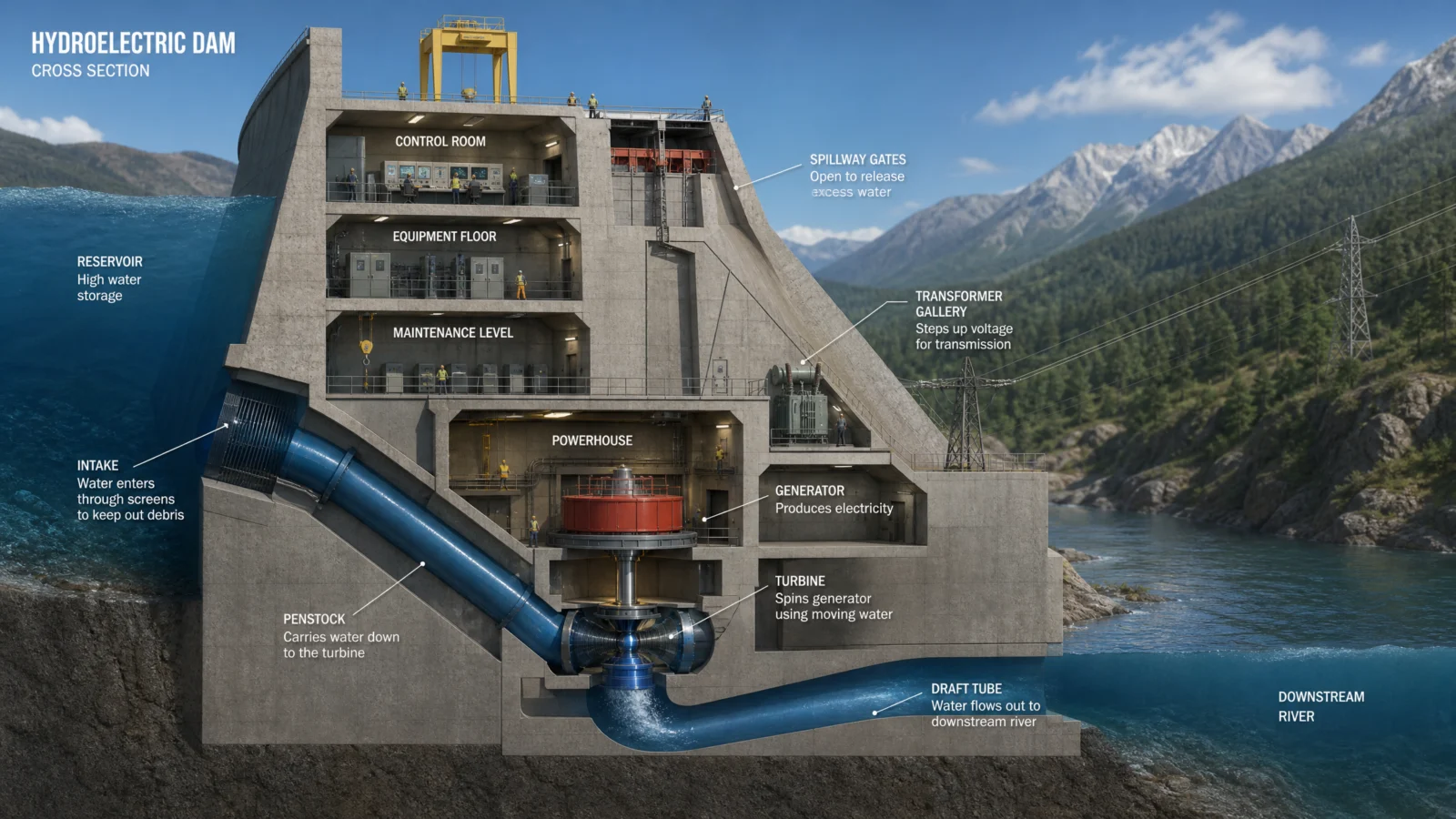
Prompt 1: The Hydroelectric Dam
Full engineering diagram
Default
Controlled

What to notice: the INSET DETAIL BOX is a technique unique to this prompt on the whole page, a smaller companion diagram zooming into the powerhouse. Some detail is simply too fine to label clearly at the main diagram’s scale. When one part of a structure deserves more explanation than the rest, give it its own small diagram rather than crowding the main view with extra labels.
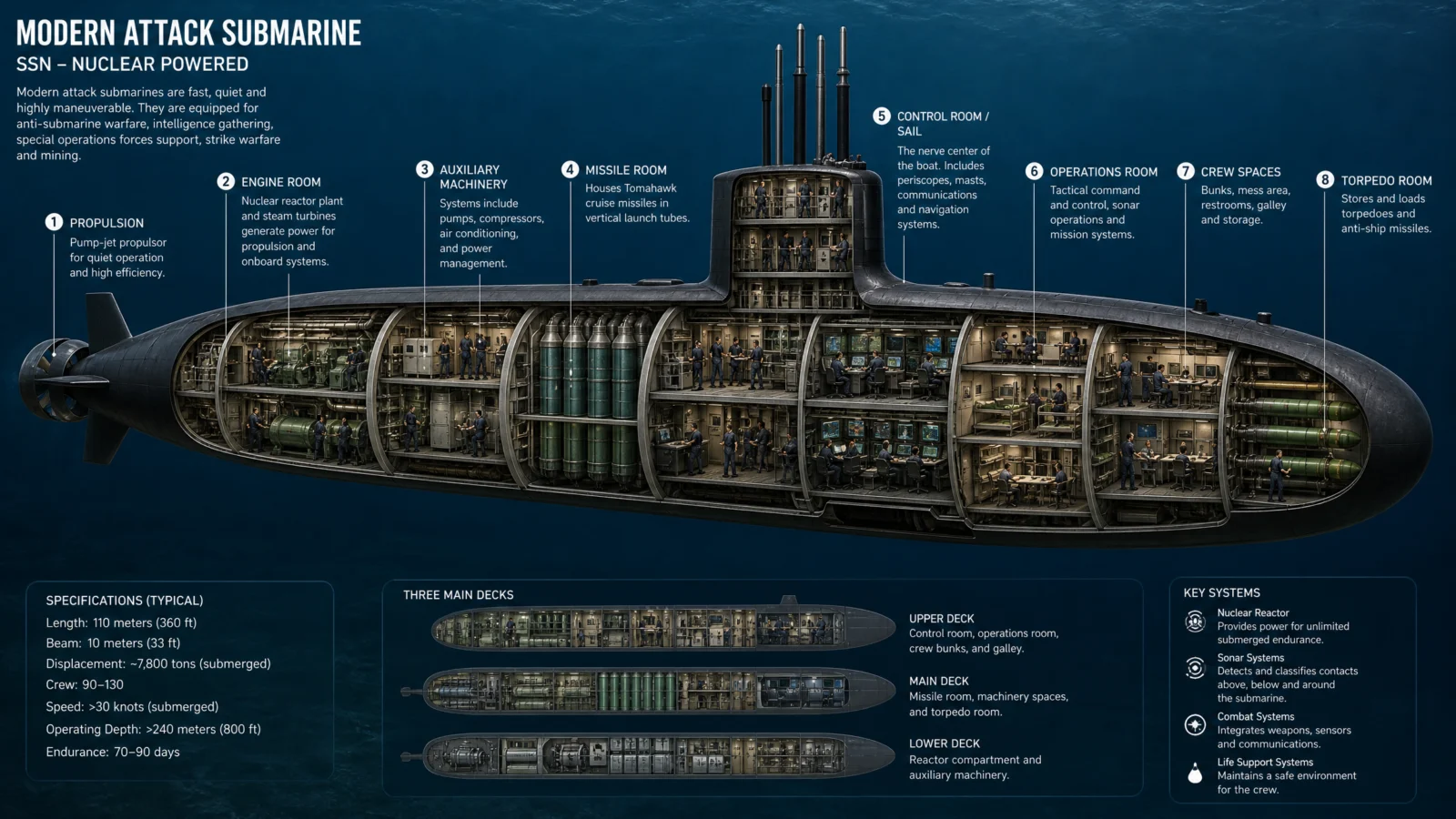
Prompt 2: The Submarine
Full MEASURED CUT infographic
Default
Controlled
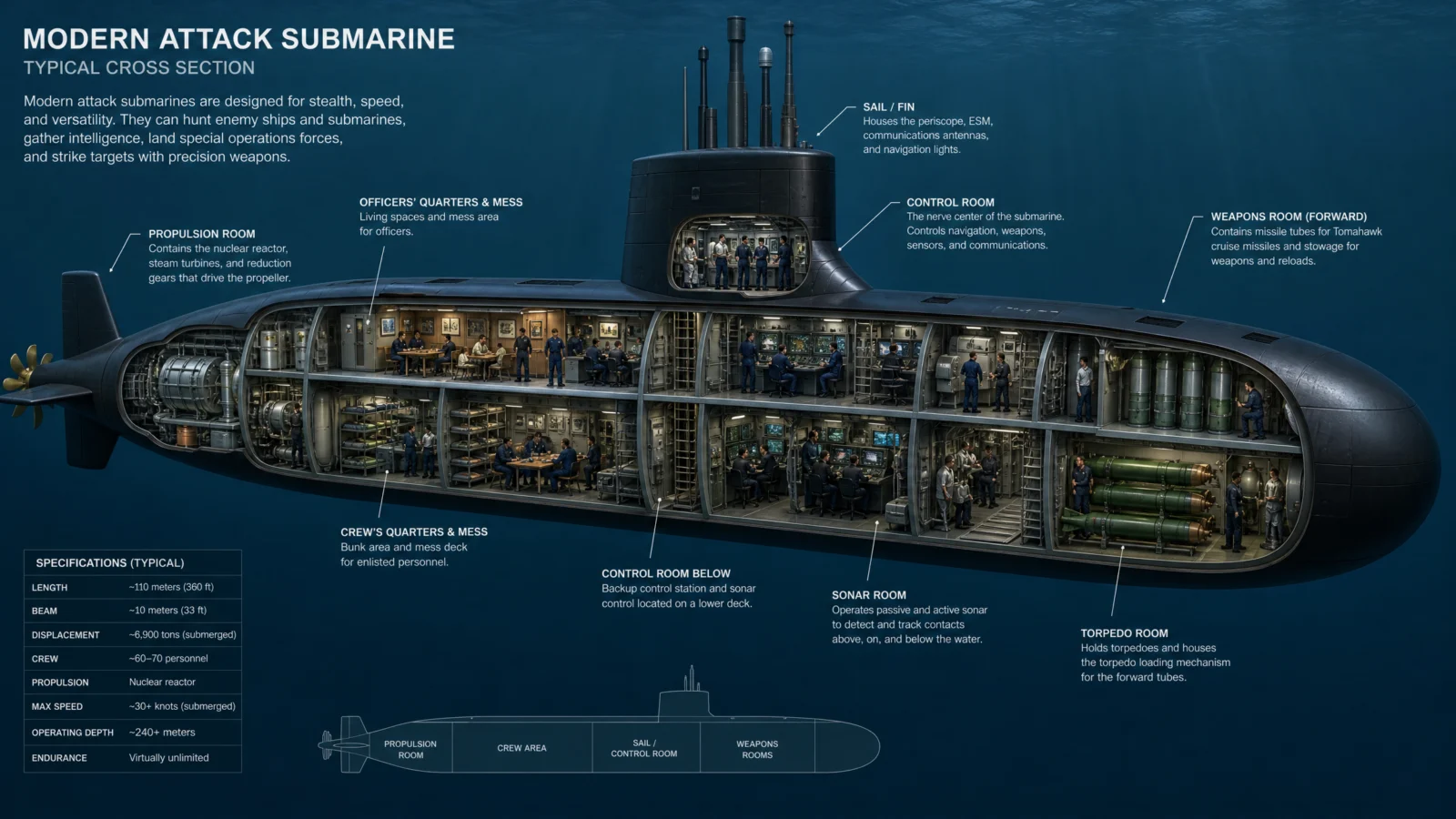
What to notice: the deck-plan strip doubles as this subject’s version of a process readout, a second, simpler view of the same proportions seen from above. A second angle on the same data is often stronger than more labels crammed into the first one.
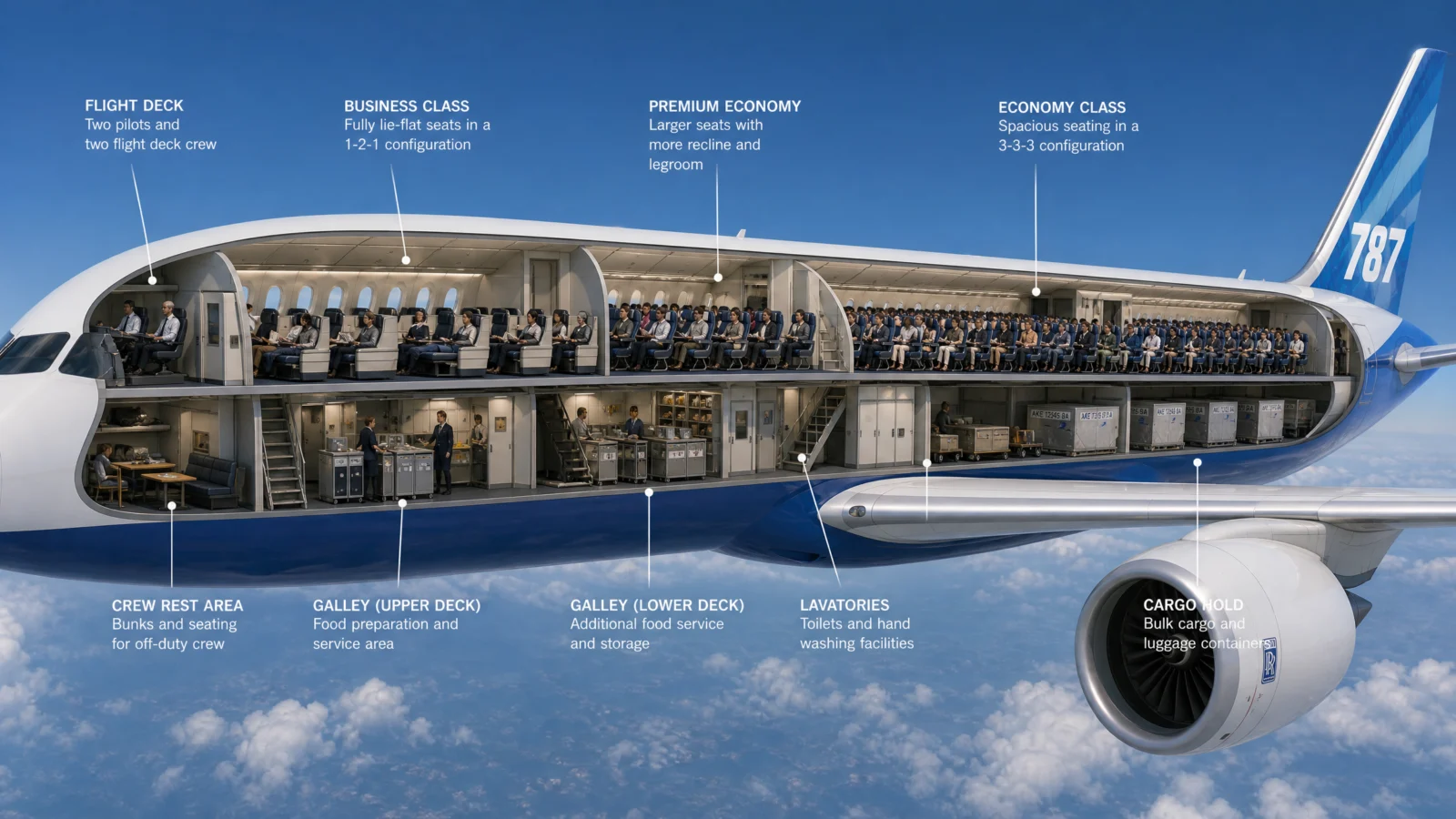
Prompt 3: The Airliner
Full MEASURED CUT infographic, new subject
Default
Controlled

What to notice: the secured luxury vehicle in the cargo hold is a single deliberate detail, not clutter. Real airline cutaway features almost always include one surprising or aspirational element in the cargo section, exactly the kind of specific, memorable detail that makes a technical diagram shareable rather than merely accurate. A dense infographic can still have one moment built purely to make someone stop scrolling.
Prompt 4: The Cruise Ship
Full MEASURED CUT infographic, the label-overlap fix
Default
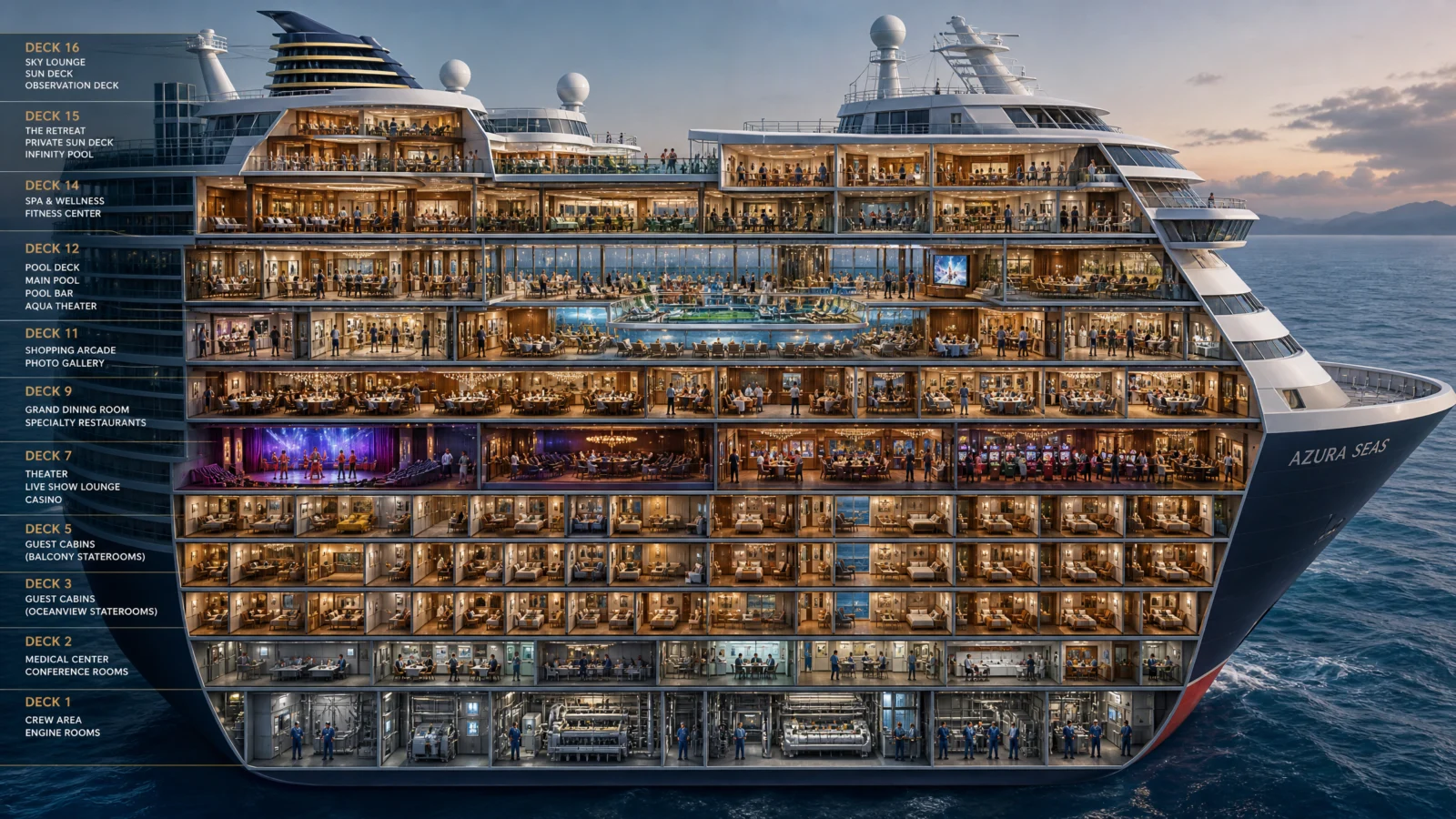
Controlled, fixed
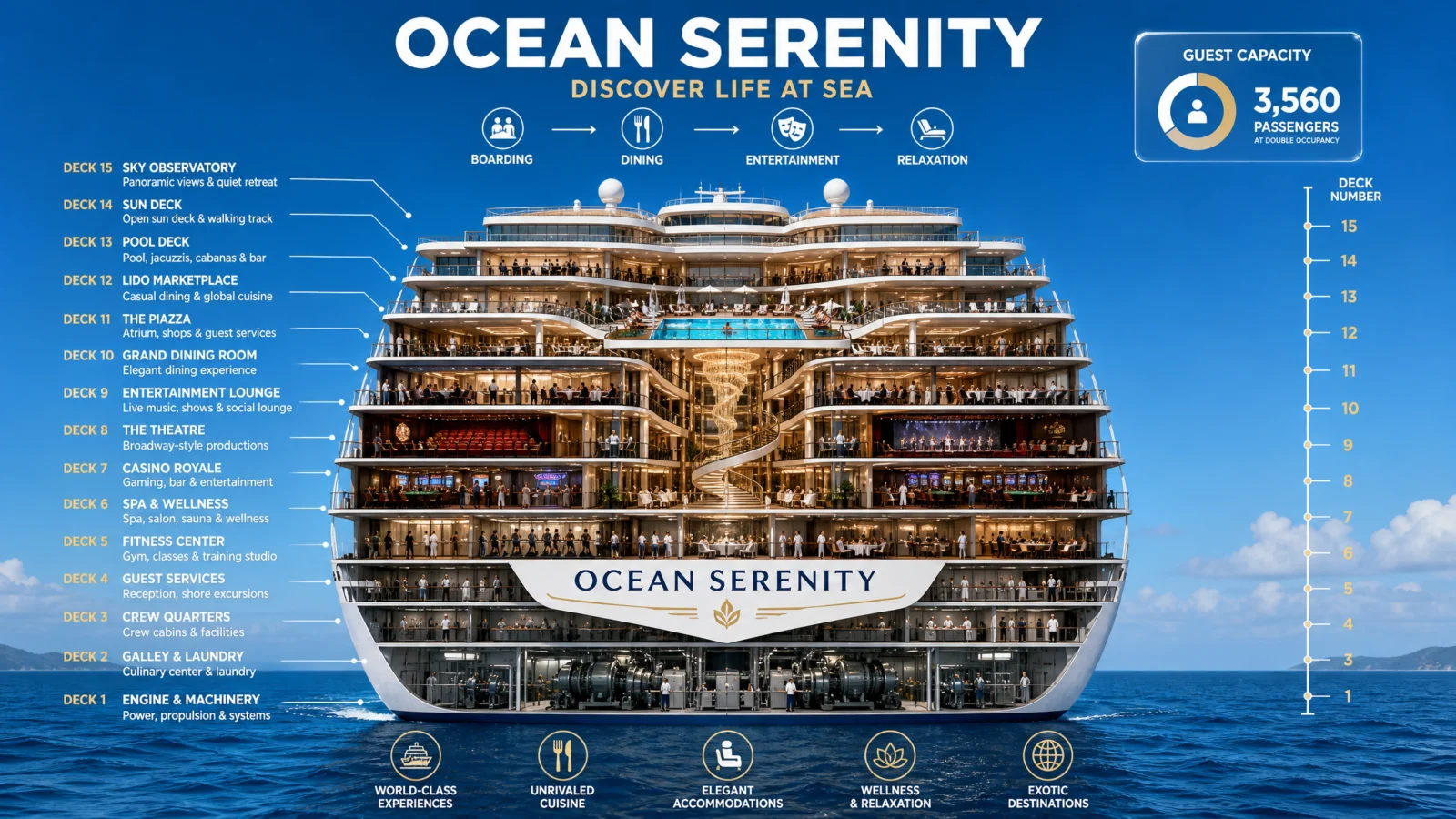
This is the failure worth studying most closely on the whole page. The first attempt regressed below the bare default, real text sitting on top of real cabin windows. The fix was not a new idea, it was discipline stated as its own mandatory block. Density is never the enemy of a clean diagram. Undisciplined placement is.
Prompt 5: The Apartment Building
Occupancy-coded, carried over from the X-Ray Code build
Default

Controlled
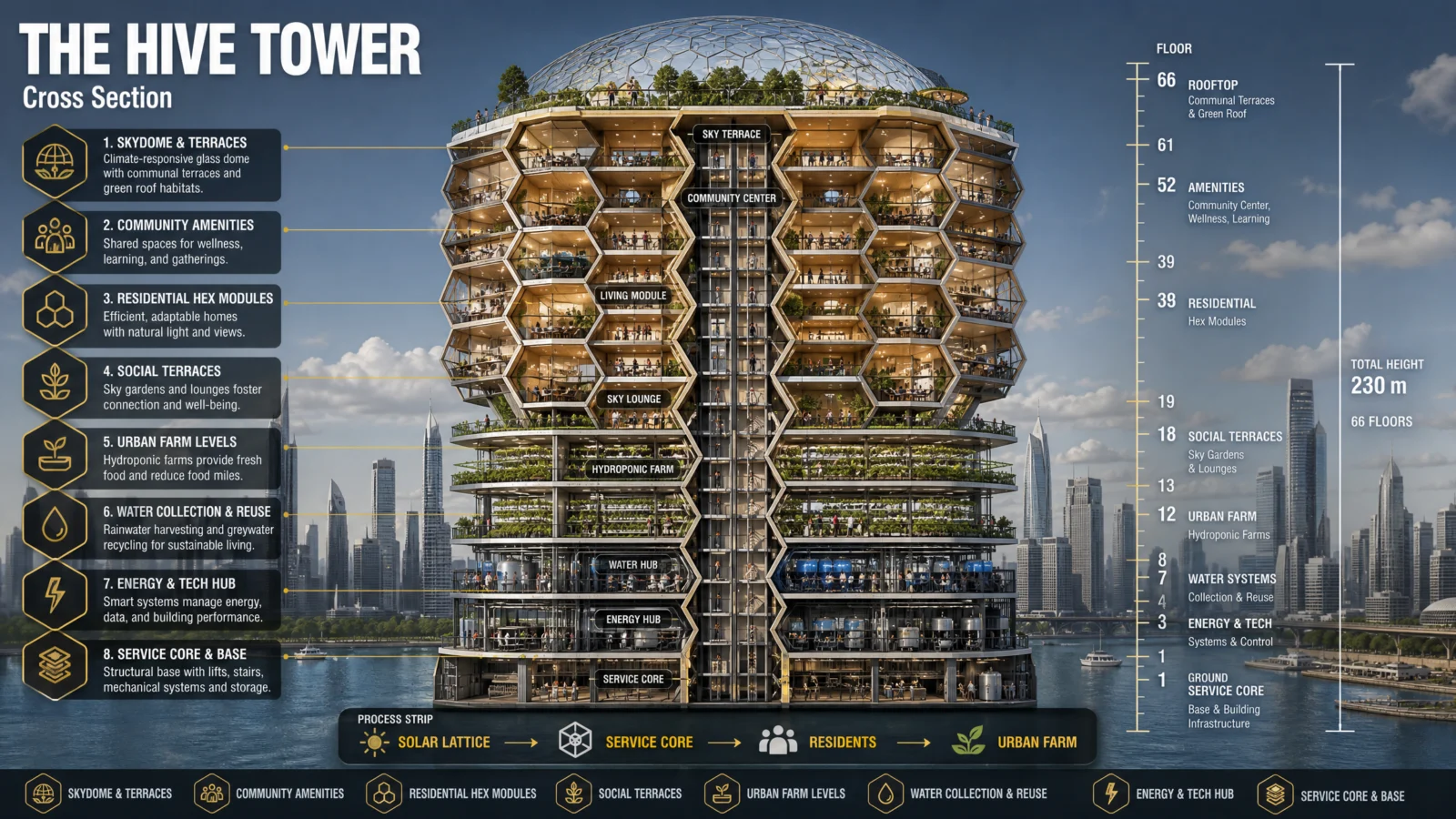
What to notice: this is the one prompt on the page proving that MEASURED CUT and a human, narrative color-coding system are not opposites. The floor bands are genuinely proportional, and the color split is still "lived-in versus quiet" rather than a structural category. Precision and emotional storytelling can share the same frame, the two techniques answer different questions, not competing ones.
Prompt 6: The Scuba Diver
Full MEASURED CUT infographic, three systems in one frame
Default
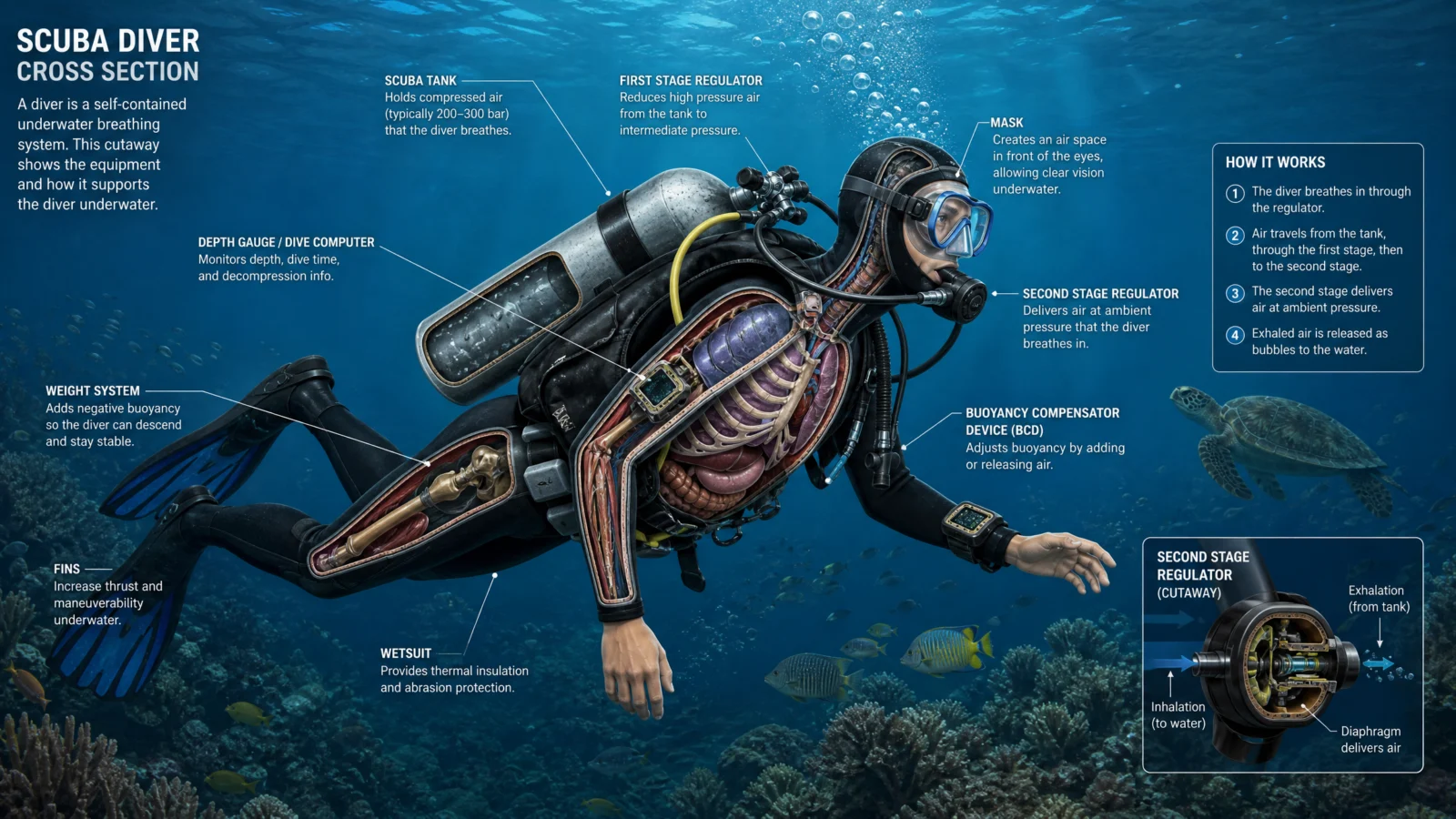
Controlled

What to notice, and this is the strongest closing lesson on the whole page: every other subject here is a machine or a building. This one is a person, wearing a machine, inside an environment, which means it carries three distinct systems in a single frame, human physiology, mechanical equipment, and water depth, and the MEASURED CUT and LABEL PLACEMENT DISCIPLINE blocks handle all three exactly the same way they handled a dam or a ship. The technique does not care whether the subject is concrete, steel, or flesh. Proportional data plus disciplined label placement is a system, not a subject-specific trick, and it is worth testing on the subject furthest from everything else in your set to prove that.
The Method In One Box
- Test the bare code and let the subject choose its own mode. Data-rich subjects want MEASURED CUT and a spec panel. Atmospheric or narrative subjects want scene density, occupancy color logic, or a quiet credit line instead.
- When a cutaway’s proportions can be real data, make them real data. A scale bar plus proportionally accurate bands turns illustration into measurement.
- Past roughly six labels, LABEL PLACEMENT DISCIPLINE is mandatory, not optional. State that labels live outside the silhouette, in reserved space, connected by short leader lines, in even columns.
- When one part of a structure deserves more explanation than the main view can hold, give it its own small companion diagram.
- A dense, accurate infographic can still carry one detail built purely to be memorable. Precision and a hook are not in conflict.
- The MEASURED CUT technique is subject-agnostic. It works identically on concrete, steel, or a human body, because it is a system for organizing proportional data, not a trick tied to any one kind of subject.
Common Issues And Fixes
Labels overlap the subject’s own interior detail. Add LABEL PLACEMENT DISCIPLINE as its own explicit block, stating labels live outside the silhouette in reserved open space, connected by short leader lines, evenly spaced.
A data-rich subject renders flat and label-light. Confirm MEASURED CUT explicitly asks for proportionally accurate bands plus a scale bar, not just "labeled layers."
An atmospheric or narrative subject feels cluttered with diagram furniture. Remove the spec panel and scale bar, this subject wants scene density or emotional color-coding, not a technical apparatus.
Text is illegible against a photoreal or textured background. Add solid label chips or cards behind the text.
A subject mixes two different kinds of labels (body versus equipment, structure versus occupancy) and they become confusing. State the two categories explicitly in the LABEL STYLE block so each type stays visually or contextually distinct.
A structure has one area too detailed to label cleanly at the main scale. Add a small inset detail box zooming into just that area.
Section 06
The Study Guide Code
Shortcut Codes, Decoded, Vault Finale
A whole topic, explained on one page.
This is the code that closes the vault, and it is the odd one out. Every code before this one had a real problem to fix, a default that broke, a mode we mislabeled, a plane that would not slice cleanly. This one worked almost perfectly the first time. /studyguide already knows how to build an accurate, well-structured explainer poster on any topic you give it. So this page teaches something different from every other lesson in this vault: what to do when the content is already right and the only job left is making it look like something worth publishing.
What The Code Actually Is
Same foundation as always. "Study guide" is a real, instantly recognizable document format, and the model has an enormous, accurate reference library for it, formulas, process flows, comparison tables, diagrams. That is exactly why this code needed the least content correction of any in the vault. Where other codes needed us to fix what the model got wrong, this one needed us to work out what to add on top of what it already got right.
The Real Lesson: Two Failed Attempts Before The Right One
Worth walking through honestly, because the path here is the actual teaching.
Attempt one applied the STYLE LOCK templates from earlier categories almost unchanged: a header band, rounded content cards, a corner badge, one shared brand color. Every guide came back clean, readable, and completely lifeless. Functional, forgettable, exactly what a template produces when it is applied without asking whether it fits the job.
Attempt two swung hard the other way: one glossy hero object floating in a dramatic gradient, data displayed on separate glass panels connected to it with glowing threads. Visually much stronger, but something still felt off, and looking at real premium infographic references made the problem obvious. The hero object and the data panels were two separate things sharing a frame. Good looking, still bolted together rather than built as one piece.
Attempt three found the actual fix, by studying reference posters that do this well: the data cannot sit beside the hero visual, it has to live inside it. A single winding path or ribbon runs through the whole scene, and every fact hangs directly off that path as a small glowing marker. That is the difference between decoration and design, and it is the version on this page.
The Pathway System
This is the one new technique this category teaches, and it is the reason the third attempt finally worked.
PATHWAY SYSTEM names one continuous visual element, a staircase, a river, a glowing ribbon of light, a spiral, that physically winds through the entire composition from one side to the other. Every piece of data in the poster, a formula, a process step, a comparison table, gets attached to this path at a specific point, marked by a small consistent medallion, rather than floating nearby in its own box.
Why this works better than separate panels: a path has a beginning and an end, which means it has a direction, and direction is what turns a collection of facts into a story the eye can follow in order. A formula box floating in a corner is a fact. A formula box sitting on step four of a staircase the eye is already climbing is a fact in sequence. The path does the organizing work that a template’s grid used to do, except it does it as part of the illustration instead of on top of it.
The rule to take from this, applicable to any infographic you build from here on: before you decide how your data will be labeled or colored, decide what the single connecting thread through your whole image is going to be. Everything else attaches to that thread.
Prompt 1: Compound Interest
Default
Controlled
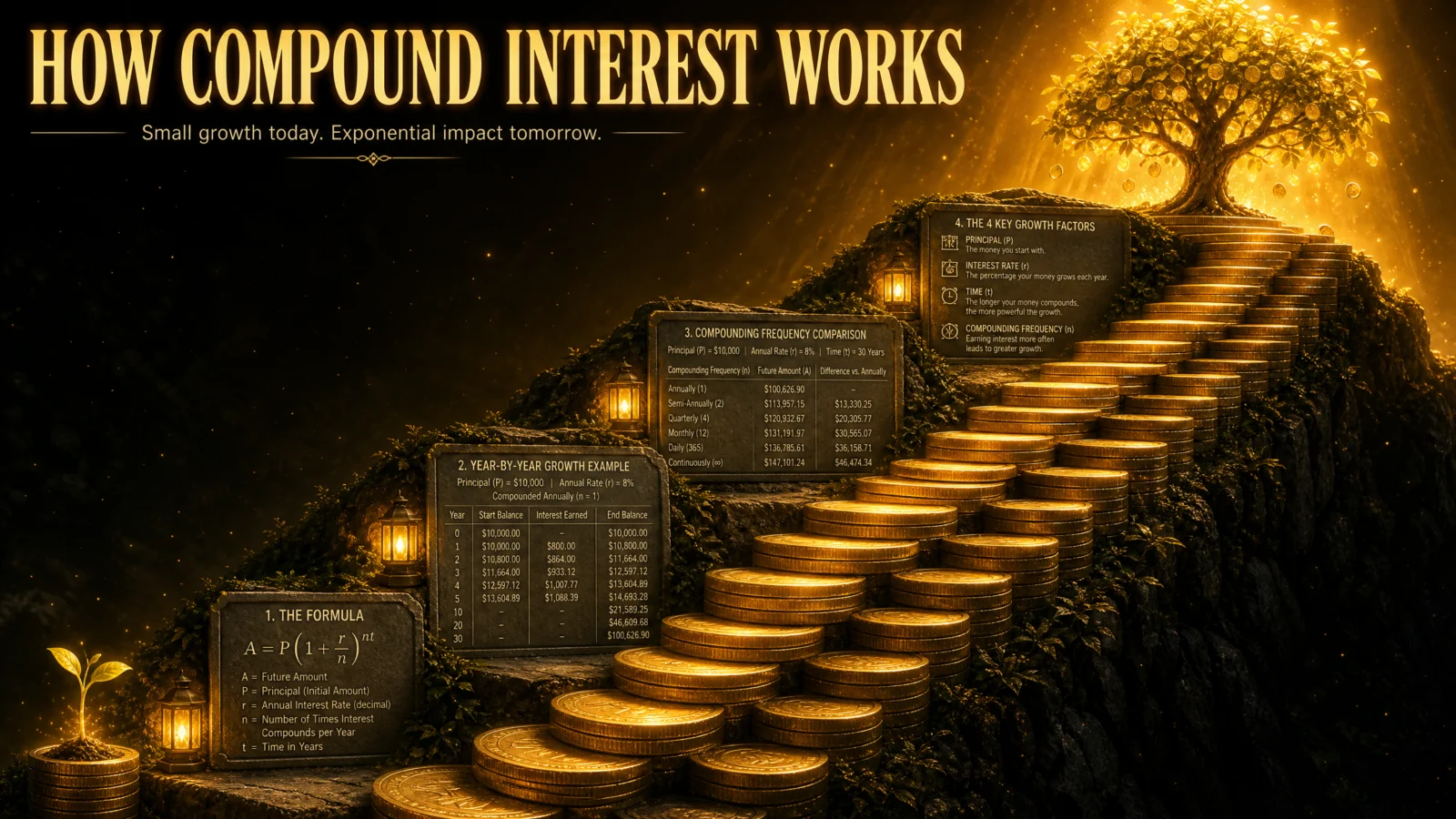
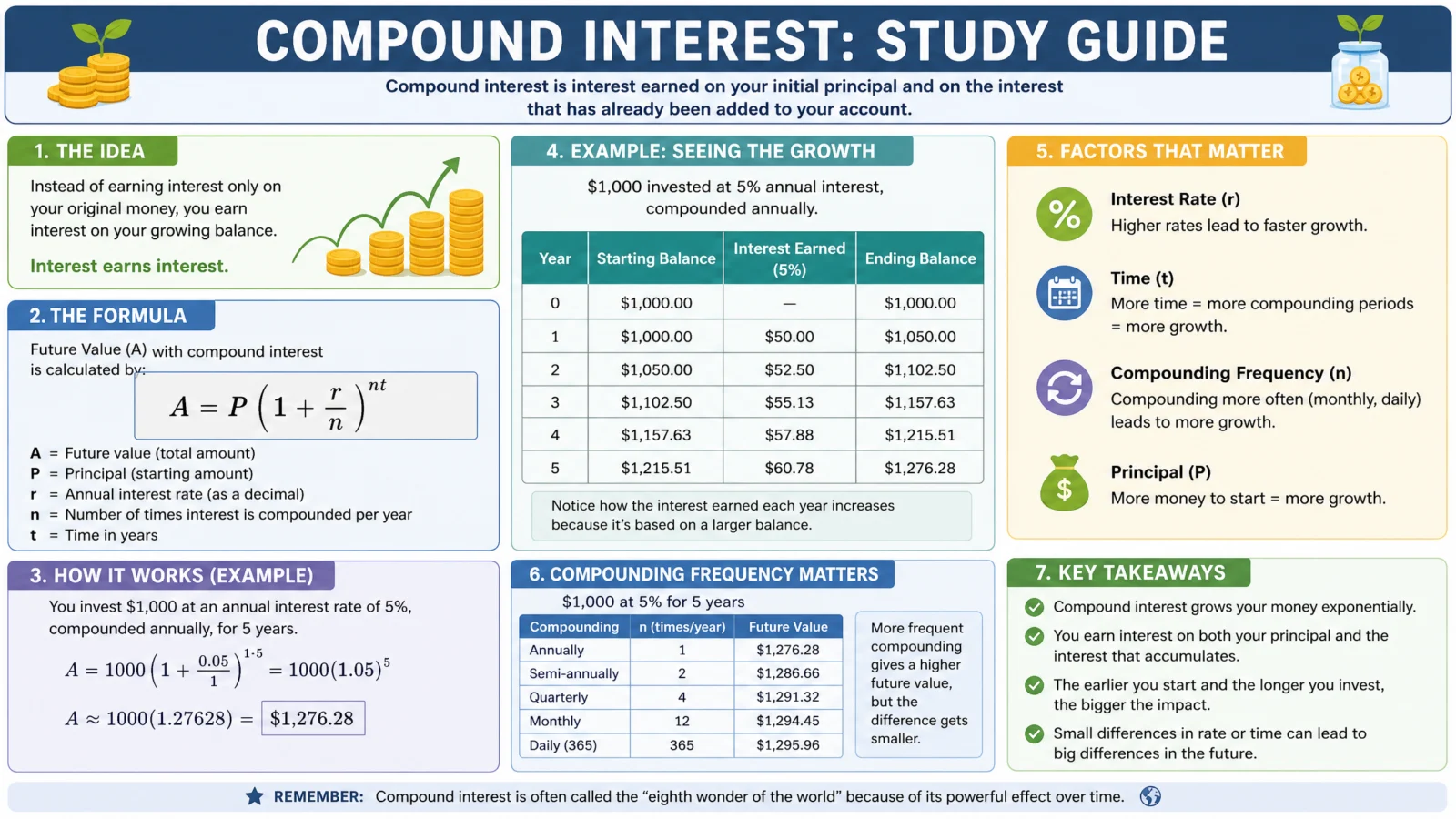
What to notice: the staircase is doing double duty as both the PATHWAY SYSTEM and the visual metaphor. Growth climbs, so the path climbs. That alignment between what the topic means and what the path does is worth hunting for every time, it is a stronger choice than a path that is merely decorative, since a river winding through a compound interest poster would carry no meaning at all, where the staircase’s rise directly mirrors the exponential curve the topic is explaining.
Swap ideas: a rising bar chart rendered as a physical mountain range being climbed. A single vine growing and branching, each branch point a data plaque.
Prompt 2: The Water Cycle
Default

Controlled
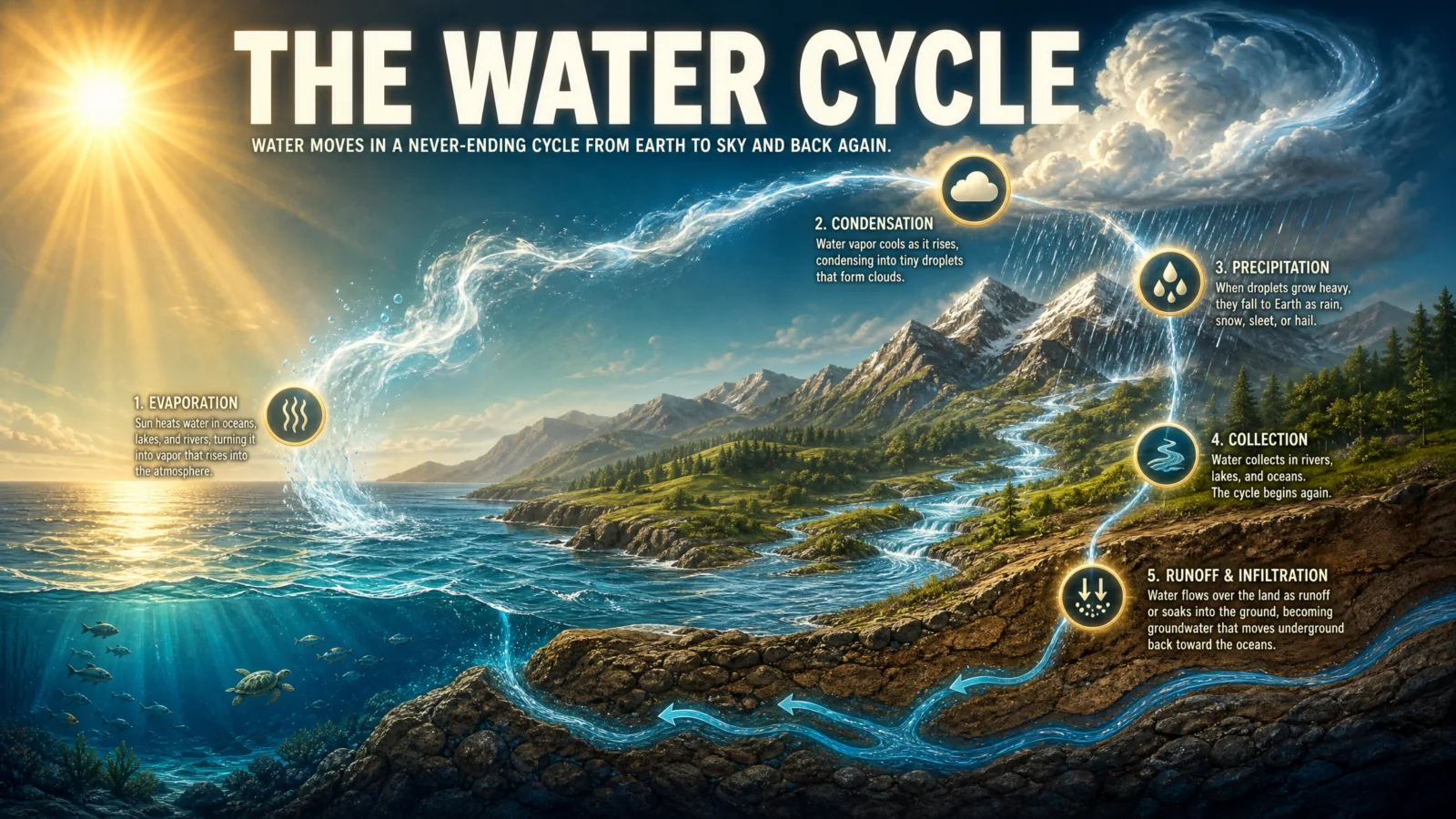
What to notice: the path here is not one single line, it is two, the river and the rising vapor, described together as "form the connective spine." A cycle needs a path that actually loops, and stating both halves explicitly is what stops the model rendering just the pretty landscape and forgetting that water has to travel somewhere and come back. When your topic is circular rather than linear, name every leg of the loop, not just the most visually obvious one.
Swap ideas: the carbon cycle as a similar loop between a forest canopy and open sky. The rock cycle as a path spiraling down through geological layers and back up through a volcano.
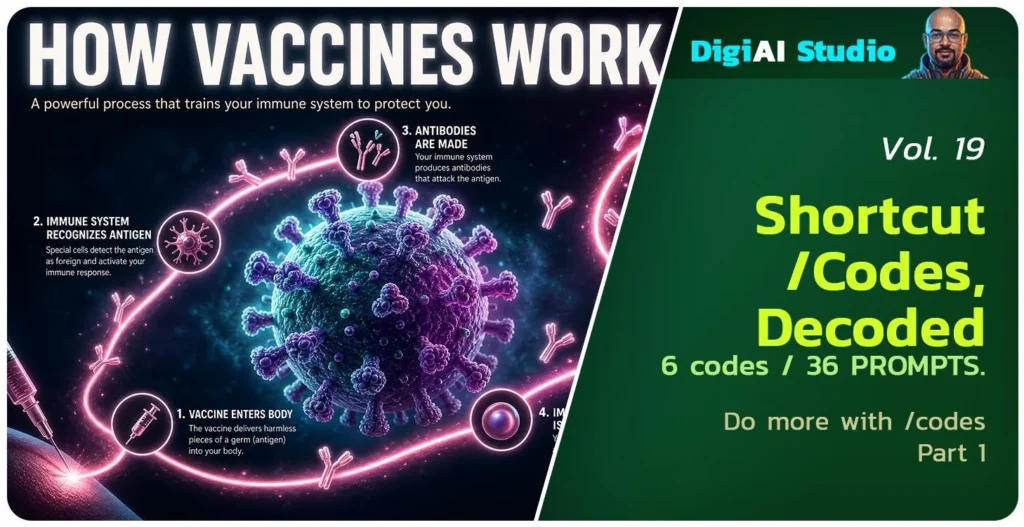
Prompt 3: How Vaccines Work
Default
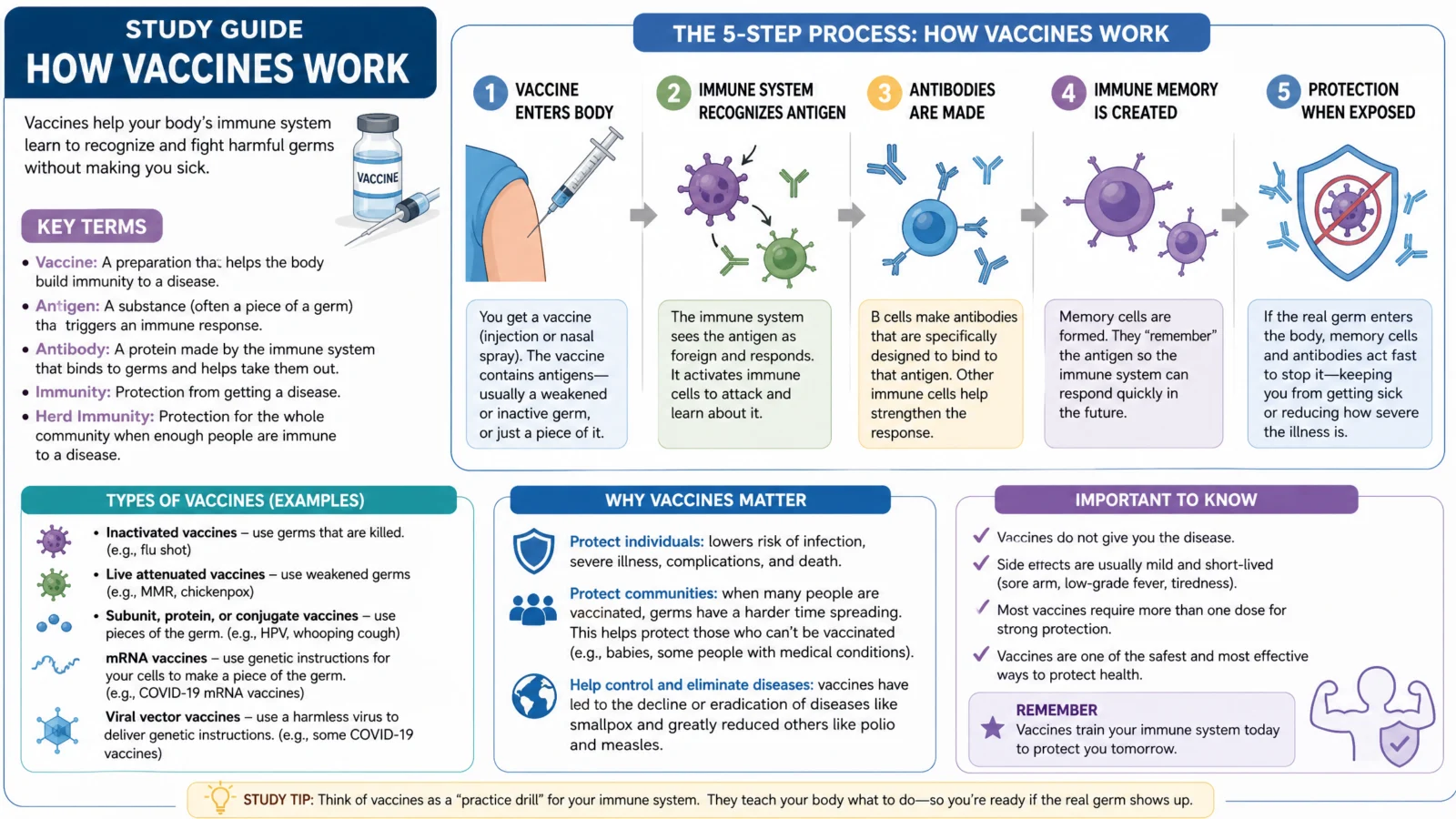
Controlled
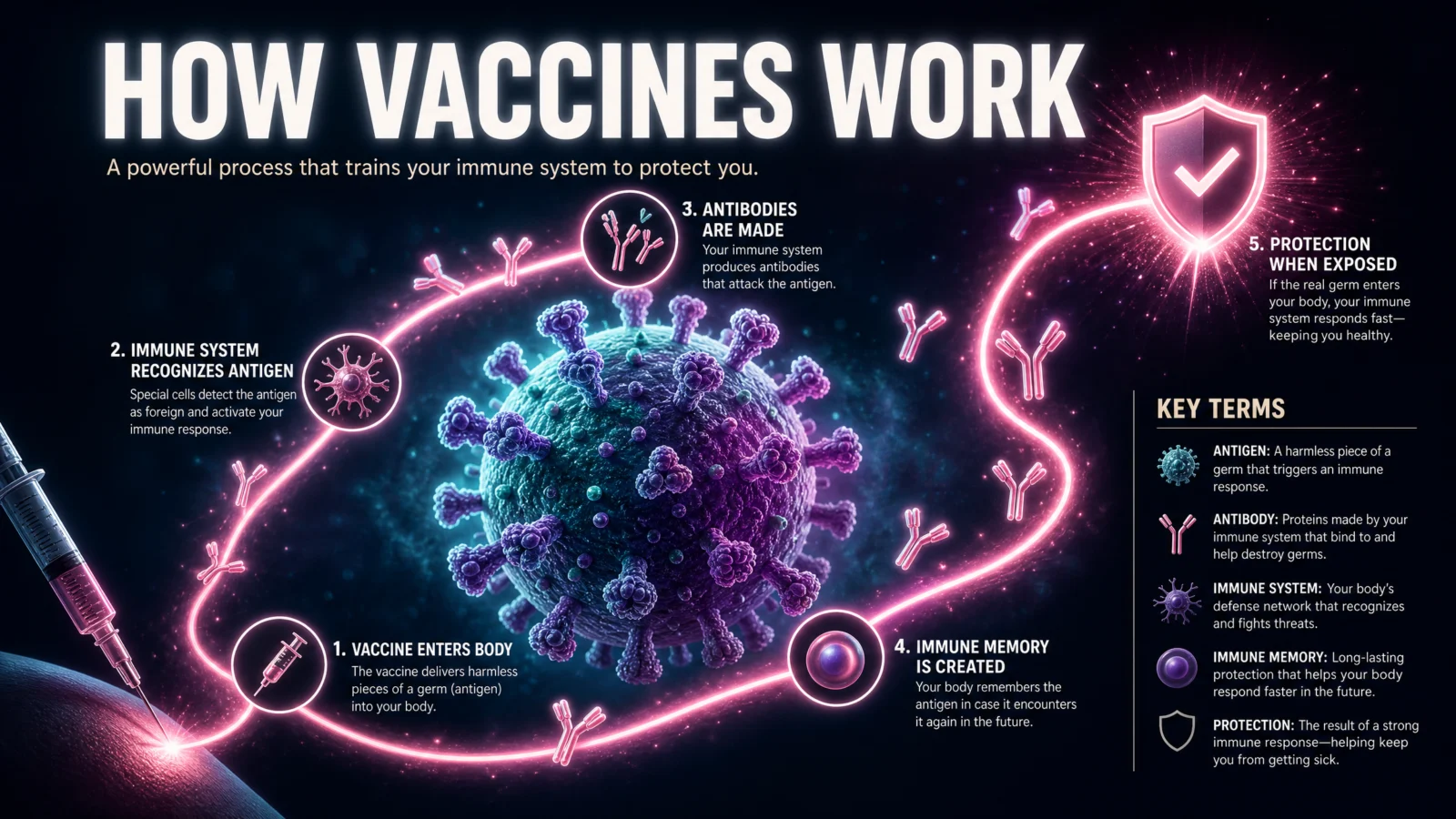
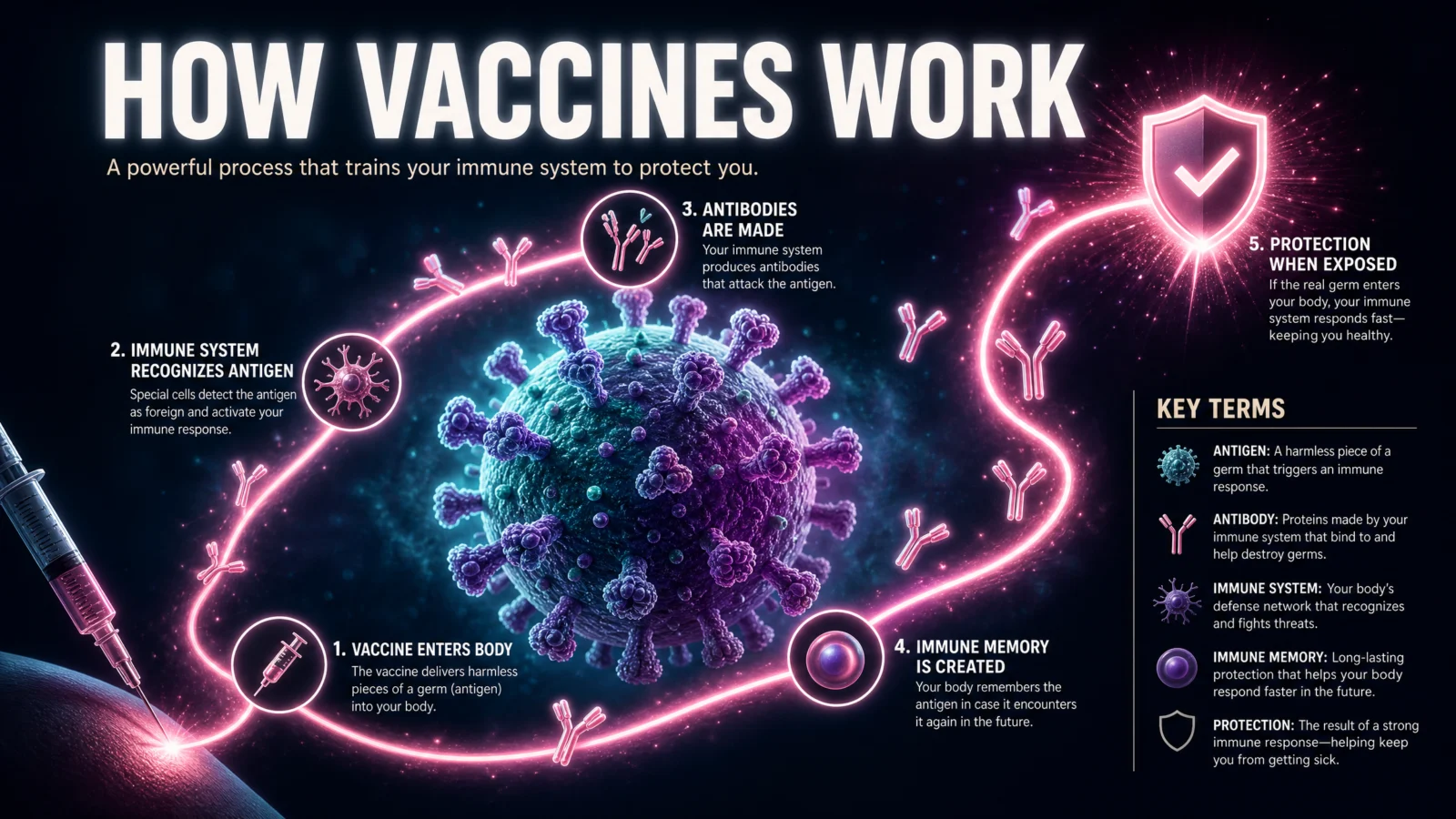
What to notice: the ribbon starts at an injection point and ends at a shield, so its two endpoints are not arbitrary, they are the topic’s actual beginning and actual resolution. Whenever your subject has a clear start state and a clear end state, anchor the path’s two ends to them literally. It gives the whole composition a destination the eye can sense even before reading a single label.
Swap ideas: how antibiotics work, ribbon traveling from a pill to a bacterial cell. How a wound heals, ribbon traveling from the injury to closed, healed skin.
Prompt 4: How Large Language Models Work
Default
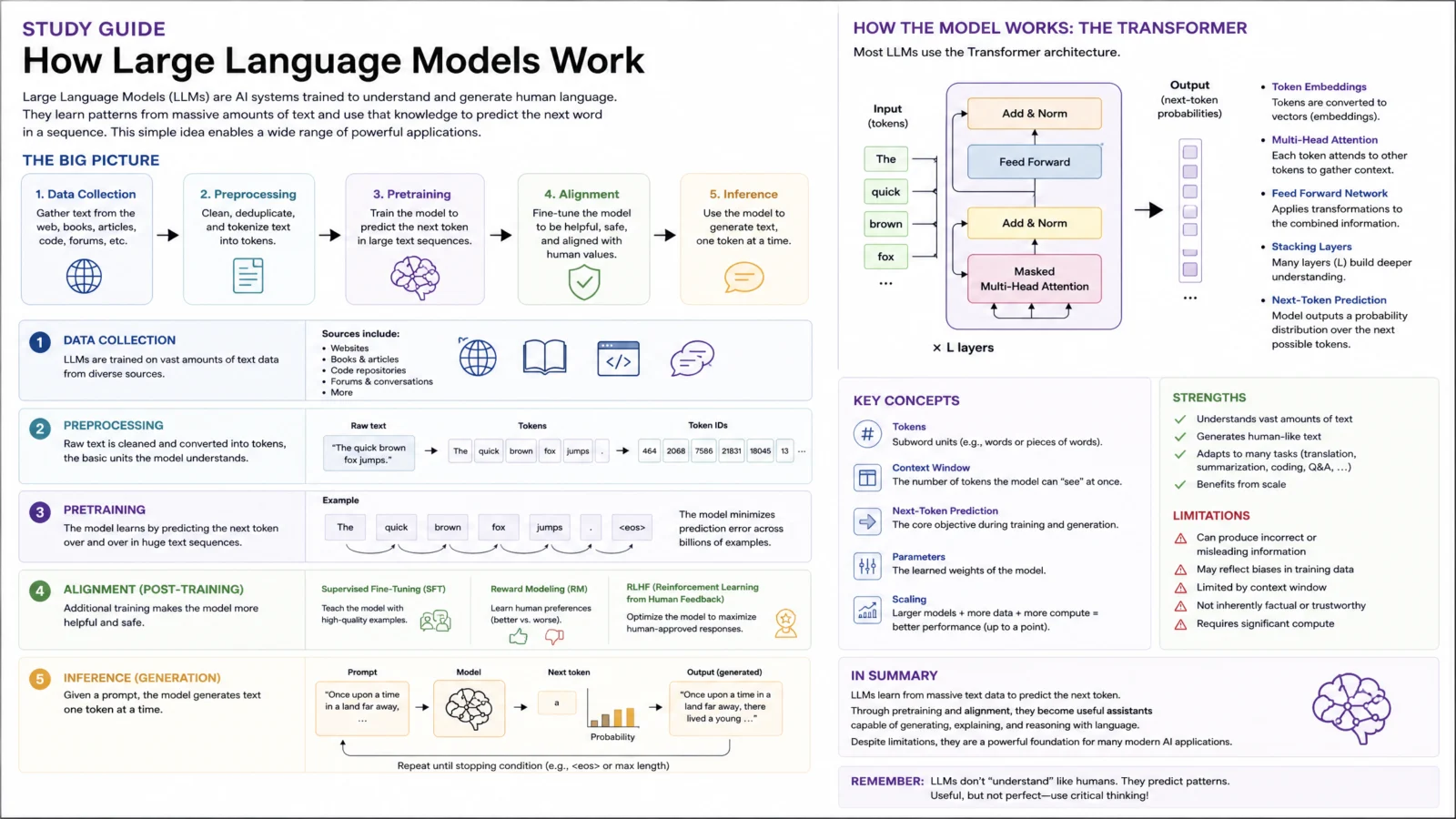
Controlled

What to notice: this is the only prompt in the set that nests one full diagram (the transformer architecture) inside the larger hero visual as a single glowing node, rather than attaching it as its own separate plaque. That is a deliberate choice for the one subject in this set that is genuinely technical enough to need a real reference-grade diagram alongside the metaphorical path. When a topic has both a story to tell and a precise mechanism to show accurately, let the precise part sit inside the metaphor rather than compete with it for space.
Swap ideas: how the internet works, packets flowing as a light ribbon between two glowing server towers. How a search engine works, a query ribbon traveling through crawling, indexing, and ranking nodes.
Prompt 5: The Sleep Cycle
Default
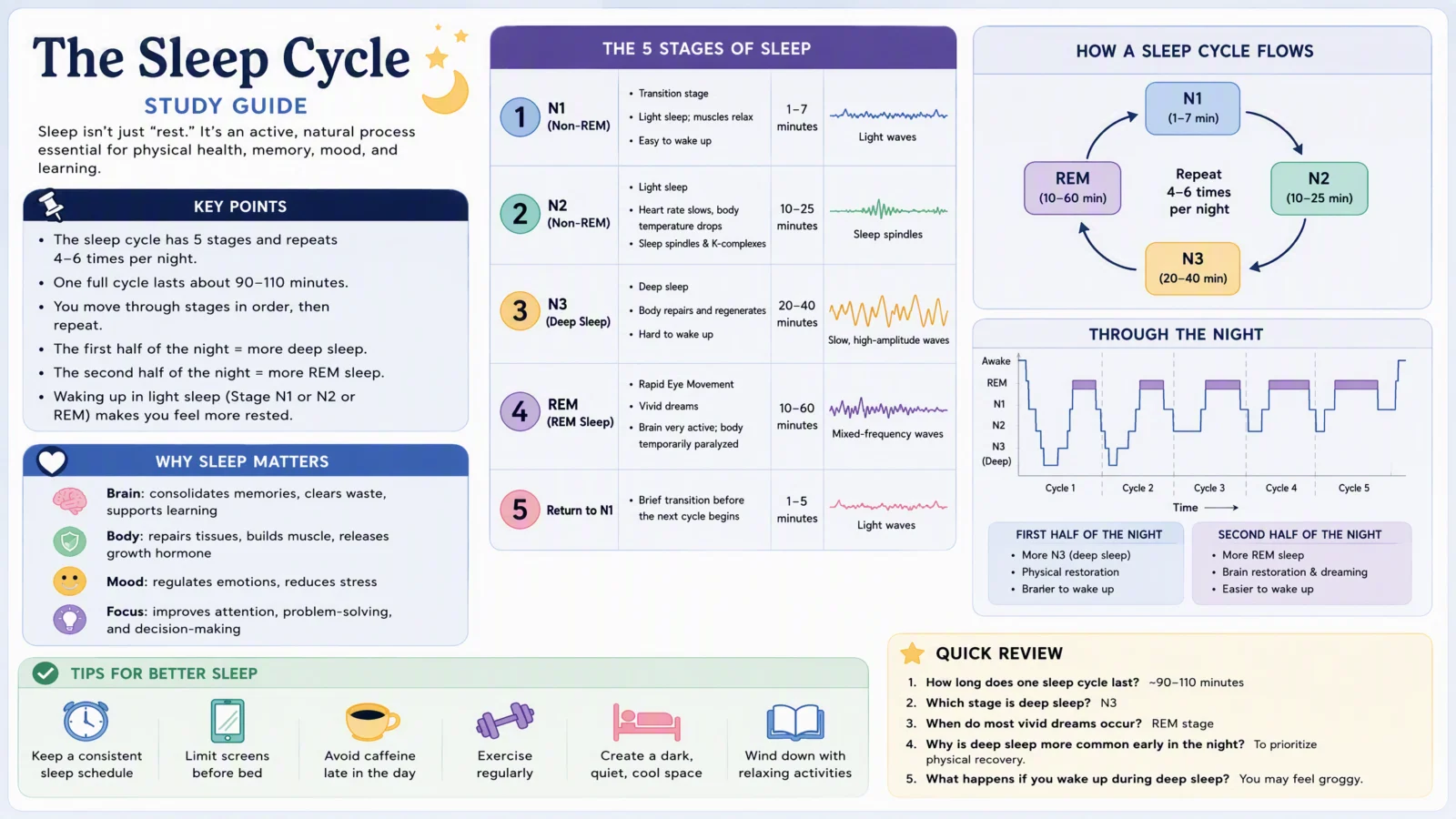
Controlled
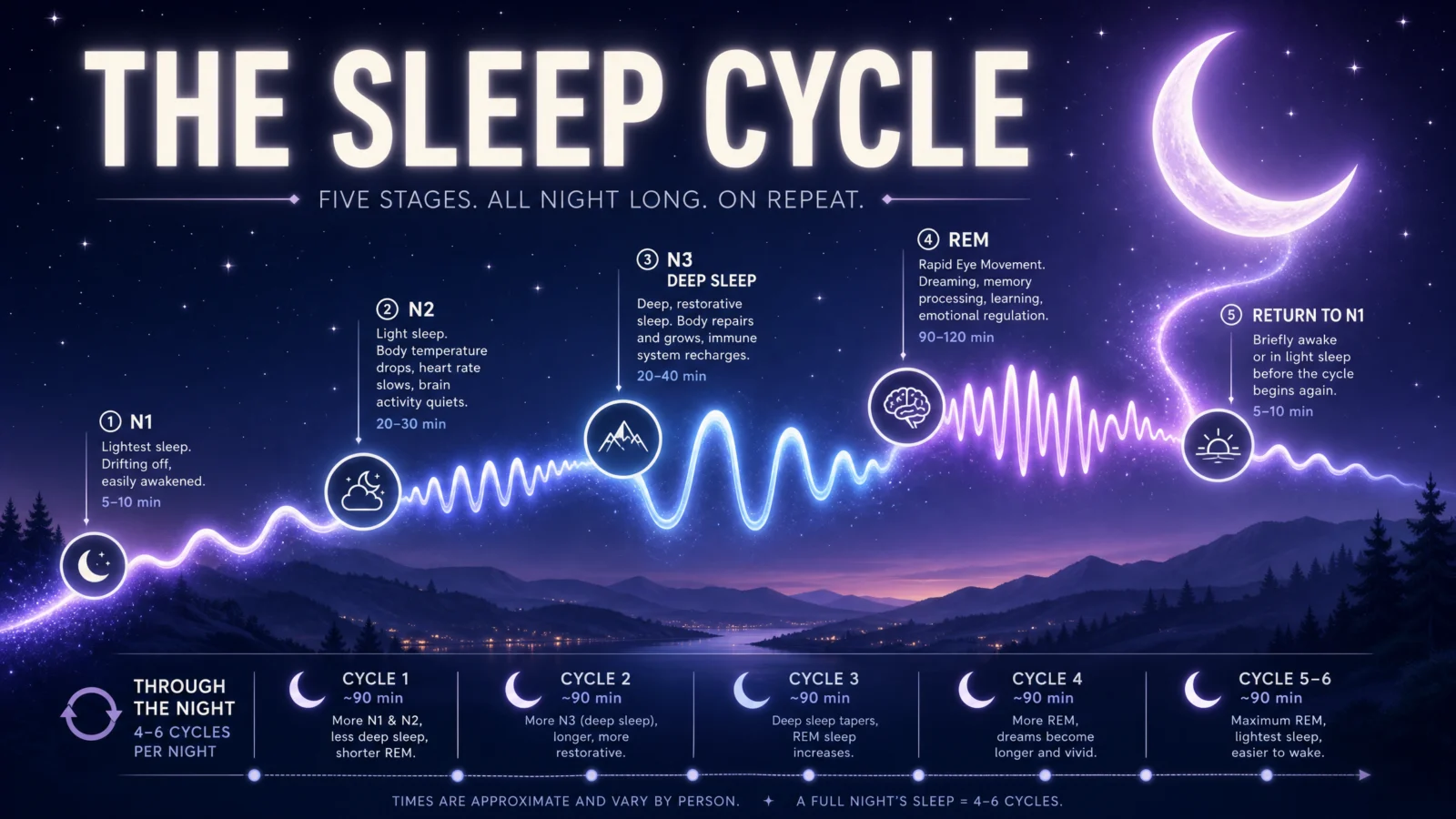
What to notice: this is the only prompt where the path’s shape itself carries data, its rising and falling waves are told to actually match each stage’s real waveform pattern, not just glow evenly along its length. That is the pathway system at its most advanced: the connective spine is not neutral scenery the data sits on top of, the spine’s own form is one more piece of the information being taught. Save this technique for topics where the underlying data genuinely has a visual shape, a wave, a curve, a rhythm, rather than forcing it onto data that does not.
Swap ideas: the phases of the moon, the ribbon itself waxing and waning in width. A heartbeat and cardiac cycle, the ribbon’s pulse matching an actual ECG trace.
Prompt 6: How A Bill Becomes A Law
Default
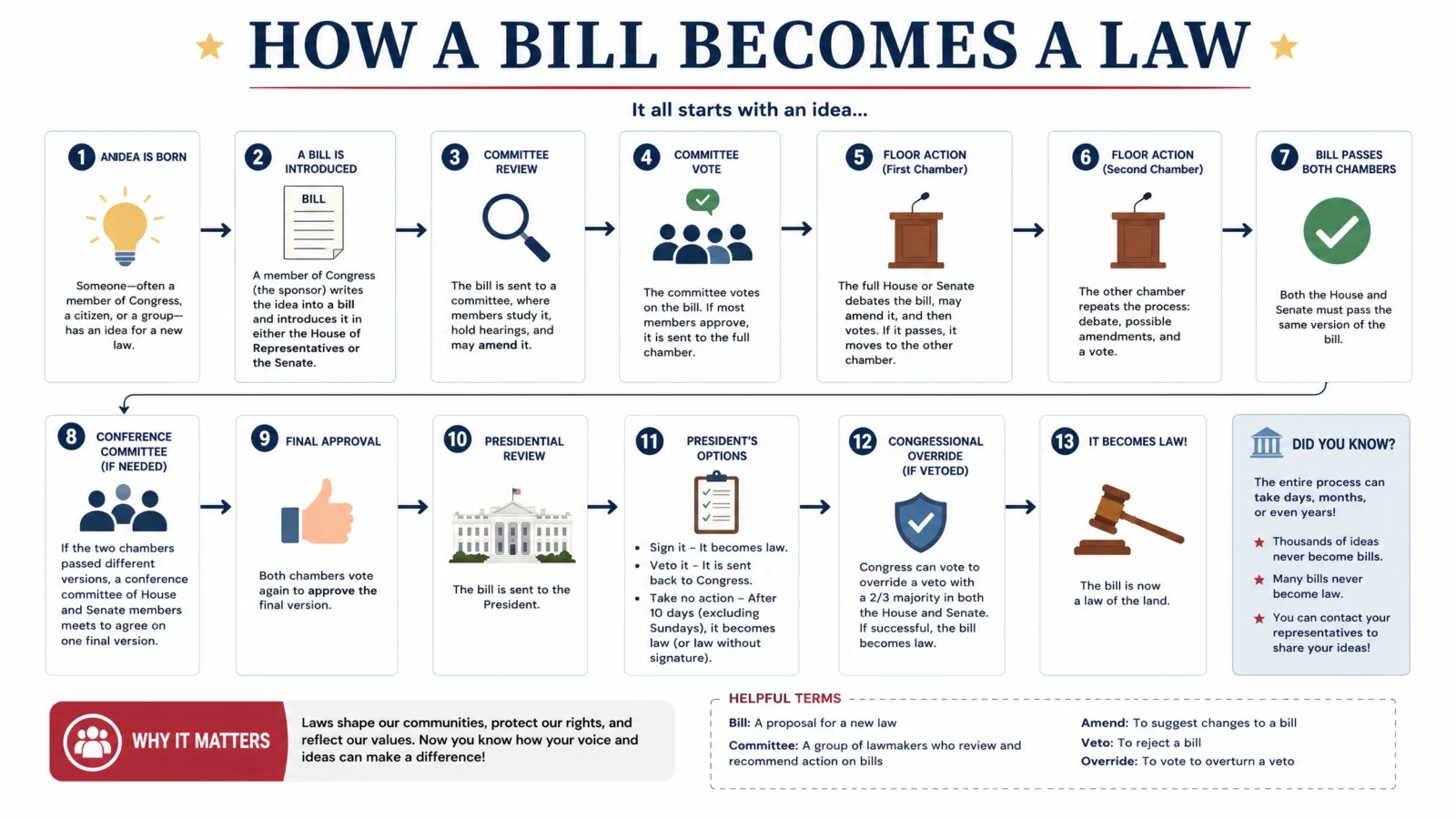
Controlled
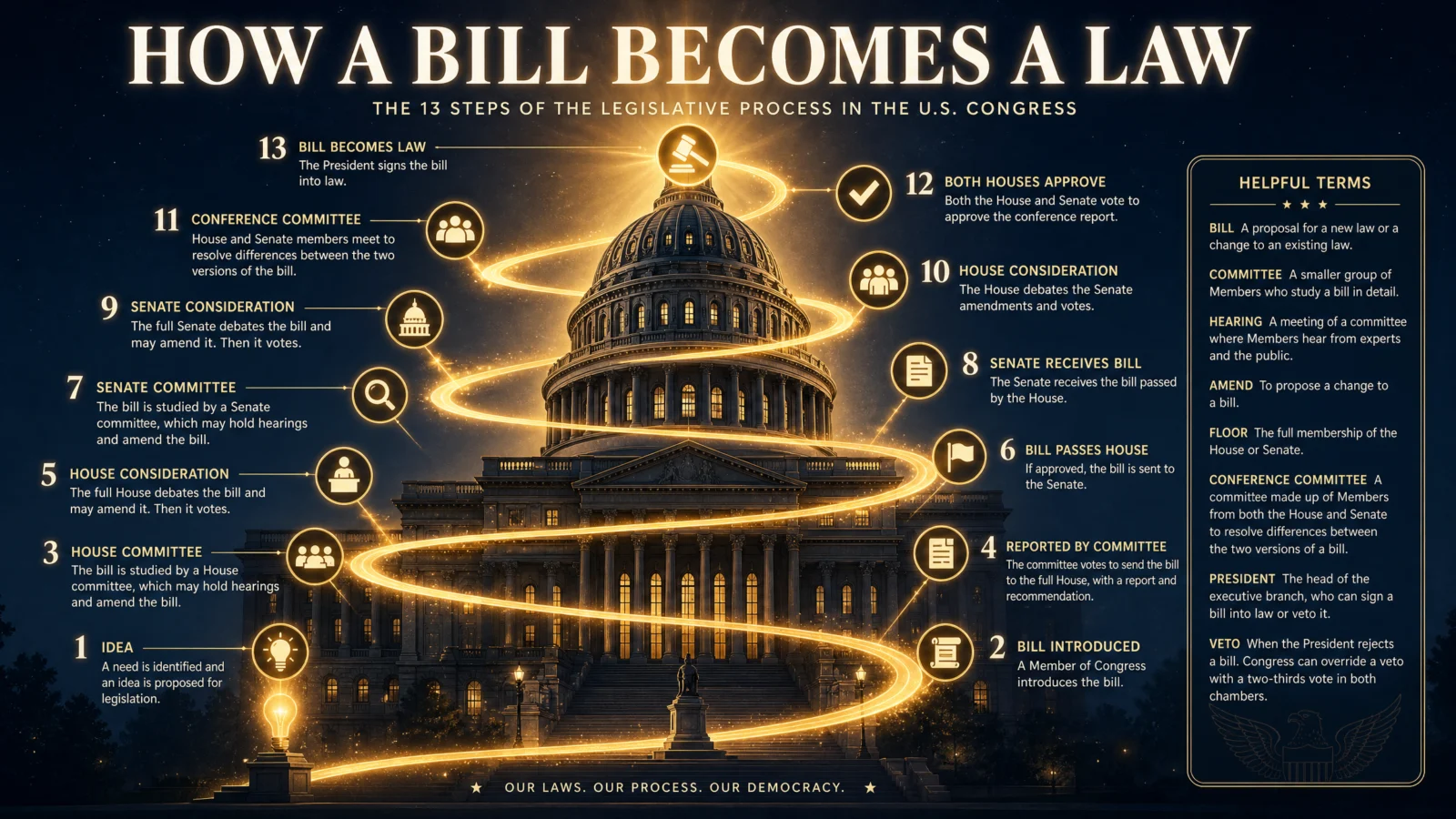
This one has its own short story worth telling, because it is the clearest failure-and-fix in the whole vault. The first version of this prompt tried to carve all thirteen steps as detailed relief figures directly into a stone column, dense sculpted crowds at every stage. It rendered as visual mush, thirteen tiny sculpted scenes is simply too much detail for the model to hold cleanly at that density, the same failure pattern as trying to individually render fifty crowd figures instead of naming a few heroes.
The fix was not more detail, it was less: strip every medallion down to one flat, simple icon with no attempt at a miniature scene, and space all thirteen evenly along a single spiraling ribbon rather than stacking them onto crowded rings around a column. Fewer visual elements per medallion, spaced generously, is what let all thirteen render cleanly where dense tiny sculpture could not.
The rule to take from this: when a pathway needs to carry a high step count, the fix for crowding is never adding detail to make each step "read better," it is simplifying each individual marker so the model can render many of them cleanly. Complexity budget is finite. Spend it on the number of steps or the detail per step, not both at once.
Swap ideas: how a product goes from factory to store shelf, ribbon spiraling through a warehouse tower. The stages of metamorphosis, ribbon spiraling around a single branch from egg to butterfly.
The Method In One Box
- Test the bare code before writing anything. This category proved it can already be excellent on its own, do not assume every code needs heavy correction.
- If a strong result still feels flat, the fix might be structural, not decorative. Adding a nicer header and better colors will not fix a poster whose real problem is that its data and its hero image never connected.
- Name one PATHWAY SYSTEM before anything else. A staircase, a river, a ribbon, a spiral. Every fact in the poster attaches to this single connecting thread.
- Align the path’s shape or direction with what the topic actually means when you can. A climb for growth, a loop for a cycle, a wave for a rhythm. Meaningless decoration is weaker than a path that is itself part of the explanation.
- When a high step count crowds a path, simplify each marker rather than shrinking the whole path or cutting steps. Complexity budget is finite, spend it wisely.
Common Issues And Fixes
The poster looks clean but forgettable. Check whether the hero visual and the data are actually connected by one named path, or just sharing a frame. If they are separate, the fix is structural: introduce a PATHWAY SYSTEM, not a new color scheme.
Medallions along a long path crowd together or blur. Strip every medallion down to one simple flat icon and state explicitly that they are spaced evenly along the path’s full length. Do not add scene detail to individual markers when the count is high.
A cyclical topic renders as a straight line instead of a loop. Name every leg of the loop explicitly in the PATHWAY SYSTEM block, not just the most visually striking part of it.
The path feels arbitrary or disconnected from the topic’s meaning. Look for a natural metaphor before defaulting to a generic ribbon of light, growth climbs, cycles loop, rhythms wave, journeys spiral.
A precise technical diagram gets lost inside a metaphorical scene. Nest it as one distinct glowing node within the larger hero visual rather than trying to blend its style into the rest of the illustration.
The Vault, Complete
Six codes, thirty-six lessons, one idea running underneath all of them: a viral shortcut is never a hidden feature, it is a phrase the model has strong associations with, and everything worth teaching lives in the engineering layered on top of it. Exploded views taught spatial control. X-ray taught transparency as a physics contract. Annotation taught two genuinely different registers hiding inside one code. Blister packs taught seven controls for one product category and a hard rule about invented brands. Cutaway taught the biggest lesson in the vault, matching the right kind of control to the right mode instead of forcing one template onto everything. And this final one taught the opposite lesson: sometimes the code is already right, and the real skill is knowing when to stop correcting and start connecting.
Every failure documented on these six pages, the floating glove, the crowded relief, the disconnected panels, is as valuable as every success. That is the actual thing this vault sells: not prompts, but the judgment to know which fix a broken result actually needs.