
Section 01
The Blueprint Code
blueprint of [subject]
A complete engineering sheet, done for free. Then designed like it deserves.
Two words, and the model hands you an entire document system: multiple views, leader lines, parts lists, specification panels, dimension marks and a proper title block. That part costs nothing. This page teaches the part that does cost something, the design. Because the bare code has exactly one look, and everyone on the internet is getting it.
What The Code Actually Is
"Blueprint" is not a hidden command. It is a century of real engineering documents living in the model’s training, and saying the word pulls the whole genre: the views, the labels, the panels, the title block, all arriving unasked. That is the information layer, and the AI handles it completely. Works in any interface, ChatGPT, GPT Image 2 on OpenArt, or the API. What the code does not ship with is a designer. That is the half you are here for.
The Lesson This Category Is Built On
Run the bare code on six wildly different subjects, a kitchen machine, a treehouse, an insect, a ship, a watch, a space habitat. Every sheet comes back competent. Correct views, correct labels, first try, nothing to fix. Now put all six side by side and the real result appears: same blue, same layout, same voice. Six subjects, one identical poster. The bare code is complete and interchangeable at the same time.
So this category runs on one rule, and it carries through the whole vault: the code draws the sheet, you bring the design. Every controlled prompt below keeps the bare code as its first line, untouched, then styles everything around it. The information never changes hands. Only the design does.
The Control Layer
Seven blocks, used in every prompt on this page.
STYLE THE CODE is the protective block, and the most important one. It names every apparatus element the code generated that must survive the redesign, views, panels, title block, by name. Skip it and a cinematic restyle will quietly eat the blueprint layer that makes this a blueprint.
PALETTE LOCK kills the default. Two to four colors, each named with a job, closed with the phrase "no other colors introduced." That closing line is not decoration, it is the instruction doing the work.
THE HERO SWAP is the signature move of this category. The largest view on the sheet stops being a line drawing and becomes a rendered object with real materials and real light. The frame stays technical. The hero becomes cinema. The phrase that flips the switch is "is not a line drawing," followed immediately by named materials and a named light source.
TYPE SYSTEM names the title, the subtitle, and caps the sheet at two typefaces. Ugly AI text comes from the model inventing a new font per element. Naming the system once removes the disease.
LABEL DISCIPLINE is most of what reads as professional: thin leader lines, one weight, terminal dots, labels in the margins and never across the drawings.
TITLE BLOCK and FINISH close every sheet: an invented studio name, a drawing number, then the render grade, the paper texture and the aspect ratio.
THE ACCENT RULE appears where a story needs telling: one color, one meaning, reserved exclusively. Accent as meaning reads designed. Accent as decoration reads childish.
Prompt 1: The Half-Real Espresso Machine
Default
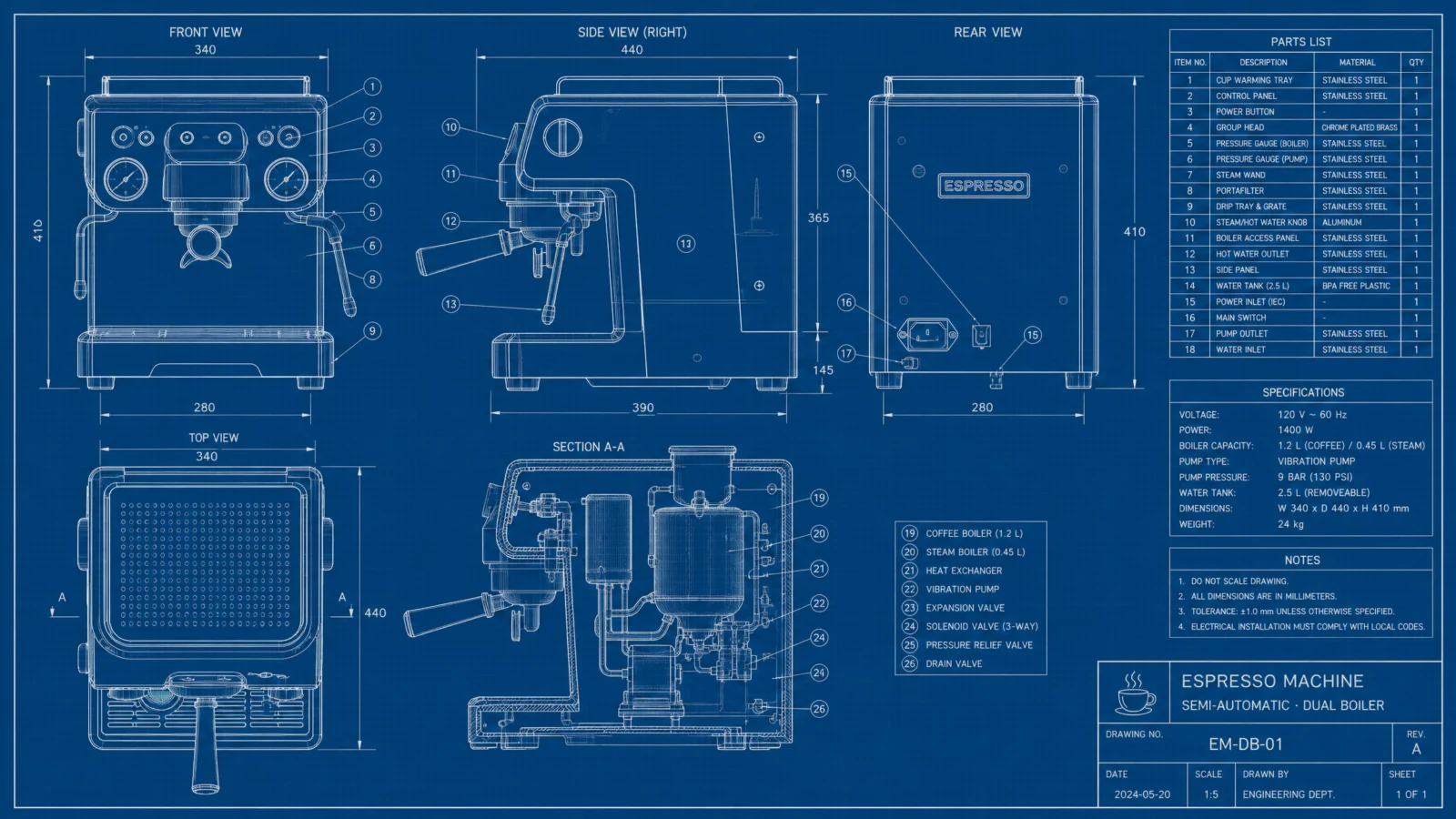
Controlled
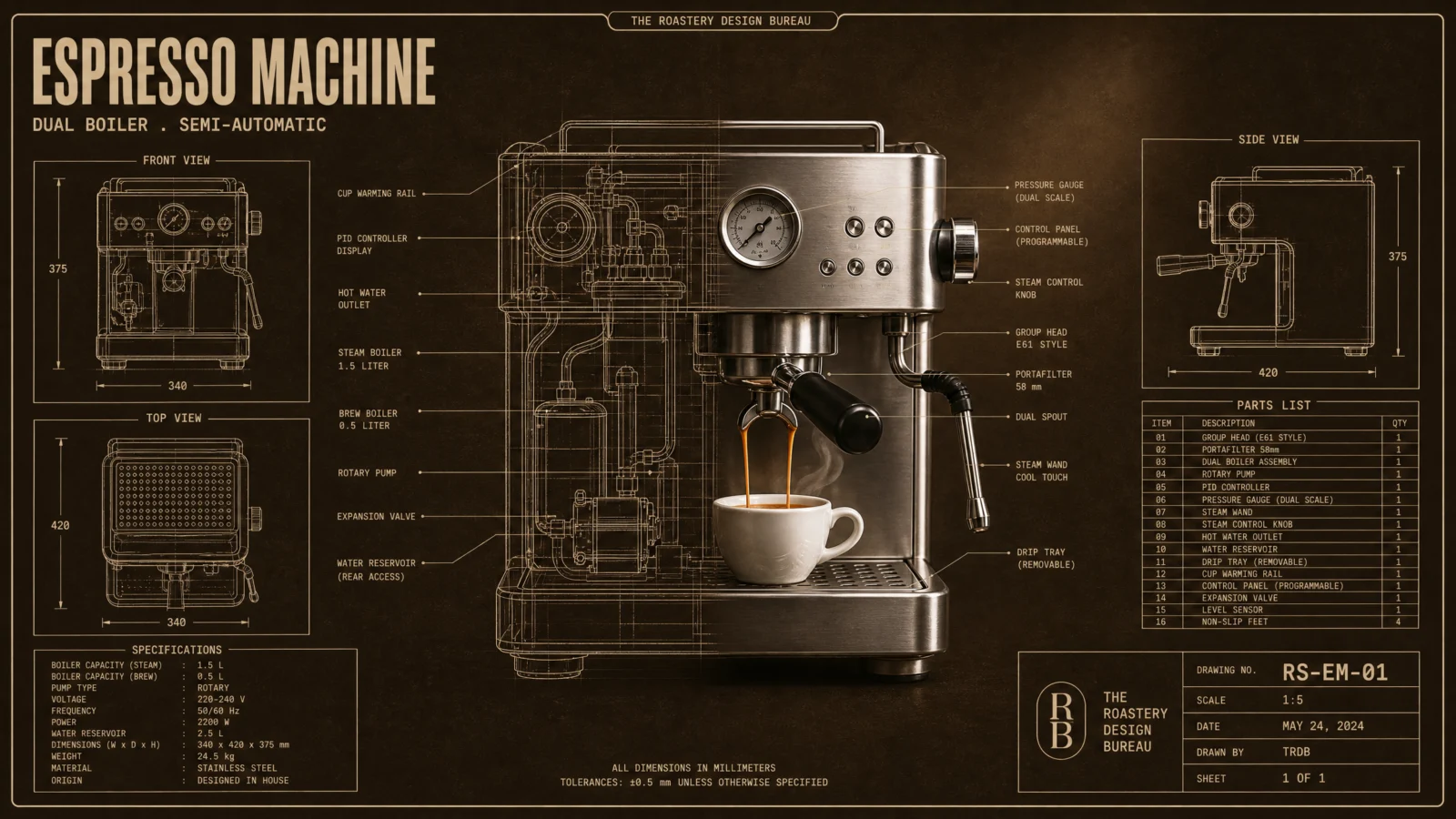
What to notice: the load-bearing sentence is "one machine, real on the right, drawing on the left, both visible in the transition zone." Without naming the transition zone as a place where both states coexist, the model picks one state and commits, and you get either a photo or a drawing instead of the split. Whenever a prompt asks for two rendering modes in one object, name the seam and state that both sides show at once.
Swap ideas: the same half-real dissolve on a stand mixer pouring batter, a record player mid-spin, or a sewing machine with thread running through the real half.
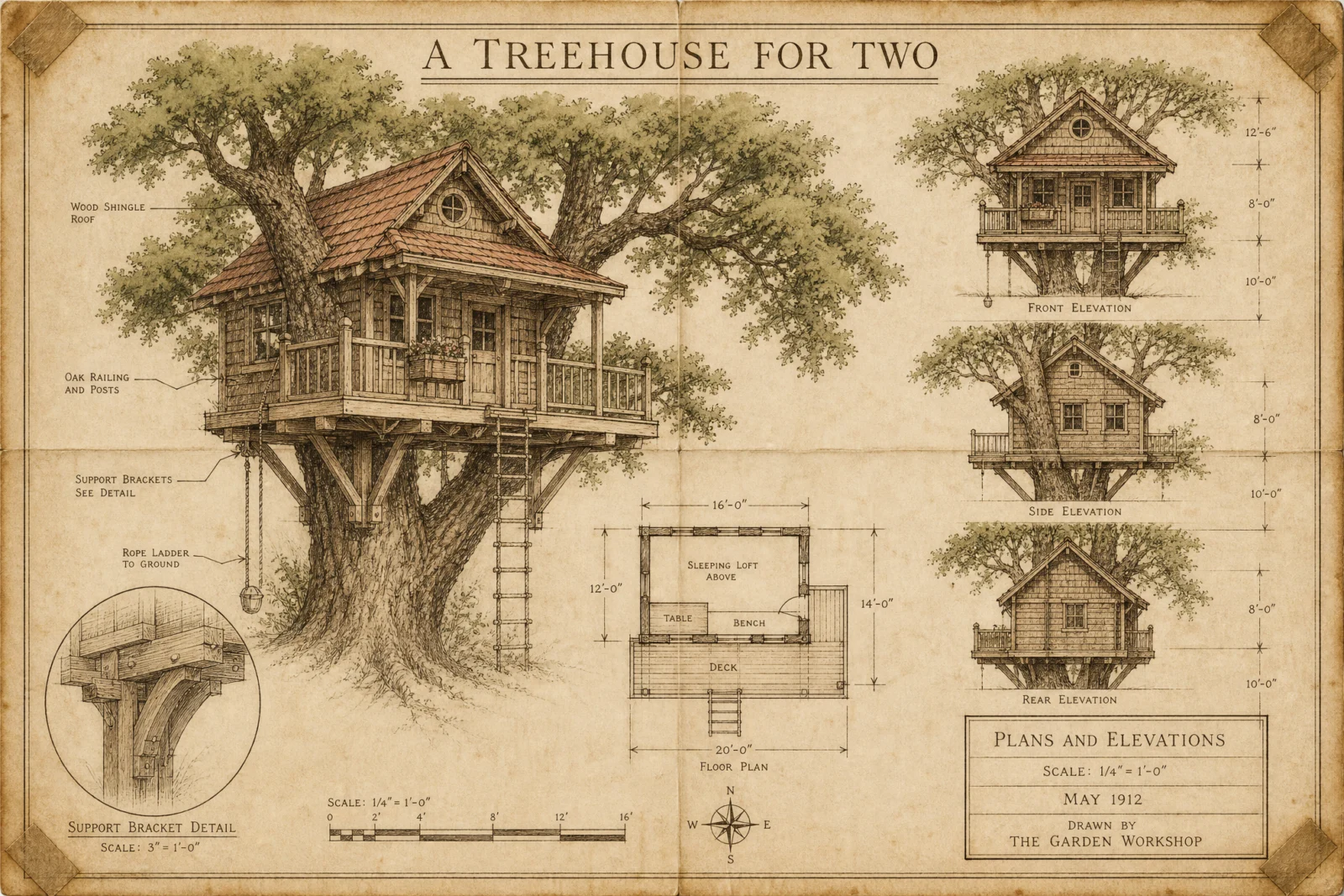
Prompt 2: The Linen Treehouse
Default
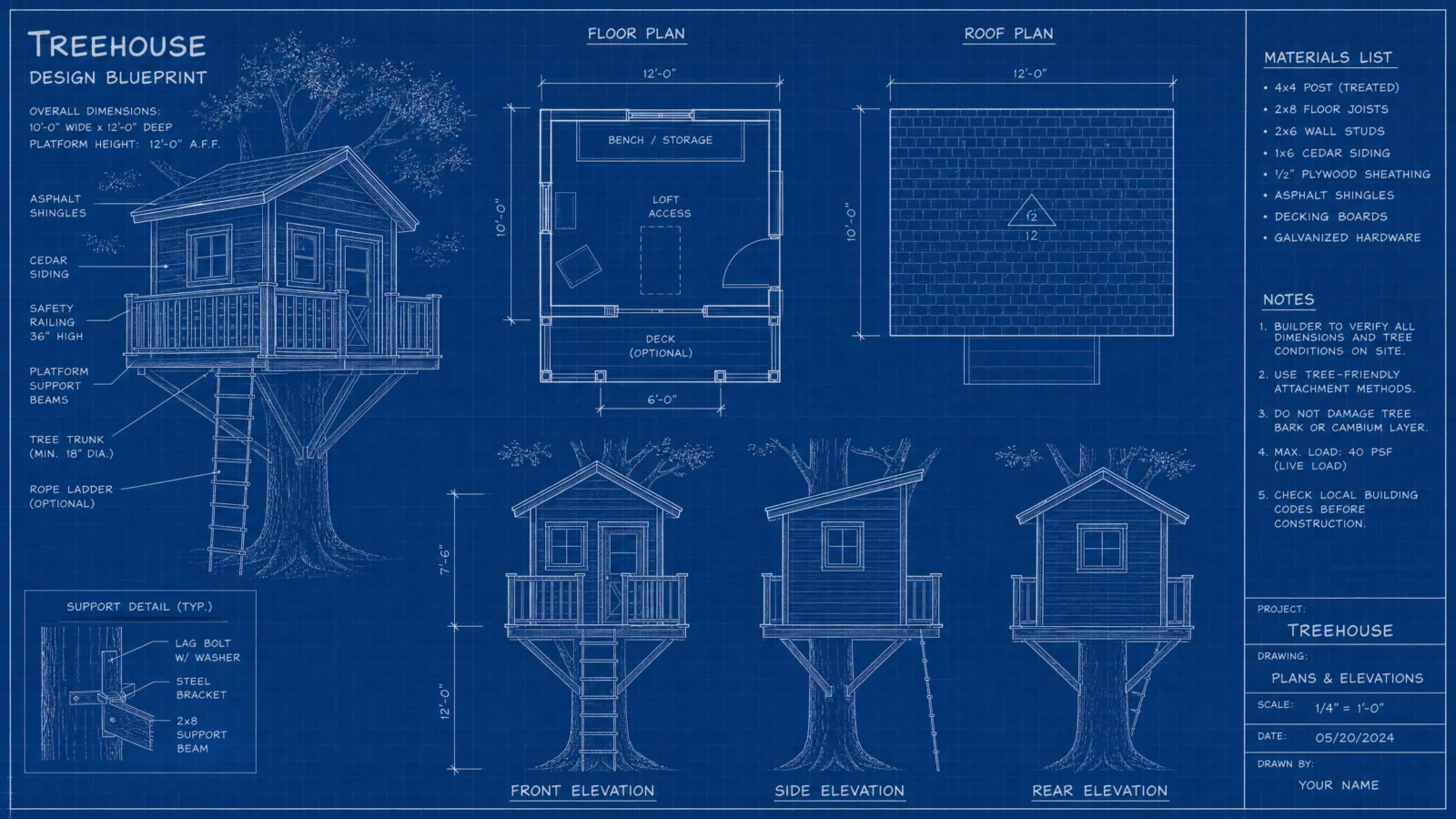
Controlled
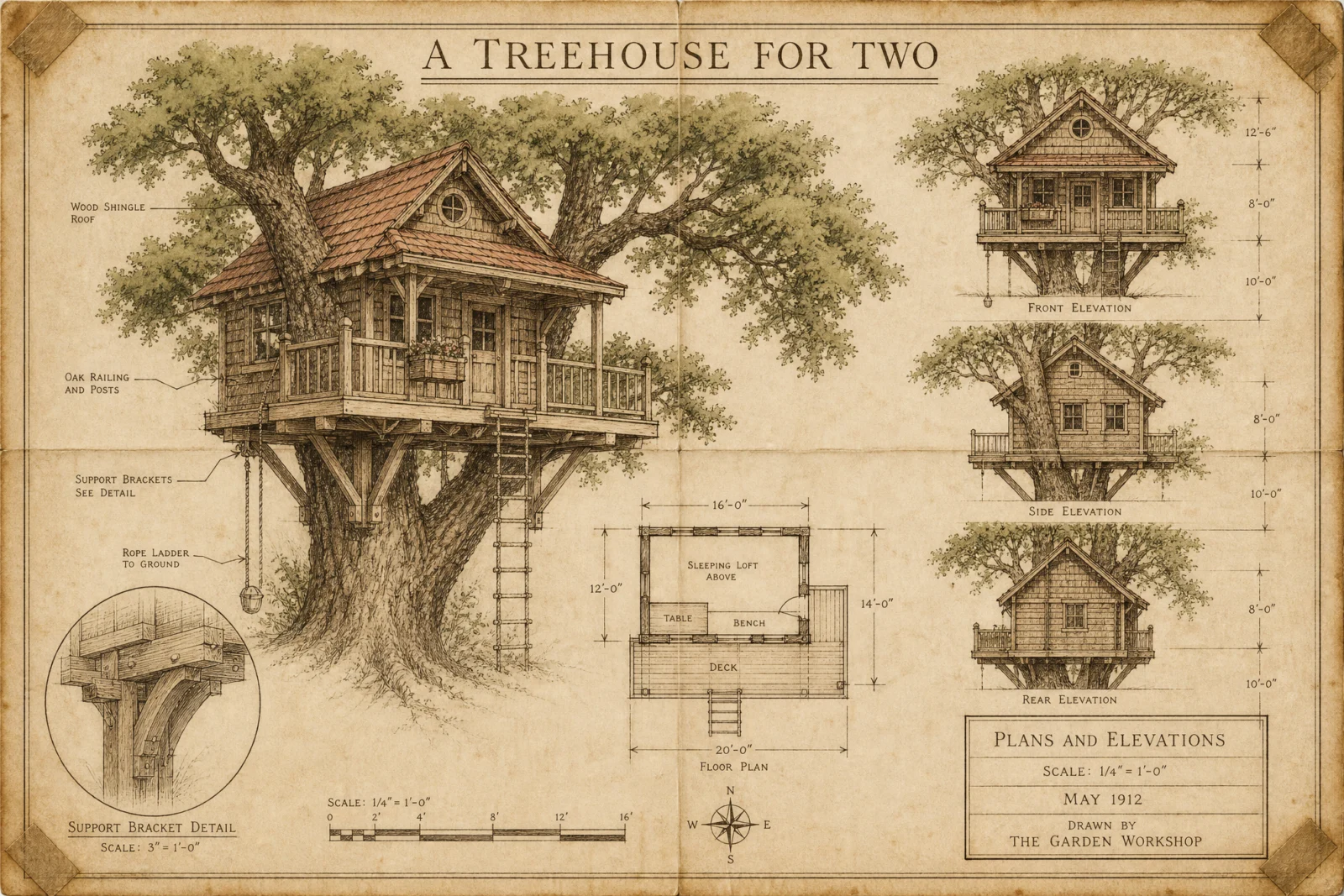
What to notice: "two soft watercolor washes only" caps the effect in the same sentence that introduces it. Watercolor is an invitation the model loves to over-accept, ask for washes without a count and the whole sheet turns into a painting. Whenever you add a hand-made or atmospheric quality, state its limit in the same breath, a number, a softness, a boundary.
Swap ideas: the same linen treatment on a garden greenhouse, a wooden sailboat, or a backyard chicken coop dated to whatever year sells the story.
Prompt 3: The Golden Honeybee
Default
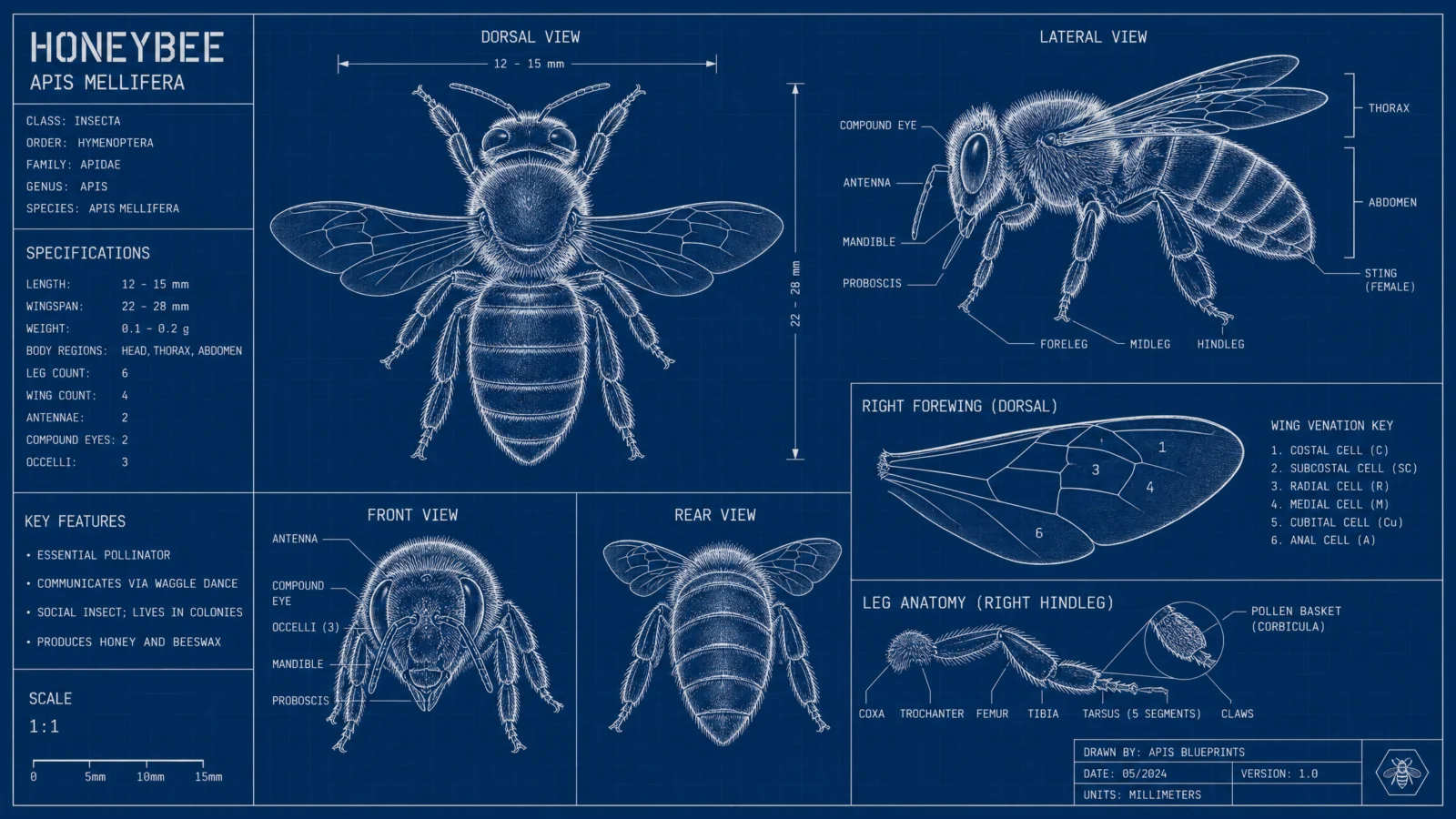
Controlled
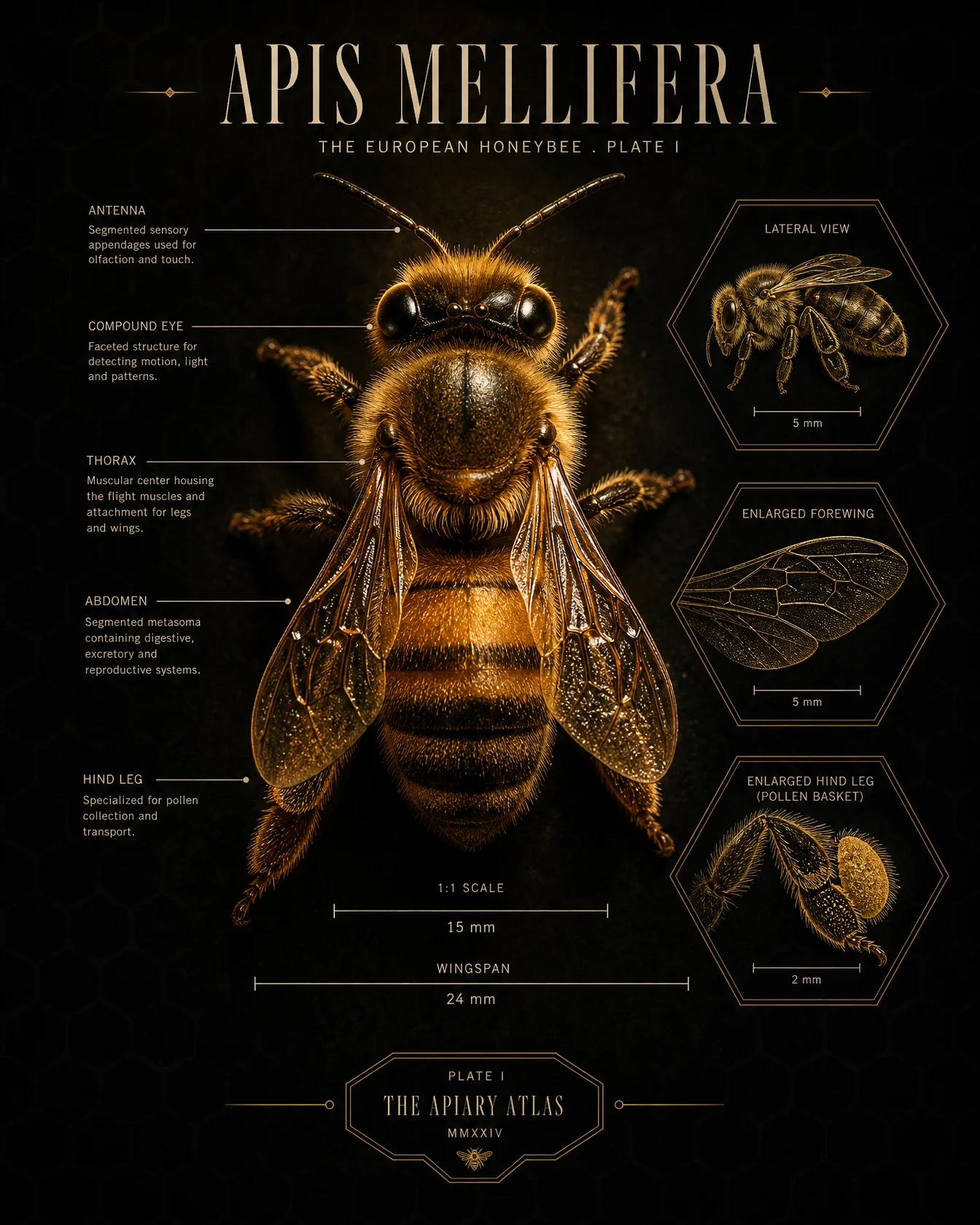
What to notice: two techniques share this prompt. First, "is not a line drawing" is the switch that flips one view into a render while the rest of the sheet stays drawn, this page’s core move stated at its cleanest. Second, the panel frames are hexagons because the subject makes honeycomb, design details drawn from the subject itself always read intentional, decoration imported from nowhere never does.
Swap ideas: the same one-spotlight specimen treatment on a dragonfly with glass wings, a seahorse, or a stag beetle with polished armor.
Prompt 4: The Ship That Sails Off Its Chart
Default
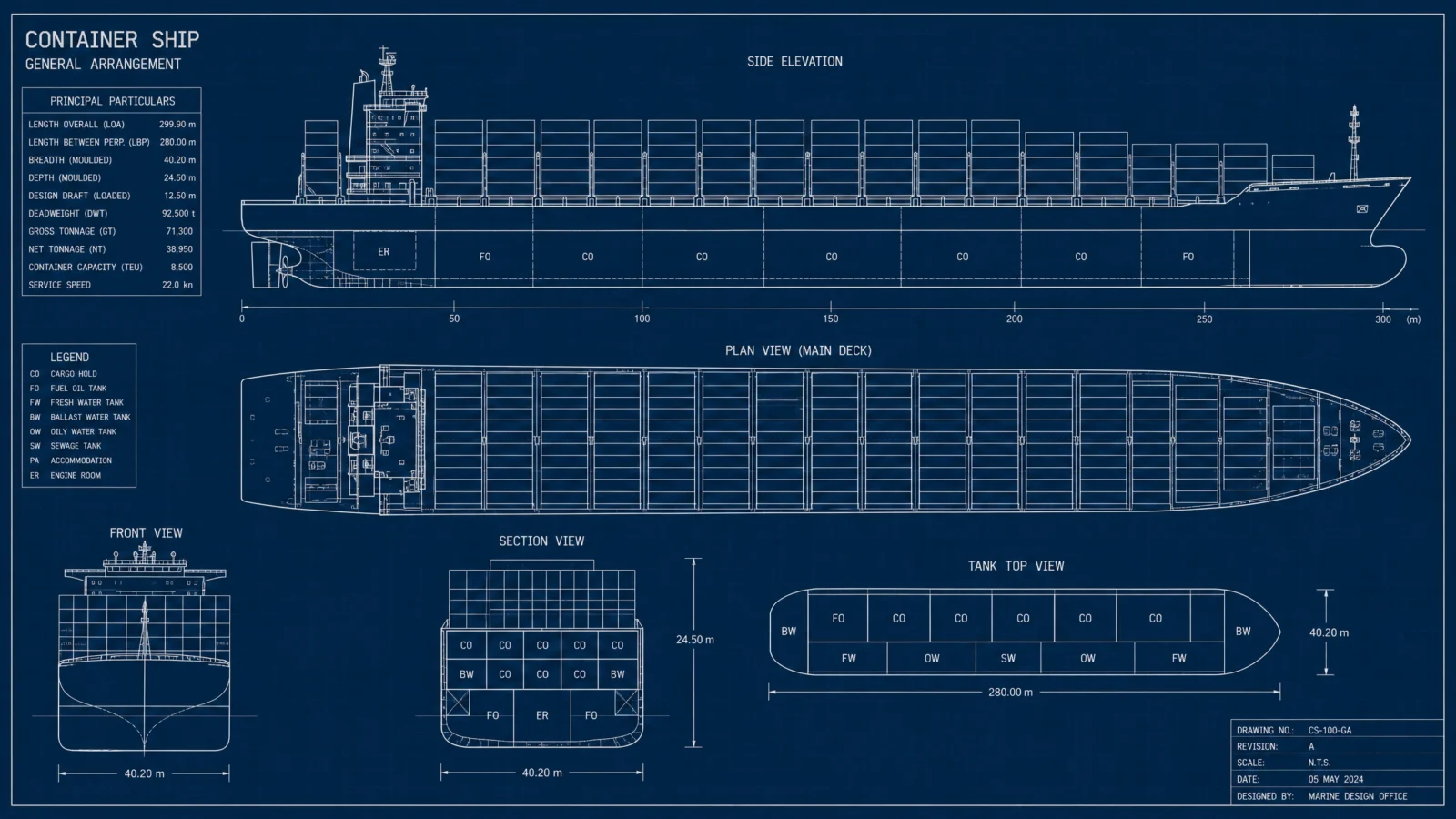
Controlled
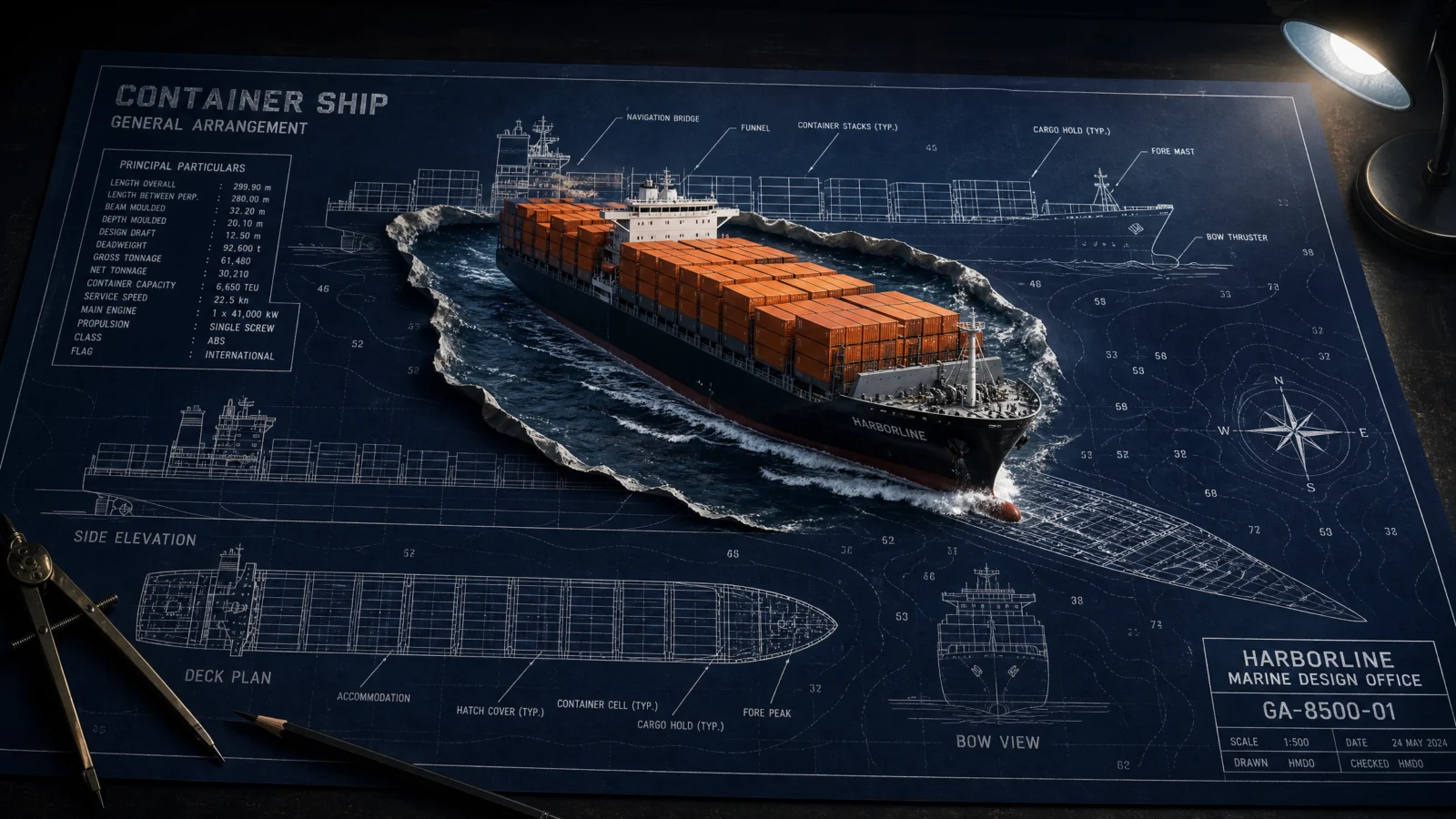
What to notice: this is the most cinematic prompt on the page, and it is exactly where the blueprint layer is most at risk. The STYLE THE CODE line earns its place here, it lists the elevation, deck plan, bow view, particulars panel and title block by name, and the model preserves what you name. The wilder the staging, the more explicit the protection has to be. Also watch the accent: orange belongs to the cargo and only the cargo, which is why the eye finds the ship instantly.
Swap ideas: the same rising-from-the-chart staging with a submarine surfacing through the paper, or a whale breaching out of a marine survey sheet for the nature version.
Prompt 5: The Levitating Watch
Default
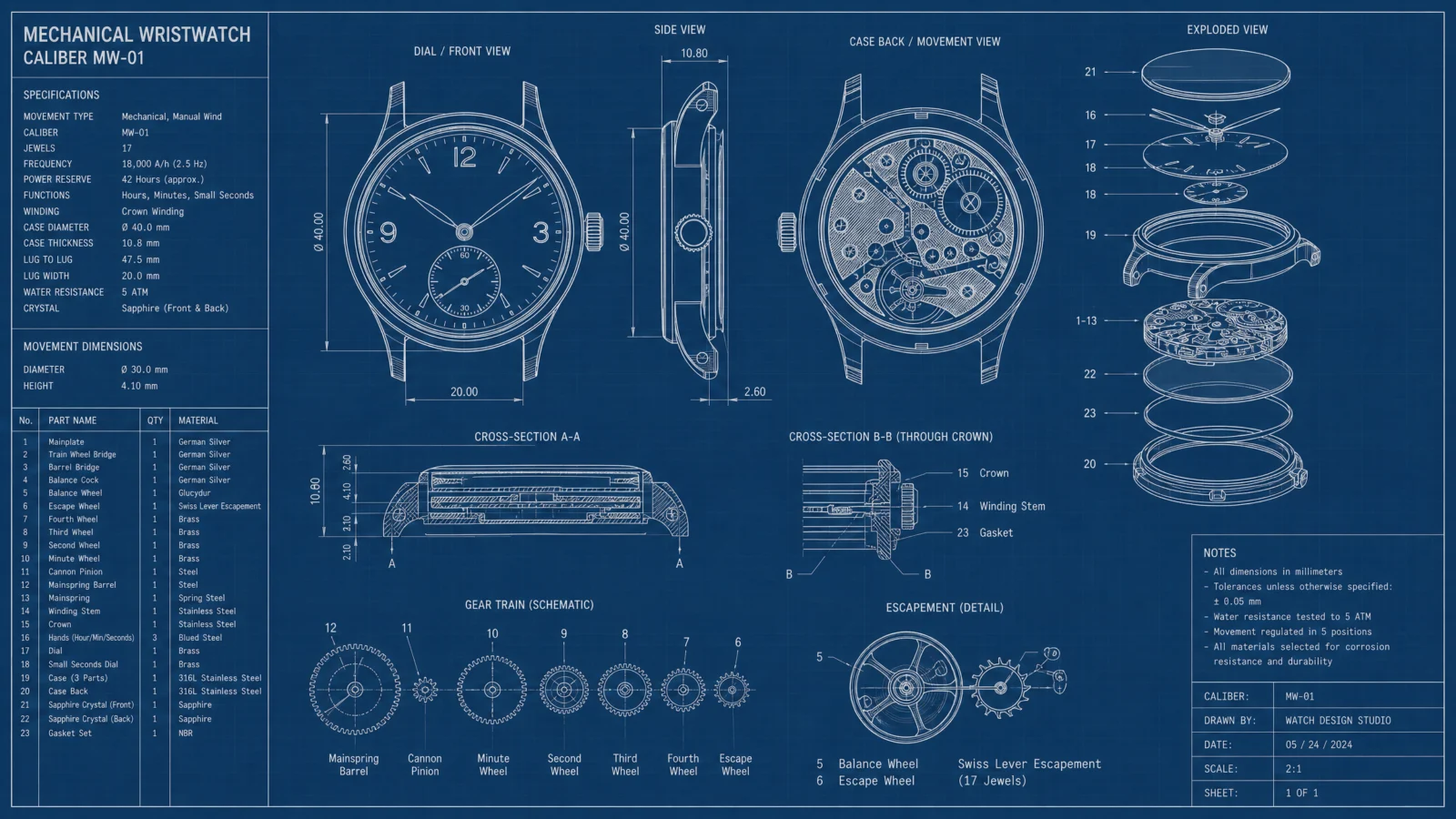
Controlled
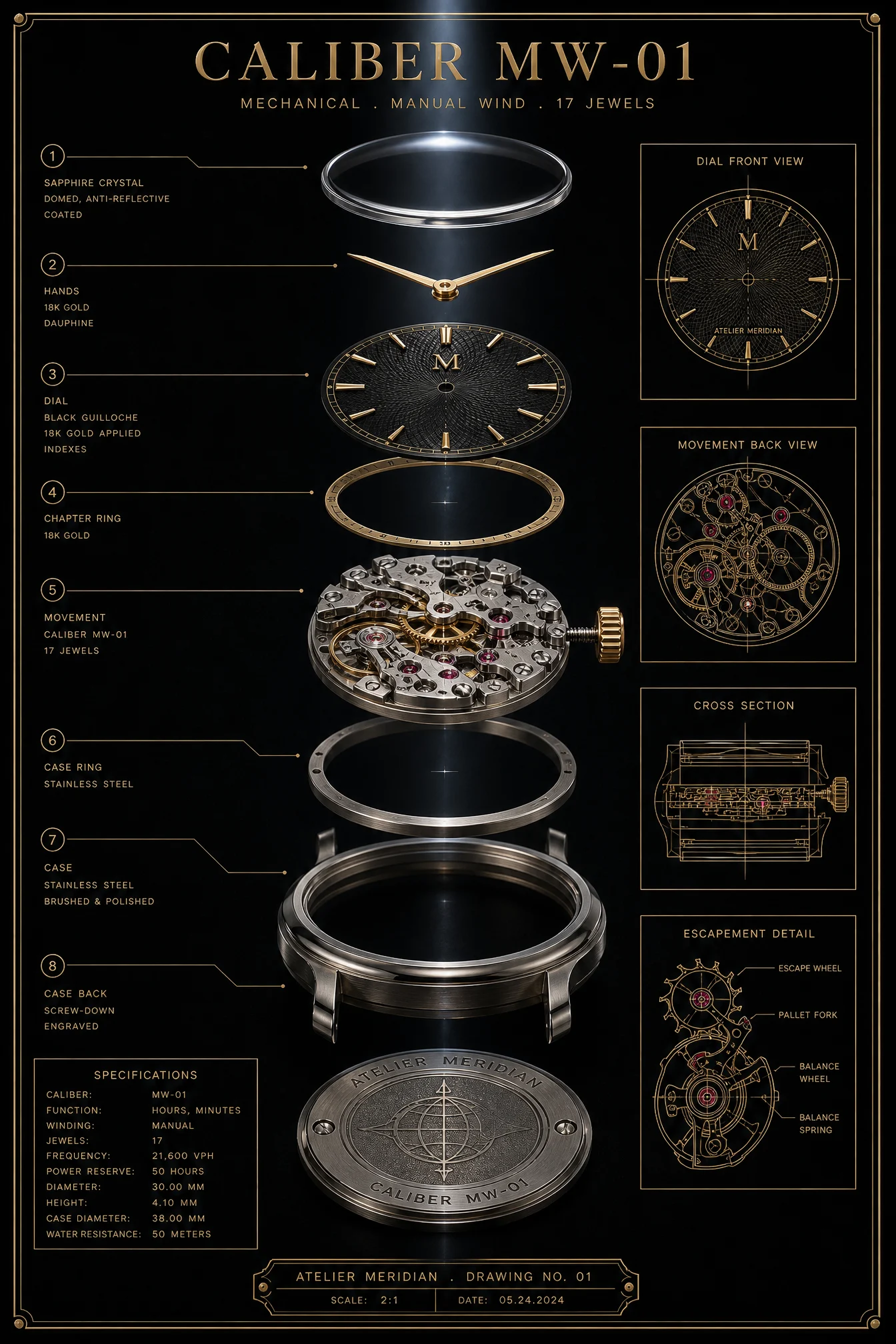
What to notice: "deep ruby red reserved exclusively for the jewel bearings" uses the strongest accent phrasing on the page, reserved exclusively, and it needs to, because on a black and gold plate a single leaked red pixel is visible from across the room. Also set your expectation on the count: seventeen jewels is intent, not census. The model will render approximately seventeen glowing points, and that is a pass. Count the accent’s meaning, not its instances.
Swap ideas: the same levitating exploded treatment on a film camera, a fountain pen with its nib and ink chamber floating apart, or a chess piece turned on a lathe.
Prompt 6: The Living Mars Habitat
Default
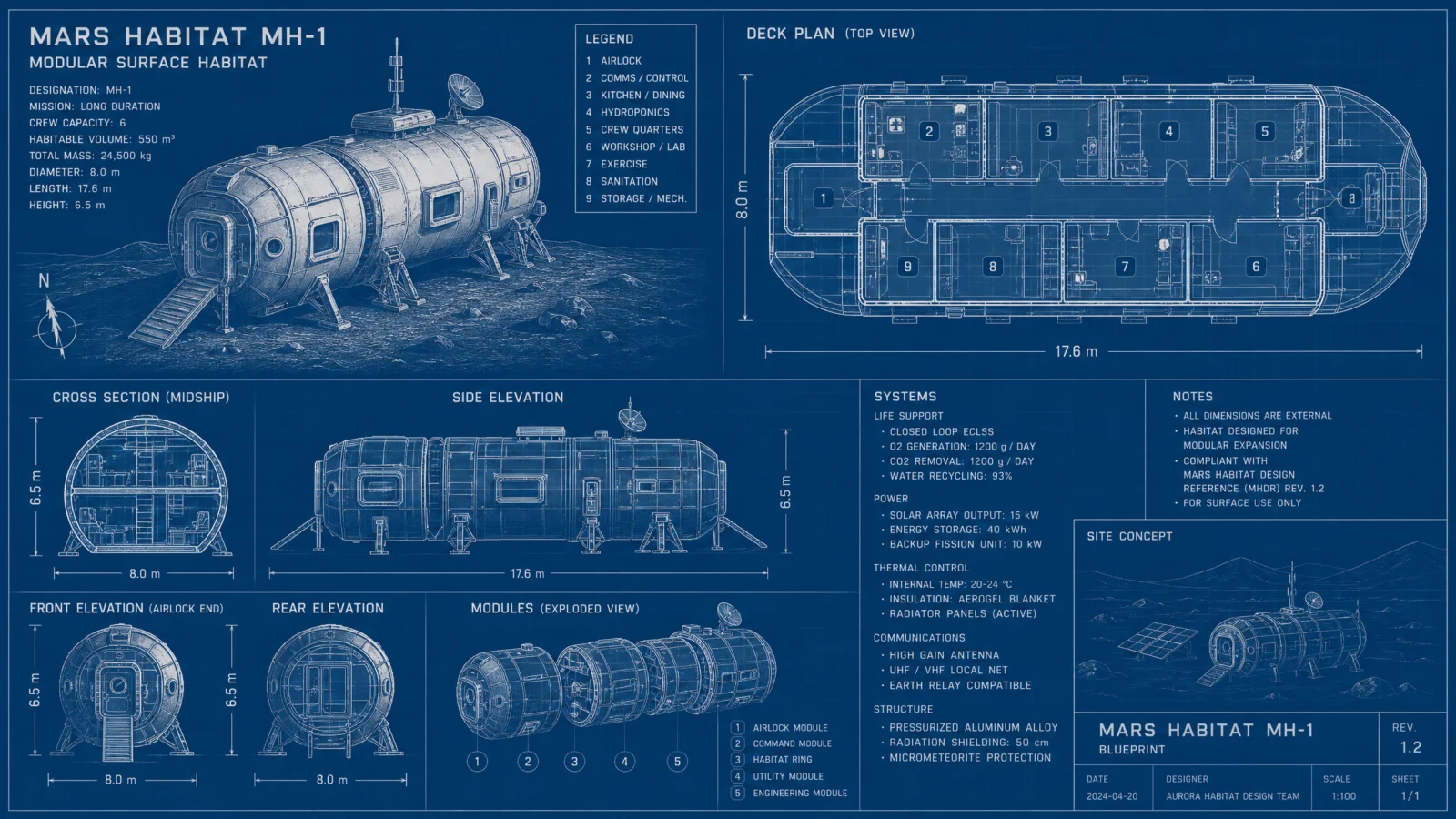
Controlled
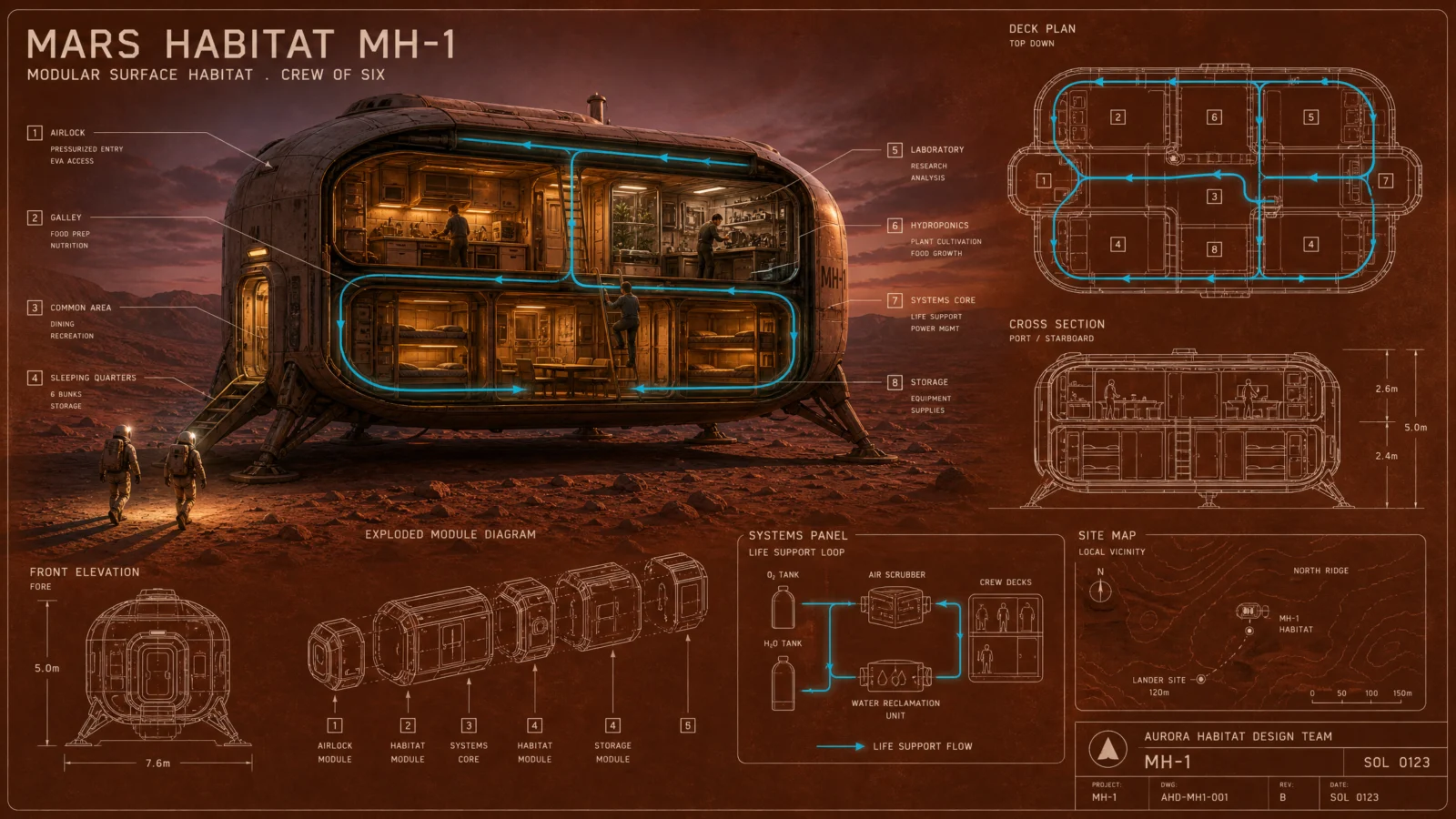
What to notice: this sheet went through a real revision, and the fix is the lesson. The first version asked for "deep rust red" and rendered too red. The working version names the hue in material terms, "the burnt butterscotch orange of Martian regolith," and landed exactly. Color families are vague, materials are precise. When a palette color matters, describe the substance it comes from, not the crayon it resembles. And note the bigger flip this plate closes the set on: a blueprint that is not blue, which after five sheets of taught palettes is the proof the palette was always yours to choose.
Swap ideas: the same living-cutaway treatment on a deep sea research station in abyssal blue-black, or an Antarctic base on white-out paper with one warm interior glow.
The Method In One Box
Run the bare code first, always. Six subjects, one identical default, that is the whole argument for this page in a single test.
Keep the code as line 1 of the controlled prompt. It is the information engine, and it never gets edited.
Protect before you style. STYLE THE CODE names every apparatus element that must survive, the model preserves what you name.
The Hero Swap is the money move: "is not a line drawing," then real materials, then a named light. Frame technical, hero cinematic.
Lock the palette with jobs and close the block with "no other colors introduced." Cap every atmospheric effect in the sentence that introduces it.
One accent, one meaning, reserved exclusively, or no accent at all.
Set the aspect ratio in generation settings, medium quality at 2K is the production standard.
Common Issues And Fixes
Extra colors creep in. The PALETTE LOCK is missing its closing line. "No other colors introduced" must end the block.
The hero comes back as line art instead of a rendered object. The swap language is too soft. "Is not a line drawing," then name the materials and the light source. Materials plus light force the render.
The accent color leaks. Upgrade to "reserved exclusively for" and add "appears nowhere else." Both phrases.
The cinematic staging eats the blueprint apparatus. STYLE THE CODE was not explicit enough. List every element by name.
A color renders in the wrong direction. Stop naming color families and name materials, burnt butterscotch regolith beats rust red every time.
Small panel text garbles. Normal at this density. Headlines in caps render reliably, tiny spec rows are set dressing. Judge at poster distance, regenerate only when a headline breaks.
Next Step
Category 2, The Living Blueprint, takes the sheet you just learned to design and teaches it to stand up. The subject leaves the paper.
Section 02
The Living Blueprint
The same two-word code. This time, the drawing refuses to stay flat.
Category 1 taught you to restyle the sheet. This category teaches the next move: making the subject leave it. Same code, same free information layer, and one new idea that changes everything, the boundary where ink becomes material.
What The Code Actually Is
Same honest framing as Category 1, because it never stops being true: "blueprint" is a style label with a century of training history behind it, not a command. It pulls the full document apparatus for free in any interface. Nothing on this page changes what the code does. Everything on this page changes what happens to its sheet.
The Mechanic
The Living Blueprint is a boundary trick. The sheet stays flat, drawn, technical. The subject rises out of its own line work as a fully rendered object. Every bit of magic in these six images happens at the line where drawing becomes reality, which means that line is not a side effect, it is the composition.
And one rule decides whether the trick looks like magic or like a sticker: the real object must touch the drawing. Light falling onto the paper, steam drifting across the ink, fog spilling over the flat views, a glow warming a circle of the sheet. Contact is what makes two worlds read as one image. A real object with no effect on the paper reads pasted, every single time.
The Control Layer: THE RISE
This category swaps Category 1’s HERO SWAP for a block called THE RISE, and it has five moving parts. Every prompt below uses all five.
Name the sheet and its ink first. The flat world must exist before anything can leave it.
Name the exact crossing line. "At the drawn runway line." "From the drawn foundation ring." "At the paper line its drawn keyboard becomes real." A named boundary renders clean. A vague one renders mush.
Render the subject in real materials. Doped fabric, glossy ebony, weathered masonry, blackened iron. Materials plus light force the render, exactly as they did in Category 1.
Make the subject affect the paper. The contact rule. This is the part beginners skip and the reason their versions look composited.
Let something drawn continue past the real object. A dashed flight path curving off the page, drawn rails ahead of a real cowcatcher, drawn tide arrows passing under real steel. This stitch is the proof both worlds share one space.
Prompt 1: The Biplane Takeoff
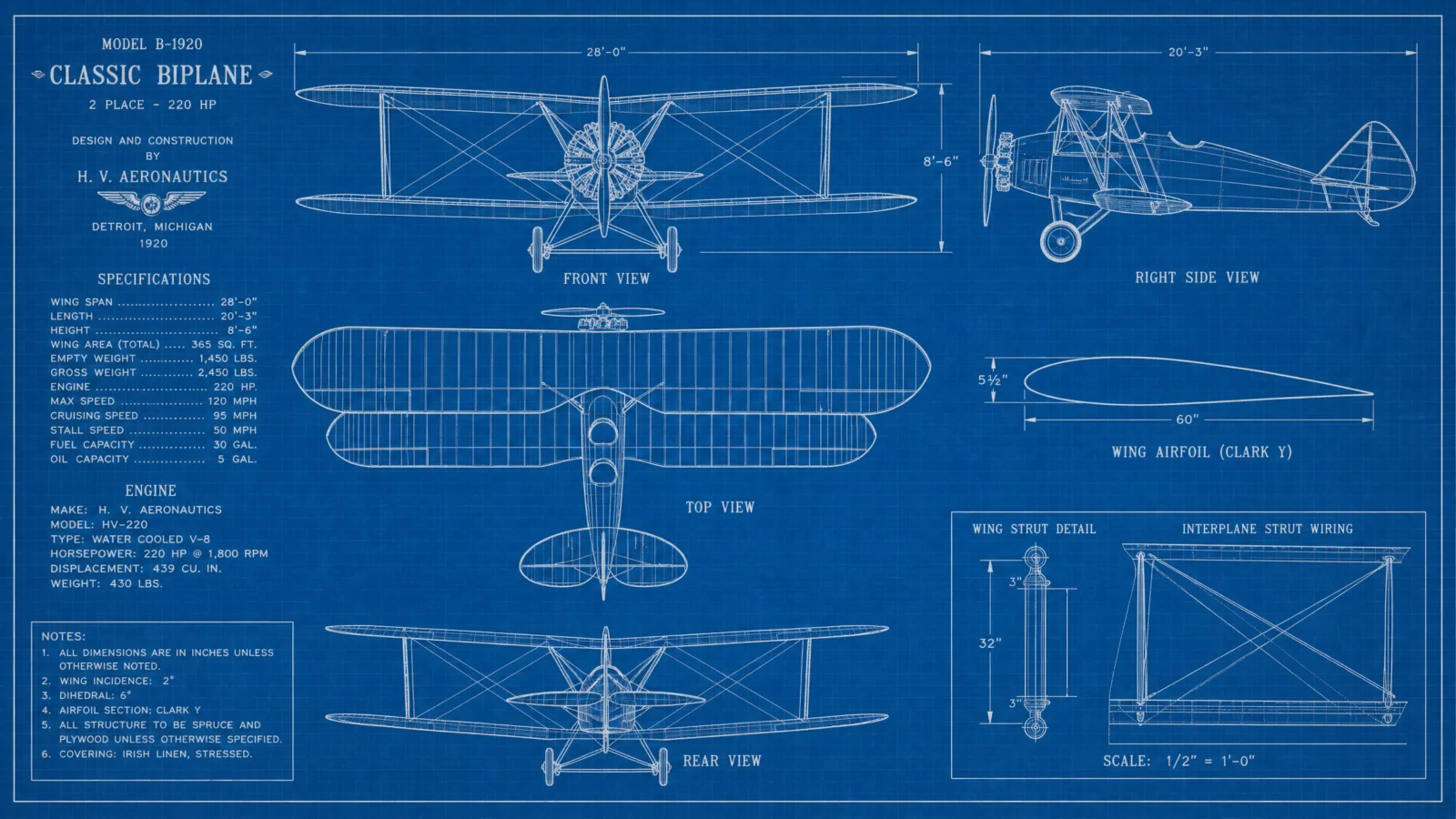
Default
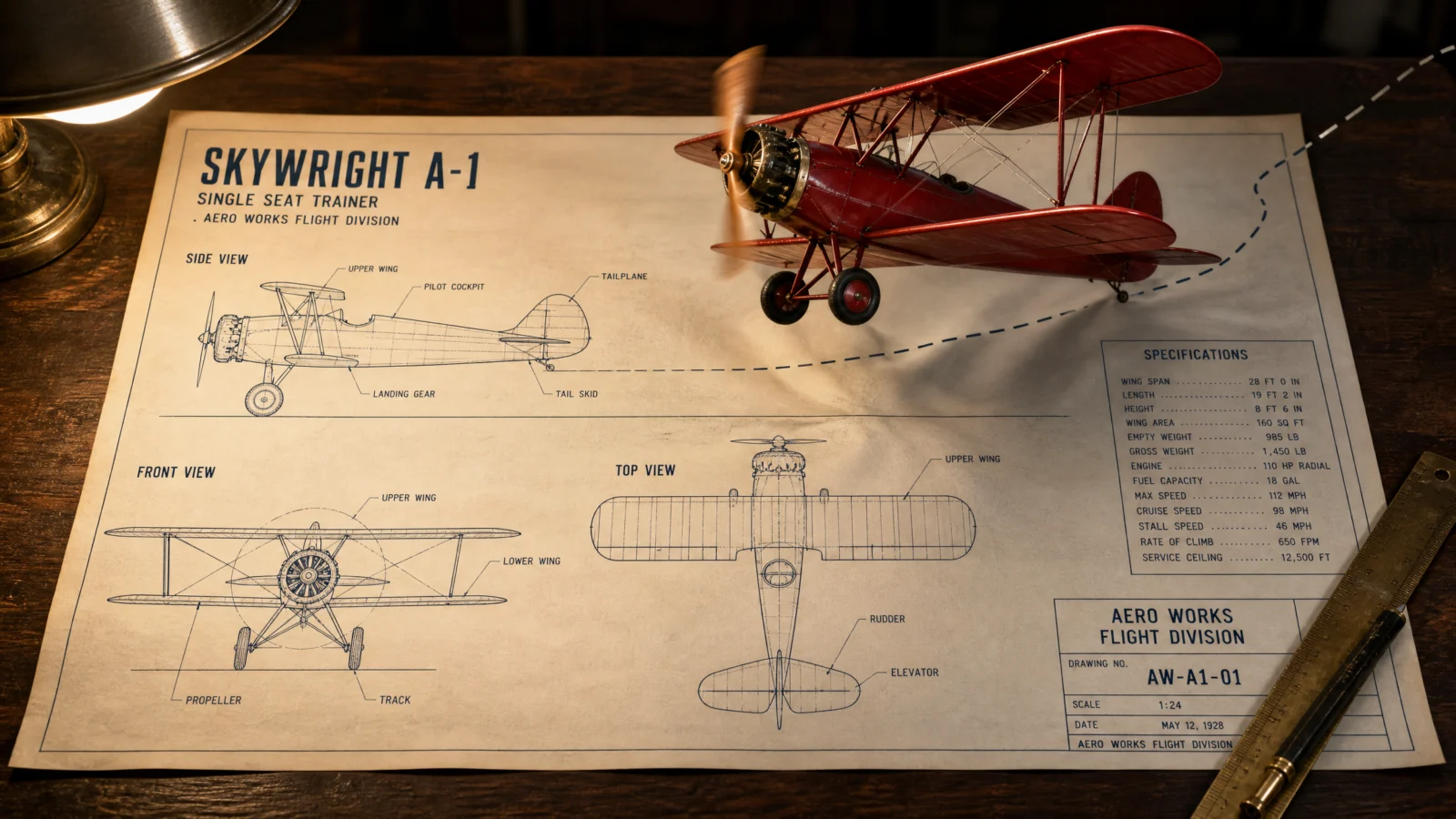
Controlled
What to notice: the crossing line is named, "at the drawn runway line," and the stitch is present, the dashed flight path that starts as ink and continues into real air. Those two instructions are the difference between a plane rising from its drawing and a plane pasted above a drawing. Every prompt in this category has both. Check for them the way you checked palette locks in Category 1.
Swap ideas: the same takeoff staging with a paper airplane rising off a child’s notebook page, or a rocket lifting off its launch pad elevation with drawn exhaust becoming real smoke.
Prompt 2: The Piano That Turns Real
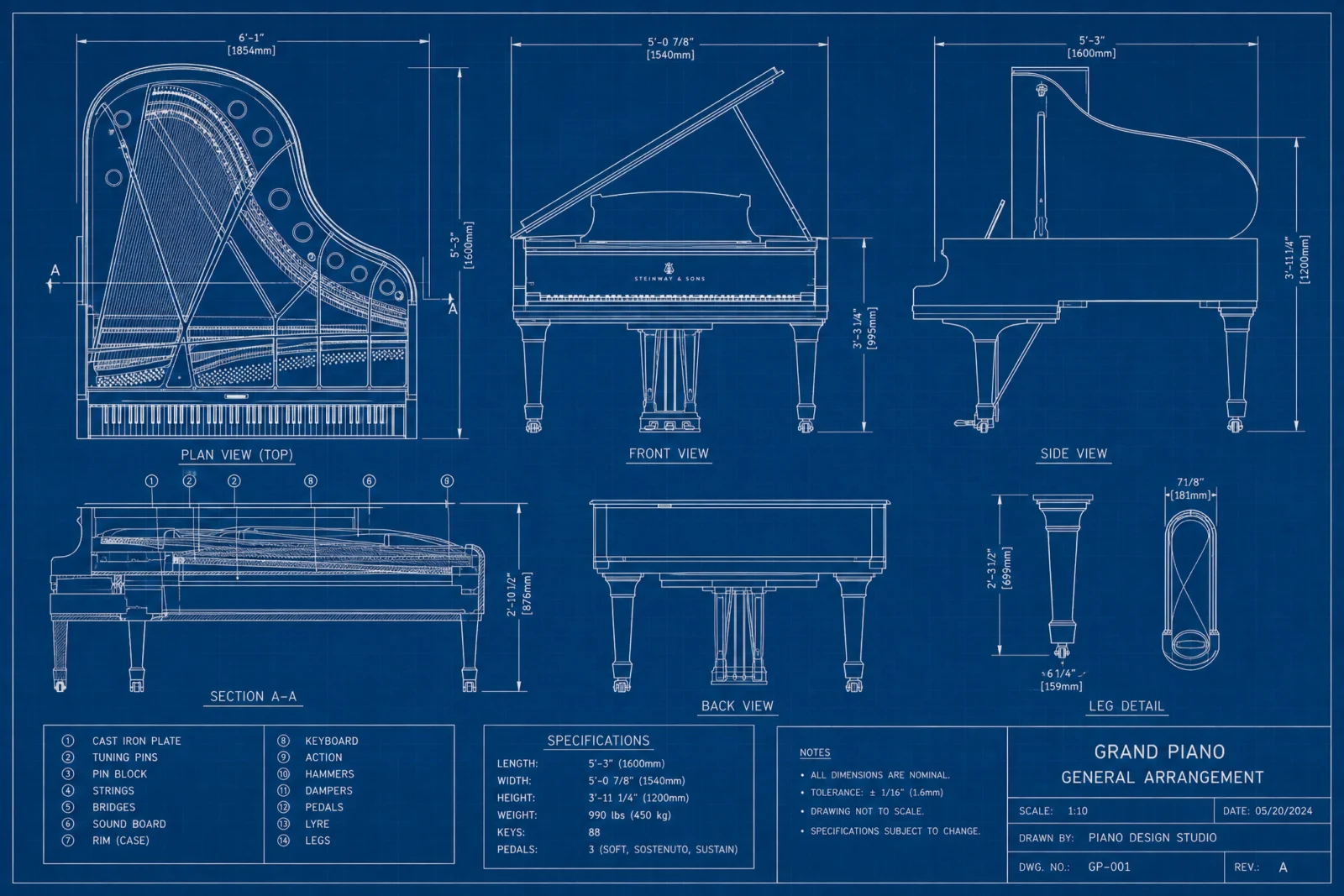
Default
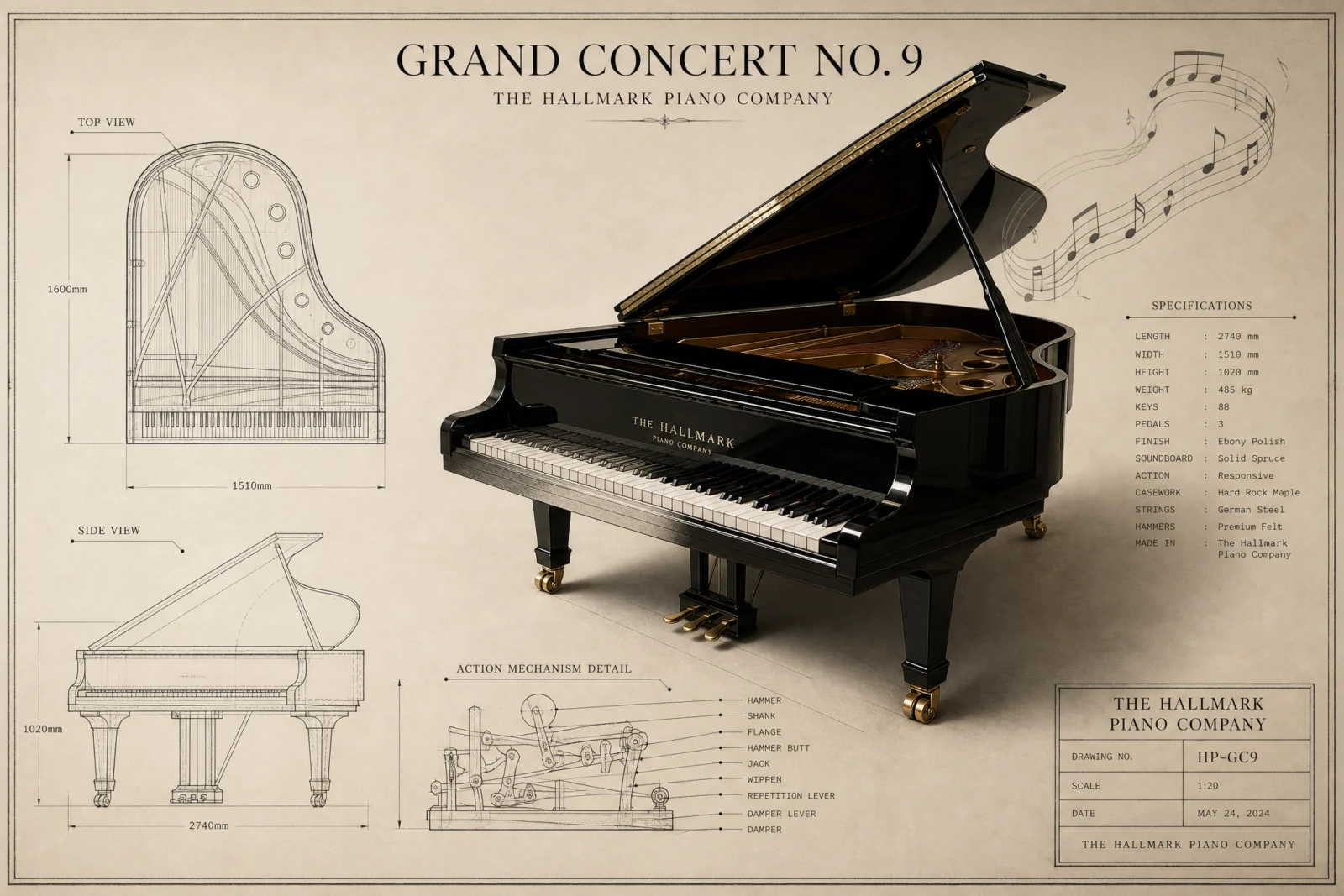
Controlled
What to notice: the boundary here does not sit at the object’s edge, it cuts through the subject itself, halfway along the keyboard. Seam placement is a composition decision, and the strongest position is wherever the story lives. On a piano, the story is the keys. Put the crossing where the viewer’s eye already wants to go and the trick lands twice as hard.
Swap ideas: the same mid-object seam on a violin whose scroll turns real while the body stays drawn, or a typewriter whose keys rise off the sheet one row at a time.
Prompt 3: The Lighthouse That Lights Its Own Chart
Default
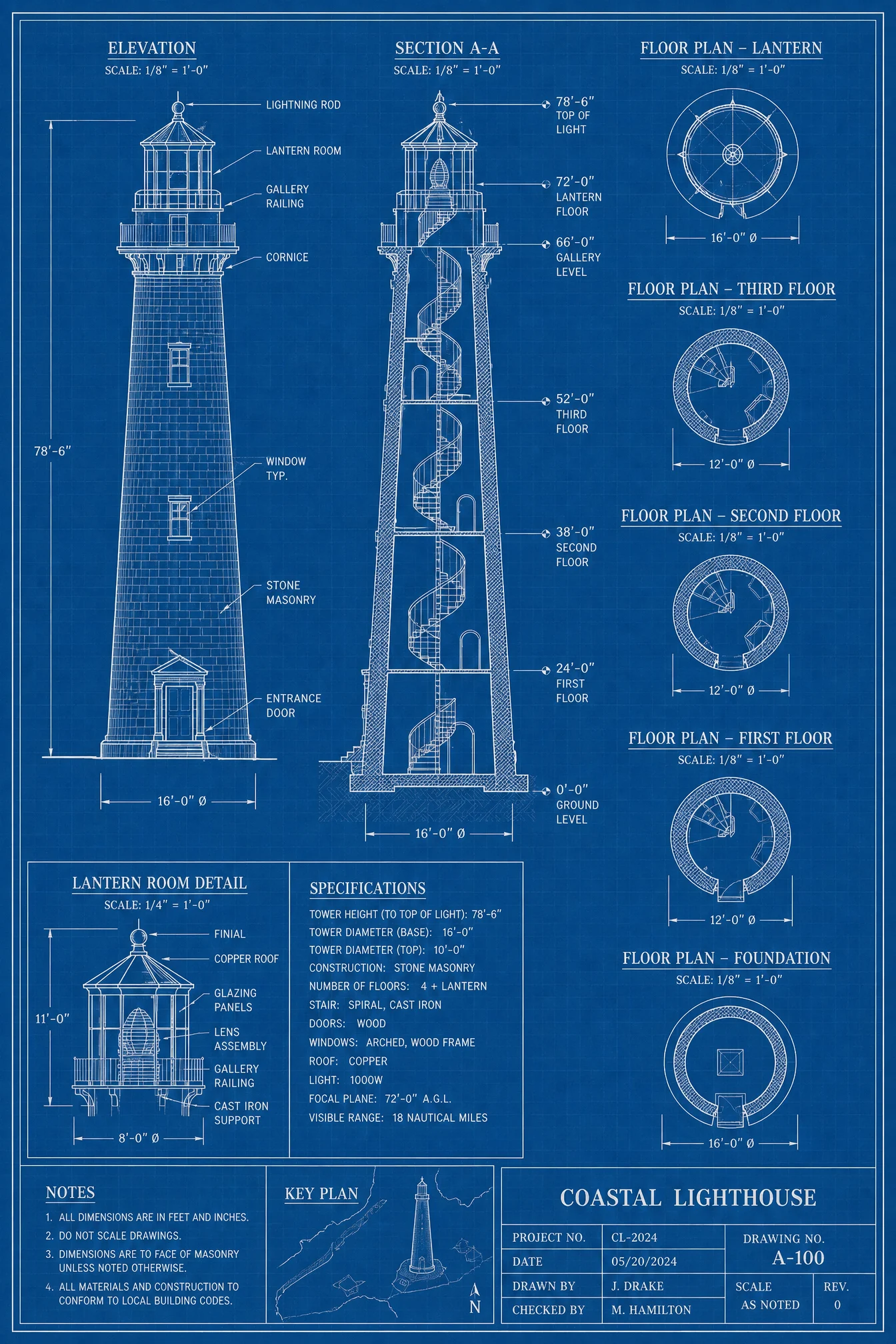
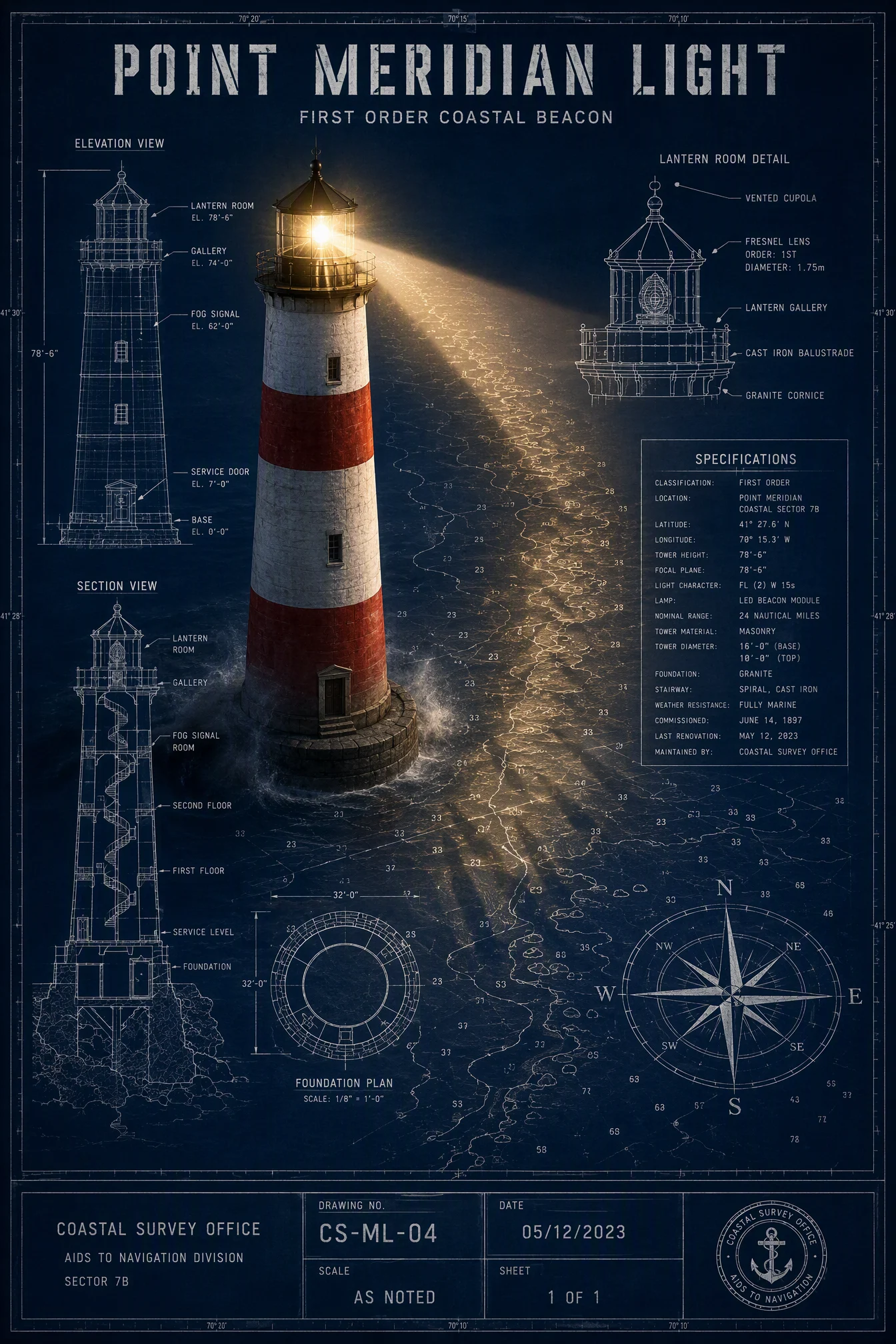
Controlled
What to notice: this is the contact rule at maximum power, and it echoes the biggest lesson from the Vol.19 exploded view page, lighting is the single highest-leverage tool when content is already right. Here the light does not just decorate, it is the bridge between worlds: a real beam sweeping flat paper, and drawn waves casting real shadows inside it. When you need the two worlds to fuse, let the real one’s light land on the drawn one.
Swap ideas: the same light-onto-paper trick with a real campfire rising from a camping site plan, its glow flickering over the drawn tent outlines, or a streetlamp standing up from a city map at night.
Prompt 4: The Locomotive Over Its Ink
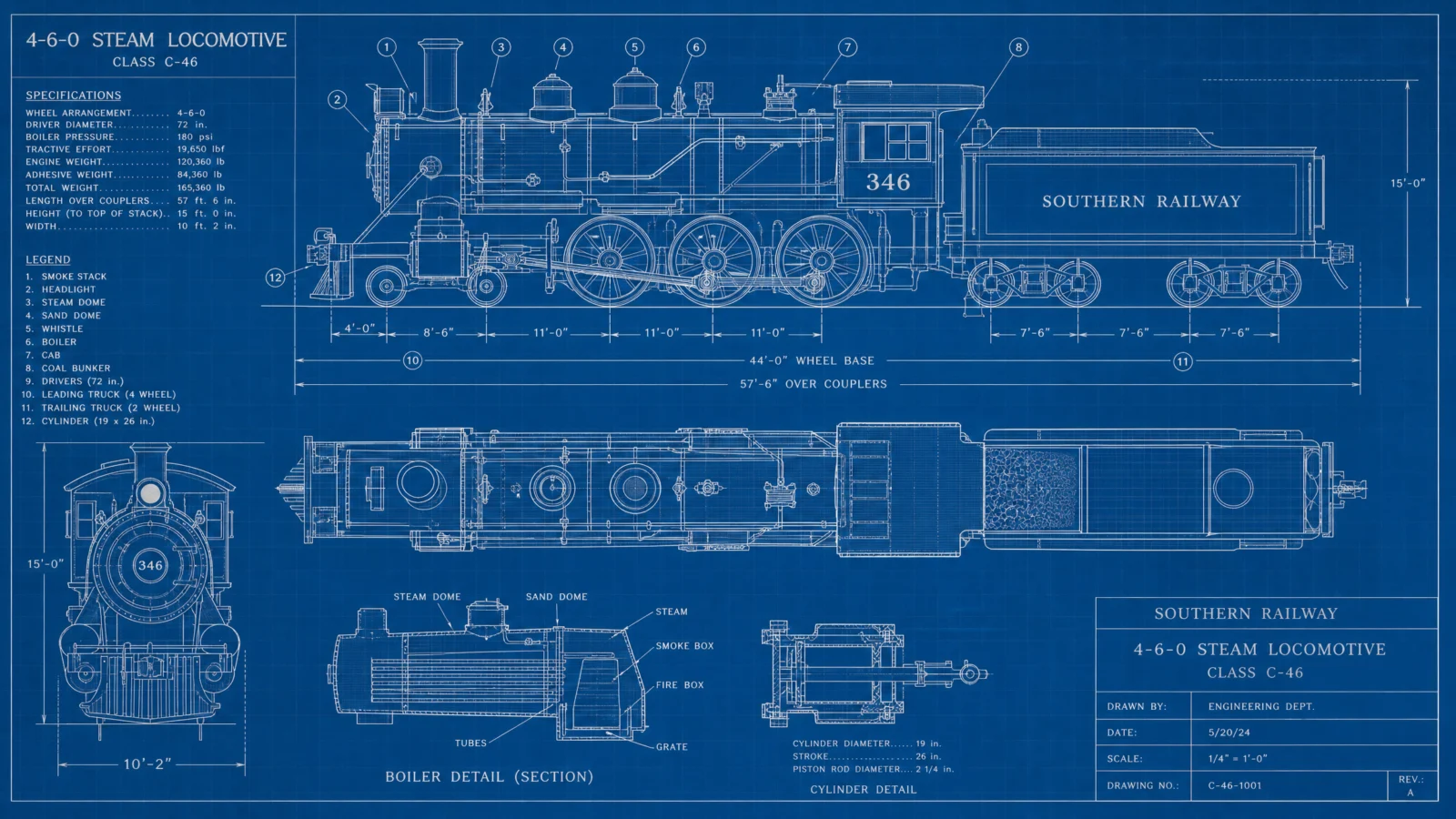
Default
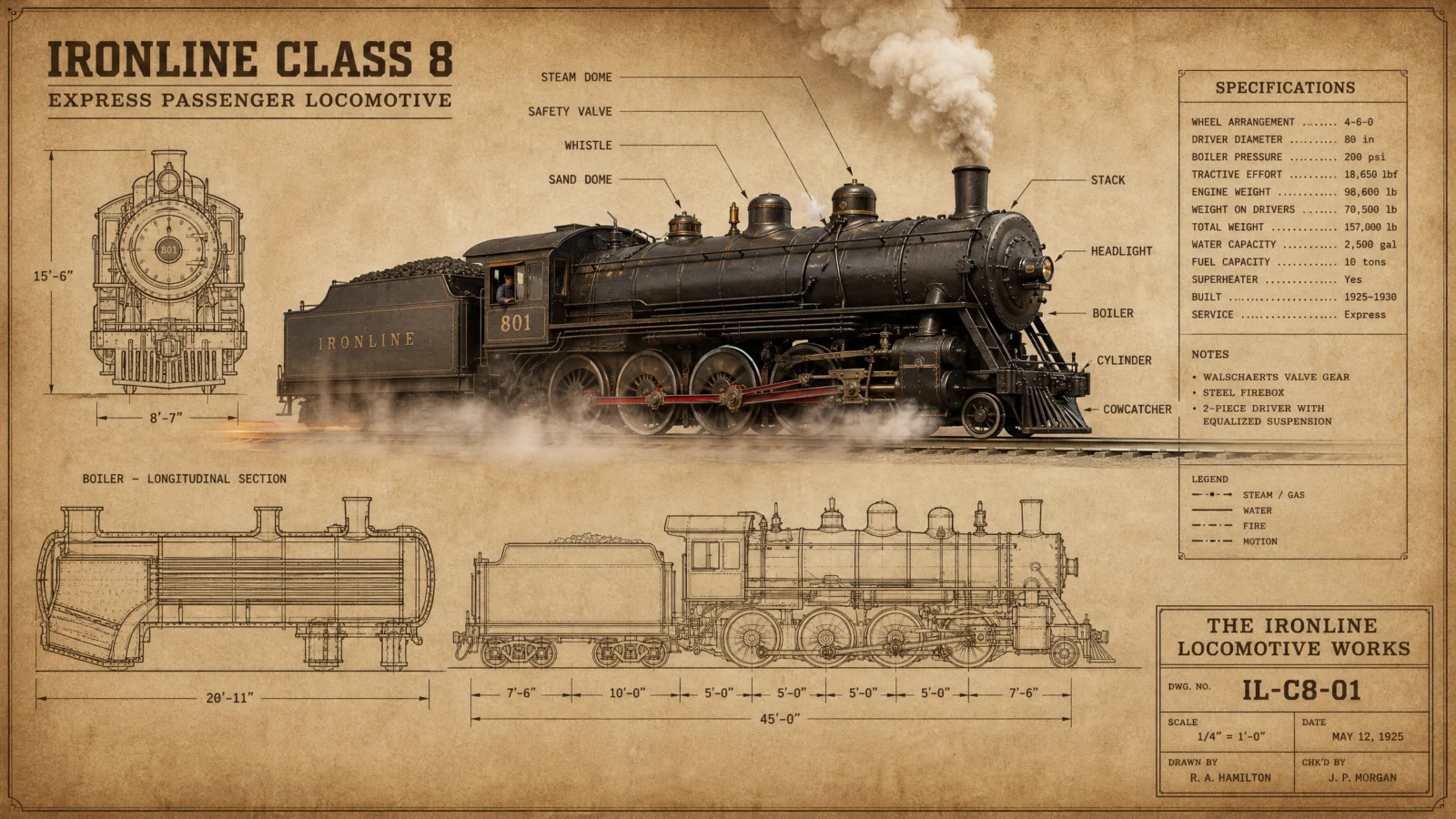
Controlled
What to notice: "softly blurring the inked views beneath it" is atmosphere with a cap built in, the same technique the exploded view page used on steam and leaf shadows. The steam is allowed to touch the drawing, that is the contact rule, but the word softly stops it from erasing the apparatus underneath. Every time real physics interacts with the sheet, state how far the interaction goes in the same sentence.
Swap ideas: the same physics-on-paper contact with a sailboat heeling over its naval plan, real spray misting the drawn rigging diagrams, or a windmill whose real blades cast a slow moving shadow across its own elevation.
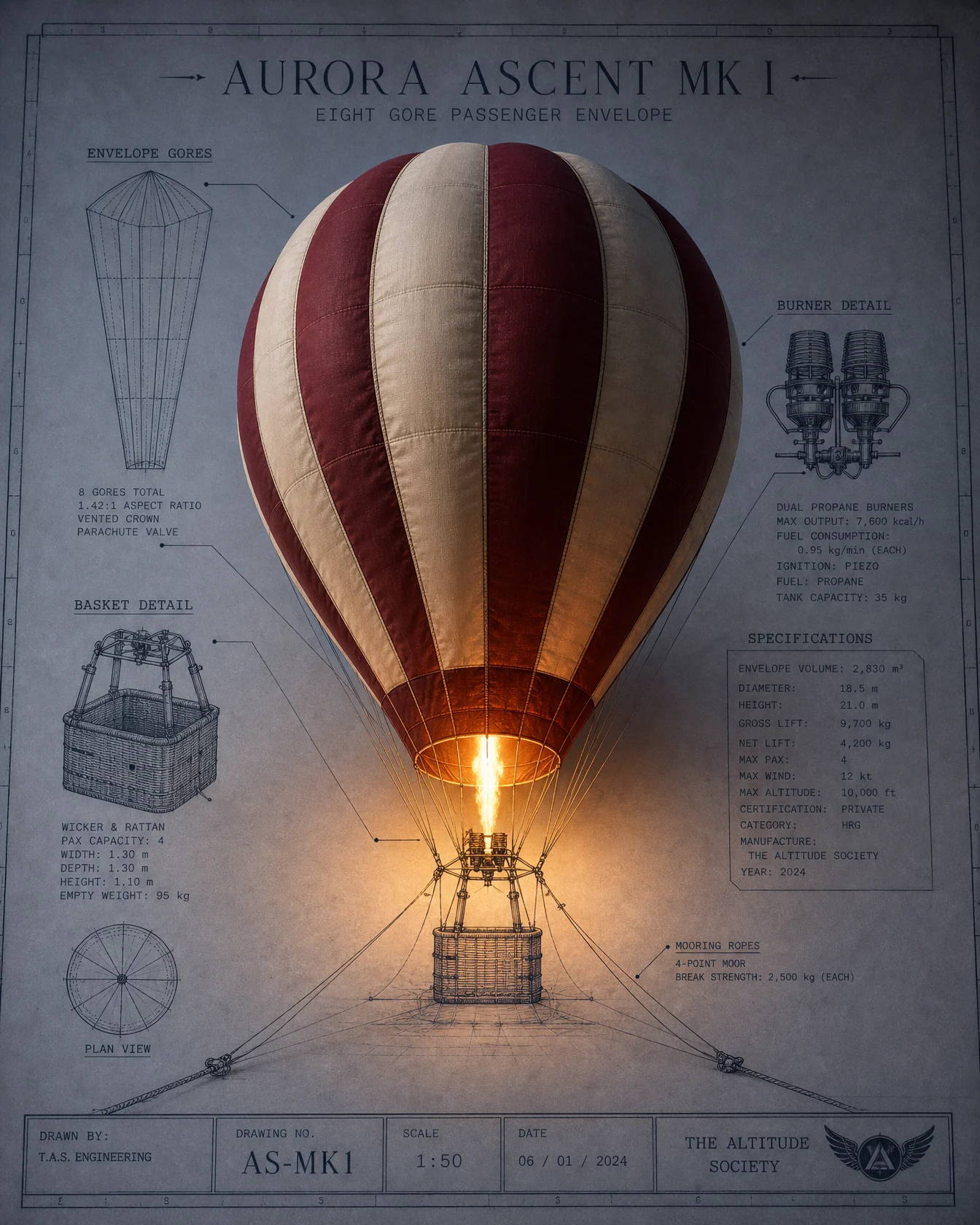
Prompt 5: The Balloon Inflating Off The Page
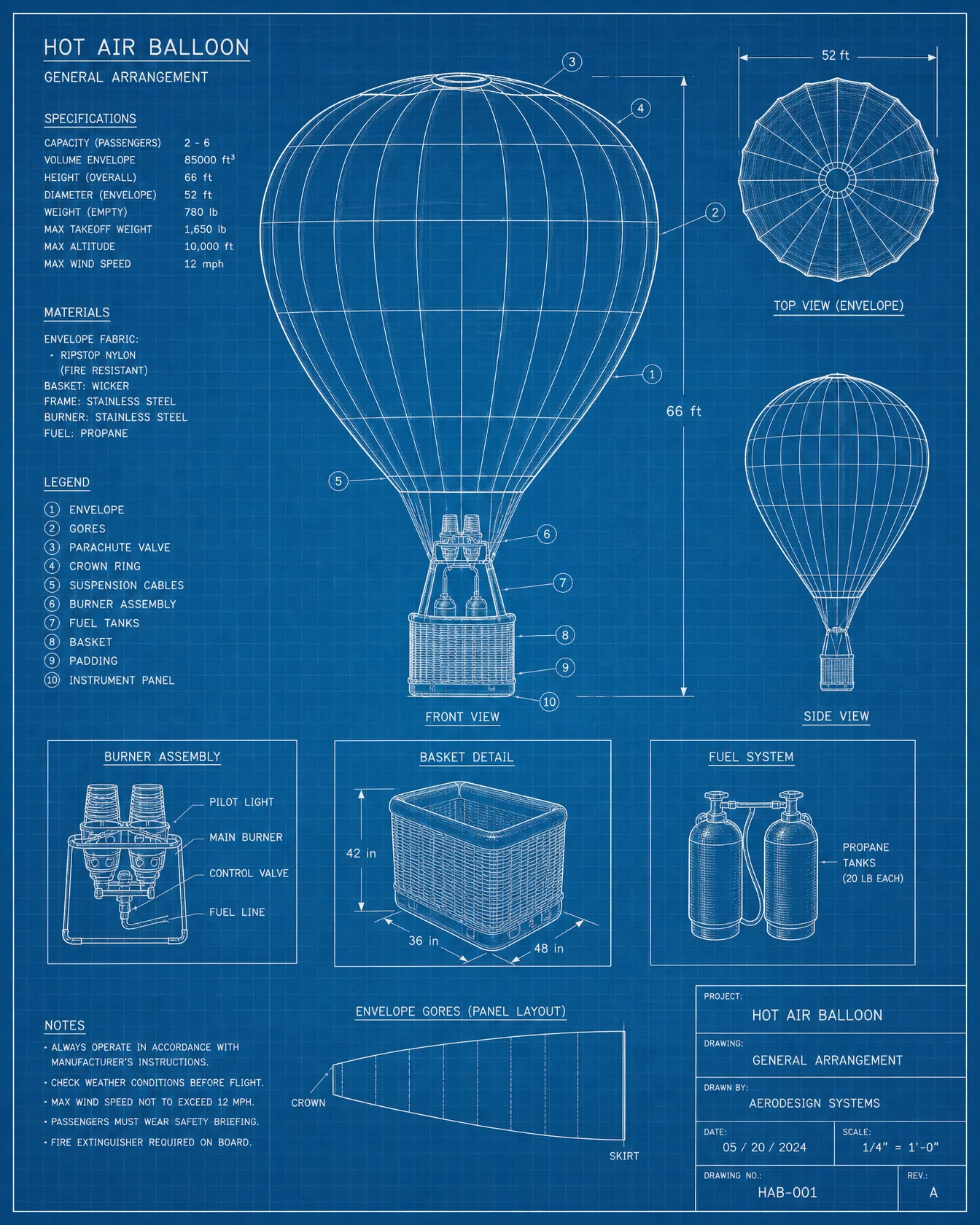
Default

Controlled
What to notice: the split runs through the subject again, but the opposite way from the piano, here the bottom stays drawn and the top turns real, and the two halves are held together by tension. The drawn mooring ropes strain toward the real envelope, the real flame glow warms the drawn basket. When the boundary divides an object, give each side a force that pulls toward the other, and the image stops being two halves.
Swap ideas: the same drawn-base real-top split with a kite on a string rising off a park plan, or a tree whose drawn roots hold a fully real autumn canopy.
Prompt 6: The Bridge Across Its Drawn Strait
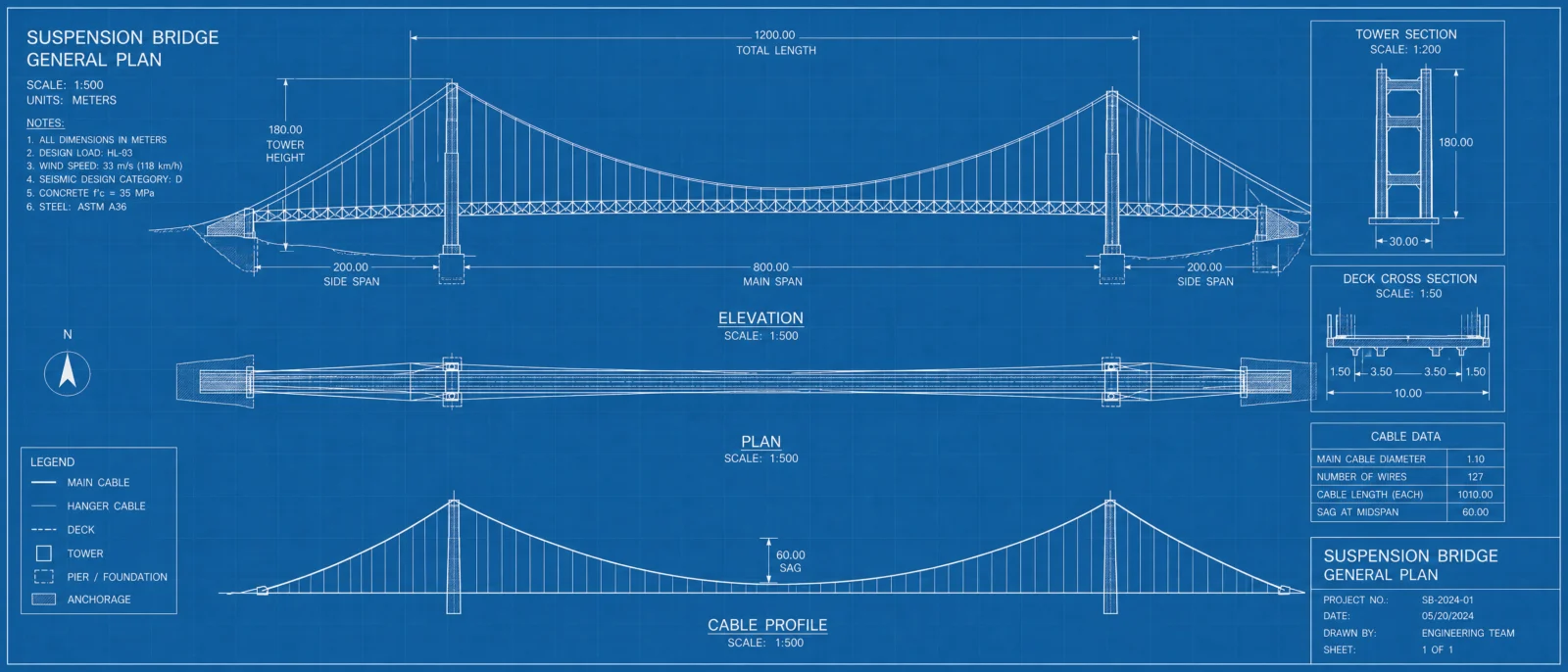
Default
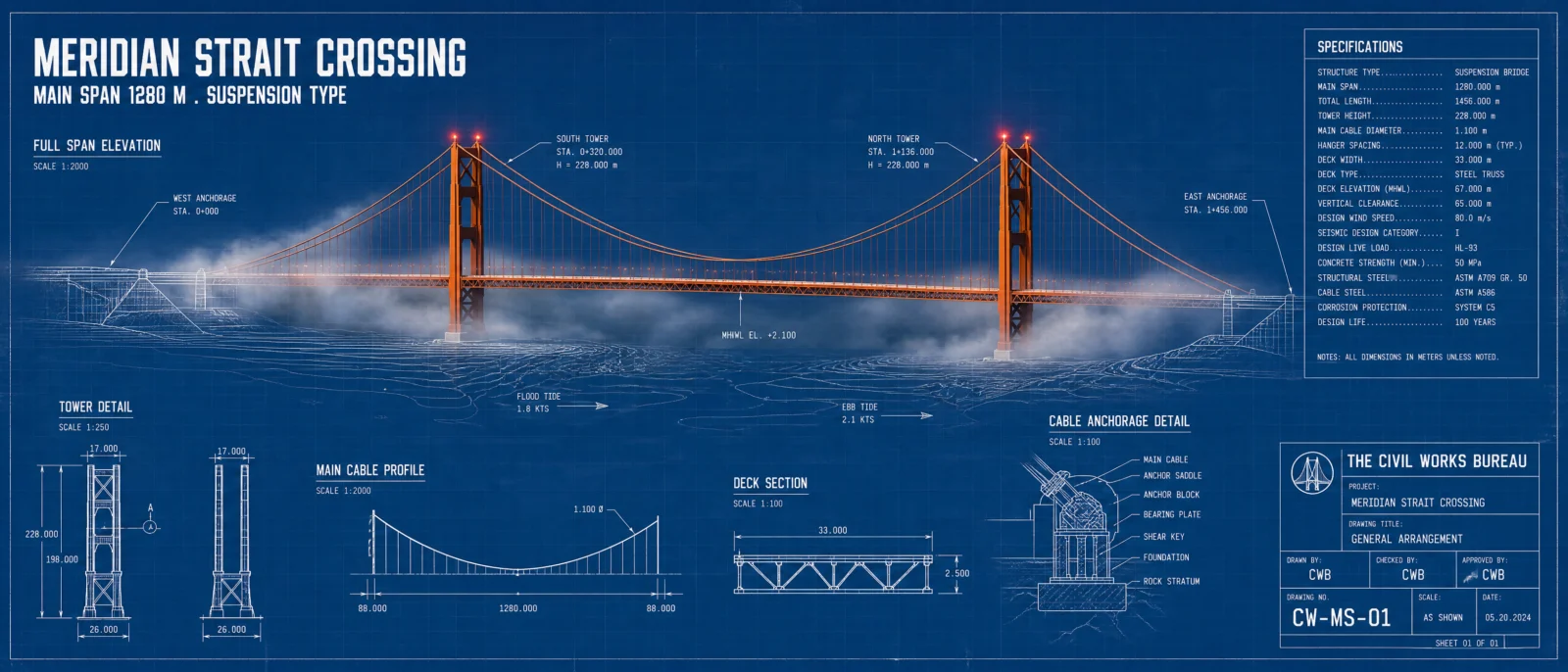
Controlled
What to notice: after eleven sheets that deliberately refused the classic blue, this one spends it, and names the choice inside the prompt, "the one true blue sheet of this collection." That line is series storytelling, the same idea as Vol.19’s PLATE N° tags, a signal that these images belong to one curated set. Defaults you have consciously avoided become powerful the one time you choose them. And note the double stitch: real fog spills onto the drawing while drawn tide arrows pass beneath real steel, both worlds crossing into each other at once.
Swap ideas: the same span-across-drawn-water staging with an aqueduct over a drawn valley survey, or a railway viaduct in the locomotive’s sepia world for a cross-category pair.
The Method In One Box
Plain code first, always. Same test, same lesson, the default has one look regardless of subject.
THE RISE in five parts: name the sheet, name the crossing line, render the subject in real materials, make it touch the paper, let something drawn continue past it.
Contact is the category. No light or physics landing on the paper means no illusion, only a sticker.
Seam placement is composition. Put the crossing where the story lives, the keyboard, the runway, the waterline.
Cap every physical interaction in the sentence that creates it. Softly blurring, faintly warming, never erasing.
Classic blueprint blue is a choice, not a default. Spend it once, and say so.
Ratio set in generation settings, medium quality at 2K.
Common Issues And Fixes
The object looks pasted on the sheet. The contact rule is missing. Add the subject’s light or physics falling onto the paper, a glow circle, drifting steam, spilling fog, a rippling page.
The whole sheet turns 3D instead of staying flat. The crossing line is unnamed. Name the exact boundary and keep "razor sharp ink on the sheet" in the FINISH so the drawn world stays drawn.
Everything renders classic blue no matter the palette. The code’s default fighting back. The PALETTE LOCK must name the paper color first and close with "no other colors introduced."
The staging deletes the panels. STYLE THE CODE was not explicit enough. List every apparatus element by name, the model preserves what you name.
The two halves of a split object feel unrelated. Give each side a force pulling toward the other, straining ropes, falling glow, a shared axis.
Landscape output on a portrait prompt. The generation setting controls ratio, the words only reinforce it. Set both, including 21:9 for the bridge.
Next Step
Category 3, The Anatomy Poster Code, leaves the drafting table for the dark museum wall, where the subject is not a machine but a living structure, and the hero glows.
Section 03
The Anatomy Poster Code
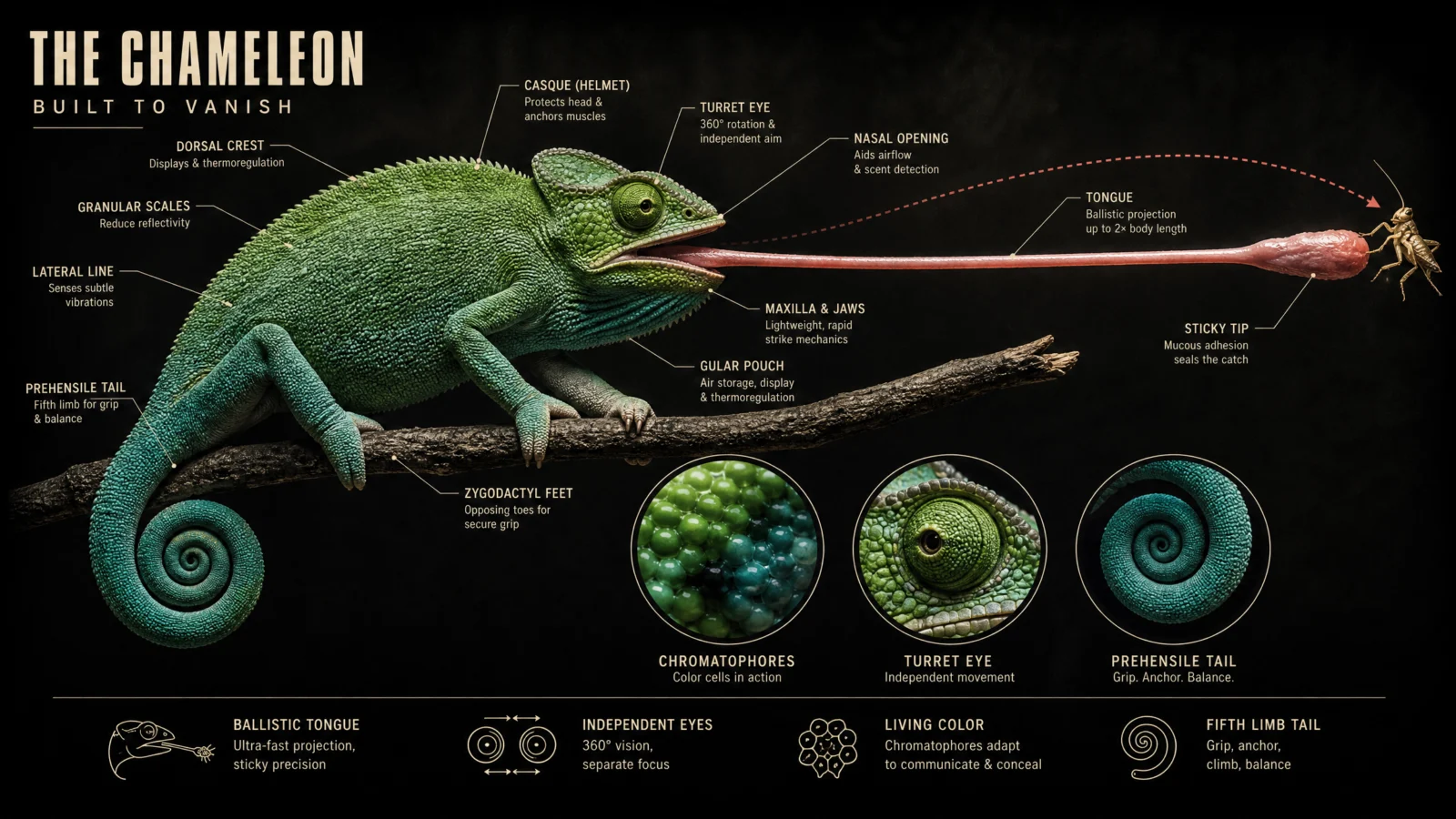
anatomy of [subject]
A correct diagram, done for free. Then lit like it belongs on a museum wall.
Two words and the model hands you a labeled anatomical breakdown: every structure named, every leader line placed, accurate on the first try. That is the information layer, free as always. What the bare code cannot give you is the thing that makes people stop scrolling and save the image, and that thing is not information. It is light.
What The Code Actually Is
Same honest truth as every code in this vault. "Anatomy of" is not a command, it is a century of textbook plates and scientific illustrations living in the model’s training, plus a social media format you have seen a hundred times. Say the phrase, get the genre: the labeled specimen, the leader lines, the clinical layout. Works in any interface, ChatGPT, GPT Image 2 on OpenArt, or the API.
The Default’s Ceiling: Textbook, Not Poster
Run the bare code on all six subjects and study what comes back. The information is right. The labels are right. And every single one looks like page 214 of a biology textbook: white background, flat even clinical light, no mood, no drama, no reason to look twice. The bare code’s ceiling is not accuracy, it is register. It produces a page you study, not a poster you hang.
This category’s entire job is moving the register from textbook to museum wall, and the tool that does almost all of the work is the one the textbook deliberately avoids: dramatic light.
The Control Layer
The blocks you know from Categories 1 and 2 carry forward, STYLE THE CODE protecting the labeled breakdown, PALETTE LOCK, TYPE SYSTEM, LABEL DISCIPLINE, FINISH. This category adds four new ones.
THE GLOW is this category’s hero block, the anatomy version of the hero swap. The subject is rendered photoreal, and then it is lit with meaning: from within, or by one single source that tells the organ’s story. Light entering an eye. Hearts glowing through a translucent mantle. A jellyfish as the only lamp in the ocean. The light is never decoration, it is the explanation.
THE EVENT replaces THE GLOW on subjects that have a famous moment. A flytrap one breath before the snap. A chameleon at full tongue extension. A frozen event beats a posed specimen every time, the same rule that runs our video work applies to posters: if the most interesting thing about a subject is what it does, show it doing it.
INSET ROW adds the reference-poster architecture: a row of small framed detail studies, and the word that makes it work is identical. Same frame shape, same line weight, same label treatment, repeated exactly. Repetition reads as design. Variety reads as chaos.
FACT STRIP is the shareability layer: one bottom row of small icons with short punchy labels. This is what turns a beautiful specimen into a poster people send to each other, and it only works when the facts are felt, not recited.
Prompt 1: The Human Eye
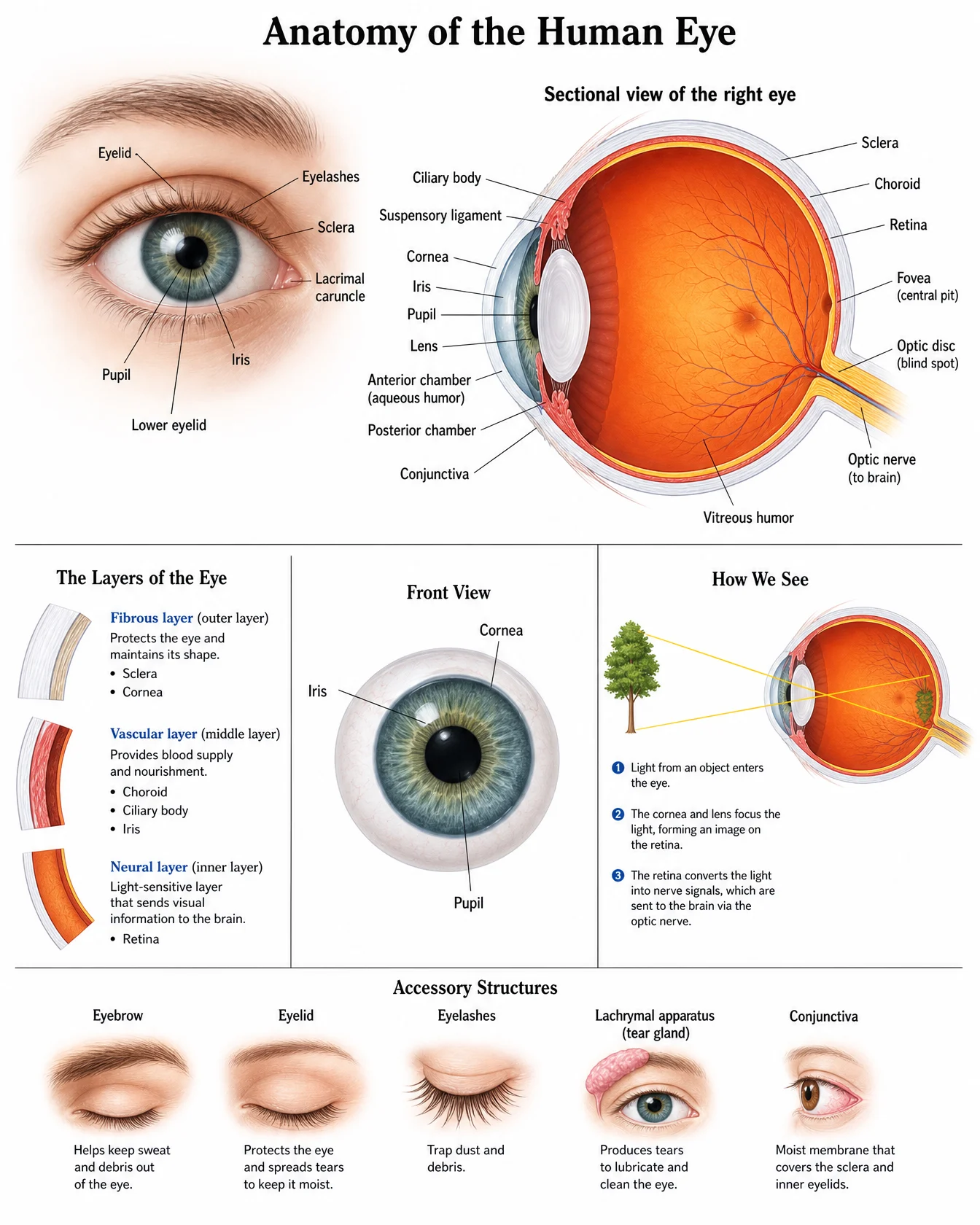
Default
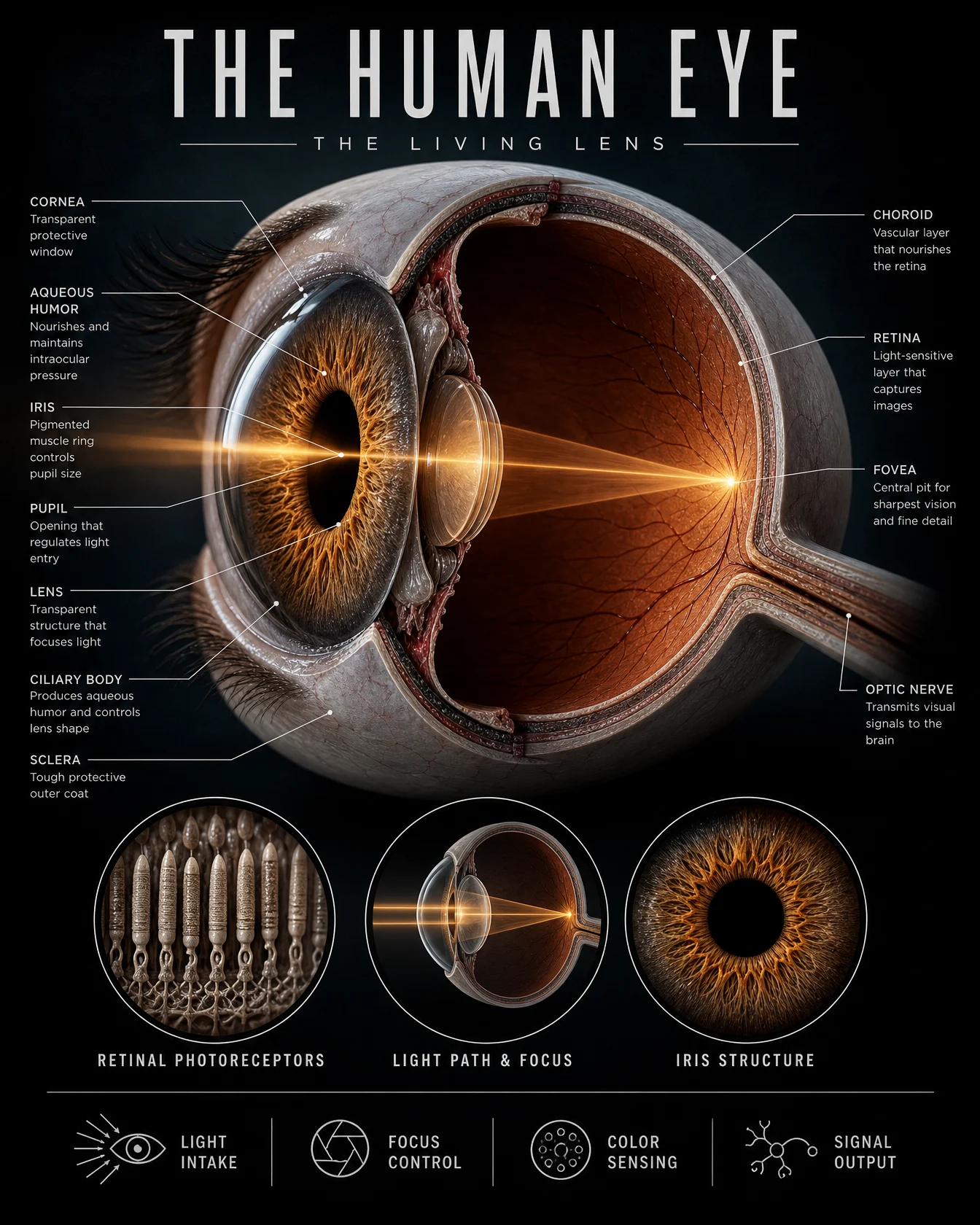
Controlled
What to notice: the accent is doing the teaching. The one warm color in the frame is a cone of light entering the pupil, bending through the lens, landing on the retina, which is literally what an eye is for. When the accent color traces the subject’s function, the poster explains itself before a single label is read. And note the register guardrail travels in two places, "tasteful teaching register" up top and "no gore" in the FINISH. On anatomical subjects the drama upgrade and the tone boundary must ship together, a lesson this vault first learned on the exploded heart.
Swap ideas: the same light-explains-function treatment on a human ear with one visible sound wave entering the canal, or a nose with a faint visible scent trail reaching the receptors.
Prompt 2: The Octopus
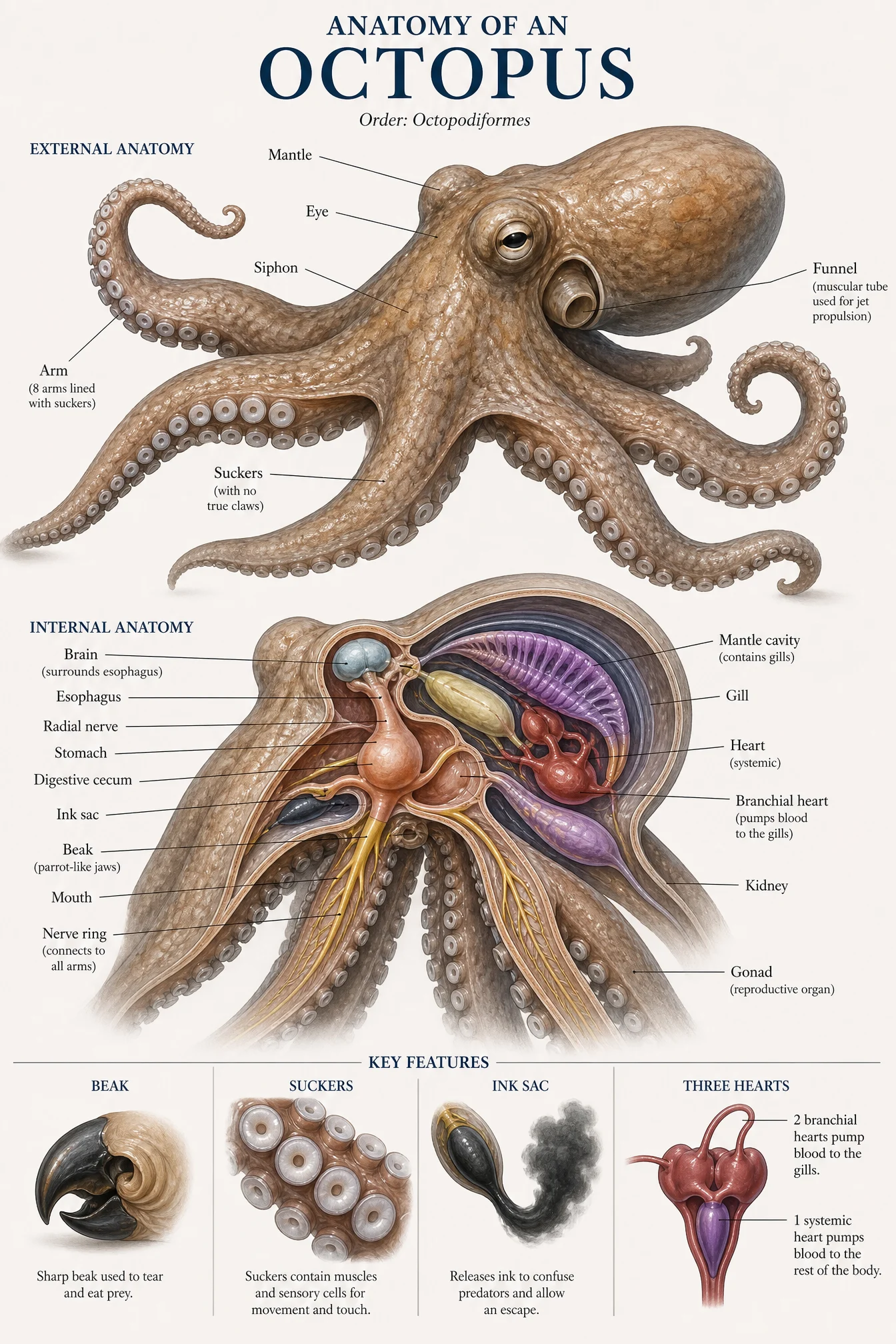
Default
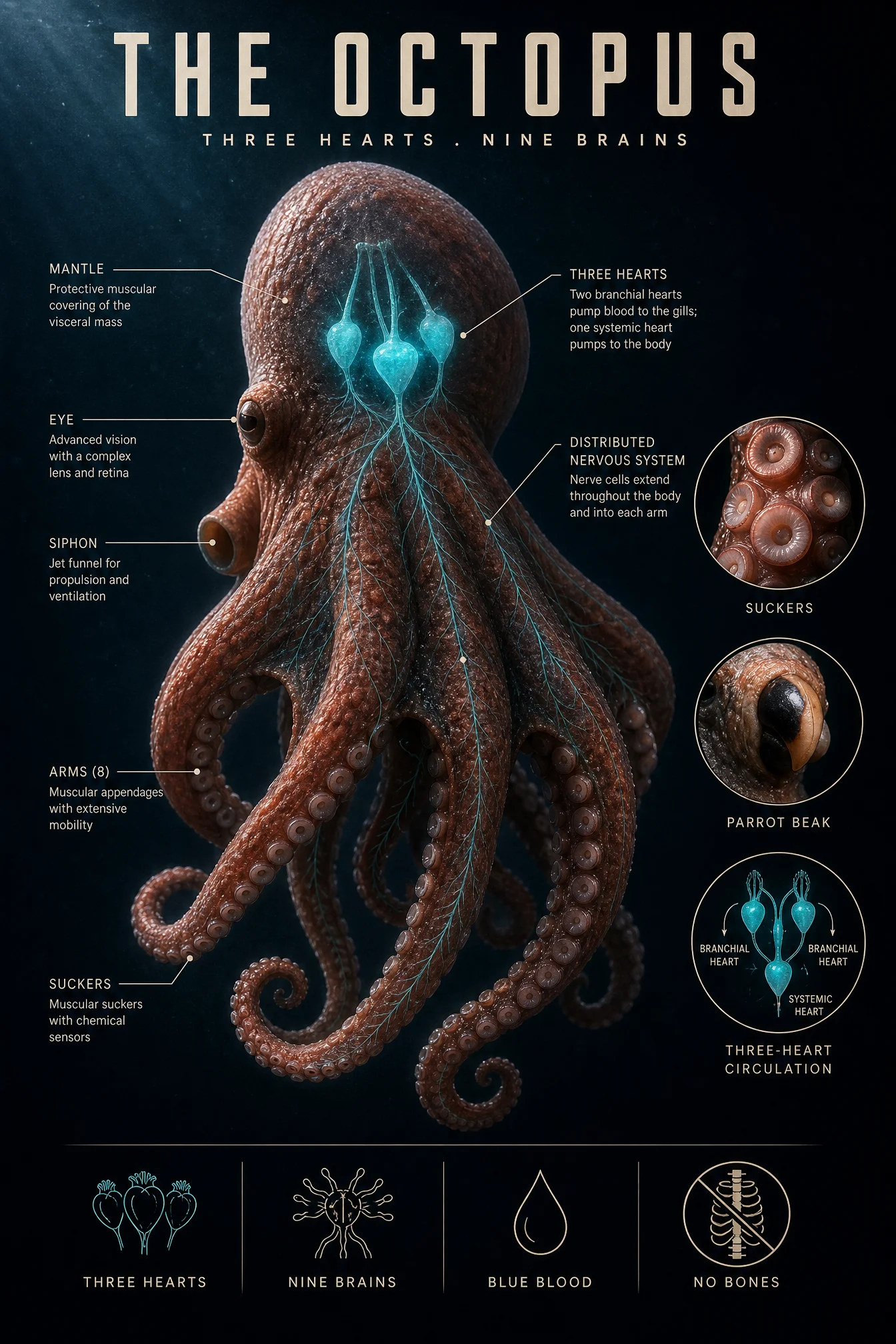
Controlled
What to notice: the headline fact and the glow are the same thing. The subtitle says three hearts, and the only cold light in the frame is those three hearts glowing through the mantle. Design and information fused into one decision is what separates a poster from a decorated diagram, and it is the move to hunt for on every subject: find the fact people repeat at dinner, then make the light carry it.
Swap ideas: the same glow-through-the-body treatment on a firefly with its lantern as the single light source, or an electric eel with its charge tracing faint lines along the body.
Prompt 3: The Venus Flytrap
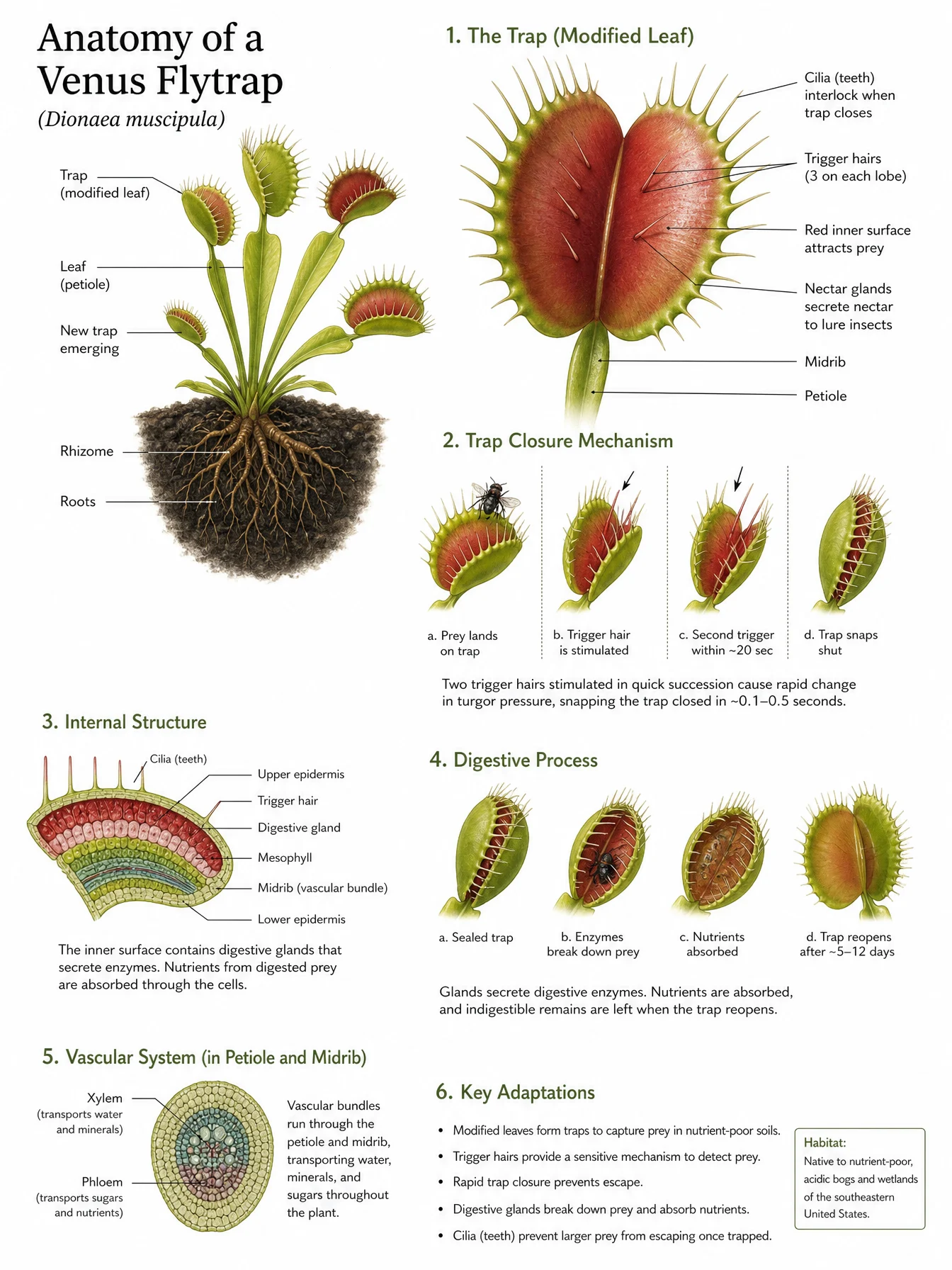
Default
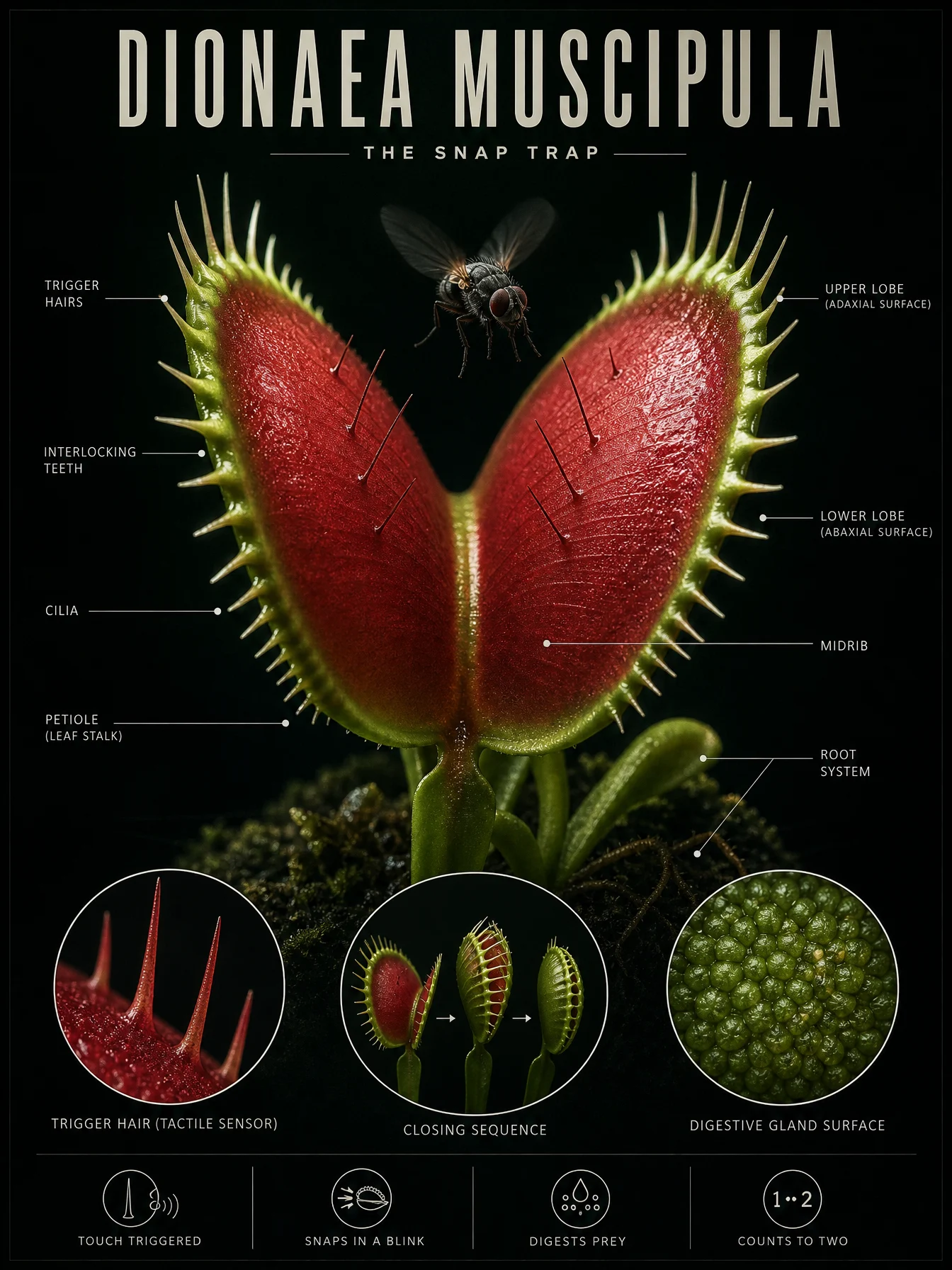
Controlled
What to notice: this is THE EVENT in its purest form, the moment before, not the moment of. A sealed trap is a closed box, a snapping trap is a blur, but a trap wide open with the fly one breath away is pure held tension, and tension is what makes a still image feel alive. Also catch the small inheritance from Category 2: the trap’s crimson glow reflecting on the fly’s underside is the contact rule traveling forward, one element’s light landing on another is what binds two objects into one moment.
Swap ideas: the same breath-before treatment on a pitcher plant with an ant at the slippery rim, or a sundew with a gnat one wingbeat from the glue drops.
Prompt 4: The Chameleon
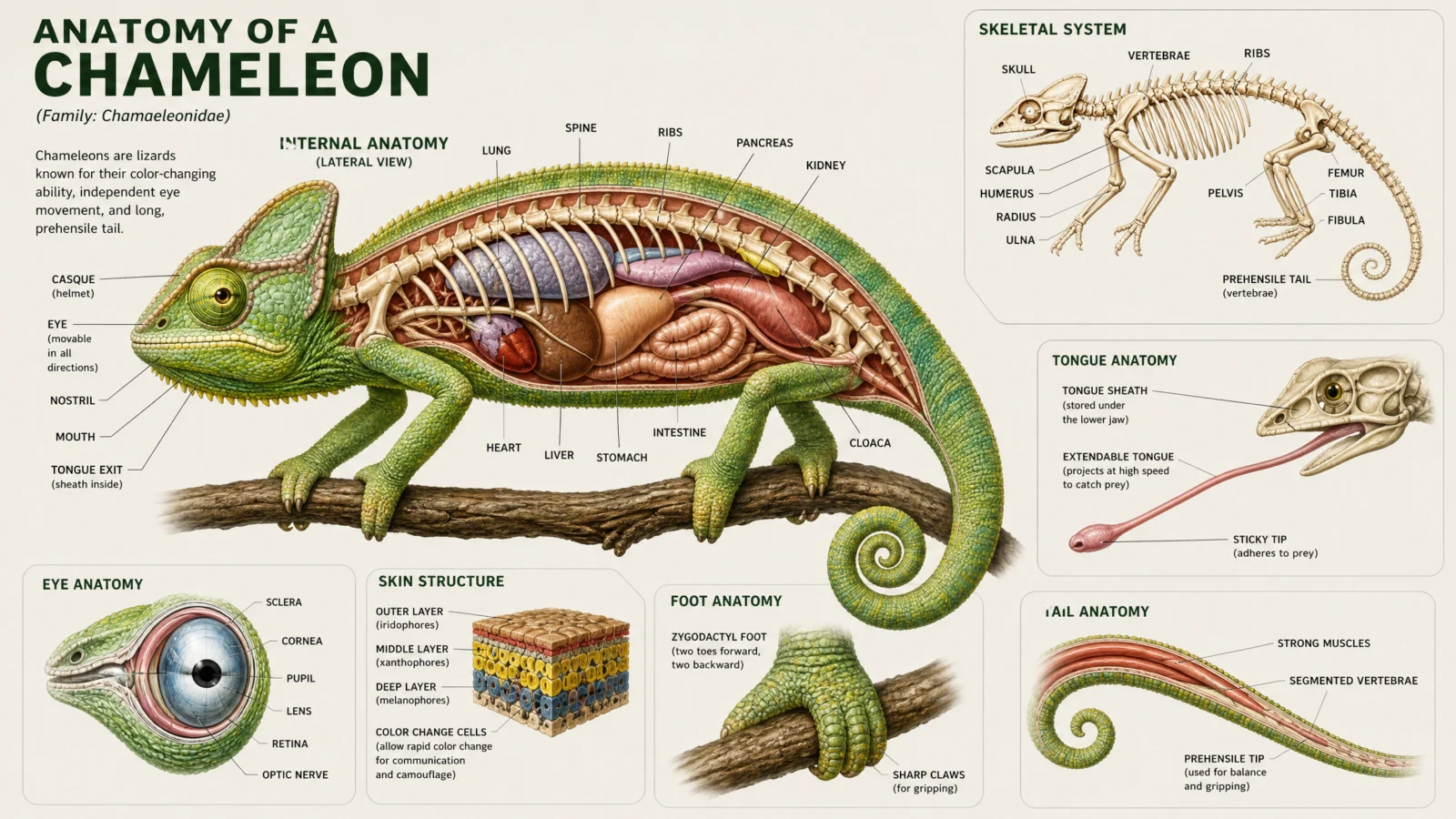
Default
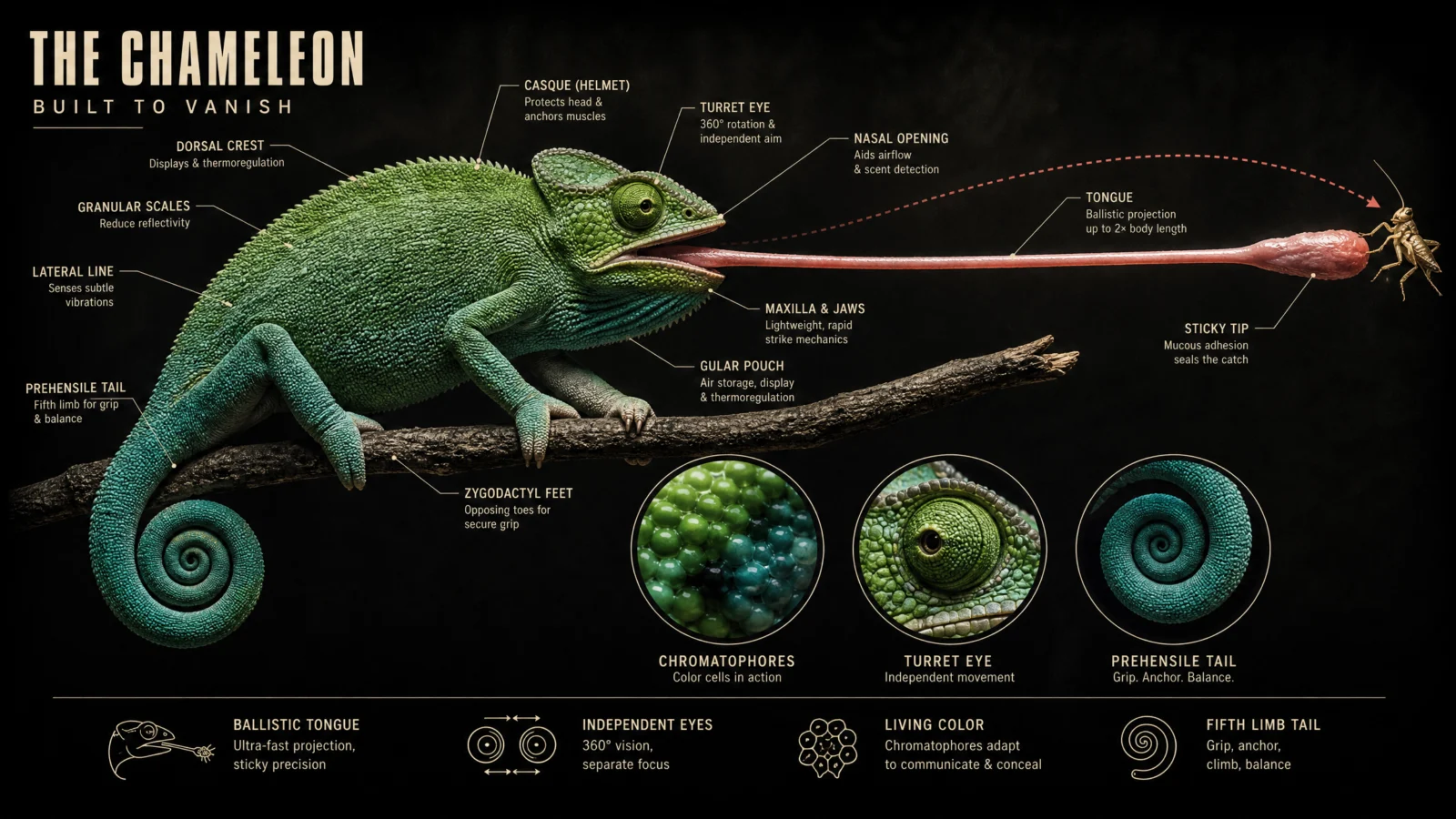
Controlled
What to notice: how do you palette-lock a subject whose entire identity is changing color? You name the change as a controlled instruction: "a gradient from leaf green at the head to deep turquoise at the tail." The color shift becomes a designed feature with a start point and an end point instead of an invitation for rainbow chaos. When a subject’s signature trait threatens your palette discipline, do not fight the trait, specify it. And the dotted strike arc is a drawn element layered onto a photoreal scene, mixing registers is allowed when the drawn element carries information the photo cannot.
Swap ideas: the same frozen-strike treatment on a mantis shrimp mid punch with its strike arc traced, or an archerfish with its water jet arcing up to an insect on a leaf.
Prompt 5: The Hummingbird
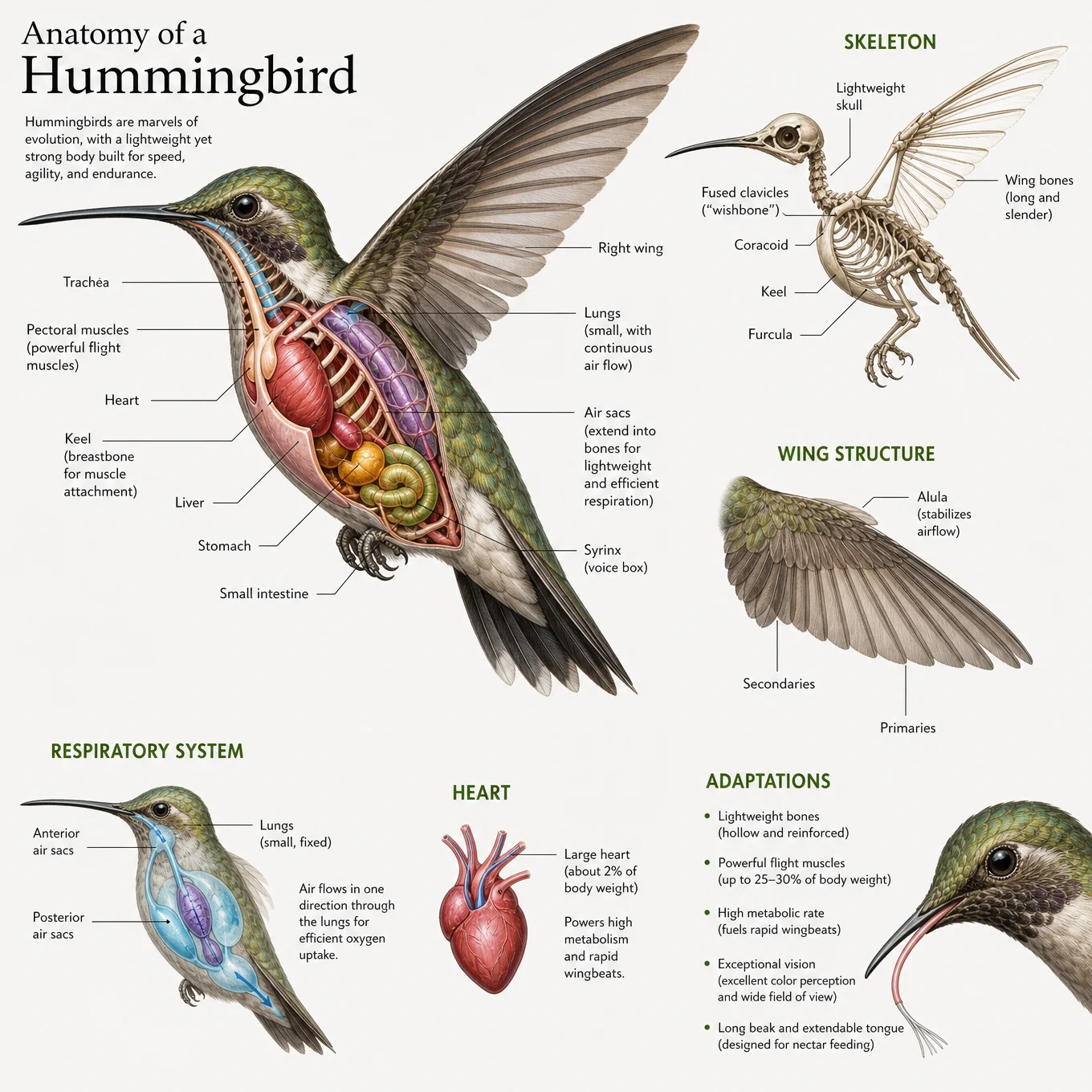
Default
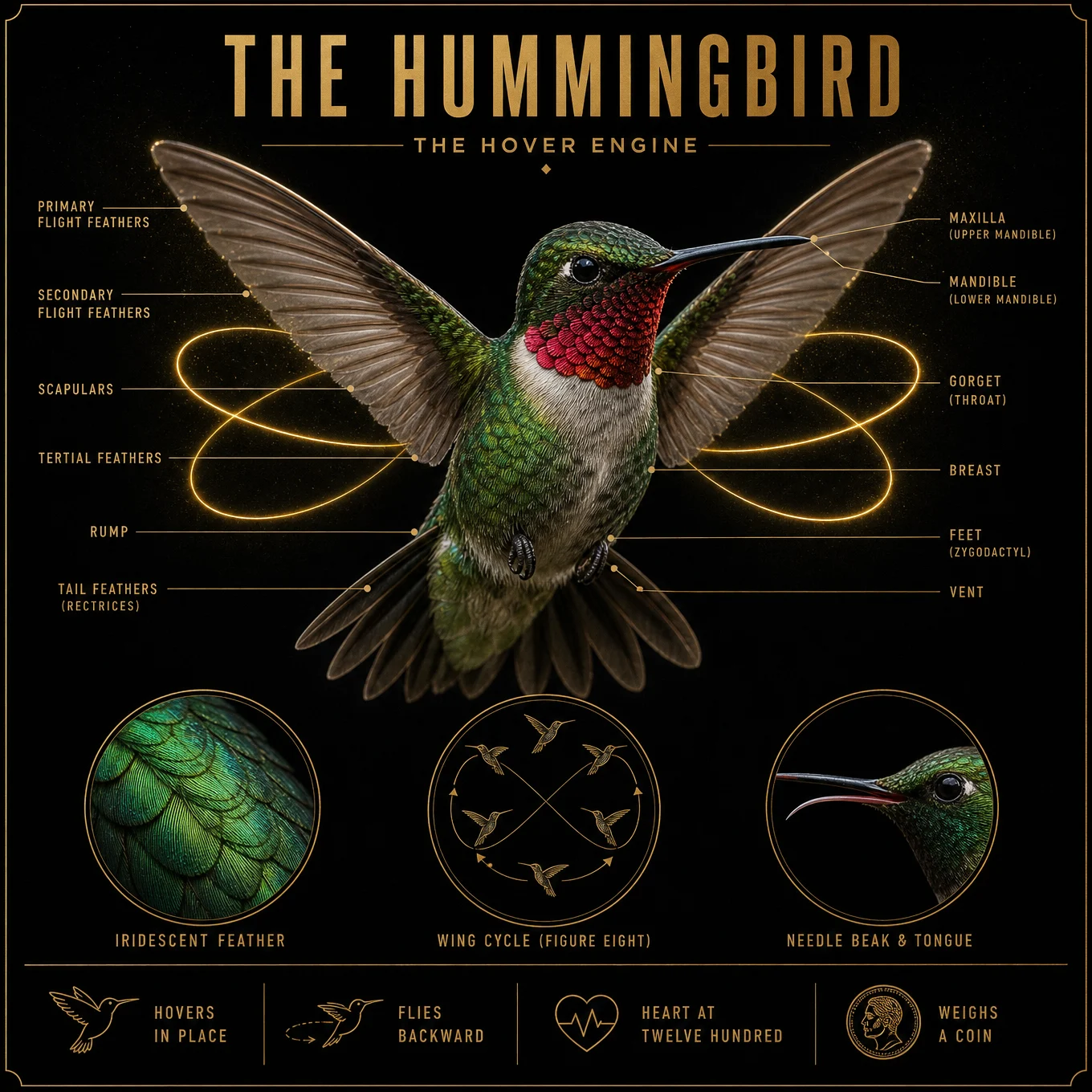
Controlled
What to notice: read the fact strip again. Not "1200 beats per minute" but HEART AT TWELVE HUNDRED, not "weighs 4 grams" but WEIGHS A COIN. Facts land when they are translated into something the reader can feel in their hand. Writing the fact strip is copywriting, not data entry, and it is the strip people will actually quote when they share the poster. The gold wing path follows the chameleon’s rule: one drawn element only, and it must carry information the frozen photo cannot show, in this case the famous figure eight.
Swap ideas: the same jewel box freeze on a dragonfly with all four wing paths traced, or a kingfisher at the instant of water entry with its dive line drawn.
Prompt 6: The Jellyfish
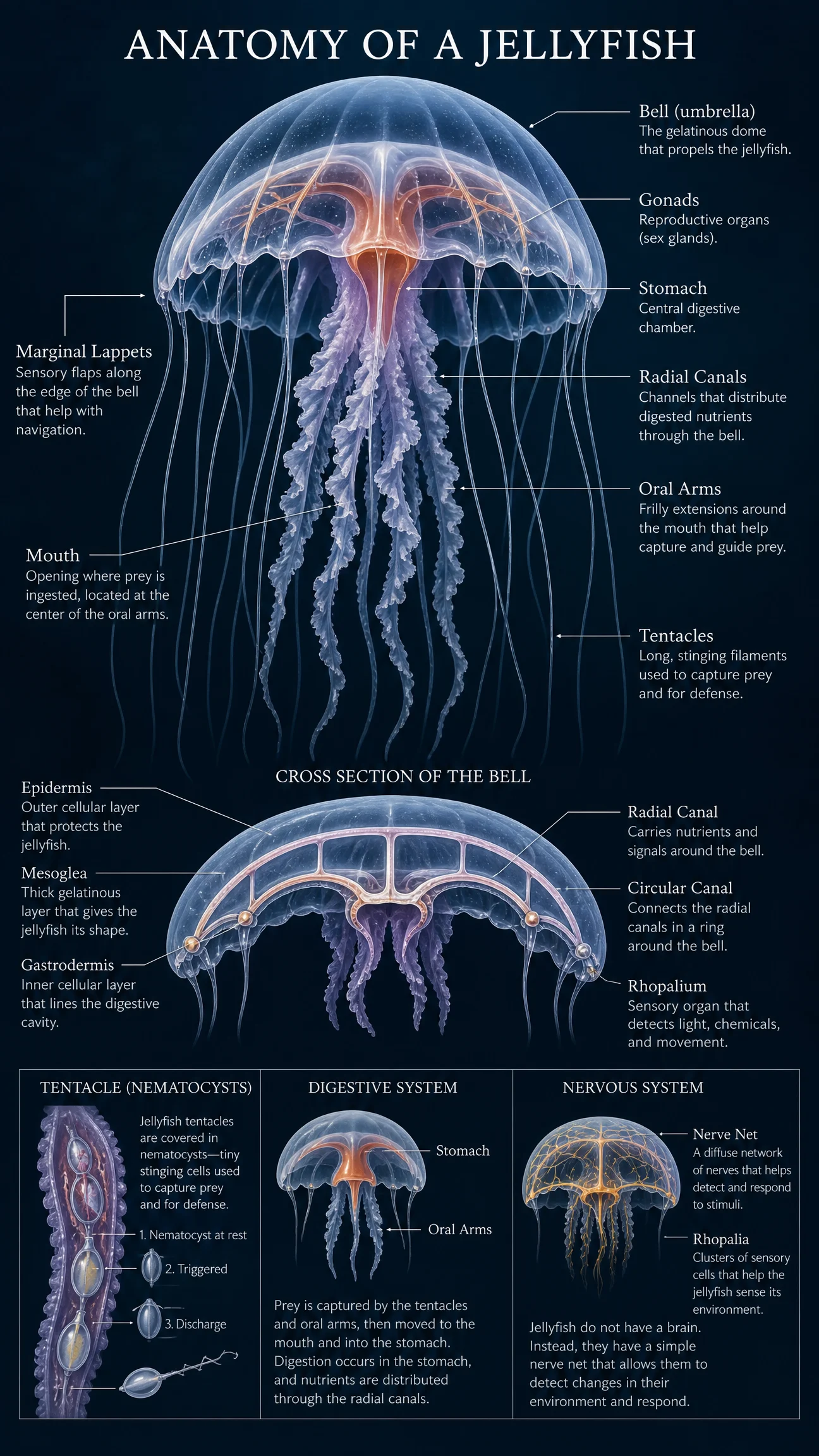
Default
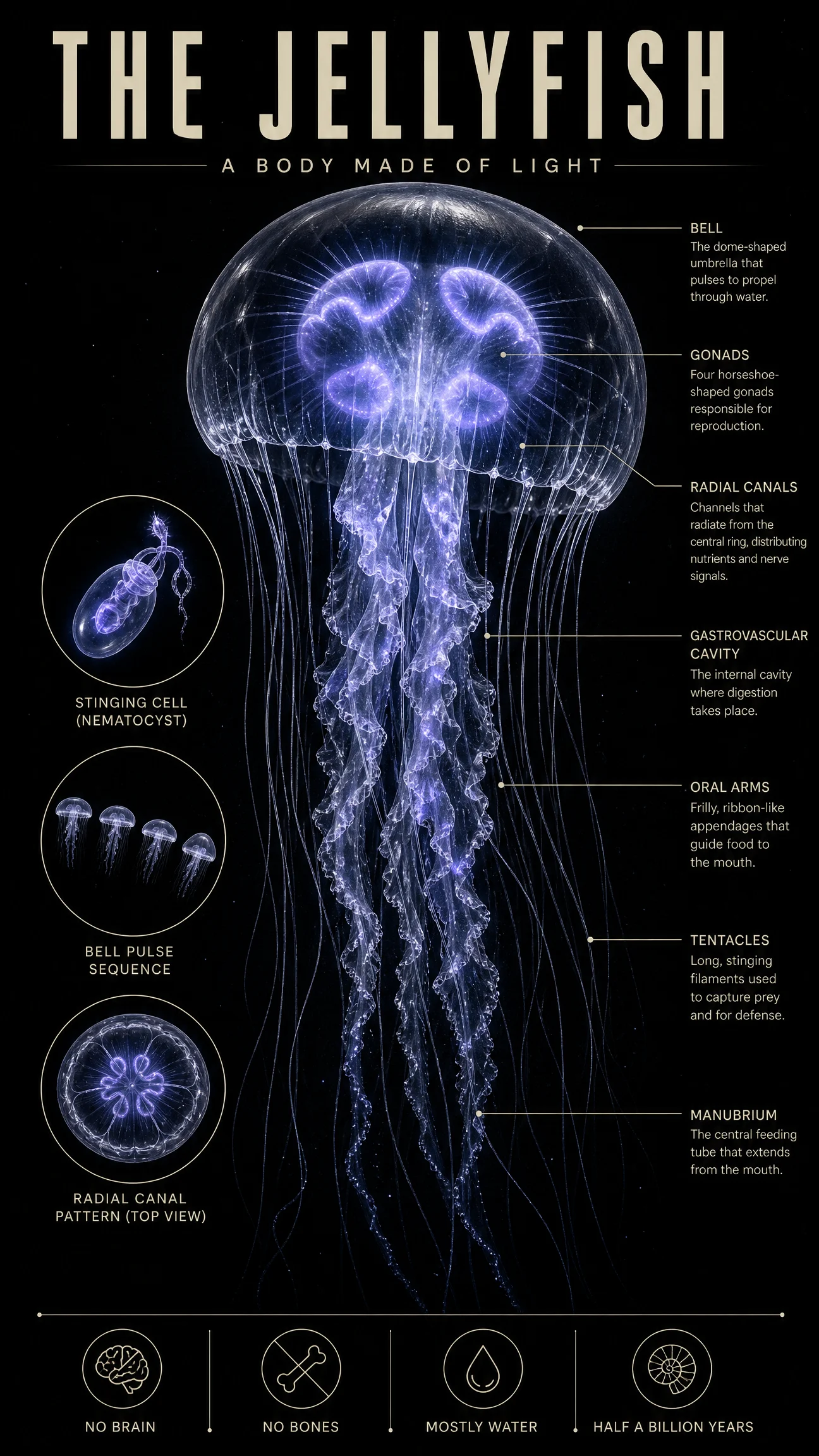
Controlled
What to notice: THE GLOW taken to its logical end, the specimen is the only light source in the frame, which means the light, the subject and the composition are one decision. Also notice the ratio is anatomy: 9:16 exists because tentacles trail, the format serves the body. Across this whole set the ratio changed six times, 4:5, 2:3, 3:4, 16:9, 1:1, 9:16, and each one was chosen by the subject’s shape, not by habit. Ratio is the first design decision, made before a single word of the prompt.
Swap ideas: the same only-light-in-the-ocean treatment on an anglerfish with its lure as the single lamp, or a glowing squid leaving a faint light trail behind it.
The Method In One Box
Run the bare code first, always. The anatomy default is accurate and clinical, which means your job here is register, not correction.
THE GLOW is the highest-leverage block in this category: light the subject with meaning, from within or by one source that tells its story. When the accent traces the subject’s function, the poster explains itself.
Subjects with a famous moment get THE EVENT instead: freeze the breath before, not the moment of.
Find the fact people repeat at dinner, then make the light carry it. Design and information as one decision.
INSET ROW lives or dies on the word identical. FACT STRIP lives or dies on translation, weighs a coin beats weighs four grams.
One drawn element maximum on a photoreal poster, and only if it shows what the photo cannot.
Let the subject’s shape pick the ratio before you write a word. Set it in generation settings, medium quality at 2K.
Common Issues And Fixes
The white textbook background creeps back in. The code’s default fighting the restyle. The PALETTE LOCK must name the dark background as its first item, before the subject.
The glow spills over the whole scene. Reserve it: "the only cold light in the frame," "the only warm light in the frame." Naming it the only one is what contains it.
The inset frames come back in different shapes and sizes. The instruction lacked the word identical and a count. Three identical thin frames, stated exactly.
Fact strip icons or labels garble. Labels over three words break first. Cut every label to two or three punchy caps words and let the icons stay simple line marks.
An anatomical subject drifts graphic. The tone boundary was missing from one end of the prompt. Carry it twice, register line in STYLE THE CODE, "tasteful, no gore" in FINISH.
The event’s second character is missing, no fly, no cricket. Small subjects vanish when unnamed. State it as "one real fly," singular, with its exact position relative to the hero.
Labels print across the body. LABEL DISCIPLINE needs the closing phrase "never across the body" and margins named as the label’s home.
Next Step
Category 4, The Editorial Infographic Code, leaves the specimen wall for the newsroom: one big idea, one hero composition, and real data built into the poster itself.
Section 04
Infographic
infographic about [topic]
The ugliest default in this vault. And the biggest transformation.
Every code so far had a competent default. The blueprint arrived correct, the anatomy arrived accurate, and our job was design on top of solid ground. This code is different. Type "infographic about" anything and what comes back is the one default in this vault that is genuinely bad as design: clipart icons, rainbow colors, garbled filler text, a layout assembled by committee. Which makes it the best teaching category of them all, because the gap between the bare result and the engineered result is the widest you will see anywhere in this collection.
What The Code Actually Is
Same honest framing, one new twist. "Infographic about" pulls a real genre, decades of data journalism, explainer graphics and social infographics living in the model’s training. The structure arrives free: a headline, sections, callouts, the shape of an information poster. But this is also the first code in the vault where the subject is not an object. It is a topic, an idea, a story with numbers in it. That changes what the hero has to be, and it is why this category has a new hero block.
Why The Default Fails Here
The blueprint genre has one strong visual tradition, so the bare code lands on it. The infographic genre has ten thousand weak ones, corporate slide decks, listicle graphics, clipart explainers, and the bare code averages them into mush. No hero, six competing colors, icons from nowhere, text that says nothing. The information intent is there. The design authority is completely absent.
The fix is not more polish. It is one decision the default never makes: a single visual concept that carries the entire poster.
The Control Layer
The standing blocks carry forward, STYLE THE CODE, PALETTE LOCK, TYPE SYSTEM, LABEL DISCIPLINE, FINISH. This category adds two, and inherits one from the last vault.
THE CONCEPT is the hero block of this category and the single decision that separates editorial work from clipart. One visual metaphor, stated in one sentence, that IS the topic: the ocean as one unbroken descent, the Earth wearing a halo of junk, an apple missing exactly its wasted third. Everything else on the poster exists to serve that sentence. If you cannot state your concept in one sentence, you do not have one yet, you have a layout.
DATA MOMENTS is how real numbers enter the frame without wrecking it: three or four short facts maximum, in identical thin ruled boxes, each tied to the visual by a hairline, each under six words plus a number. And the numbers are written as words inside the prompt, two thousand seven hundred, not 2,700, because spelled numbers survive the trip into typeset digits far more reliably.
THE PATHWAY is inherited straight from the Study Guide Code in Vol.19, where we learned that connection beats decoration: when a topic is a journey, one continuous physical element carries every stage, and the stages sit ON it, not near it. You will see it reborn here as a single thread of cotton.
Prompt 1: The Deep Ocean
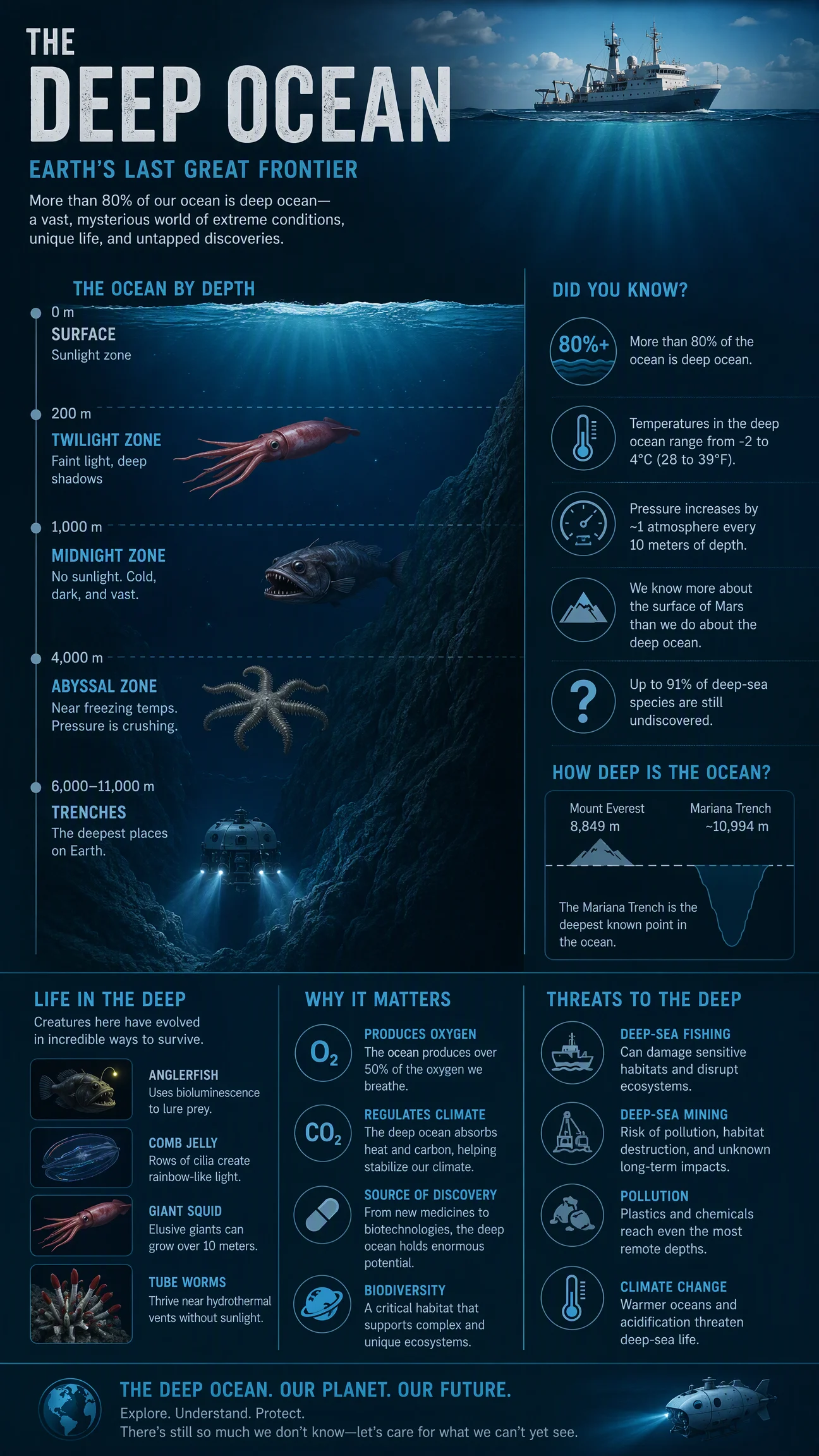
Default
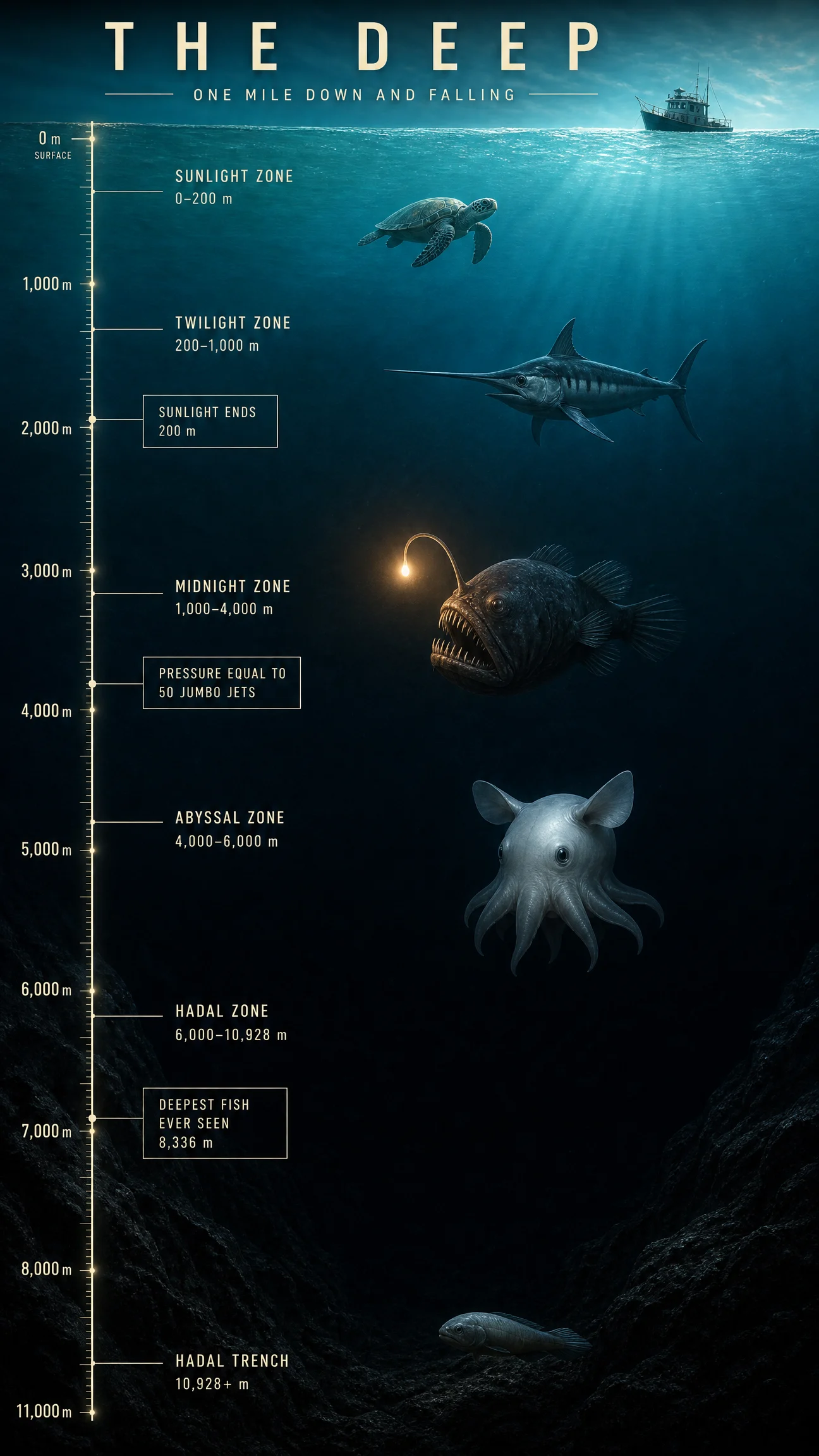
Controlled
What to notice: two structural rules make this poster hold together. First, the spine rule: the depth ruler is one element that every single label anchors to, and a poster with a spine can never scatter. Second, the palette lock here is not a list of colors, it is one continuous gradient, which means the background itself is the information, depth equals darkness. And the creatures obey it: each one is lit only by what its depth allows, physics as art direction, with the amber lure carrying Category 3’s "only warm light" rule a mile underwater.
Swap ideas: the same descent-with-ruler treatment on the layers of the atmosphere going up instead of down, or a cave system, or the crust-to-core journey into the Earth.
Prompt 2: Space Debris
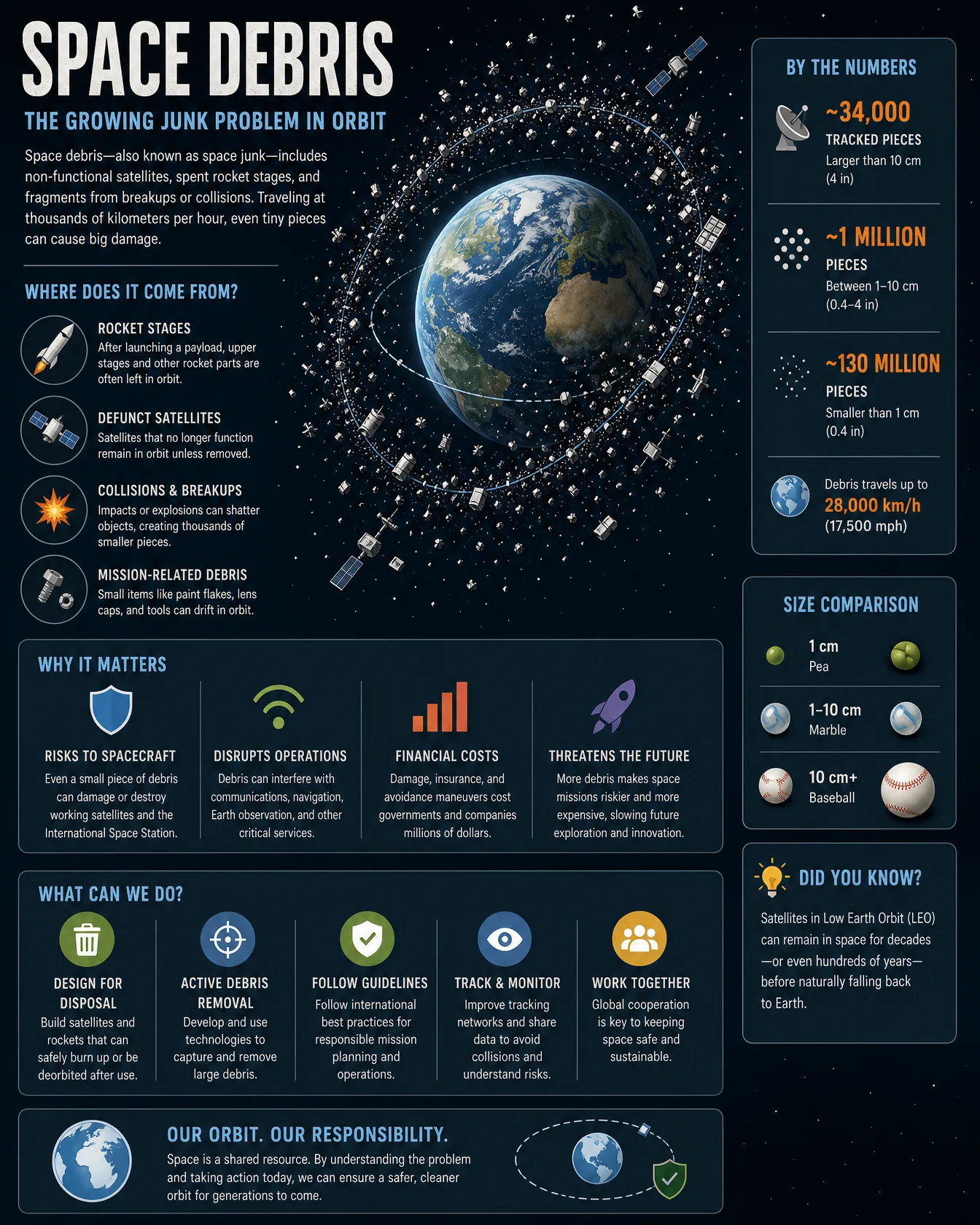
Default
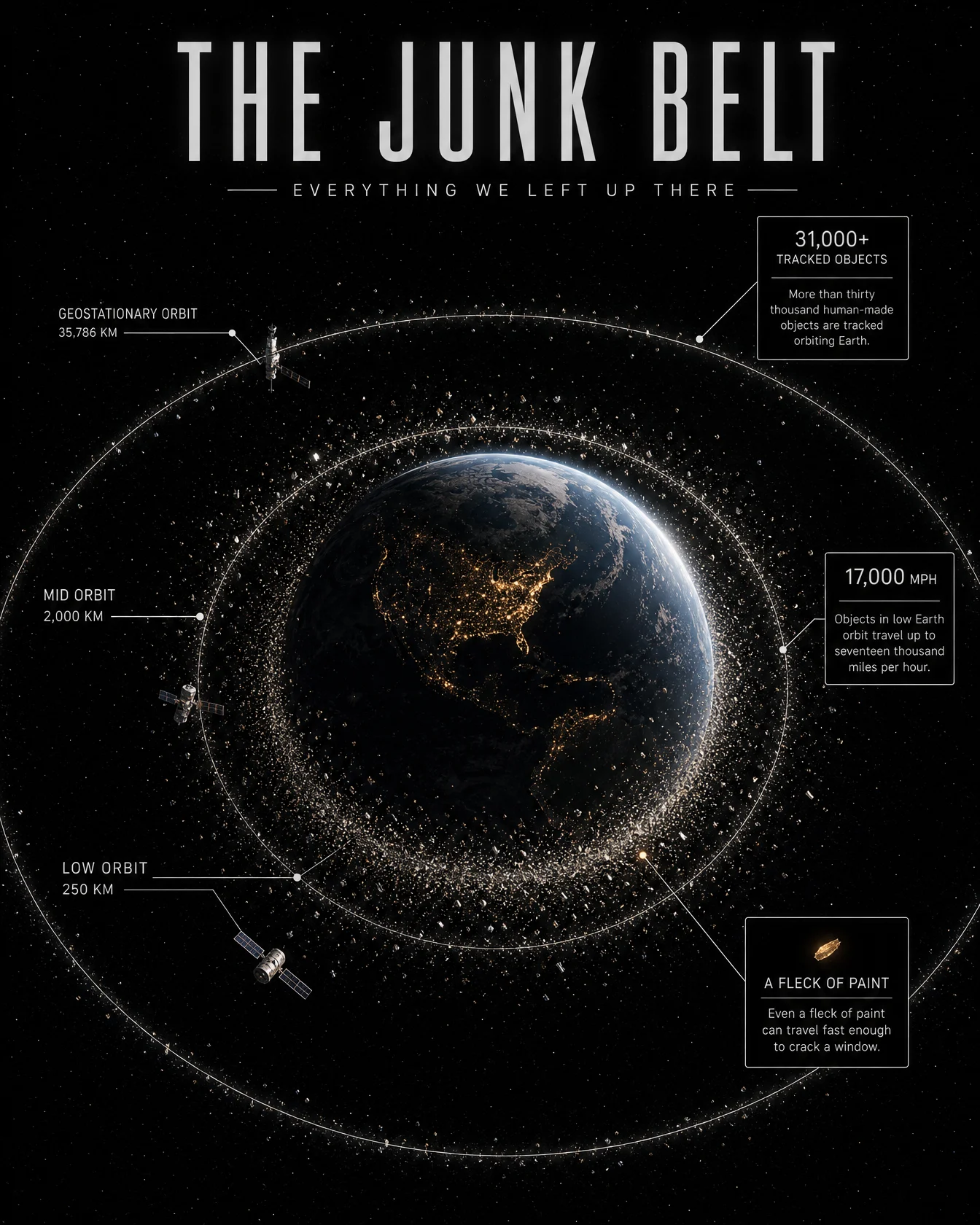
Controlled
What to notice: the density of the swarm is itself the chart, denser near the planet, sparser far out, which means the data is readable before a single number is. When a topic is about quantity, let the quantity be visible as texture. And study the title: THE JUNK BELT is not a label, it is a newspaper headline, with EVERYTHING WE LEFT UP THERE doing the emotional work underneath. This category promotes title writing from naming to headline craft, the same escalation the fact strip made in Category 3.
Swap ideas: the same halo-of-quantity treatment on plastic circling a globe of ocean currents, or the swarm of satellites providing your GPS fix at this exact second.
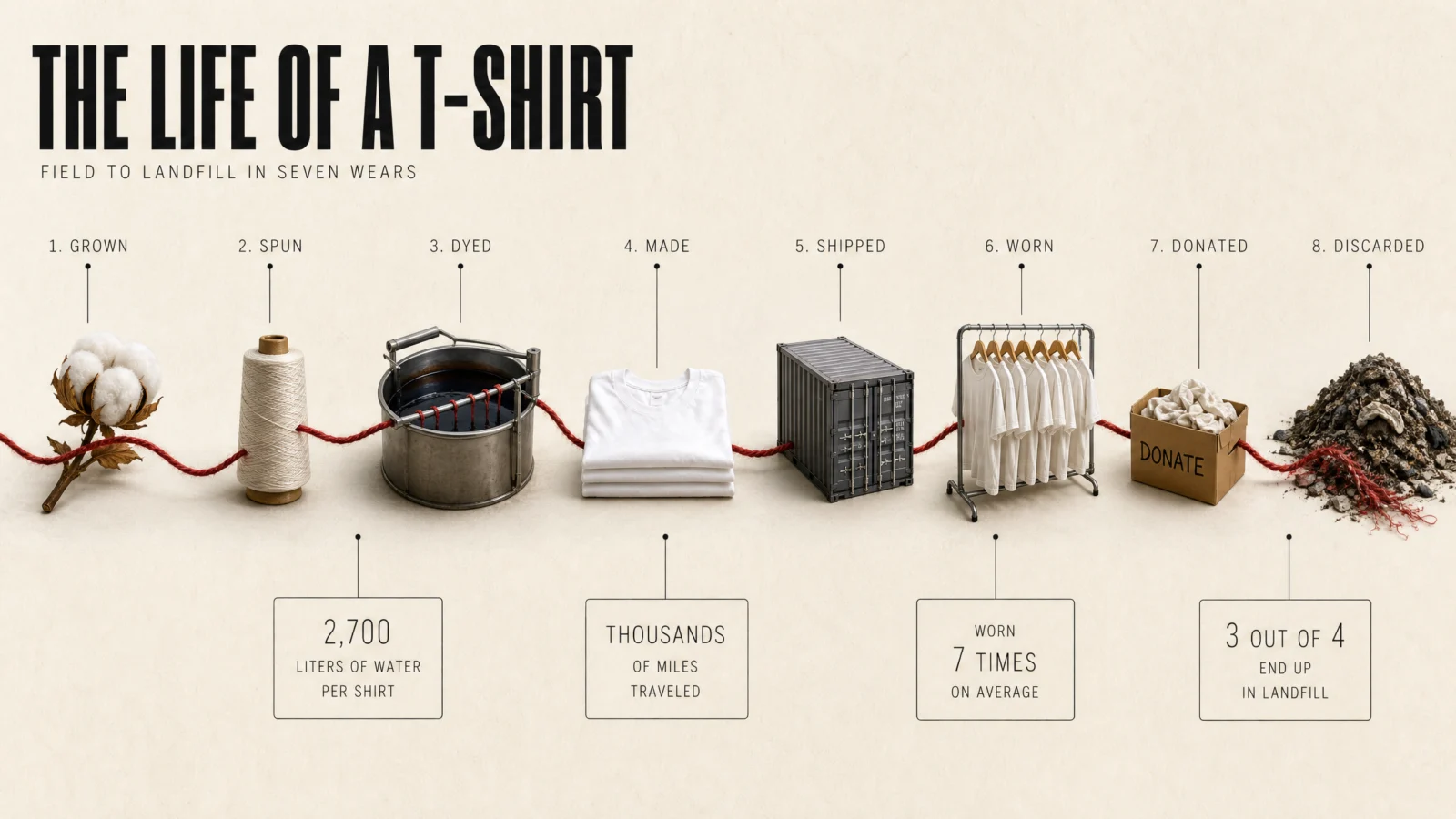
Prompt 3: The Life Of A T-Shirt
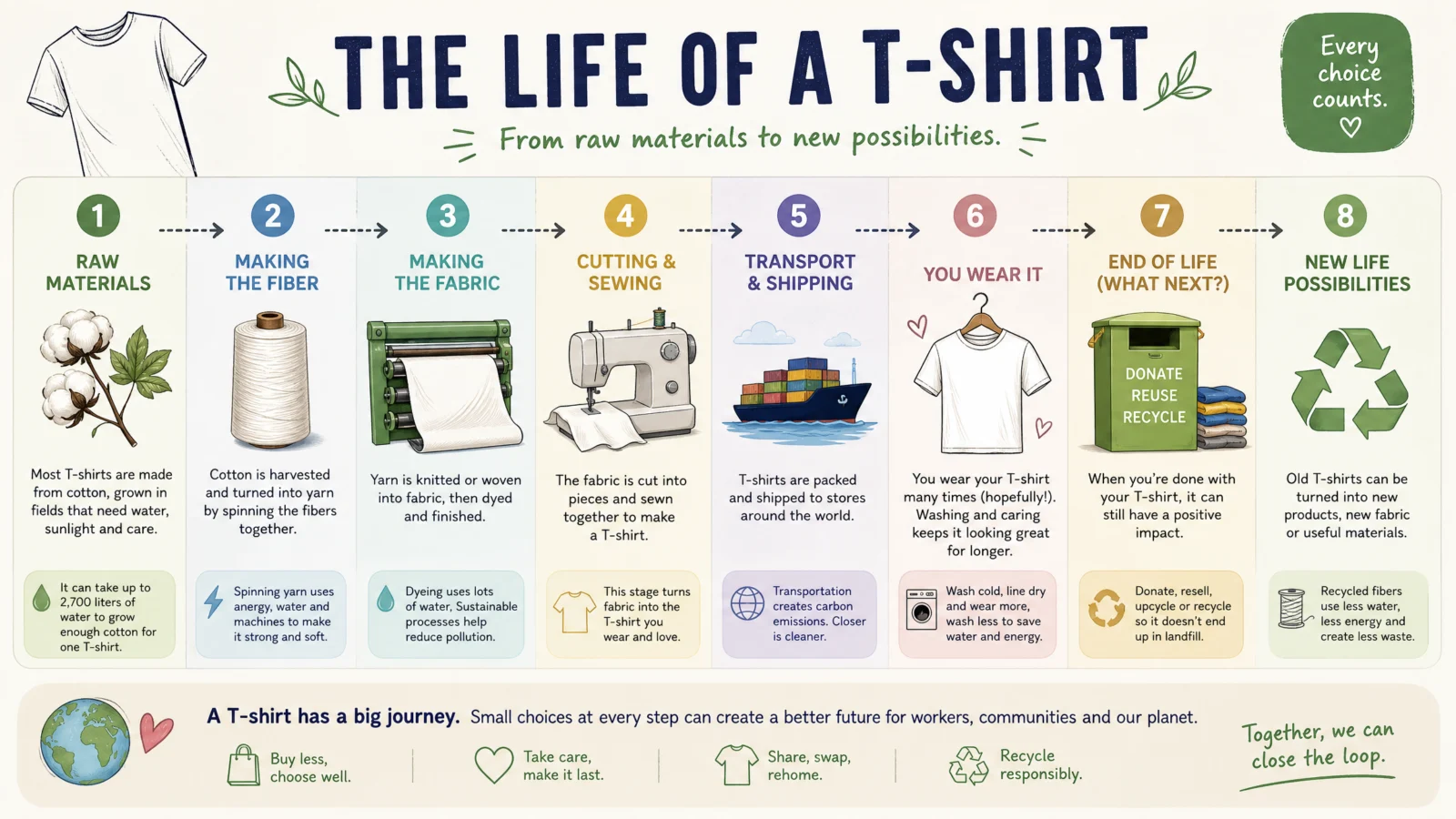
Default
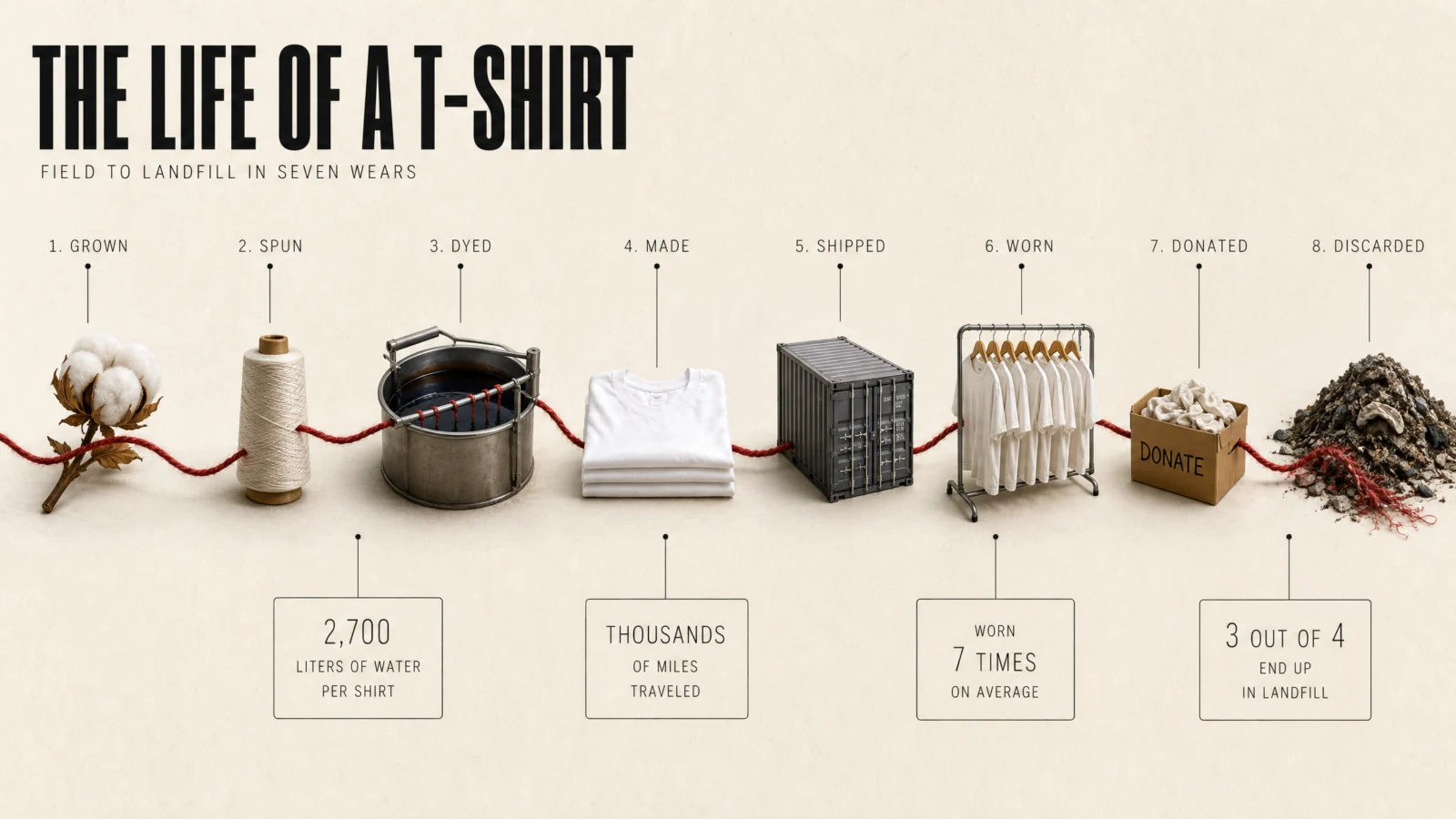
Controlled
What to notice: this is the PATHWAY SYSTEM from Vol.19’s Study Guide finale, reborn with a literal thread, and the instruction that makes it work is "the thread physically passes through every scene, entering and leaving each one." Stages sitting near a line are decoration. Stages the line passes through are a story. Note also the accent logic: the one accent color is the connective element itself, along its entire length, so the red thread is both the design signature and the reading order. And the ending is the argument, the thread unravels into the landfill, the concept finishing the sentence the subtitle started.
Swap ideas: the same one-thread journey on the life of a smartphone ending in a drawer, or a coffee bean’s trip from cherry to cup on a single unbroken pour line.
Prompt 4: Food Waste
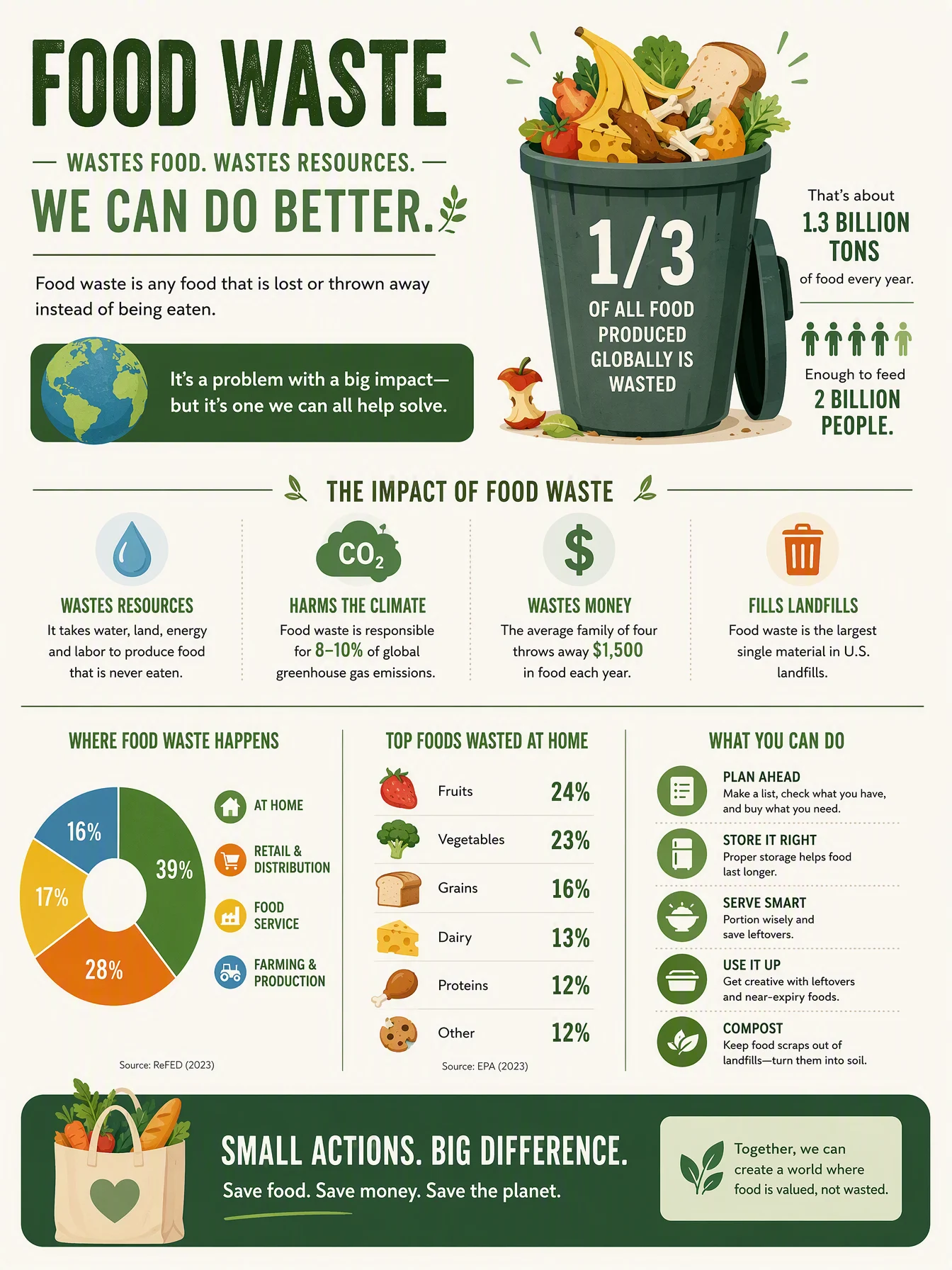
Default
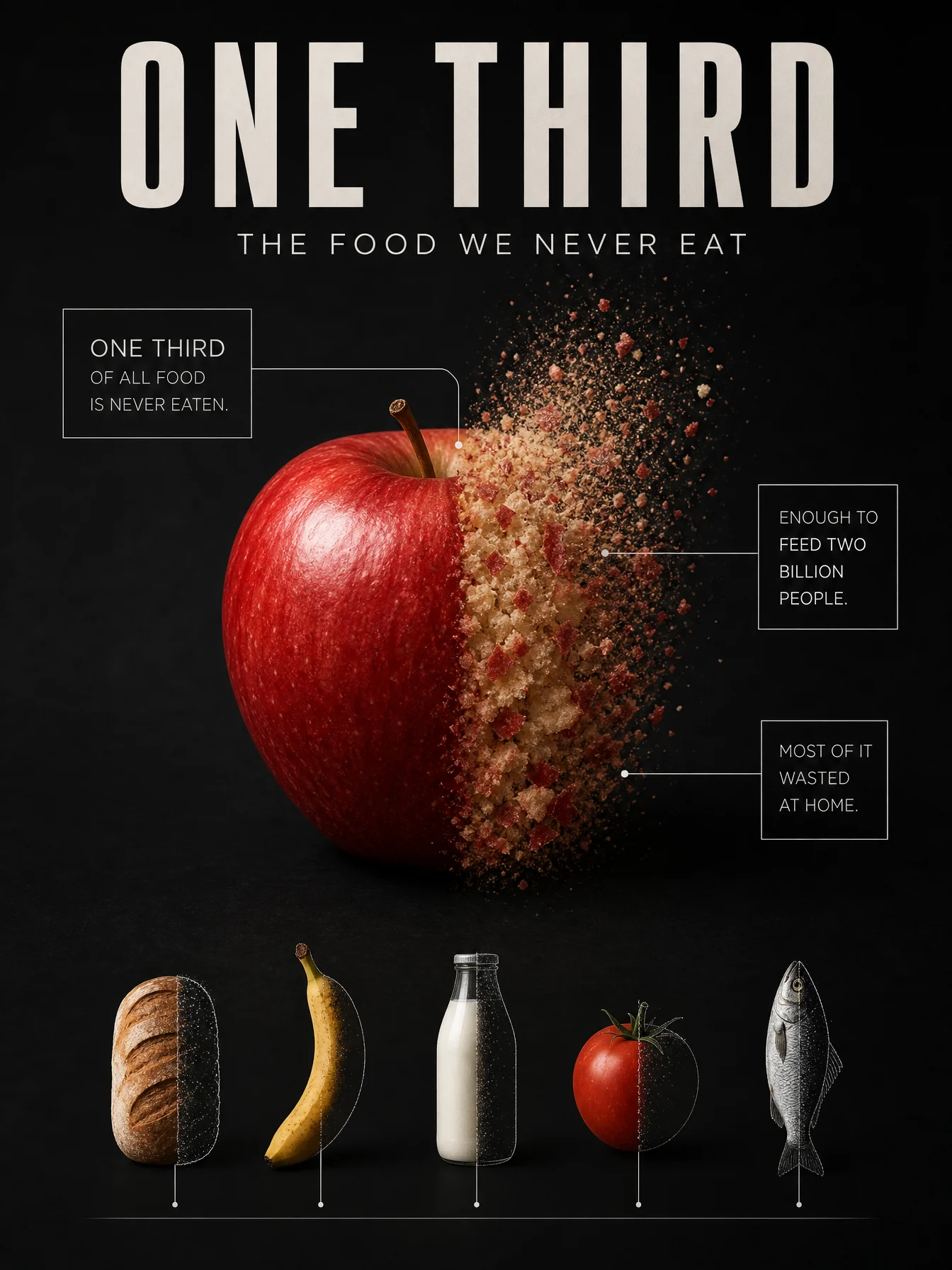
Controlled
What to notice: the statistic is geometry before it is text. "Exactly one third" with "a clean vertical line" makes the number readable with no reading at all, and the first data box is anchored directly to that boundary so the words and the picture point at each other. The supporting row is the concept echoed at small scale, five foods each missing the same third, which is how one idea becomes a system instead of a one-off. And for anyone keeping score across the vault, the dissolve itself uses the depth discipline from our GPT Image 2 house system, particles in the subject’s own palette, dense at the body, fading as they rise.
Swap ideas: the same fraction-made-visible treatment on a melting glacier losing its measured share, or a battery icon built from real materials drained to the exact average phone charge at bedtime.
Prompt 5: The Hidden Water
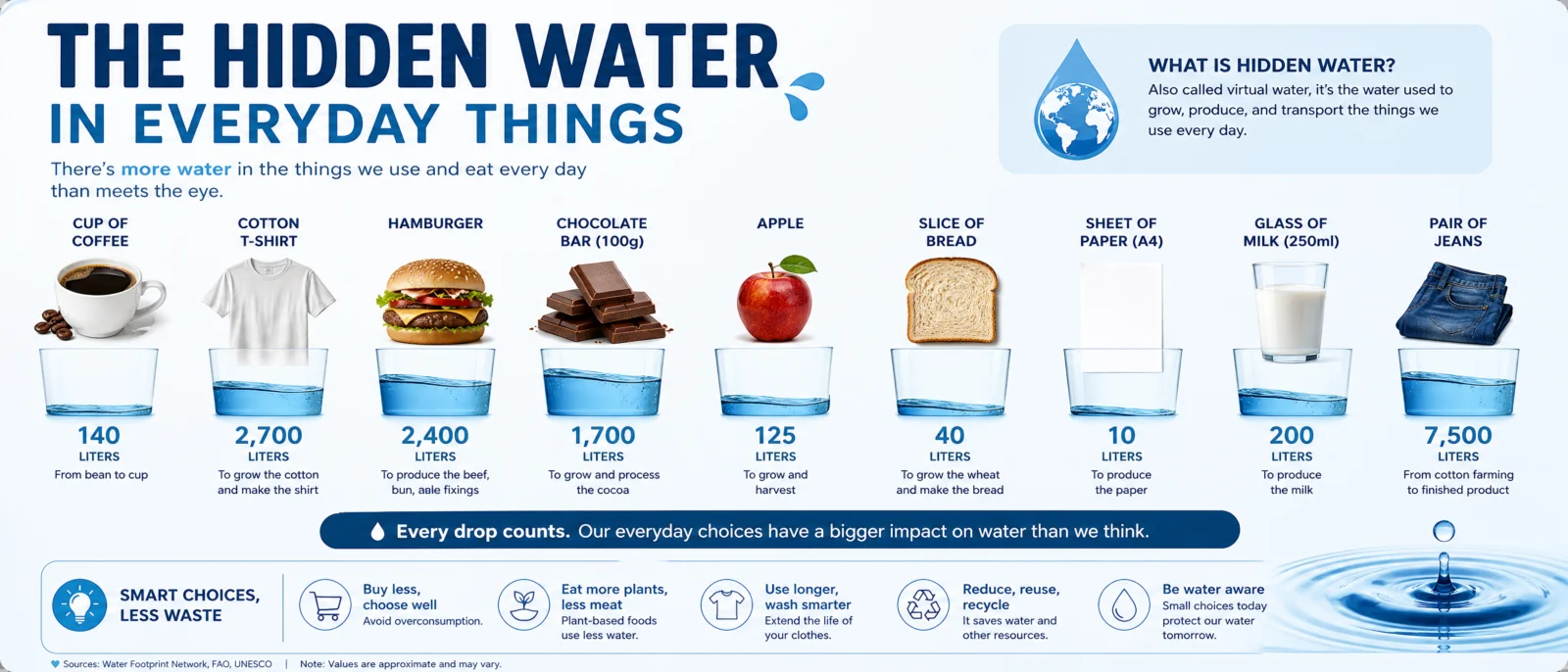
Default
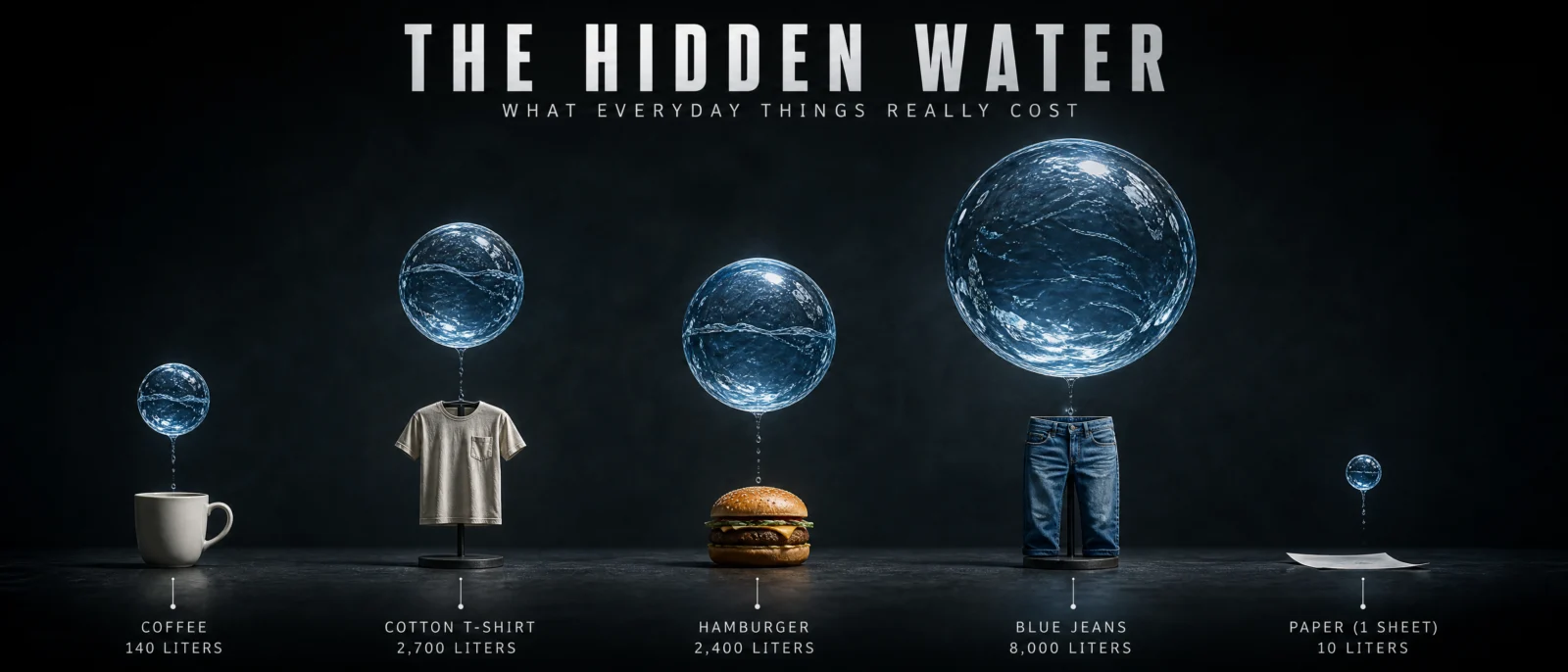
Controlled
What to notice: this is data rendered as matter, the sphere sizes ARE the chart, and the instruction that protects it is naming the extremes, "a small sphere over the paper" and "an enormous sphere dwarfing the jeans." State the smallest and the biggest and the model holds the scale between them. Notice also vividness used as hierarchy: everything muted except the water, so the eye reads the data first without a single arrow. And the falling drip threads are the contact rule from Category 2 doing quiet duty, binding each sphere to its object so the pairs cannot be misread.
Swap ideas: the same volume-as-sphere treatment on the sugar hiding in everyday drinks as real sugar spheres, or the cargo space of vehicles as glowing cubes above a bicycle, a van and a ship.
Prompt 6: The Arctic Tern Migration
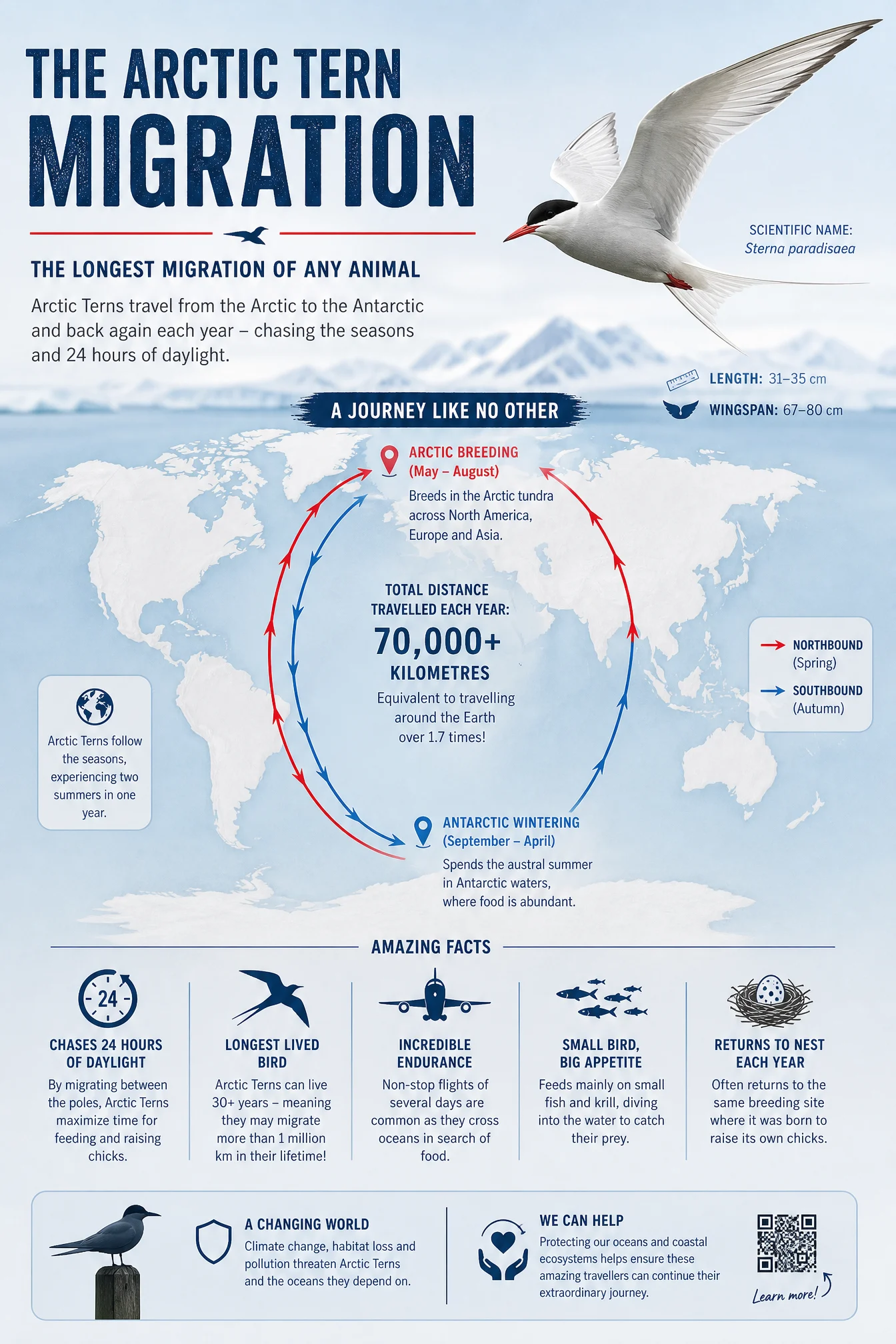
Default

Controlled
What to notice: two registers share one frame, a photoreal bird and a stylized data globe, and the pairing works because each does the one job the other cannot: the bird earns the feeling, the globe carries the route. The golden filament is this category’s version of the one-drawn-element rule from the anatomy posters, a single graphic line permitted because it shows what no photograph can, a year of flying. And the best fact on the page is the translated one, a lifetime equals three trips to the Moon, the WEIGHS A COIN principle applied to distance.
Swap ideas: the same glowing-route treatment on a monarch butterfly’s four-generation relay south, or a humpback whale’s seasonal loop with its song marked at waypoints.
The Method In One Box
Run the bare code first, always. This is the vault’s ugliest default, which makes it the vault’s best before-and-after. Show both.
One concept, stated in one sentence, and every element on the poster serves it. If you cannot say it in a sentence, you do not have it.
Render the data as matter: depth as darkness, quantity as density, a fraction as geometry, volume as spheres, distance as one glowing line.
Give the poster a spine, one structural element every label anchors to, a ruler, a thread, a ring, a route.
Data moments: three or four maximum, under six words plus a number, numbers written as words inside the prompt, and always one fact translated into something the reader can feel.
Titles are headlines now. THE JUNK BELT, ONE THIRD, THE LONGEST COMMUTE. Write them like a front page, not a filename.
Vividness is hierarchy: one vivid element, everything else muted, and the eye reads the data before the text.
Let the concept pick the ratio, a descent wants 9:16, a journey wants width, a halo wants portrait. Set it in generation settings, medium quality at 2K.
Common Issues And Fixes
Clipart and icon soup return. The concept was not strong enough to displace the genre’s default. State the concept as one photoreal scene in one sentence, and confirm "realistic 3D-render quality" is in the FINISH.
Numbers garble. Digits are the highest text risk in this vault. Keep figures inside the data boxes only, write them as words in the prompt, and regenerate only when a headline number breaks, tiny digits are set dressing.
The metaphor and the data disagree, the sphere sizes look equal, the fraction is not a third. Name the proportion explicitly, exactly one third, and name the extremes, smallest and biggest, so the model holds the scale between them.
Too many facts crowd the concept. Cap DATA MOMENTS at three or four and cut every fact to its shortest true form. The poster is the argument, the boxes are footnotes.
The rainbow palette creeps back. Name the background color first in the PALETTE LOCK, reserve vividness for one element, and close with "no other colors introduced."
A second concept sneaks in, an extra chart, a bonus diagram. Cut it. One poster, one idea. The Study Guide Code taught us connection beats decoration, this category adds the corollary, one connection beats two.
Next Step
Category 5, The Product Callout Code, walks out of the newsroom and into the studio: one premium product, one clean callout system, and the most directly commercial skill in this vault.
Section 05
The Product Callout Code
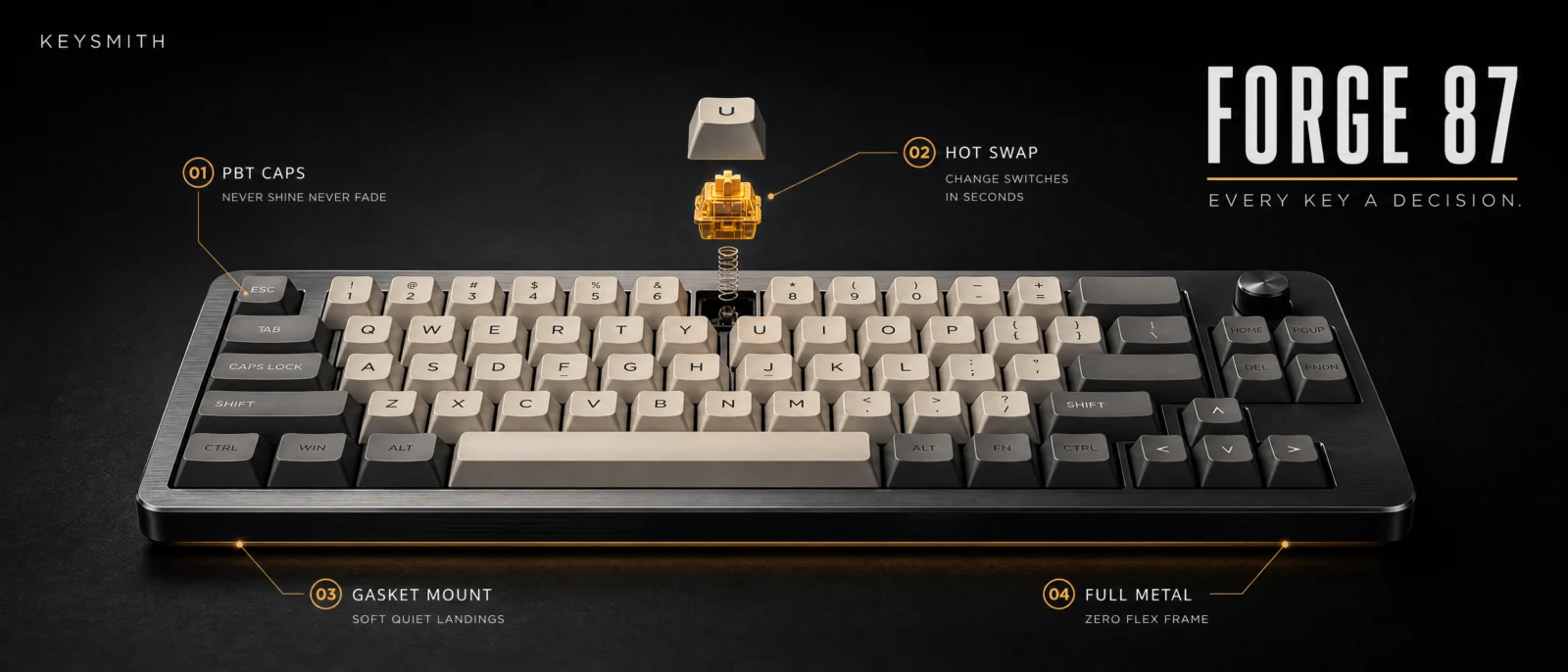
Vol.20 product infographic of [product]
The most sellable skill in this vault.
Every category so far made posters worth hanging. This one makes posters worth invoicing. A product, a brand, a callout system and a launch register, this is the exact deliverable real brands pay for, and the code hands you its skeleton in four words. Six invented brands below, six industries, and one honest failure story that teaches more than any success on this page.
What The Code Actually Is
"Product infographic" pulls the e-commerce genre: a product shot with feature arrows, the format every online listing has trained the model on millions of times. Say the phrase, get the structure, product centered, features called out, in any interface. And that training source is exactly the problem. The bare default looks like what it learned from: a marketplace listing. White background, generic arrows, catalog energy. Correct, complete, and worth nothing to a brand.
The distance between a listing and a launch poster is the entire lesson of this category.
The Control Layer
The standing blocks carry forward. Three new ones do the commercial work.
THE STAGE replaces the white void with a commercial register, and the register must match the industry’s actual launch grammar, not just look generic-premium. Audio launches are dark and intimate. Beauty is morning light and water. F&B is appetite and glow. Outdoor gear is real weather. Get the register wrong and a technically clean poster still feels wrong, which is a story this page tells in full at Prompt 2.
THE CALLOUT SYSTEM is the discipline layer: exactly four callouts, identical small numbered dots, one hairline weight, labels in the margins, never across the product. And each callout is two lines of real copywriting, the feature in small caps, then a benefit under five words that the buyer can feel. FORTY HOUR CELL is a feature. Charges in minutes is why you want it. This is the WEIGHS A COIN principle from the anatomy posters, applied to selling.
BRAND BLOCK is the invented identity: brand name small, product name large, tagline in light caps, and the rule that saves every render, clean text lockup only, no logo symbol. Fake logo marks are the amateur tell of AI product work and the single most reliable garble point. Typography is the logo.
Prompt 1: The Headphones
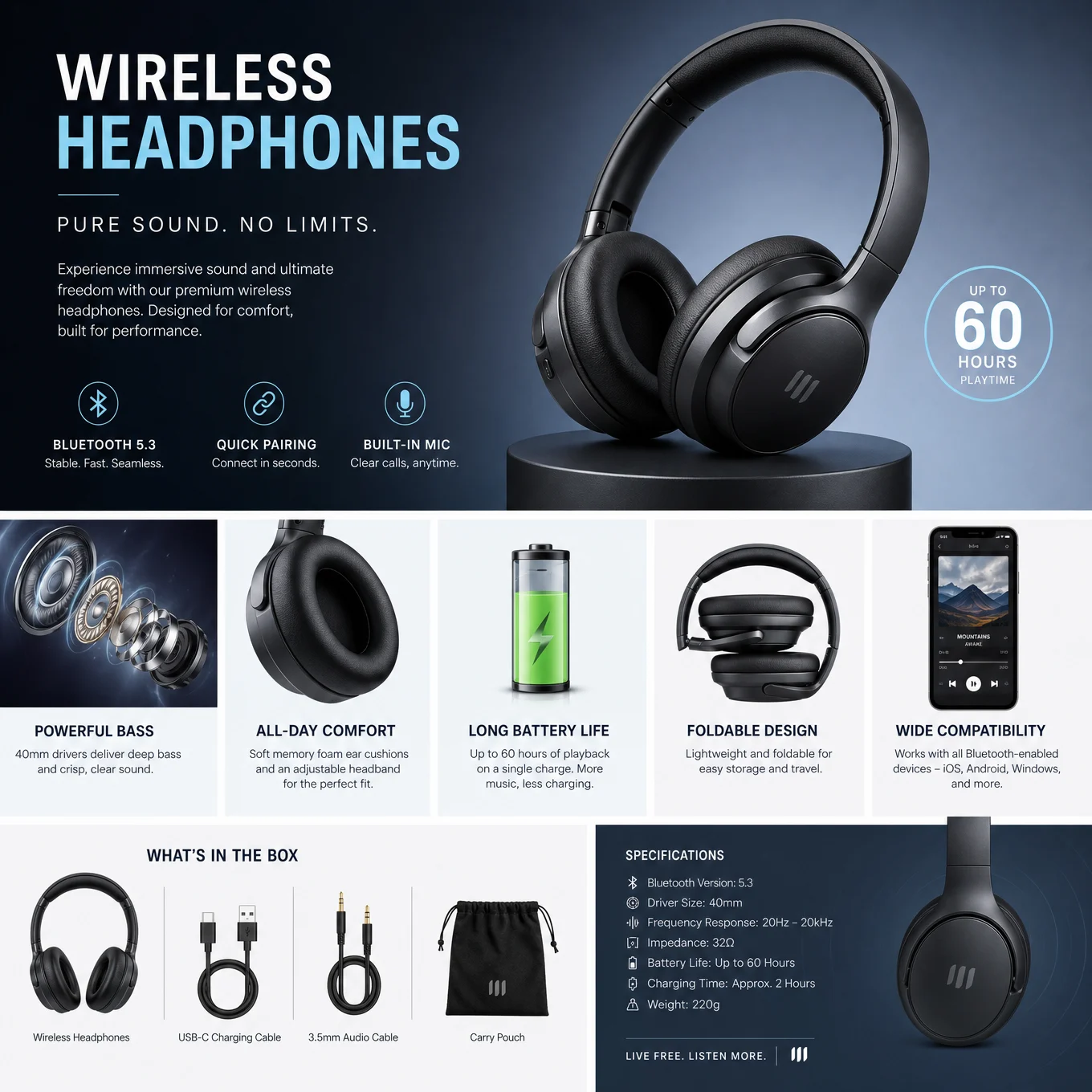
Default
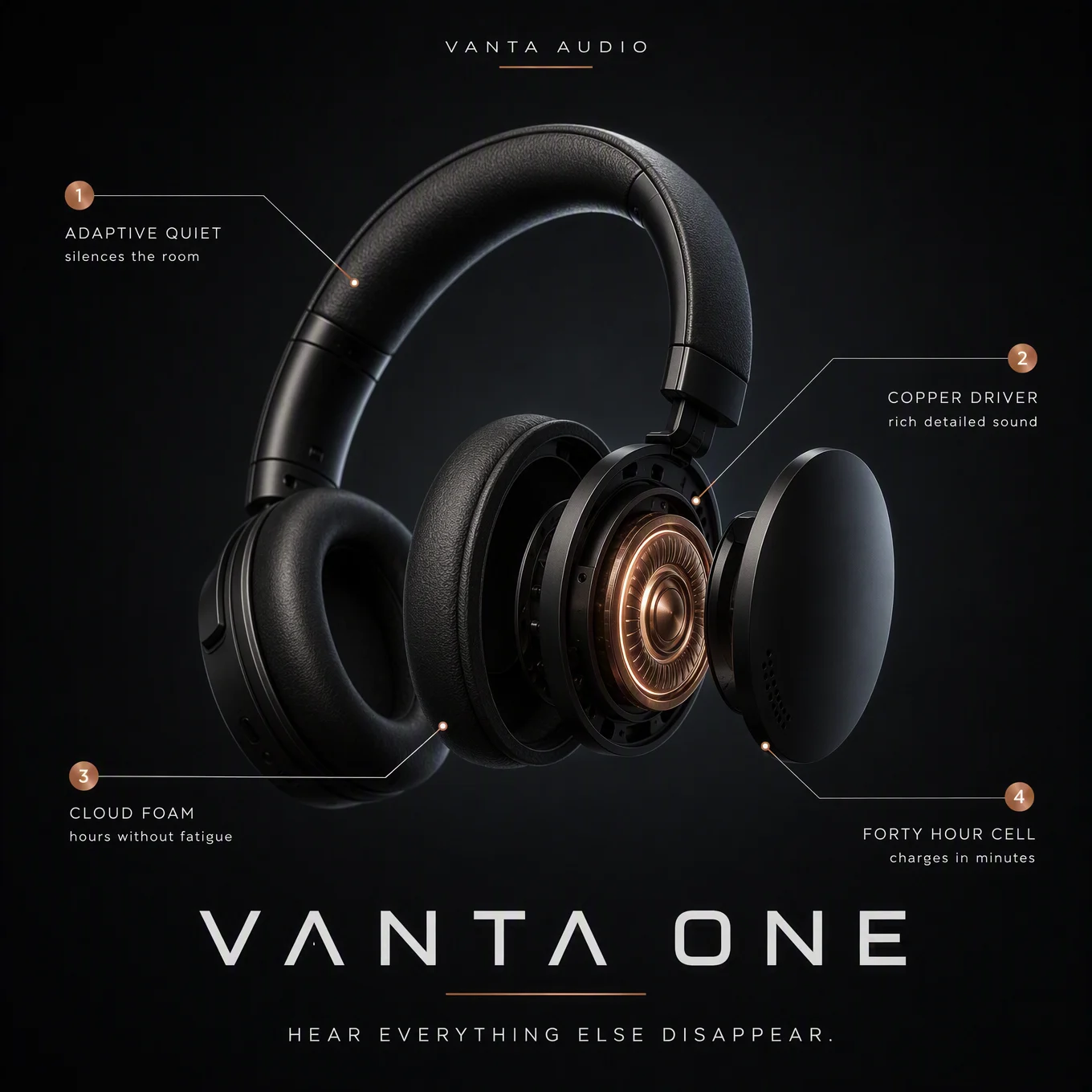
Controlled
What to notice: the exploded earcup is the Hero Swap doing commercial duty, one part of the product opens to show the technology, and that one reveal is what separates a launch poster from a catalog shot. The copper driver being "the only warm light in the frame" is the anatomy glow rule crossing categories: the accent is the story, and the light carries it. One reveal, one warm point, everything else disciplined.
Swap ideas: the same dark exploded reveal on true wireless earbuds with one bud open above its case, or a studio microphone with its capsule floating out of the grille.
Prompt 2: The Running Shoe, And The Redo That Teaches This Page
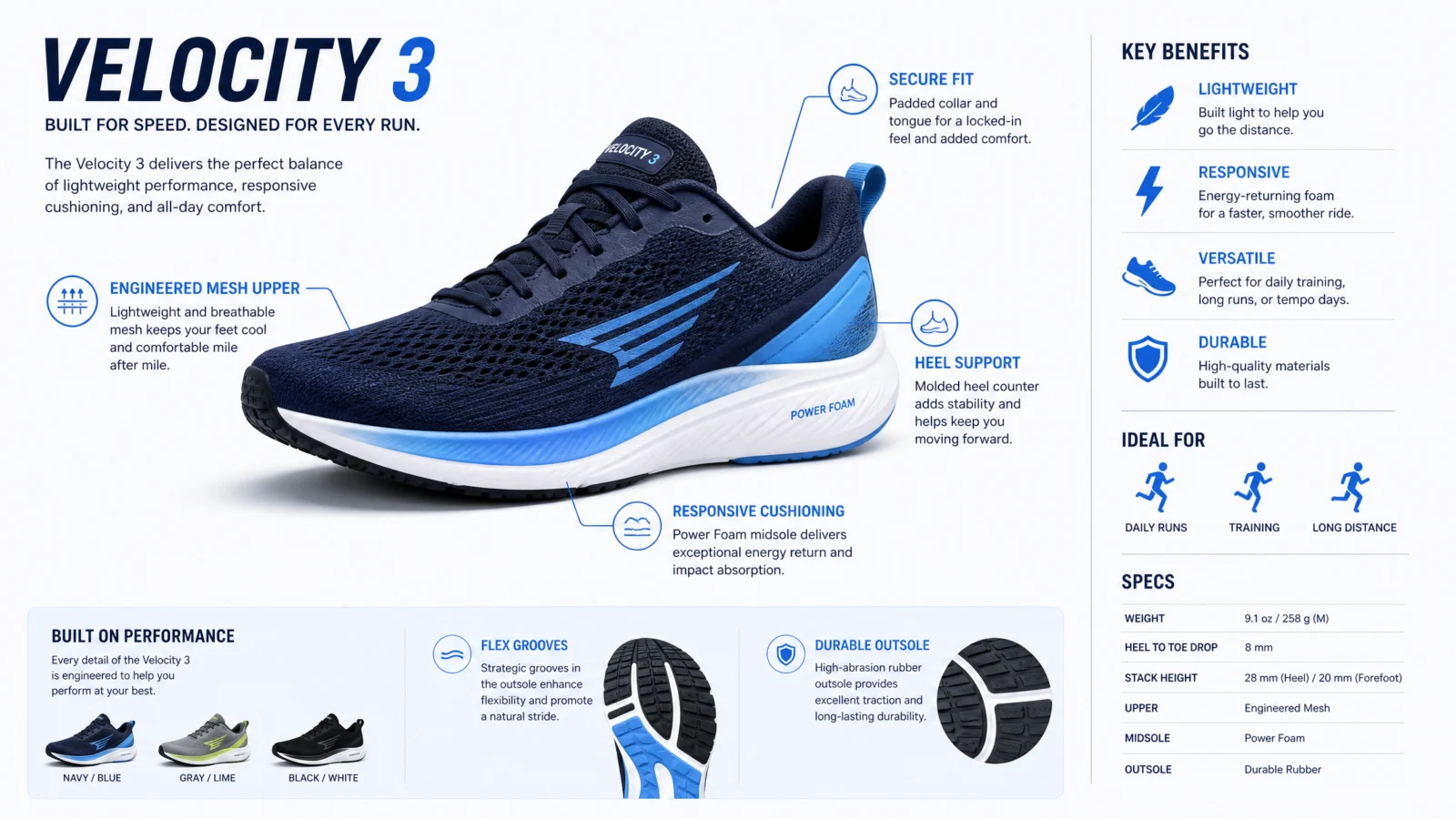
Default
This prompt earned its place on this page by failing first. The first controlled attempt was technically clean, correct palette lock, correct callouts, correct brand block, and it still fell flat. The staging was a daylight track with kicked-up rubber, which is sports catalog grammar, not launch grammar. Every block executed, wrong register chosen, the poster read as a page from a sales brochure.
The fix was not adjusting the blocks. It was studying how real sneaker launches are actually staged, and they run on five moves, all five now in the prompt below: a floating hero above its own reflection, the technology hovering open in layers, a glowing core inside a translucent midsole, the product name standing giant behind the shoe, and one light ribbon tracing motion. Same product, same callouts, different register, completely different poster.
The rule to keep: when a poster is technically correct but feels wrong, stop tuning the blocks and question the register. THE STAGE is not decoration around the product, it is the genre the poster belongs to.
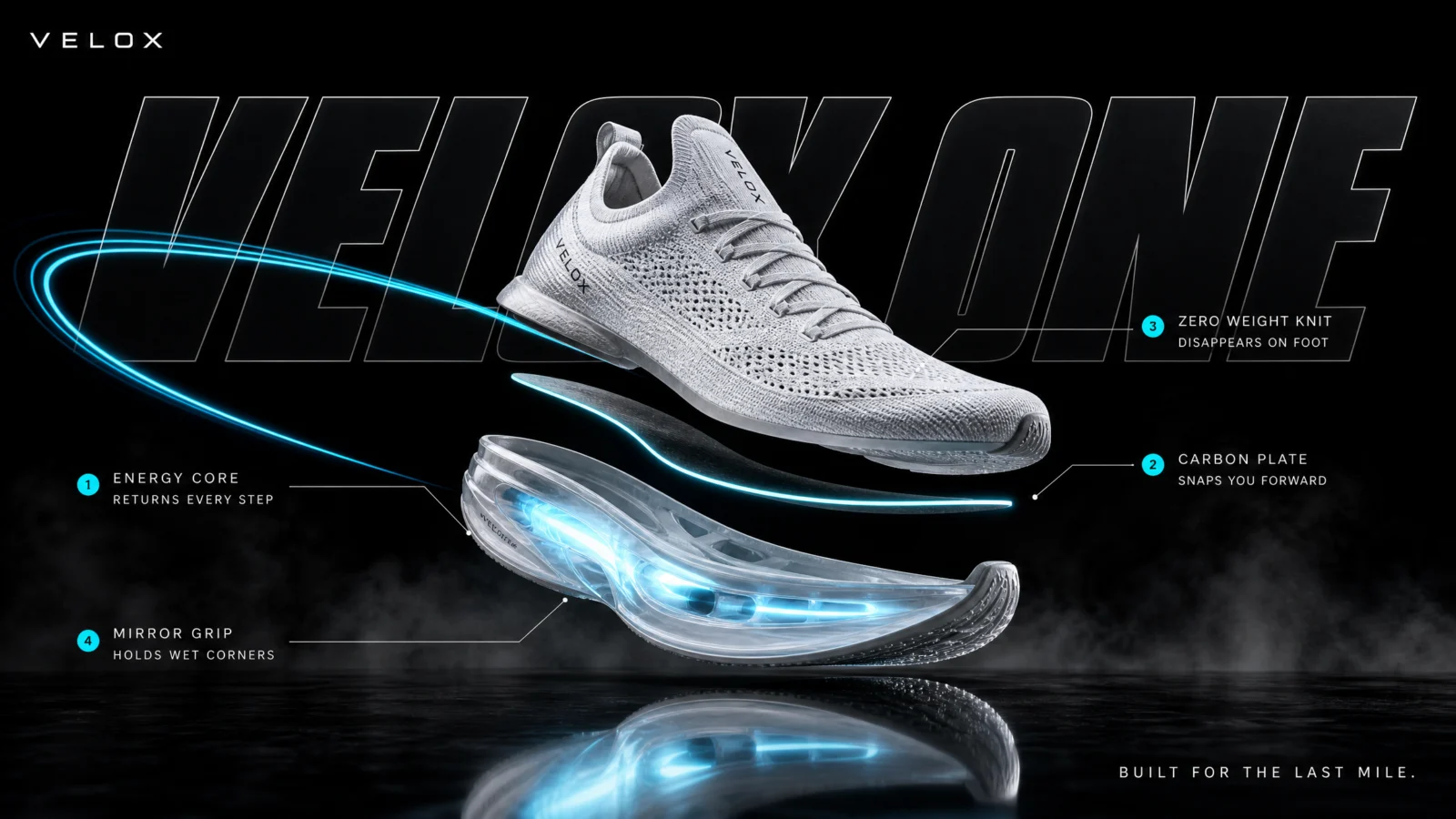
Controlled, fixed version
What to notice: TYPO STAGE is new, the product name rendered giant behind the product with the shoe overlapping the letters. Depth through typography is a signature move of real launch visuals, and it only works because the letters are deep charcoal with a fine edge, present but not competing. Note also the drawn-element discipline holding at exactly one: the speed ribbon. The tech deconstruction is rendered, the reflection is rendered, only the motion arc is graphic, because motion is the one thing a still cannot show.
Swap ideas: the same five-move night launch on a trail shoe with an amber core over wet stone, or a cycling shoe floating above a carbon pedal with its closure system hovering open.
Prompt 3: The Hot Sauce
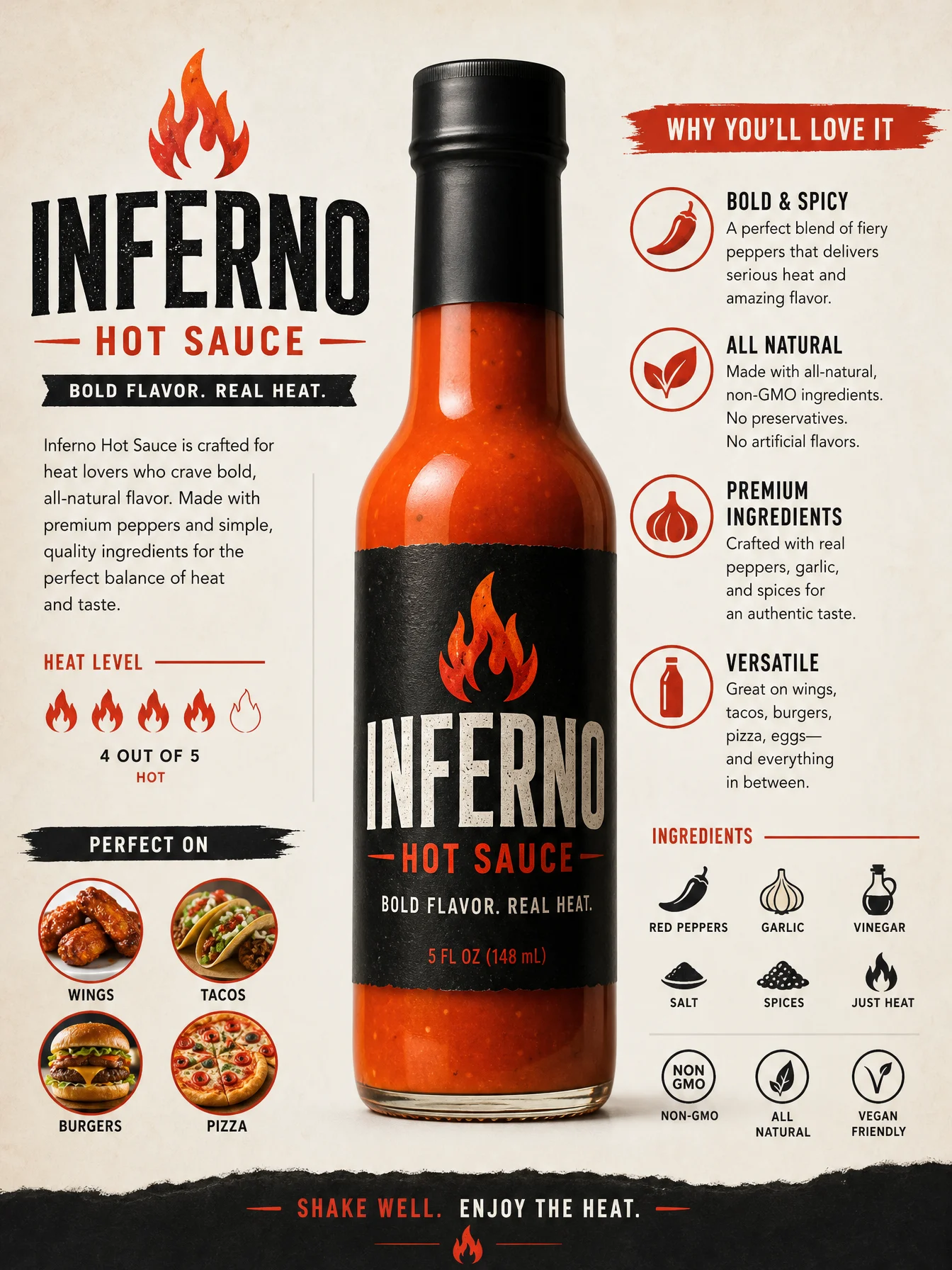
Default
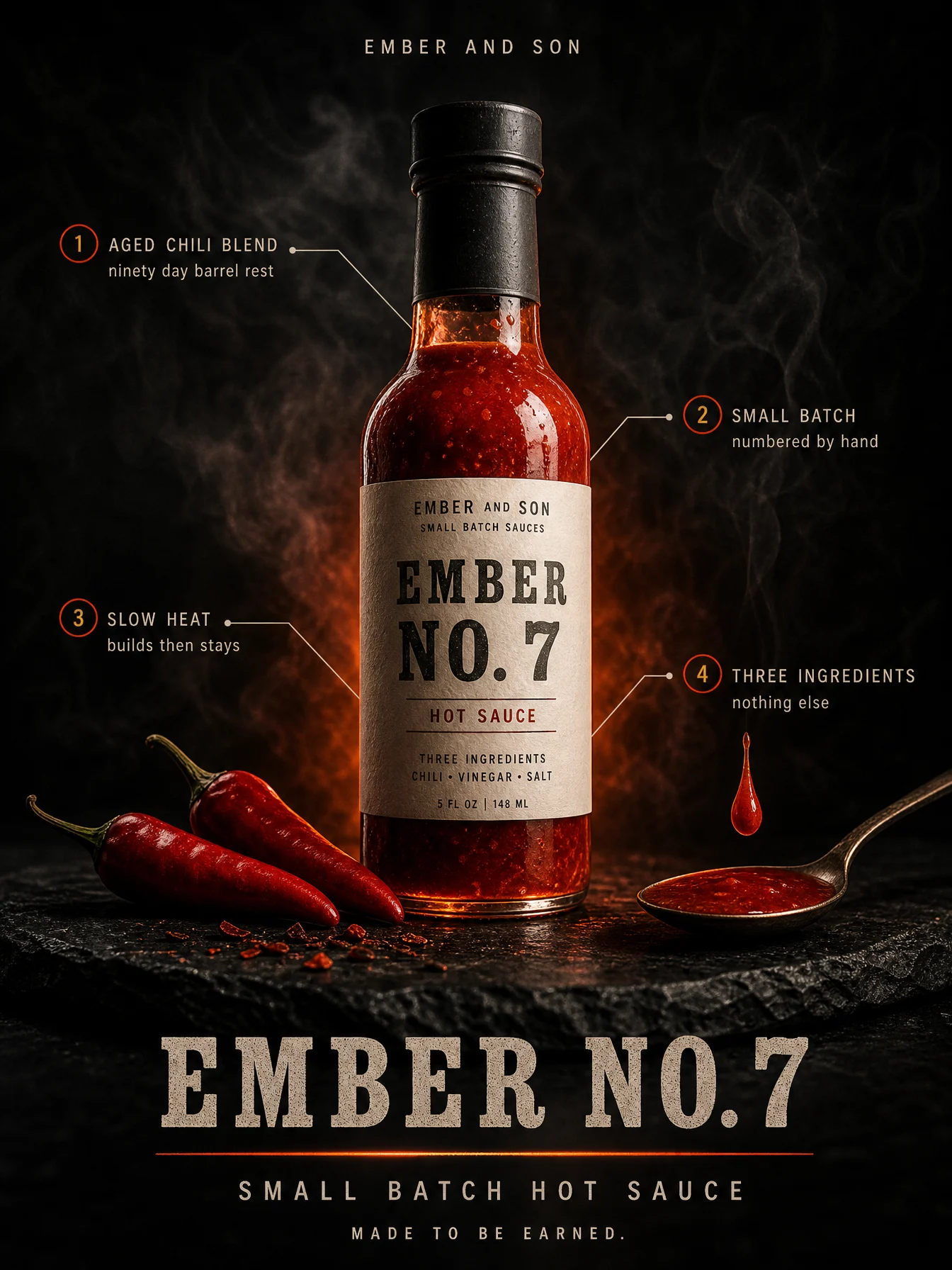
Controlled
What to notice: the accent here is not painted on, it is physics. The ember orange comes from backlight passing through the product itself, which means the sauce is literally its own light source, the strongest version of accent-with-meaning this vault has produced. Also count the text layers: this poster carries in-world text, the letterpress label ON the bottle, and poster text, the brand block around it. Naming which world each piece of text lives in is what keeps the model from merging them into one floating mess.
Swap ideas: the same backlit-liquid treatment on a honey jar glowing gold, a cold brew bottle with light through deep amber, or an olive oil bottle in green-gold.
Prompt 4: The Skincare Serum

Default

Controlled
What to notice: luxury here is built from light physics, not adjectives. Caustics, the gold patterns light throws when it passes through glass onto water, are what expensive beauty photography actually looks like, and naming the physics gets the look no amount of "premium elegant luxurious" ever will. The frozen drop is the breath-before event from the anatomy posters in product form: the moment before it lands is tension, the splash after is mess. And the botanical is only a shadow, ingredient storytelling at whisper volume.
Swap ideas: the same water-mirror-and-caustics stage on a perfume bottle at dusk light, or a facial oil with one amber drop and citrus peel shadows.
Prompt 5: The Mechanical Keyboard
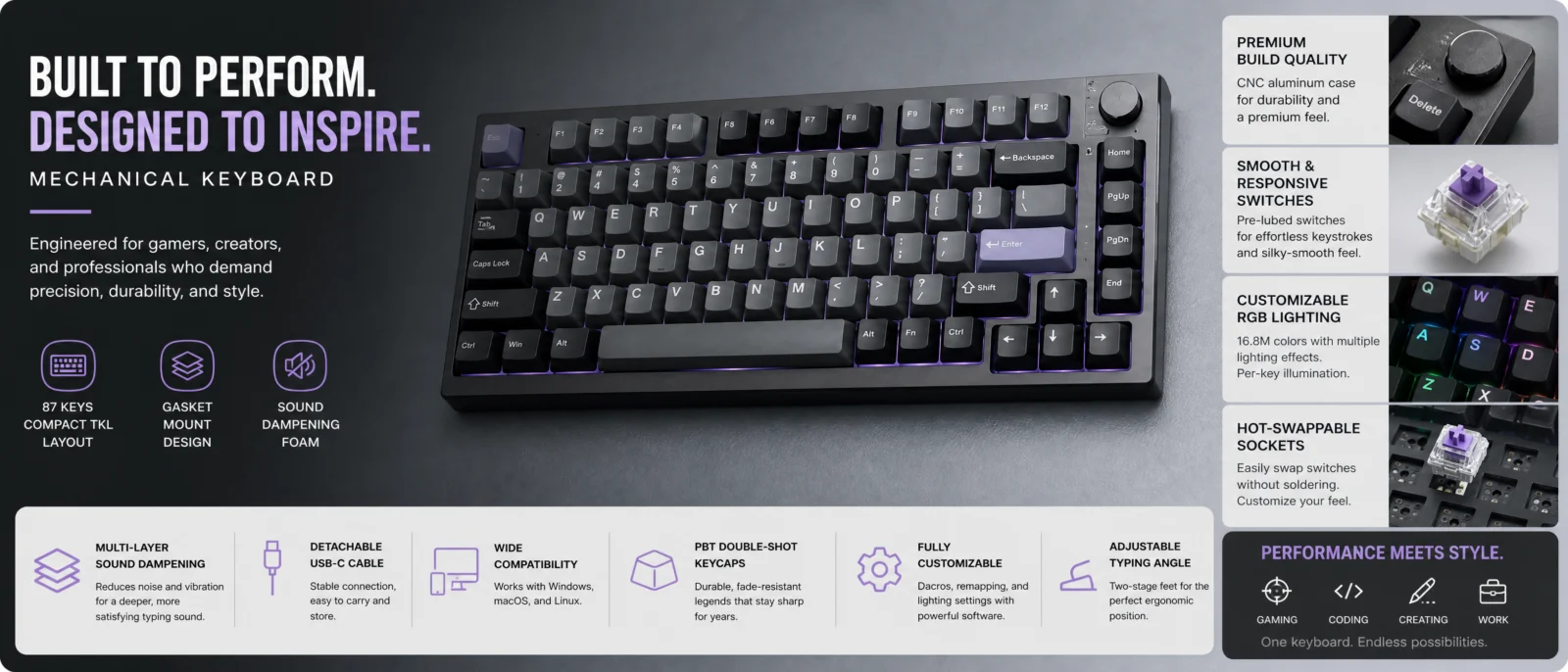
Default
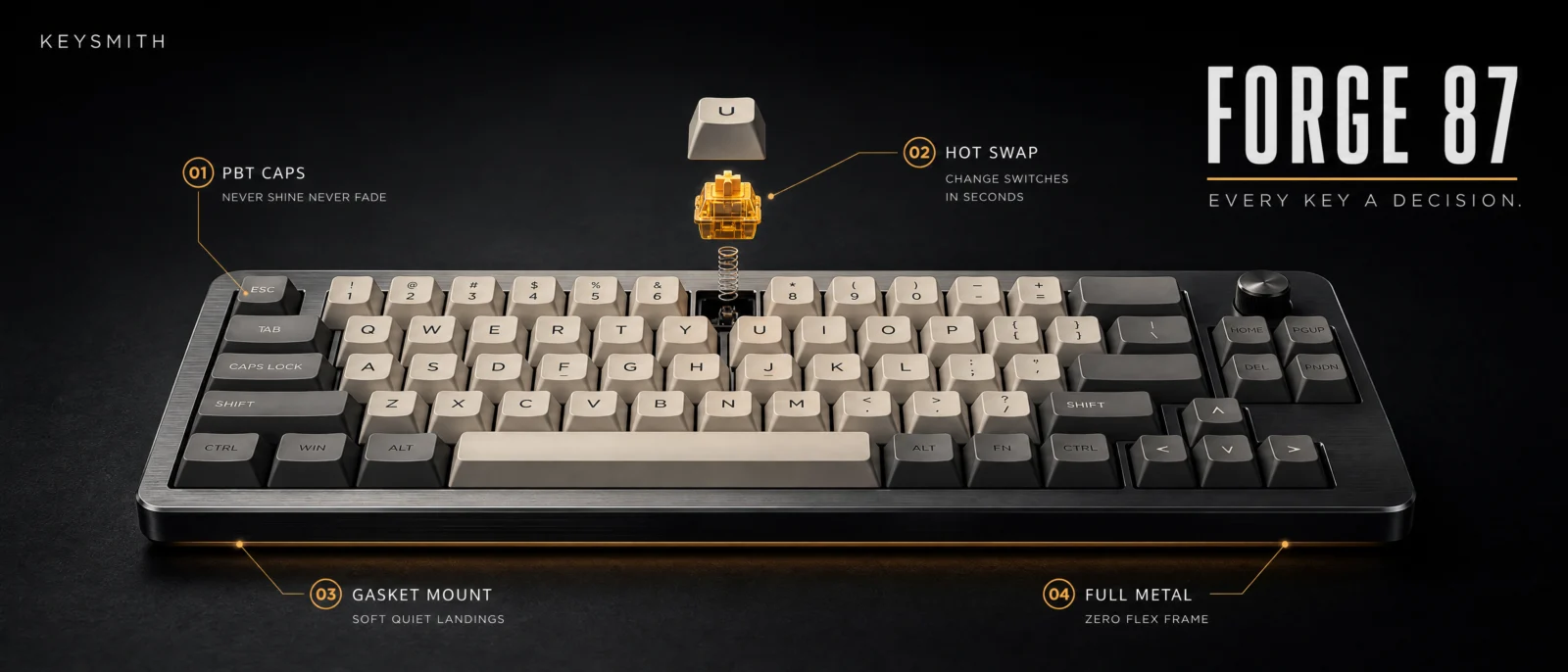
Controlled
What to notice: one key explodes, not the keyboard. The instinct on a tech product is to blow everything apart, and the result is always noise. A single switch stack floating above one empty socket tells the whole hot-swap story with one gesture, the exploded view used as punctuation, not prose. And note the restraint where the genre expects excess: one amber underglow line where gamer marketing would pour rainbow RGB. Choosing one color where the category screams seven is itself a brand statement.
Swap ideas: the same one-part-exploded move on a camera with a single lens element floating out of the barrel, or an electric shaver with one blade cartridge hovering above the head.
Prompt 6: The Hiking Backpack
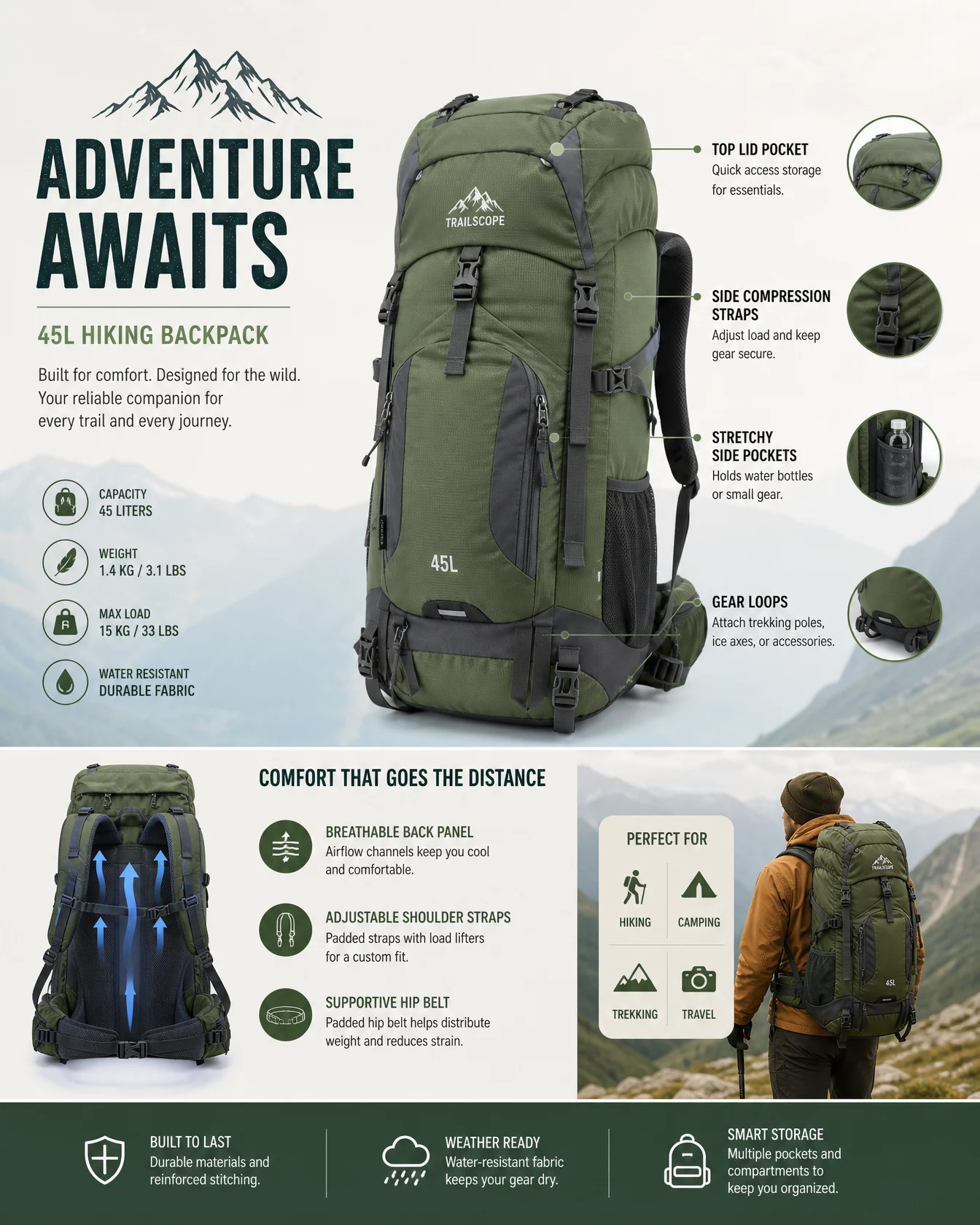
Default
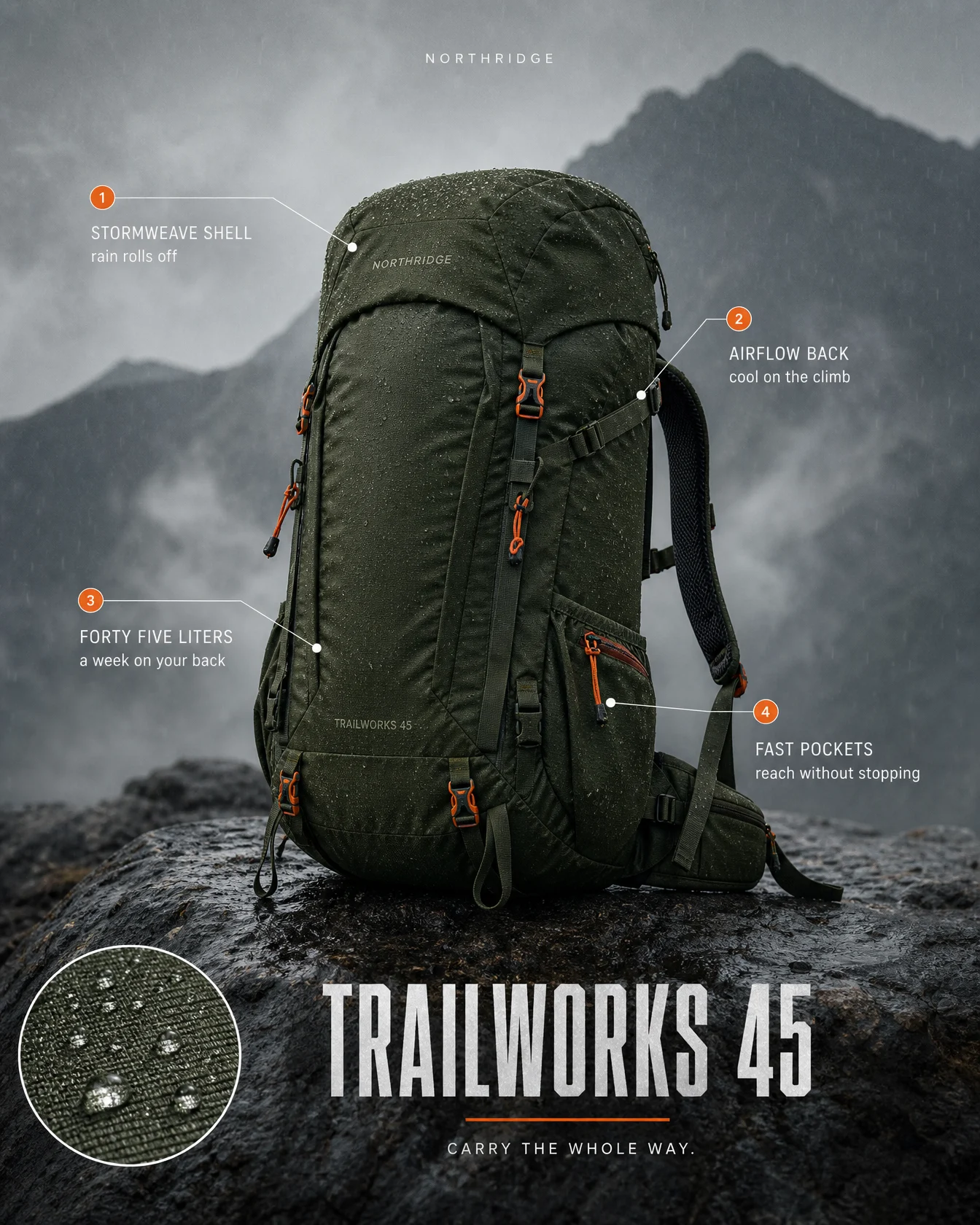
Controlled
What to notice: two quiet techniques close the set. First, accent fusion: the signal orange is simultaneously the pack’s real hardware color and the callout marker color, so the design system and the product design are one system, the most integrated accent in the vault. Second, the scene proves the claim: STORMWEAVE SHELL says rain rolls off, and the poster shows real rain rolling off, with the macro inset as evidence at close range. When a product’s headline feature can be demonstrated by weather, physics or use, stage the proof instead of stating it.
Swap ideas: the same weather-as-proof treatment on a rain jacket in the same drizzle, an insulated bottle frosted in snow, or trail boots caked in real mud with one clean callout to the waterproof liner.
The Method In One Box
Run the bare code first, always. The default is a marketplace listing, and the distance to a launch poster is the whole product you are selling.
THE STAGE is a genre, not a backdrop. Study how the industry actually stages launches, dark for audio and tech, light and water for beauty, appetite glow for food, real weather for gear.
When a poster is technically correct but feels wrong, question the register, not the blocks.
Exactly four callouts, identical markers, and every callout is copywriting: feature in caps, felt benefit under five words.
Invented brand, text lockup only, no logo symbol, ever. Typography is the logo.
One accent with a job, and the best accents are physical: light through the product, the product’s own hardware, a glowing core.
Stage the proof. If the headline feature can be shown by physics or weather, show it.
Let the product pick the ratio, square for icons, ultra wide for boards, tall for bottles. Set it in generation settings, medium quality at 2K.
Common Issues And Fixes
A logo symbol appears anyway. The ban must be stated inside the BRAND BLOCK itself, clean text lockup only, no logo symbol. Outside that block the model forgets.
Benefit lines garble. This is the heaviest text category in the vault. Keep every benefit under five words, keep brand and product names short, and judge tiny text at poster distance, regenerate only when a name or headline breaks.
The white listing background returns. Name the stage surface and background first in the PALETTE LOCK, before the product.
The poster reads catalog instead of launch. Wrong register. Go back to the shoe story on this page and restage, do not retune.
The accent leaks across the frame. Reserve it with a job list, exactly which elements carry it, and close the palette with no other colors introduced.
The product warps or the label smears. Keep no product distortion in the FINISH and label crisp and legible for anything printed on the product itself.
Everything explodes. One reveal per poster. The exploded view is punctuation, choose the single part that tells the story.
Next Step
Category 6, The Data Object Code, the vault finale: the object stops wearing the data and becomes it, the chart and the thing as one body.
Section 06
The Data Object Code
Vol.20 data visualization of [topic]
The finale. The object stops wearing the data and becomes it.
Five categories taught you to design around information. This last one closes the loop: the thing itself is the chart. A body filled to its true water line. A day burned down a candle. A lifetime cast in chocolate. And it carries the two biggest lessons of the whole vault in one page: the code owns the numbers, and the palette is yours.
What The Code Actually Is
"Data visualization of" pulls the chart genre, decades of graphs, diagrams and explainer graphics in the model’s training, and with it something more valuable: the model’s own knowledge of the numbers. Ask it what the body is made of, what air is, how a lifetime is spent, and the bare code answers with real categories and real figures, already structured, already labeled. This is the only category in the vault where the default arrives not just competent but informed.
Which sets up the finale’s first rule.
The Data Carry Rule
The temptation when styling a data image is to write your own numbers into the prompt. Do not. The information layer belongs to the code, that has been this vault’s thesis from page one, and here it becomes a literal instruction. Every controlled prompt below opens by protecting the model’s own knowledge:
Keep the exact breakdown the code generates, every category, percentage and figure from its own true knowledge, unchanged and clearly legible. Nothing invented for decoration.
This is the same protective move as the exploded view rebuild in Vol.19, keep what already works, now applied to facts instead of composition. Your quality check changes with it: after generating, compare the numbers on your styled version against your plain version. If they match, the carry held. The code brings the information. You design the body it lives in.
The Palette Confession
Second lesson, and it is a confession. The first advanced round of this category came back beautiful and entirely dark. Black stages, museum beams, crushed blacks, six for six. Dark is the AI-premium crutch: it makes anything look expensive, hides seams, and controls light cheaply, so it becomes the default without anyone choosing it.
A creative director does not have a default. There are entire families of palette to brief from, high-key, pastel, powder, warm neutral, pop, gradient-led, jewel-tone, coastal, retro, dozens more, and the right one comes from the subject’s emotion, not from safety. So the whole set was rebuilt: the body in a high-key porcelain gallery, the air cube floating in an actual dawn sky, the cola in retro soda-fountain pop, the candle in powder pastel morning, the chocolate on warm editorial cream.
And one poster deliberately stayed dark. The phone, precious materials under a museum beam, because rare metals belong in jewel light. That is the point of the whole exercise: after you can do light, dark stops being a habit and becomes a choice with a reason. Same rule as the one blue sheet in the Living Blueprint category. Spend the default once, on purpose, and say why.
The Control Layer
The standing blocks carry forward. Two new ones run the finale.
THE OBJECT declares what physical thing the chart becomes, and the mechanic that makes it readable: fill levels in a vessel, strata in a cube, a stacked extraction, banded wax, segmented chocolate, sorted piles. One object, one mechanic, and the proportions ARE the data.
THE DATA CARRY is the protective clause explained above, always ending with "nothing invented for decoration" and the declaration that the object IS the chart.
And the PALETTE LOCK is promoted: it now opens with a named palette family, a brief, not just colors. High-key palette. Retro soda fountain palette. Powder pastel palette. Naming the family first tells the model which world of light it is building before a single color loads.
Prompt 1: The Human Body
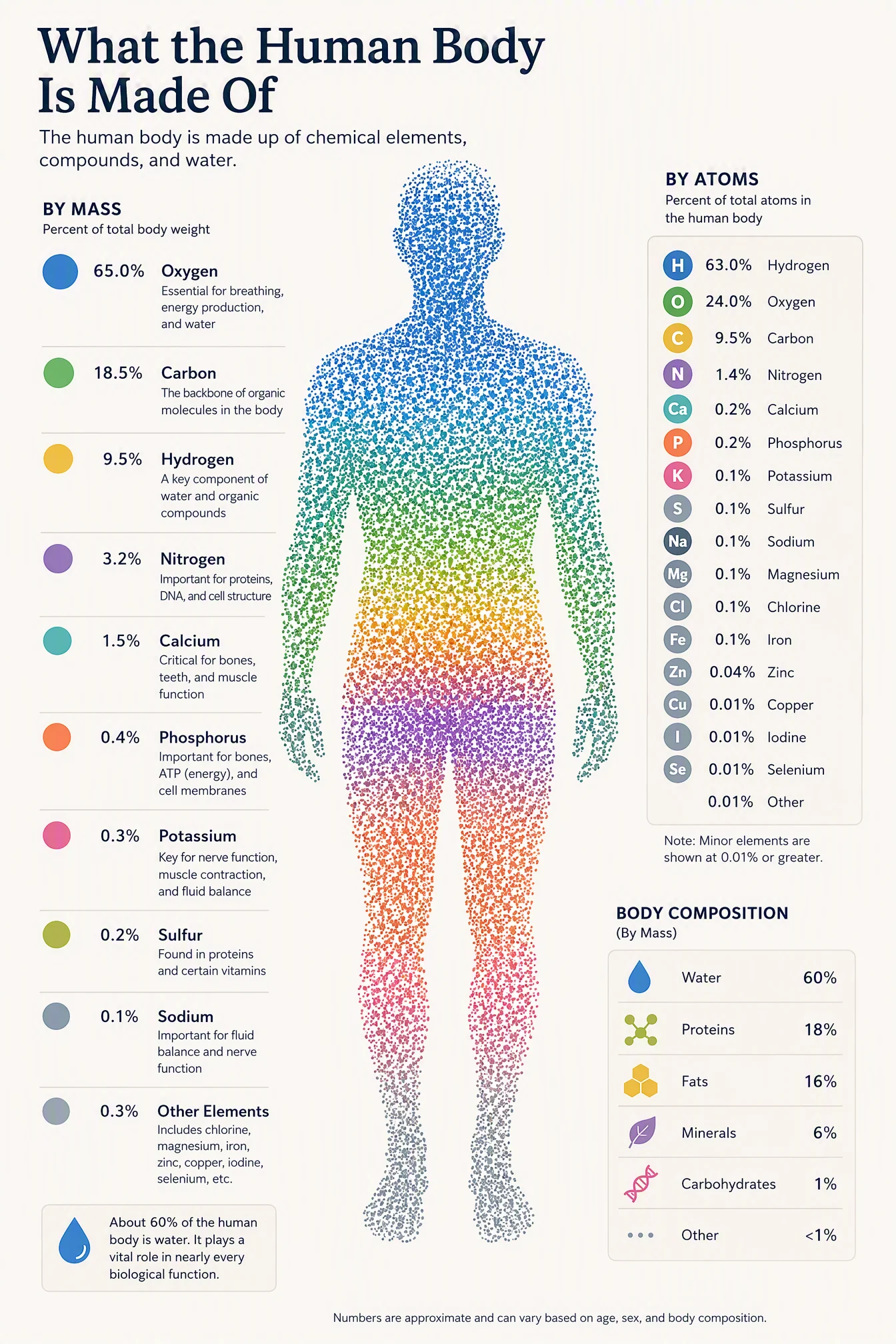
Default
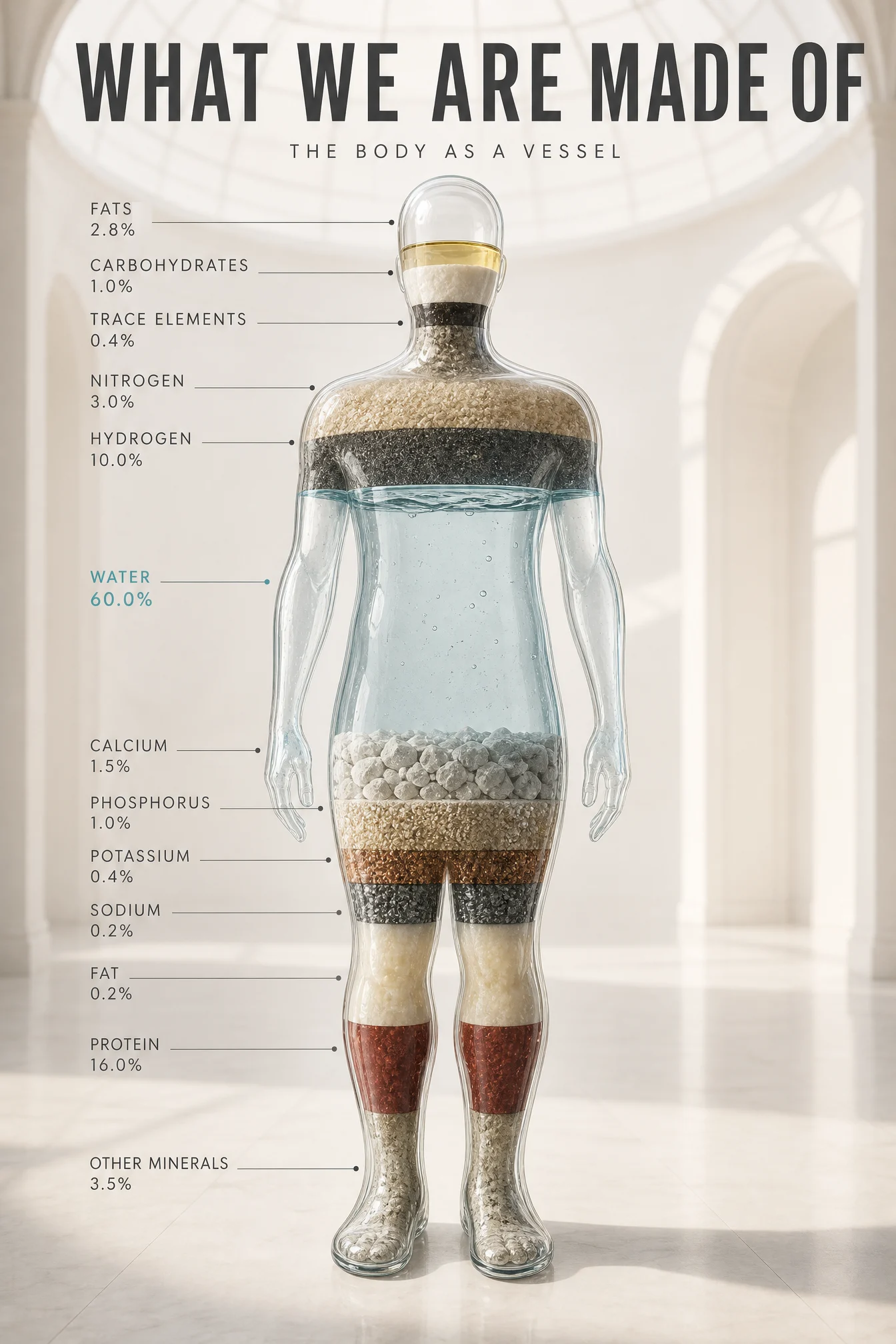
Controlled
What to notice: this prompt earned its DO NOT list in production. The first render read the layered fill as clothing, a shirt-colored band, a trouser-colored band, because layers across a human silhouette have an obvious second meaning. The fix has two halves that always travel together: restate what the object IS, a single sealed transparent vessel with fill levels inside the glass, and ban what it drifted toward, no garments, no fabric. When the model misreads an object’s nature, correcting the drift alone is not enough, you must also give it the stronger true reading to hold onto.
Swap ideas: the same filled-vessel treatment on a glass planet Earth filled to its true fresh and salt water shares, or a glass car silhouette filled with the materials it is built from.
Prompt 2: The Air
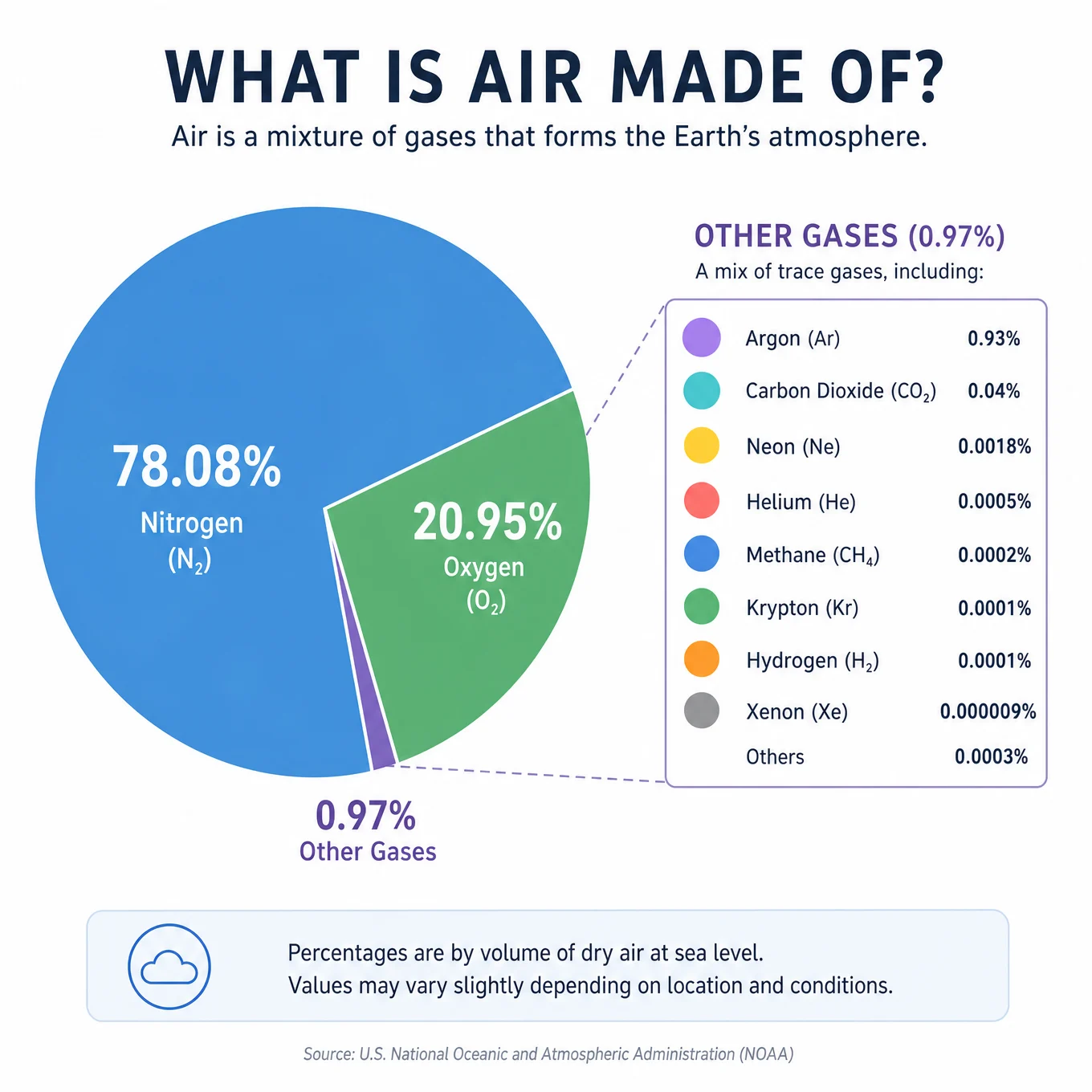
Default
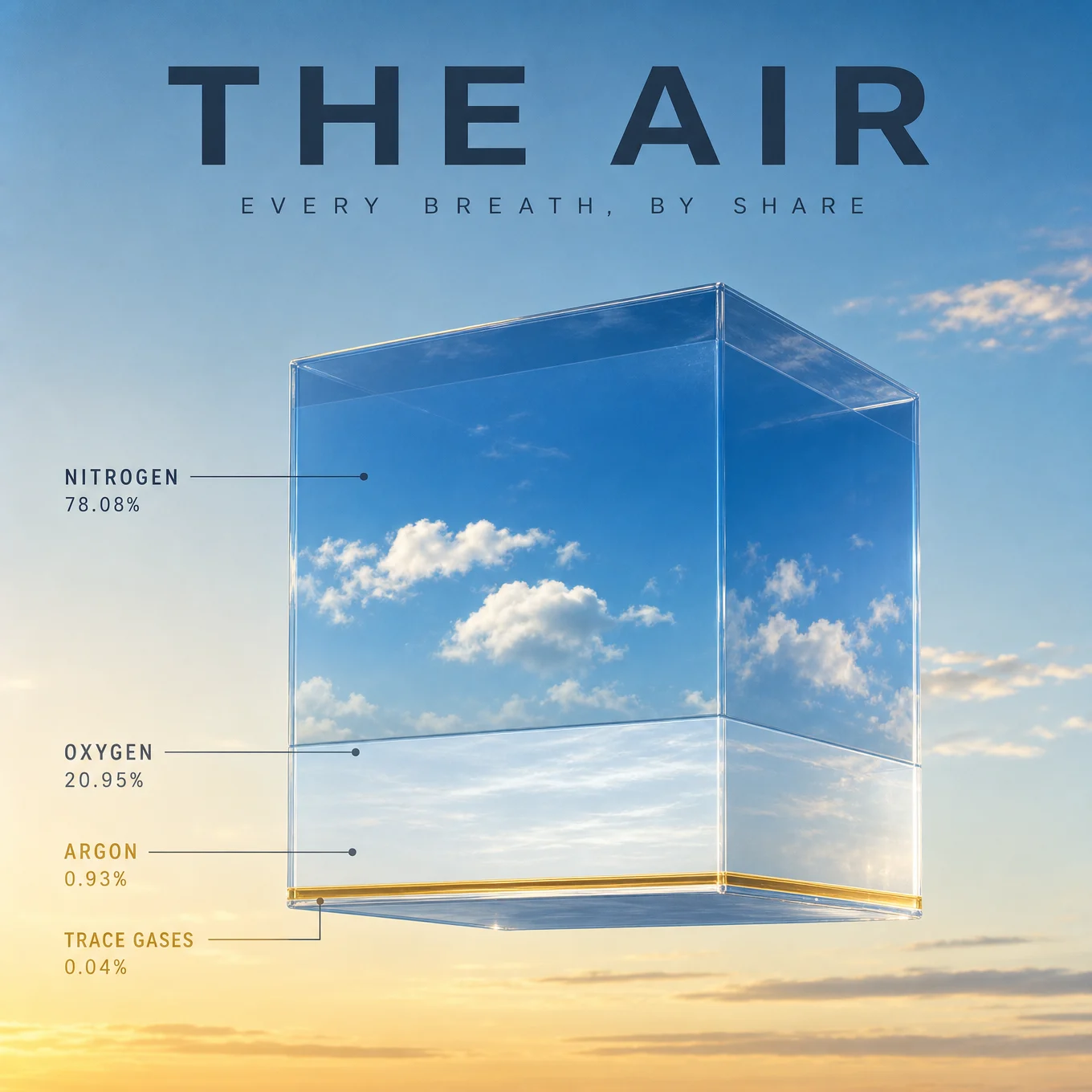
Controlled
What to notice: the object floats inside the very thing it measures, which is the most elegant version of concept-and-subject fusion this vault has produced, and it creates a specific technical problem: a cube of sky against sky risks vanishing. Two instructions solve it, the captured slice is denser than the sky behind it, and the cube edges catch the dawn light. When your object and your background share a material, separate them by density and by edge, never by changing the concept.
Swap ideas: the same cube-in-its-element move on a cube of ocean floating over the sea sliced by depth zone, or a cube of forest air over a canopy showing oxygen by source.
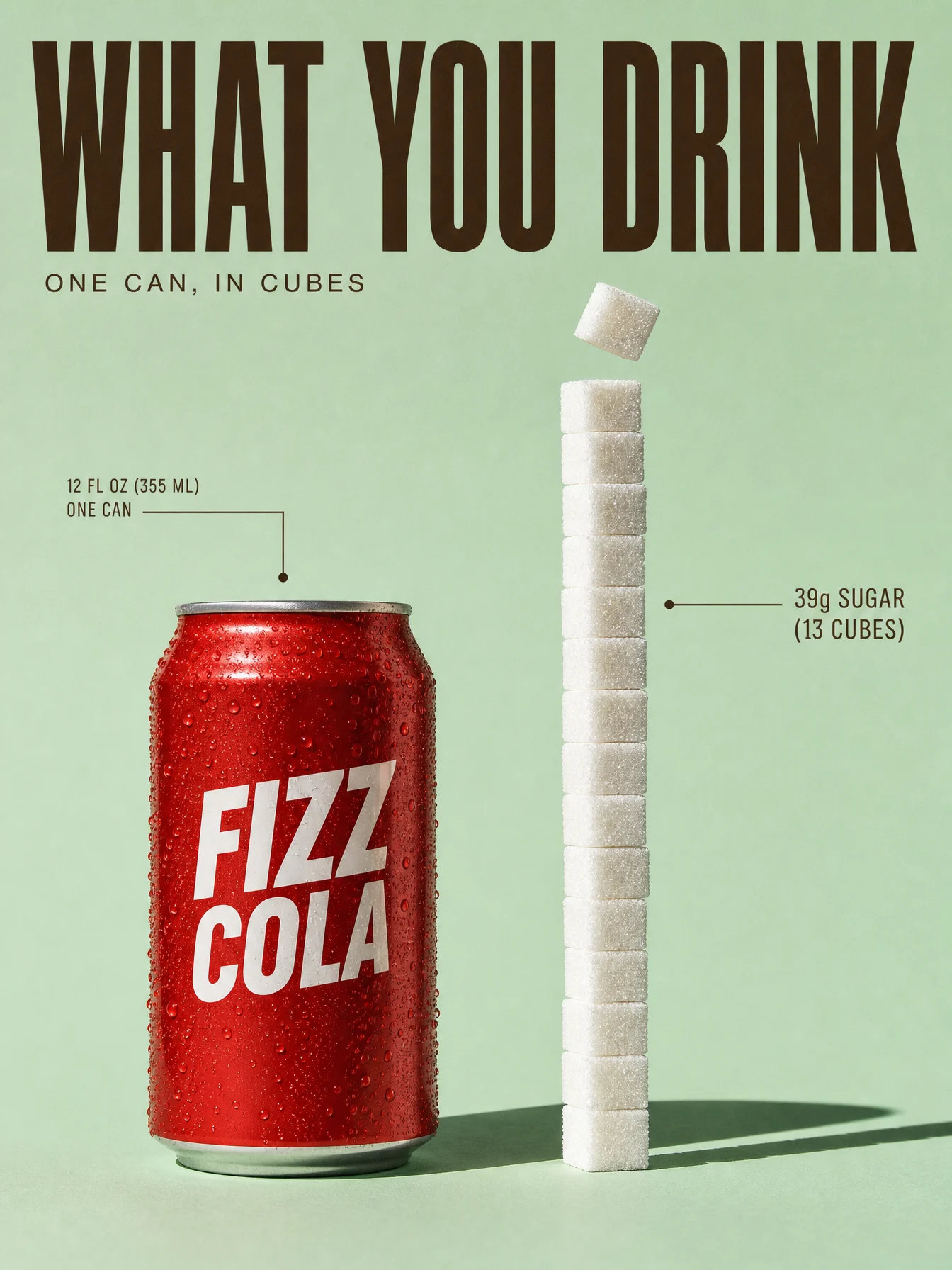
Prompt 3: The Cola
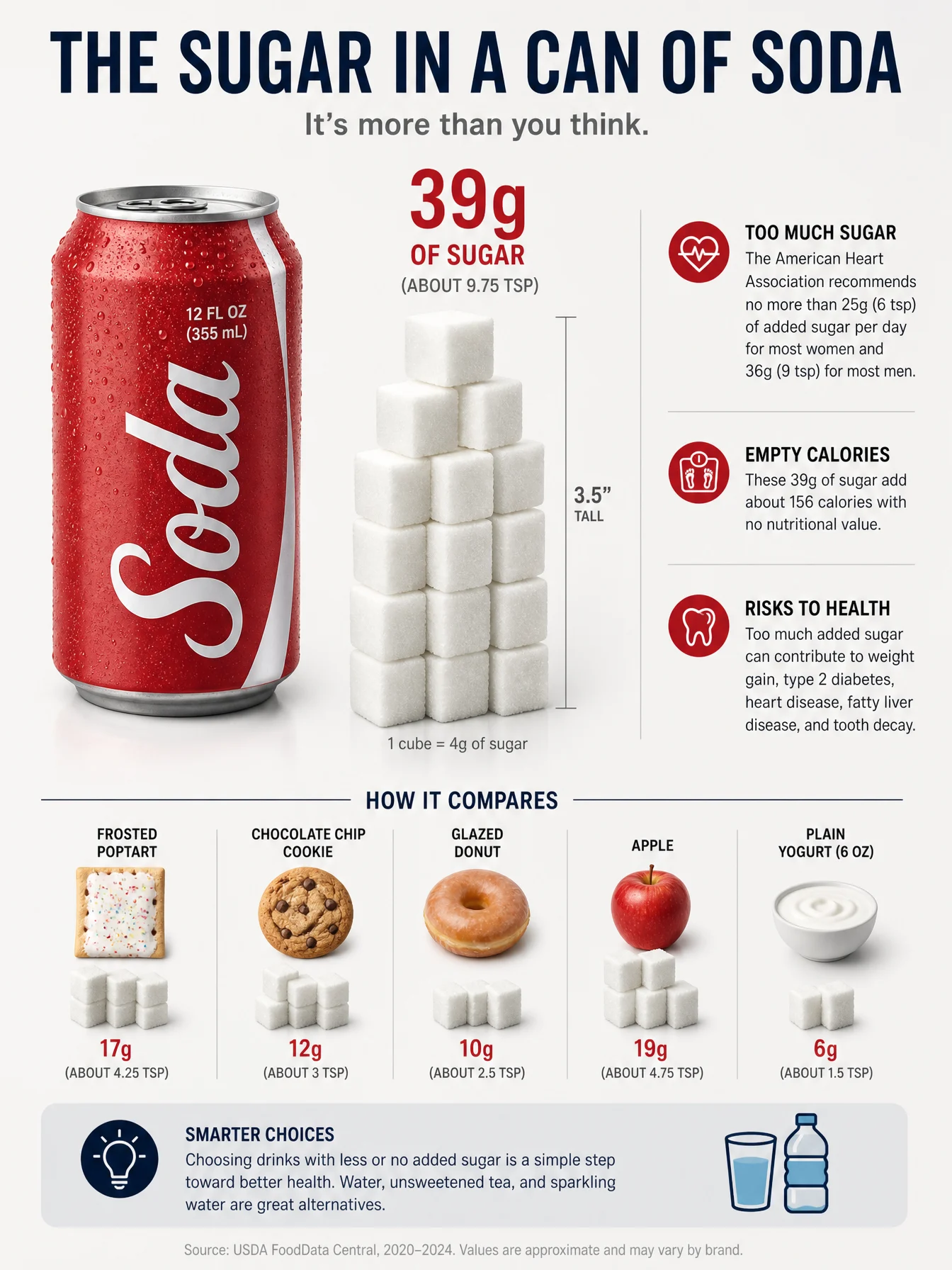
Default
Controlled
What to notice: this poster went through a palette iteration worth keeping as a rule. The first light version ran the red can on butter yellow, technically bold, but red and yellow are two loud warm voices shouting over each other. The fix came from color theory and from history at once: mint green is red’s complementary neighborhood, and mint-and-red is the exact pairing the soda fountain era was built on. The composition never changed, only the stage did. When an accent and a background fight, do not soften the accent, move the background to the accent’s complement, and if a real design era already proved the pairing, borrow its authority.
Swap ideas: the same extracted-quantity move on the caffeine in an energy drink as a stacked column of espresso cups, or the salt in instant noodles as a measured pile beside the invented pack.
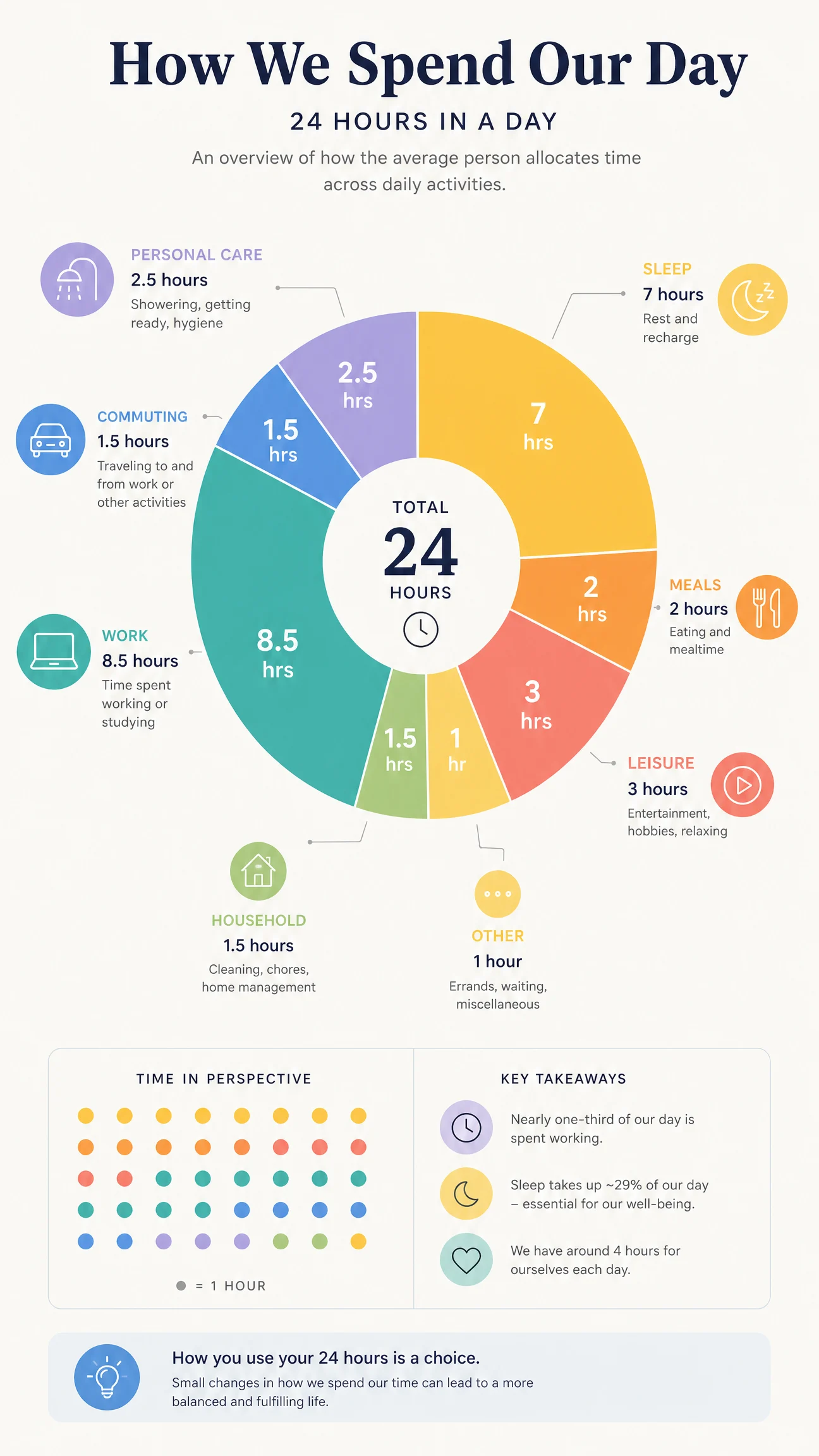
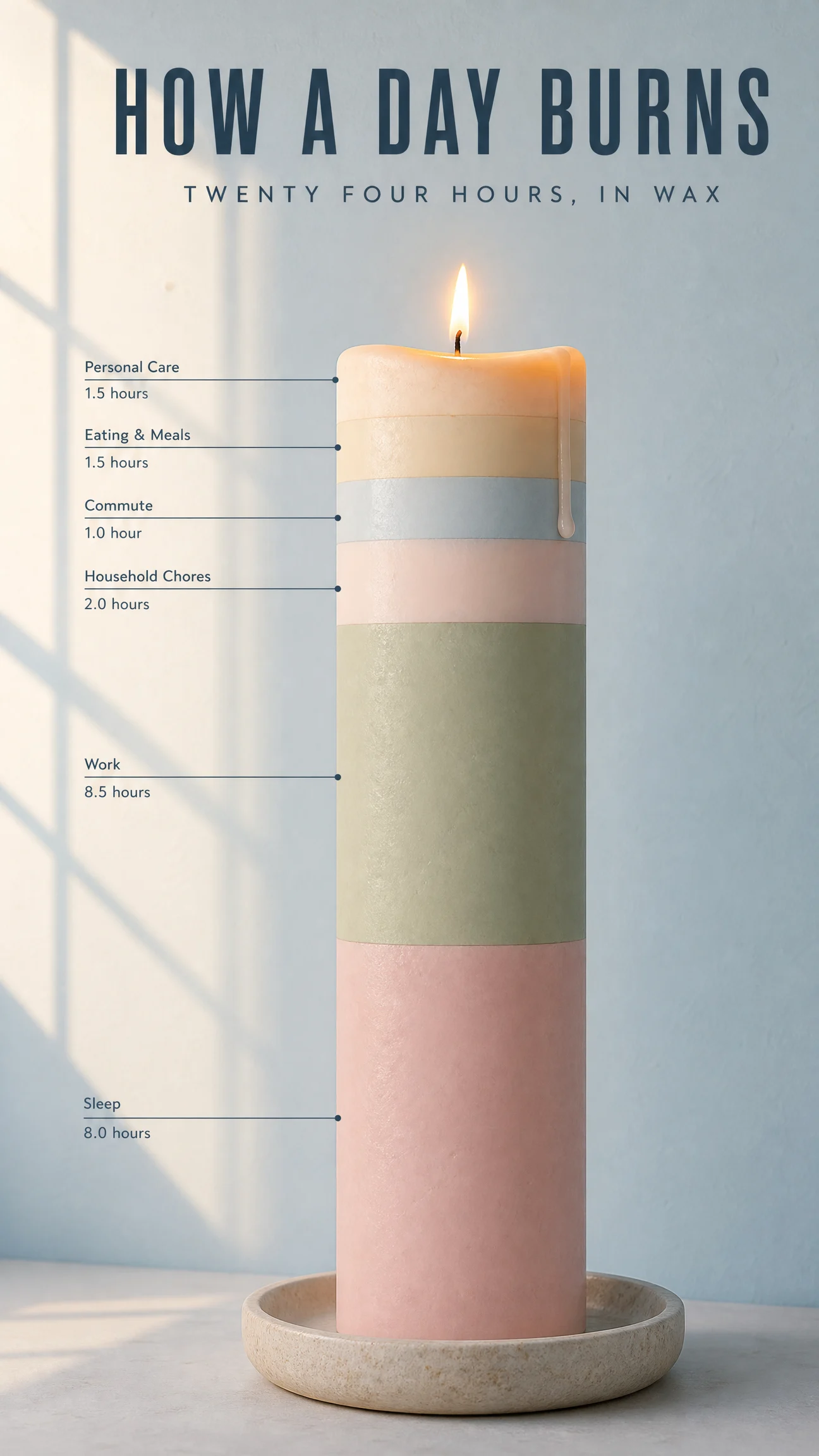
Prompt 4: The Day
Default
Controlled
What to notice: three quiet decisions carry this one. The palette proves premium does not require contrast, low and soft can be as expensive as black and gold when the light is real, here a window shadow doing the composition work a vignette usually does. The bands avoid rainbow chaos because every band’s color is named to its activity, blush for sleep, sage for work, a banded object without named band colors is an invitation to chaos. And the burn is live data: the softening top band and the single drip mean the chart is being spent as you look at it, the concept continuing the sentence the title started.
Swap ideas: the same banded-object move on a pencil worn down through a school year of subjects, or a bar of soap with layers for where a year of water goes.
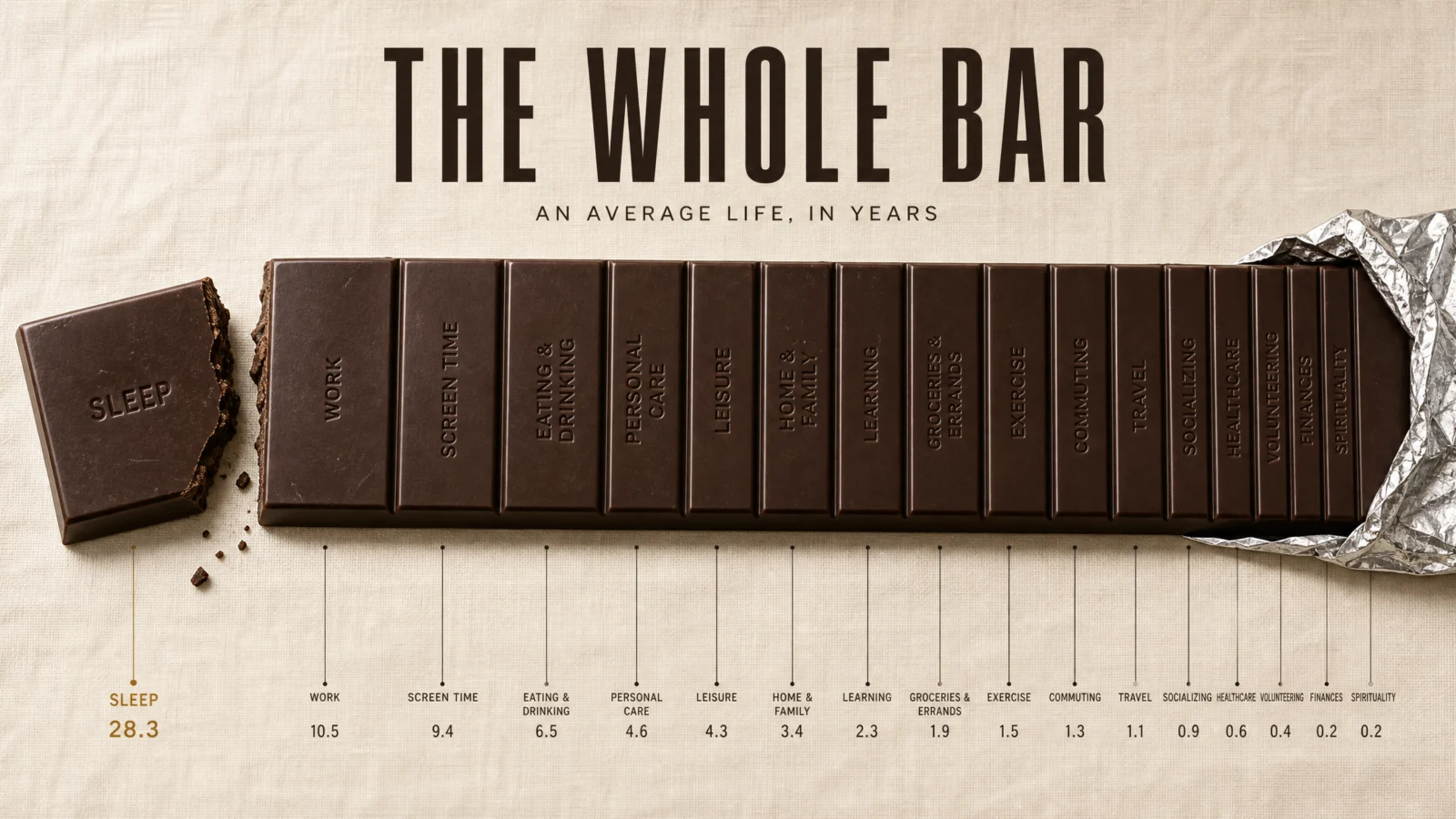
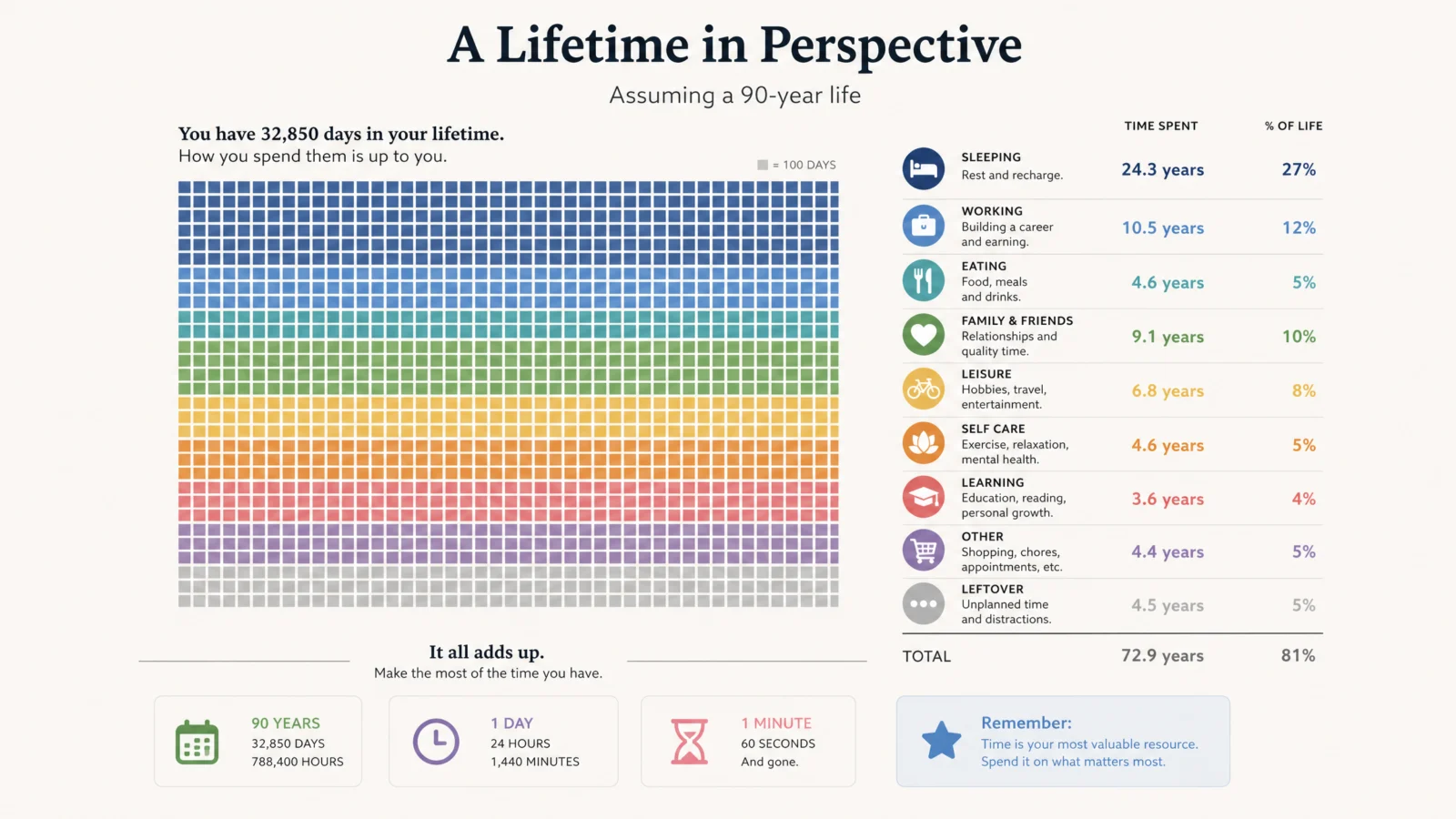
Prompt 5: The Lifetime
Default
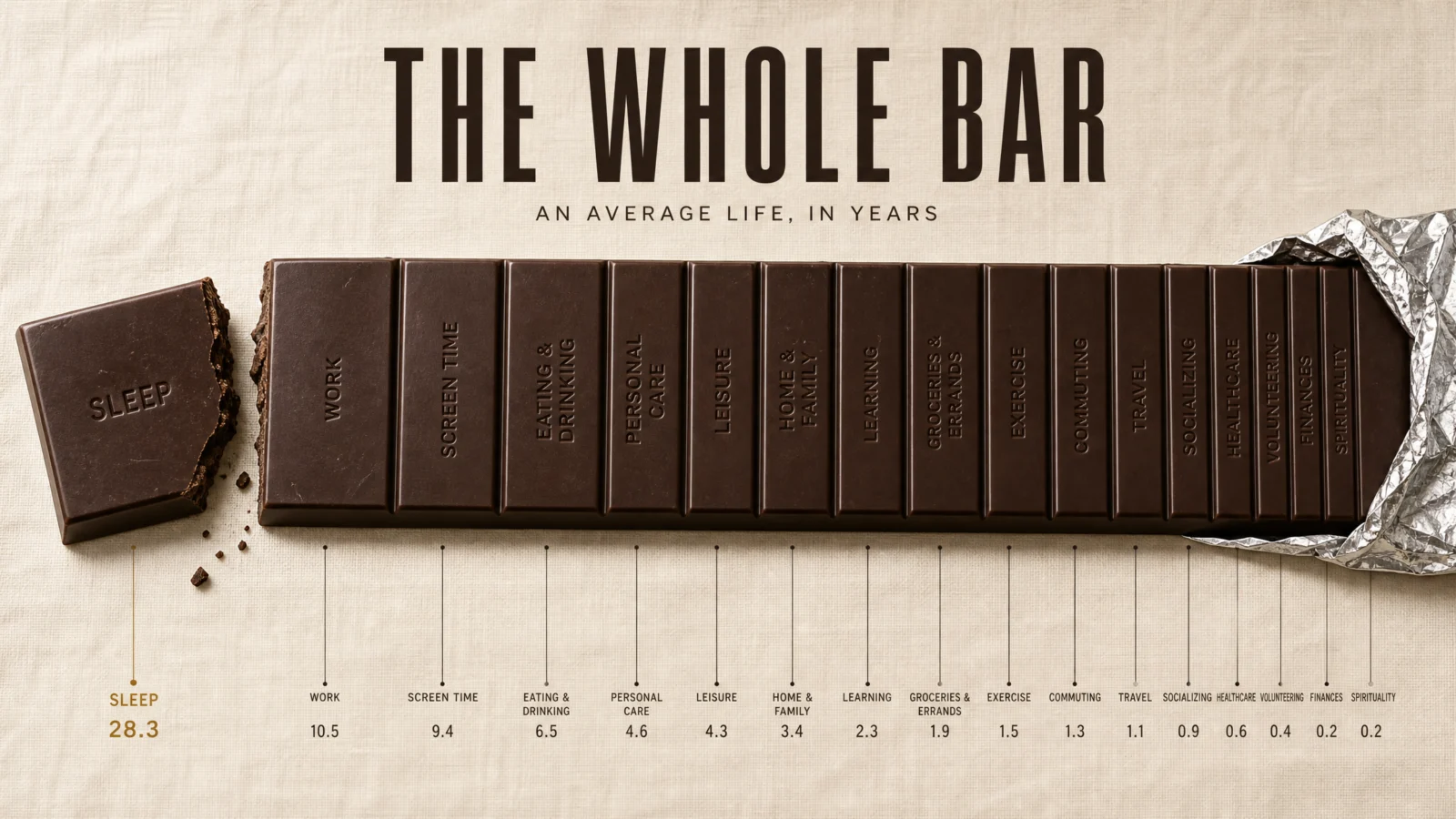
Controlled
What to notice: a segmented chocolate bar is the most literal object-chart in the set, the segments genuinely are bars in a bar chart, and two moves lift it past clever. The activity names are embossed INTO the chocolate, in-object typography, which fuses label and object the way the engraved watch back did in Category 1. And the snapped sleep segment is the emotional beat: one piece of the data physically removed, crumbs and all, the years already spent. A chart states, an object with one broken piece makes you feel the statement. Every data object should look for its one snapped segment.
Swap ideas: the same segmented-and-snapped move on a baguette scored by where the world’s wheat goes, or a film strip of an average life with one frame torn out.
Prompt 6: The Phone, The One That Stayed Dark
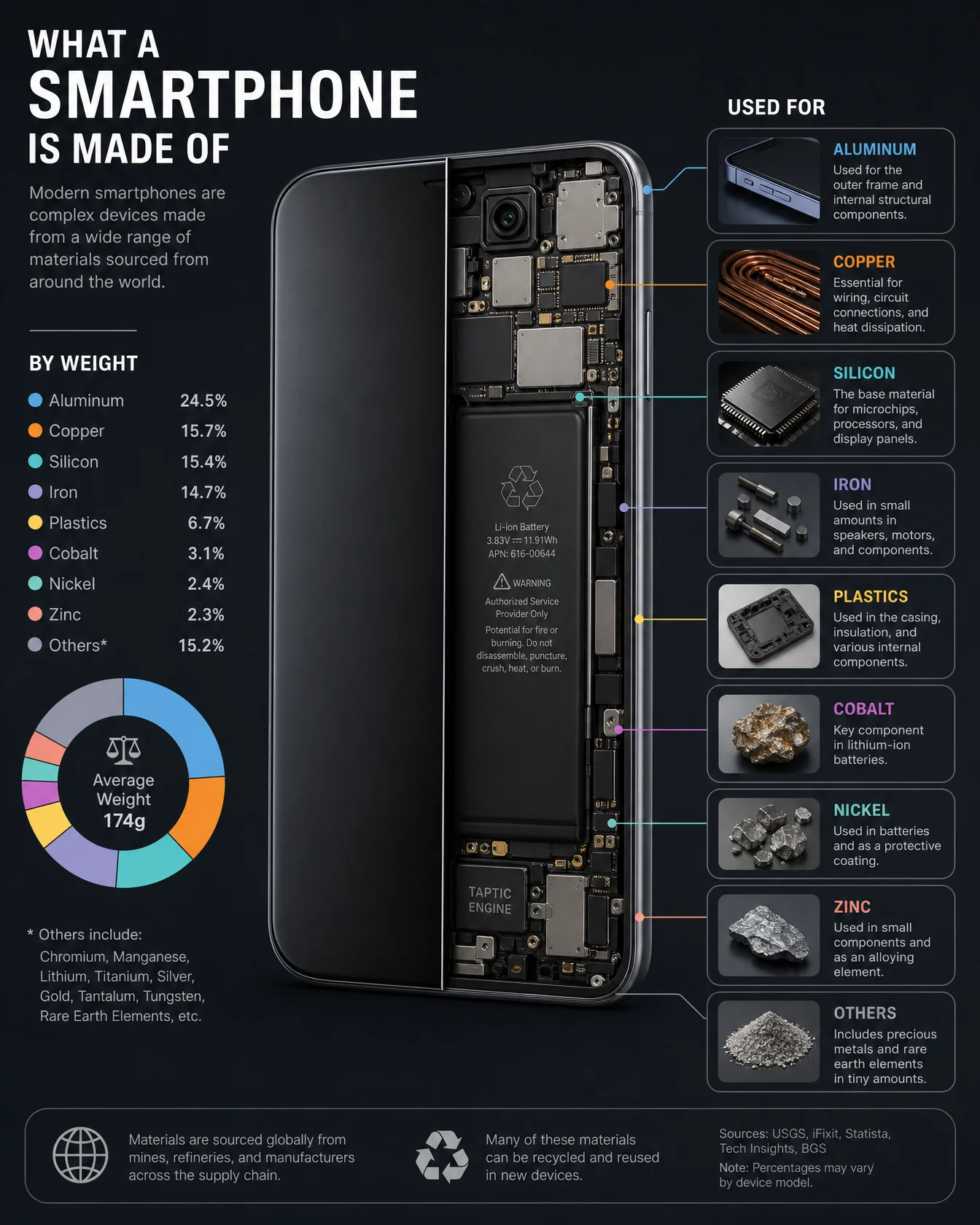
Default
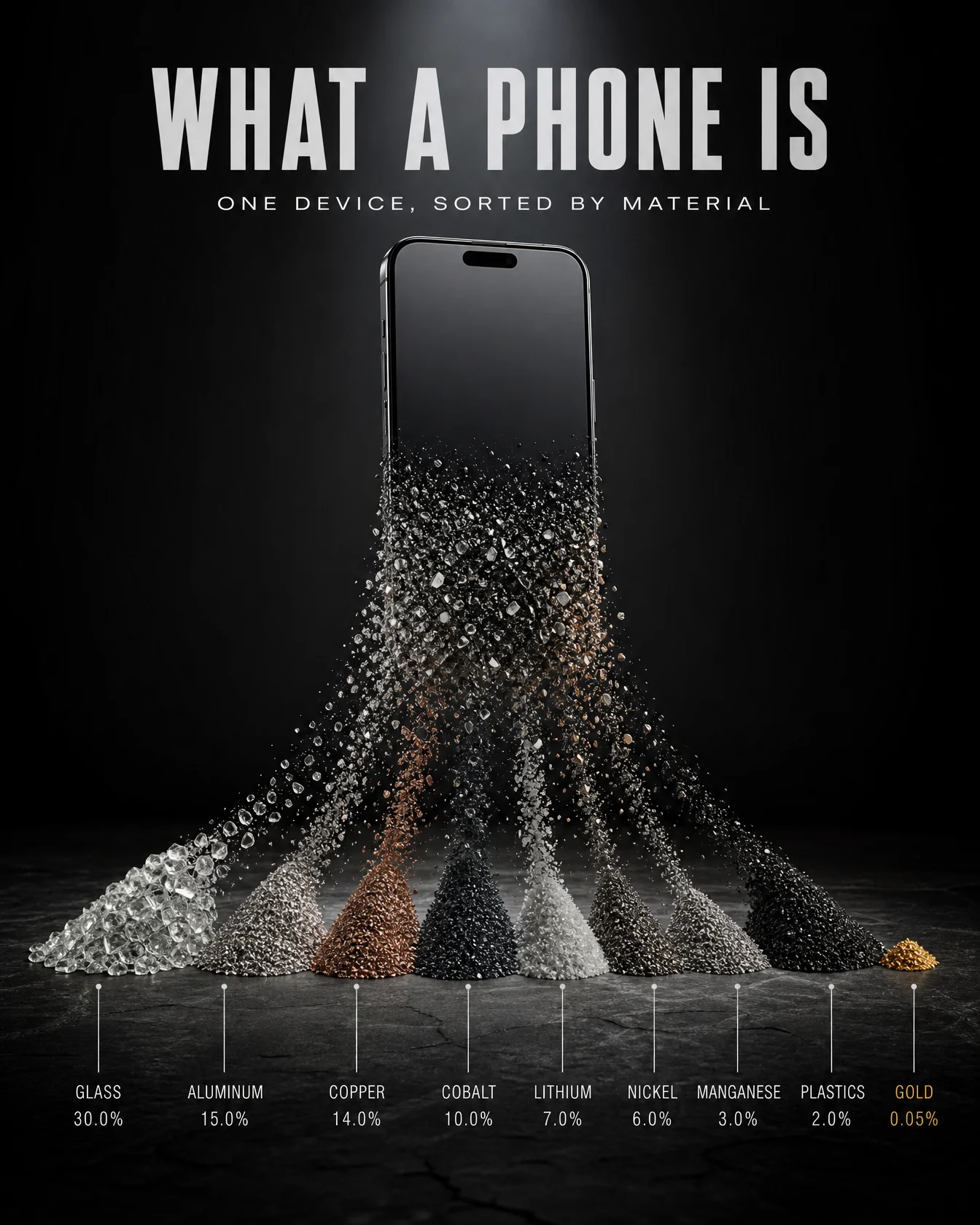
Controlled
What to notice: this poster was rebuilt in a light tech palette alongside the others, and the dark original won the slot anyway, and that is the lesson worth the whole page. The subject is rare metals sorted like treasure, and treasure belongs under a museum beam, jewel logic, so dark here is a reason, not a reflex. The vault’s palette rule in full: learn to leave the default, then return to it only on purpose. Note also the inverse hierarchy in the accent, the smallest pile carries the gold, because in this data the smallest quantity is the most precious, the accent marking value, not size.
Swap ideas: the same sorted-decomposition move on a car dissolving into its material mounds on a factory floor, or a house becoming its timber, glass, concrete and copper.
The Method In One Box
Run the bare code first, always, and in this category the default arrives informed, real categories, real figures, which changes your job to carrying, not creating.
THE DATA CARRY is law: the code’s own breakdown, unchanged, nothing invented for decoration. Your QC is comparing numbers between the plain and styled versions.
One object, one mechanic, and the proportions ARE the data: fill, strata, stack, bands, segments, piles.
Open every PALETTE LOCK with a named palette family. The palette is a brief chosen from the subject’s emotion, never a default.
Dark is a choice, not a reflex. Earn your way to light, then spend dark deliberately, jewel light for precious things, and say why.
When the model misreads an object’s nature, restate what it IS and ban the drift in the same prompt.
When accent and background fight, move the background to the accent’s complement, and borrow a design era that already proved the pairing.
Give every data object its snapped segment, the one physical detail that makes the number felt.
Let the object pick the ratio, set it in generation settings, medium quality at 2K.
Common Issues And Fixes
The numbers drift between plain and styled versions. THE DATA CARRY needs the word unchanged and the closing clause, nothing invented for decoration. Then verify by comparison, that check is the category.
The object grows a second meaning, layers become clothing, bands become decoration. Restate the object’s true nature in one sentence and add a short DO NOT banning the drift.
Proportions flatten until every share looks equal. Name the largest and the smallest explicitly, the model holds the scale between the extremes you state.
Banded or layered objects go rainbow. Name every band’s color to its category in the PALETTE LOCK.
Text disappears on light backgrounds. Flip the ink: deep slate, espresso or graphite text on light stages, named in the palette, porcelain only on dark.
Accent and background clash. Complementary check first, then era check, some pairings come with decades of proof attached.
Percentages garble at small size. Headline figures must be clean, tiny margin digits are set dressing, regenerate only when a number you would quote breaks.
Next Step
That closes all six codes. The vault’s thesis, proven thirty-six times: the code brings the information, the design was always yours. The wrap is next, course card, titles and the drop posts, and then this system goes hunting for the next code that trends.