

Section 01
PAGE 01 | Breathing Portrait
What You Are Building
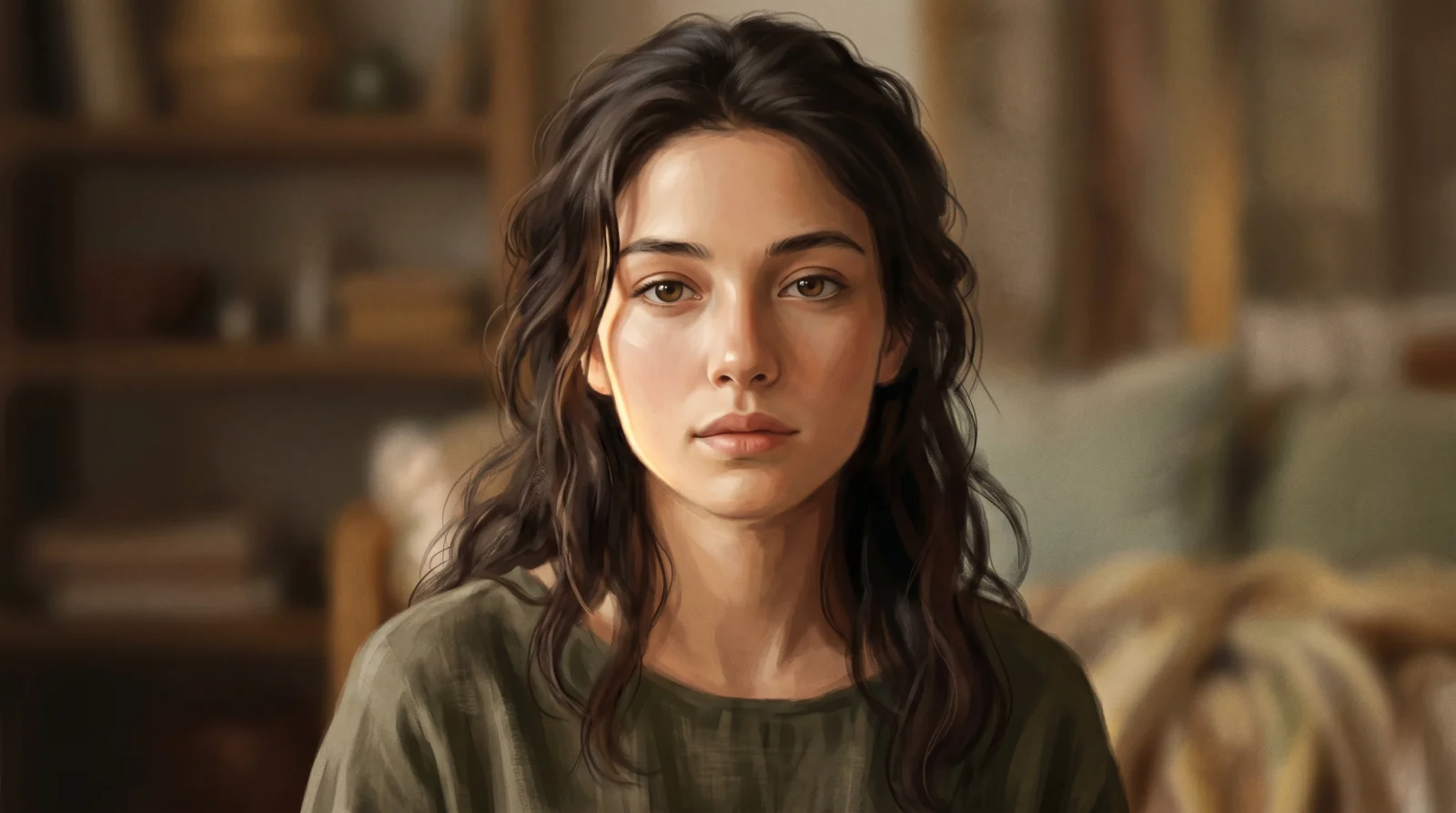
A living portrait. You take a single stylised illustrated image and add the smallest possible signs of life: a chest that rises and falls, eyelids that soften, hair that shifts in a barely perceptible draft. No dramatic motion. The power is entirely in stillness being broken by breath.
This is the foundational Seedance exercise. One image, one motion, camera locked off. Master this and every prompt in the vault builds on it.
What You Will Learn
How to assign a single image as the subject using the @ reference system. How to describe motion that is felt rather than seen. How to write audio direction that supports the visual mood. How to keep a prompt focused and not overloaded for short clips.
Tools Used
Nano Banana Pro 2 for image generation / Seedance 2.0 for video generation via OpenArt
Step 01 :
Get started: https://openart.ai/home?utm_source=tolt&utm_medium=affiliate&utm_campaign=affiliate-tolt–acq-web&via=digiAI
Step 02 :
15% off first month: code DigiAI 100 free credits for new users: https://openart.ai/credit/DigiAI%20Skool
Step 1 | Generate Your Image with Nano Banana Pro 2
Use this prompt exactly in Nano Banana Pro 2.
Image Prompt
A stylised illustrated portrait of a young woman with soft painterly features, rendered in a semi-realistic digital art style. She faces the camera directly, expression calm and neutral. Warm ambient light falls from slightly off-camera left, creating a gentle highlight across her cheekbone and leaving the opposite side in soft shadow. Her hair is loosely styled with a few strands falling forward. The background is a soft, blurred interior in muted warm tones, out of focus. The composition is a medium close-up, head and shoulders centred in frame. The overall mood is quiet and contemplative. No text, no graphic elements, no harsh contrast.
Why This Prompt Works
The key choices here are the semi-realistic illustrated style and the direct forward-facing composition. Seedance 2.0 blocks uploads of real human faces, so keeping your portrait stylised or illustrated bypasses this restriction while still producing a convincing result. The forward-facing composition means the chest movement and eyelid softening read clearly. The blurred background ensures all attention stays on the subject.
Step 2 | Generate Your Video with Seedance 2.0
Upload your Nano Banana image to Seedance 2.0 via OpenArt. Set duration to 6 seconds. Use this prompt exactly.
Video Prompt
@image1 serves as the subject. A still figure stands in soft, diffused light, the world around them completely at rest. The scene opens in held-breath silence, nothing moving, nothing shifting, the kind of stillness that feels almost too perfect to be real. Then slowly, almost imperceptibly, life enters the frame. The chest rises in a long, unhurried inhale, the fabric across it pulling slightly taut before releasing in an equally slow exhale. Eyelids soften and drop a fraction, the eyes losing their sharp focus as if the subject is drifting into a private thought. A single strand of hair lifts from the shoulder, carried by a barely perceptible indoor draft, drifting for a moment before settling back. The skin catches warm ambient light from slightly off-camera left, a subtle pulse of glow moving across the cheekbone with the rhythm of the breath. The background remains completely soft and out of focus throughout, the bokeh unchanging, all attention held entirely on the subject. Camera is locked off, fully static, zero movement. The mood is intimate, suspended, like watching someone who does not know they are being watched. Sound design is near silence, a warm room tone barely present, and beneath it the faintest suggestion of a slow, steady breath. Duration 8 seconds.
Why This Prompt Works
The opening line anchors the asset. @image1 tells Seedance exactly what to use as the base. The prompt then builds the scene in layers: first the stillness, then the breath, then the eyes, then the hair, then the light. Each motion is described with its own character and pace rather than listed as a series of actions. This layered approach gives the model a richer behavioural map to work from. The final mood description "like watching someone who does not know they are being watched" is not technical direction but it consistently influences the output quality by setting a tonal register the model responds to. The audio direction keeps the sound restrained rather than letting the model generate something that competes with the visual mood.
Variations to Try
Swap the illustrated portrait for an illustrated animal or a stylised sculpture and the same breathing motion principle applies. Try a stone statue with a single candle flame reflecting in its surface. The chest motion becomes a flicker and the result is equally striking. You can also extend to 8 seconds if you want a longer, slower breath cycle.
Issues and Fixes
The subject’s face distorts mid-clip. This usually happens when Seedance tries to animate features that are too sharp or too realistic. If your generated image looks close to photorealistic, regenerate in Nano Banana with the style pushed further toward illustrated or painterly before uploading.
The hair movement is too aggressive. Add the phrase "hair moves only at the very tips, barely perceptible" to the prompt. The model responds well to explicit magnitude cues.
The background starts moving when it should stay still. Add "background is fully static throughout, zero movement" as a dedicated sentence near the end of the prompt. Seedance will sometimes animate bokeh backgrounds unless you lock them explicitly.
No breath motion visible. The chest movement is subtle by design. If it is not reading at all, add "a slow visible rise and fall of the chest occupies the full duration" earlier in the prompt, directly after the first reference to @image1.
Section 02
PAGE 02 | Product Float
What You Are Building
A premium product reveal. One product, clean studio background, a smooth gravity-defying lift with a slow highlight pass across the surface. This is the core commercial motion you will use repeatedly for product content.
What You Will Learn
How to direct product motion without a character. How to write light direction that the model can execute on a static product. How to use audio to reinforce a premium feel. How to keep a commercial prompt clean and uncluttered.
Tools Used
Nano Banana Pro 2 for image generation / Seedance 2.0 for video generation via OpenArt
Step 01 :
Get started: https://openart.ai/home?utm_source=tolt&utm_medium=affiliate&utm_campaign=affiliate-tolt–acq-web&via=digiAI
Step 02 :
15% off first month: code DigiAI 100 free credits for new users:https://openart.ai/credit/DigiAI%20Skool
Step 1 | Generate Your Image with Nano Banana Pro 2
Image Prompt
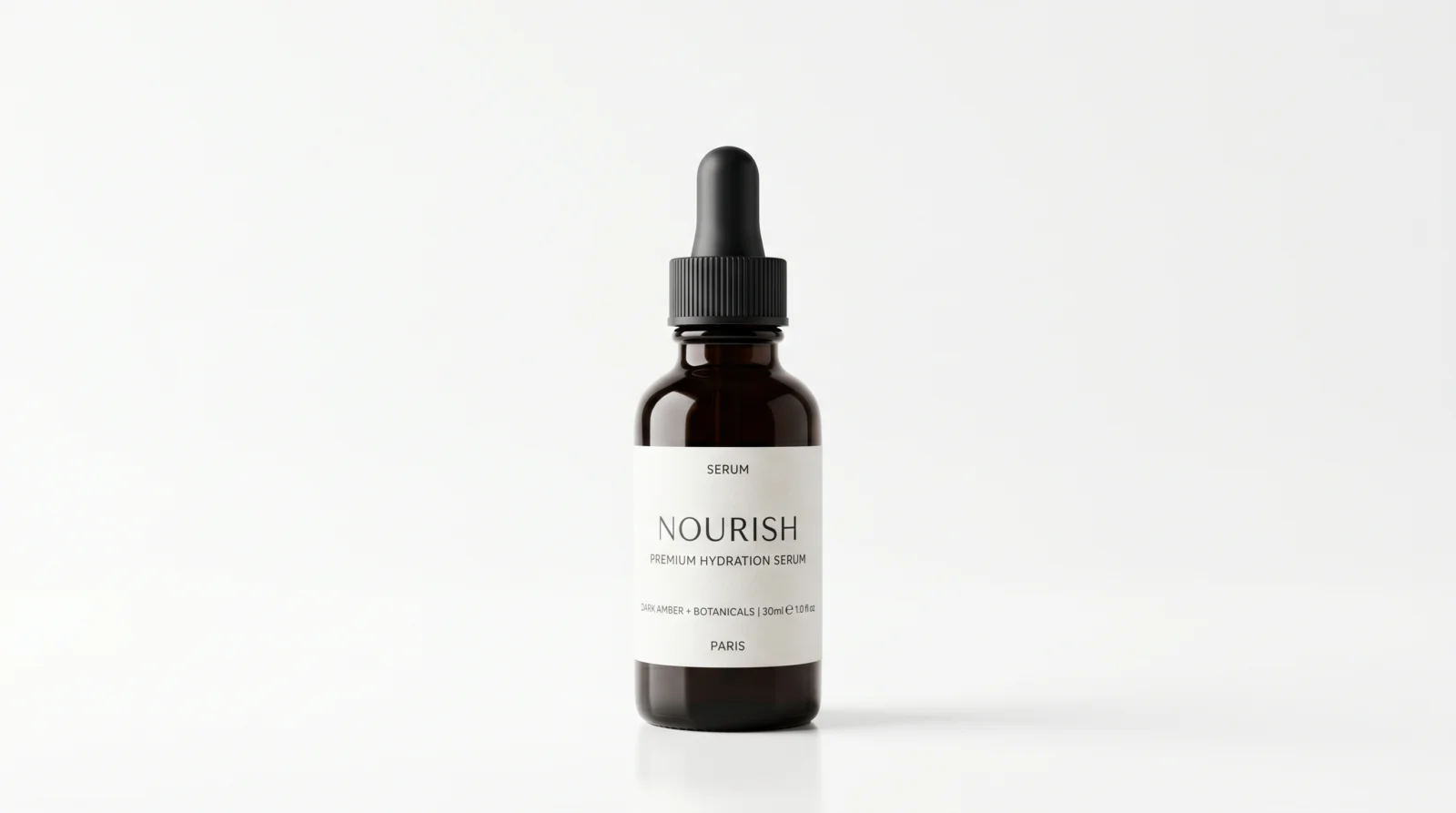
A premium skincare serum bottle centred on a pure white background with soft studio lighting. The bottle is dark glass with a minimal label, clean and elegant. Light comes from the upper left, creating a soft highlight along the left edge of the bottle and a gentle shadow beneath it. The composition is tight, the product occupying the centre two-thirds of the frame with empty white space above it. The surface below is a subtle soft reflection, barely perceptible. The overall aesthetic is luxury, minimal, editorial. No text overlays, no props, nothing else in the frame.
Why This Prompt Works
The empty white space above the product is intentional. Seedance needs room to move the product upward without it immediately exiting the frame. The subtle reflection grounds the product physically so the float reads as intentional rather than like the product is simply drifting. The minimal label means Seedance does not need to maintain complex text continuity during the motion.
Step 2 | Generate Your Video with Seedance 2.0
Upload your image. Set duration to 6 seconds.
Video Prompt
@image1 is the product. It sits centred in the frame against a clean, neutral background with soft studio lighting. Gentle upward lift begins from rest, the product rising slowly above its starting position as if defying gravity. A barely perceptible rotation begins, turning the product slightly clockwise to reveal its side profile before settling. Light catches the surface, creating a slow-moving highlight pass from left to right across the packaging. The overall motion is smooth and deliberate, never rushed. Camera remains static throughout. The visual language is premium and restrained. Sound design uses a soft, clean ambient tone with a subtle whoosh as the product lifts. Duration 6 seconds.
Why This Prompt Works
Three separate motion layers work together here: the lift, the rotation, and the highlight pass. Each is described as subtle and deliberate. The phrase "never rushed" gives the model a pace cue without specifying exact timing. The audio direction reinforces the premium feel without over-directing the sound design.
Variations to Try
Swap the serum bottle for any packaged product. Perfume bottles, supplement containers, and candles all respond well to this motion pattern. For a darker premium feel, change the background to deep charcoal and adjust the lighting direction to a single side light. You can also add "a very fine mist of particles settles around the product as it lifts" for a more elaborate reveal effect.
Issues and Fixes
The product warps or stretches during the lift. This happens when the lift speed is too fast for the model. Add "the lift is extremely slow and controlled, taking the full duration to reach its peak height" to the prompt.
The rotation goes too far and shows the back of the product. Change "turning the product slightly clockwise" to "a minimal clockwise tilt of no more than 15 degrees." The more specific the degree cue, the more restrained the result.
The background turns grey or changes colour. Add "the background remains pure white and unchanged throughout the entire clip" as a final sentence in the prompt.
The highlight pass does not appear. Move the highlight description earlier in the prompt, directly after the rotation description. Seedance tends to prioritise motion described earlier in the text.
Section 03
PAGE 03 | Steam Rising
What You Are Building
A simple, atmospheric close-up of a hot drink with rising steam. This is one of the most commercially useful loops in lifestyle and food content. The motion is entirely in the steam. Everything else is completely still.
What You Will Learn
How to write motion for a non-solid subject like steam. How to use colour temperature in your prompt to guide the mood. How to keep a close-up prompt focused on a single active element.
Tools Used
Nano Banana Pro 2 for image generation / Seedance 2.0 for video generation via OpenArt
Step 01 :
Get started: https://openart.ai/home?utm_source=tolt&utm_medium=affiliate&utm_campaign=affiliate-tolt–acq-web&via=digiAI
Step 02 :
15% off first month: code DigiAI 100 free credits for new users:https://openart.ai/credit/DigiAI%20Skool
Step 1 | Generate Your Image with Nano Banana Pro 2
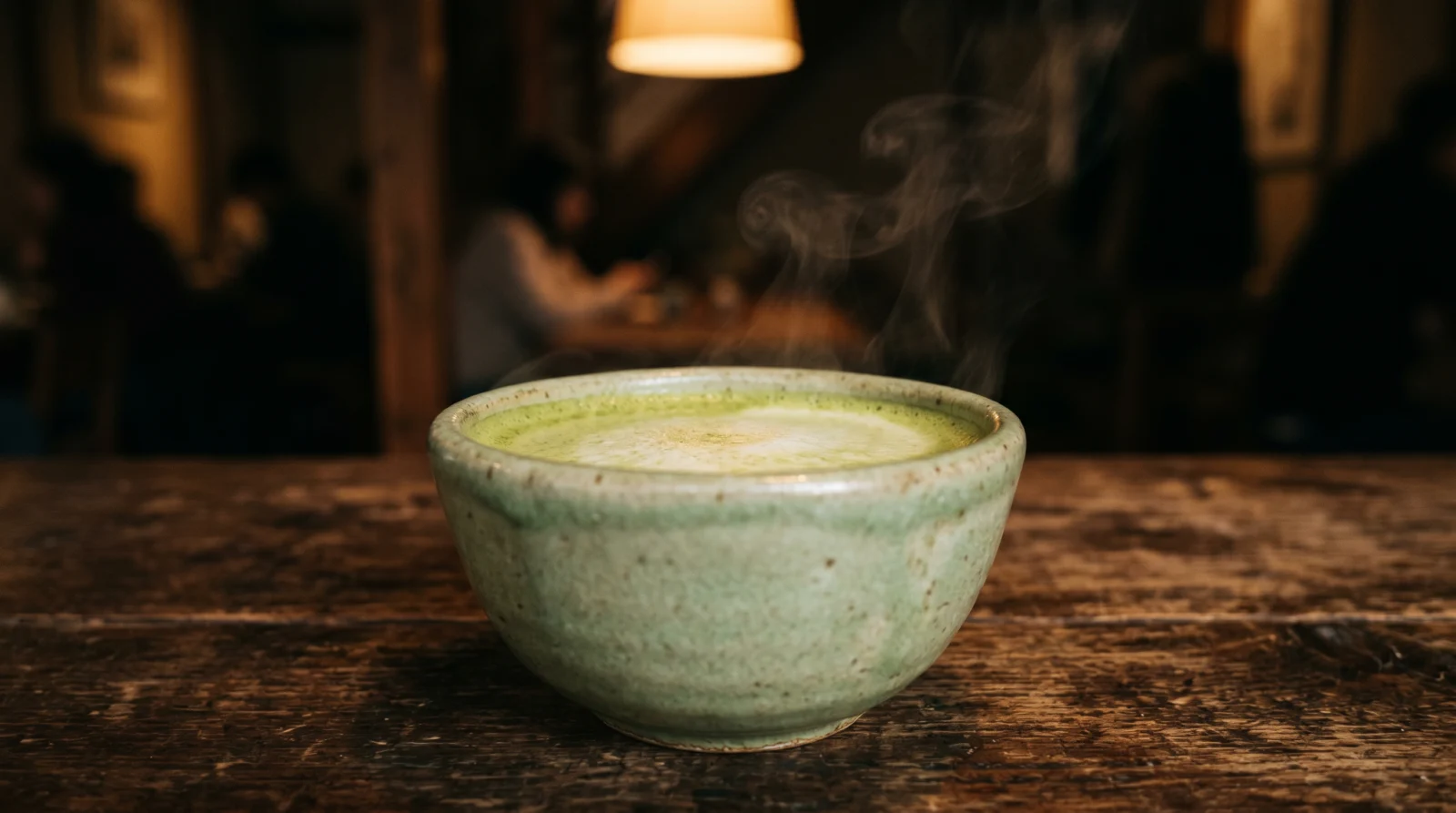
Image Prompt
A close-up of a ceramic matcha latte in a wide-rimmed cup, placed on a dark wooden surface. The cup is simple and handmade in appearance, a soft sage green glaze. Warm amber light falls from directly above, catching the rim of the cup and the surface of the drink. Steam is lightly visible rising from the surface. The background is dark and blurred, a warm out-of-focus interior. The composition fills the frame with the cup in the lower centre, leaving space above for the steam to rise into. The mood is warm, ritual, quiet. No text, no cluttered props.
Why This Prompt Works
The space above the cup is critical. If the cup fills the entire frame, the steam has nowhere to rise and Seedance either clips it at the top or does not generate it at all. The dark background also makes the steam visible. On a white or light background, steam can disappear into the frame entirely.
Step 2 | Generate Your Video with Seedance 2.0
Upload your image. Set duration to 6 seconds.
Video Prompt
@image1 is the scene anchor. The camera opens on a close-up, the surface filling the lower third of the frame. Steam rises from the subject in slow, curling threads, catching the warm ambient light from above. The movement is organic and unhurried, each wisp dissolving before another forms. The background sits in soft bokeh, neutral and warm. The cup or bowl remains perfectly still throughout. There is a quality of quiet ritual to the scene, the kind of pause before the first sip. Camera holds completely static. Colour temperature is warm, leaning amber. Sound design features a low ambient room tone and the faintest hum of a quiet kitchen. Duration 6 seconds.
Why This Prompt Works
The phrase "each wisp dissolving before another forms" is the key instruction. It prevents Seedance from generating a continuous column of steam that looks fake, and pushes toward the natural intermittent behaviour of real steam. The colour temperature instruction reinforces the mood set in the image prompt, keeping both outputs consistent.
Variations to Try
Swap matcha for a black coffee espresso in a white cup on a marble surface for a more minimal aesthetic. For ramen or soup content, keep the same prompt and simply change the image. The steam behaviour is identical regardless of the liquid. You can also extend to 8 seconds for a longer, more meditative clip.
Issues and Fixes
Steam appears as a solid white column rather than organic wisps. Add "the steam is thin and transparent, not a solid mass, individual wisps rising separately" to the prompt.
Steam moves sideways rather than upward. The model is reading wind into the scene. Add "there is no wind, the steam rises straight upward in still air" to correct this.
The cup moves or shifts during the clip. Add "the cup is completely stationary and does not move at any point during the clip" as a direct instruction.
No steam visible at all. Check that your source image has visible steam already suggested in it. Seedance amplifies what is already present. If the image shows a cold-looking cup, regenerate with steam more visible in the Nano Banana prompt.
Section 04
PAGE 04 | Candle in Still Air
What You Are Building
A meditative single candle clip. The flame is the only moving element. Everything else sits in deep shadow and complete stillness. This is one of the most reusable loops in ambient and lifestyle content.
What You Will Learn
How to use a single light source as the primary subject. How to write shadow behaviour in your prompt. How to create a mood-driven clip with minimal scene complexity.
Tools Used
Nano Banana Pro 2 for image generation / Seedance 2.0 for video generation via OpenArt
Step 01 :
Get started: https://openart.ai/home?utm_source=tolt&utm_medium=affiliate&utm_campaign=affiliate-tolt–acq-web&via=digiAI
Step 02 :
15% off first month: code DigiAI 100 free credits for new users:https://openart.ai/credit/DigiAI%20Skool
Step 1 | Generate Your Image with Nano Banana Pro 2
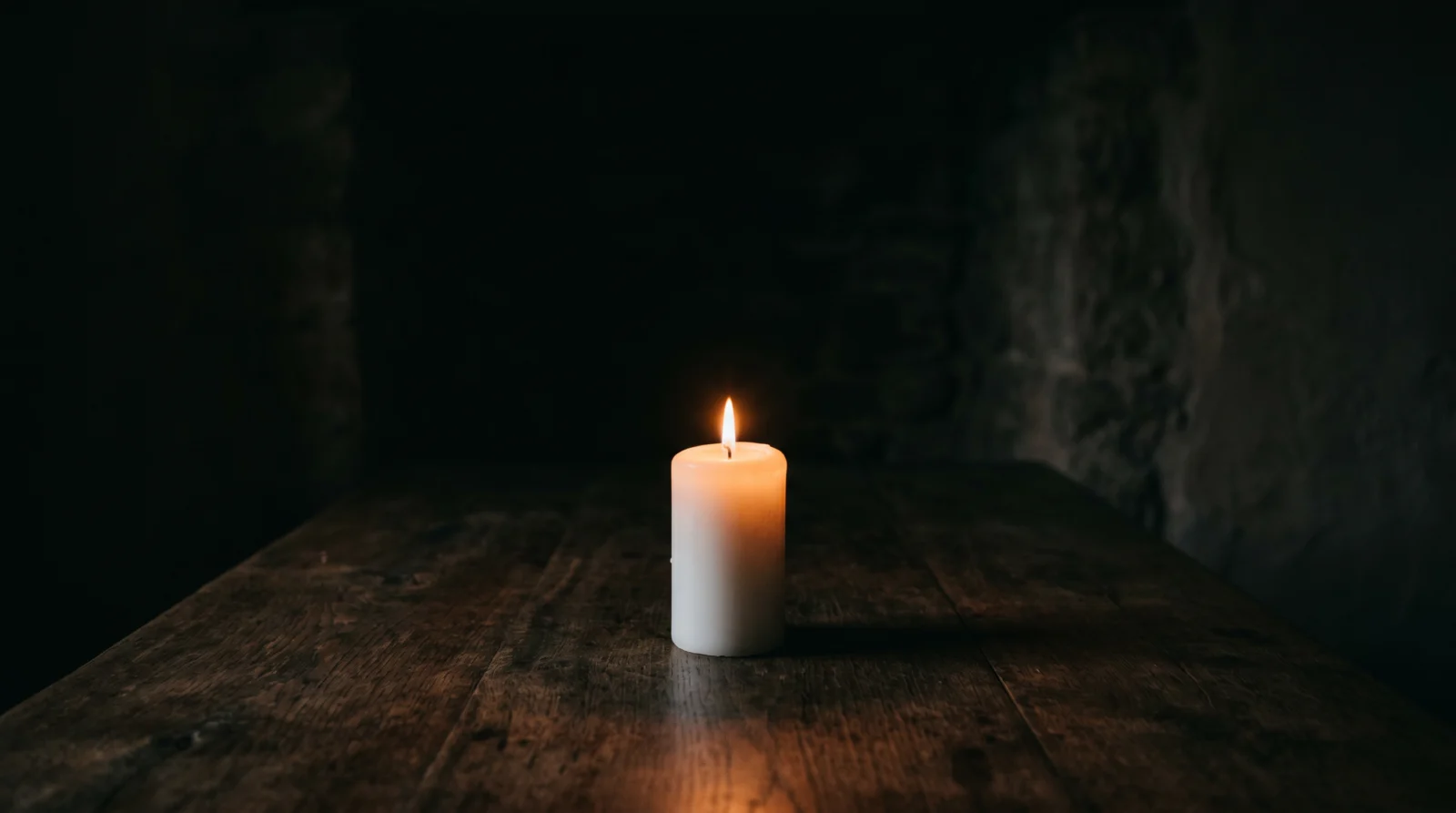
Image Prompt
A single white pillar candle sits in the centre of a dark wooden surface in a dimly lit room. The candle is the only light source visible in the frame. The flame is small and steady, casting warm orange light across the immediate surface and creating soft shadows behind. The background is dark, almost black, with barely perceptible textures of a stone or plaster wall receding into shadow. The composition places the candle in the lower centre third of the frame, with the upper portion of the image fading into darkness. The mood is intimate and meditative. No other objects in frame.
Why This Prompt Works
Placing the candle in the lower third leaves the upper portion of the frame dark. This gives the flame room to breathe and allows the shadows to shift across a large area of the frame, which is what makes the clip feel alive. A candle centred in the middle of the frame has nowhere to send its light story.
Step 2 | Generate Your Video with Seedance 2.0
Upload your image. Set duration to 6 seconds.
Video Prompt
@image1 establishes the interior. A single candle flame sits in the lower centre of frame, the only active light source in an otherwise dim space. The flame breathes in the stillness, elongating then settling, bending slightly left then straightening. Warm orange light pulses gently across nearby surfaces with each movement of the flame. Shadows shift and stretch on the wall behind. The rest of the scene is completely static. There is a meditative quality to the light, intimate and slightly melancholic. Camera is locked off, wide enough to include the candle and immediate surroundings. Sound design is a deep, quiet room tone with the very faint crackle of a burning wick. Duration 6 seconds.
Why This Prompt Works
The phrase "breathes in the stillness" gives the model a behaviour pattern, not just a direction. Flames that breathe move in both directions and return to centre. This is far more accurate than saying "the flame flickers" which the model often interprets as rapid and exaggerated movement. The shadow description is placed immediately after the flame behaviour to connect the two directly.
Variations to Try
For a darker atmosphere, add "a very thin thread of smoke rises from the flame tip, curling once before dissolving" to the video prompt. For multiple candles, generate an image with three candles at different heights and change @image1 description to reflect this. Each flame will behave independently.
Issues and Fixes
The flame is too aggressive and flickers rapidly. Replace "breathes in the stillness" with "the flame moves in extremely slow, minimal variations, never more than a few millimetres in any direction." This reduces the model’s tendency to over-animate.
The wax drips visibly and looks unnatural. Add "the candle wax is solid and unchanged throughout, no dripping or melting visible" to the prompt.
The background lights up and loses its dark atmosphere. Add "the background remains in deep shadow throughout, the darkness is unchanged by the flame" as an explicit hold instruction.
The camera drifts slightly even though it should be static. This is a Seedance tendency on long clips. Add "camera is completely locked off with zero drift, zero movement, zero shake" to reinforce the static hold.
Section 05
PAGE 05 | Wind Through the Scene
What You Are Building
A single wind pass through an outdoor or architectural scene. One clean sweep of movement, left to right, that travels across the frame and then stops. This is the foundational motion for any scene that needs to feel alive without a central character.
What You Will Learn
How to direct motion that travels across the frame rather than staying in one spot. How to use audio panning to reinforce directional movement. How to write a motion that has a clear start and end.
Tools Used
Nano Banana Pro 2 for image generation / Seedance 2.0 for video generation via OpenArt
Step 01 :
Get started: https://openart.ai/home?utm_source=tolt&utm_medium=affiliate&utm_campaign=affiliate-tolt–acq-web&via=digiAI
Step 02 :
15% off first month: code DigiAI 100 free credits for new users:https://openart.ai/credit/DigiAI%20Skool
Step 1 | Generate Your Image with Nano Banana Pro 2
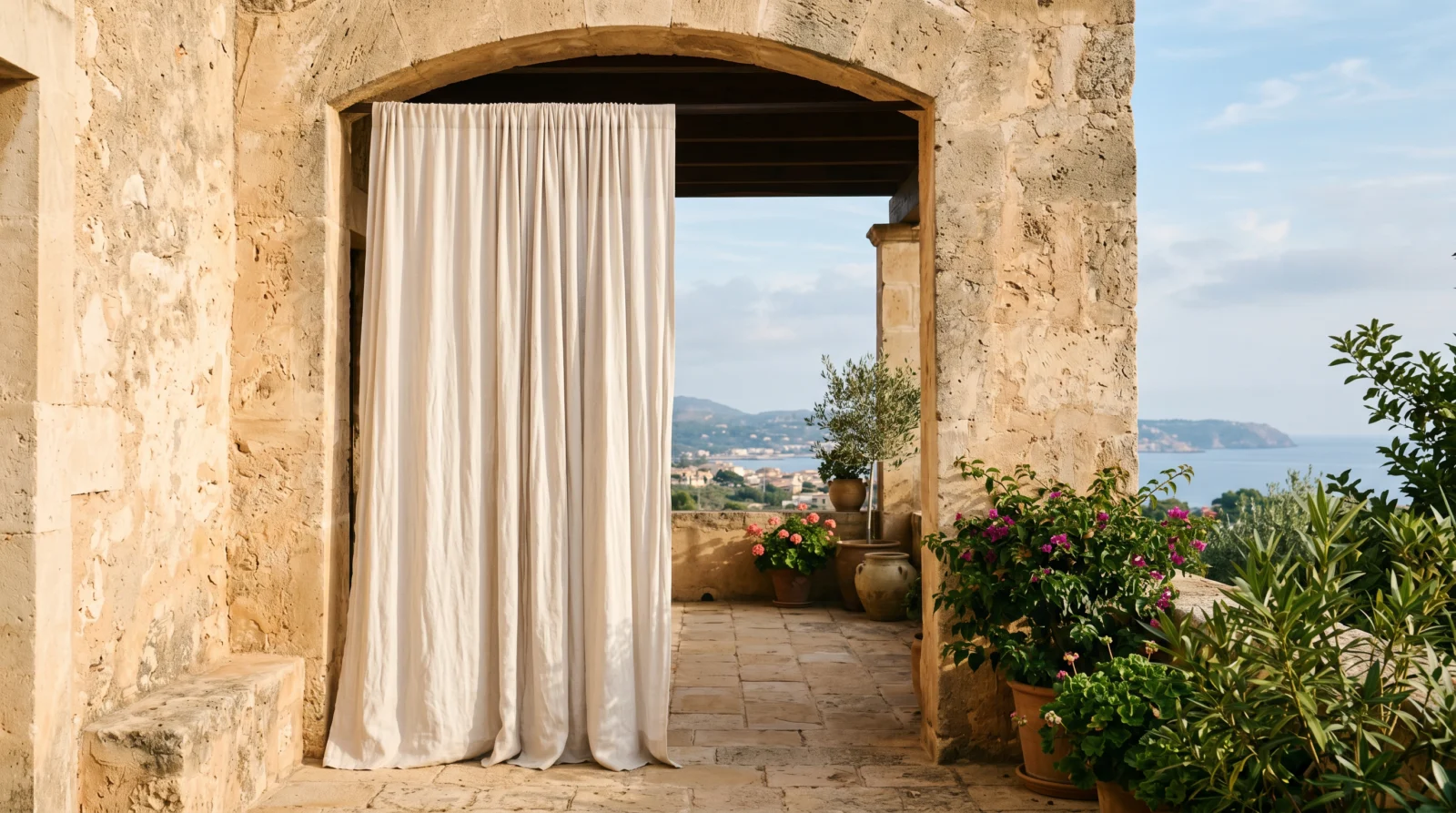
Image Prompt
A wide outdoor scene showing a linen curtain hanging in an open archway, white fabric falling loosely from above. The setting is a Mediterranean-style terrace, warm stone walls, soft afternoon light coming from the left. Green plant leaves are visible at the lower right edge of the frame. The curtain hangs completely still in the image. The sky visible through and beside the archway is soft blue with light haze. The composition is wide, the archway centred, the curtain occupying the left half of the frame. The mood is warm, quiet, open. No people, no text.
Why This Prompt Works
The linen curtain is the ideal wind subject. Fabric responds to wind exactly as the model expects and the movement is easy for Seedance to generate convincingly. The hanging position and the instructed stillness in the source image give the model a clear before state to animate from.
Step 2 | Generate Your Video with Seedance 2.0
Upload your image. Set duration to 6 seconds.
Video Prompt
@image1 is the main scene reference. A light wind passes through from left to right in a single, clean sweep. Loose elements respond to the breeze: fabric edges lift slightly, grass blades bend in sequence, leaves tremble on their stems. The motion travels across the frame like a visible wave, reaching the left side first and dissipating on the right. Everything returns to stillness after the wind passes. The background remains unchanged. Camera is fully static throughout. The movement is natural, not exaggerated. There is a sense of a single outdoor moment, alive but unhurried. Sound design features a soft wind pass from left to right in the audio field, then quiet. Duration 6 seconds.
Why This Prompt Works
The phrase "like a visible wave, reaching the left side first and dissipating on the right" is the directional instruction. It tells the model that the motion has both direction and sequence, not a simultaneous gust that hits everything at once. The return to stillness instruction is equally important as it stops the model from looping the wind continuously.
Variations to Try
Swap the curtain scene for a wheat field, a row of tall grass, or a line of hanging paper lanterns. The same directional wind prompt works for all of these. For a more dramatic version, change "light wind" to "strong gust" and increase the duration to 8 seconds.
Issues and Fixes
The wind hits everything at once rather than travelling across the frame. Add "the wind arrives at the leftmost elements of the scene first, then moves progressively across to the right, with a clear sequential delay between left and right sides" to make the directionality explicit.
The wind never stops and loops continuously. Add "the wind passes once and then the scene returns to complete stillness for the final two seconds of the clip" to enforce a clear end state.
The curtain moves too violently. Add "the fabric lifts gently at the edges only, the overall movement is minimal and graceful, not a strong flap" to reduce the magnitude.
The camera moves with the wind. Add "the camera is completely locked off and static, it does not respond to the wind in any way."
Section 06
PAGE 06 | Flower Blooming Timelapse
What You Are Building
A macro flower bloom that reads as a genuine timelapse. The petals unfurl continuously from a closed bud, the light shifts from cool morning to warm mid-morning as the bloom completes, and micro-trembles in the outer petals sell the passing of real time.
What You Will Learn
How to combine subject motion with environmental change to create a timelapse feel. How to use light temperature shift as a storytelling device. How to add secondary motion that supports the primary action without competing with it.
Tools Used
Nano Banana Pro 2 for image generation / Seedance 2.0 for video generation via OpenArt
Step 01 :
Get started: https://openart.ai/home?utm_source=tolt&utm_medium=affiliate&utm_campaign=affiliate-tolt–acq-web&via=digiAI
Step 02 :
15% off first month: code DigiAI 100 free credits for new users:https://openart.ai/credit/DigiAI%20Skool
Step 1 | Generate Your Image with Nano Banana Pro 2
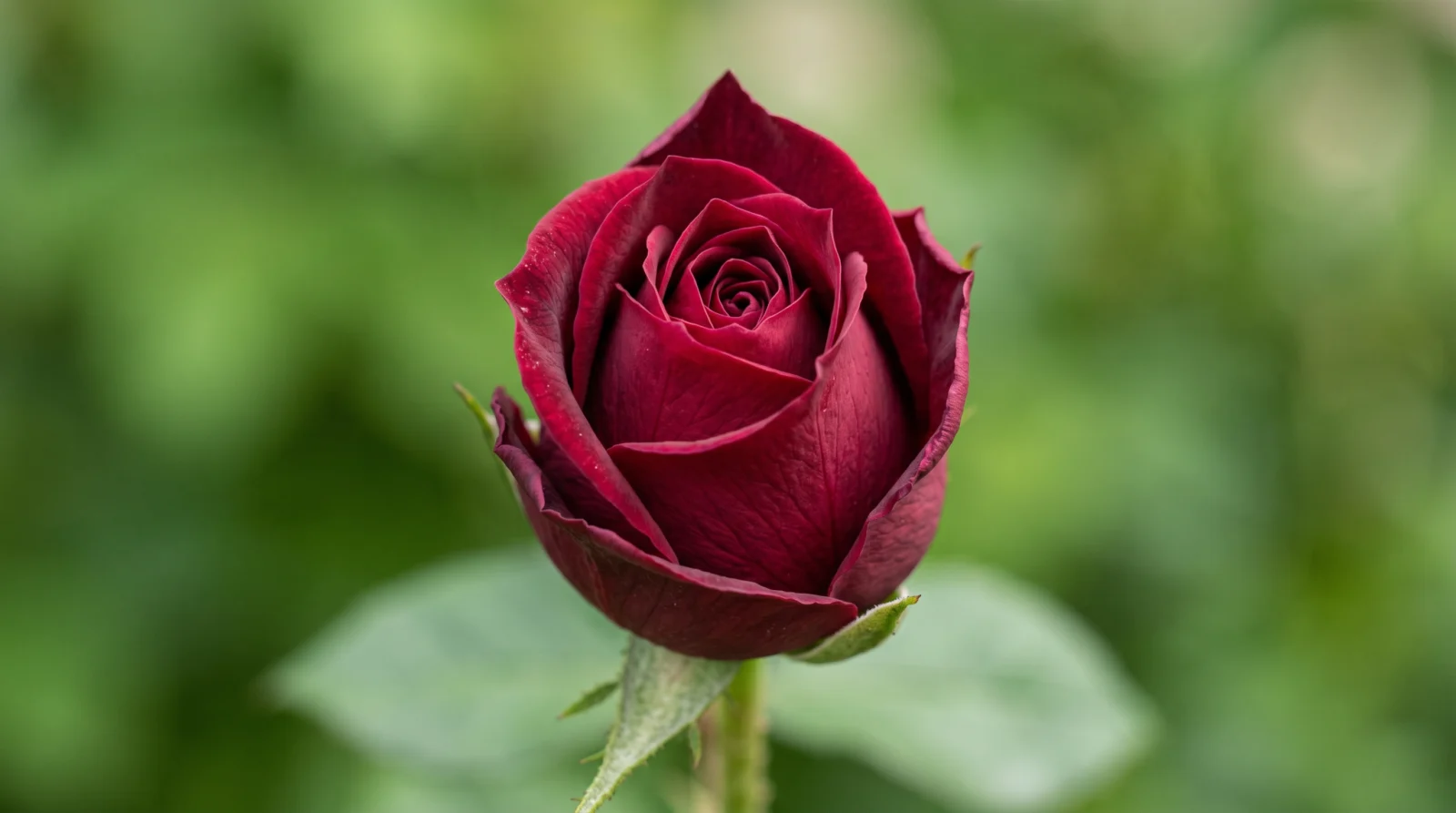
Image Prompt
An extreme close-up macro photograph of a closed rose bud, deep burgundy red, the outer petals tightly wrapped and the very tip of the inner petals just visible at the centre. The stem and a single leaf are visible at the base, soft and slightly out of focus. Light is natural and diffused, coming from directly above, creating a soft even illumination across the surface of the petals with no harsh shadows. The background is a completely blurred wash of soft green, out of focus foliage. The composition places the bud centred in frame, the tip of the bud at the upper third. The depth of field is very shallow, only the front petals perfectly sharp. No text, no props.
Why This Prompt Works
A tightly closed bud gives the model a clear starting state with maximum change available. The tip visible at the centre is important. It gives Seedance a reference point for the inner petals that will reveal themselves during the bloom. A completely sealed bud with no inner detail visible often produces a bloom that opens incorrectly from the outside rather than from the centre outward.
Step 2 | Generate Your Video with Seedance 2.0
Upload your image. Set duration to 10 seconds.
Video Prompt
@image1 is the subject. A tightly closed flower bud sits centred in frame in macro. Over the full duration the bud opens in a continuous bloom, each petal peeling outward from the centre in sequence. As the petals unfurl, the entire flower sways gently from side to side, a slow organic left to right drift as if caught in a soft breeze, the whole stem and bloom moving together as one unit rather than just the petals trembling at the edges. The sway is continuous and rhythmic throughout the clip, never stopping. The background bokeh responds to this movement, shifting and swirling in soft blurred waves that mirror the energy of the bloom, the out of focus greens and lights behind the flower moving in a gentle turbulent drift, ebbing and flowing as the flower opens. The light across the scene shifts gradually from a cooler morning tone to a warmer mid-morning tone over the full duration. Camera remains completely static throughout. Sound design uses soft outdoor ambient with birds barely present. Duration 10 seconds.
Why This Prompt Works
Three motion layers work together here: the bloom, the light temperature shift, and the micro-trembles. The light shift is what separates this from a slow-motion macro video and makes it read as timelapse. Without the background warming and the micro-trembles, the bloom looks like special effects rather than compressed time. Each layer reinforces the others.
Variations to Try
Try a white or pale yellow tulip for a softer, more minimal result. For a longer sequence, extend to 12 seconds and add "the petals reach full open bloom at the 8-second mark, then hold open for the final seconds as light continues to warm." You can also try starting from a half-open bud if you want the bloom to feel more intimate and less dramatic.
Issues and Fixes
The bloom looks like slow motion rather than timelapse. This means the light temperature shift is not being generated. Add "the light temperature change is clearly visible throughout the clip, the colour tone of the entire scene visibly shifts from cool to warm over the full duration" to make it more explicit.
The petals open from the outside rather than from the centre. Add "the bloom begins at the innermost petals and works progressively outward, the centre opens first and the outer petals open last" to correct the direction.
The background changes too dramatically. Change "shifts slightly in warmth and brightness" to "shifts very subtly in warmth and brightness, the change is gentle not dramatic." The model sometimes over-applies background changes when not constrained.
The bloom motion stops halfway through. Extend the duration to 12 seconds and add "the bloom continues at a consistent pace for the entire duration of the clip, it does not pause or stop at any point."
Section 07
PAGE 07 | Water Surface Reflection
What You Are Building
A still overhead water surface that comes alive with slow expanding ripples. The reflections in the surface shift and bend gently as each ring travels outward. This is a clean, endlessly loopable ambient clip with strong visual depth.
What You Will Learn
How to direct motion that originates from a single point and expands outward. How to write reflection behaviour. How to use a top-down camera angle effectively in Seedance.
Tools Used
Nano Banana Pro 2 for image generation / Seedance 2.0 for video generation via OpenArt
Step 01 :
Get started: https://openart.ai/home?utm_source=tolt&utm_medium=affiliate&utm_campaign=affiliate-tolt–acq-web&via=digiAI
Step 02 :
15% off first month: code DigiAI 100 free credits for new users:https://openart.ai/credit/DigiAI%20Skool
Step 1 | Generate Your Image with Nano Banana Pro 2
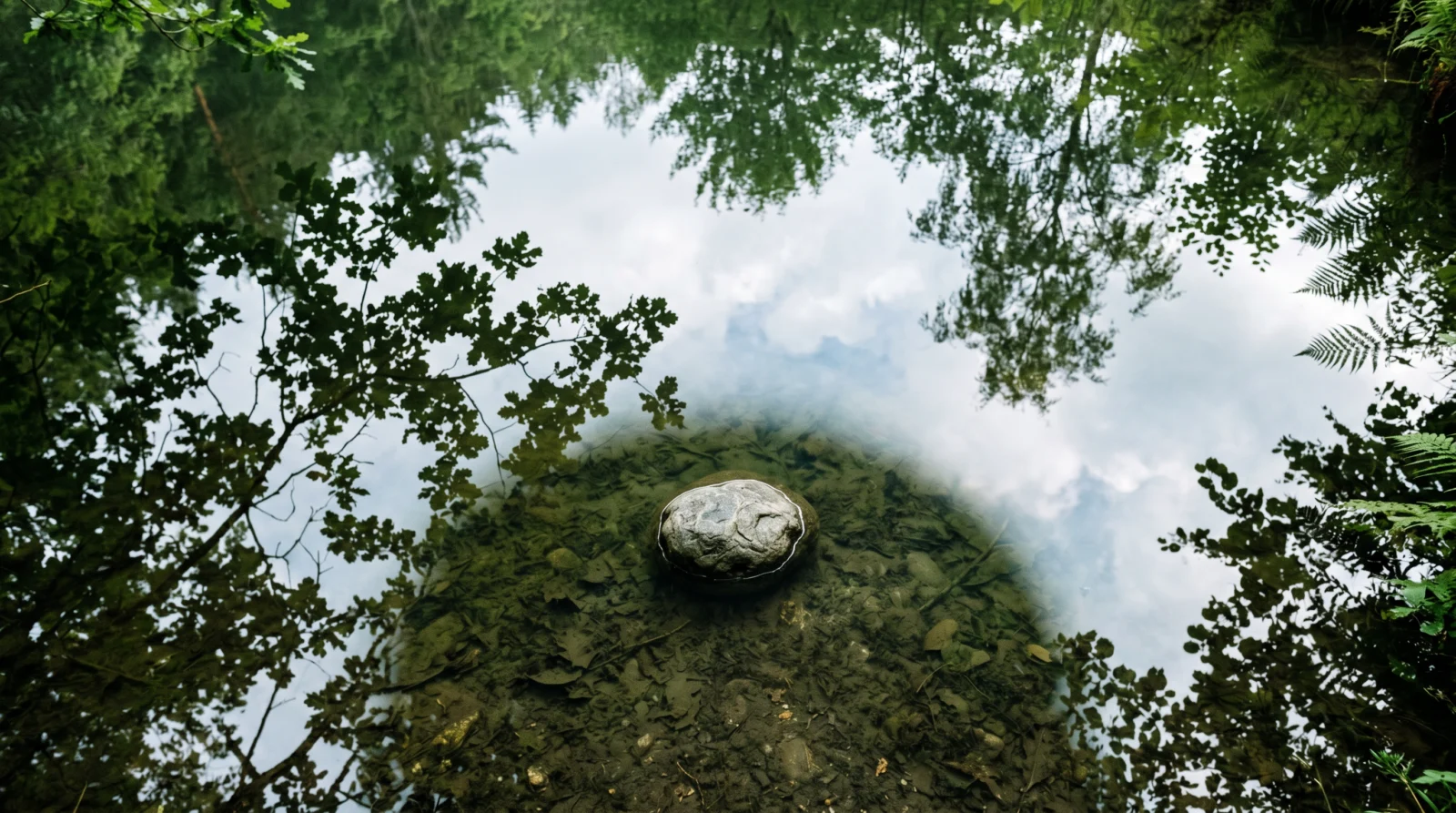
Image Prompt
A still pond surface photographed from directly above, the camera looking straight down. The water is clear with a very slight green tint from the surrounding vegetation. The reflection of overhanging tree branches and soft sky is visible in the surface. A single stone sits on the sediment below, visible through the water. The surface is completely still, with no ripples yet. The composition fills the entire frame with water, edge to edge, with reflections creating abstract shapes across the surface. The mood is calm and contemplative. No people, no harsh colours.
Why This Prompt Works
Filling the frame edge to edge with water is essential. If any hard edge like a bank or wall is visible, Seedance will anchor its motion to that edge and the ripples will behave unnaturally. The reflections already present in the still image give the model the visual information it needs to animate those reflections shifting when the water moves.
Step 2 | Generate Your Video with Seedance 2.0
Upload your image. Set duration to 8 seconds.
Video Prompt
@image1 provides the scene reference. The camera looks at a water surface where gentle ripples spread outward from a central point, each ring precise and slow, creating interference patterns as they overlap at the edges. The reflection above shifts and bends slightly with each ripple, never distorting completely, just breathing. The water is clear and the movement is calm, not turbulent. Camera remains static throughout. Light comes from above, creating clean specular highlights on the moving surface. The overall mood is still and reflective. Sound design features a low ambient outdoor tone and the soft sound of water in gentle motion. Duration 8 seconds.
Why This Prompt Works
"Interference patterns as they overlap at the edges" is the key phrase. It tells the model to generate multiple rings rather than a single ripple, and to let them interact. The phrase "never distorting completely, just breathing" prevents the model from collapsing the reflection into an unreadable blur. The contrast between movement and stability is what makes this clip visually satisfying.
Variations to Try
For a rain effect, change "ripples spread outward from a central point" to "dozens of small ripple rings appear simultaneously across the surface as raindrops land, each ring expanding outward before the next appears." This creates a rain-on-water atmosphere with the same base image.
Issues and Fixes
The reflections distort completely and become unrecognisable. Add "the reflection distortion is minimal, the reflected shapes remain mostly recognisable throughout, bending only slightly at the ripple edges" to reduce the distortion level.
The ripples look mechanical and repetitive. Add "the ripple rings are organic and irregular, each one slightly different in speed and size from the last" to break the mechanical pattern.
The water colour changes mid-clip. Add "the water colour and tint remain completely consistent throughout the full duration of the clip."
No specular highlights visible. Check that your source image has visible light reflections on the surface. If the image is too dark or the surface too flat, regenerate the Nano Banana image with "strong specular highlights catching the overhead light across the water surface" added to the image prompt.
Section 08
PAGE 08 | Clouds Moving Overhead
What You Are Building
A wide landscape clip where the sky is the subject. Clouds track slowly across the upper portion of the frame, the light on the ground shifts subtly as they pass, and the foreground stays completely still. This is a foundational establishing shot for any landscape or architectural content.
What You Will Learn
How to animate sky elements while holding a static foreground. How to describe secondary light effects caused by cloud movement. How to frame a shot where the sky carries the visual weight.
Tools Used
Nano Banana Pro 2 for image generation / Seedance 2.0 for video generation via OpenArt
Step 01 :
Get started: https://openart.ai/home?utm_source=tolt&utm_medium=affiliate&utm_campaign=affiliate-tolt–acq-web&via=digiAI
Step 02 :
15% off first month: code DigiAI 100 free credits for new users:https://openart.ai/credit/DigiAI%20Skool
Step 1 | Generate Your Image with Nano Banana Pro 2
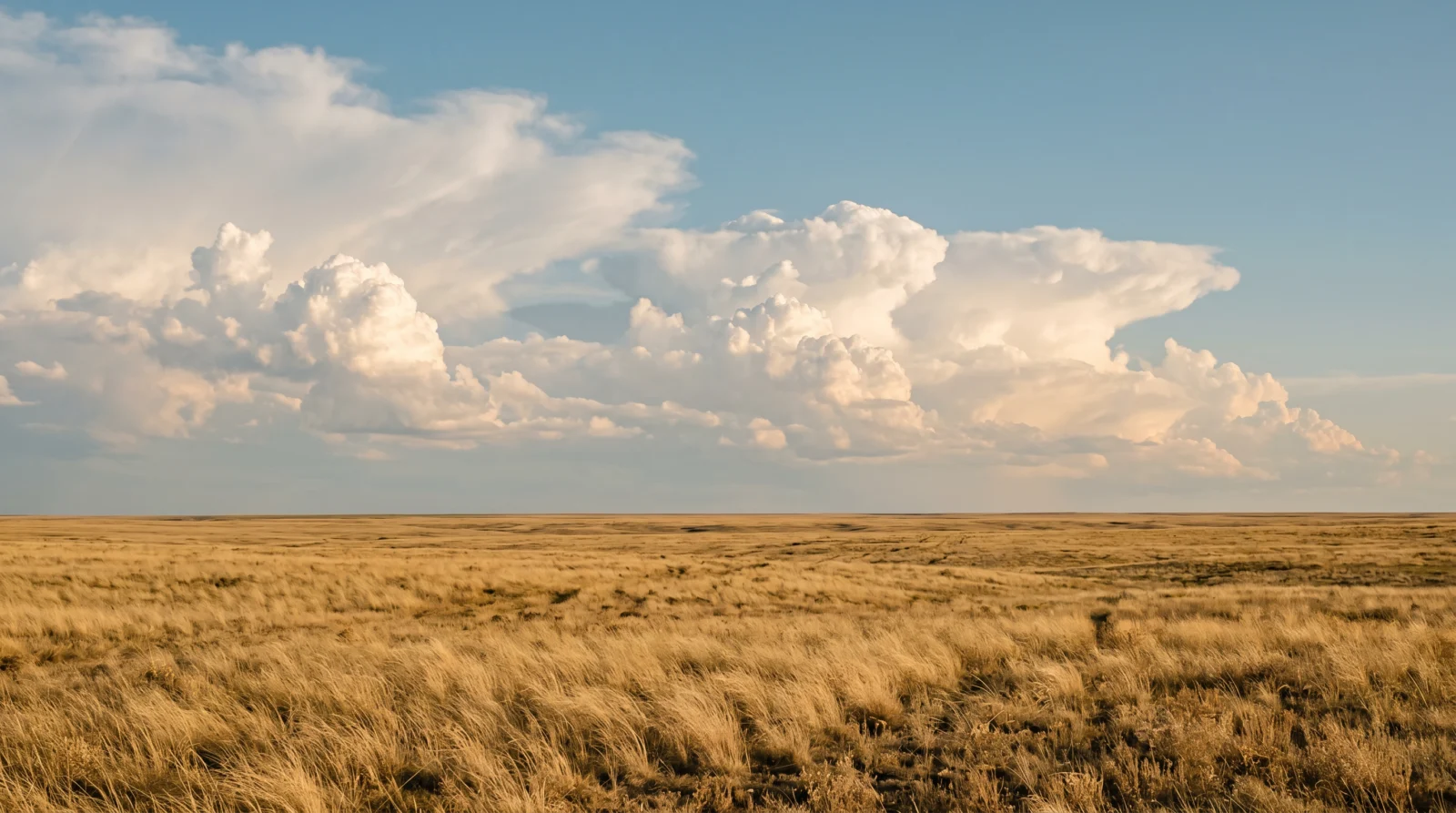
Image Prompt
A wide landscape scene showing an open field in the foreground with dry golden grass. The sky occupies the top 60 percent of the frame, filled with large cumulus clouds in a soft blue sky. The light is late afternoon, slightly golden, casting even illumination across the field below. The horizon line sits in the lower third of the frame. The clouds are still in the image, dramatic in scale but not stormy. The composition is a wide horizontal shot with the horizon level and centred. The mood is open, cinematic, and calm. No buildings, no people, no text.
Why This Prompt Works
Sky occupying 60 percent of the frame is deliberate. If the sky is split 50/50 with the landscape, the model tends to animate both equally. With the sky dominant, the motion hierarchy is clear. The large cumulus clouds also give the model clear defined shapes to track rather than trying to animate a vague gradient sky.
Step 2 | Generate Your Video with Seedance 2.0
Upload your image. Set duration to 8 seconds.
Video Prompt
@image1 establishes the scene, with sky occupying a significant portion of the frame. Clouds move slowly left to right across the upper portion of the image, their edges soft and gradual. The foreground remains completely static throughout. Light changes subtly as clouds pass, the scene briefly dimming and brightening as cover moves across the sun. The movement feels like a time-lapse slowed to a natural pace. Camera is fully locked off. The composition gives weight to the sky. The mood is open and cinematic. Sound design uses a clean outdoor ambient with distant wind at low volume. Duration 8 seconds.
Why This Prompt Works
The light dimming and brightening instruction is what separates a convincing sky clip from a flat one. In reality, cloud cover directly affects the light on the ground. Including this behaviour makes the clip feel grounded in physics without adding any complexity to the scene. The phrase "time-lapse slowed to a natural pace" gives the model a speed reference without requiring specific timing instructions.
Variations to Try
For a sunrise version, use an image with the sky in warm pink and orange tones and change the lighting direction in the prompt to "light builds from left to right across the horizon." For an overcast moody version, use a grey sky image and remove the dimming and brightening instruction, replacing it with "the clouds roll through in a continuous low, heavy movement."
Issues and Fixes
The foreground grass starts moving as if in wind. Add "the foreground field is completely motionless for the entire clip, only the clouds in the sky move" as a dedicated hold instruction.
The clouds move too fast and look like a fast-forward timelapse. Add "the cloud movement is extremely slow and gradual, almost imperceptible moment to moment, only clearly visible when comparing the start and end of the clip."
The sky colour shifts dramatically mid-clip. Add "the sky colour and blue tone remain consistent throughout, only the cloud positions change."
The camera appears to drift or tilt. Add "camera is fully locked off with absolutely no drift, tilt, or movement of any kind."
Section 09
PAGE 09 | Rain on a Window
What You Are Building
A close-up of a rain-covered window pane with raindrops streaking downward across the glass. The exterior beyond the window is completely out of focus. Nothing moves except the water on the glass surface. Clean, atmospheric, and highly reusable for any introspective or moody content.
What You Will Learn
How to write motion for a transparent surface. How to keep a foreground element active while the background stays static. How to use a simple single-direction motion effectively.
Tools Used
Nano Banana Pro 2 for image generation / Seedance 2.0 for video generation via OpenArt
Step 01 :
Get started: https://openart.ai/home?utm_source=tolt&utm_medium=affiliate&utm_campaign=affiliate-tolt–acq-web&via=digiAI
Step 02 :
15% off first month: code DigiAI 100 free credits for new users:https://openart.ai/credit/DigiAI%20Skool
Step 1 | Generate Your Image with Nano Banana Pro 2
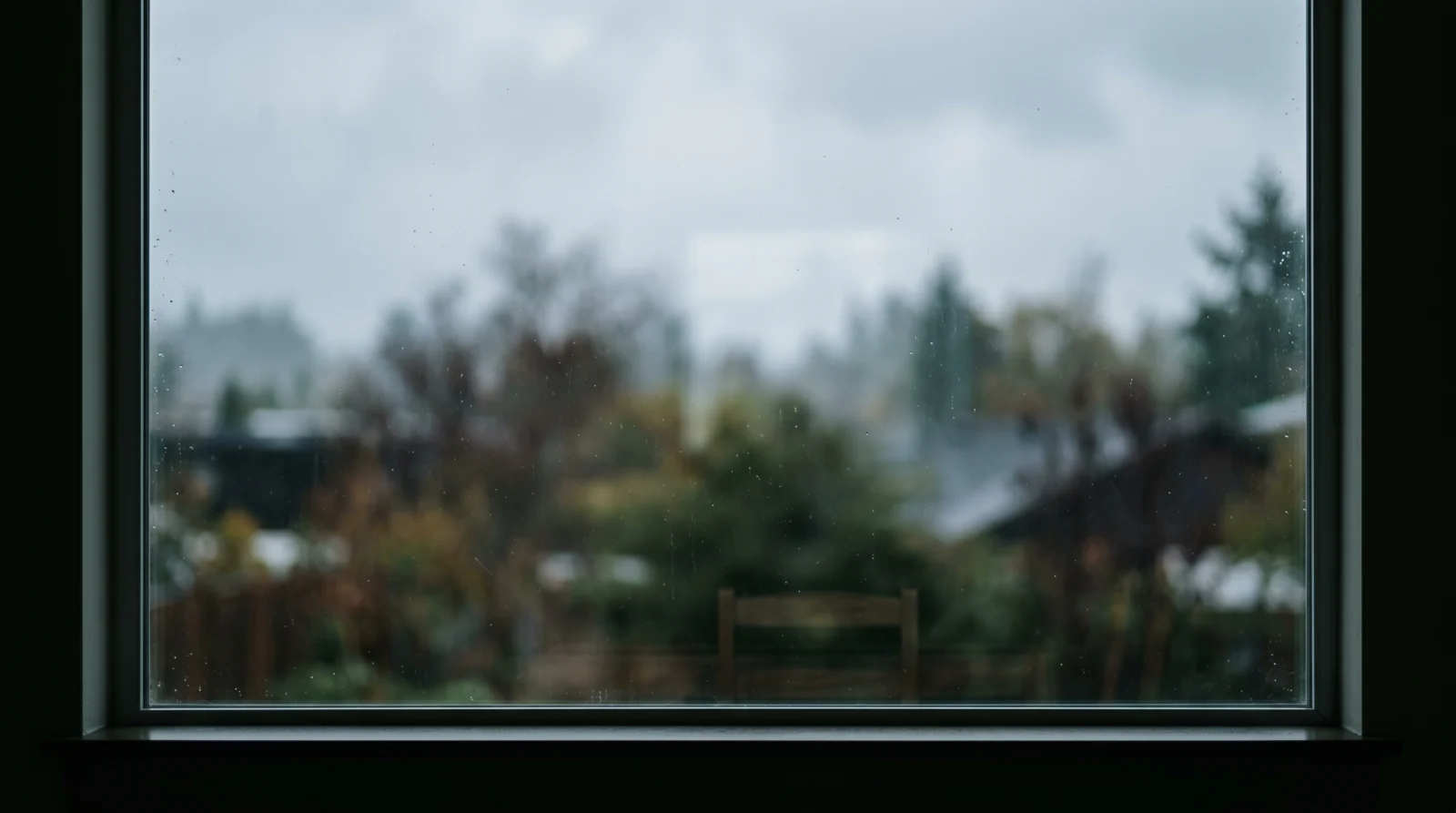
Image Prompt
A close-up photograph of a glass window pane shot from the inside of a room. The exterior beyond the glass is blurred and out of focus, showing soft shapes of green trees and grey overcast sky, no sharp details visible. The glass itself is clean and clear. The interior side is dark, creating a slight reflection of a dim room on the glass surface. Light comes from outside, diffused and cool, overcast daylight. The composition fills the entire frame with the window glass, no window frame visible, edge to edge glass. The mood is quiet and rainy day. No people, no text, no interior objects in focus.
Why This Prompt Works
Filling the frame edge to edge with glass, with no window frame visible, removes any hard boundary that would confuse the motion. The interior darkness creating a slight reflection adds a layer of visual depth to the glass surface that makes the raindrop motion more convincing. The blurred exterior gives the model a clear separation between the active surface (glass) and the passive background.
Step 2 | Generate Your Video with Seedance 2.0
Upload your image. Set duration to 8 seconds.
Video Prompt
@image1 is the scene reference. The camera looks at a rain-covered window from the inside. Raindrops appear at the top of the glass and travel downward in slow irregular streaks, each drop finding its own path, some merging with others as they descend. The glass surface catches the light from outside, creating soft blurred reflections that shift slightly as the water moves across them. The exterior beyond the glass remains visible but completely out of focus, a wash of muted colour. The interior side of the window is unlit, keeping the focus entirely on the glass and the rain. Camera is completely static throughout. Nothing moves except the water on the glass surface. The mood is quiet and introspective. Sound design uses the soft sound of rainfall, steady and low. Duration 8 seconds.
Why This Prompt Works
"Each drop finding its own path, some merging with others" is the key behaviour instruction. This produces organic, non-repetitive streak patterns rather than the uniform parallel lines the model defaults to. Rain on glass is one of Seedance’s most reliable motion types because it is pure vertical motion with no physics complexity.
Variations to Try
For a night version, change the exterior in the image prompt to a dark exterior with distant blurred city lights, and change the audio to "soft rain with distant city ambient beneath it." For a more dramatic rain, add "the drops are frequent and numerous, the glass is heavily covered in water" to increase the density.
Issues and Fixes
The drops fall too fast and look like a waterfall. Add "each raindrop moves at a slow, natural speed, pausing occasionally before continuing downward" to reduce the speed and add natural hesitation.
The exterior background starts moving. Add "the exterior beyond the glass is completely static and unchanged throughout, only the raindrops on the glass surface move."
The drops all move in perfectly parallel lines. The prompt already addresses this with "each drop finding its own path." If it still happens, add "no two drops follow the same path across the glass" as reinforcement.
The glass itself appears to move or breathe. Add "the glass is completely rigid and solid, it does not flex, breathe, or shift in any way."
Section 10
PAGE 10 | Petal in the Breeze
What You Are Building
A macro close-up of a single flower where a gentle breeze causes micro-scale movement in the petals. The motion is deliberately small and precise. A single petal shifts and returns. This is about restraint, and the result is more powerful for it.
What You Will Learn
How to write motion at a micro scale. How to use shallow depth of field as a compositional instruction. How to direct a brief motion with a clear return to stillness.
Tools Used
Nano Banana Pro 2 for image generation / Seedance 2.0 for video generation via OpenArt
Step 01 :
Get started: https://openart.ai/home?utm_source=tolt&utm_medium=affiliate&utm_campaign=affiliate-tolt–acq-web&via=digiAI
Step 02 :
15% off first month: code DigiAI 100 free credits for new users:https://openart.ai/credit/DigiAI%20Skool
Step 1 | Generate Your Image with Nano Banana Pro 2
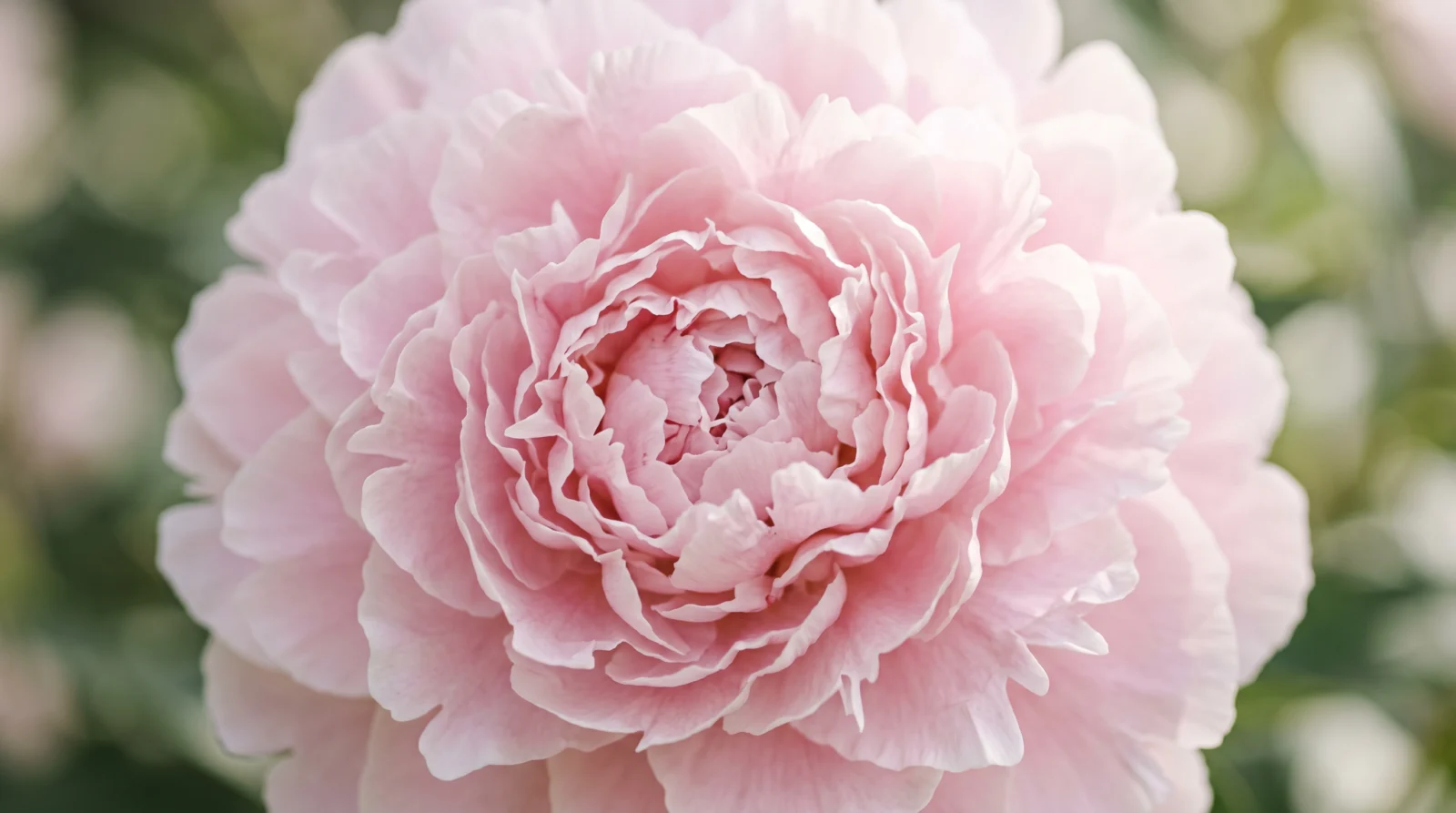
Image Prompt
An extreme close-up of a single peony flower in full bloom, pale blush pink petals layered tightly in the centre and spreading outward. The background is a soft wash of green and light, completely out of focus. Light comes from the upper right, diffused and natural, catching the edges of the petals and revealing their translucency. The flower is perfectly still in the image. The composition places the bloom centred in frame with petals filling most of the space. The depth of field is very shallow, only the inner petals perfectly sharp. The mood is delicate and precise. No text, no other flowers.
Why This Prompt Works
A full bloom peony gives the model a large number of petals to work with. Macro motion on a closed or sparse flower often produces unsatisfying results because there is not enough surface area for the small movements to register visually. The shallow depth of field instruction ensures the video inherits the same optical quality from the image.
Step 2 | Generate Your Video with Seedance 2.0
Upload your image. Set duration to 6 seconds.
Video Prompt
@image1 shows the subject. The scene opens on a close-up, petals filling the centre of the frame. A very gentle breeze passes through, causing the petals to tremble softly, their edges lifting and settling. A single petal shifts slightly, then returns to rest. The motion is micro-scale and precise, never exaggerated. Depth of field is shallow, keeping the subject sharp and the background a soft wash of colour. Camera is locked off throughout. Light is natural and diffused, coming from slightly above and to the right. The mood is delicate and detailed. Sound design uses soft outdoor ambient with a barely present wind. Duration 6 seconds.
Why This Prompt Works
"Micro-scale and precise, never exaggerated" is the restraint instruction. Without it, Seedance tends to over-animate petals into a full flapping motion that looks wrong at macro scale. The instruction that a single petal shifts then returns gives the model a specific motion arc with a clear resolution.
Variations to Try
Try a different flower variety for a different character. Lavender gives thin, delicate stem movement. A sunflower at medium distance gives the whole head a slow nod. A cherry blossom branch gives multiple petals falling simultaneously, which you can explore once you move into Vol.B. For this prompt keep it to a single bloom and micro motion.
Issues and Fixes
The petals flap heavily like a flag in wind. Add "the petal movement is barely visible, only the very edges of the outer petals respond to the breeze, inner petals remain completely still" to reduce the magnitude significantly.
The flower starts to distort or morph. This is usually caused by too much motion being requested for a macro subject. Reduce to "the entire scene is almost completely still with only the faintest trembling at the petal edges" and regenerate.
The background bokeh starts swirling. Add "the background is completely static and unchanged, the soft bokeh does not move or shift."
The camera appears to slowly zoom in. Add "the camera is fully locked off with zero zoom, zero drift, zero movement of any kind."
Section 11
PAGE 11 | Smoke and Silence
What You Are Building
A dark, atmospheric clip of smoke rising from an incense stick against a near-black background. The smoke is the only moving element. The scene is deliberately minimal and the mood is contemplative. This is one of the strongest ambient loops in the vault.
What You Will Learn
How to write motion for a highly organic, non-repeating subject like smoke. How to use edge lighting to reveal texture in a dark scene. How to build a strong atmospheric clip with almost no scene complexity.
Tools Used
Nano Banana Pro 2 for image generation / Seedance 2.0 for video generation via OpenArt
Step 01 :
Get started: https://openart.ai/home?utm_source=tolt&utm_medium=affiliate&utm_campaign=affiliate-tolt–acq-web&via=digiAI
Step 02 :
15% off first month: code DigiAI 100 free credits for new users:https://openart.ai/credit/DigiAI%20Skool
Step 1 | Generate Your Image with Nano Banana Pro 2
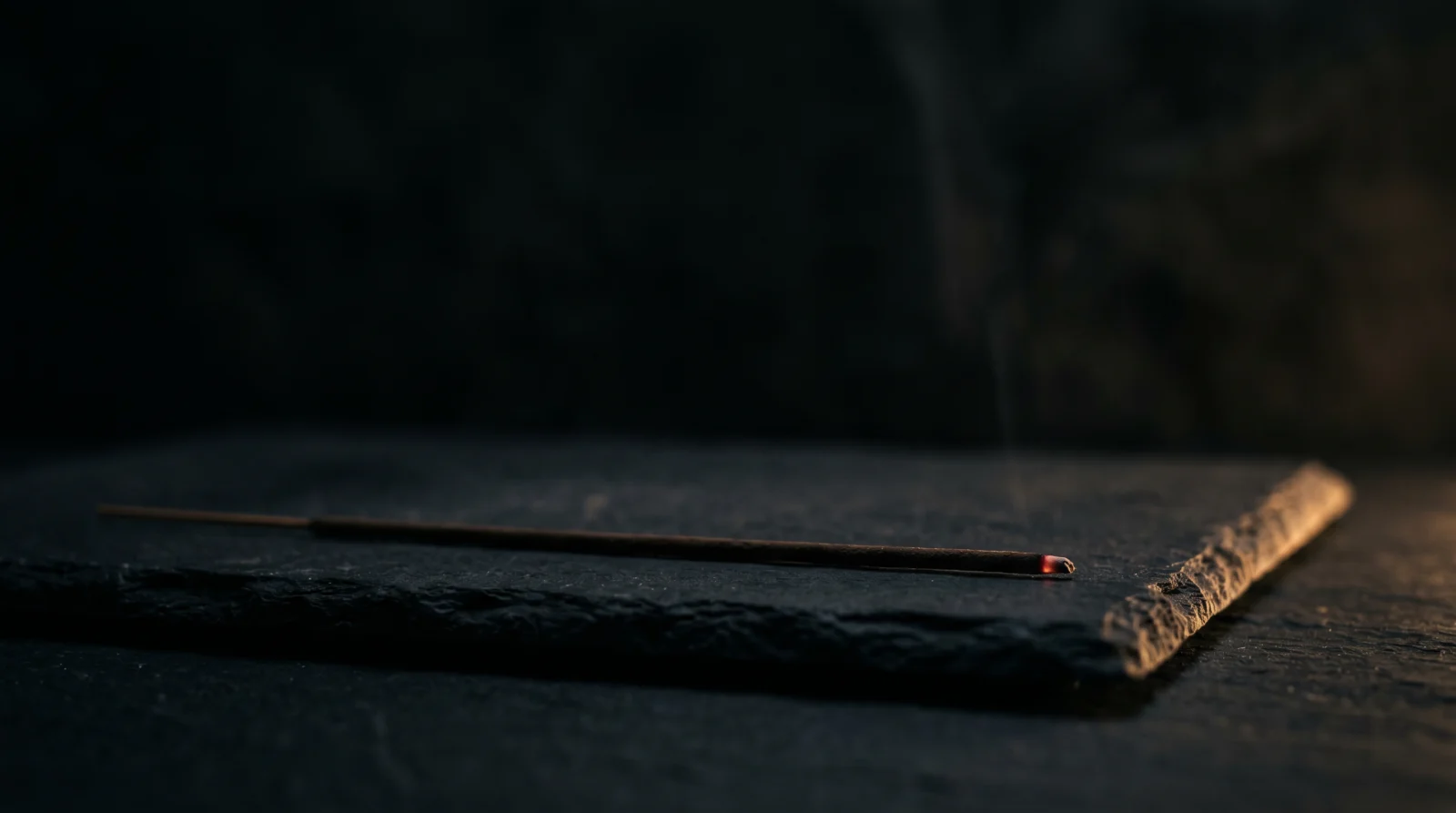
Image Prompt
A dark, moody scene showing a minimalist interior surface, a smooth black stone platform or dark wooden table, photographed against a near-black background. An incense stick rests horizontally at the front of the surface, a small ember at its tip. The scene is dark overall with subtle directional light coming from the right side, creating a thin edge highlight along the surface edge. No smoke is visible yet in the image. The foreground is clear and dark, leaving space for the smoke to rise into in the generated video. The composition is tight, low angle, the surface in the lower third. The mood is dark, deliberate, and atmospheric.
Why This Prompt Works
No smoke in the source image is deliberate. When smoke is already visible in the source image, Seedance treats it as a fixed element and animates it inconsistently. Starting with a clean, smokeless frame gives the model a blank canvas to generate the smoke from the ember upward with correct physical behaviour.
Step 2 | Generate Your Video with Seedance 2.0
Upload your image. Set duration to 8 seconds.
Video Prompt
@image1 is the scene reference. Thin wisps of smoke or mist rise from the lower portion of the frame, moving upward in slow, organic spirals. The movement is unhurried and non-repeating, each thread finding its own path before dissolving into the air above. The background remains completely static and dark enough to make the smoke clearly visible against it. Camera holds still throughout. Light hits the smoke from slightly behind or to the side, creating edge highlights that reveal the texture of the movement. The scene carries a slightly mysterious quality. Sound design is nearly silent, a deep ambient room tone at very low level only. Duration 8 seconds.
Why This Prompt Works
"Non-repeating, each thread finding its own path" is the key instruction for organic smoke behaviour. Without this, Seedance generates looping smoke that looks artificial. The edge highlight instruction ensures the smoke remains visible against the dark background. Smoke without directional lighting on a dark background simply disappears into the frame.
Variations to Try
For a more dramatic effect, add "a second wisp of smoke appears from the right side of the incense stick five seconds in, the two threads briefly intertwine before separating" to create visual interest mid-clip. For a thicker atmosphere, add "the smoke is heavier and more opaque, filling more of the frame as it rises."
Issues and Fixes
The smoke looks like fog rolling in rather than rising. Add "the smoke rises strictly upward, it does not move horizontally or roll laterally across the frame at any point" to correct the direction.
The smoke disappears too quickly. Add "each wisp of smoke remains visible for several seconds before dissolving, the smoke density is consistent throughout the clip."
The background appears to lighten mid-clip. Add "the background remains near-black and unchanged throughout the entire clip, the darkness does not lift."
The smoke motion repeats in a visible loop. Add "the smoke movement is non-repeating and continuously varied, no two moments of the clip look the same."
Section 12
PAGE 12 | First Frame to Last Frame
What You Are Building
A continuous transformation between two states of the same scene. Two images, same composition, different light and mood. Seedance bridges them in a single unbroken clip that shifts atmosphere over time. This is the most compositionally intentional prompt in Vol.A.
What You Will Learn
How to use two images together in a single Seedance prompt. How to direct a transformation that reads as continuous rather than a dissolve. How to match two source images for consistent results.
Tools Used
Nano Banana Pro 2 for image generation / Seedance 2.0 for video generation via OpenArt
Step 01 :
Get started: https://openart.ai/home?utm_source=tolt&utm_medium=affiliate&utm_campaign=affiliate-tolt–acq-web&via=digiAI
Step 02 :
15% off first month: code DigiAI 100 free credits for new users:https://openart.ai/credit/DigiAI%20Skool
Step 1 | Generate Your Images with Nano Banana Pro 2
This prompt requires two separate image generations. The composition, subject, and camera angle must match exactly between both images. Generate Image A first, then use the same core prompt with only the lighting and mood changed for Image B.
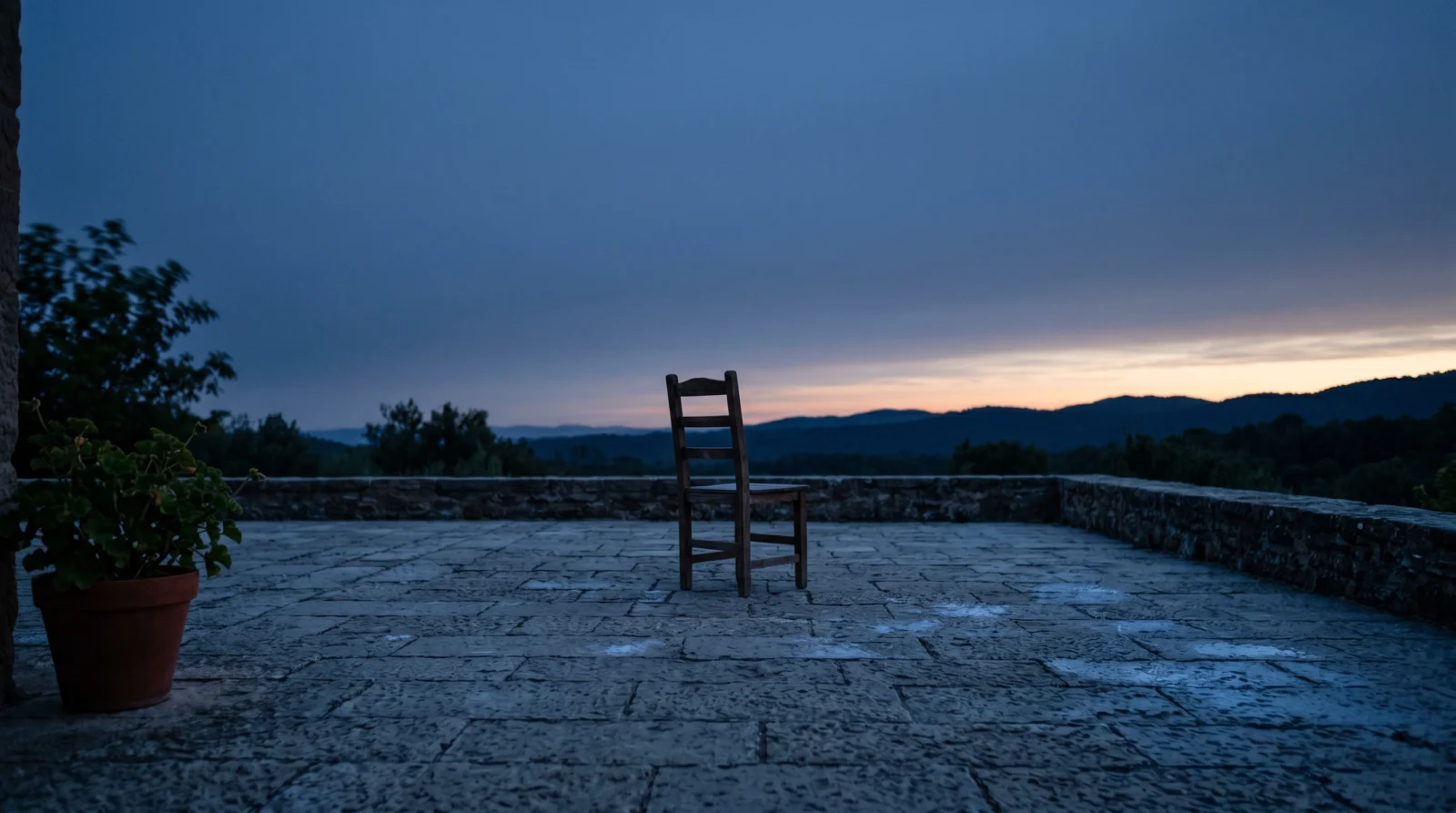
Image Prompt A | Opening Frame (Dawn)
A single wooden chair on an empty stone terrace, photographed wide. Early morning light, pre-dawn, the sky behind a soft deep blue with the first suggestion of light at the horizon. The terrace is cool in tone, the chair casting almost no shadow. A single plant sits at the left edge of the frame. The atmosphere is quiet and slightly melancholic, the world not yet fully awake. Camera is at eye level, the chair centred. No people. No text. The scene is completely still and the mood is early and solitary.
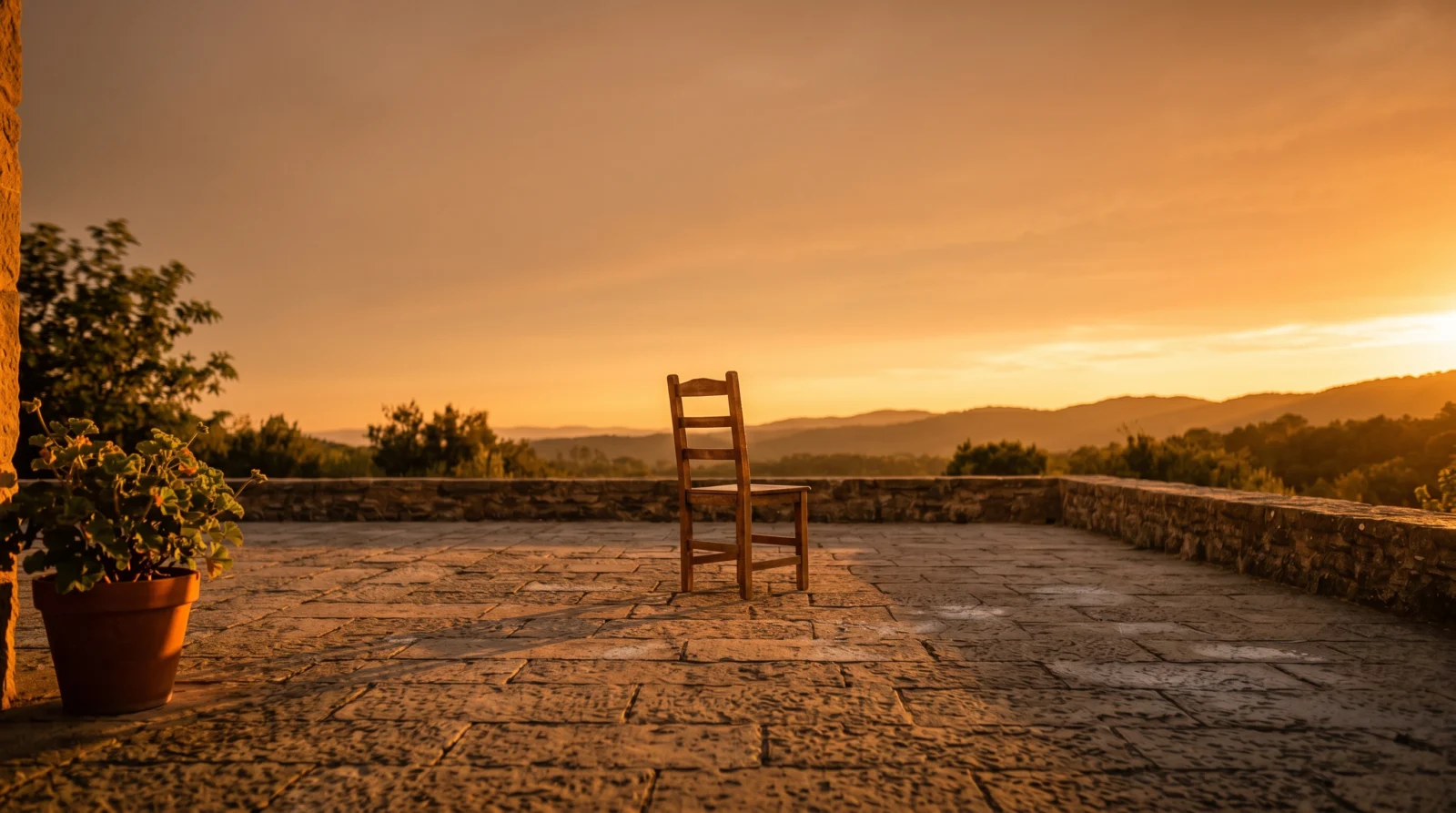
Image Prompt B | Closing Frame (Golden Hour)
The exact same wooden chair on the exact same stone terrace, same camera angle, same composition. Now shot in golden hour light, the sky behind warm amber and orange, the chair casting a long shadow to the left. The plant at the left edge is lit warmly. The atmosphere is full and calm, the world settled into afternoon. The mood shifts from solitary and cool to warm and content. Every compositional element matches Image A exactly. Only the light, the sky, and the shadows are different.
Why These Prompts Work
The matching composition is critical. If the chair, terrace, and plant are not in the same position in both images, Seedance will read them as different locations and the transformation will look like a cross-dissolve between two unrelated scenes rather than a continuous shift through time. Generate both images in the same Nano Banana session for the best chance of compositional consistency.
Step 2 | Generate Your Video with Seedance 2.0
Upload both images. Assign Image A as @image1 and Image B as @image2. Set duration to 10 seconds.
Video Prompt
@image1 serves as the opening frame. @image2 serves as the closing frame. Both images share the same subject and similar composition. The video moves between these two states over the full duration, the scene evolving continuously from the mood and lighting of @image1 toward the mood and lighting of @image2. The transition is not a cut or a dissolve but a continuous transformation: lighting shifts, atmosphere changes, the subject settles into a slightly different state. Camera remains static throughout. The two images are of the same subject in the same location with deliberate differences in light, time of day, and emotional tone. Sound design matches the arc: the opening audio tone reflects @image1, the closing tone reflects @image2. Duration 10 seconds.
Why This Prompt Works
"Not a cut or a dissolve but a continuous transformation" is the critical instruction. Without it, Seedance defaults to a cross-dissolve transition which looks like a basic video edit rather than a living scene shifting through time. The audio arc instruction reinforces the transformation with a sound journey that mirrors the visual one, making the shift feel intentional and complete.
Variations to Try
Seasons make excellent opening and closing frame pairs. Try the same garden scene in late autumn and early spring. Or the same interior window view at night and at midday. Any two states of the same location with consistent composition and different light will work. This technique becomes very powerful in Vol.B when combined with camera movement.
Issues and Fixes
The clip looks like a cross-dissolve between two unrelated images. This means the compositions do not match closely enough. Regenerate Image B with the exact same prompt as Image A and only change the lighting and sky description. Alternatively, generate both images with the same seed or style reference in Nano Banana.
The transformation happens too quickly and settles on Image B for most of the clip. Add "the transformation is spread evenly across the full 10-second duration, @image1 state is held for the first 2 seconds, the transformation runs from second 2 to second 8, and @image2 state is held for the final 2 seconds."
The subject changes shape or moves between the two states. Add "the chair and all physical objects in the scene maintain their exact position and shape throughout the entire transformation, only the light and sky change."
The audio is jarring or does not match the mood shift. Add "the audio begins as cool and quiet in the first half, then gradually warms and fills slightly in the second half, mirroring the light transformation on screen."