
Section 01
Page 1: Space to Micro Journey
What This Creates
A single unbroken camera move that begins in outer space and ends inside a microscopic detail. The camera plunges through Earth’s atmosphere, descends through clouds, sweeps over a city skyline, dives through a specific building’s window, glides through an interior, and finishes pushing into the texture of a single object on a table.
One shot. Zero cuts. Massive scale change. Six environments. Cinema’s most iconic camera move, generated in Seedance 2.0.
This is the technique used in the opening of Contact (1997), the title sequence of Watchmen (2019), and the famous "powers of ten" scale demonstrations. When done right, it’s the single most impressive shot a creator can produce.
Why This Shot Matters
Continuous scale-change oners signal three things to viewers instantly:
- Technical mastery. Real-world versions cost six figures to produce. Audiences subconsciously read the shot as "expensive."
- Narrative authority. The shot says "I am about to show you something specific, and I’m going to take you there." It builds anticipation.
- Spatial poetry. Connecting macro to micro creates an emotional cadence no edit can replicate. The audience FEELS the journey.
Real production teams use motion-control rigs, drone hand-offs, and miniature inserts stitched together in post. Seedance 2.0 does it in one generation.
This is your "I can do that?" moment in the vault. It’s also the hardest prompt in Category 1. Mastering it unlocks every other oner in this vault.
The Cinema Reference
Films that nail this shot:
- Contact (1997) opening sequence: camera pulls back from Earth through the entire solar system. Robert Zemeckis used a custom motion-control rig.
- Children of Men (2006) birth scene: continuous take through chaos. Emmanuel Lubezki used hidden cuts disguised by foreground wipes.
- Watchmen (2019) opening sequence: time-traveling continuous reveal. HBO used digital stitching.
- Birdman (2014) entire film: simulated single-take. Iñárritu and Lubezki built the "oner" reputation in modern cinema.
The common thread: the camera never asks permission to look elsewhere. It commits to one path and follows it without apology.
The Prompt
Template: A (Single-Take Continuous Shot) – non-negotiable
Image upload: None (text-to-video). Optional: one composition reference for the final destination object.
Settings: 10 seconds, 16:9, 720p
Pro Tips
1. Template A discipline is non-negotiable here. If you use Template B (timestamps and Shot 1/Shot 2 structure), Seedance will produce hard cuts at every environment change. You will get space, then a cut, then clouds, then a cut, then city. The continuous descent illusion will fail. Lock Template A and trust the prompt.
2. The "final destination" object is the anchor. Without a specific endpoint (the pocket watch), the camera has nothing to commit to. Change the object if you want, but always have ONE specific endpoint. Bad: "ends in macro detail." Good: "ends in extreme macro on a single antique pocket watch."
3. Six environments is the upper limit. Space, atmosphere, clouds, city, building exterior, building interior, object. Asking for more (city, then street, then alley, then car interior, then dashboard, then object) breaks the shot. Seedance will compress everything into rushed transitions. Six is the sweet spot.
4. Time-of-day lock matters. "Golden hour" forces consistent lighting throughout the descent. Without this, Seedance might render space (lit), atmosphere (lit), clouds (lit), then suddenly a night city. Specify ONE time-of-day for the entire journey.
5. Iteration budget: 8 to 12 generations. This is one of the hardest prompts in Vol.E. Don’t get discouraged if takes 1 to 4 produce visible cuts. Keep refining and committing to Template A language. The shot rewards persistence.
6. The watch is replaceable, the principle is not. Swap "antique pocket watch" for any of these without breaking the prompt:
- A single dewdrop on a leaf (nature ending)
- A wedding ring on a velvet box (story ending)
- A bullet on a marble floor (thriller ending)
- A glowing data chip on a circuit board (sci-fi ending)
- A single hand holding a letter (emotional ending)
Whatever the endpoint, it must be ONE specific object. Specificity is what lets Seedance commit.
Quick Variation: Reverse Journey (Micro to Cosmic)
Some shots feel even more powerful in reverse. Same technique, opposite direction. This is the Watchmen / Cosmos opening style.
What You Just Learned
This page taught three Vol.E foundational skills you will use across the entire vault:
- Template A discipline produces continuous shots. Format wins over verbal instructions. Per the v2 skill update, choose template BEFORE writing the prompt. For continuous shots, Template A always.
- Specificity unlocks scale. Vague endpoints fail. Specific endpoints succeed. This applies to every shot in this vault.
- Cinema references calibrate Seedance. Naming specific films in the prompt body gives the model a clear visual target. "Reference Contact (1997)" produces better results than "cinematic style."
Save these three principles. Every Vol.E page will reinforce them.
═══════════════════════════════════════════════════════
QUICK SPECS
═══════════════════════════════════════════════════════
Template: A (Single-Take Continuous Shot)
Duration: 10 seconds
Aspect Ratio: 16:9
Resolution: 720p
Reference Requirement: None (Optional for advanced control)
Iteration Budget: 8 to 12 generations
Difficulty: Advanced
═══════════════════════════════════════════════════════
Section 03
Page 3: Bullet Time 360 Orbit
What This Creates
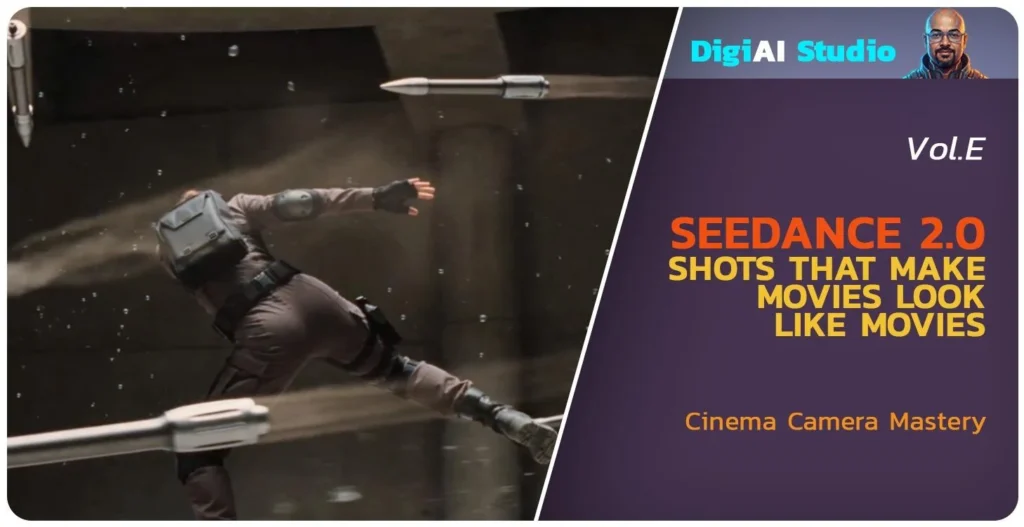
A subject frozen in mid-action while the camera orbits 360 degrees around them in slow-motion. Bullets suspended mid-flight. Water droplets hanging in the air. The subject’s body locked in a dynamic pose that would be impossible to hold in real-time. The camera circles, revealing the action from every angle, while time itself stands still.
This is THE iconic action cinema shot. The Matrix lobby scene defined a generation of filmmaking. Every action film since 1999 has either used it or referenced it. Members will pay for Vol.E just to get this one prompt right.
When done well, bullet time produces a "how did they do that?" moment. The audience leans forward. The shot becomes a screenshot in social media culture.
Why This Shot Matters
Three things bullet time signals instantly:
- Cinema history fluency. Members who can produce bullet time understand the language of action filmmaking. This separates serious creators from casual users.
- Technical impossibility flex. Real-world bullet time requires 120+ synchronized cameras (the Matrix used 122). The fact that Seedance does it in one prompt is the most extreme cost-to-result ratio in the entire vault.
- Social media virality. Bullet time clips are inherently shareable. Members posting their bullet time experiments to TikTok or Instagram with "made with Seedance 2.0" become free marketing for Skool.
This page alone could justify Vol.E’s Premium tier price.
The Cinema Reference
Films that defined this shot:
- The Matrix (1999) lobby scene and rooftop dodge: The Wachowskis’ bullet time used 122 still cameras triggered in sequence with interpolated frames. Defined an entire decade of action cinema.
- Equilibrium (2002) Gun Kata sequences: Kurt Wimmer’s evolution of the technique, applied to martial arts.
- 300 (2006) speed-ramp combat: Zack Snyder’s variation, blending bullet time with speed ramps.
- John Wick: Chapter 3 (2019) stable fight: Chad Stahelski’s modern application, blending bullet time with grounded combat.
The technique they share: the SUBJECT is locked at a moment of impossible dynamism. The camera reveals what we couldn’t see in real-time. The frozen moment becomes more cinematic than the action itself.
The Prompt
Template: A (Single-Take Continuous Shot)
Image upload: None
Settings: 8 seconds, 16:9, 720p
Pro Tips
1. "Frozen" must be reinforced relentlessly. Seedance’s default behavior is to animate everything. The word "frozen" alone isn’t enough. The prompt body, the camera section, and the DO NOT list all need to triple-reinforce the time-stop. Without this, Seedance will animate the bullets, the body, or both.
2. The subject’s pose must be specifically described. "Frozen mid-leap" is vague. "Suspended mid-leap, body bent backward in a deep dodge, both arms extended for balance" gives Seedance a clear silhouette to lock. The more specific the pose, the better the freeze.
3. Suspended objects multiply the effect. Bullets alone work. Bullets + shell casings + water droplets work better. Three categories of suspended elements (projectiles, debris, environmental particles) sell the time-freeze harder than one.
4. Lighting locks the moment. "Dramatic side lighting" gives Seedance a strong directional light source that holds steady during the camera orbit. Without specified lighting, the model may shift illumination as the camera moves, breaking the freeze illusion.
5. 360 degrees is the magic number. Don’t ask for 180 or 270 (camera comes back the wrong way). Don’t ask for 720 (Seedance can’t sustain consistency across two full orbits). 360 degrees in 8 seconds is the production-tested sweet spot.
6. Iteration budget: 8 to 12 generations. Bullet time is hard. The most common failure is bullets that move slowly instead of being fully frozen. If take 5 still has slight bullet motion, add to the prompt body: "The bullets are ABSOLUTELY MOTIONLESS, suspended without any movement whatsoever."
7. No dialogue, period. Bullet time is silent except for ambient sound design. Speech breaks the frozen-time illusion. Triple-reinforce no dialogue in the DO NOT list.
8. Camera height variation matters. A flat 360 orbit looks like a video game asset spin. A 360 orbit with a slight elevation change (rises across the orbit, ends slightly higher than it started) looks like cinema. Always specify a height arc.
Quick Variation: Sword Strike Bullet Time
Same technique, different action. This is the Equilibrium / John Wick application: combat frozen at the moment of impact.
What You Just Learned
This page taught three new principles:
- Time-freeze requires triple reinforcement. Frozen must appear in the prompt body, camera section, and DO NOT list. Anything less and Seedance will animate something.
- Multiple categories of suspended elements amplify the effect. Projectiles + debris + environmental particles sells the freeze. One category alone reads as a single-element effect, not bullet time.
- Camera height variation separates cinema from game asset. Flat orbits look digital. Orbits with subtle elevation changes look filmic. Always specify a camera arc in three dimensions.
These three combined with Pages 1 and 2 give members the full single-take Template A toolkit.
Section 04
Page 4: Cinematic Match Cut Transition
What This Creates
A seamless transition between two completely different scenes that share one identical composition. A spinning bone in the air becomes a spinning spacecraft. A burning match becomes a desert sunrise. A coffee cup tipping becomes a city skyline tipping. The cut is technically there, but the audience doesn’t see it. They feel only the poetry of connection.
This is the most respected transition in cinema. The Kubrick bone-to-spaceship cut in 2001: A Space Odyssey is the most famous edit in film history. Lawrence of Arabia’s match-to-sun is taught in every film school. Modern filmmakers from Tarantino to Edgar Wright have built careers on this technique.
In Seedance, the match cut is generated as one continuous shot. The model handles the transformation in the middle. No editor required.
Why This Shot Matters
Match cuts signal three things instantly:
- Sophisticated film grammar. Audiences may not know what a match cut is technically, but they FEEL it. The transition reads as "this filmmaker knows what they’re doing."
- Narrative compression. A single match cut can replace 10 seconds of expository transition. Years pass, locations change, themes connect, in 2 seconds of screen time.
- Memorability. Match cuts are the moments audiences remember. The bone-to-spaceship. The match-to-sun. These cuts outlive the films they’re in.
For Vol.E members, mastering the match cut means their content stops feeling like AI clips strung together and starts feeling like films.
The Cinema Reference (For Teaching Only)
Films that defined this shot:
- 2001: A Space Odyssey (1968) bone-to-spaceship: Stanley Kubrick’s millennia-spanning match cut. Often called the greatest edit in cinema history.
- Lawrence of Arabia (1962) match-to-sun: David Lean’s iconic transition from a blown match to a desert sunrise.
- The Godfather Part II (1974) time-jump match cuts: Coppola’s match cuts between the young Vito and the elder Michael storylines.
- Knives Out (2019) Edgar Wright-style match cuts throughout: modern application of the technique.
The technique they share: ONE compositional element holds steady across the cut. The audience’s eye stays anchored on the same shape, position, or motion while the world around it changes entirely.
IMPORTANT NOTE FOR PROMPT WRITERS: Avoid naming specific films in your Seedance prompt body to prevent moderation blocks. Use the technique, not the title. The prompt below uses generic cinema language.
The Prompt
Template: A (Single-Take Continuous Shot) Image upload: None Settings: 8 seconds, 16:9, 720p
Pro Tips
1. The shared compositional element is everything. A match cut works ONLY when one element stays identical across the transition. Same shape, same position in frame, same motion. The spinning bone becomes a spinning spacecraft (shape + motion match). Pick your matching element first, then build the prompt around it.
2. The morph must happen on-screen. If you let Seedance hide the morph behind a foreground object or off-frame, you lose the match cut effect. The audience needs to SEE the transformation happen. Specify "morphs smoothly within the frame" explicitly.
3. Slow motion sells the match. Real-time match cuts can read as choppy. Slow-motion gives Seedance time to render the morph smoothly. Always slow the action around the morph point.
4. Two scenes, ONE camera move. Don’t ask for a complex camera move on the first scene plus a complex camera move on the second scene. Pick ONE simple camera move (tilt up, pan left, push in) that works for both scenes. Compound moves break match cuts.
5. The two scenes should be thematically connected. Bone-to-spaceship works because both are "ascending objects." Match-to-sun works because both are "sources of light." Random morphs (sandwich to mountain) confuse audiences. Pick scenes with a hidden thematic link.
6. Iteration budget: 8 to 12 generations. Match cuts are technically demanding. Seedance must render two distinct scenes AND a coherent morph between them. Don’t be surprised if early takes produce visible cuts. Keep reinforcing "the morph happens within the continuous shot, not as an edit."
7. Match cut ideas that work well in Seedance 2.0 :
- A spinning bone becomes a spinning spacecraft (ascending objects)
- A blown match becomes a desert sunrise (light sources)
- A coffee cup tipping becomes a city skyline tilting (perspective shifts)
- A spinning coin becomes a spinning planet (circular objects)
- A door opening becomes a vault opening (revealing shapes)
- A hand reaching becomes a tree branch reaching (organic shapes)
- A clock hand sweeping becomes a windshield wiper (sweeping motion)
Quick Variation: Light Match Cut (Match-to-Sun)
The Lawrence of Arabia application. Different scenes, same matching technique. Light-source-to-light-source.
What You Just Learned
This page taught three new principles:
- Match cuts are continuous shots, not edits. Per skill v2 Template A discipline, the transition happens within the single take. The morph is the cut.
- Compositional anchoring sells the technique. ONE element stays identical across the morph. Shape, position, motion. The audience’s eye stays locked while the world transforms around it.
- Thematic connection separates poetry from chaos. Random morphs confuse audiences. Connected morphs (ascending objects, light sources, sweeping motions) feel meaningful.
These three combined with the earlier pages give members the full single-take cinematic toolkit.
Section 05
Page 5: Crash Zoom Combat Impact
What This Creates
A combat impact shot using hyper-aggressive snap zoom combined with speed ramp and time freeze. The camera explodes from wide to extreme close-up at the exact moment of contact, time dilates into extreme slow motion to hold on the impact frame, then resumes real speed as the body reacts. The signature shot of modern action cinema.
Why This Shot Matters
- Industry signature. Without this shot, your combat scenes look amateur. Every modern action film built since 2014 uses some version of this technique.
- Solves the AI choreography problem. Seedance struggles with sustained multi-character fight choreography. The snap zoom hides the choreography limitation by isolating a single impact moment. You only need 1 second of clean movement to sell the entire fight.
- Three techniques in one prompt. Crash zoom, speed ramp, impact freeze. Master this prompt and you can deploy each technique independently in other work.
Cinema Reference (For Teaching Only)
- John Wick (entire franchise): defines the snap zoom on impact aesthetic for modern combat
- Atomic Blonde (stairwell fight): combines crash zoom with speed ramp as one continuous technique
- Sicario (raid sequences): uses restrained crash zoom to build dread instead of energy
- The Raid (corridor fights): high-frequency crash zoom for kinetic overload
Important: Do NOT name any of these films inside the Seedance prompt body. Film names trigger copyright filters and the model will block generation with OutputVideoSensitiveContentDetected.PolicyViolation. The references above are for your understanding of the visual language. The prompt below uses generic cinema vocabulary that produces the same result without the moderation block.
The Prompt
Pro Tips
Speed ramp is a verb-level command. "Time RAMPS to extreme slow motion" and "Time RAMPS back to real speed" written inside the prompt body produce real time manipulation. Description-level comments like "in slow motion" without RAMPS as a verb produce inconsistent results. The capitalized verb is the trigger.
Snap zoom needs three reinforcements. "Hyper-aggressive snap zoom" plus "across 1 second" plus "motion blur during the zoom" all in one camera instruction. Skip any one of these and the model produces a gentle push instead of a violent crash zoom. The three together force the model to commit.
Dust particles are non-negotiable. They visualize speed changes. The audience reads the speed ramp through particle motion as much as through body motion. Real-time dust looks completely different from slow-mo dust. If you skip the dust direction, your speed ramp becomes invisible.
Sanitize combat vocabulary. Use "strike, contact, impact, drives" never "kill, hit, attack, beat, smash." Use "fighter, opponent" never "victim, target, enemy." The Seedance moderation filter triggers on words, not visuals. You can produce a violent combat shot if your language stays clinical.
Iteration budget is 8 to 10 drafts. Crash zoom plus speed ramp plus impact freeze is one of the highest-difficulty technical combinations in Seedance. Budget the credits upfront so you do not get discouraged at draft 5.
Failure mode 1. Gentle zoom instead of snap zoom. Cause: missing "hyper-aggressive" or missing the 1-second constraint. Fix: add both back.
Failure mode 2. Slow-mo does not register visually. Cause: missing the RAMPS verb. Fix: add "Time RAMPS to extreme slow motion" and "Time HOLDS in extreme slow motion" as explicit verb commands inside the affected shot.
Failure mode 3. Moderation block on the prompt. Cause: aggressive vocabulary triggered the filter (often "punch" or "fight"). Fix: replace with clinical alternatives (strike, contact) and remove any film names you may have added.
Quick Variation
The Draw Strike. Same shot structure, but instead of a fist impact, the crash zoom hits on a weapon draw. Fighter A reaches for a holstered blade at the hip. The snap zoom catches the exact moment the blade clears the sheath. Speed ramps to slow motion as the blade arcs into striking position. Time holds on the apex of the draw. Time resumes as the blade completes its arc.
To swap, change Shot 2 WHAT HAPPENS from "Fighter A’s fist DRIVES forward, knuckles making contact" to "Fighter A’s hand SEIZES the blade hilt at his hip, the blade CLEARS the sheath with a flash of light." Change Shot 3 to "the blade HOLDS at the apex of its arc, light catching the edge." Keep all camera direction, all SFX (replace impact thud with metal ring), all DO NOT items.
This variation teaches the same three techniques in a non-combat context, useful for fantasy, period, or stylized work.
What You Just Learned
Principle 1: Speed ramps are verb-driven, not description-driven. Write RAMPS as an event verb inside the prompt body. The model treats verbs as commands and adjectives as flavor. Speed manipulation is too important to leave to flavor.
Principle 2: Crash zooms require triple reinforcement. Aggression word plus time constraint plus motion blur direction. Single reinforcement produces a normal push. Triple reinforcement produces cinema.
Principle 3: Sanitization is craft, not censorship. Clinical action vocabulary produces sharper, more controlled outputs than aggressive vocabulary even when the moderation filter is not the issue. "Strike" is a better verb than "hit" because it is more specific. Sanitization makes the prompt better, not just safer.
QUICK SPECS
- Template: B (Multi-shot, 4 beats)
- Duration: 8 seconds
- Aspect: 16:9
- Resolution: 720p draft, 720p or 1080p final
- References: None required (text-to-video)
- Iteration budget: 8 to 10 drafts
- Difficulty: Advanced
Section 06
Extra 1 – Reverse Journey (Micro to Cosmic)
The reverse variation of Page 1’s Space to Micro Journey. Instead of pulling from cosmic scale into microscopic detail, this clip pushes from microscopic detail outward through every scale until it lands at cosmic scale. The camera never cuts. Scale change IS the story.
This variation is harder to land than the original Page 1 prompt because the model has to invent each new layer of scale on the way out, rather than narrowing into a known target. Expect higher iteration counts.
Note
Variation prompt provided on Page 1: Space to Micro Journey. This bonus page showcases the alternate version of that prompt in video form so you can see the reverse direction rendered before you generate your own.
QUICK SPECS
- Template: A (Single-take continuous shot)
- Duration: 10 seconds
- Aspect: 16:9
- Resolution: 720p draft, 720p final
- References: None required (text-to-video)
- Iteration budget: 10 to 12 drafts
- Difficulty: Advanced
Section 07
Extra 2 – Period Combat Oner
The period combat variation of Page 2’s Hidden Cut Oner. Same hidden-cut technique applied to a sword fight in a medieval or feudal setting. The camera flows through the choreography as one apparent continuous shot, with hidden cuts disguised inside whip pans, foreground wipes, and match cuts on weapon strikes.
The lesson: the hidden cut oner is not a setting-specific technique. Once you understand the structure, you can apply it to any combat style. This variation proves the transferability of the skill.
Note
Variation prompt provided on Page 2: Hidden Cut Oner. This bonus page showcases the alternate version of that prompt in video form so you can study the period combat application before adapting the structure to your own work.
QUICK SPECS
- Template: B (Multi-shot with hidden-cut transitions)
- Duration: 12 seconds
- Aspect: 16:9
- Resolution: 720p draft, 720p final
- References: None required (text-to-video)
- Iteration budget: 8 to 10 drafts
- Difficulty: Advanced
Section 08
Extra 3 – Sword Strike Bullet Time
The sword strike variation of Page 3’s Bullet Time 360 Orbit. The same 360-degree orbital camera technique applied to the apex moment of a sword strike rather than the apex of a jump or punch. Time freezes on the moment the blade meets resistance. The camera orbits the frozen instant.
This variation demonstrates that the bullet time orbit is a treatment, not a subject. Once the camera mechanics are working, you can apply the technique to any action that has a clear apex moment worth holding.
Note
Variation prompt provided on Page 3: Bullet Time 360 Orbit. This bonus page showcases the alternate version of that prompt in video form so you can see the orbital camera applied to a weapon strike before adapting it to your own subject.
QUICK SPECS
- Template: A (Single-take continuous shot with internal time freeze)
- Duration: 8 seconds
- Aspect: 16:9
- Resolution: 720p draft, 720p or 1080p final
- References: None required (text-to-video)
- Iteration budget: 10 to 12 drafts
- Difficulty: Advanced