

Section 01
EPISODE 1: THE DEMO
One advertising key visual becomes a thirty second commercial. The key visual is never the first frame.
You already own six finished ad visuals from Vol.18. Every one of them is a product thrust at a fisheye lens with a character behind it, and every one of them is a single frozen moment. This volume turns each of those moments into a spot: thirty seconds, one unbroken camera move, narration, score, sound design and a brand endcard.
The temptation is obvious and wrong. Feed the key visual in as the first frame and let the model push in on it. You get a picture that breathes. You do not get an ad.
So we do the opposite, and this is the idea the whole volume runs on.
The Arrival
The key visual is not where the film starts. It is where the film arrives.
In a real commercial there is one frame the entire spot is built to reach. The agency calls it the hero frame. Everything before it is approach, everything after it is payoff, and the reason it lands is that the viewer had to travel to get there. Your Vol.18 image already is that frame. It was designed as one. So the job is not to animate it, it is to build the twelve seconds that earn it.
In this episode the girl runs into shot from the left, the cone is small and low at her side, the camera tracks her at hip height. Then she swings the cone up, the camera drops. Then, at thirteen seconds, she thrusts it at the lens, the camera rushes the last stretch, and the frame becomes the Vol.18 image exactly. Held. That is The Arrival.
Where This Image Came From
Every source image in this volume was made in the previous course.
Vol.18 | Big Product Energy is where these ad visuals were built, and the full method is here:
https://www.skool.com/digiaistudio/classroom/317c3821?md=a4aa44df7d25412faf6a481f802c6a57
The short version, so this page stands on its own. Vol.18 is thirty six GPT Image 2 prompts that build finished advertising key visuals across six categories: The Hero Product, The Working Hero, The Delivery Run, The POV Exchange, The Vortex and The Tiny Operator. The engine of all of them is the same: an extreme fisheye lens, forced perspective, a chunky 3D character, and a product pushed so close it almost touches the glass. That lens language is the reason these images animate so well. A fisheye already implies a camera that is somewhere specific, and once the model believes there is a lens, it will move it for you.
This episode uses the Category 1 hero, the seaside gelato.
The Reference Instruction Is The Opposite Of Vol.J
If you built the Data Documentary volume, you learned to scope a reference down:
That was right, because there the poster was a data source and putting it on screen would have been amateur.
Here it is inverted. This is an advertisement. The product is the point, the character is the brand, and both have to survive intact for thirty seconds. So the reference is scoped up:
Same mode. Same model. Opposite instruction. What changes is not the technique, it is what the reference is for.
Then, crucially, one line takes the composition back:
Scope the identity up. Scope the framing down. That single pair of lines is The Arrival in prompt form.
What You Need

The source is the Vol.18 Category 1 key visual, or any of your own ad images built on the fisheye product spine. Upload it as a visual reference, never as a first frame.
Settings: element2video, 16:9, 720p, 30 seconds, audio on, seed fixed.
The Full Prompt
Block By Block
The register line. "Stylized 3D animated television commercial in the visual language of a modern feature animation studio." Naming a real tradition is worth more than fifty adjectives. Then the three negatives at the end of that line, not live action, not illustrated, not a video game cinematic, close the three doors the model would otherwise wander through.
The identity block. Every item is named as an object, not as a mood. "Coral sunglasses pushed up on her head" survives thirty seconds. "Summery vibe" survives nothing. The count line, exactly one girl, exactly one cone, exactly three scoops, is what stops a fourth scoop appearing when the model gets excited during the payoff.
The composition release. Two lines, and they are the whole volume. Take her. Do not take her pose.
Five beats, five end states. Every range starts with a verb in capitals and ends with something you could check on a paused frame. "The hat is airborne behind her right shoulder" is checkable. "It feels joyful" is not. And every beat that should stop closes with then holds, because a motion described in one range will otherwise run for the entire clip.
The growth cap. "The cone stops growing the moment it reaches half the frame width." Without it, the product keeps swelling until it eats the character. That is the single most common way a product spot goes wrong.
The Endcard Hole. The last beat does not just say "she stands there." It reserves a region of the frame:
That is deliberate. The logo has to land somewhere, and a commercial that boards the logo position before it shoots is a commercial, while one that stamps a logo over a busy frame afterwards is a clip with a sticker on it.
Read that line twice, because the first version of it failed. I originally wrote that the corner should have "nothing in it." Seedance took me at my word and emptied the entire frame: the last two seconds of the first take dissolved to flat blue sky with the audio dropping to silence. The model has no concept of "that corner only." Describe the hole as a region that stays uncluttered, and name everything that stays visible around it. Never describe it as empty.
The Method In One Box
Pick the frame you already own. Do not start there. Write the approach that earns it, cap the product’s growth, close every beat with a visible end state, and reserve a clean region for the logo before you shoot.
The Post Layer: This Film Has No Brand In It, And That Is A Choice
Look at the film again. There is no brand name in the picture and none in the voiceover. The narrator says the tagline and nothing else.
That is deliberate, and it is right for this episode only. Read the next line carefully, because it is the thing most people get backwards.
The Unbranded Take. When your product is generic, a plain cone, an unbranded bottle, a bare tool, keep the brand out of the render entirely and add it in post. Two reasons. The model cannot spell reliably on a curved product surface in motion, and an unbranded take re-brands for free: the same thirty seconds becomes a different client’s spot in four minutes and zero credits.
And then the opposite is also true. Four of the six films in this volume do carry their brand, printed on the pack, in every single frame, because their Vol.18 source images were built that way. SWIFTPAK, FLEXFUEL and CRUNCHNEST are locked onto their products from frame one. TRUEGRIT is etched onto a wrench from a second reference image.
So the real rule is a fork, and you pick the branch before you write a word of prompt:
Is the brand already printed on your source image?
Yes. Lock it. Pin the wordmark to its typeface, colour, size, position and neighbouring mark, and forbid it from appearing anywhere else in the scene. Page 3 is the full method. Your endcard then carries only the tagline, because the pack shot is already the logo.
No. Either keep it clean and burn the lockup in post, the way this episode does, or feed the logo in as a second reference image and place it on exactly one named surface. Page 2 is the full method for that.
The mistake is doing neither and hoping. A video model given a brand name as a word, with no image and no lock, will invent letterforms and misspell them, and a misspelled brand is not a flaw, it is a dead deliverable.
The Logo Is Generated, Just Not By The Video Model
The GELATO GRANDE lockup on the endcard is not a font. It is a GPT Image 2 generation, made separately and composited in.

Settings: gpt-image-2, text2image, 1:1, 2K, quality high.
All six brands in this volume were generated with that template and every wordmark and every tagline came back correctly spelled on the first attempt. Six for six. An image model asked for five words of display type is a different proposition from a video model asked to keep a label legible through thirty seconds of motion. Use each for what it is good at.
Getting A Transparent Logo Out Of A Model That Has No Transparency
OpenArt’s GPT Image 2 form has no transparent background switch. So the trick is in two halves and both matter:
- Generate the lockup on a pure solid black field.
- Ban black from the artwork itself: "No black anywhere inside the artwork."
Then build the alpha channel from the brightness of each pixel. Anything above the floor becomes opaque, the antialiased rim keeps its soft edge, the black field goes to zero. If you skip step two, every black element in your logo keys out along with the background and you get a lockup with holes in it.
One more step worth doing: after keying, unpremultiply against black, or every soft edge stays muddy the moment the logo lands on a bright frame. Then crop to the artwork and add a small pad.
Finally, keep two files. The clean cut-out is the brand asset. A second copy with a soft shadow baked in is what goes over footage, because cream type on a bright blue sky needs something behind it.
Placing The Endcard
Do not guess. Pull the film’s actual landing frame and measure it. What eats a logo is not brightness, it is local contrast, so score candidate regions by how busy they are, not how bright.
For this episode the calmest region was the upper left sky, so the lockup sits there, at about a third of the frame width, fading up with a small upward drift over half a second, over a gentle exposure dip. The dip is per film, not a constant. This one wanted about a quarter. Episode 5, already almost black, wanted a sixth or the purples went grey.
Variations
Swap the product and keep everything else. A phone, a bottle, a trainer, a takeaway cup. The five beat spine holds for anything a character can raise into the light and push at a lens.
Change the tagline in the logo prompt and rebrand the same footage. That is the whole point of the Unbranded Take. One render, unlimited clients.
Change the payoff beat and change the promise. The scoop launching and getting caught says generous and playful. A lid twisting open and steam curling out says warm and comforting. The payoff beat is where the product makes its argument.
Shoot it 9:16 for Reels by changing one field. The fisheye spine is vertical friendly because the product is already the whole frame.
Common Issues
The film opens on the key visual anyway. You scoped the identity up but forgot to scope the framing down. Both lines are needed.
The product keeps growing until it fills everything. Add the growth cap sentence to the arrival beat.
One motion runs the whole thirty seconds. Close the beat with "then holds."
The last seconds dissolve to a flat colour and the sound dies. You described the endcard hole as empty. Rewrite it as uncluttered and add the no fade line.
The narrator rushes or gets cut off. Two and a half words per second. Thirty seconds is about seventy five words maximum, and a commercial should use far fewer. This one uses seventeen.
The character talks. Asking for a voiceover makes the model reach for a speaker. "An unseen narrator," "no person appears on screen speaking," "no character’s lips move," plus the DO NOT entries. All four.
Next Step
Episode 2 changes both the shape and the spine. This film is one unbroken take. The next one cuts five times in twenty seconds, and it solves the other half of the branding fork: how to put your logo onto a product that does not have one.
Section 02
EPISODE 2: THE CRAFT
Your product has no logo on it. Here is how you put one there, and how to rescue a film in the edit when the model gives you four good shots and one bad one.
Episode 1 was one unbroken take. This one cuts five times in twenty seconds, and it teaches the two things that matter most when the client’s brand is not already printed on the thing you are filming.
The Lesson Before The Prompt: The Second Reference
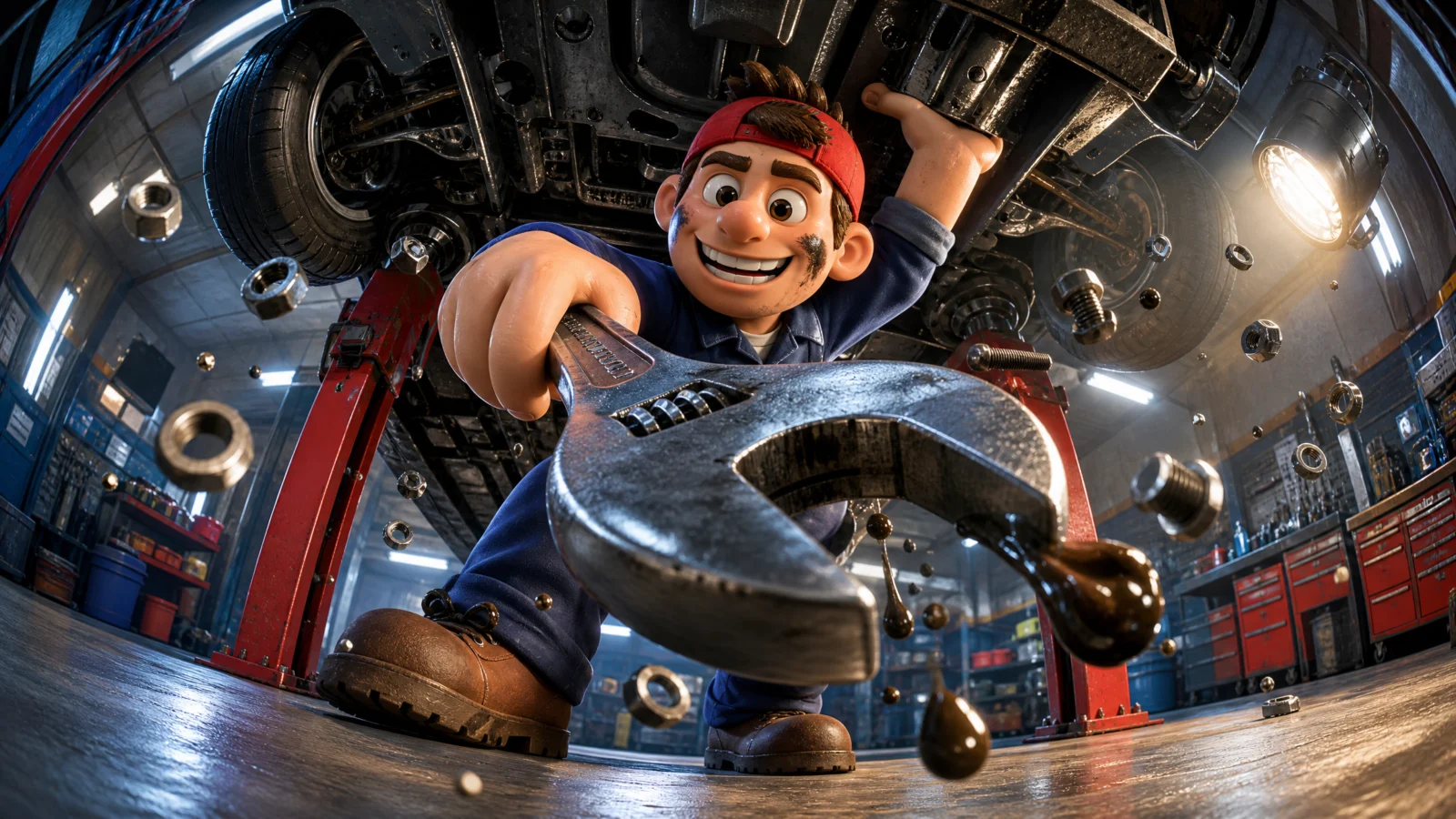
The Vol.18 Category 2 image is a mechanic under a lifted car with an enormous chrome wrench thrust at the lens. It is a beautiful key visual and it is completely unbranded. A bare wrench sells nothing.
So the logo goes in as a second image, and the prompt does three separate jobs with it:

Take only the mark. Put it on exactly one named surface. Ban it from everywhere else.
That third line is the one people skip, and it is the one that saves you. Give a model a logo and no exclusion and it will happily brand the toolbox, the wall and the car as well, because it has decided the logo is part of the world rather than part of the product.
Watch the film at eleven to fifteen seconds. The whole shot is a macro travelling down the chrome handle and the etched TRUEGRIT mark passes through the middle of frame, correctly spelled, with the hex-and-anvil badge beside it. That came from a separate GPT Image 2 generation, handed to the video model as an image rather than as a word.
Why an image beats a word. If you write "the wrench is branded TRUEGRIT," Seedance has to invent letterforms and it will misspell them. If you hand it the actual artwork, it has something to copy. The full method for making that artwork, including how to key a transparent logo out of a model with no transparency setting, is on Page 1.
The Second Lesson: The Rescue Edit
Be honest about production. The first version of this film ran thirty seconds in six shots, and the sixth shot was wrong. After a wide shot of an empty bay, the mechanic simply reappeared in the foreground holding the wrench, with no motion connecting him to anywhere. It read as a character teleporting in.
There was no re-render budget. So the fix was an edit, and the edit is worth more than the re-roll would have been:
Three decisions in that one command.
Cut the bad shot off, do not try to fix it. The film now ends after the nut cracks free, with bolts and dust still hanging in the light shafts. Ending on an aftermath is a real ad ending.
setpts=PTS/1.1 with atempo=1.1. Ten percent faster picture AND sound, with the voice over still at its own pitch. atempo is what keeps the narrator from turning into a chipmunk. Anything up to about 1.2 is invisible; past that the animation starts to look sped up.
The brand line was in the shot that got cut, so the burned endcard now carries the whole sign-off. The lockup lands over the last four seconds instead.
The general rule: before you spend credits re-rolling, ask whether the good part of the take is already a finished ad. Very often four out of five shots are a spot, and the fifth is the problem.
Where This Image Came From
Vol.18 | Big Product Energy, Category 2, The Working Hero:
https://www.skool.com/digiaistudio/classroom/317c3821?md=a4aa44df7d25412faf6a481f802c6a57
That category is the professions set: a tradesperson in their real environment with the tool of the trade at the lens. It is also the only Vol.18 category with no branding on the products, which is exactly why it is the right place to teach the second reference. Image used: Resources/02/03.png.
What You Need
Two references. The scene image, and your logo lockup on a flat field.
Settings: element2video, 16:9, 720p, 30 seconds generated then edited to 20, audio on, seed fixed.
The Full Prompt
Block By Block
Five shots, five scales. Floor level looking straight up, tight low angle on the face, extreme macro on the tool, wide bay, hero. Not one of them repeats a framing. That is the whole trick of a fast cut spot: the cut has to be worth making, and a cut between two similar shot sizes is not.
Every cut is written as a cut. "Hard cut to a TIGHT LOW ANGLE." Seedance will not restructure your film into shots unless you say the word. Left vague it produces one drifting take.
The opening shot sacrifices the first second. An oil drop swells toward the lens and splatters across it, so the frame goes dark. That is deliberate: it buys a hard reveal on the cut. If your ad opens on its prettiest frame it has nowhere to go.
The macro is the middle of the film, not the end. Brand macro at eleven to fifteen seconds, then the payoff, then the hero. Put the brand macro last and it plays as a logo sting rather than a beat.
The Method In One Box
Take only the mark from the logo image. Put it on exactly one named surface. Ban it from every other surface in the scene. Then cut five times, five different scales, and check whether four of them are already the ad.
The Post Layer
Brand: TRUEGRIT. Tagline: BUILT BY PEOPLE WHO BUILD.
This is the one episode in the vault where the endcard carries the full lockup rather than just the line, because the wrench only shows the brand for four seconds in the macro. Everywhere else in this volume the pack carries the brand for the whole film and the endcard carries only the tagline. See Page 3 for that version.
Placement: upper centre, over the dark underside of the car, at a thirty percent dip, measured on the recut landing frame.
Variations
Swap the trade and keep the structure. A chef and a knife. A tattooist and a machine. A hairdresser and a pair of shears. Any job where a named tool makes a visible change to a material.
Swap the surface the logo lands on. Etched into chrome is one option. Printed on a handle grip, embroidered on a chest patch, moulded into a plastic housing, stamped into leather. Name the material and the process, not just the position, and the mark sits in the object instead of floating on it.
Keep the thirty second version as well. Generate at thirty and cut two versions, a twenty for social and a thirty for YouTube. Same credits, two deliverables.
Common Issues
The logo appears all over the workshop. You scoped the reference but did not ban the other surfaces. Name them: walls, cabinets, vehicle, floating in air.
The logo comes in with its black background as a card in the scene. Ban the field, the tagline, the rule and the layout explicitly. Take only the mark and the wordmark.
The wordmark is misspelled anyway. Your logo image is too small or too low contrast in the reference. Generate the lockup at 2K and let the mark occupy most of the frame.
The model refuses to cut and gives you one long take. You did not use the word cut. "Hard cut to" at the head of every shot, plus a line at the top saying this is a fast cut commercial built from five shots.
One shot is wrong and you are out of credits. Cut it off. Check the edit before you check the wallet.
Next Step
Episode 3 is the other half of the branding problem. There the pack already carries the brand, which sounds easier and introduces a completely different failure: keeping one wordmark identical across five hard cuts.
Section 03
EPISODE 3: THE CHASE
The pack already carries the brand. Now keep that wordmark identical through five hard cuts, one of them a macro that fills the screen with it.
Episode 2 put a logo onto a bare product. This is the opposite problem and the more common one. Your Vol.18 image already has the branding printed on the pack, so the model has something to copy from frame one. The danger is not that the brand is missing. The danger is that it slowly stops being your brand.
The Lesson Before The Prompt: The Brand Lock
Left alone, a video model treats printed text as texture. It keeps the general shape and lets the letters wander, and by the fourth cut your client’s name is a plausible-looking smear. That is fatal in a way a wobbly background never is.
So the branding gets its own block, above the shots, written as an identity constraint rather than a description:

Five separate locks in one paragraph, and each is doing work:
- "is part of its identity" attaches the branding to the identity reference rather than to the description, which is the layer the model protects hardest.
- The exact spelling, in capitals, in the prompt body. Not in quotes at the end. Where the model is reading identity.
- Typeface, size, position, and what sits beside it. A wordmark alone drifts. A wordmark with a named neighbour and a named position has three constraints holding it.
- The rest of the pack is described too, the red lower half and the address label, so the whole artefact is locked, not just the name.
- "never appears anywhere except printed on that parcel" stops the brand leaking onto the jersey, the backpack and the shopfronts.
Then check it. Pull a frame from every shot and read the letters. In this film the wordmark survives a tyre level pass, a first person ride, a macro that fills the screen with it, a top down drone shot and a falling dive. That is the test worth running before you write a page about your own work.
The Second Idea: Five Shots, Five Scales
The angles here are the reason this one plays as an ad:
- 0 to 5s the camera lies on the asphalt and the front tyre rips past the lens through a scatter of pigeons
- 5 to 11s first person over the drop bars, the road rushing, the bike leaning hard into a corner
- 11 to 17s extreme macro travelling across the wordmark, then a fast pull back to the whole pack
- 17 to 23s straight down from high above the crossroads, the courier carving a curve through the zebra crossings
- 23 to 30s the camera drops out of that top down straight at him and lands on the Vol.18 composition
Tyre level, eye level, macro, aerial, hero. No two shots share a scale. Write two similar sizes next to each other and the cut between them looks like a mistake rather than a decision.
Note that the last move is not a cut. The camera falls out of the drone shot into the hero frame, so the film’s biggest transition is a physical move rather than an edit. Save one of those for your ending.
The Third Idea: World Text Versus Product Text
The DO NOT list on this film bans every kind of overlay, and Seedance rendered a neon Pizza sign on the shopfront anyway, correctly spelled.
It stays in the cut.
Text on the world is negotiable. Text on the product is not.
A pizzeria with a neon sign is the location doing its job. If it is spelled correctly it makes the frame more real. A misspelled word on the packaging your client is paying you to sell is a dead deliverable. So on every take, pull the frames and sort what leaked into those two buckets. Only the second one is worth a re-roll.
That is also why the ban list on this volume changed shape. It no longer bans letters:
Ban the overlay, not the alphabet.
Where This Image Came From
Vol.18 | Big Product Energy, Category 3, The Delivery Run:
https://www.skool.com/digiaistudio/classroom/317c3821?md=a4aa44df7d25412faf6a481f802c6a57
Worth knowing: that category folder holds six finished creations, not one, and every one of them is a different branded delivery product. CRATEHOP produce crates, PARCELPUP boxes, BREWBOLT coffee, SWIFTPAK mailers, HAULBOT sacks. Any of them animates with this exact prompt structure and a swapped identity block. Image used: Resources/03/05.png.
What You Need

One reference, the branded key visual. No logo image needed, because the pack is the logo.
Settings: element2video, 16:9, 720p, 30 seconds, audio on, seed fixed.
The Full Prompt
Block By Block
The product is withheld for five seconds. The opening shot is a wheel and a scatter of pigeons. A delivery ad that opens on the parcel has spent its reveal.
The first person shot is the cheapest upgrade in the film. It costs one sentence and it is the only shot that puts the viewer on the bike. If you take one thing from this page into your own work, add a POV shot to something that moves.
The top down is where the fisheye earns its keep. A wide angle lens looking straight down at a crossroads turns the street into a graphic, and the courier’s curve reads as a drawn line. That shot would be flat on a normal lens.
"No cut" is written explicitly on shot five. Every other shot begins with "hard cut to." The last one says the camera drops out of the top down, so the model keeps the move continuous.
Continue from. One line under the camera block: the same courier, helmet, jersey, bike and parcel carry across every cut without changing. Cheap insurance and it costs nothing.
The Method In One Box
Give printed branding its own lock block above the shots, attached to identity, with typeface, position and neighbour named. Then cut five times with five different scales, and read the letters on a frame from every one before you call it finished.
The Post Layer
Brand: SWIFTPAK. Tagline: STRAIGHT THERE.
This is where the endcard rule changed. The first pass put the SWIFTPAK lockup on the landing frame, exactly as Episode 1 does. It looked wrong immediately: the pack fills half the screen with SWIFTPAK on it, and a second SWIFTPAK sat beside it. The frame said the brand name twice.
When the pack carries the brand, the pack shot IS the logo, so the endcard carries only the LINE.
So the burn here is one hairline rule and STRAIGHT THERE in tracked caps, low left on the asphalt where the frame is quiet, at a light dip. That is how a real spot with hero packaging ends, and it is one of those rules you only find by making the mistake and looking at it.
Variations
Swap the delivery brand and keep the prompt. Five more branded creations are sitting in that Vol.18 folder.
Change the vehicle and the beats re-time themselves. A scooter needs shorter shots, a runner needs longer, a van needs a wider lens and a longer approach.
Cut a fifteen second version from the same render. Shots one, three and five make a complete ad on their own: speed, product, land.
Common Issues
The wordmark drifts by the third cut. Your brand lock is a description, not an identity constraint. Move it above the shots and use the phrase "is part of its identity."
The brand appears on the jersey and the backpack too. Add the never-anywhere-else clause.
The macro shot is beautiful and unreadable. Give the camera a direction across the letters, not a push into them, and end the beat with the whole product in frame.
The model cuts where you did not ask. You have five hard cuts and no continuity line. Add Continue from.
A sign appears in the background. Read it. If it is spelled correctly and belongs to the location, keep it.
Next Step
Episode 4 goes back to a single unbroken take, on purpose. Not every ad should cut, and the gift spot is the clearest case of a film that would be ruined by cutting.
Section 04
EPISODE 4: THE GIFT
Thirty seconds in first person, where the viewer is the character, and one unbroken take on purpose. The hard part is not shooting it. The hard part is stopping the model from stepping outside.
Every other episode in this vault films somebody. This one films from somebody. The camera is a person standing in their own doorway, their own hands come into the bottom of the frame, and a bouquet is handed to them. Nobody who is not in the scene ever sees the person holding the camera, because there is no camera, there is a viewer.
This is the most persuasive shape in advertising and the least used in AI video, because it breaks constantly. Left alone, the model will drift outside about eight seconds in and start filming a stranger receiving flowers, and the moment it does, the whole emotional argument collapses.
The Lesson Before The Prompt: First Person Is A Rule, Not A Camera Move
You cannot get this by asking for a POV shot. You get it by writing a rule that applies to the entire film, in the global block, above the beats:
Four separate statements, and each one closes a specific door:
- "The entire film is first person" scopes it globally. Written inside beat one it would expire by beat four. This is the general Seedance rule and it matters more here than anywhere: a rule written inside a time range only governs that range.
- "The camera IS the person" replaces a technique with an identity. The model does not have to remember to hold a style, it just has to be somebody.
- "The viewer’s own hands enter frame from the bottom edge" is the physical anchor. It gives first person something to render rather than something to avoid.
- "Never seen from outside, never reflected, never a third character" bans the three specific ways it breaks. Reflection is the sneaky one. Give the model a shiny surface and it will happily show you the person it has decided you are.
Then back it up in the DO NOT list: no third person, no view of the viewer’s own face or body from outside, no mirror, no reflection of the camera person.
The Second Idea: The Camera Stops Moving
Read the camera block:
Two steps, then nothing. Twenty two seconds of a still camera in a thirty second commercial.
That is not laziness, it is the point. A person receiving a gift does not move. They stand there while something arrives. Every other episode in this volume moves the camera because the story is motion. This one is about being still while the world hands you something, so the camera does what a person does, and the emotion comes from the bouquet growing in the frame rather than from the frame going to the bouquet.
Worth generalising: your camera should behave like whoever the audience is meant to be. If they are chasing, chase. If they are receiving, hold.
Where This Image Came From
Vol.18 | Big Product Energy, Category 4, The POV Exchange:
https://www.skool.com/digiaistudio/classroom/317c3821?md=a4aa44df7d25412faf6a481f802c6a57
That category is the one clients ask for by accident. It is the shape of every unboxing, every hand-to-hand product shot, every "and it arrives at your door" beat in every e-commerce ad. The Vol.18 page has the image prompt, including how to get two believable hands into the bottom of a fisheye frame without them turning into claws.
What You Need

The Vol.18 Category 4 key visual, or your own POV image with hands in frame. Reference, never first frame.
Settings: element2video, 16:9, 720p, 30 seconds, audio on, seed fixed.
The Full Prompt
Block By Block
The identity block names the viewer’s hands first. Before the florist, before the bouquet, before the courtyard: "the viewer’s own two hands and forearms entering the bottom of frame in cream knitted sweater cuffs with a pale beaded bracelet on the left wrist." The bracelet is not decoration, it is a continuity anchor. A named specific detail on the viewer’s own body is the cheapest way to keep the same pair of hands for thirty seconds.
The film opens in the dark. A dim hallway, hands on the door, and then hard morning sun floods in. The exposure change is the hook. A commercial that opens bright has spent its best card in the first frame.
The arrival is vertical, not lateral. In Episodes 1, 2 and 3 the product swells from the side. Here it fills the upper two thirds while the viewer’s hands come up from the bottom edge, which is exactly what the Vol.18 key visual does. Match the geometry of your source image and the arrival lands instead of approximating.
The petals are the motion budget. With a locked camera and a still receiver, something has to move or thirty seconds is a photograph. Drifting petals do that job for the entire second half, they cost nothing to describe and they are physically correct for the product.
The last beat gives the florist somewhere to go. She waves and walks away down the brick path. That is the difference between an ending and a stop. Somebody leaving the frame is a full stop the audience can feel.
The narration is fourteen words and does the whole emotional lift. "You cannot post a hug. This is the next best thing. Send it today." Write the turn, not the description.
Why This One Does Not Cut
Four films in this volume cut five or six times. This one and Episode 1 do not, and that is the argument the volume is actually making.
Cut when the film is about energy: speed, craft, impact, scale. Every cut is a jolt and jolts are the product.
Do not cut when the film is about a moment. Someone receiving flowers at their own front door is a single continuous experience, and an edit would tell the viewer they are watching rather than standing there. The camera drifts two steps and then stops for twenty two seconds, because that is what a person does when something is handed to them.
Decide which of the two you are making before you write a shot. It changes the prompt from the first line.
The Method In One Box
Put the first person rule in the global block, not in a beat. Anchor it with a named detail on the viewer’s own body. Let the camera behave like the person the audience is meant to be, and if that person is receiving, let it stop moving.
The Post Layer
Brand: PETALPOST. Tagline: SEND IT TODAY.

The mark is the brand name drawn as one object: a rose whose outer petals become an envelope flap. That is the single most useful logo instruction in this vault. Describe the two ideas in the name and ask for one shape that is both, rather than asking for a rose next to an envelope. GPT Image 2 is good at this and it produces a real mark instead of two clip-art pieces sharing a line.
This is also the hardest endcard in the volume to place, because the film ends on a bright sunlit doorway and the wordmark is cream. The measurement said upper centre, the calmest region of the landing frame, and the dip had to go to thirty percent before cream type read against the sky. Anything past that and the whole picture went grey and lost the warmth the film spent thirty seconds building. A dip is a trade. Set it per film, look at the frame, and stop the moment the type reads.
Variations
Swap the gift and keep the doorway. A cake box, a parcel, a puppy, a set of keys. The shape is anything handed to a person at a threshold.
Swap the threshold. A car window, a shop counter, a hospital bedside, a stage door. The doorway is a frame within the frame and it is doing real compositional work, so replace it with something, do not remove it.
Turn it into an unboxing by removing the second character. Same rule block, same locked camera, hands only, product coming out of a box. That is the highest converting shape on the list and it is one deletion away.
Run it 9:16. First person is native to vertical, and this is the one episode that arguably plays better there.
Common Issues
A third person appears halfway through. The rule was written inside a beat instead of the global block, or the reflection ban is missing.
The hands change. Name something specific on them, a bracelet, a sleeve, a ring, and repeat it in an end state.
The hands look wrong when they take the object. Give them a defined grip, "close around the wrapped stems," rather than a vague reach.
The camera drifts when it should be locked. Absence of instruction reads as freedom. "Locks off and stays completely still for the rest of the film."
Nothing happens in the second half. Add a continuous physical texture. Petals, steam, dust, snow, bubbles.
Next Step
Episode 5 goes the other way entirely. Fifty objects, one room, and a swarm that turns into a tunnel. Choreographing a crowd of objects needs exactly one instruction, and without it you get soup.
Section 05
EPISODE 5: THE SIZZLE
Six shots in twenty seconds and every single cut is caused by something hitting something. This is the fastest film in the vault and the one with the least wasted frame.
The sizzle spot is maximum energy: product everywhere, a reveal, a hard stop. It is also the easiest thing in this vault to make badly, because "lots of stuff flying around" is a description a model will interpret fifty different ways in the same clip.
The first version of this film was exactly that mistake. It opened on a close up, slammed the bottle down, orbited it, spun the room and landed on the hero. Technically clean, structurally generic. Everything floated because the reference image had things floating, not because anything made them float.
So it got rebuilt on one idea.
The Lesson Before The Prompt: The Impact Cut
A cut needs a reason. In a fast ad the best reason is a physical hit, and the way to get it is to write the hit at the end of one shot and start the next shot on it.
Then every shot heading names the impact it is cutting from:
- Cut on the clap to the barbell slamming into the rack
- Cut on the slam to the drive out of the squat
- Cut on the lockout to straight overhead
- Cut on the bounce to the macro on the bottle
- Cut on the cap to the hero frame
Six shots, five named impacts, and the score is told the same thing: one enormous drum hit on every single cut. Picture and sound land together because both were given the same instruction.
This is worth more than any camera trick in the volume. Cuts that land on impacts read as design. Cuts that land on nothing read as a model losing the thread.
The Second Idea: Earn Your Effect
The Vol.18 source image has the entire gym floating. The obvious move is to start there. The better move is to make the film cause it:
For the first eleven seconds this is a gym. Chalk, a loaded bar, a squat. Then he drops the barbell, the camera is straight overhead, the shockwave rolls out and the entire room comes off the floor at once.
Same effect as the first version. Completely different value, because it arrived as a consequence.
If your key visual contains an impossible thing, do not open on it. Spend the film earning it. That is the same instinct as The Arrival from Page 1, applied to physics instead of framing.
The Third Idea: Twenty Seconds Is A Real Length
This film is twenty seconds and it is not a compromise. Six shots at three to four seconds each is the natural rhythm of a high energy spot, and stretching it to thirty would mean padding.
Match the length to the cutting rate. A one take film wants thirty seconds because a camera move needs room to breathe. A six cut film wants twenty because the cuts are doing the work. Deciding that first also tells you the budget, which on a 720p Seedance render is a linear function of duration and nothing else.
Where This Image Came From
Vol.18 | Big Product Energy, Category 5, The Vortex:
https://www.skool.com/digiaistudio/classroom/317c3821?md=a4aa44df7d25412faf6a481f802c6a57
The Vortex category surrounds a hero with its whole product world. That folder also holds a pasta kitchen, a workshop drill, a school supplies set and a mountain kit shot as a tiny planet, all animatable with this same impact chain. Image used: Resources/05/02.png.
What You Need
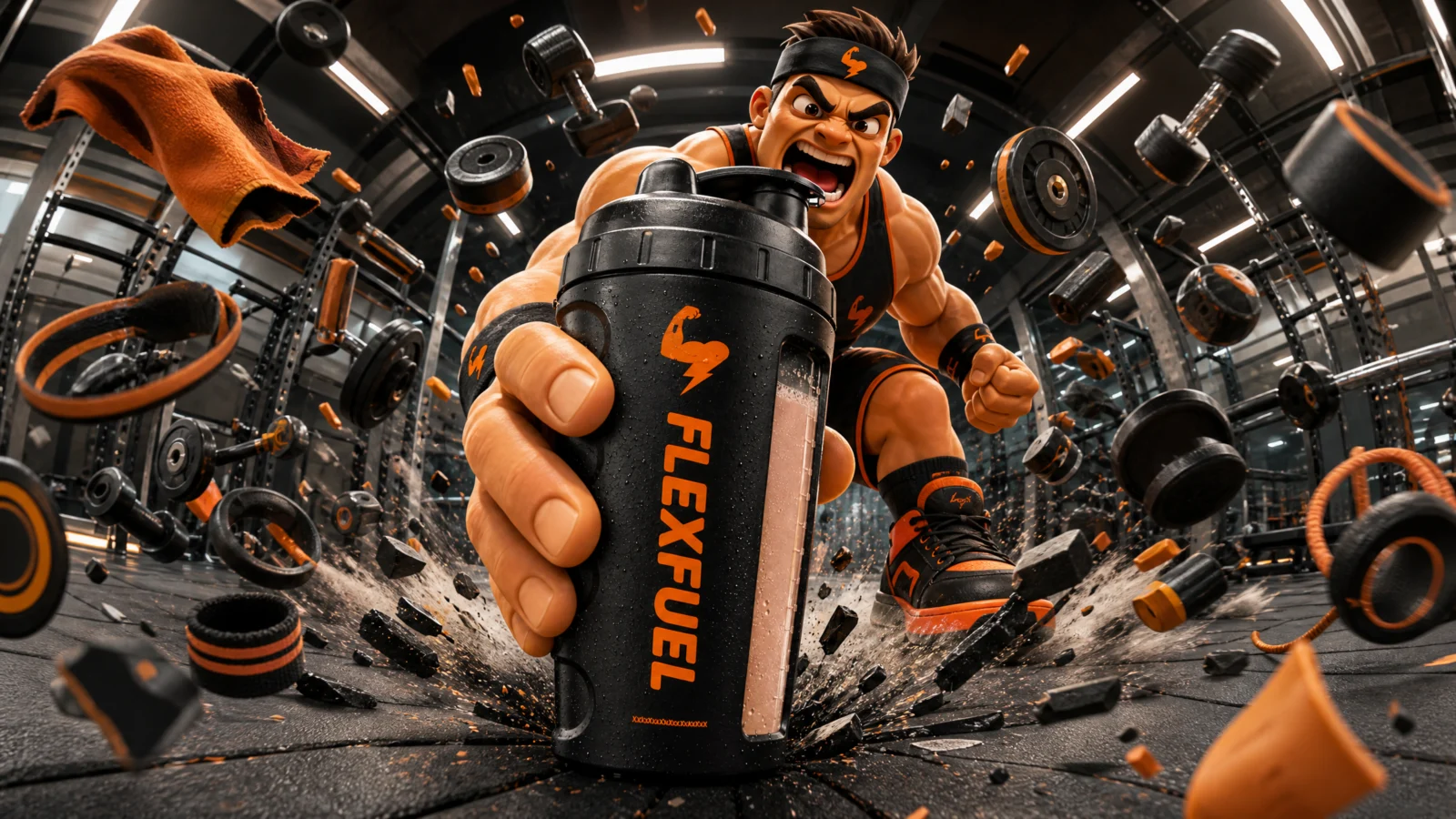
One reference. The pack carries the branding, so no logo image is needed in the render.
Settings: element2video, 16:9, 720p, 20 seconds, audio on, seed fixed.
The Full Prompt
Block By Block
Shot one is a pair of hands. No face, no product, no gym. Two chalked hands clap and detonate at the lens. Opening on a detail rather than an establishing shot is a modern ad convention and it is free.
The overhead is the money shot and it is only three seconds long. Straight down from the ceiling as the whole room lifts. Big ideas do not need long shots, they need the right shot.
The brand macro comes fourteen seconds in. Cap cracking open, condensation flying, the camera turning so the bicep mark and then the vertical FLEXFUEL letters sweep past the lens. Late enough to be a payoff, early enough not to be a logo sting.
The freeze is written as a live frame. "The picture stays live: the overhead lights still flare, chalk dust still drifts and he still breathes." Without that line, "everything stops" produces something that looks like a broken render.
The safety clauses are specific. No barbell landing on anyone, no dropped weight hitting a person. A gym film with heavy objects flying is exactly the kind of prompt that trips a moderation filter on the generated audio or picture. Name the thing you do not want.
The Method In One Box
Write the hit at the end of one shot and start the next shot on it. Tell the score to hit on every cut. And if the key visual contains an impossible thing, keep gravity switched on until the film earns the right to turn it off.
The Post Layer
Brand: FLEXFUEL. Tagline: ONE MORE REP.
Tagline only, per the rule from Page 3, because the bottle carries the brand for the whole film.
Placement is worth a note. The automatic measurement put the line straight across the bottle, because a large black bottle is the calmest low contrast area in the frame and a purely contrast based measurement cannot tell that it is the hero. Exclude the product and the character from the search before you score the frame. The final position is low left over the rubber floor, well clear of both.
Variations
Swap the impact and swap the category. A knife hitting a board. A ball hitting a bat. A stamp hitting paper. A hammer hitting a nail. Any product whose world contains a percussive event can run this structure unchanged.
Slow it down for a premium brand. Same six impacts, quarter speed, orchestral instead of electronic, and the impact chain becomes elegant instead of loud.
Cut a six second version for pre-roll from shots one, five and six. Clap, brand, land.
Common Issues
Everything floats from the first frame. You did not write the gravity clause. State outright that nothing floats until the moment that lifts it.
The cuts feel arbitrary. You wrote six shots but no impacts. Name what hits at the end of each one and start the next shot on it.
The music does not line up with the cuts. Tell the score explicitly: one hit on every cut.
The freeze looks like a crash. Add the line that keeps the picture alive underneath it.
You run out of duration. Six shots in twenty seconds is about the ceiling. Seven starts dropping events.
Next Step
Episode 6 is the last shape and the hardest to time. Tiny characters against a giant product, where the scale has to hold across five cuts and a joke has to land on a beat.
Section 06
EPISODE 6: THE MASCOT
Three characters one tenth the height of the product. Scale has to hold for thirty seconds, and the joke has to land on time.
The mascot spot is the oldest shape in advertising and it still outperforms almost everything else, because a character doing a job on your behalf is easier to like than a product. The Vol.18 Tiny Operator category is built for it: little workers crawling over an everyday object at ten times their size, treating it as machinery.
Two things break it in AI video. Scale drifts, and comedy has no timing.
The Lesson Before The Prompt: Scale Needs A Ruler
You cannot write "tiny." Tiny relative to what, and tiny for how long?
That is two rulers and a lock. The first ruler is an object inside the frame, as tall as the winding key. That is the important one, because it is something the model is already rendering and can measure against. The second is a ratio, one tenth the height of the clock face, which catches the case where the key itself drifts. Then the lock: the clock never changes size, because the easy cheat is to shrink the product instead of the people.
Back it up in the ban list: "no changing scale, no workman growing or shrinking."
The general rule: measure your character against a thing that is in the shot, not against an abstraction. As tall as the winding key. As wide as a keycap. Up to the rim of the cup. Those hold. "Miniature" does not.
The Second Idea: Count Your Cast And Give Each One A Job
Then each beat hands out work individually:
- one climbs out of a hatch on the rim and plants his boots on the glass
- the second abseils down a rope from the top bell
- the third hauls a brass wrench along the rim
- all three take hold of the minute hand together
- the top one winds the key while the other two hold on
Never "the workmen do things." Small characters with no assigned job merge into a crowd, and a crowd is where the count starts drifting. Name them by what they are doing and they stay three.
The Third Idea: Comic Timing Is A Beat Structure
A joke is setup, build, payoff, button. So is this film.
- 0 to 6s setup. A silent study, low gold light, nothing moving. Then a hatch pops open.
- 6 to 13s build. Reinforcements arrive and take hold of the minute hand.
- 13 to 20s the effort. Three of them heave the hand forward exactly one notch, with a deep mechanical clunk. A huge amount of work for a tiny result. That is the joke.
- 20 to 26s payoff. The bells hammer and the whole clock hops across the desk while they ride it out.
- 26 to 30s button. Ringing stops, they plant their boots and salute.
The silence in the first six seconds is doing as much comic work as the bells. Comedy needs the room to be quiet before it is loud, and the score is told to do the same: "a ticking woodblock pulse, building through the wind up and landing on one bright chord at the salute."
Where This Image Came From
Vol.18 | Big Product Energy, Category 6, The Tiny Operator:
https://www.skool.com/digiaistudio/classroom/317c3821?md=a4aa44df7d25412faf6a481f802c6a57
The Tiny Operator category makes an ordinary object into infrastructure by putting a crew on it. It is the most versatile category in the vault for client work, because it turns any product into a story without needing a spokesperson, a model or a location. The Vol.18 page has the image prompt and the scale rules for the still.
What You Need
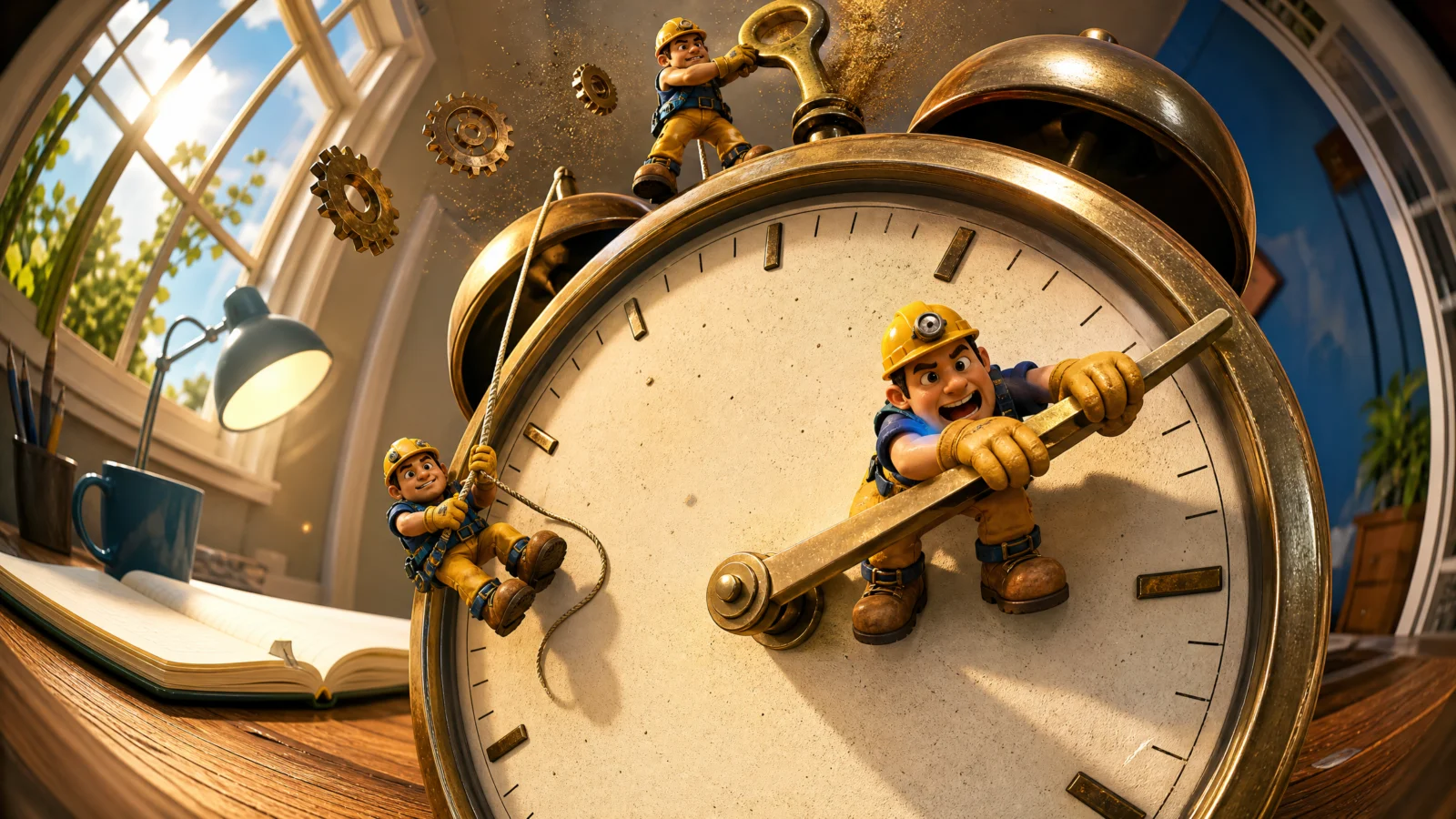
The Vol.18 Category 6 key visual, or your own tiny-crew image. Reference, never first frame.
Settings: element2video, 16:9, 720p, 30 seconds, audio on, seed fixed.
The Full Prompt
Block By Block
The camera does five different things and none of them is a cut. Push across the desk, crane up over the clock, rush down into the face, shake with the desk through the bells, ease back and settle. Written as physical actions, they stay one continuous move. Written as "then we see," they would have been five shots.
The camera shakes with the desk, not on its own. "The camera holds and shakes with the desk" ties the wobble to a cause. Unmotivated shake is the fastest way to make animation look like a preset.
Sound is doing the scale work. "Small boots on glass, a rope creaking, a deep mechanical clunk as the hand moves, a brass ratchet winding." Tiny sounds for tiny people and one enormous sound for the object they are operating. That contrast sells the size difference more efficiently than any visual cue.
The dust and gears are the physical proof. Loose brass gears bouncing across the desk during the bells give the frame something with real mass in it, and mass is what makes the clock feel heavy enough to be worth three workers.
One honest catch, left in the film.
Look at the bottom of the clock face in the last shot. There is a small boxed letter T where a date window would sit.
The prompt bans on screen text three separate ways, including "no numerals and no lettering of any kind on it" specifically about the clock face. Seedance rendered a letter anyway, on the product surface.
By the rule from Episode 3, this is the kind that matters: text on the world is negotiable, text on the product is not. So why is it still here?
Because it costs three thousand nine hundred credits to re-roll thirty seconds at 720p, and there is no guarantee the next take is cleaner or as good in every other respect. On a client job you re-roll it, or you patch that region in post. On a teaching vault you ship it, point at it, and tell the truth. The frame is otherwise the best landing in the volume.
The lesson worth taking is this: a ban is a strong prior, not a guarantee. Build your production plan around checking, not around trusting. Pull the landing frame every time and look at every surface the product owns.
The Method In One Box
Measure your characters against an object in the shot, lock the product’s size, name every character by the job they are doing, and structure the film as setup, build, effort, payoff, button.
The Post Layer
Brand: DAYBREAK. Tagline: WE START BEFORE YOU DO.
"Two small brass gear teeth worked into the outer edge of the disc" is the detail that ties the mark to the film. The sun is the brand, the gears are the tiny engineers, and one mark carries both without a word of explanation. Take one physical detail from the film into the logo and the endcard stops feeling bolted on.
This endcard needed a custom position, and that is worth knowing about. The seven standard anchor regions were all wrong: the film ends with a bright window on the left, a large brass clock filling the right, and a busy desk across the bottom. Scoring the seven named regions put the logo either on the window or on the clock. A fine scan of the landing frame found the real hole at about thirty five percent across and twenty four percent down, on the pale wall between the window and the bells.
If the named positions all fight the frame, do not compromise. Measure the frame and place it where the frame is actually quiet.
Variations
Swap the object and the crew keeps working. A coffee machine, a laptop, a washing machine, a car engine, a guitar. The rule is that the object has to have moving parts, because the crew needs something to operate.
Swap the crew. Engineers, chefs, pit crew, cleaners, scientists, gardeners. The uniform sets the brand’s personality faster than any copy line.
Turn the effort beat into the product benefit. Here three workers move a minute hand one notch, which is a joke about how hard mornings are. If your product removes effort, film the crew doing it easily while a fourth watches. Same shape, opposite argument.
Common Issues
A fourth worker appears. Count line plus "no fourth workman, no crowd of workmen," and give every named character a specific job in every beat.
Scale drifts. Measure against an in-frame object, and lock the product’s size separately.
The characters merge into a blob. Too many, or no assigned jobs. Three is the working maximum for thirty seconds at this size.
The joke does not land. You skipped the silence. Comedy needs the quiet setup more than it needs the punchline.
Text appears on the product. It will happen. Check the landing frame on every surface the product owns and decide, per shot, whether it is world text or product text.
Next Step
That is the vault. Six commercial shapes, six brands, one system. Take your own product photo, run the Vol.18 image prompts on it, then run these six film prompts on the results, and you have six finished spots for one client from a single afternoon.
The one thing to carry forward from all six pages: the model shoots, you brand. Never let it type your client’s name.