


Website template
Tessel
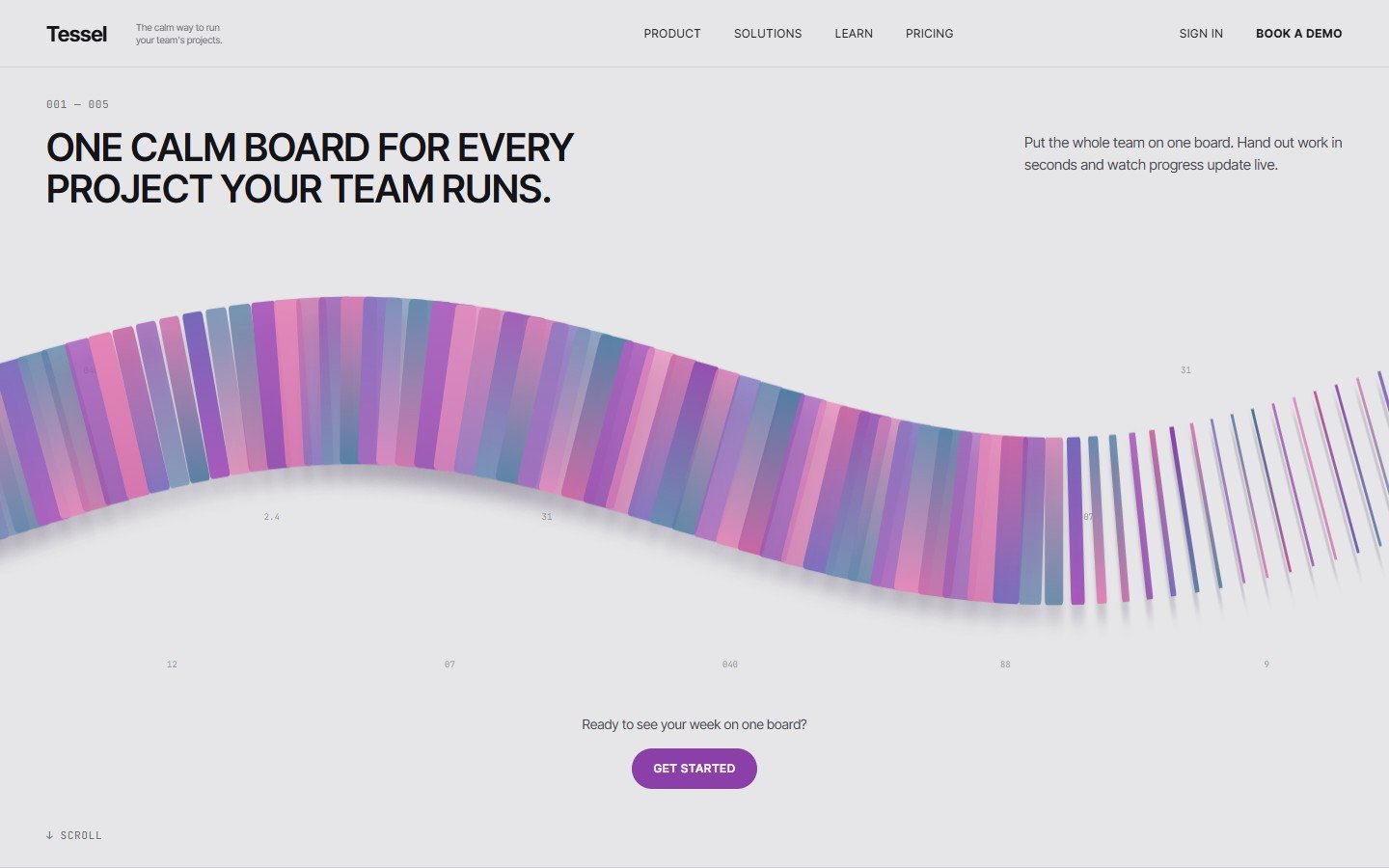
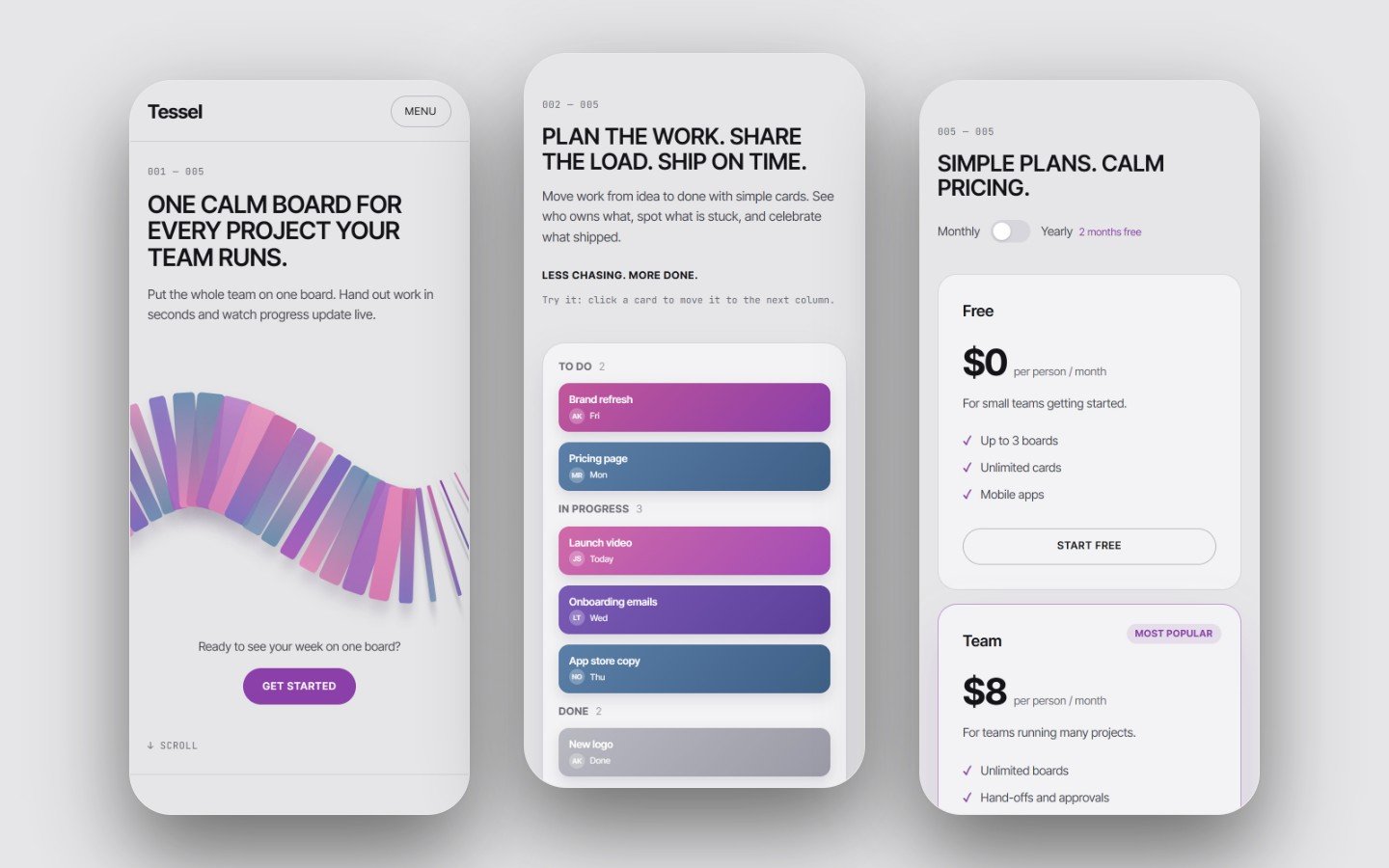
A light, calm site for team and project tools, with a flowing ribbon of gradient cards and a task board that really moves.
Tessel is a premium one-page website for task managers, project tools and team software. In the hero, under a clean uppercase headline, a ribbon of tall gradient cards in pink, violet and blue flows along a slow wave and twists as it goes: some cards face you, some turn edge-on, and towards the right the ribbon unwinds into thin cards. The cards pop in from left to right when the page opens, and cards near the mouse turn to face you.
Below, an isometric task board that works: click a card to move it from To do to In progress to Done, and now and then a card moves by itself. Then four feature cards with small moving pictures, three customer quotes (invented examples, ready for your own), pricing with a working monthly and yearly switch, and a demo request form that works with Netlify Forms.
Features
- Live ribbon of gradient cards that flows, twists and unwinds, with soft shadows and a left-to-right entrance
- Cards near the mouse turn to face the visitor
- Working isometric task board: click to move cards, cards also move by themselves
- Four feature cards with small animated pictures
- Customer quotes section and pricing with a monthly and yearly switch
- Demo form ready for Netlify Forms, with notes for Formspree and mailto
- Settings at the top of the CSS and JS: brand, ribbon colours, speed, density, mouse, board, motion
- No WebGL needed (2D canvas), pauses off screen; a CSS ribbon without JavaScript
- Calm still version for reduced motion; phone layout with a flat board and a full-screen menu
- No images to license, no libraries, no tracking, no build step
The prompt
Rebuild the Tessel website with Claude, step by step. The result is a light grey, calm one-page site for a team task manager: an uppercase headline above a ribbon of tall gradient cards that flows along a wave and twists (unwinding into thin cards on the right), an isometric task board whose cards really move between columns, four feature cards, three quotes, pricing with a monthly and yearly swit
Full prompt, 9 steps, opens after you buy or claim Locked
How to use
- Open the prompt, or download the source code, from My library.
- Paste the prompt into Claude, or upload the files to your web host.
- Change the settings block: your name, colours, texts and pictures.
- Preview it in your browser and check it on your phone.
- Publish it on your own domain.
What is inside
- Source files: index.html, assets/css/style.css, assets/js/main.js, assets/js/ribbon.js
- Prompt pack (Markdown and PDF): rebuild or adapt the design with Claude, step by step
- Set-up notes (Markdown and PDF): normal web host, Netlify, and the form (Netlify Forms, Formspree, mailto)
- README with every setting explained
- LICENSE.txt and CREDITS.md
Files
- tessel-v1.0.0-full.zip Source code, 218 KB Scanned, clean
- tessel-v1.0.0-prompt-pack.zip Prompt, 136 KB Scanned, clean
- PROMPT-PACK.pdf Prompt, 122 KB Scanned, clean
- SETUP.pdf Set-up notes, 61 KB Scanned, clean
Technical details
- Plain HTML5, CSS and JavaScript; 2D canvas for the ribbon (no library)
- Fonts: Inter Tight and JetBrains Mono (SIL Open Font License), loaded from Google Fonts
- Works in current Chrome, Edge, Safari and Firefox, desktop and phone
- Tested at 1440, 1024, 768 and 390 px wide
Licence
- You may
- Use it for your own websites and for client websites, as many as you like, and change anything
- You may not
- Resell or share the template files or the prompt pack
- Updates
- Free, they appear in My library
- Refunds
- Only if a file is faulty and we cannot fix it